

Winter Offensive is the third phase of Battlefield 6 Season 1, a mid-season limited event built around a frozen New York, a new Freeze ruleset, and a short bonus reward track. It sits on top of the regular Season 1 Battle Pass rather than replacing it, and it is tied to update 1.1.3.0 (also labeled 1.000.008 on consoles).
Winter Offensive dates and structure
Winter Offensive runs as a limited-time event within Season 1. The update that enables it, patch 1.1.3.0, went live on December 9, 2025 on PlayStation 5, Xbox Series X|S, and PC. The content is framed as the final phase of Season 1 and is presented in-game in its own “Winter Offensive” section on the Play menu, alongside Multiplayer and REDSEC.
The event is built from three pillars:
- A temporary visual overhaul of the Empire State map into Ice Lock Empire State,
- Freeze-enabled versions of Conquest, Domination, and REDSEC’s Gauntlet,
- An 11‑tier Winter Offensive Bonus Path that awards cosmetics and a functional melee weapon.
Winter Offensive content is only earnable and playable during the event window. Once it ends, the Bonus Path stops progressing and the Ice Lock variants leave rotation.
Ice Lock Empire State and Freeze mechanics
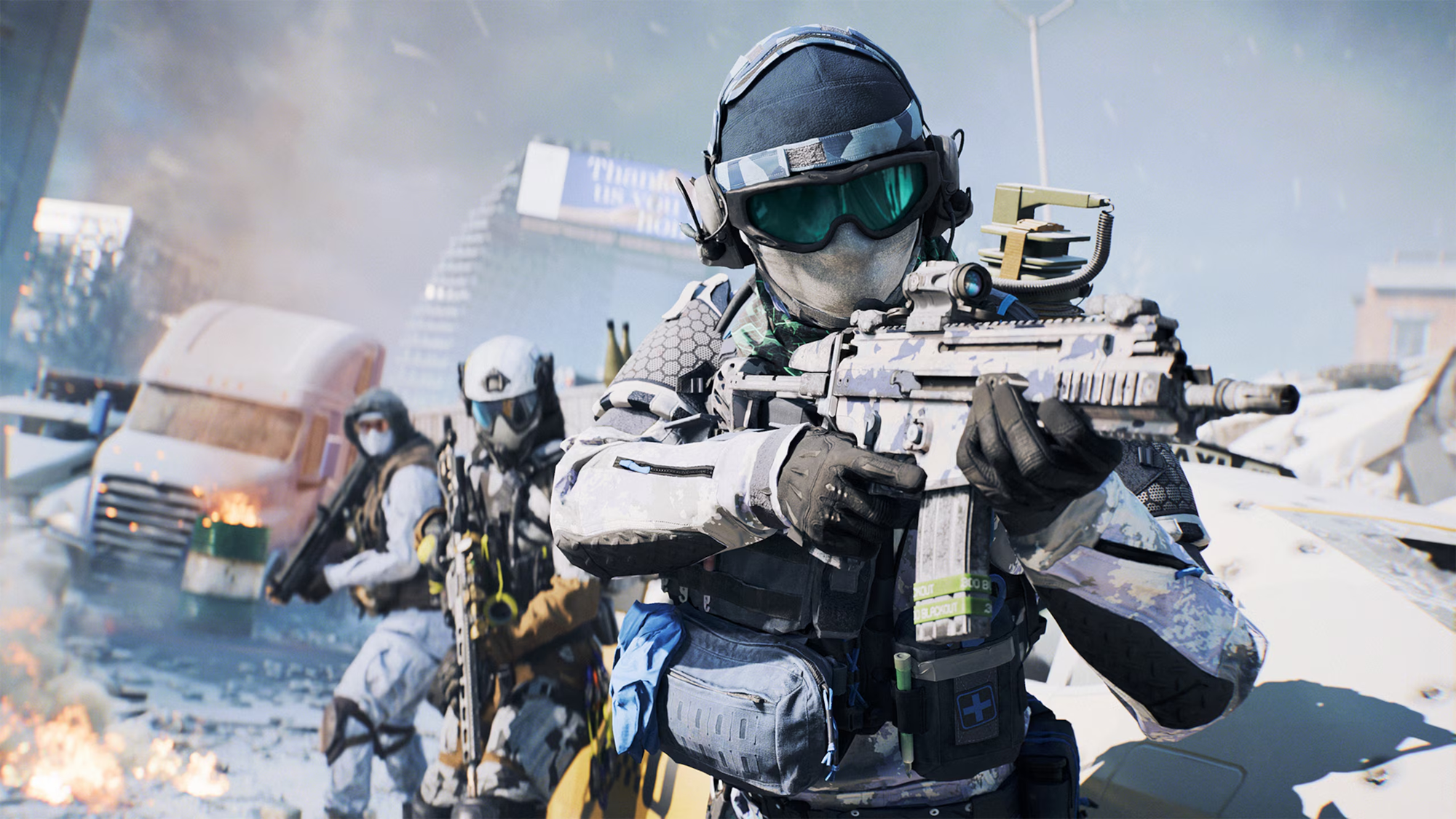
The headline change on the multiplayer side is Ice Lock Empire State, a winter rework of Empire State. Streets, rooftops, and sightlines remain structurally familiar, but snow and seasonal lighting set up the event fiction and help distinguish the playlist from standard rotation. The same winter version of the map is available in REDSEC and in supported Portal experiences for the length of the event.
On top of that visual layer sits Ice Lock, a ruleset modifier used in special Conquest and Domination variants in Battlefield 6 and in a Gauntlet variant in REDSEC. Ice Lock adds Freeze, a persistent environmental hazard:
- Large parts of the combat zone are treated as sub-zero areas. A Freeze meter on the HUD shows core body temperature building up over time.
- At 100 percent Freeze, a soldier starts taking damage over time and is locked at a low “critical” health state around 35 HP.
- In that state, passive health regeneration is disabled and most healing gadgets cannot restore health.
Staying alive is a matter of managing that meter. Sprinting slows the rate of Freeze build-up. Heat zones scattered across the map instantly flip the dynamic, lowering Freeze, removing the regen block, and restoring normal healing behavior while you stay inside them. Any strong incendiary effect — from gadgets or explosives — can create ad‑hoc heat pockets as well, so a well-placed fire grenade can thaw your squad in the open as easily as it can deny an angle.
The end result is a layer of risk on top of the usual objective flow. Pushing through open avenues to flip a flag might mean accepting Freeze damage and planning a route through heat sources, while defenders can try to control those safe pockets to force poor trades.
Winter Offensive Bonus Path and rewards
Progression for the event lives in a dedicated Winter Offensive Bonus Path under the Battle Pass tab. It is a single linear track with 11 tiers and can be advanced at the same time as any Season 1 Battle Pass path; there is no need to choose one or the other.
Each tier requires 10 Bonus Path Points. Finishing the path takes 110 points total. Bonus Path Points come from:
- selected Weekly Challenges flagged in the Challenges screen, and
- Winter Offensive–themed Event Challenges tied to the Freeze mechanics and Ice Lock playlists.
Tiers alternate between free and premium slots. Premium rewards require ownership of the Season 1 paid Battle Pass, but free tiers can be claimed by any player. The Bonus Path layout is:
| Tier | Points needed | Free / Premium | Reward |
|---|---|---|---|
| 1 | 10 | Free | Ice Age weapon sticker |
| 2 | 20 | Premium | Melting Frost vehicle skin |
| 3 | 30 | Free | Career XP booster |
| 4 | 40 | Premium | Wildwood weapon charm |
| 5 | 50 | Free | Predator’s Gleam vehicle decal |
| 6 | 60 | Premium | Hardware XP booster |
| 7 | 70 | Free | Winter Unity uniform patch |
| 8 | 80 | Premium | Cold Comfort soldier skin |
| 9 | 90 | Free | Isbjørn player card background |
| 10 | 100 | Premium | Solstice weapon package |
| 11 | 110 | Free | Ice Climbing Axe functional melee weapon |
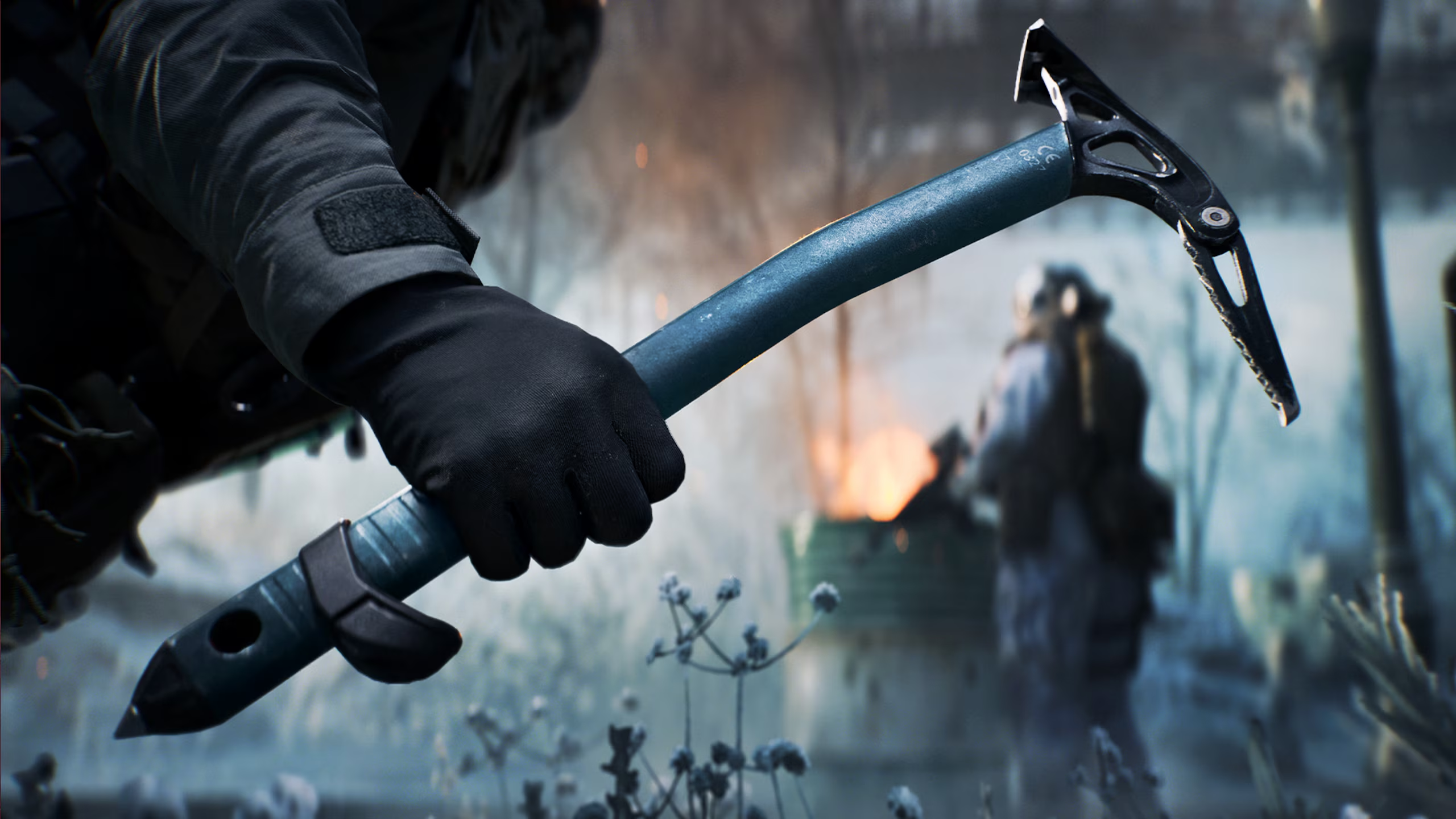
The Ice Climbing Axe is the functional payoff at the end of the path. It is treated as a base melee weapon shared between Battlefield 6 multiplayer and REDSEC, not as a cosmetic variant layered on an existing knife. That makes the final tier the critical milestone for anyone who cares about loadout flexibility, even if they are uninterested in cosmetics.
Note: the in-universe name for this weapon also appears as Nomad CX‑12 in other in‑game references, but the Bonus Path tier lists it directly as Ice Climbing Axe and flags it as a “functional base melee weapon.”
Event assignments and how they feed the Bonus Path
Beyond Weeklies, Winter Offensive adds batches of time-limited assignments that are tuned around Freeze, heat zones, and Ice Lock–specific tasking. These assignments reward Battle Pass XP, boosters, cosmetics, and, in some cases, Bonus Path progress.
Examples from the first batch include:
- getting objective kills in Ice Lock Conquest or Domination for a Battle Pass XP booster,
- landing kills with the Adrenaline Injector as an Assault in freeze zones for a Career XP booster,
- completing or winning a set number of Ice Lock matches for straight Battle Pass point payouts,
- reviving teammates while frozen to unlock the Death Watches weapon charm, alongside Battle Pass progress,
- earning score within freeze zones to unlock a Fast Patterns Assault skin for United Albion forces.
Some of these assignments are gated behind Battlefield Pro access for Season 1, which is bundled into the higher-tier Phantom Edition or can be bought separately via the Battlefield Pro Battle Pass product. That Pro access does not change the structure of the Winter Offensive path but controls eligibility for certain boosters and cosmetics within the assignment lists.
Major gameplay and systems changes in update 1.1.3.0
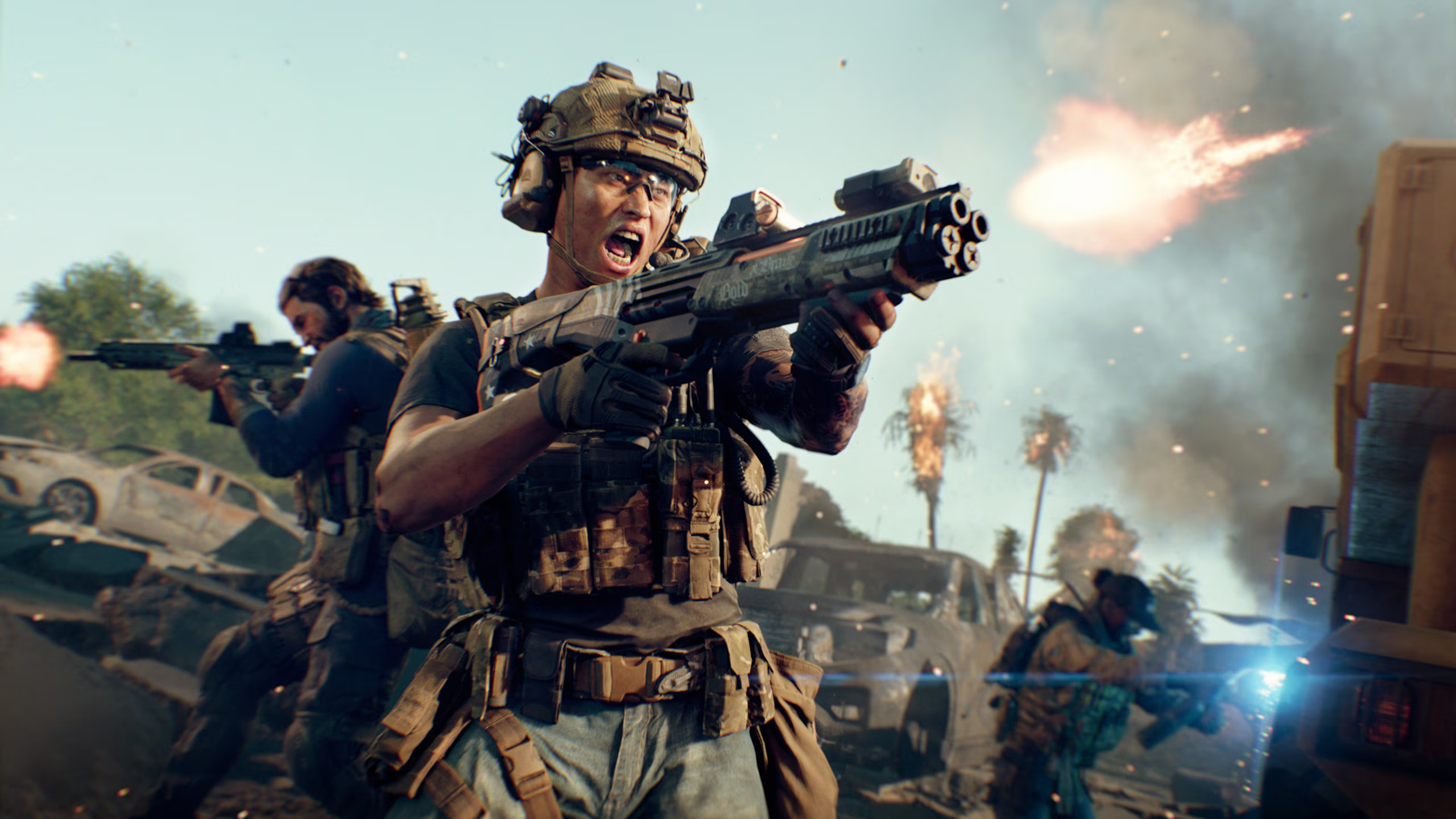
Patch 1.1.3.0, required for Winter Offensive, is a broad balance and bug-fix update for Battlefield 6 and REDSEC. It is also labeled Battlefield 6 update 1.000.008 on consoles. The high-level goals are clearer gunfights, more predictable weapons and vehicles, and better audio feedback.
Key systemic changes include:
- Hit registration and aiming receive a pass aimed at edge cases like firing just before a zoom finishes, making extremely fast aim corrections, or trading shots in dense close-quarters fights. Recoil and input interaction is tuned so that compensating for recoil feels more consistent.
- Soldier visibility is improved at close range through stronger character highlights, updated prone animations, and brightness adjustments so enemies stand out better against busy backdrops.
- Weapon handling is adjusted across multiple guns. Automatic weapons such as the M250, NVO‑228E, RPKM, SG 553R, and SOR‑300SC gain lower overall recoil magnitude but more recoil variation, reducing their reliability at long range. Some magazine upgrades become cheaper in attachment trees, and the Mini Scout’s fire rate is slowed slightly to remove rapid-fire inconsistencies.
- Gadgets such as the LWCMS Portable Mortar and Supply Pouch get behavior fixes. Mortar smoke shells now produce larger clouds, respect a defined regeneration timer, and pick up a small synergy with the Logistics Expert specialization. Supply Pouches lose their instant heal on impact and prioritize players who are low on, or have requested, health or ammo.
- Vehicles see corrections to damage zones, passenger HUD elements, and camera behavior. The goal is to make it clearer where vehicles can be damaged and to eliminate UI overlaps when switching seats or spectating.
- Mode layout changes touch Breakthrough, Rush-style experiences, and Escalation, adjusting attacker and defender vehicle pools, flag capture volumes, and out-of-bounds timers to smooth sector flow and address lopsided win rates.
- Audio gets a broad readability pass. Footstep mixing is rebalanced so enemy movement is louder and more distinct across distances and surfaces, while self and friendly footsteps are pulled back. End-of-round, low health, and ability sound cues are also cleaned up to avoid getting stuck or playing at the wrong time.
On REDSEC’s side, the patch resolves edge-case bugs around Second Chance respawns placing players in extreme positions, empty vehicle containers, and mission objects failing to drop in Gauntlet if their carrier disconnects. It also tweaks damage numbers on the Rorsch Mk‑2 SMRW Rail Gun so that headshots kill fully armored enemies outright while body shots leave them at low health instead of instantly deleting them.
How to access Winter Offensive in Battlefield 6
Step 1: Make sure Battlefield 6 is updated to patch 1.1.3.0 (version 1.000.008 on consoles). If automatic updates are disabled, trigger a manual update from your platform’s game management screen.
Step 2: Launch the game and wait for the main menu to load. Look at the navigation list on the left side of the Play screen; a dedicated Winter Offensive section appears alongside standard Multiplayer and the free-to-play REDSEC entry point.
Step 3: Enter the Winter Offensive section to queue into Ice Lock Conquest or Domination in Battlefield 6 multiplayer, or the Ice Lock Gauntlet variant in REDSEC. The same section surfaces event challenges and a shortcut into the Bonus Path screen under the Battle Pass tab.
Step 4: To track Bonus Path progression directly, open the Battle Pass tab from the main menu and switch to the Winter Offensive path. You can watch Bonus Path Points accumulate there as you complete Weeklies and Event Challenges across the active playlists.
Winter Offensive is less a standalone mode and more a cold-weather layer added to the top of Battlefield 6’s existing structure. It asks squads to think about temperature as much as sightlines, and it folds that pressure into a short, focused reward track that hands out one of Season 1’s few new functional weapons. Once the event window closes, the Freeze mechanics and Ice Lock Empire State drop out of rotation, leaving only the unlocked items behind.