

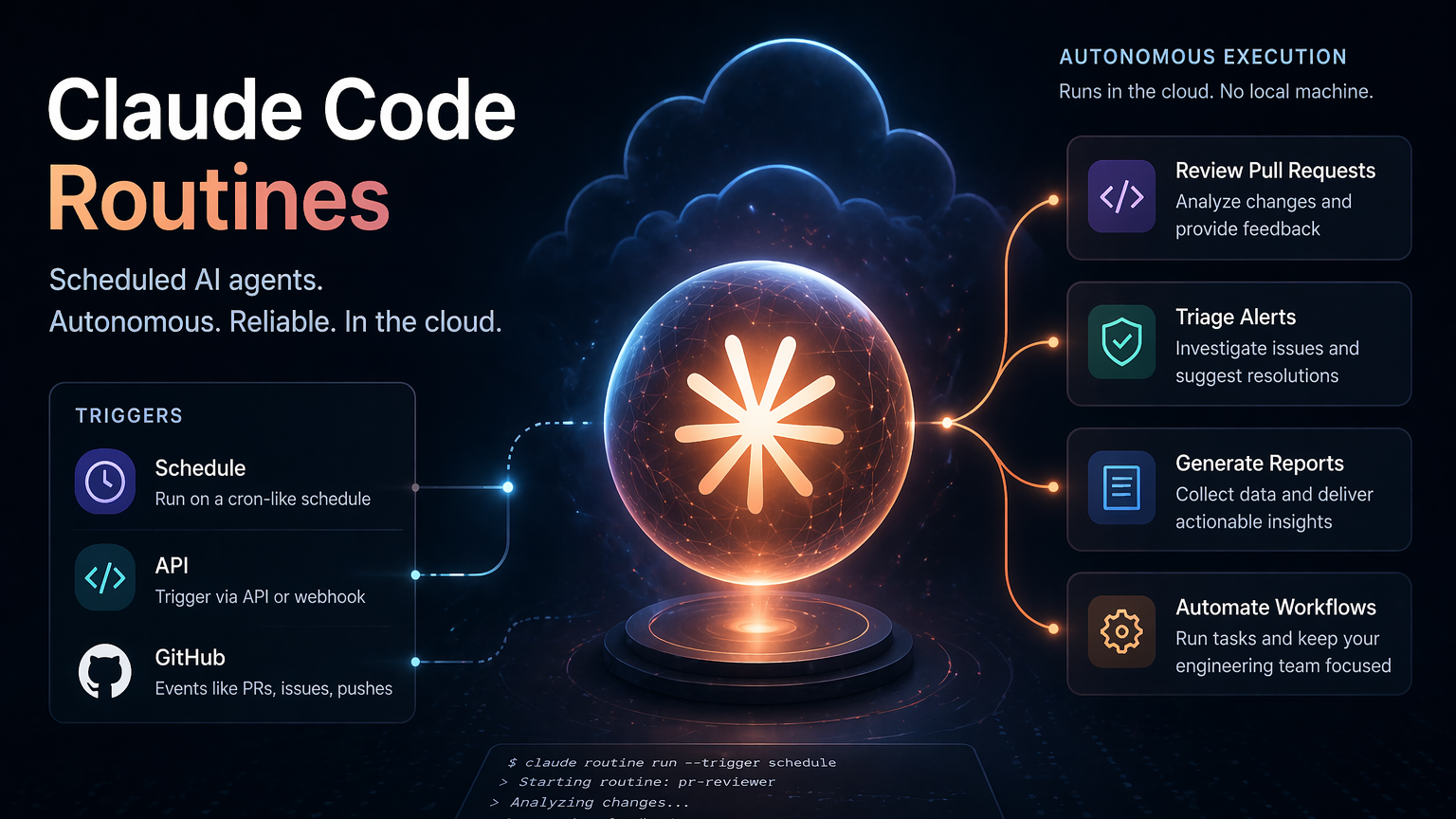
Claude Code routines are saved cloud configurations that pair a prompt, one or more GitHub repositories, and a set of connectors into a package that runs on its own. Anthropic launched the feature as a research preview on April 14, 2026, and it currently lives inside Claude Code on the web for anyone on a Pro, Max, Team, or Enterprise plan. The defining trait is simple: routines execute on Anthropic-managed infrastructure, so they keep working with your laptop closed, your terminal off, and no cron daemon on your side.
What a routine actually is
A routine wraps four things: the instruction prompt Claude follows, the repositories it can clone, the cloud environment (network access, variables, setup scripts), and any MCP connectors like Slack, Linear, or Gmail. Once created, Claude Code runs the routine as a full autonomous cloud session. There’s no permission-mode picker and no mid-run approval prompts, so Claude can execute shell commands, use skills committed to the cloned repo, and call connectors without interruption.
Routines belong to your individual claude.ai account rather than a team workspace. Commits, pull requests, Slack messages, and ticket updates all appear under your linked identities. Daily run caps are per account as well.
Triggers: schedule, API, and GitHub
A single routine can mix any combination of the three trigger types. That flexibility is why Anthropic describes the same PR review routine running nightly, reacting to every new pull request, and being callable from a deploy script.
| Trigger | How it starts | Typical use |
|---|---|---|
| Schedule | Hourly, daily, weekdays, or weekly preset; custom cron via /schedule update | Nightly backlog grooming, weekly docs drift checks |
| API | HTTP POST to a per-routine /fire endpoint with a bearer token | Alert triage from Sentry, deploy verification from CD pipelines |
| GitHub | Webhook on pull request or release events, with optional filters | Automated code review on PR open, backports on merged PRs |
The minimum schedule interval is one hour. Anything more frequent is rejected. Runs can start a few minutes after the wall-clock time because of stagger, but the offset is consistent per routine.
Creating a routine
You can create routines from the web UI, the Claude Code desktop app, or the CLI, and all three write to the same cloud account.
/schedule in any Claude Code session. In the desktop app, click New task and pick New remote task. Choosing New local task instead creates a local desktop scheduled task that runs on your machine, which is a different feature./schedule only creates schedule triggers, so API and GitHub triggers have to be added from the web./schedule run in the CLI.Repositories and branch safety
Each repository attached to a routine is cloned on every run, and Claude starts from the default branch unless the prompt specifies otherwise. By default, routines can only push to branches prefixed with claude/. That prevents accidental writes to main or other protected branches. Flip Allow unrestricted branch pushes on a per-repository basis if you want the routine to push anywhere.
If your account doesn’t have GitHub connected, running /schedule will prompt you to run /web-setup first.
Firing a routine over HTTP
API triggers give each routine its own endpoint and bearer token. Tokens are shown once in the modal and can’t be retrieved later, so store them immediately. The token is scoped to a single routine, grants no read access, and cannot reach any other account data.
The request is a plain POST with a required beta header. An optional text field (up to 65,536 characters) passes freeform run-specific context, such as a stack trace or failing log. The field is not parsed; JSON payloads arrive as a literal string.
curl -X POST https://api.anthropic.com/v1/claude_code/routines/$ROUTINE_ID/fire \
  -H "Authorization: Bearer $ROUTINE_TOKEN" \
  -H "anthropic-version: 2023-06-01" \
  -H "anthropic-beta: experimental-cc-routine-2026-04-01" \
  -H "Content-Type: application/json" \
  -d '{"text": "Sentry alert SEN-4521 fired in prod. Stack trace attached."}'
Triggering a routine from a shell
A 200 response returns the new session ID and a URL you can open in a browser to watch the run live, review diffs, or continue the conversation manually. The endpoint doesn’t stream output and doesn’t wait for the session to finish.
Error responses follow Anthropic’s standard error envelope:
| Status | Error type | Cause |
|---|---|---|
| 400 | invalid_request_error | Missing beta header, oversized text, or paused routine |
| 401 | authentication_error | Missing or mismatched bearer token |
| 403 | permission_error | Account lacks access to the endpoint |
| 404 | not_found_error | Routine ID doesn’t exist |
| 429 | rate_limit_error | Daily routine cap or subscription usage hit; includes Retry-After |
| 503 | overloaded_error | Service temporarily overloaded |
There’s no idempotency key. Every successful POST starts a new session, so webhook retries create duplicate runs. The path parameter is named routine_id but the actual value is prefixed trig_.
GitHub triggers and pull request filters
GitHub triggers subscribe to pull request or release events, and each matching event spins up its own session. Two updates to the same PR produce two independent runs. During the research preview, GitHub events have hourly caps per routine and per account; anything beyond the limit is dropped until the window resets.
Pull request filters let you narrow which events actually fire the routine. All conditions must match.
| Filter | Matches |
|---|---|
| Author | PR author’s GitHub username |
| Title / Body | PR title or description text |
| Base / Head branch | Target branch or source branch |
| Labels | Labels applied to the PR |
| Is draft / Is merged | PR state flags |
Operators include equals, contains, starts with, is one of, is not one of, and matches regex. The regex operator tests the whole field, not a substring, so use .*hotfix.* to match titles containing “hotfix”. For plain substring matching, stick with contains.
Connectors, environments, and skills
Routines can call any MCP connector linked to your account. When you create a routine, all currently connected connectors are attached by default. Remove the ones the routine doesn’t need so Claude has a narrower tool surface during unattended runs. Connectors are managed from Settings > Connectors on claude.ai or via /schedule update.
Skills work too, but only if they’re committed inside the cloned repository. Skills installed through the normal Claude chat interface do not carry over. Drop the skill’s folder into the repo and the routine will pick it up on clone.
Environments govern what network endpoints the cloud session can reach, which environment variables exist, and any setup scripts that install dependencies before the prompt runs. Configure the environment before creating a routine that depends on external APIs or private package registries.
Daily run limits by plan
Routine runs count against your Claude Code subscription the same way interactive sessions do, plus there’s a per-account daily cap on how many routine runs can start.
| Plan | Daily routine runs |
|---|---|
| Pro | 5 |
| Max | 15 |
| Team / Enterprise | 25 |
When you hit the daily cap or your subscription usage limit, organizations with extra usage enabled can keep running on metered overage. Without it, new runs are rejected until the window resets. Remaining runs are visible at claude.ai/settings/usage.
When routines are the right tool
Routines aren’t a replacement for every cron job. They earn their keep when a task needs judgment: reading a stack trace and correlating it with recent commits, deciding which PR filter applies, grooming issues based on code areas, or porting a change between sibling SDKs. If the work is a deterministic data pull or file move, a normal cron on a VPS is still cheaper and simpler.
The GitHub trigger in particular changes what’s feasible. A routine on pull_request.opened can clone the repo, apply your team’s review checklist, leave inline comments, and post a summary without wiring up a custom GitHub Action. Combined with the API trigger for alert triage and scheduled triggers for nightly maintenance, a single routine can cover several workflows that used to need separate infrastructure.
Managing and pausing routines
Each routine’s detail page lists repositories, connectors, prompt, schedule, API tokens, GitHub triggers, and past runs. From there you can click Run now to fire immediately, toggle Repeats to pause a schedule without losing configuration, edit any field via the pencil icon, or delete the routine entirely. Past sessions created by a deleted routine stay in your session history.
Clicking any past run opens it as a full Claude Code session, with diffs, commands, and the option to continue the conversation or open a pull request manually.
Research preview caveats
The /fire endpoint ships behind the experimental-cc-routine-2026-04-01 beta header. Request shapes, response shapes, rate limits, and token semantics can change while the feature is in preview. Anthropic ships breaking changes under new dated beta header versions and keeps the two most recent previous versions working so callers have time to migrate. The endpoint is also restricted to claude.ai accounts and isn’t part of the broader Claude Platform API, so SDKs don’t support it.
GitHub event caps during the preview are tracked per routine and per account on an hourly basis, and any overage drops events silently until the window resets. If you’re wiring routines into a noisy webhook source, filter aggressively on the GitHub trigger side rather than relying on the routine to ignore irrelevant runs.





