

Reboot Vans are no longer just static panic buttons in Fortnite Chapter 7. On the new Golden Coast island, many of them can be driven, turning one of the riskiest actions in the game into a rolling, armored ambulance for your squad.
Drivable Reboot Vans sit alongside a wider “stay in the game” rework in Chapter Seven: Pacific Break, which also adds new DBNO movement and a Self-Revive Device. The vans now let you:
- Move a Reboot point away from exposed hot zones.
- Revive knocked teammates in the back of the van while you drive.
- Reboot eliminated teammates from their Reboot Card once you park.
Where drivable Reboot Vans spawn in Chapter 7
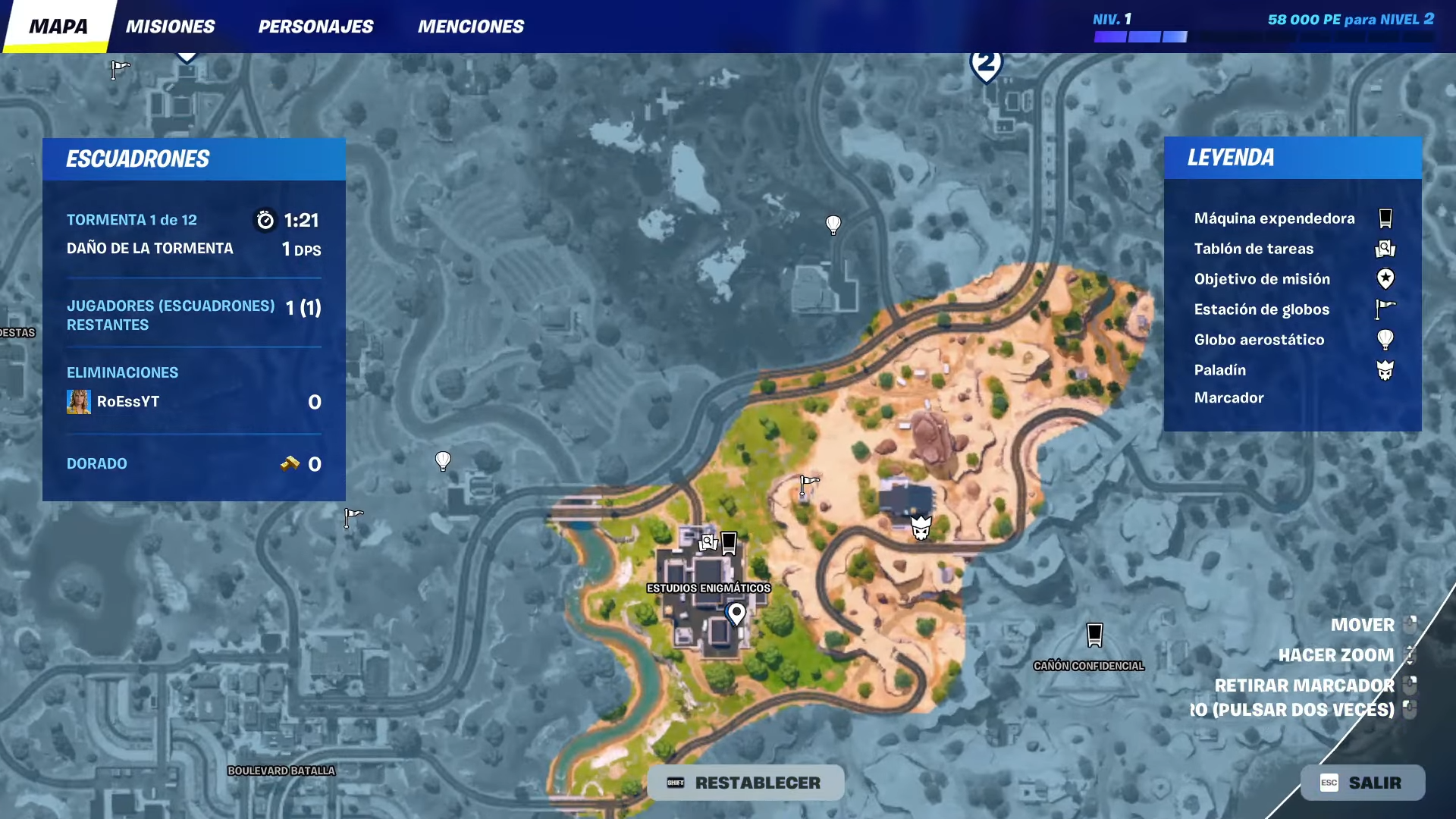
- They are tied to fixed van spawn points across the Golden Coast map.
- At each point, the van can be either drivable or clamped/static for that match; this is random.
- Spawn points are concentrated at named POIs and around gas stations, with additional vans scattered in smaller hubs.
In practice, this means you are almost always near at least one Reboot Van when you land at a major POI such as Battlewood Boulevard, Sandy Strip, Wonkeeland, Humble Hills, Bumpy Bay, or Classified Canyon. On squad modes (Duos, Trios, Squads), most of these locations will have a van; Solo does not use Reboot Vans.
On the in-game map, Reboot Vans still show their familiar icon. You cannot tell from the map whether a van is drivable or clamped; you need line of sight to see the redesigned body and wheels.
How drivable Reboot Vans differ from regular vans
Chapter 7 keeps the core Reboot logic but layers vehicle behavior and new revive options on top. Functionally, there are three “flavors” you’ll run into:
| Van type | Can drive? | Reboot at standstill? | Revive knocked players in back? |
|---|---|---|---|
| Static Reboot Van | No | Yes | No |
| Drivable Reboot Van | Yes | Yes (when parked) | Yes |
| Clamped Reboot Van | No (wheels locked) | Yes | No |
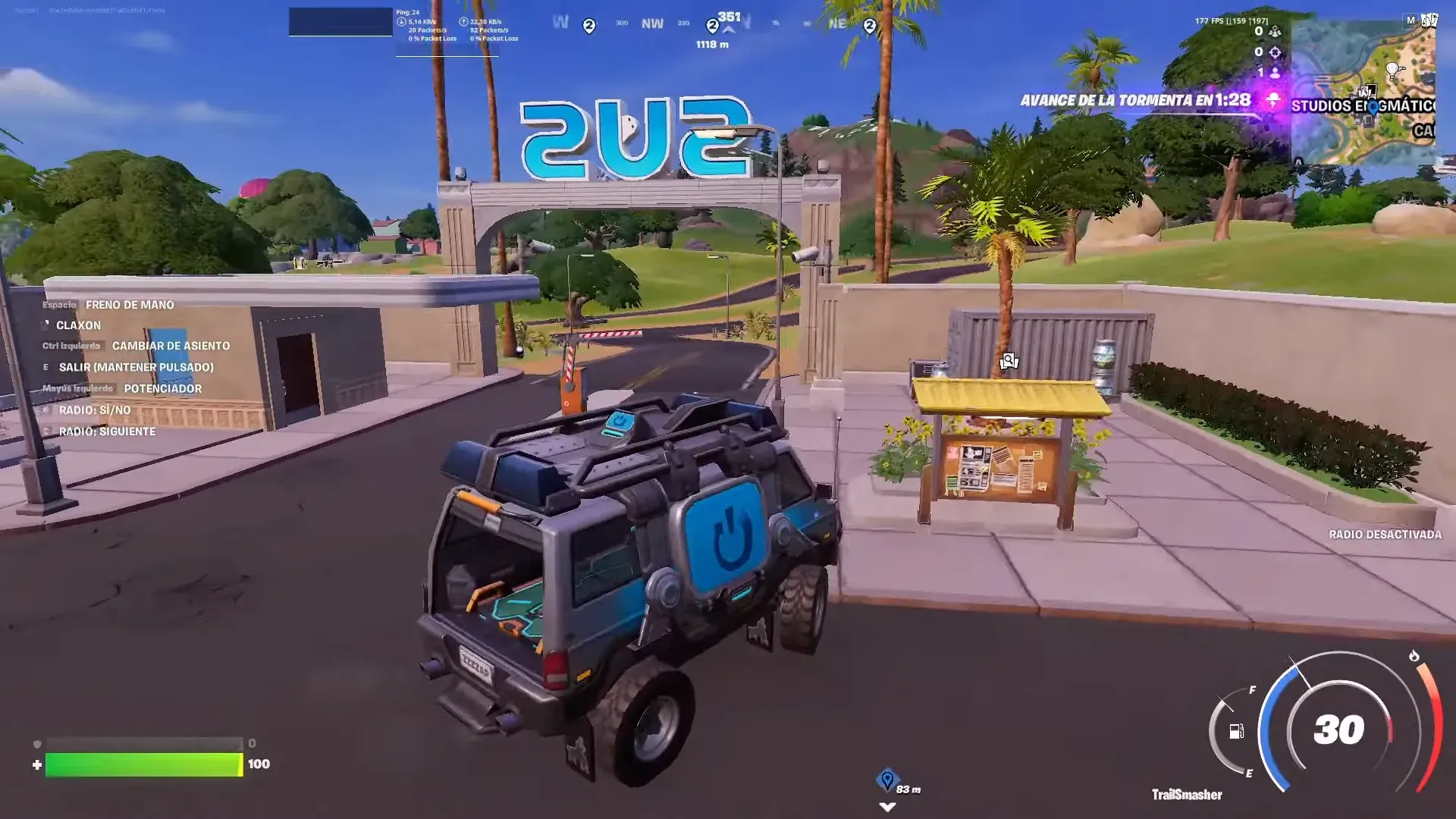
Shared traits across all of them:
- They can reboot eliminated teammates from their Reboot Card while stationary.
- You can pay Bars to buy a Reboot Card for a fallen teammate if you missed the pickup window.
Unique traits of drivable vans:
- They behave like other vehicles: they consume fuel, can be repaired, and can be destroyed.
- They have a “reboot bed” in the back that will revive knocked players (DBNO) while the van is moving.
- They are larger and louder than standard cars, and extremely visible targets in open ground.
How to identify and get into a drivable Reboot Van
Once you’re near a van icon, it only takes a second to confirm if it’s mobile.
Step 1: Approach the Reboot Van and look at the wheels. Drivable vans sit on regular tires and have a slightly reworked body with space in the back. Some vans spawn with clamps on the wheels; those are static only.
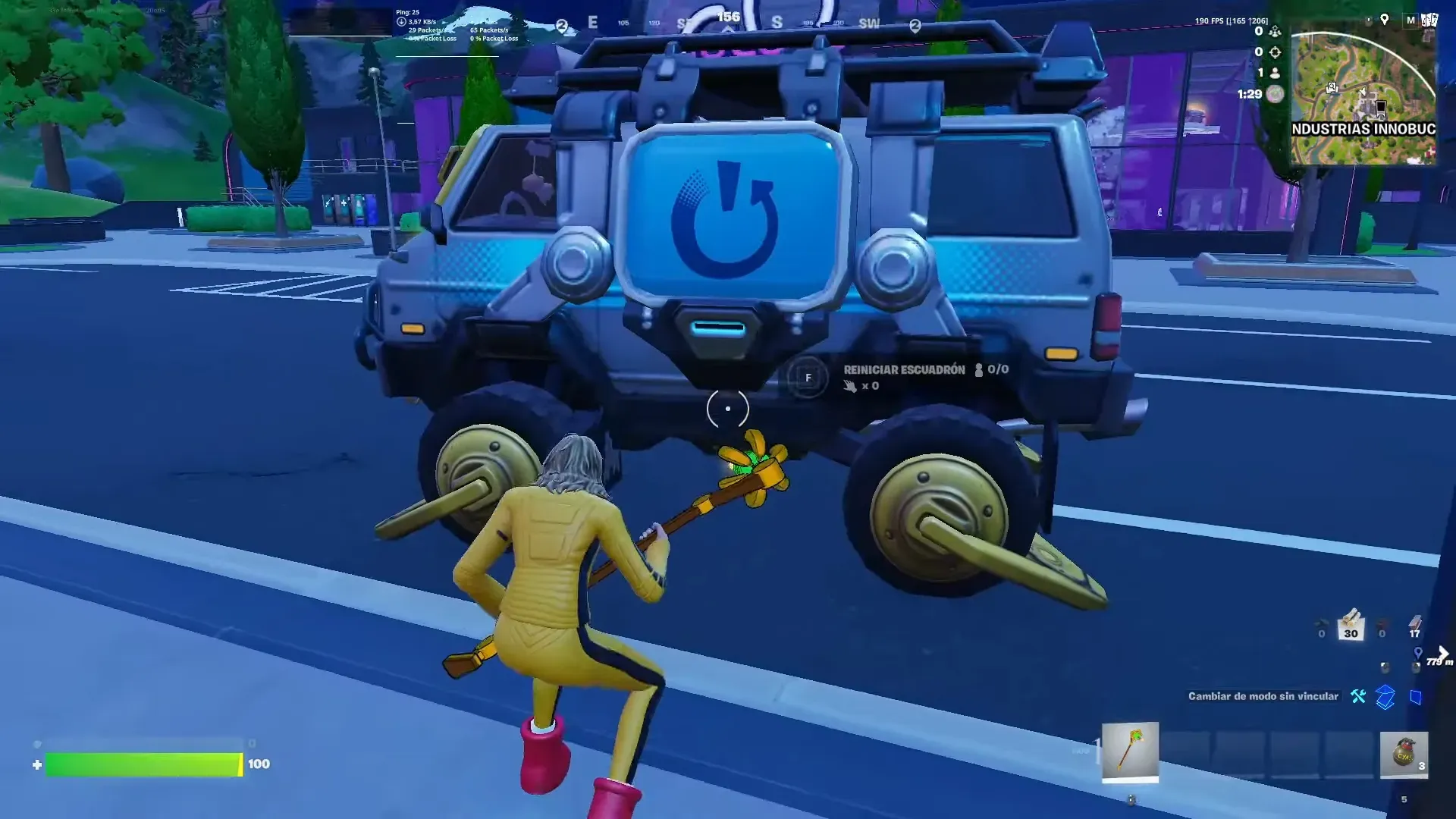
Step 2: Stand next to a drivable van and watch for interaction prompts. You should see an option to drive and, when holding a teammate’s Reboot Card or near a DBNO ally, an option to reboot.
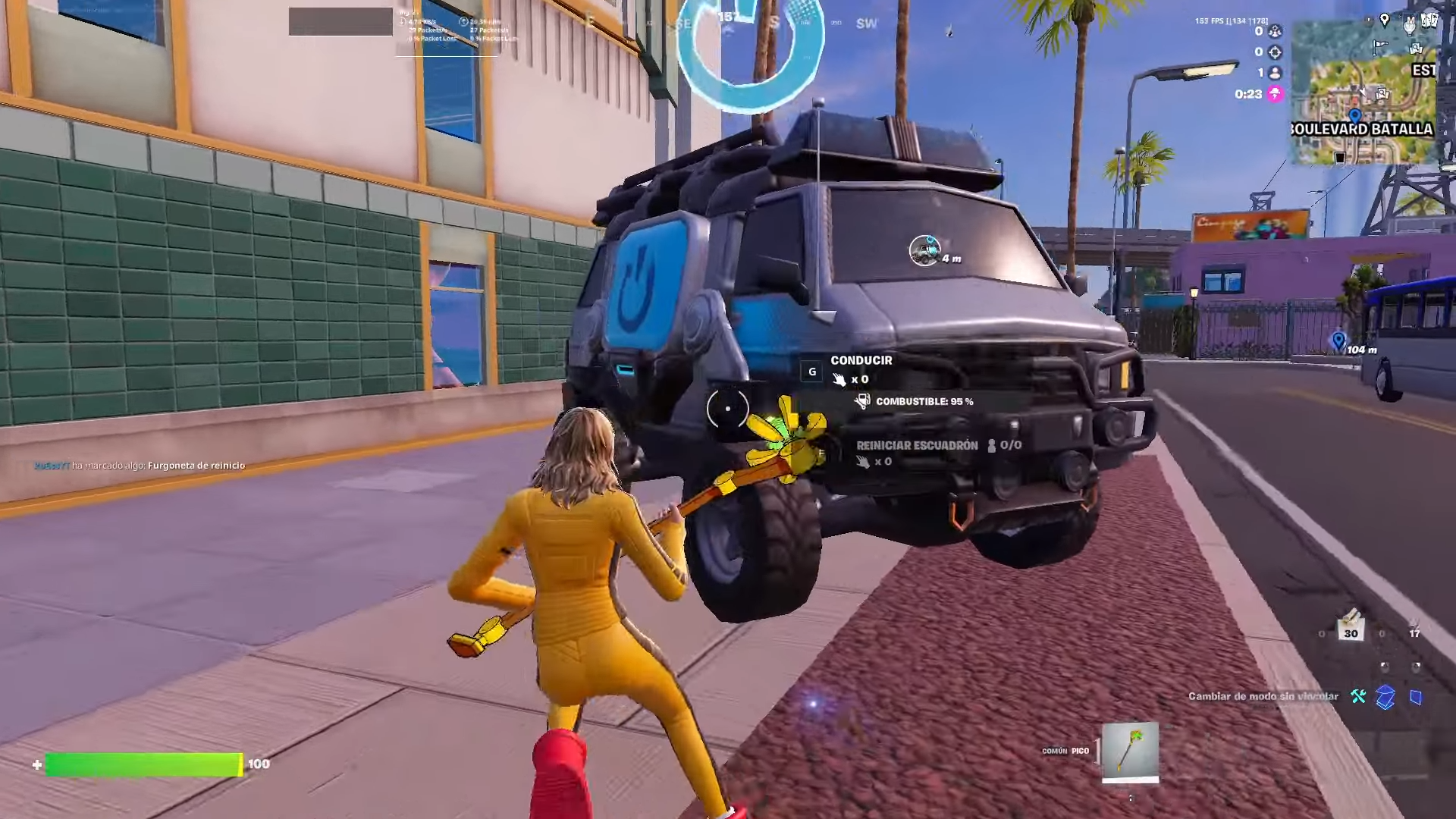
Step 3: Use the drive interaction to take the driver seat. From here, the van controls exactly like any other car or SUV: throttle, brake, reverse, and handbrake, with the usual handling quirks of a heavy vehicle.
Tip: secure the van early in the match if you expect chaotic mid-game fights. Driving one out of a hot drop gives your team a mobile safety net before the first big third-party arrives.
How to revive knocked teammates in a drivable Reboot Van
One of the biggest changes in Chapter 7 is that you no longer have to stand still and channel a revive animation over a knocked teammate. The van can do that job while you’re still rotating.
Step 1: Get your knocked teammate into the back of the van. They can:
- Use the new DBNO movement to roll or crawl into the open rear, or
- Be picked up and thrown into the back by a healthy teammate.
Step 2: Once they touch the reboot bed area, a revive process starts automatically. There’s no extra button press needed from the driver.
Step 3: Keep driving. You can reposition to stronger cover, rotate toward zone, or simply make it harder for enemies to track you while the revive timer ticks down.
Step 4: When the revive completes, the previously knocked player snaps into a normal seat and regains control, just like a standard revive. From there, your priority is to heal them, as they’ll come back with low health.
Note: this moving revive works only for squadmates who are still Down But Not Out. Once they are fully eliminated, the van treats them as a Reboot Card case instead.
How to reboot eliminated teammates with a drivable Reboot Van
For fully eliminated teammates, the van behaves much closer to the classic Reboot flow, with one key limitation: you cannot channel a Reboot while the van is moving.
Step 1: Collect your teammate’s Reboot Card before it expires. If you miss it, look for vending machines and services that let you buy their card for Bars instead.
Step 2: Drive the van to a safer location. This is the main advantage over static vans: you’re not forced to reboot in a well-known, often farmed choke point.
Step 3: Park the van and step out if prompted. Stand near the reboot panel and hold the Reboot button to start the channel. The bar functions just like it did in older chapters.
Step 4: Defend the channel. Even though you chose a safer place, the reboot beam and sound are still loud. Use the van itself as cover, drop builds, or spread out to deny angles.
Step 5: Once the reboot finishes, your teammate spawns in with their usual minimal loadout. Get them into the van or into nearby cover immediately.
Important limitation: the Reboot Card flow always requires the van to be stationary. There is no way to reboot from a card while on the move, even in a drivable van.
Fuel, damage, and risk management
Because drivable Reboot Vans inherit normal vehicle systems, treating them like invincible revive stations is a shortcut to a team wipe.
- Fuel: Vans burn through fuel and need refills at gas stations. Many Reboot Vans are placed near these stations by design, so you can top up while you pass through.
- Damage: Enemy fire, explosives, and storm damage can destroy the van. If it blows up while you’re mid-revive, everyone inside is in serious danger.
- Noise and visibility: The van is loud, visually distinctive, and often targeted on sight. Expect long-range pressure the moment you’re spotted in open terrain.
Tip: treat a drivable Reboot Van as a tool for short, decisive rotations, not a permanent mobile base. Move, revive, then ditch it or park it in hard cover rather than idling in an open field.
How drivable Reboot Vans interact with new DBNO movement and self-revive
Chapter 7 also changes what you can do while downed:
- Roll & Tumble: Knocked players can roll to dodge shots or tumble down slopes toward cover or a van.
- DBNO Sprint: A short sprint while downed lets you cover extra distance into the van’s rear.
- Stay on the Move: DBNO players can now use ziplines, ascenders, and hop into passenger seats of regular cars.
- Reboot Revive: Crawling or being thrown into the back of a Reboot Van triggers the moving revive described earlier.
On top of that, the legendary Self-Revive Device gives some players a backup plan if the van play fails:
- It usually drops from rare chests, sometimes from regular chests, supply drops, or high-tier vending.
- It does not occupy an inventory slot; it sits as an icon above your hotbar.
- When you’re knocked, you get the option to self-revive while crawling. Once completed, you stand up with 30 HP.
- It can be used in the storm at low tick damage, but late circles are usually too punishing to make this safe.
These systems make drivable Reboot Vans most powerful when combined with good squad communication: one teammate calls that they can self-revive and crawl toward the van, another lines up the vehicle, and the driver focuses on getting everyone out of third-party angles while revives quietly resolve in the back.
Drivable Reboot Vans change the risk calculus around revives in Fortnite Chapter 7. Instead of deciding whether to gamble on a loud, static reboot, squads can pull the van out of hot POIs, revive knocked allies on the move, and choose their own reboot ground for eliminated teammates. Used well, that extra control often matters more than any single gun in the new loot pool.