

Survival in Hytale depends on managing both health and hunger. Health is shown as a long red bar linked to the hotbar and represents how much damage you can take before dying. The default maximum health is 100, and it slowly regenerates over time. However, other effects such as items or full hunger can restore health more quickly.
Hunger is a separate value that measures how well-fed your character is. Eating food restores hunger and, when kept high, helps maintain your character’s wellbeing. Letting hunger drop makes it harder to stay alive in combat or during exploration, because you lose the faster healing that comes from being well-fed.
Food does more than simply refill hunger. Each food item carries its own gameplay effect or stat change. Some foods specialize in health, others in mana or utility, and some mix several effects. That means choosing what to eat becomes a tactical decision, not just a way to avoid starving.
There are examples of foods with very specific roles. Heart fruits increase maximum health and provide extra health regeneration, making them especially valuable before or after difficult fights. Glow tulips boost mana regeneration and cause your character to emit light, which helps in dark environments or while casting spells frequently.
Collecting and preparing basic foods
Early on, simple items like apples and wild berries are key to staying alive. These are straightforward foods that you can eat directly to gain health, without any extra preparation. Keeping a small supply in your inventory lets you recover between encounters or after taking fall damage.
To be able to eat a food item, it needs to be accessible on your hotbar. Place apples, wild berries, or any other food in one of the hotbar slots so that they can be equipped in your hand. Once a food item occupies a slot, you can switch to it using the same controls you normally use to change the active hotbar item.
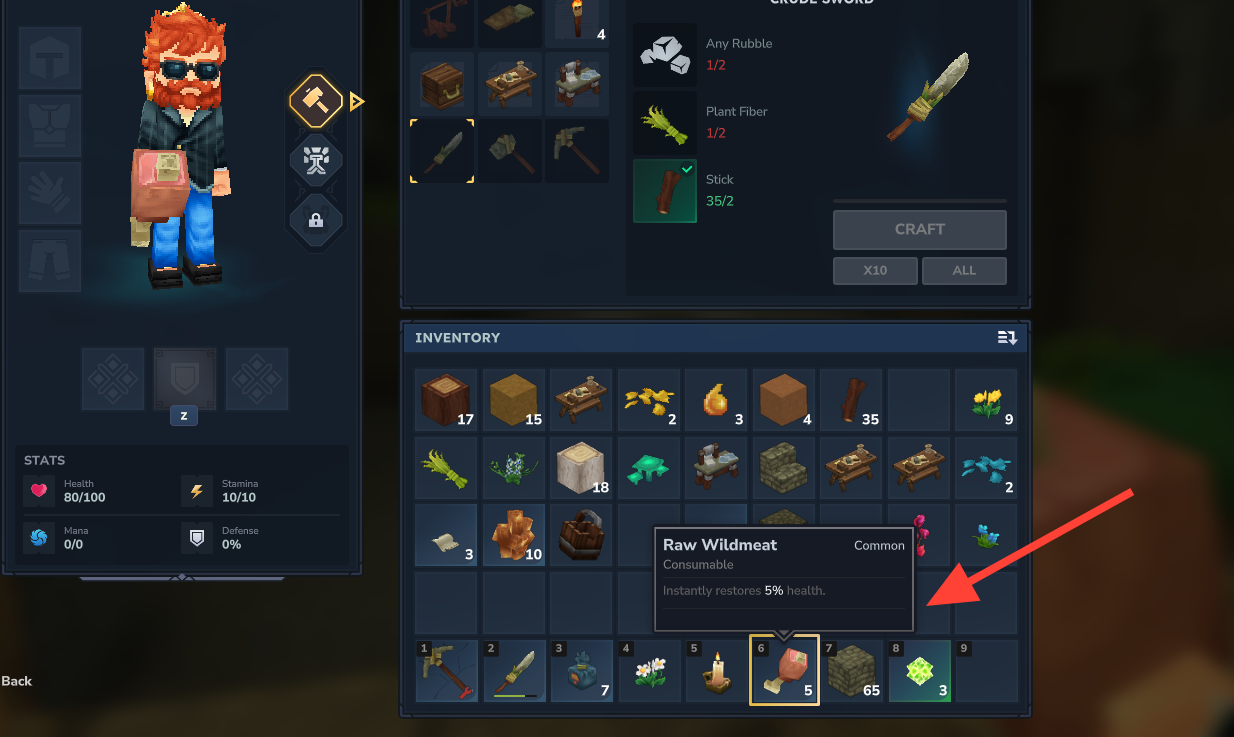
When the food is selected on the hotbar, your character will visibly hold it. At that point the item is considered equipped and is ready to be consumed. Only the currently equipped food can be eaten, so make sure you see it in hand before trying to use the eating control.
How to eat food in Hytale
Step 1: Place the food item you want to eat into a hotbar slot and switch to that slot so that your character is holding the food. Confirm that the item in your hand matches what you intend to consume, especially if you are managing several foods with different effects.
Step 2: With the food equipped, press and hold the right mouse button to start eating. Keep the button held down until the game finishes the eating action and the food is consumed. Releasing the button too early can interrupt the process and prevent the item from being used.
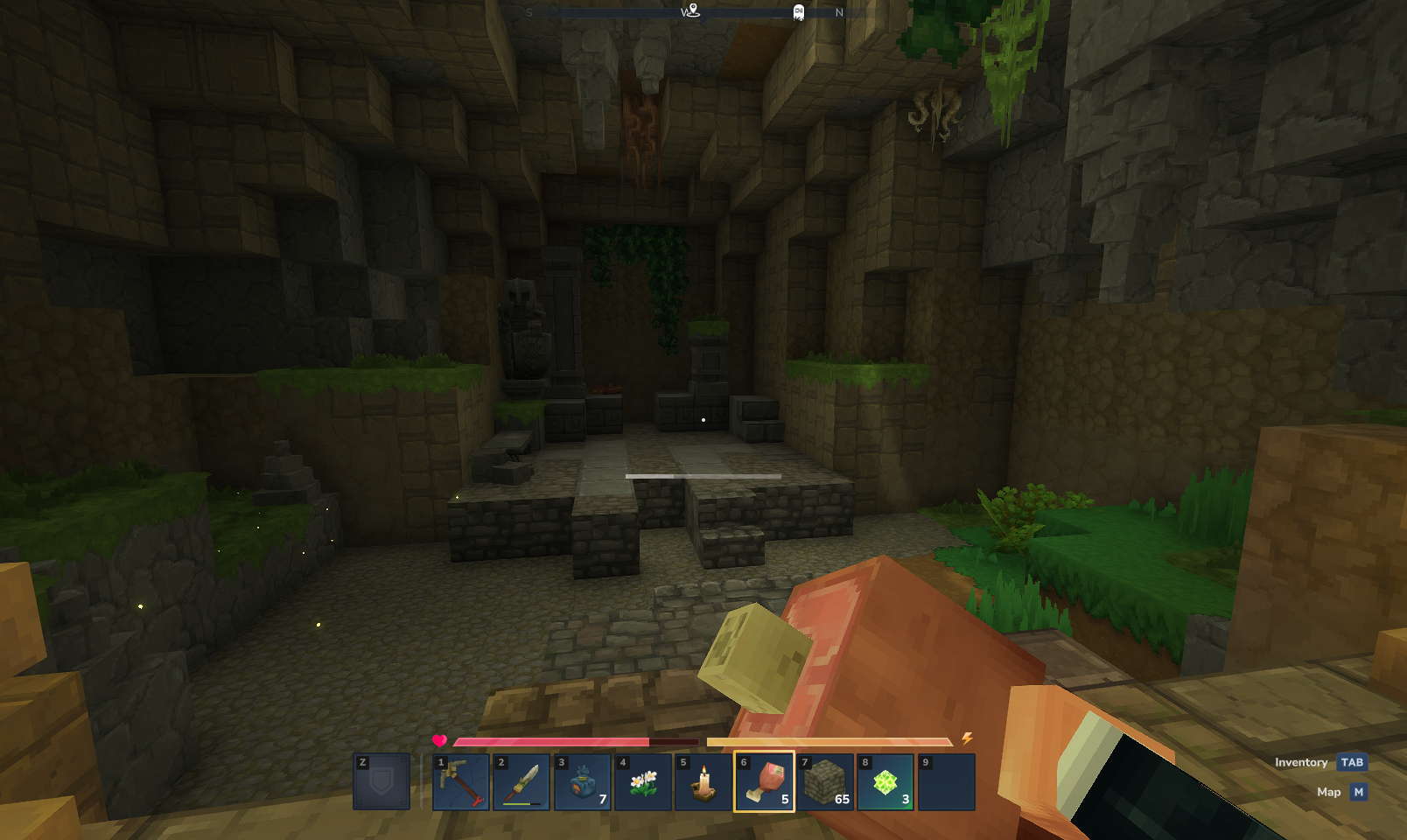
Step 3: After the eating action completes, check your health and hunger bars. The consumed food will adjust hunger and may also change other stats or grant temporary effects, such as increased maximum health, faster regeneration, improved mana recovery, or a light effect around your character, depending on the specific item you ate.
Some foods are better suited to specific situations. A food that increases maximum health or regeneration is useful before a boss fight or when exploring dangerous areas. A food that improves mana regeneration and illumination is more helpful for spell-focused characters or during underground exploration. Watching how each item changes your bars and visible effects makes it easier to decide what to eat next time.
Cooking food in Hytale
Beyond eating items in their raw state, Hytale includes a dedicated Cooking mechanic. Cooking improves the way certain foods work or allows dishes that are not available as raw drops. This adds another layer to survival, because investing time in cooking can yield more specialized or powerful food options.
Cooking takes place at specific blocks designed for it. One confirmed example is the Cooking Bench, a block built for preparing food. Interacting with blocks like the Cooking Bench allows you to perform cooking actions that turn ingredients into finished food items.
Not every food needs to be cooked, and not every block can be used for cooking. The role of Cooking is to unlock or upgrade particular food options rather than replace simple items such as apples or wild berries. As you gain access to more ingredients and equipment, experimenting with different foods and cooked dishes helps you tailor your character’s diet to your combat style and exploration needs.
Using food effectively in Hytale comes down to a few core habits. Keep basic foods such as apples and wild berries on your hotbar, equip them when needed, then hold the right mouse button to eat. Pay attention to how individual items affect health, hunger, and other stats, and use Cooking blocks like the Cooking Bench when available to prepare more specialized foods that better match the challenges you face.