

Pets are now a permanent part of GTA Online’s high-end life. With the A Safehouse in the Hills update, players can add cats and dogs to their new mansions, name them, tweak their appearance, and even stop to give them a quick pat between jobs.
Prerequisite: Buy a mansion in A Safehouse in the Hills
Owning a pet is tied directly to the new mansion system. Cats and dogs are not available in standard apartments, garages, stilt houses, or older safehouses.
Step 1: Purchase one of the three new mansions introduced with A Safehouse in the Hills. These are listed through the in-game high-end real estate sites on your character’s phone or computer.

Step 2: Move into the property and enter the interior at least once so the mansion-specific amenities, including kennels, are initialized.
Once you own a mansion, you gain access to two different kennel locations: one indoors for cats and one outside near the driveway for dogs.
How to get a cat in GTA Online mansions
Cats live inside the mansion and are managed from an indoor kennel in the lounge area.
Step 1: Enter your mansion and walk to the lounge where the cat kennel is placed. Approach it until the interaction prompt appears.
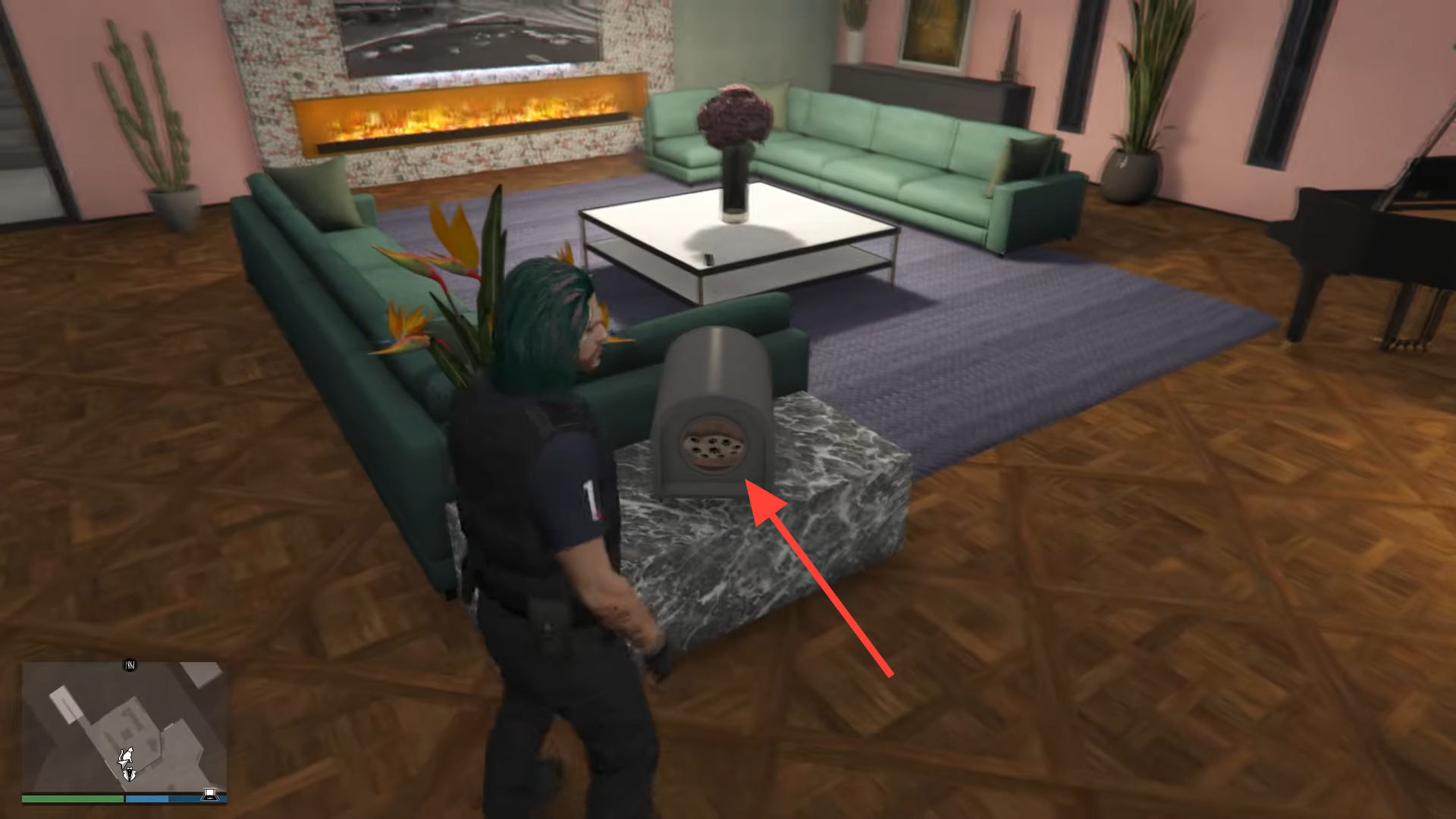
Step 2: Open the kennel menu and choose the option to buy a cat.
Step 3: Pick one of the available colors and confirm the purchase.
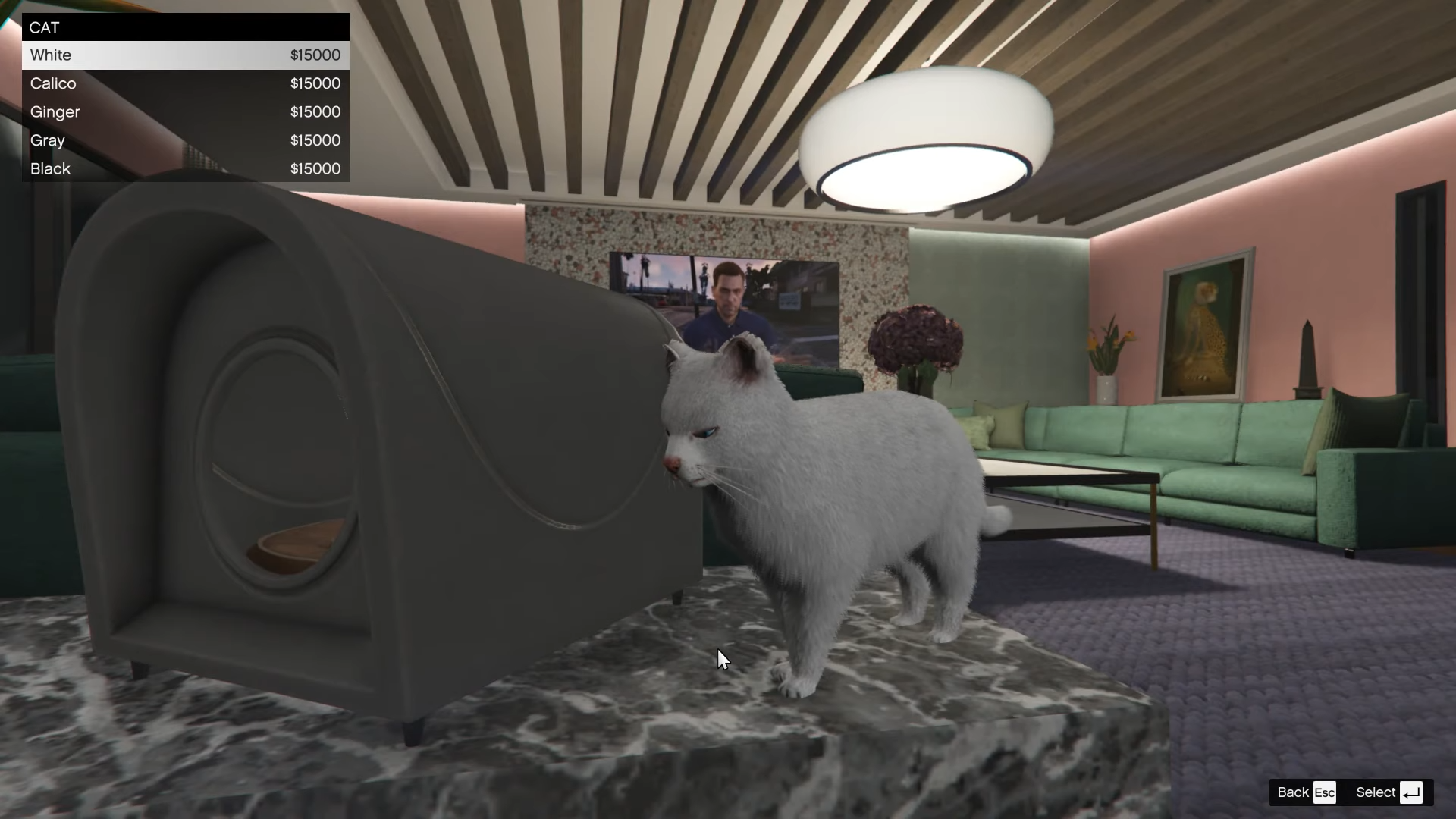
Step 4: When prompted, enter a name for your cat and confirm. The cat will then begin roaming and idling around your mansion interior.
Every cat costs $15,000, no matter which color you choose. The current color options are:
- White
- Calico
- Ginger
- Gray
- Black
Cats are cosmetic companions; they don’t change combat, income, or missions, but they help the mansion feel less like a showroom and more like a home.
How to rename or change your cat later
Step 1: Go back to the lounge kennel and interact with it.
Step 2: In the kennel menu, press Y on Xbox or Triangle on PlayStation to open the rename and customization screen. On PC, use the on-screen key prompt.
Step 3: Edit the cat’s name, or switch to a different color and confirm. The change applies immediately.
There is no separate fee for renaming, but switching colors may follow the same price rules as the original purchase.
How to get a dog in GTA Online mansions
Dogs are tied to an outdoor kennel placed on the grounds of each mansion.
Step 1: Exit to your mansion’s exterior and walk around the main living area and driveway until you find the dog kennel.
Step 2: Interact with the kennel to bring up the pet menu.
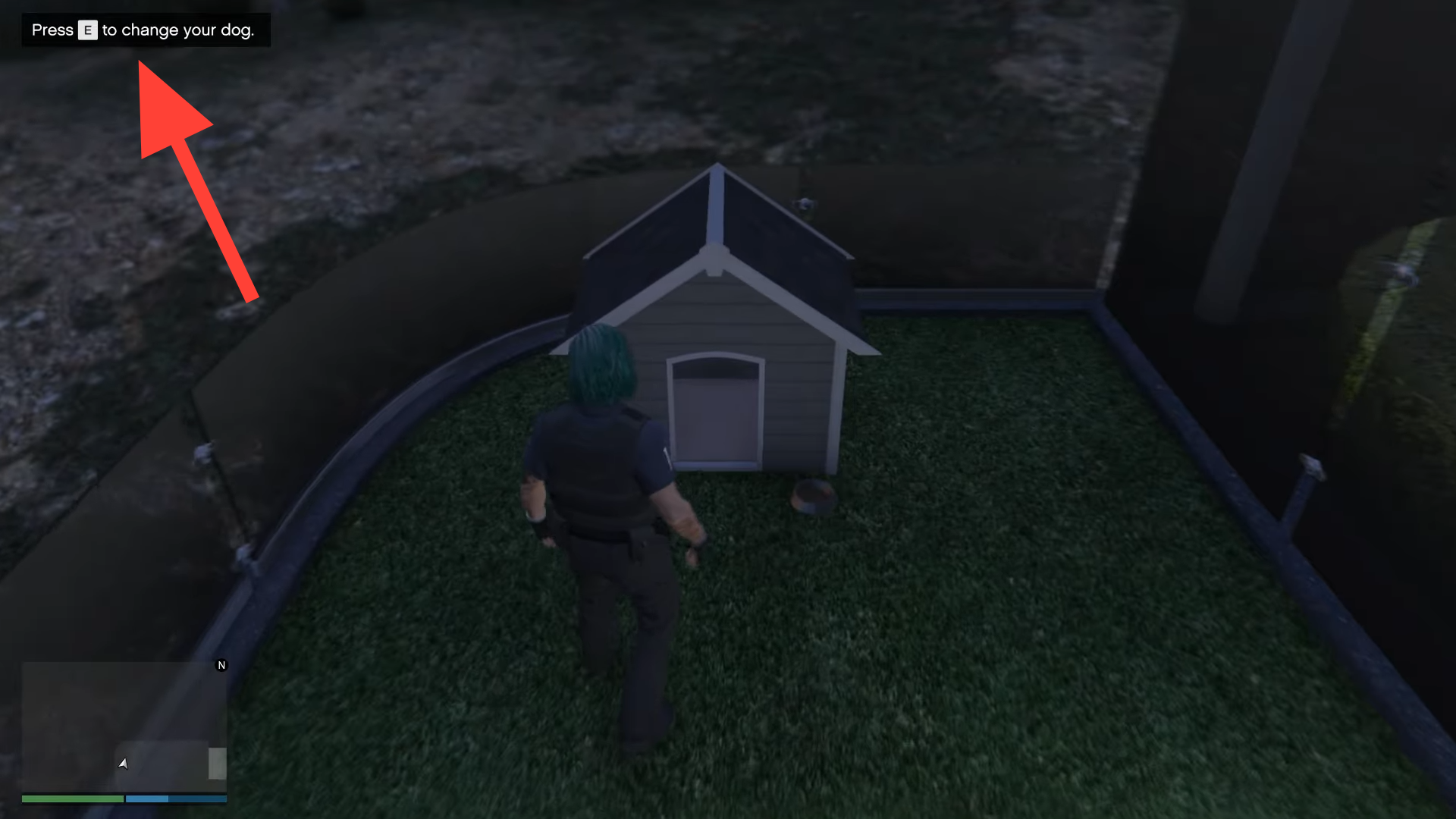
Step 3: Choose the option to purchase a dog.
Step 4: Select a breed, then pick a color variant for that breed.
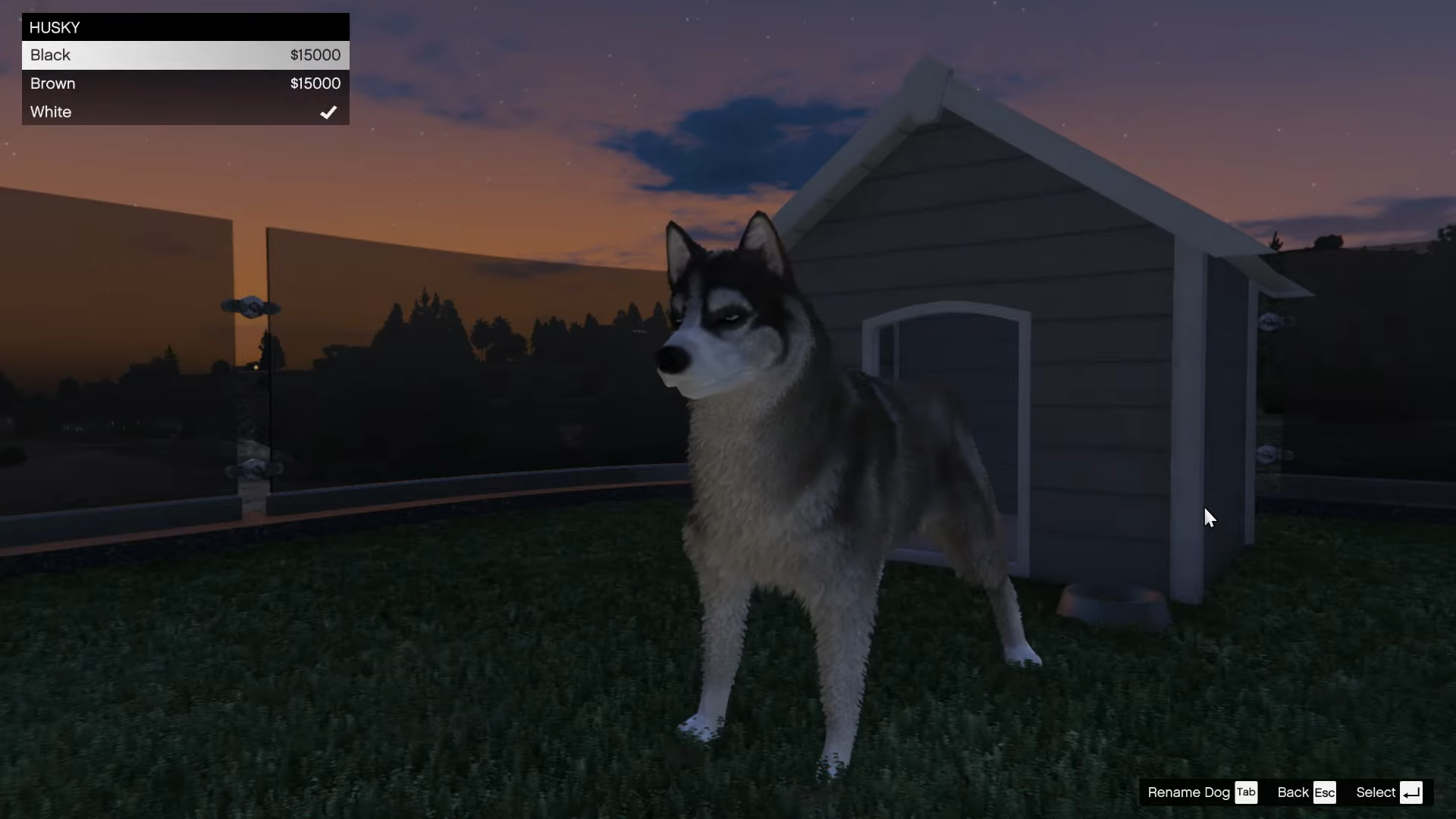
Step 5: Enter your dog’s name when prompted and confirm the purchase. The dog will begin wandering the outdoor spaces of your mansion.
Each dog also costs $15,000, regardless of breed or color. Pricing is flat, so you can pick based purely on style.
All dog breeds and colors in A Safehouse in the Hills
Seven dog breeds are available at launch, each with its own palette of color options.
| Breed | Available colors | Price |
|---|---|---|
| Husky | Black, brown, white | $15,000 |
| Poodle | White | $15,000 |
| Pug | Black, brown and tan, cream | $15,000 |
| Retriever | Gold, black, cream, brown | $15,000 |
| Rottweiler | Black, brown, brindle, gray, red, light brown | $15,000 |
| Shepherd | Black, brown, merle | $15,000 |
| Westy | Black, brown, white | $15,000 |
All breeds behave the same way in terms of gameplay. Choosing a Husky over a Rottweiler, or a gold Retriever over a cream one, is a question of personal taste rather than stats or bonuses.
How to rename or change your dog
Step 1: Walk back to the outdoor kennel at your mansion and interact with it.
Step 2: Open the customization commands by pressing Y on Xbox, Triangle on PlayStation, or the prompted key on PC (such as TAB when stated in the UI).
Step 3: Adjust your dog’s name or switch breed and color, then confirm the changes.
The kennel acts as a central management point. You do not need to dismiss or sell a dog to adjust its appearance or rename it.
How to pet your dog in GTA Online
Interacting with dogs goes beyond watching them walk in circles around the pool.
Step 1: Approach your dog while it is on the mansion grounds. Make sure you are close enough for the context-sensitive prompt to appear.
Step 2: Press the right D-pad button on a controller, or press E on PC when prompted.
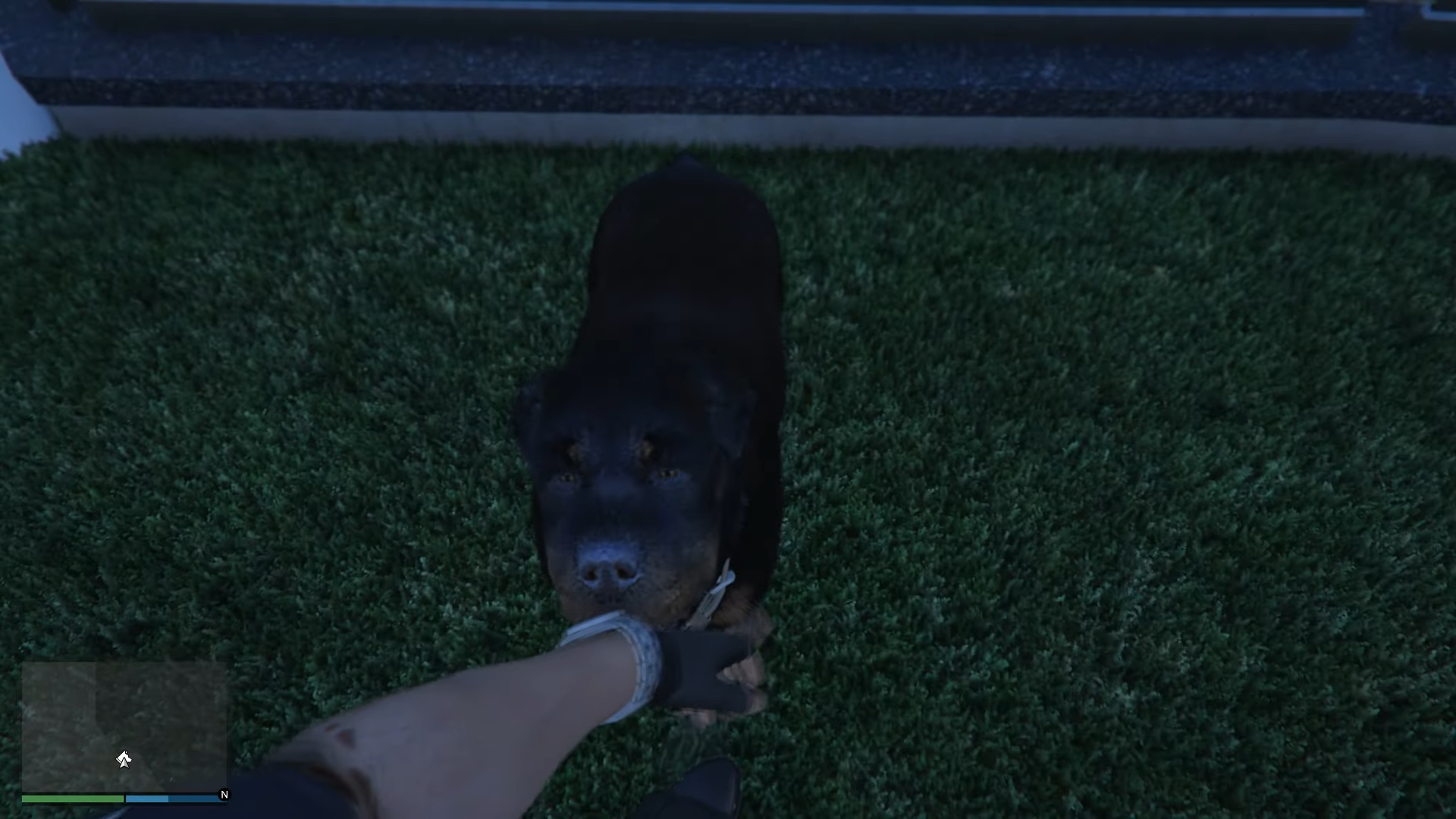
Your character will kneel down and pet the dog in a short animation. There are no mechanical rewards tied to this, but it does add a small, human moment to an otherwise transactional game loop.
What pets do and what they don’t
Pets in A Safehouse in the Hills are deliberately simple. They are cosmetic companions for your mansion, with these core traits:
- They occupy interior (cats) or exterior (dogs) spaces at your mansion.
- They can be named, recolored, or swapped through their respective kennels.
- They can be lightly interacted with, such as petting dogs.
They do not follow you around the wider map, join you in vehicles, attack enemies, or alter business or heist gameplay. There is no feeding, cleaning, or care system and no penalties for ignoring them. Think of them as a more personal form of decor rather than a system you have to manage.
The result is a low-maintenance way to make the new mansions feel less like sterile, modular interiors and more like homes your characters actually inhabit between robberies and deal-making.
Once the mansion is purchased, picking up a pet is a small decision next to multi-million-dollar cars and upgrades. But a named cat in the lounge or a Husky waiting by the driveway does more to sell the fantasy of having finally “made it” in Los Santos than another trophy cabinet ever could.