

Fortnite players can claim the Heartline Boost at no cost through Rocket League's Goalentines event, which runs through February 16, 2026. This uncommon-rarity boost features a heart-themed visual effect and works across Fortnite Battle Royale, Creative, and Rocket Racing modes. The item transfers automatically to your Fortnite locker once unlocked in Rocket League.
Quick answer: Play 14 matches in any Rocket League Doubles playlist to unlock the Heartline Boost, which will appear in your Fortnite locker immediately after completion.
Availability ends: February 16, 2026 at 11:59 PM UTC
Requirements for the Heartline Boost
You need an Epic Games account linked to both Fortnite and Rocket League. The same account must be active in both games for the cosmetic to transfer. If you play Fortnite and Rocket League on different platforms but use separate Epic accounts, the boost will not appear in Fortnite.
Rocket League is free to play on PlayStation, Xbox, Nintendo Switch, and PC via the Epic Games Store. Download and install the game if you haven't already, then sign in with the same Epic account you use for Fortnite.
Unlock Steps
Step 1: Launch Rocket League and navigate to the Challenges menu. Look for the Goalentines event tab, which displays active challenges and rewards. The Heartline Boost appears as the primary reward for completing 14 Doubles matches.
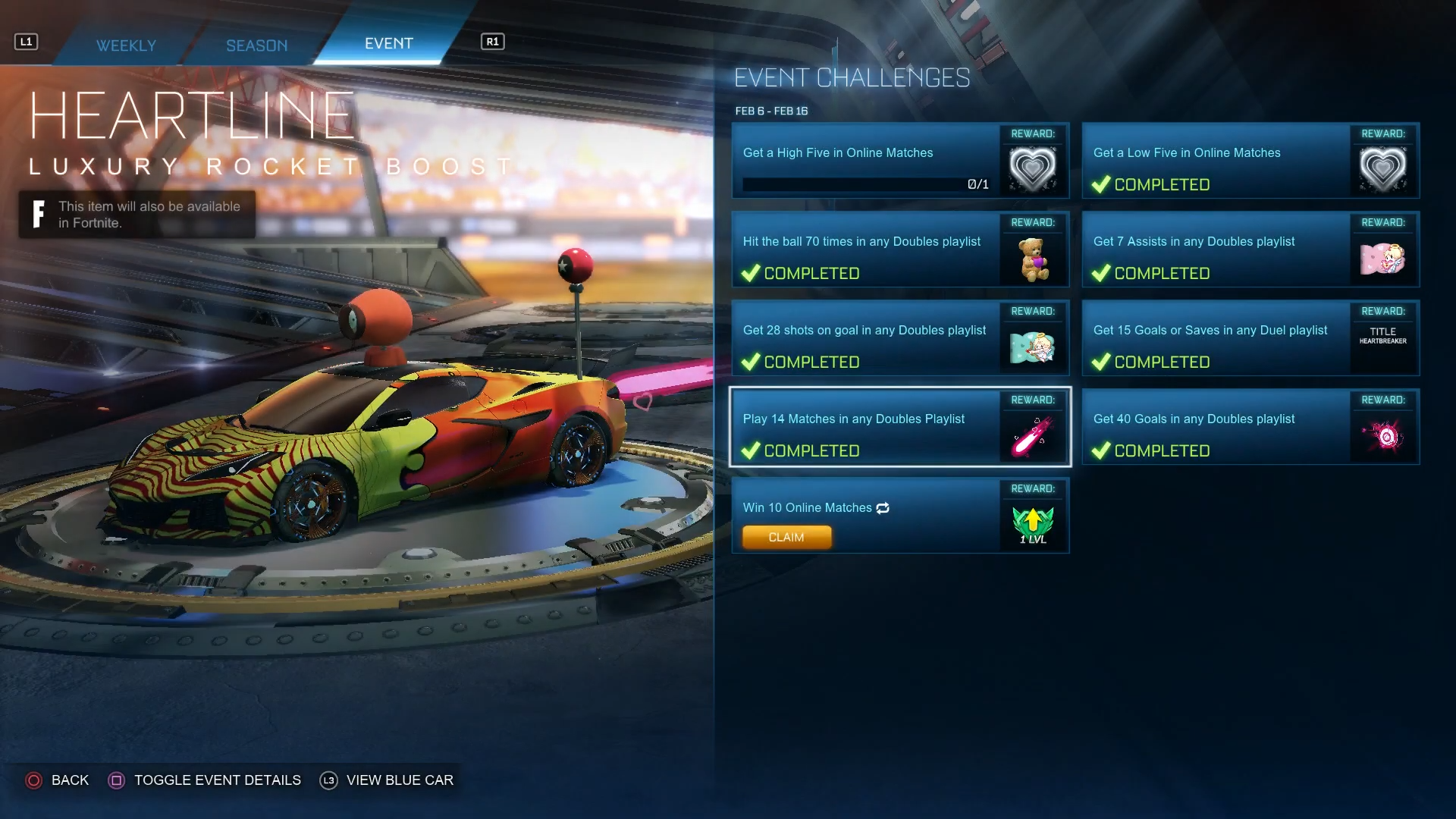
Step 2: Select any Doubles playlist from the main menu. Competitive Doubles, Casual Doubles, and Competitive Heatseeker all count toward the 14-match requirement. Competitive Heatseeker is currently the fastest option because matches end quickly due to the mode's accelerated scoring mechanics.
Step 3: Complete 14 matches in your chosen playlist. You do not need to win these matches—finishing them counts regardless of the outcome. If you forfeit a match after one minute of play, it still counts toward your total, but both you and your teammate must agree to forfeit for this to work without penalty.
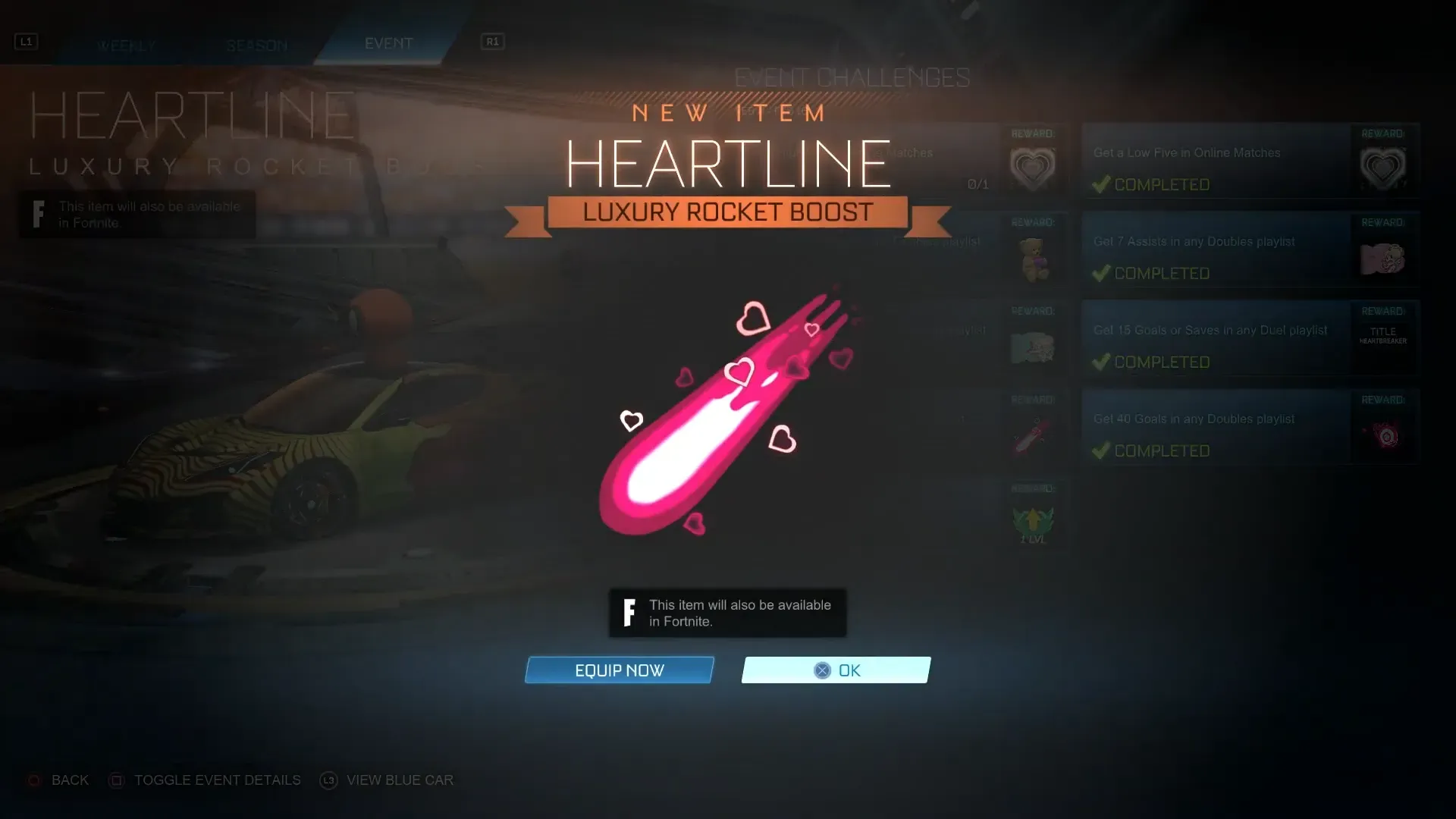
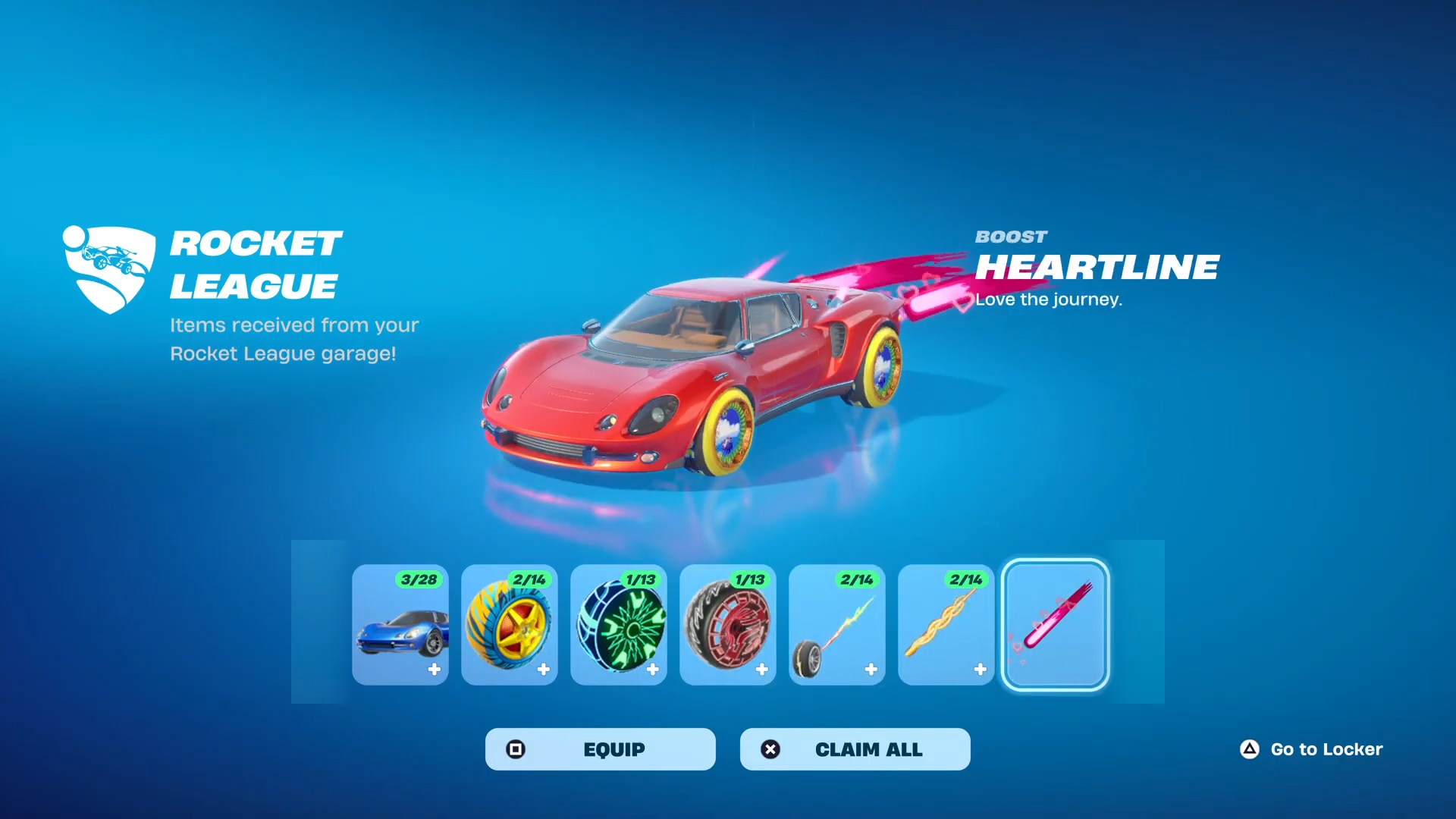
Step 4: After finishing your 14th match, the Heartline Boost unlocks in Rocket League. Close Rocket League completely, then launch Fortnite. A notification will appear confirming the boost has been added to your locker.
Step 5: If no notification appears, open your Fortnite locker and navigate to the Boosts section. The Heartline Boost should be visible there. Equip it to any compatible vehicle in Rocket Racing or use it in Battle Royale and Creative modes where boosts are supported.
Fastest Completion Method
Competitive Heatseeker offers the quickest path to 14 matches. This 2v2 mode features automatic ball homing toward goals, which speeds up scoring and shortens match duration. Most Heatseeker games end in under five minutes, compared to standard Doubles matches that can last seven to ten minutes.
If you play with a friend, you can forfeit Casual Doubles matches after one minute without receiving a matchmaking ban. Both players must vote to forfeit, and the match still counts toward the Goalentines challenge. This method lets you complete all 14 matches in roughly 30 minutes, though it requires coordination with a teammate.
Additional Goalentines Rewards
The Goalentines event includes other cosmetics beyond the Heartline Boost. Players can earn a Teddy Bear Topper and Hearty Party Decal by completing separate challenges in Rocket League. However, these items do not transfer to Fortnite—only the Heartline Boost is cross-compatible.
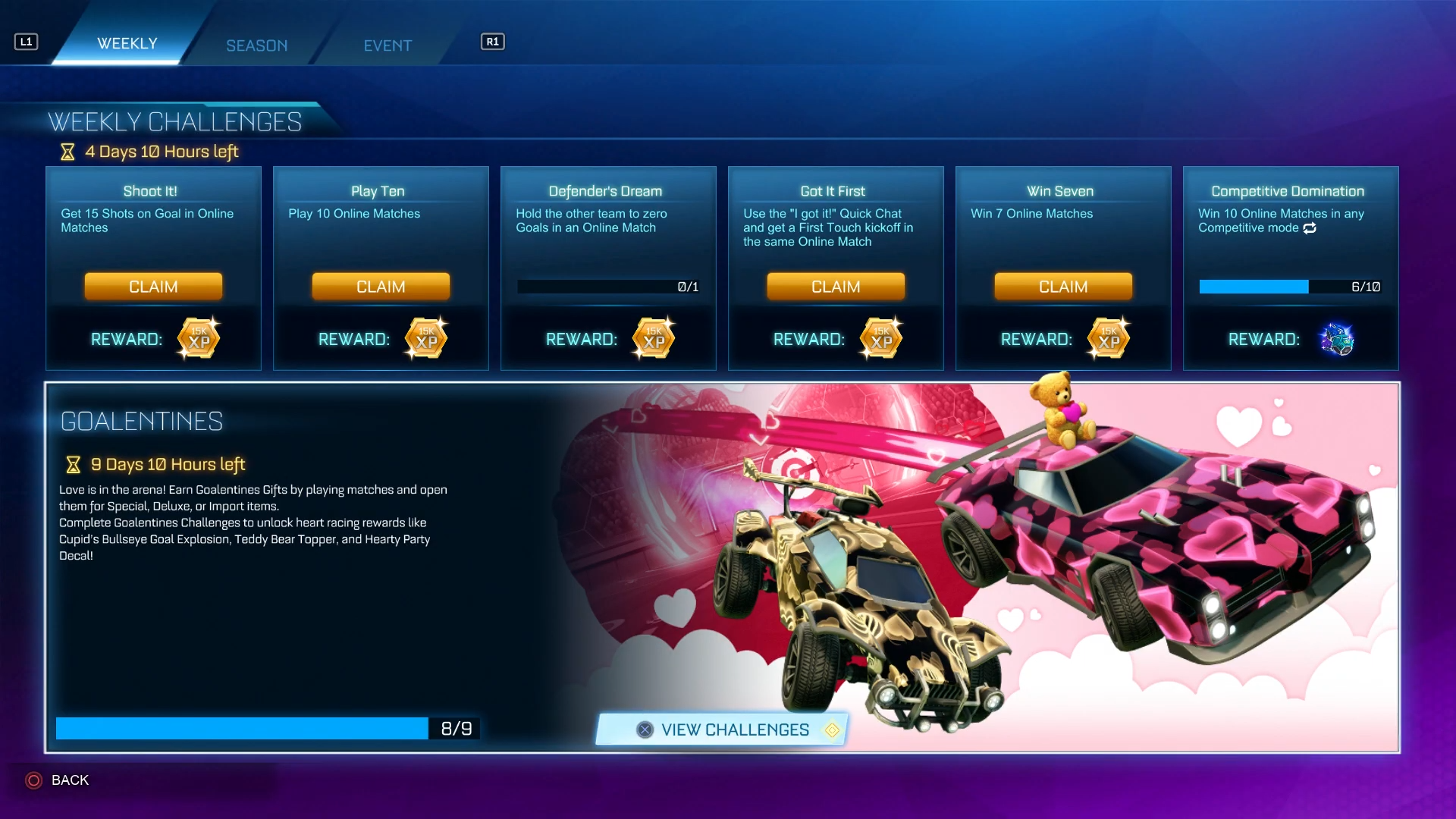
Rocket League also distributes Goalentines Gifts randomly after matches during the event period. These loot boxes may contain cross-compatible items, though the exact contents and drop rates are not disclosed. Opening these gifts does not require additional challenges; they appear automatically in your inventory after certain matches.
Verification and Troubleshooting
The Heartline Boost appears in Fortnite's locker under the Boosts category. If it does not show up after completing the Rocket League challenges, verify that both games are logged into the same Epic account. You can check your linked accounts at the Epic Games website under Account Settings.
If the boost still does not appear, restart both Rocket League and Fortnite. Some players report a delay of up to 10 minutes before the item syncs across games. Closing and reopening Fortnite typically resolves this delay.
The Heartline Boost is not currently available for purchase in Fortnite's Item Shop, though Epic Games may add it later. For now, the only way to obtain it is through the Goalentines event in Rocket League before February 16, 2026.
Supported Game Modes
The Heartline Boost works in Fortnite Battle Royale, Creative, and Rocket Racing. It does not function in Save the World, Fortnite Festival, LEGO Fortnite, Fall Guys, or Fortnite Ballistic. In Rocket Racing, the boost applies a heart-shaped particle effect to your vehicle's exhaust trail. In Battle Royale and Creative, it appears as a cosmetic option for compatible vehicles.
Rocket League classifies the Heartline Boost as uncommon rarity, and it carries the same classification in Fortnite. The item's in-game description reads "Love the journey," matching the Valentine's Day theme of the Goalentines event.