
![How to join the official StarRupture Discord server [Links]](/content/images/size/w1280/format/webp/2026/01/CreepyJar-StarRupture-Keyart_NO_LOGO_1920x1080.png)
The StarRupture Discord server is the main community hub for Creepy Jar’s sci‑fi survival builder, sitting alongside the game’s Steam forums and social feeds. It’s where players trade factory layouts, coordinate co‑op runs, and react to each new Early Access patch in real time.
Official StarRupture Discord links
There is a single official community, but you’ll see several different invite URLs for it in the wild. These all point to the same server:
https://discord.com/invite/StarRupturehttps://discord.gg/StarRupture
The same community is also linked from places the developers control, including:
- The StarRupture home page on starrupture-game.com (Discord icon in the header and “Join our awesome community platforms” section).
- The StarRupture Steam page, via the “Discord” link in the Links & info panel on the right.
- @StarRupture, which periodically posts fresh invite links.
Older invite links you find in screenshots or third‑party posts can expire or get revoked, which is why going through the game’s site or Steam page is more reliable than reusing a random code.
How to join the StarRupture Discord (PC or mobile)
Step 1: Open the official StarRupture site at starrupture-game.com. On both desktop and mobile, look for the Discord logo in the top navigation or in the “Join our awesome community platforms” block.
Step 2: Click the Discord icon once. This opens an invite URL such as https://discord.com/invite/StarRupture in your browser or the Discord app if it’s already installed.
Step 3: If you’re not logged into Discord, sign in or create a free account. You cannot join the server without a Discord account.
Step 4: When the invite page loads, confirm the server name is “StarRupture” and select “Accept Invite”. If you have the Discord app, it will switch you into the server immediately; otherwise, you’ll join from the browser.
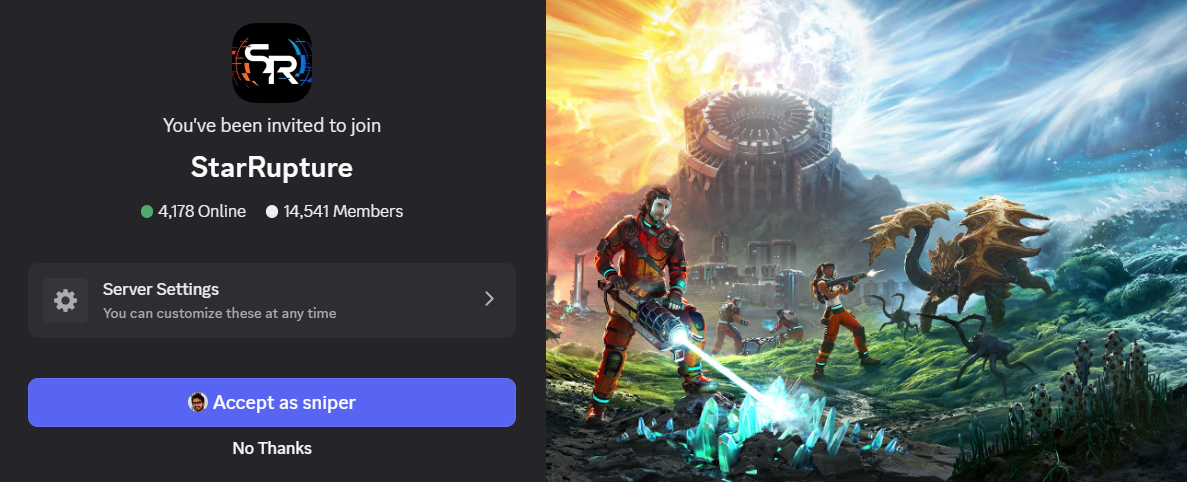
Step 5: Once inside, look for a rules or welcome channel. Most game servers require reacting to a message or pressing a button to unlock the rest of the channels, including chat, LFG, and spoiler‑tagged areas.
Tip: If you own the game on Steam, joining via the “Discord” link in the StarRupture Steam page’s sidebar achieves the same result, but it guarantees you’re heading to the official community.
What to do if the invite link says “Invalid”
It’s common for players to wake up one day and find the server missing from their sidebar or see an “Invalid Invite” error when they reuse an old link. That doesn’t necessarily mean the community has vanished; it usually means the specific invite code you used is no longer active.
If that happens:
Step 1: Don’t rely on bookmarks to old invite URLs. Open starrupture-game.com or the game’s Steam page instead and click the current Discord icon or link.
Step 2: Make sure you’re logged into the correct Discord account. If you joined previously on a different email, the server will only appear under that account.
Step 3: If you still see “Invalid Invite” from the official link, wait and try again later. Moderation changes, region settings, or temporary security tweaks can lock invites briefly without any action required from you.
Step 4: As a last resort, you can check the StarRupture community links on Steam again or look at the game’s official social channels to confirm that the invite URL hasn’t changed.
Why the Discord server matters for StarRupture
StarRupture launched into Early Access on January 6, 2026, with a focus on co‑op, automation, and community‑driven balancing. The Discord server sits at the center of that loop.
Inside the server you can expect:
- Patch and roadmap updates that mirror or expand on what’s posted on Steam.
- Bug and feedback channels where players share save files, factory screenshots, and reproduction steps.
- Co‑op recruitment for up to four‑player sessions, often around specific goals like unlocking technologies, testing new Rupture strategies, or optimizing base layouts.
- Knowledge sharing around corporations, commission setups, and factory designs that tie directly into how you progress in Early Access.
Because the game hinges on systems like Rupture cycles, corporation reputation, and complex production chains, having a fast place to sanity‑check ideas or ask whether a behavior is a bug or intended can save hours of trial and error.
Using Discord alongside StarRupture’s other community tools
The game’s ecosystem is spread across a few official spaces:
- Discord for live chat, co‑op coordination, and quick feedback loops.
- Steam discussions and reviews for longer‑form feedback and troubleshooting that benefits from threading and search.
- Social platforms such as X, Facebook, Instagram, Bluesky, TikTok, and Bilibili for trailers, clips, and high‑level announcements linked from the Steam page.
- Reddit at
r/StarRuptureGamefor community posts that sit somewhere between instant chat and formal bug reports.
Discord is where you’re most likely to see early tweaks to balance, calls for playtests, or clarifications from community staff before those changes make their way into a formal patch post.
Once you’ve used the official invite and accepted it, the StarRupture Discord server behaves like any other large game community on the platform: channels for different regions and topics, role assignment, spoiler etiquette, and the usual moderation rules. If an invite ever stops working, treat it as a dead link and return to the game’s site or Steam listing to rejoin rather than hunting through old codes.