

GTA Online mansions include an interior display podium that showcases one vehicle in a dedicated room. The game does not pick that car automatically; you choose it through the mansion garage’s vehicle management screen.
Mansion podium feature and what it does
The mansion podium is an optional upgrade that adds a single-car display platform inside the property. The chosen vehicle appears in a special room, separate from normal garage spaces and the outdoor driveway.
When purchasing or customising a mansion, the Podium upgrade can be added for about $650,000 of in‑game money. Without this upgrade, there is no option to assign a vehicle to the interior podium.
The mansion still has a driveway with outdoor slots, plus a large internal garage. The podium pulls from vehicles stored in that mansion’s garage, not from other properties or public streets.
Requirements before you can assign a podium car
Several conditions have to be met before the “Move to podium” option appears in the vehicle management menu.
1. Own a mansion with the Podium upgrade. You must have purchased a mansion property and added the Podium feature during purchase or renovation. If the podium was not bought, the game will not show any podium assignment options.
2. Store the car in the mansion’s garage. The vehicle you want to display needs to be stored in that mansion’s garage, typically in Garage B1 on the first floor. Vehicles in other properties or in impound cannot be selected from here.
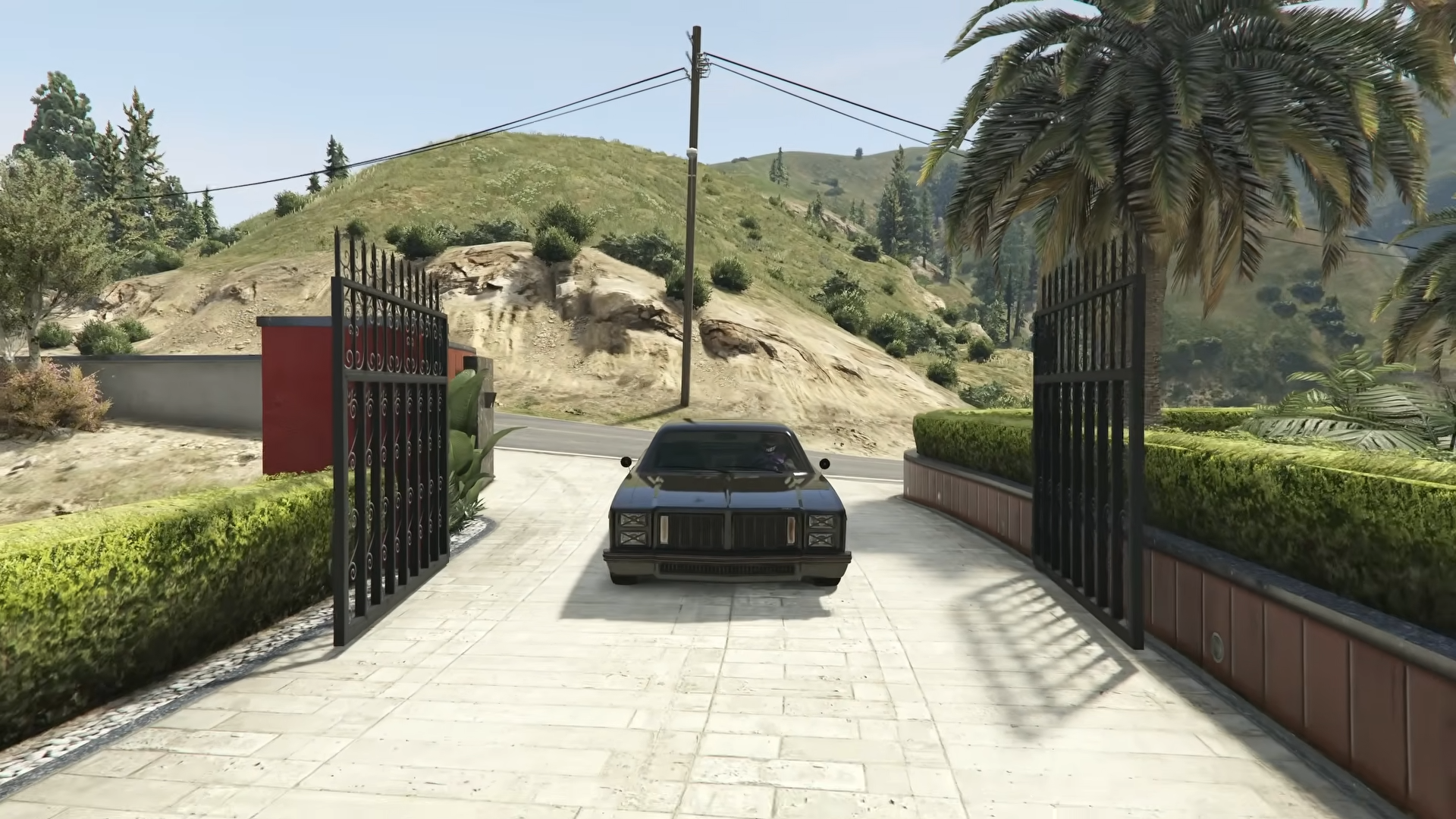
3. Avoid assigning the car directly from the driveway. If the car is currently sitting in the driveway, move it into an internal garage slot first. Several players only saw “Move to podium” after putting the driveway vehicle back into a garage space.
4. Use the vehicle management marker. Podium and driveway options only appear on the dedicated vehicle management screen, which is accessed from a blue marker in the garage or via the AI screen in the podium room. Simply walking up to the parked car will not show the correct options.
On every platform, the lower-right of the vehicle management screen lists “Move to podium” and “Move to driveway” along with the button or key you need to press. Those prompts are the definitive reference for your control scheme.
Set a mansion podium vehicle from the garage
This method starts inside the mansion garage and uses the blue vehicle management marker.
Step 1: Enter your mansion’s garage and go to Garage B1, where the primary floor of parking spaces is located. Make sure the car you want to display is already stored on this level.
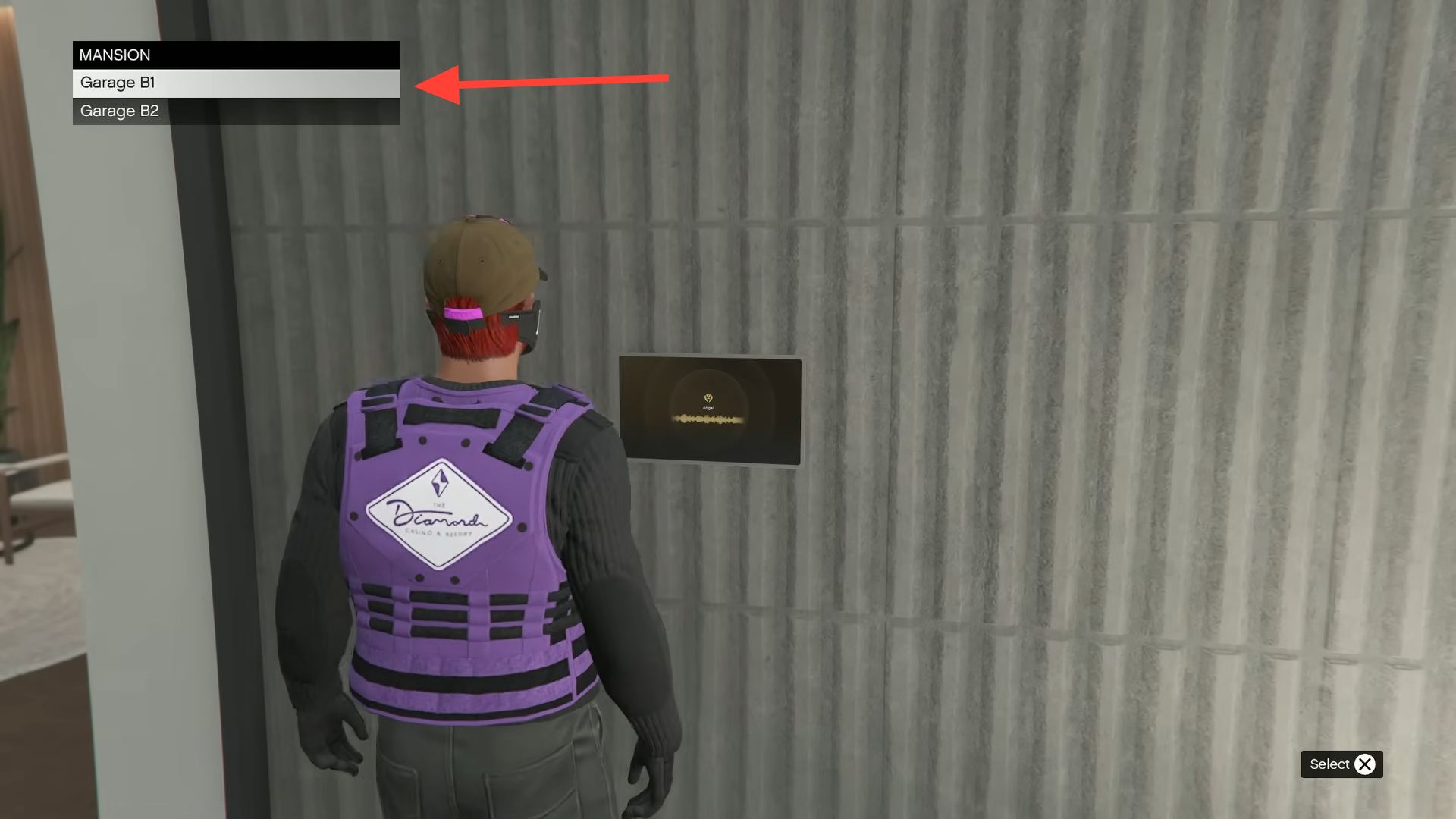
Step 2: From the spawn point in Garage B1, look toward the side of the floor and run to the blue circle or square marker in the corner area. This marker is the vehicle management point for the mansion garage.
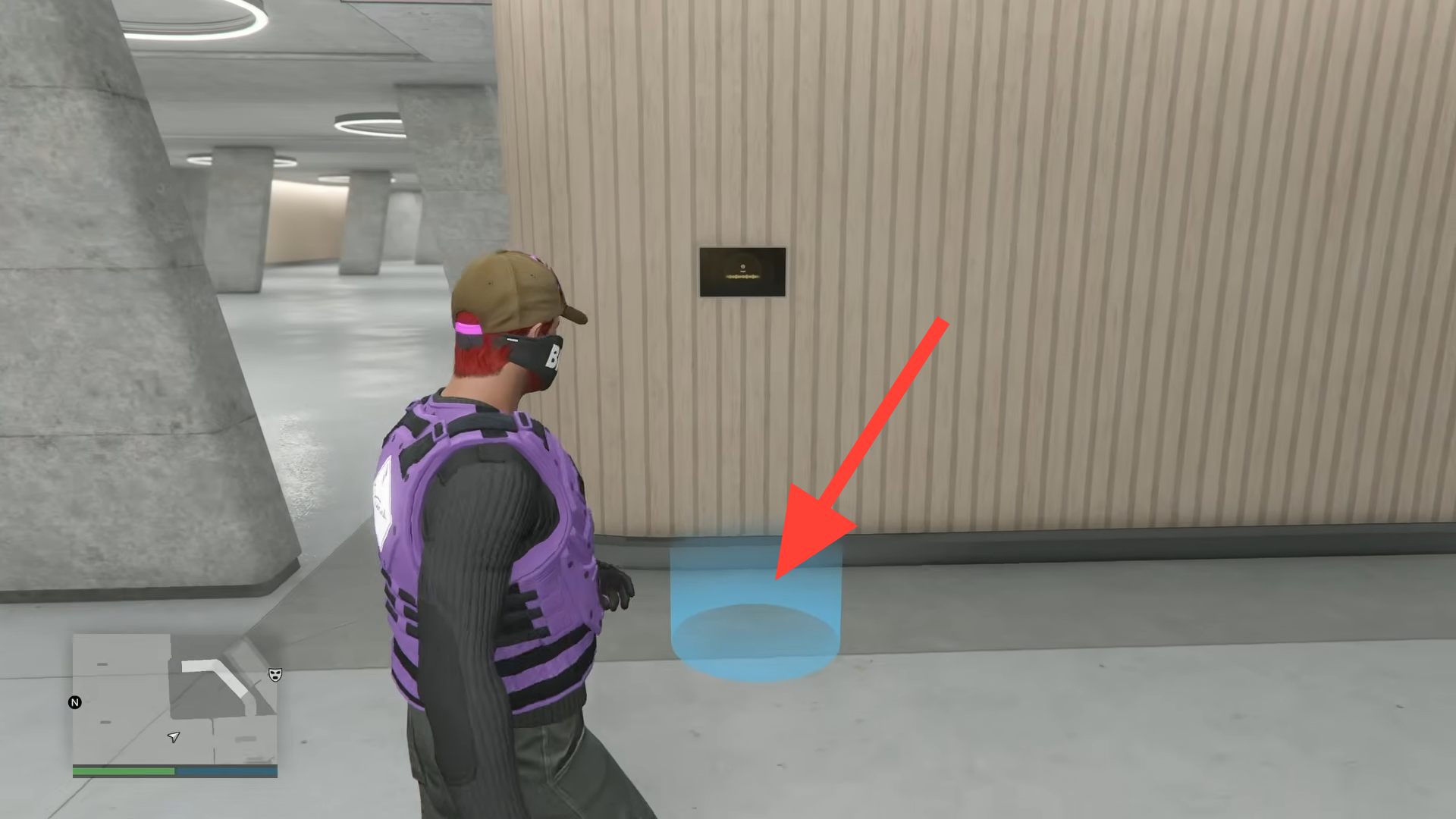
Step 3: Walk onto the blue marker and press the interaction button that appears at the top left of the screen. This opens the vehicle management menu, showing every car stored in that garage.
Step 4: In the list, move the cursor to the vehicle you want on the podium. Watch the bottom-right of the screen, where the game shows “Move to podium” and “Move to driveway” alongside the relevant control for your platform.
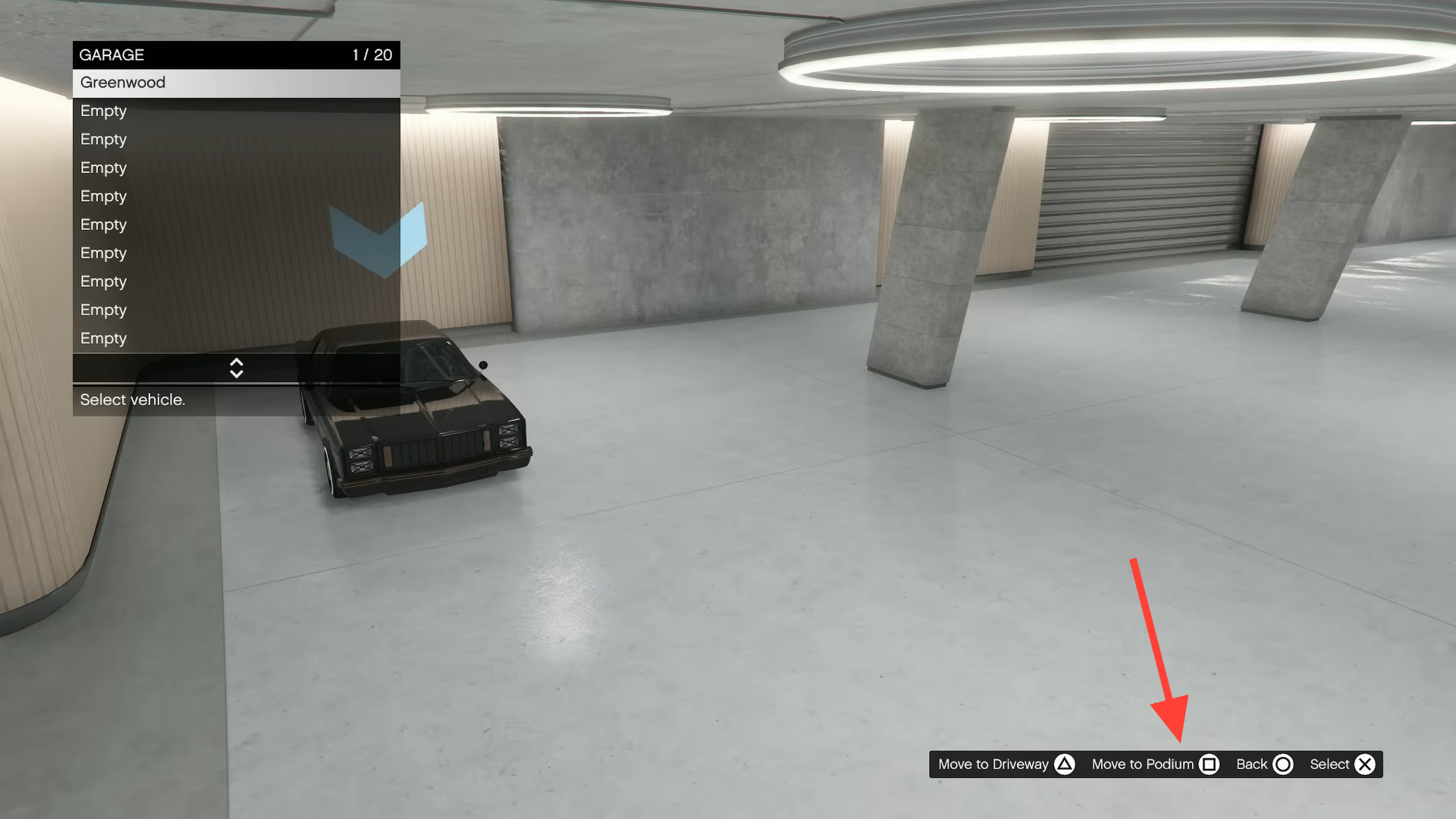
Step 5: Press the button or key shown next to “Move to podium” to mark that car as the podium vehicle. If the interface asks for confirmation, confirm the change to save it.
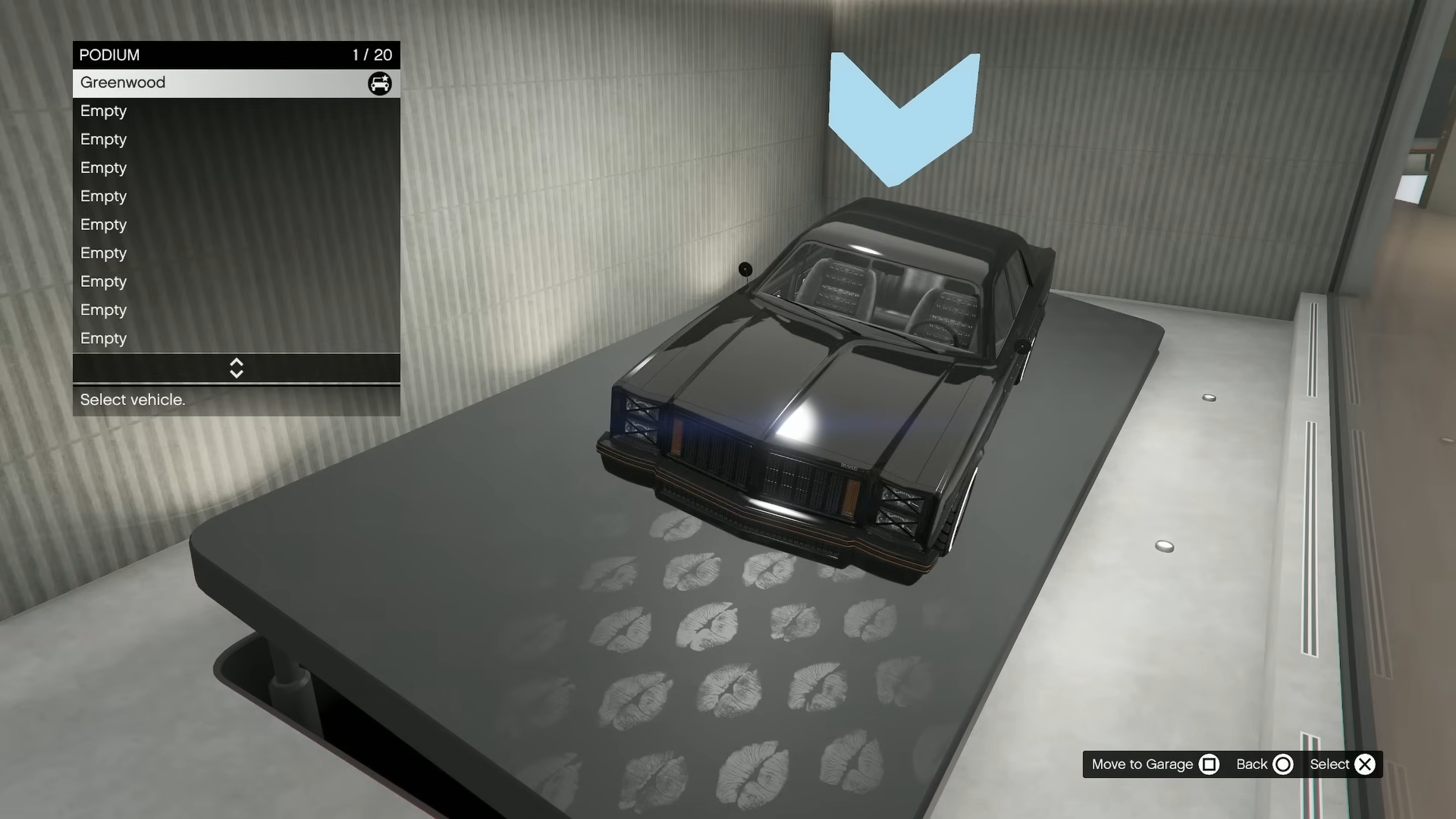
Step 6: Close the vehicle management menu once the change is applied. Use the nearby door or gate that leads back to the mansion’s interior, and load into the podium room to see the selected car displayed on the platform.
Change the podium car from the podium room
The same assignment can be done starting from the interior display room, using the mansion’s AI screen as a shortcut into the garage.
Step 1: Go inside your mansion to the room that contains the interior podium. The current podium car, if any, will be displayed in the centre of the platform.
Step 2: Look to the side of the room for the small AI screen or console. Walk up to it and interact when prompted to bring up the mansion’s garage access options.
Step 3: Select the garage that holds the car you want to display, usually Garage B1. The game will load your character into that specific garage level.
Step 4: Once inside the garage, head again to the blue vehicle management marker on the first floor. Step into the marker and open the vehicle management menu.
Step 5: Highlight the car you want to show on the podium and use the “Move to podium” option indicated at the bottom-right of the screen. Confirm the change, exit the menu, and return through the door to the podium room to verify that the new car is now on display.
Controls for “Move to podium” and “Move to driveway”
The exact buttons for podium and driveway actions vary by platform. The vehicle management screen always shows the correct mapping in the lower-right corner, but the most common bindings are:
| Platform | Move to podium | Move to driveway |
|---|---|---|
| PlayStation | Square (shown as the podium button in the menu) | Displayed on-screen in the same menu |
| Xbox | X (shown as the podium button in the menu) | Displayed on-screen in the same menu |
| PC (keyboard) | Spacebar for “Move to podium” | Tab for “Move to driveway” |
Tip: if the menu ever shows different keys, always follow the on‑screen prompts, as those reflect any custom bindings or updates.
When the mansion podium option does not appear
Several small details can hide the podium option or make it look like the podium “slot” is missing.
No podium upgrade installed. If you walk into the mansion and there is no interior podium room, or the vehicle management screen never mentions a podium, the Podium upgrade likely was not purchased. The upgrade must be added to the property before any car can be displayed inside.
Car still in the driveway. If a vehicle is sitting outside and only shows driveway options, move it into an indoor garage bay first. After it occupies a garage slot, reopen the vehicle management screen and the “Move to podium” option should appear for that car.
Looking for a dedicated podium slot in the grid. The podium is not a separate parking space in the 20‑slot grid. Any garage slot can be linked to the podium by using “Move to podium”; the car stays in its regular bay while also being mirrored on the interior platform.
Standing in the wrong place in the garage. The prompts for podium and driveway moves only appear from the blue vehicle management marker, not when standing next to a parked car. If you do not see “Move to podium” at the bottom-right of the screen, make sure you are on that marker and have the management menu open.
Missing the bottom-right instructions. The game quietly lists the required controls in the lower-right corner of the management screen. If you are unsure which button to press, focus on that part of the HUD rather than the garage layout itself.
Changing trophies and decorations around the podium
The mansion podium room includes small trophy displays that can be customised. While standing near the trophies, open the Interaction Menu and use the mansion customisation option to cycle between available trophy styles and swap them to your liking.
The same customisation interface covers other decorative spots across the mansion interior. There are about 20 decoration locations that can be changed, allowing you to match the room, trophies and podium car into a single theme once your preferred vehicle is on display.
With the podium upgrade installed, the correct car stored in Garage B1, and the vehicle management marker used properly, assigning and changing the mansion podium vehicle becomes a quick, repeatable process.