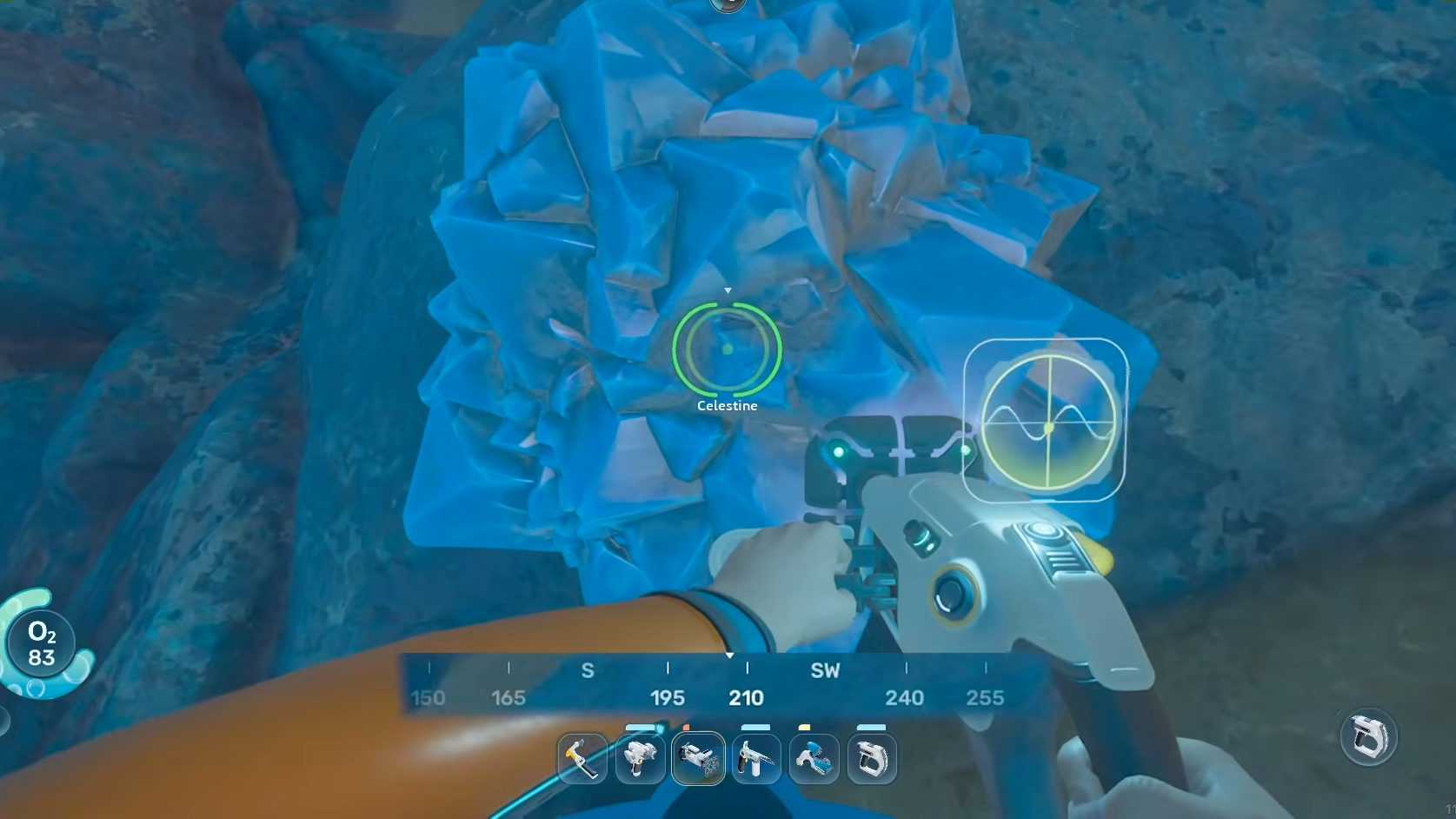
Celestine is a raw crafting material in Subnautica 2, valued for the strontium it yields once processed. It shows up as blue crystalline clusters embedded in rock walls and seabeds, and you’ll need it for several mid- and late-game items, including the Tadpole Depth Module Mk. I and the Axum Wall Lamp.
Where Celestine spawns
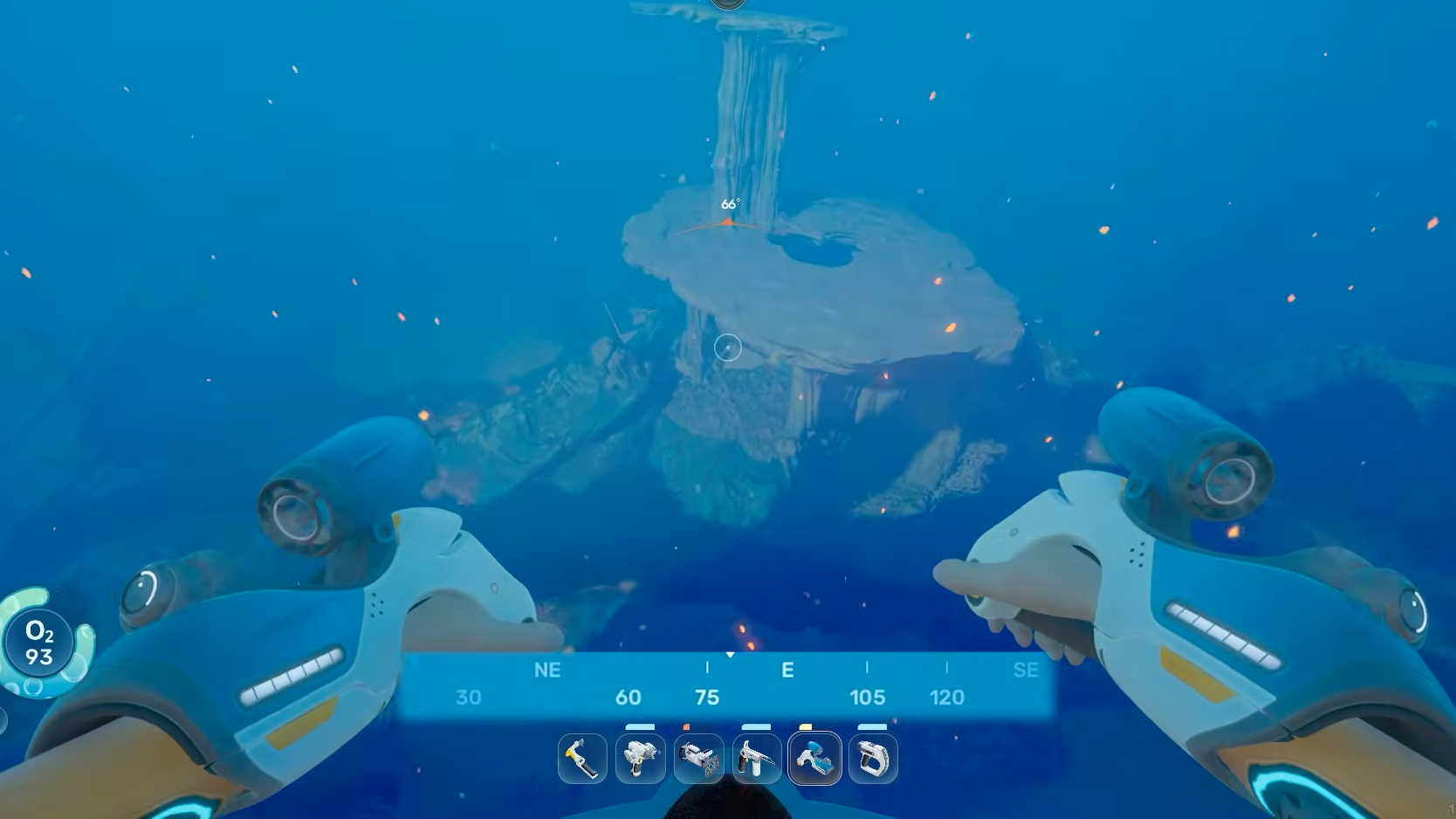
The richest Celestine deposits sit in the eastern sector of the map, clustered near three alien sites. You’ll find the blue crystal nodes attached to rock faces and scattered along the seabed in these zones. Travel east from the lifepod and descend; the surrounding terrain shifts to deeper, darker water with large rock formations where the deposits concentrate.
| Location | Direction from lifepod | Notes |
|---|---|---|
| Alien power plant area | Far east | Dense Celestine, also yields Conduit Crystal and Enamel nearby |
| Alien observatory area | East | Reliable nodes along rock walls |
| Metal farm | Northeast | Celestine clusters alongside Axum Bacterial Culture and Troilite |
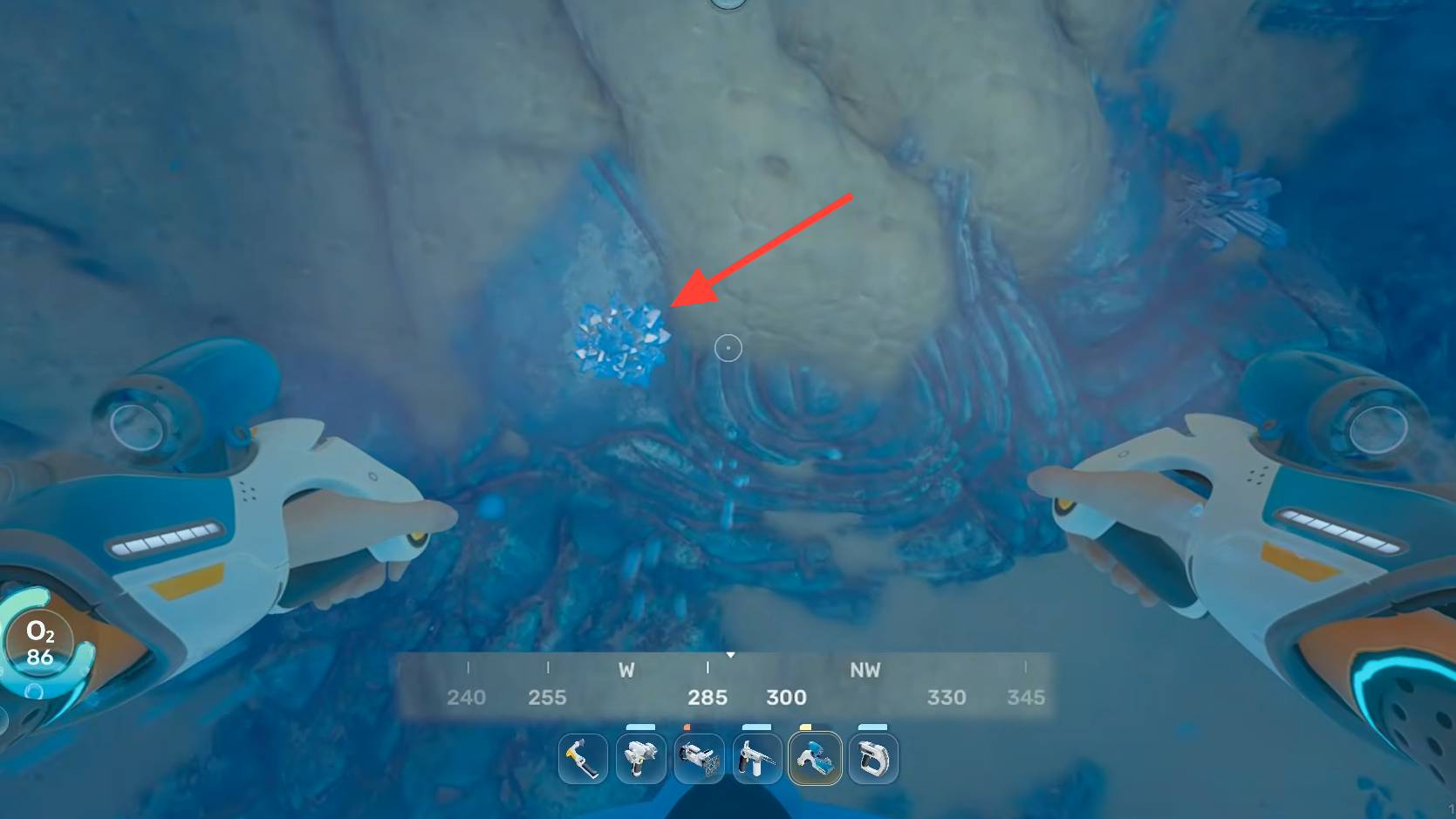
How to harvest Celestine
Celestine nodes come in the standard three sizes used for mineral resources in the game. The size determines what you need to break them and how much material you receive per node.
| Node size | Tool needed | Yield |
|---|---|---|
| Small | Pick up by hand | 1 Celestine |
| Medium | Any tool (Scanner works) | 2 Celestine |
| Large | Sonic Resonator or Feedback Resonator | 1–5 Celestine |
For the larger clusters that yield the most material per hit, you’ll want the Sonic Resonator blueprint crafted before making a dedicated run. Smaller deposits on rock walls can be cracked with whatever you have in hand, including the Charge Blast Shield style tools available early on.
What Celestine is used for
Celestine is processed into Strontium through the Processor, which unlocks once you scan your first Celestine node. Strontium feeds into deeper-tier crafting recipes. The raw crystal itself is also a direct ingredient for a handful of items.
| Station | Output |
|---|---|
| Processor | Strontium |
| Modification Station | Tadpole Depth Module Mk. I |
| Habitat Builder | Axum Wall Lamp |
The Tadpole Depth Module is the practical reason most players make the trip east. It extends the operating depth of the Tadpole vehicle, which in turn lets you reach the deeper biomes where higher-tier resources live.
Preparing for the run
The Celestine zones sit well below the safe shallows and the routes pass through low-visibility water. A few preparations make the trip much smoother.
What Celestine looks like in the world
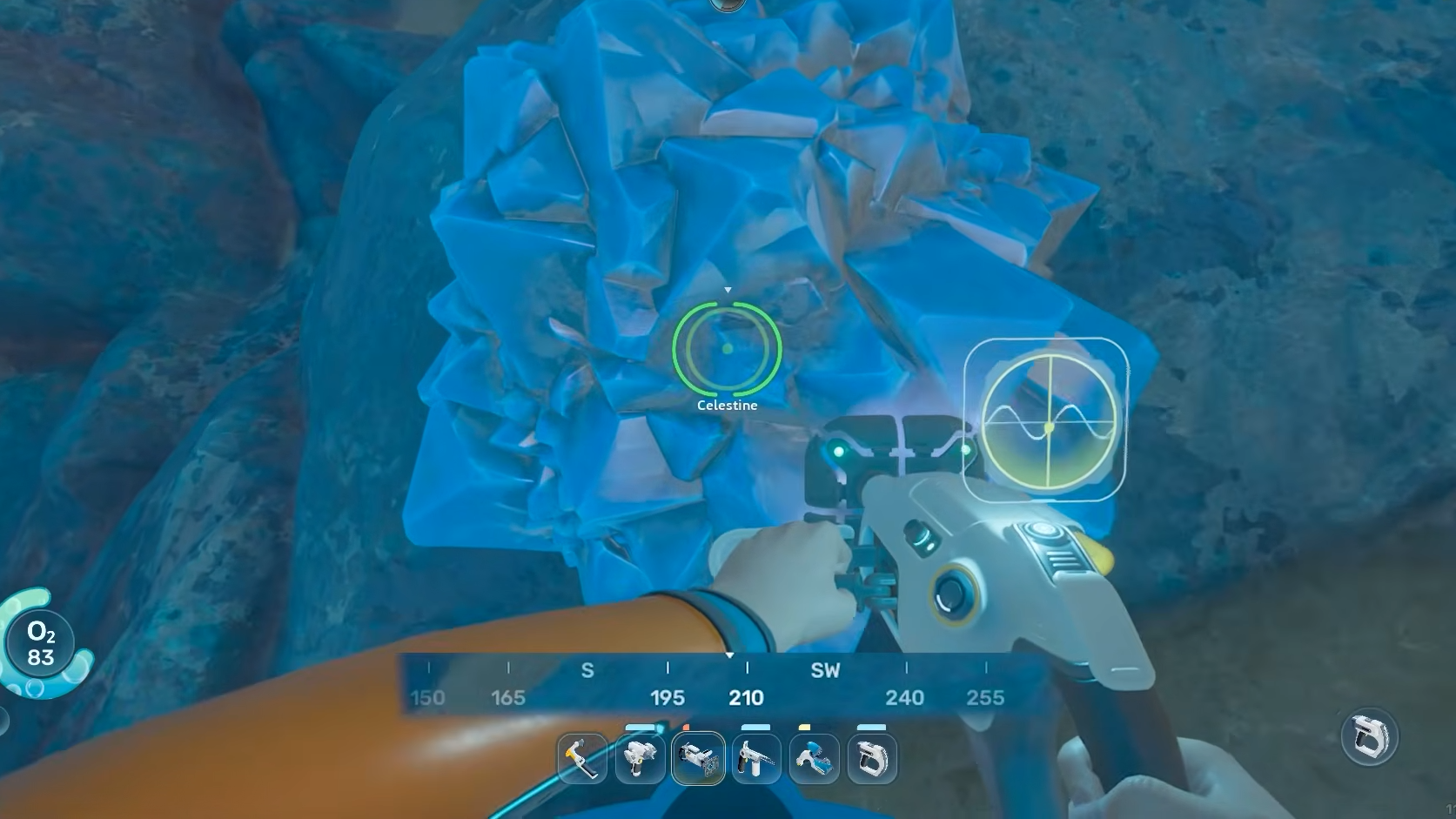
The crystals glow a saturated blue and grow in jagged clusters from rock surfaces. They are easy to mistake for Calcite at a distance, which appears as similar blue crystal formations but registers under a different name when you aim a tool at it. Always check the on-screen label before harvesting if you’re trying to fill a specific recipe.
The in-game databank describes Celestine as strontium sulfate (SrSO4), formed from the shells of microorganisms that synthesize it as ballast. The Strontium it produces on this planet contains elevated Strontium-90, so the PDA flags it as unsafe to ingest. That detail is flavor rather than mechanics, but it does explain why the material slots into power and radiothermal-adjacent recipes.
Confirming the harvest worked
You’ll know Celestine collection registered when the item appears in your inventory with the description “Local source of radioactive Strontium. Burns brilliant red.” Scanning a node for the first time triggers a “NEW BLUEPRINT SYNTHESIZED” notification and unlocks Strontium in your Processor recipe list. If neither of those happens after harvesting a blue crystal, recheck the item name on the node, which should read Celestine and not Calcite or Quartz.