

Update: Checked for new Wizard Alchemy codes on June 05, 2026.
Wizard Alchemy is a Roblox experience where players fight enemies, gather rare ingredients, and brew potions to unlock more powerful spells. Codes hand out race rerolls to help you land rarer alignments, along with Spirit Leaves, Enchanted Stones, and limited-time experience bonuses.
Working Wizard Alchemy Codes
Every code below is currently active in Wizard Alchemy. Codes can be deactivated without warning, so claim them as soon as possible.
100KMEMBERS— 10 race rerolls NEWQILIN— 500 Spirit Leaves NEWMERCHANT— 2x Experience Potion for 30 minutes NEWDRUID— 5 race rerollsSUMMON— 100 Spirit Leaves80KMEMBERS— 5 Enchanted Stones60KMEMBERS!— 10 race rerolls40KCCU!— 5 race rerollsUPDATE1!— 10 race rerollsYTTA— 5 race rerollsNewWorld— 5 Enchanted StonesBroom— 5 Enchanted Stones20kMembers— 5 race rerollsBREW— 5 race rerolls17kCCU— 5 race rerollsSPELL— 2 Dark Shards and 2 Light ShardsWIZARD— 5 race rerollsRELEASE— 5 race rerolls
How to Redeem Wizard Alchemy Codes
The code entry field stays locked until you complete the in-game tutorial. If the option isn't available yet, finish the tutorial first, then follow the steps below.
Step 1: Launch Wizard Alchemy in Roblox and wait for the game to fully load into a server.
Step 2: Tap the gear icon in the top-right corner of the screen to open the Settings menu. A text box for code entry will appear inside it.
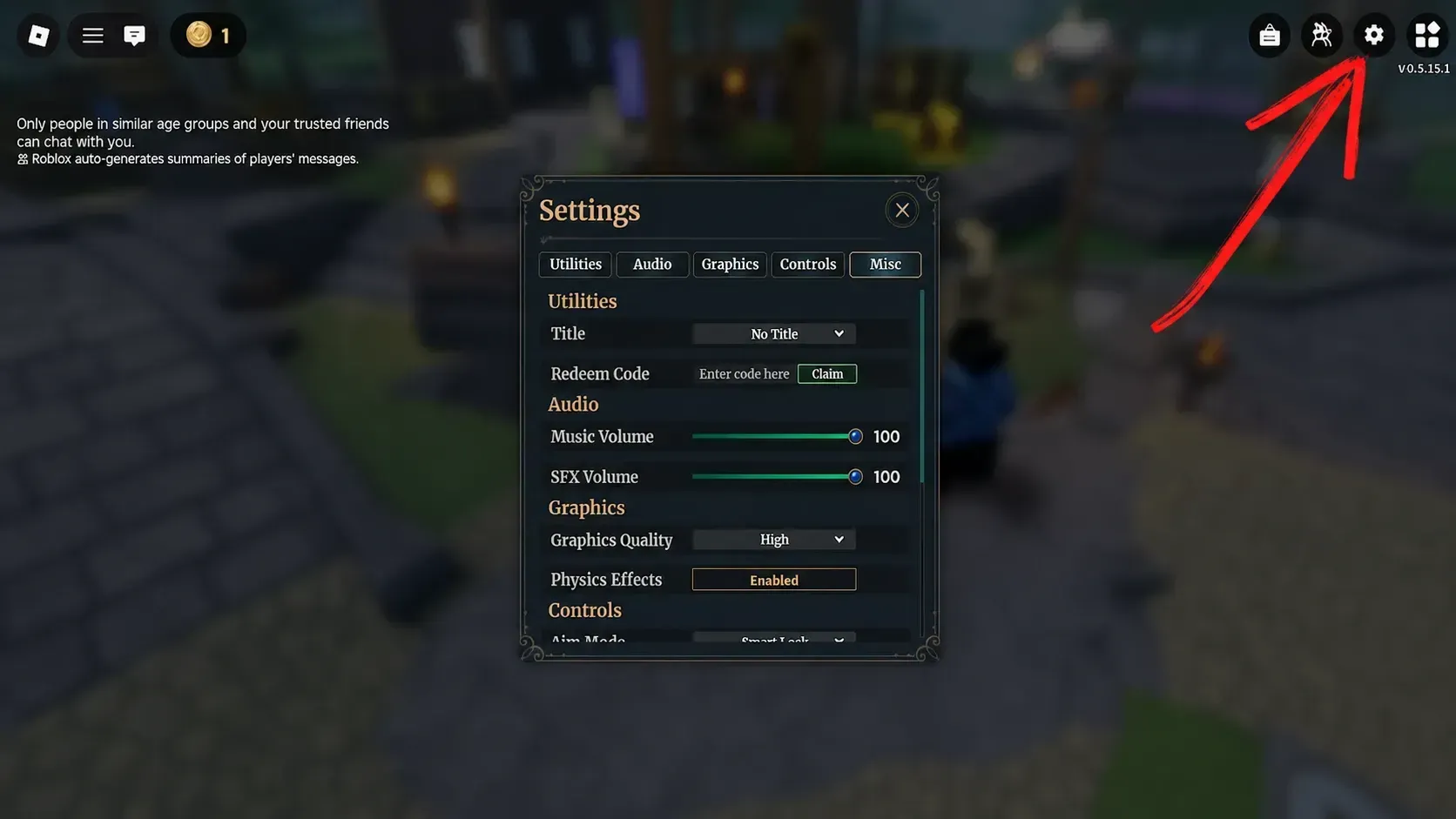
Step 3: Paste one of the working codes into the text box and press Claim. Rewards are added to your account immediately on success.
All codes are case-sensitive. Copy and paste directly from the list rather than typing manually to avoid hidden spaces or capitalization mismatches.
Expired Wizard Alchemy Codes
No codes have expired in Wizard Alchemy so far. The developers have kept every released code active, but any of them could stop working at any point without prior notice — redeem them promptly rather than saving them for later.
Where to Find New Wizard Alchemy Codes
Bookmark this page to stay on top of new codes as they release. For announcements straight from the developer, join the official Wizard Alchemy Discord server — codes, patch notes, and content previews are shared there regularly. The game's Roblox page description is worth checking occasionally as well, since codes sometimes appear there alongside update announcements.