

The first Expedition in ARC Raiders is the game’s optional account reset, wrapped in a limited-time event. It runs on a fixed calendar, and if you want the rewards from departing, you need to act within a specific window.
ARC Raiders Expedition dates (first cycle)
The first Expedition Project is tied to ARC Raiders’ launch season.
| Phase | Dates (2025) | What you can do |
|---|---|---|
| Caravan construction & supply | October 30 – December 14 | Reach level 20, start the Expedition Project, and feed materials and provisions into your Caravan. |
| Finalisation window (pre-delay plan) | December 15 – December 20 | Confirm that you want to send this Raider on the Expedition. |
| Departure date (pre-delay plan) | December 21 | Completed Caravans depart. Progress is wiped for participating Raiders, and Expedition rewards kick in. |
Embark later delayed the opening of the Expedition window itself. The official Expedition announcement states that the window “will now open on 17th December” and “will be open from 17th December and last until 22nd December.” Everyone who signs up during this period departs together when the window closes on December 22.
Functionally, that gives you two time constraints to think about:
- You need your Caravan built and supplied before the Expedition window closes.
- You must opt in once the window opens (December 17–22), or you simply stay in the current cycle.
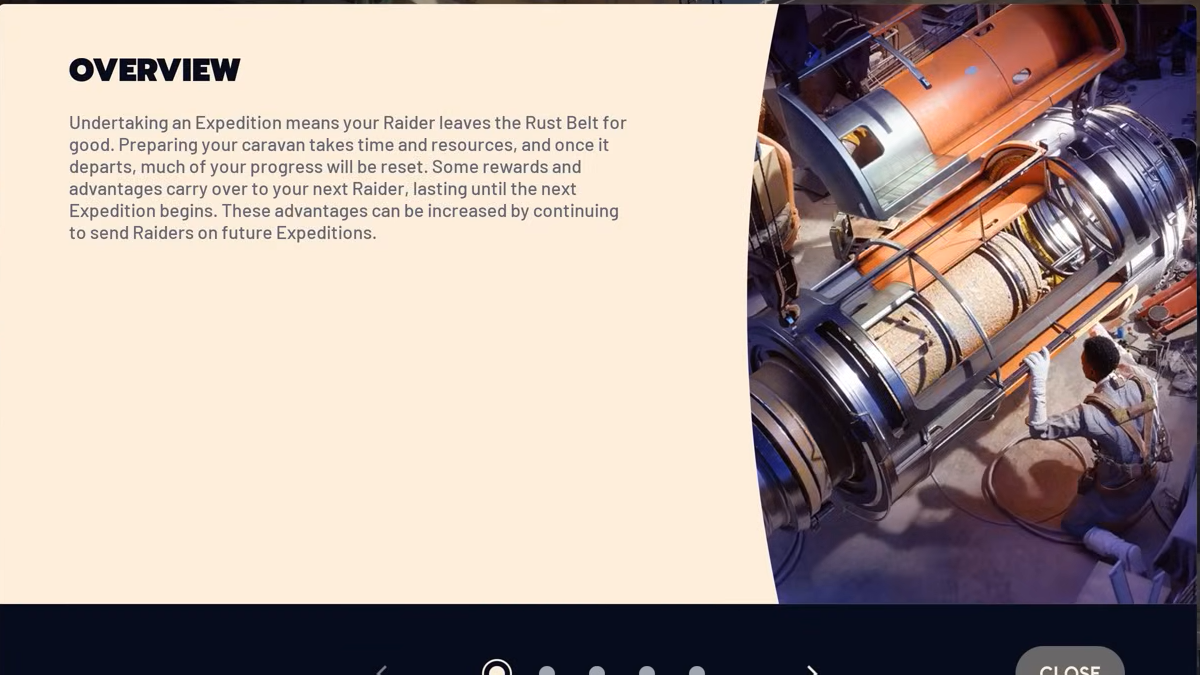
On the back end, Expeditions follow a roughly eight‑week rhythm: around 60 days of building and playing, then a short, fixed window to finalize and depart. If you skip a window, your Caravan progress carries forward to the next cycle.
When the Expedition window actually “starts” for you
The most common question around the first wipe is simple: when do you personally need to do something?
- Before the window: hit level 20 and complete the Expedition Project steps (constructing the Caravan and supplying provisions). You can do this anytime during the season.
- During the window: once the Expedition window opens on December 17, a final Expedition step (often surfaced as Step 6 in community screenshots) becomes active. This is where you confirm that this Raider will leave.
- By the close: you can confirm at any point up until December 22. When the window closes, the game locks in who is departing and tallies each participating Raider’s stash and wallet value.
If you do nothing during the window, nothing drastic happens. Your Raider does not wipe, your stash stays intact, and your partially built Caravan persists into the next Expedition cycle.

How to unlock and start the Expedition Project
The Expedition is not a default option on day one of a new account. You need to reach a baseline level of progression before you can even think about wiping.
Requirement: reach level 20 on your Raider. Once you hit level 20, the Expedition Project appears in the Projects menu.
Step 1: Open the main menu and go to the Raider section. From there, move into Projects. You will see the Expedition Project listed once you are eligible.
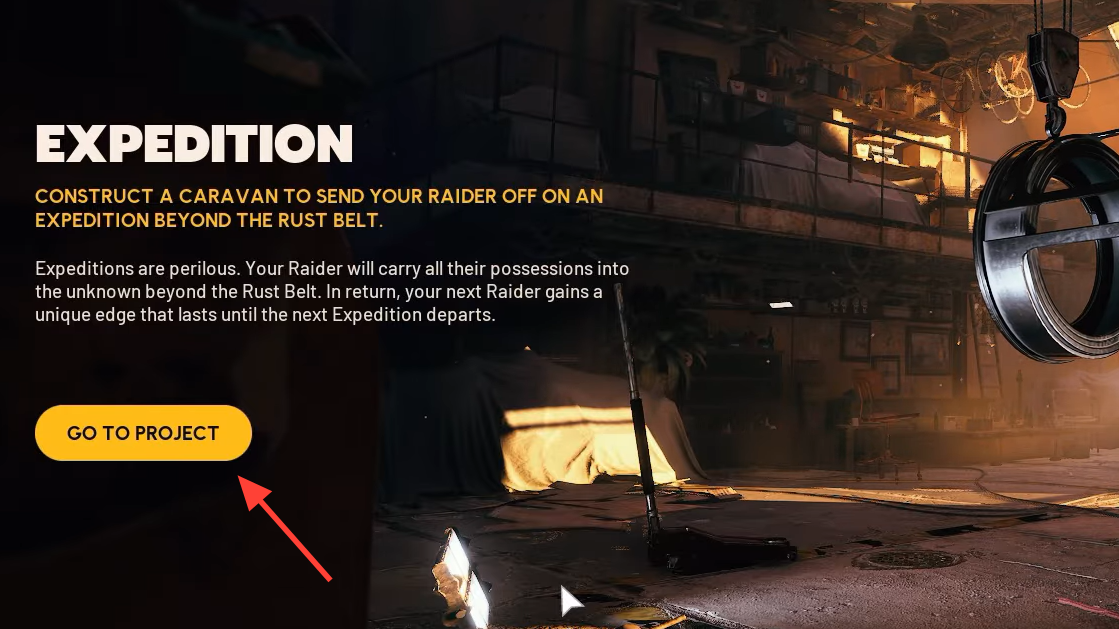
Step 2: Start the Expedition Project to begin Caravan construction. The project will ask for various materials and provisions. Everything you commit here is locked; there is no refund mechanic for donations to the Caravan.

Step 3: Progress through the project’s stages until your Caravan is fully constructed and supplied. Completing these steps is what makes you eligible to actually depart once the Expedition window opens.
Reaching the final step does not force a wipe. It only prepares your Raider. The actual decision happens separately inside the time-limited window.
What happens when you go on an Expedition
Opting into an Expedition is essentially volunteering for a partial account wipe in exchange for a portfolio of permanent unlocks and time‑limited buffs. The reset focuses on character progression, inventory, and blueprints, while sparing account‑wide unlocks and cosmetics.
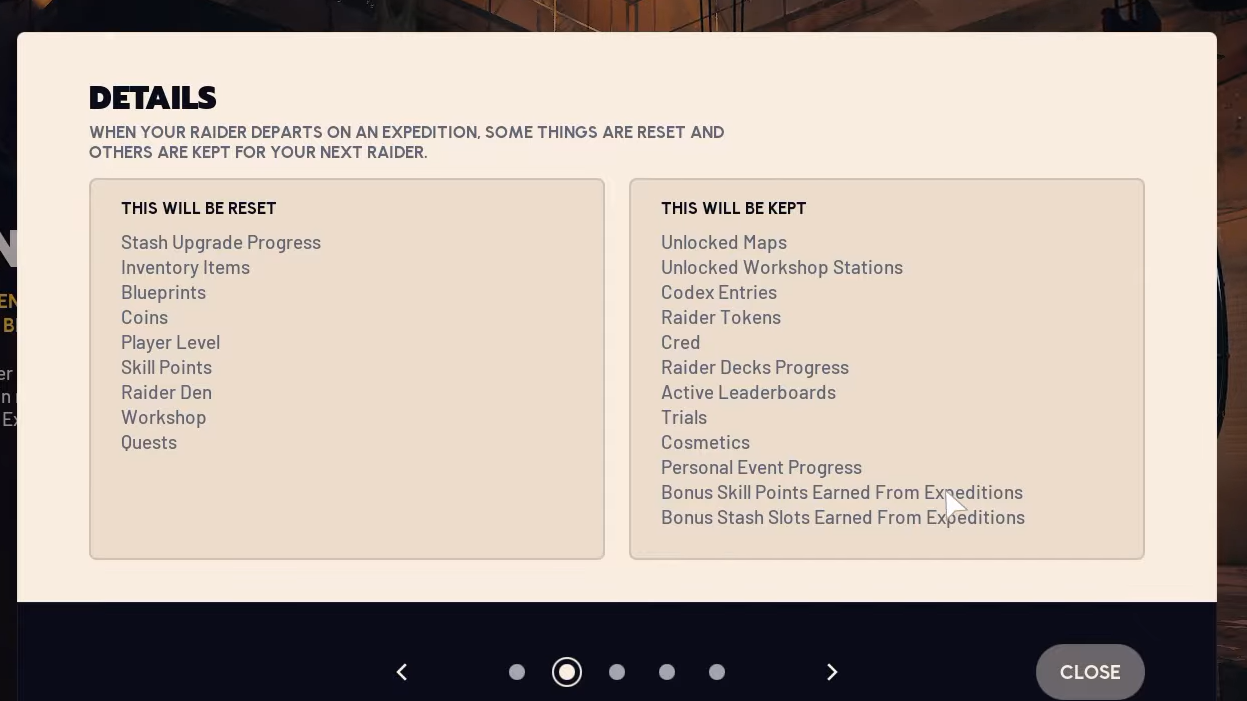
When your Raider departs on the Expedition, the following are wiped and must be earned again:
- Player level and skill tree go back to level one. All spent skill points reset.
- Stash inventory items are consumed by the Expedition. Nothing in your stash returns with the new Raider.
- Coins (the standard spendable in‑game currency) are reset to zero; their value is counted at departure first.
- Blueprints you earned for weapons and gear are removed. This is the most painful part of the wipe for many players.
- Workshop progress and crafting unlocks are reset, though the underlying stations are not locked away again.
- Quest progress on that Raider is cleared, so story and project work restarts.
At the same time, several categories of progress are not affected:
- Unlocked maps remain available immediately; you do not need to level‑gate them again.
- Unlocked workshop stations stay accessible once you re-establish your workshop.
- Cosmetics such as outfits, emotes, and charms are account‑bound and persist.
- Raider Tokens and Cred, the premium currencies, remain untouched.
- Raider Decks progress and active leaderboards and Trials records are preserved.
- Personal event progress (for events like Stella Montis) carries over.
- Bonus skill points and stash slots earned from earlier Expeditions remain on your account and stack across cycles.
The Expedition also skips the initial onboarding segment when your new Raider lands in Speranza. All maps and potential workshop upgrades are available from the start of that fresh run, which softens the impact of the wipe and lets you head straight back into higher‑tier content.
What you gain from completing an Expedition
Departing on an Expedition is meant to feel like trading accumulated comfort for long‑term power and additional flexibility. Rewards fall into two buckets: permanent account unlocks and temporary buffs that persist only as long as you continue to participate in successive Expeditions.
Permanent Expedition rewards
Sending a Raider on an Expedition grants:
- The Patchwork Raider outfit, a cosmetic set tied to Expedition veterans.
- Scrappy Janitor Cap, another cosmetic reward.
- Expeditions Indicator icon, which flags your account as having departed.
- Bonus skill points for your new Raider, determined by how much value you send into the Expedition.
- +12 stash space, expanding how much gear you can store on future Raiders.
The bonus skill points and stash slots are cumulative across Expeditions. Each time you complete a new Expedition cycle, your account can push these numbers higher. Over multiple wipes, that can create very different build options compared with a brand‑new player.
Skill points are calculated at the moment the Expedition window closes. The game looks at the combined value of items in your stash plus your Coin wallet and then grants up to five extra skill points, using a simple rule: for every one million Coins of value you have at departure, you receive one additional skill point for your next Raider, up to that five‑point cap.

Temporary Expedition buffs and how long they last
On top of permanent unlocks, each Expedition cycle grants a set of time‑limited buffs that make day‑to‑day play smoother:
- 10% repair buff, reducing the cost or burden of keeping your weapons in good condition.
- 5% XP boost, letting you re-level faster after the wipe.
- 6% more materials from Scrappy, increasing the output of that vendor.
These account buffs are linked directly to Expedition participation. They remain active into the following Expedition cycle, but they will expire if you choose not to depart with the subsequent Expedition. For roughly the first three Expeditions you complete, these buffs also grow stronger, giving early adopters a little more momentum each time they reset.
One key nuance: those temporary buffs are separate from the permanent, stacking stash space and skill points. If you skip a future Expedition, you lose the temporary bonuses, but you do not lose the permanent unlocks you already earned.
How stash value and Coin farming affect your Expedition
Because the game grants bonus skill points based on your stash and Coin value at departure, optimization in the days before the window closes is mostly about raw value, not hoarding specific item types.
A few important points:
- Both stash contents and Coin wallet count toward your departure value. Items do not need to remain in storage; selling gear for Coins is just as valid.
- Storage space is not a bottleneck as long as you are comfortable liquidating items. If your stash is full, converting unwanted equipment into Coins is fine.
- Value is tallied when the window closes, not when you hit the confirm button. You can keep raiding and looting all the way up to the final minutes of the window.
Many players target several million in combined item and wallet value to feel confident about hitting the five‑point skill cap, but the exact thresholds per point inside that up‑to‑five range are not broken down beyond the one‑million‑equals‑one‑point rule.
What if you miss the Expedition window?
The system is intentionally opt‑in. If life or holidays get in the way and you can’t log in during the Expedition window, you are not locked out of future wipes.
- Your current Raider and stash remain exactly as they were. No involuntary wipe occurs.
- Your Caravan progress is preserved. When the next Expedition cycle begins, you pick up from where you left off rather than rebuilding from zero.
- You simply do not receive the permanent unlocks or temporary buffs tied to that particular Expedition.
Because Expeditions run on an eight‑week cadence, another window is always a few months away. That structure lets more dedicated players reset aggressively while giving everyone else the option to jump in once they feel ready or once their schedule allows a short login at the right time.
The Expedition system turns progression wipes into a strategic choice rather than a global event. The key is treating the dates as hard edges: build and stock your Caravan before the season’s final window, then decide during that one‑week span whether a fresh Raider with extra skill points and stash space is worth parting ways with your current blueprints and hoard.