

The “With A Trace” investigation looks obvious on paper and turns messy the moment you hit the surface. The quest text tells you to reach Barren Clearing and find who brought down the ARC machines, then inspect some adorned wreckage. In practice, the tracker updates too early, the search area is huge, and the key objects are small enough to miss under fire.
This walkthrough focuses on the part that causes the most confusion: where to find signs of who brought down the ARC machines, and how to finish the Adorned Wreckage step so the quest actually completes.
Quest structure: what “With A Trace” is really asking you to do
“With A Trace” is a Shani Security quest that plays out entirely on the Blue Gate map. Under the hood it has four distinct actions, even though it initially looks like only two:
| Internal step | On-screen objective text | What you actually do | Where it happens |
|---|---|---|---|
| 1 | Reach Barren Clearing | Enter the Barren Clearing region so the quest advances. | Northwest Blue Gate, west of Raider’s Refuge. |
| 2 | Find signs of who brought down the ARC machines | Investigate a small spherical joint on a broken ARC leg. | Southwest side of the big wreck in Barren Clearing. |
| 3 | Inspect the Adorned Wreckage | Travel to the map landmark named “Adorned Wreckage.” | South or southeast of Barren Clearing, below Trapper’s Glade. |
| 4 | Inspect the communications device | Interact with a yellow computer terminal beside a large antenna. | At Adorned Wreckage, on the edge of the scrap tower. |
Two design quirks cause most of the frustration:
- The “reach Barren Clearing” objective can complete while you are still hundreds of meters away from the landmark, so you start searching in the wrong spot.
- “Inspect the Adorned Wreckage” doesn’t mean “look at the graffiti-covered ARC in Barren Clearing” – it means travel to a completely separate location labelled Adorned Wreckage on the map.

Reach Barren Clearing and stop trusting the tracker too early
Barren Clearing sits on the western side of Blue Gate, directly to the left of Raider’s Refuge. It’s a treeless basin filled with hulks of dead ARC machines, dominated by one massive wreck in the middle.
As you approach from the east, your objective will flip from “reach Barren Clearing” to “find signs of who brought down the ARC machines” long before you’re actually at that central corpse. Don’t stop when the text changes. Keep moving until you’re standing in the landmark itself, near the painted ARC chassis in the center of the clearing.
Use the map to line yourself up roughly under the “ren” letters of “Barren” – that places you in the correct area for the next interaction.
Arc Raiders find signs of who brought down the ARC machines in Barren Clearing
Once you’re truly inside Barren Clearing, the clue you need is not on the main torso, but on a detached leg a short distance away.
| Focus | Detail |
|---|---|
| General area | Southwest side of the big ARC wreck at the center of Barren Clearing. |
| What to look for | A severed ARC leg lying slightly apart from the main body, with a lighter gray, rounded “ball” or joint section. |
| Interactable object | The small metal orb-like joint on that leg; it can resemble a radar dish or oversized coupling. |
| Prompt | When you’re close and aimed at the joint, a yellow “Investigate” / interaction prompt appears. |
Walk the arc around the wreck on its southwest side and scan the legs. The piece you want is:
- About half a character’s height.
- Noticeably lighter in color than the darker leg plating.
- Pressed up against one of the leg segments, like a socketed joint.
As soon as you trigger the interaction with that joint, the quest registers that you’ve found signs of whoever brought the machines down. The log will update to send you to Adorned Wreckage.
Travel from Barren Clearing to the Adorned Wreckage landmark
The next piece of the puzzle is not anywhere near the painted ARC you just inspected. Adorned Wreckage is its own named point of interest elsewhere on the map.
| From | To | Direction on map | Landmarks to use |
|---|---|---|---|
| Barren Clearing (center wreck) | Adorned Wreckage | Roughly south or southeast, below Trapper’s Glade | Look for “Adorned Wreckage” text on the map below Trapper’s Glade and east/southeast of Barren Clearing. |
Open your map and zoom in if needed. You’re looking for the region label “Adorned Wreckage” south or southeast of your current position. Set a mental line from the center of Barren Clearing down toward that label and start moving, following the trace of scrap and toppled structures between the two areas.
Visually, you’ll know you’re close when you see:
- A large tangle of metal forming a tower or spire made of wreckage.
- Colorful cloths or pennants draped off the metal, giving the place its “adorned” feel.
- Cables, dishes, and antenna structures clustered around one side of the wreck.
The game often spawns multiple ARC enemies here, including leapers, and other raiders are frequently funneled through this zone for different quests. Be ready for a fight on arrival, or use stealth and cover to snake around to your objective instead of clearing everything.
Inspect the Adorned Wreckage and locate the communications device
When you enter the Adorned Wreckage area, the objective text shifts from “Inspect the Adorned Wreckage” to the final task focusing on a communications device. The quest does not want you to climb to the top of the tower or poke every visible panel; it expects a very specific interaction on the edge of the complex.
| Target | Description |
|---|---|
| Primary structure | A tall heap of scrap with banners and cables, sometimes resembling a tilted rocket or tower. |
| Communications setup | A large antenna or dish mounted on the side of the complex, with a small work area at its base. |
| Device you need | A yellow computer terminal sitting on or next to a makeshift desk beside that antenna. |
| Quest interaction | Stand directly in front of the yellow terminal until the yellow “Inspect / Turn on” prompt appears, then interact once. |
The terminal is typically on the south or southeast side of the main scrap cluster, slightly off to one side rather than dead center. If you see a smaller, rocket-like wreck or mast adjacent to the largest structure, scan the base of that piece for the antenna-and-desk setup.
Common misreads here:
- Climbing the main tower and assuming the interaction is up top. It isn’t; the computer is at ground level.
- Trying to use a different computer in the same area that belongs to another quest. The correct one is directly beside the large antenna, not inside a hut or further away.
Once you interact with the yellow terminal, “With A Trace” is considered complete on that run. You keep the credit even if you die before extracting.
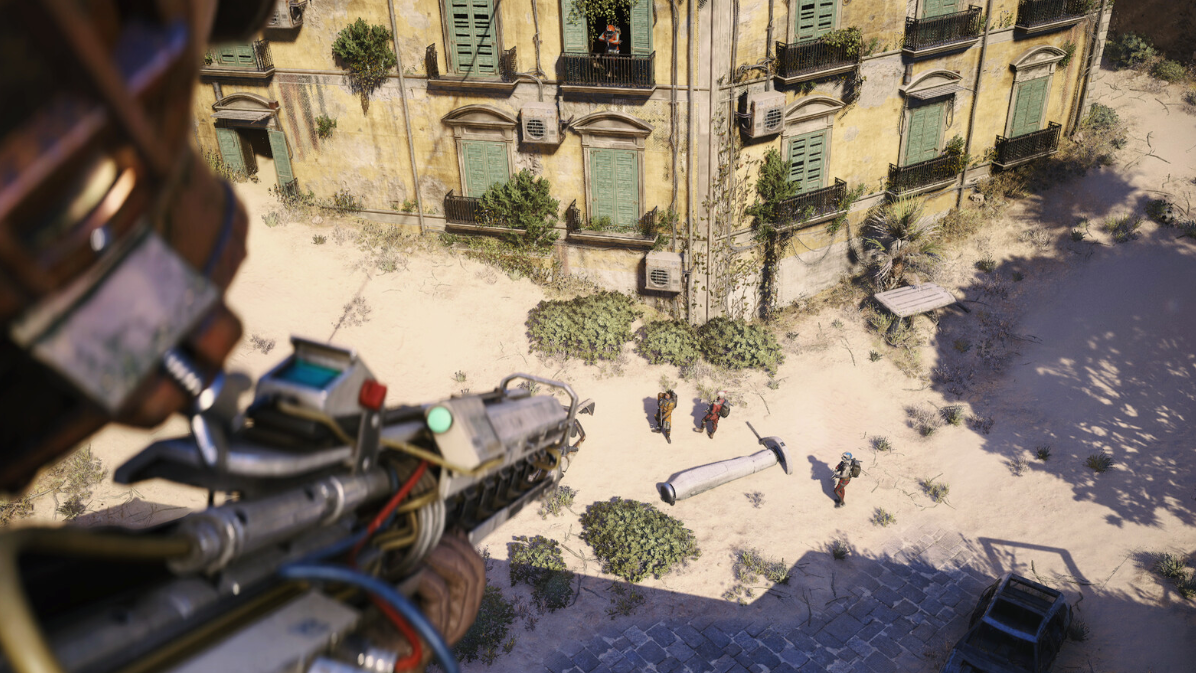
When the computer won’t highlight: how to unstick the quest
Some players run into a situation where they stand in front of the correct yellow computer, but it doesn’t glow or offer any interaction. In most cases, this isn’t a permanent bug; it’s a progression issue tied to how the quest tracks its steps in a single outing.
There are a few patterns that resolve it:
- If you previously completed the Barren Clearing step in a different match and then tried to go straight to Adorned Wreckage, queue into Blue Gate again with “With A Trace” active and redo the Barren Clearing interaction with the metal orb in the same run. After that, travel directly to Adorned Wreckage and the terminal should become interactable.
- If the log shows you’re still on “Find signs of who brought down the ARC machines,” the Adorned Wreckage terminal will not activate. You must see the quest text change to “Inspect the Adorned Wreckage / communications device” before the computer will respond.
- If all objectives look correctly checked but the terminal still does nothing, treat the current match as a lost attempt, leave or extract, and run the full sequence again: Barren Clearing orb first, then Adorned Wreckage terminal, without skipping or rearranging steps.
In other words, treat “With A Trace” as a single chain that needs to be completed in one visit to Blue Gate: investigate the leg joint, then inspect the communications device. Splitting those interactions across multiple matches is what tends to confuse the trigger logic.
Once the communications device powers up and the objective is completed, your work on the surface is done. Head back to Speranza and talk to Shani to cash in the rewards – usually including a Looting Mk. 2 augment and a Medium Shield – and unlock the next stretch of her investigation. The next time a quest tells you to check out some wreckage in Blue Gate, you’ll know not to stop when the tracker blinks; keep walking until the landmark on the map lines up, then start looking for the tiny piece of hardware the objective is really about.