

ARC Raiders ties its biggest encounters and loot spikes to real-world time. The Rust Belt’s maps don’t just cycle day and night; they rotate through named conditions and boss-style events on a fixed schedule, and that schedule decides which objectives, enemies, and rewards you’ll find when you deploy.
How ARC Raiders map conditions work
Every topside map runs on a server-wide rotation of “map conditions” and special events. These conditions affect the entire instance for a set window, then hand off to the next one.
Key traits of the system:
- Real-time schedule – Events are tied to real-world hours, not per-raid randomness.
- Shared for all players – Everyone on a region shares the same current condition; if a Matriarch event is live on Dam Battleground, every group sees it.
- Time-limited windows – Most conditions run in discrete hour blocks, sometimes with a 2‑hour presence for a given event as it moves from map to map.
- Per-map rotation – The same condition can hop between The Blue Gate, Spaceport, Dam Battleground, Buried City, and Stella Montis on different hours.
That design means the run you get at 01:30 UTC can be dramatically different from what you get at 13:30 UTC, even on the same map.
Official UTC rotation windows
Embark’s schedule anchors several headline conditions to specific UTC hours. Those windows repeat every day and form the backbone of the rotation.
| Condition | Daily UTC windows | Role |
|---|---|---|
| Harvester | 1:00–2:00, 6:00–7:00, 9:00–10:00, 13:00–14:00, 18:00–19:00, 21:00–22:00 | High-tier ARC activity and loot |
| Husk Graveyard | 2:00–3:00 | Corpse fields and resource spikes |
| Probe Heist | 14:00–15:00 | Probe-focused objective window |
| Hidden Caches | 22:00–23:00 | Loot cache hunting |
| Lush Blooms | 10:00–11:00 | Resource farming window |
| Night Raid (major) | 4:00–5:00, 12:00–13:00, 20:00–21:00 | Low visibility, high danger, high value |
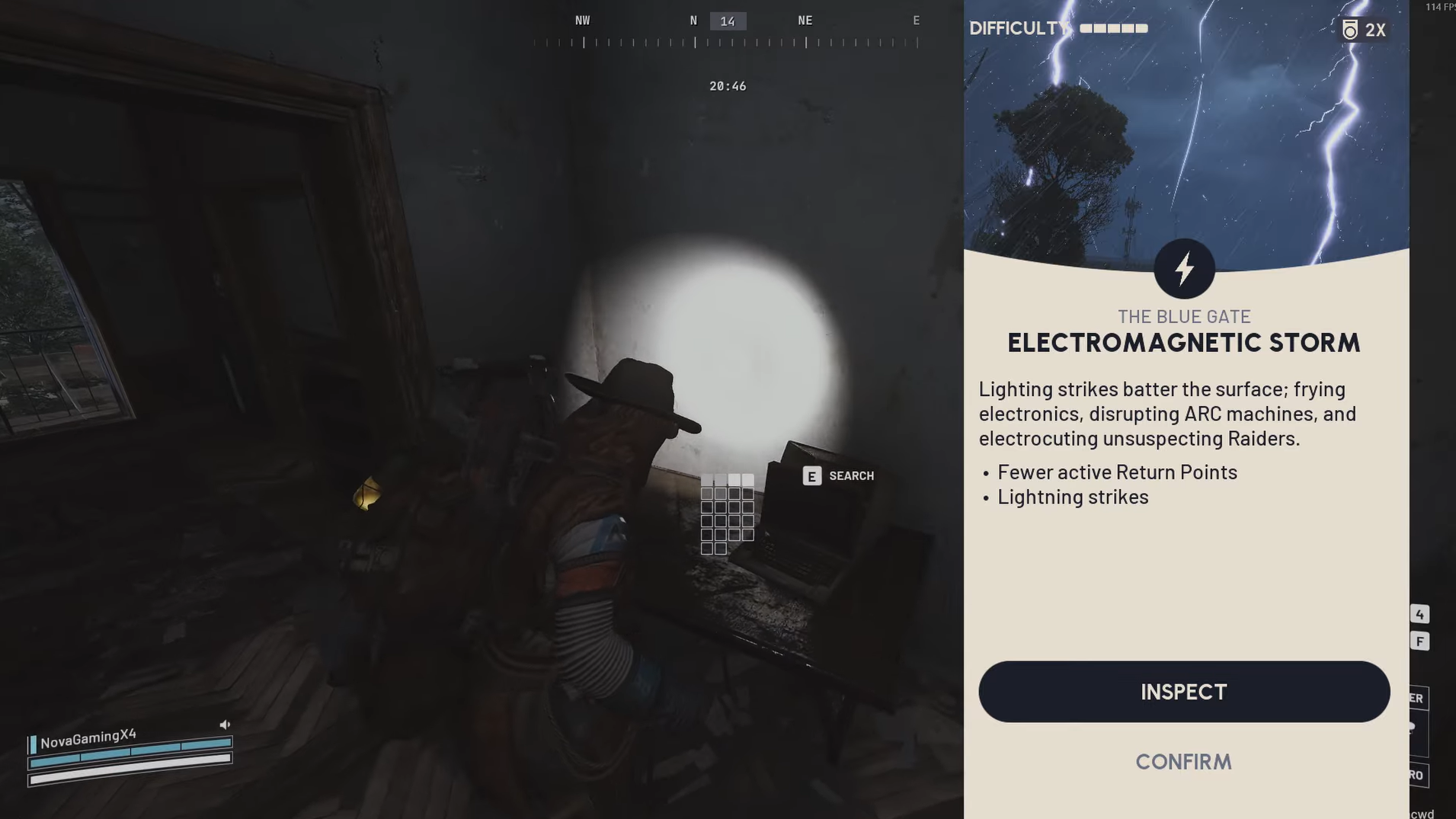
| Electromagnetic Storm (major) | 0:00–1:00, 8:00–9:00, 16:00–17:00 | Environmental hazards, altered ARC behavior |
Within those UTC windows, conditions fan out across the individual maps on their own subrotations. For example, Night Raid might hit Stella Montis at 02:00 UTC, then Buried City at 04:00 UTC, then Blue Gate at 12:00 UTC, and so on. That pattern repeats in 24‑hour blocks unless the game is patched to change it.
Matriarch and Harvester: how their rotations behave
For most players asking about “map rotation,” the real question is: when can you find Matriarch and Harvester events, and on which maps?
Harvester uses the Harvester UTC windows above. Within those windows, it appears on different maps in 1‑hour slots. For example, over a sample 24‑hour period, Harvester cycles through:
- Dam Battleground at 9:00 UTC
- The Blue Gate at 11:00 UTC
- The Blue Gate again at 20:00 UTC
- Dam Battleground at 21:00 UTC
- The Spaceport at 23:00 UTC
The pattern tells you two things. First, Harvester shows up multiple times per day, but never on every map at once. Second, you often get evening Harvester windows on popular maps like Blue Gate and Dam, which are prime time for farming high-tier loot.
Matriarch appears on a very similar hourly cadence, but its exact UTC windows are not listed in the same way as Harvester and Night Raid. Community tracking over the daily schedule shows Matriarch moving across Blue Gate, Spaceport, and Dam Battleground in single-hour blocks, such as:
- The Blue Gate at 2:00 UTC
- The Spaceport at 3:00 UTC
- Dam Battleground at 5:00 UTC
- The Blue Gate at 8:00 UTC
- Dam Battleground at 13:00 UTC
- The Blue Gate at 14:00 UTC
- The Spaceport at 19:00 UTC
The takeaway is that both Matriarch and Harvester run on predictable hourly blocks with multiple hits per day, but not necessarily on a neat “every two hours on the same map” pattern. They hop between maps while staying tied to specific real-world hours.

What each major condition actually changes
Not every window is worth planning an entire session around. Some are ambient difficulty shifts; others are jackpot opportunities if your build can handle the spike.
- Night Raid cuts visibility, buffs enemy threat, tightens extraction options, and increases loot value. It is best treated as a targeted farm window for geared squads rather than casual runs.
- Electromagnetic Storm adds lightning and interference that can disrupt both you and ARCs. It raises environmental danger and can open up stealthy routes if you play around the chaos.
- Harvester events concentrate high-tier enemies and rare drops around Harvester activity. These hours are some of the most profitable but also the most punishing.
- Matriarch events push you into queen-tier ARC encounters with raid-style mechanics and strong rewards. Expect a boss fight environment more than a generic patrol.
- Hidden Bunker focuses on Spaceport and unlocks bunker spaces with rare containers and quest-related loot.
- Husk Graveyard seeds specific locations with husk fields, useful for materials and niche loot.
- Prospecting Probes / Probe Heist emphasizes probe objectives and related loot during their windows.
- Lush Blooms boosts the availability of plant-based resources in select zones, ideal for crafting material routes.
- Hidden Caches increases cache density, turning exploration paths into efficient loot runs.
Planning around these conditions lets you compress tasks. For example, you can schedule Night Raid for rare weapon farming, then immediately chase a Harvester hour on a different map for blueprints.
How to check the current map condition in-game
The most reliable pointer to what’s live right now is the map selection screen.
Step 1: Queue for a topside run as normal and move to the map selection interface.
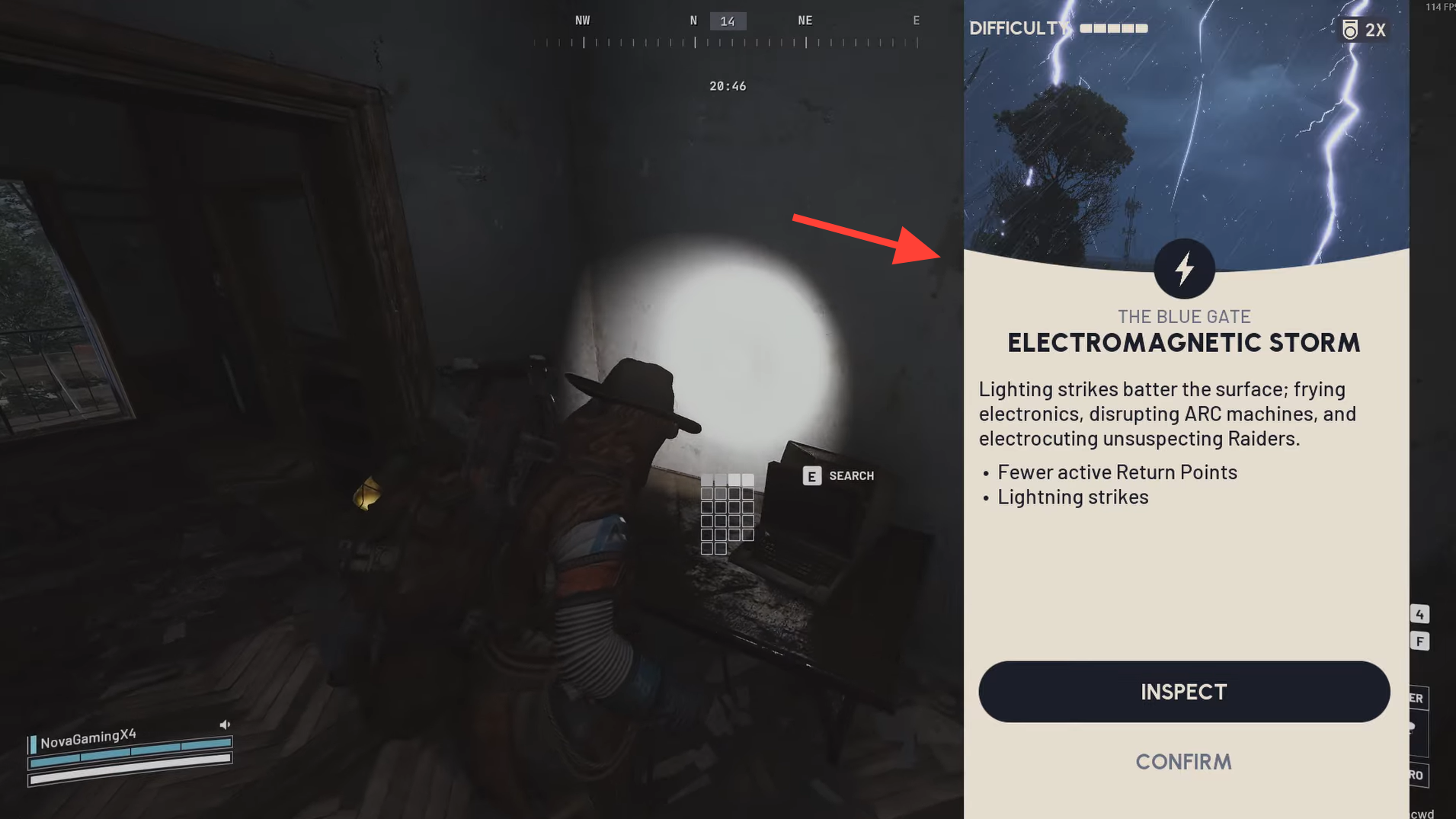
Step 2: On the right-hand side of the screen, find the banner that shows the map’s special condition. A grey icon lets you expand the current and upcoming conditions for that map.
Step 3: Look for labels like “Matriarch,” “Harvester,” “Night Raid,” or “Electromagnetic Storm” in that banner. If the condition you care about is not present, either wait for the next rotation or switch to a map where the right condition is currently active.
Using community event trackers for planning
Community tools mirror the in-game rotation in a more planner-friendly format. They lay out the next 24 hours of events, broken down by map and condition, so you can decide when it is worth logging in or swapping maps.
Typical information they expose includes:
- A “now” section that shows whether any major event is currently active.
- A “next hour” preview, so you can see if a key event is about to start.
- A 24‑hour table listing each condition, the map it will be on, and the exact UTC start time. For example, Night Raid on Stella Montis at 2:00 UTC, then Buried City at 4:00 UTC, then Spaceport at 5:00 UTC.
These tools are especially useful for Matriarch and Harvester. Instead of guessing whether “it feels like” they happen every two hours, you can read off exact UTC slots for each map and decide whether to run something else in the meantime.
Why your perceived timer can feel wrong
Even with a fixed schedule, it is easy to misread when certain events “should” be live. Several factors tend to trip players up.
- Timezone mismatch – The official tables are in UTC. If you mentally convert to local time and slip by an hour, you’ll arrive just as a window is ending or before it starts.
- Server updates – Maintenance and hotfixes can reset or quietly alter the rotation order, especially for secondary events. That can desync handwritten notes.
- Map vs. global windows – Harvester and Matriarch have global hour slots in which they appear somewhere, but not necessarily on the map you prefer at that specific minute.
- Human memory – Experiencing Matriarch “around 9 am” a few times can feel like a strict 2‑hour cadence, even if the real schedule hops between maps on an hourly grid.
When in doubt, trust what the map selection banner is showing for the next run, and use trackers or personal logs for longer-term planning rather than second-guessing them on the fly.
Planning your play sessions around rotations
Once you understand the pattern, the map rotation stops being noise and starts becoming a calendar.
- Short sessions – If you only have an hour, pick a single high-value window like Harvester on Dam or Matriarch on Blue Gate and build the entire session around that slot.
- Long sessions – Chain conditions. For example, log in during Electromagnetic Storm for risk-heavy runs, then move straight into a Night Raid hour, then pivot to Harvester on another map.
- Solo vs. group – If you’re playing solo or under-geared, target Lush Blooms, Husk Graveyard, or Hidden Caches windows rather than Night Raid or Harvester. You’ll still benefit from the rotation without constantly wiping.
- Build choices – Adapt your loadout to the upcoming condition. High mobility and visibility tools matter more during Night Raid; survivability and burst damage matter more during Matriarch and Harvester slots.
Over time, the real metric is not just hours played, but how many of those hours line up with the conditions that match your goals. Learning the map rotation turns ARC Raiders from a game of chance into one of scheduling.