

ARC Raiders players are once again reporting severe server lag, rubber banding, and desync that make the game nearly unplayable during peak episodes. The problem isn't new — it has recurred multiple times since late January 2026 — and a fresh wave of widespread reports surfaced on February 18, 2026, affecting players across NA, EU, and other regions on both PC and PlayStation 5.
Quick answer: Most ARC Raiders lag spikes are caused by server-side instability, often linked to DDoS attacks on Embark Studios' infrastructure, not your local connection. When it's happening, the safest move is to avoid queuing with valuable loadouts until Embark confirms the servers have stabilized.
Why ARC Raiders servers keep lagging
The root cause behind the most severe lag episodes has been distributed denial-of-service (DDoS) attacks targeting Embark Studios. During the major outage on January 28, 2026, Embark community staff confirmed on Discord that the studio was actively fighting DDoS attacks affecting both ARC Raiders and The Finals. The team deployed a hotfix (roughly 1.2 GB on Steam) later that day, and servers stabilized by January 29.
A similar pattern appears to be repeating. On February 18, 2026, players across multiple regions reported the same symptoms — extreme rubber banding, characters frozen in place, inability to interact with extraction points — while ARC enemies continued to move and deal damage normally. Several players speculated another DDoS attack was underway, and the ARC Raiders Discord was flooded with reports.
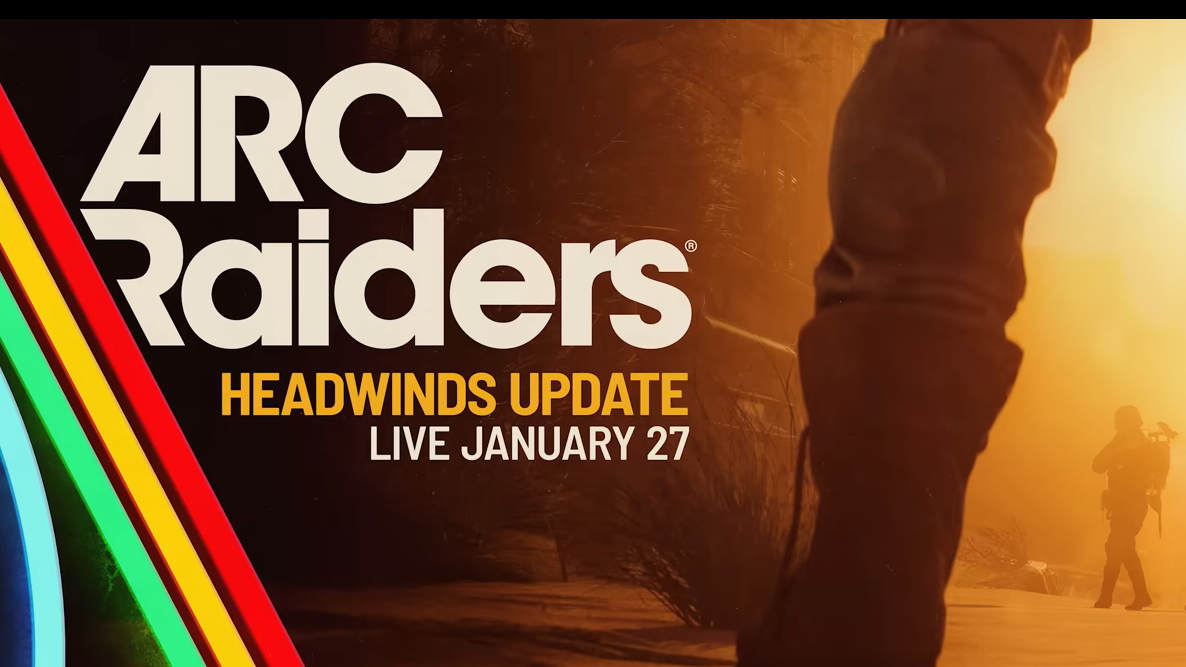
Patch-related instability also plays a role. The Headwinds update (Patch 1.13) introduced new matchmaking options and features, but many players noticed server performance degraded immediately after it went live. Embark has historically needed follow-up hotfixes after major patches to address stability regressions.
What the lag actually looks like in-game
During a server lag episode, your character rubber bands — snapping back to a previous position every few seconds — or freezes entirely in place. The raid timer continues counting down normally, and ARC enemies (wasps, shredders, rocketeers, fireballs) can still track and damage you while you're unable to move, shoot, use items, or revive teammates. Extraction becomes extremely dangerous because you may not be able to interact with elevator call buttons, train terminals, or raider hatches.
Some players have reported successfully extracting only to return to the lobby with a completely empty inventory, including safe pocket contents. Others have been unable to join raids at all, receiving warnings that restarting would cost them their loot.
The lag tends to be intermittent. A raid might start normally and then degrade sharply several minutes in, or it might be broken from the moment you load in. It can affect entire lobbies simultaneously — players have described hearing others on voice chat complaining about the same rubber banding at the same time.
Workarounds that may help during server instability
When the lag is server-side, there's no guaranteed local fix. However, several things can reduce the impact or help you survive an episode.
Don't bring valuable gear. If you see community reports of active server problems, run free loadouts until things stabilize. Losing a maxed Tempest or Jupiter to a server hiccup is the most common complaint during these episodes, and Embark has not offered gear refunds for previous incidents.
Force-close and reconnect. Some players have found that fully quitting ARC Raiders (not just returning to the menu, but killing the process) and relaunching prompts a reconnect option. In some cases, reconnecting drops you back into the same raid with a stable connection, giving you enough time to reach extraction.
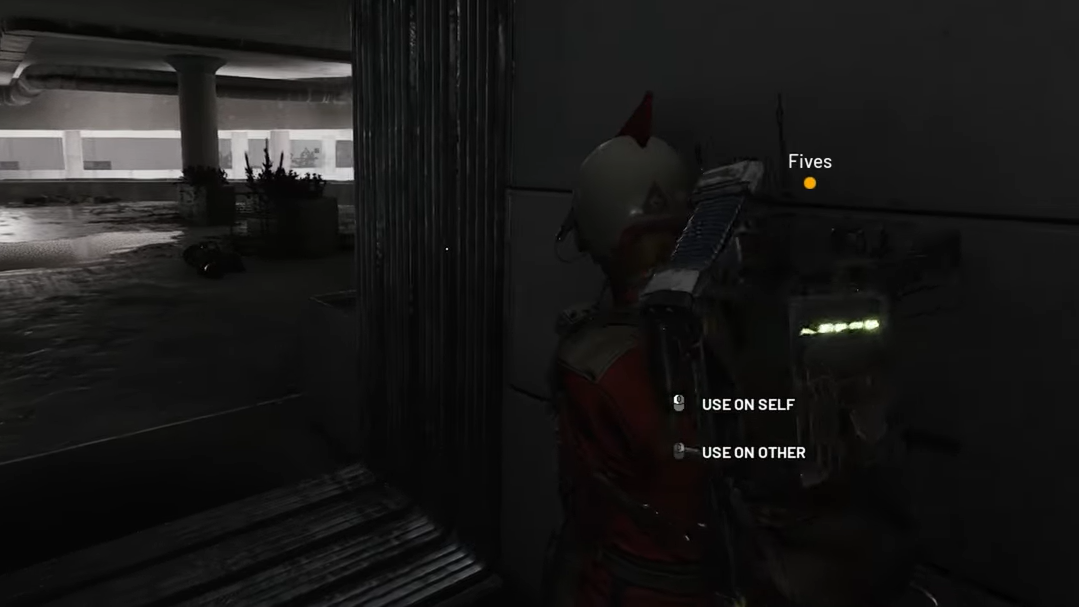
Loot a container. A community-discovered workaround suggests that interacting with a lootable container during a lag spike can temporarily restore normal movement for roughly 45 to 60 seconds. If you're near an extraction point when this happens, that brief window may be enough to get out.
Lock your server region. If your matchmaking region is set to Automatic, you might occasionally land on a distant or overloaded server. You can manually set your region in the game settings under Gameplay > Server to ensure you're connecting to the closest datacenter.
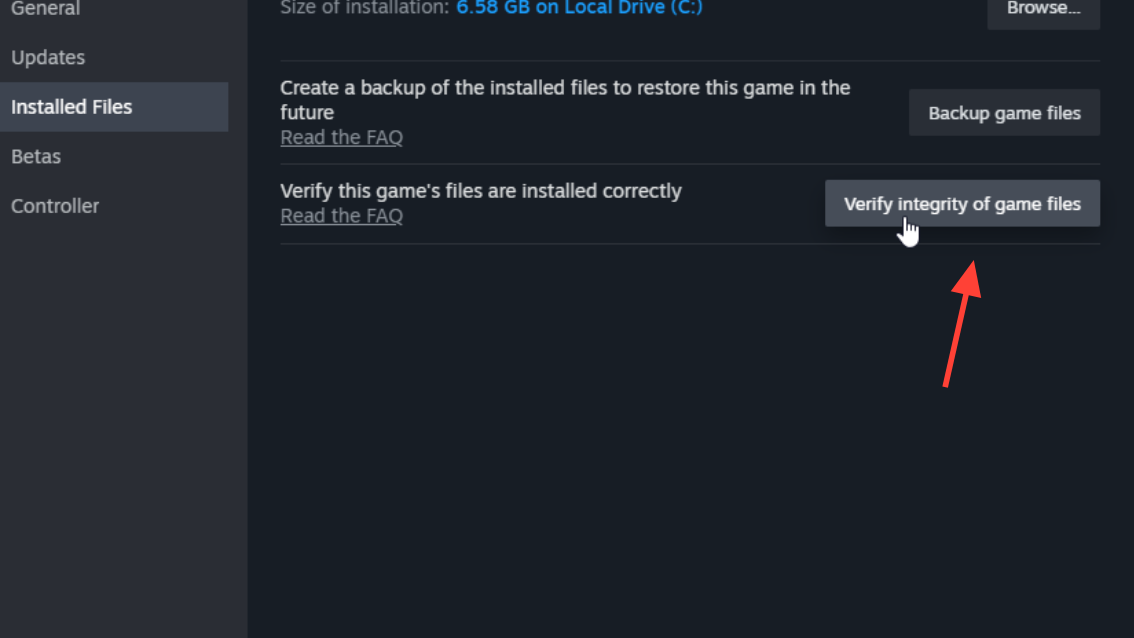
Verify game files on Steam. A small number of players reported that verifying their game files through Steam and restarting their PC resolved persistent lag. This won't help during a server-wide DDoS, but it can rule out corrupted local data contributing to connection issues.
Embark's official connection troubleshooting steps
Embark's help center for PC connection issues recommends several standard network fixes. These are useful for ruling out local problems but won't resolve server-side outages.
Step 1: Switch to a wired Ethernet connection if you're on Wi-Fi. Disable any active VPN or proxy service, as these can interfere with the game's netcode.
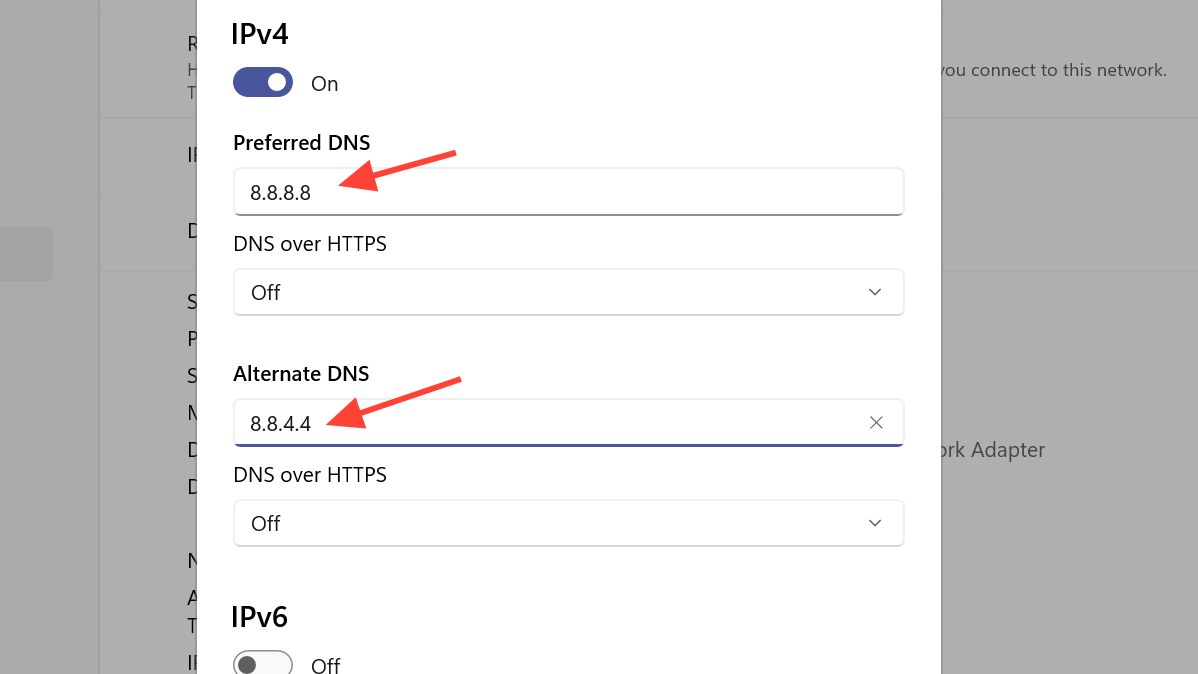
Step 2: Change your DNS to a public provider. Google DNS (8.8.8.8 / 8.8.4.4) or Cloudflare DNS (1.1.1.1 / 1.0.0.1) can improve routing reliability compared to some ISP-provided DNS servers.
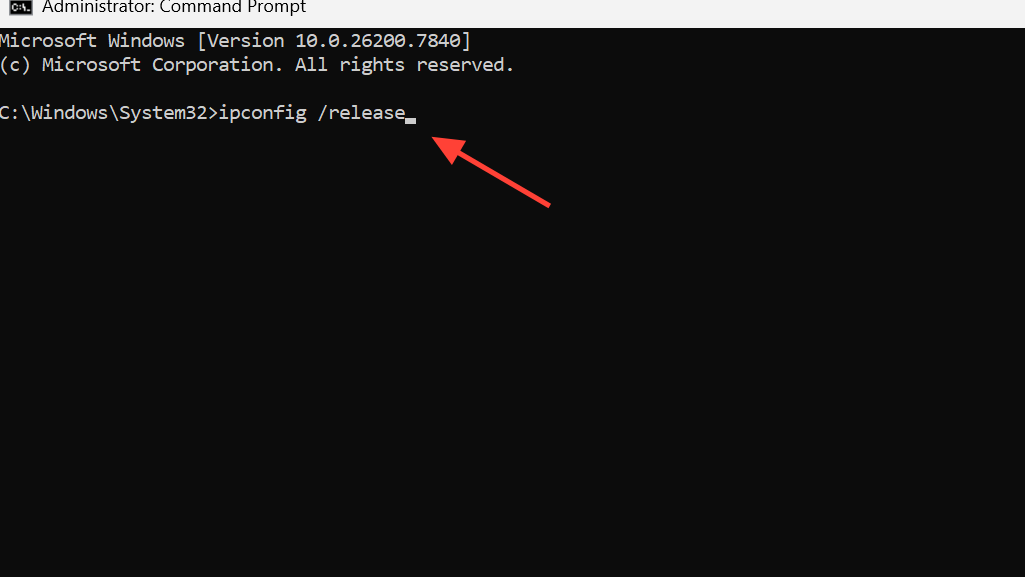
Step 3: Renew your IP address by opening Command Prompt and running ipconfig /release, then ipconfig /renew, followed by ipconfig /flushdns. Restart your PC afterward.
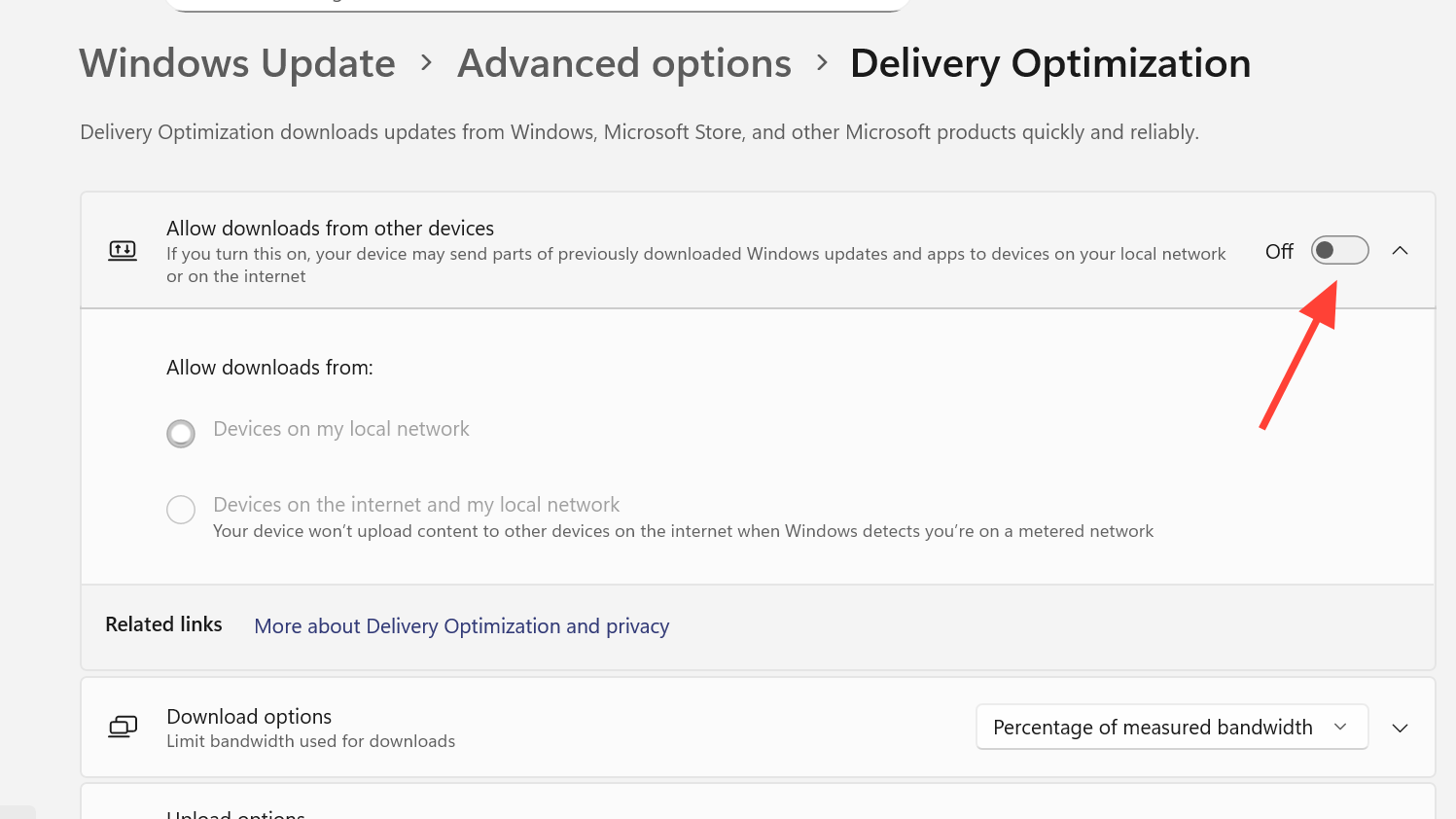
Step 4: On Windows 10, disable peer-to-peer delivery optimization under Settings > Update & Security > Windows Update > Advanced Options > Delivery Optimization. This prevents Windows from using your bandwidth for background update sharing while you play.
How to tell if it's the servers or your connection
The easiest indicator is whether other players in the same lobby are experiencing identical symptoms. If everyone in voice chat is rubber banding simultaneously, the problem is server-side. You can also check the ARC Raiders Discord or the game's subreddit for real-time reports — during major outages, dozens of posts appear within minutes.
If you're the only one lagging, test your internet speed and ping to a nearby server outside the game. A stable connection with low packet loss elsewhere strongly suggests the issue is between you and Embark's servers specifically, which could still be a routing problem rather than a local one. Switching DNS or using a different network path (such as a mobile hotspot temporarily) can help diagnose this.
The bigger picture for ARC Raiders stability
ARC Raiders launched on October 30, 2025, and has grown rapidly, which puts increasing pressure on server infrastructure. The extraction shooter format makes server instability especially punishing — unlike a respawn-based game, losing connection mid-raid means losing your entire loadout permanently. Players have been vocal about wanting Embark to implement some form of protection, such as allowing penalty-free disconnects during detected server instability or offering loot restoration after confirmed outages.
Embark has not announced any such system. The studio has been responsive during acute outages, posting updates through Discord community managers and deploying hotfixes within hours, but the recurring nature of DDoS attacks and post-patch instability remains a sore point. If you're experiencing lag right now, the most reliable approach is to monitor Embark's official Discord for real-time status updates and hold off on high-value raids until the all-clear.