

Stock Redistribution in Arknights: Endfield is a Regional Development feature that turns your Stock Bills into permanent shop rewards and a daily “buy low, sell high” income stream. Upgrading the terminals increases what you can buy and how much profit you can generate each reset.
Quick answer: Reach Level 15, clear the Restart Area Stock Redistribution I exploration mission to unlock the first terminal at The Hub, then spend Valley Stock Bills at the terminal’s Upgrade menu to raise its level and unlock Elastic Goods and higher daily purchase limits.
How To Unlock Stock Redistribution
Reach Level 15
Stock Redistribution only becomes available once you reach Authority Level 15.
To get there quickly, focus on:
- Clearing node tasks on the world map.
- Spending Sanity in Protocol Spaces for Operational EXP.

Complete “Restart Area Stock Redistribution I”
After progressing the story and finishing the main mission Paving the Way, you receive a call from Qin Jiangchi that unlocks the exploration mission Restart Area Stock Redistribution I.
Key points for this mission:
- Region: Valley IV > The Hub.
- Quest type: Exploration mission chain, starting with part I.
- Objectives (Part I):
- Find the Stock Redistributor at the Worker Dorms.
- Authorize Stock Redistribution.
- Talk to Lucky Carrot.
How The First Unlock Conversation Works
At The Hub, head to the Worker Dorms and speak to the rabbit NPC Lucky Carrot. Dialogue choices during the chat are flavor only, except for the authorization prompt.
When the key option appears, choose:
- [Authorization granted to activate the stock redistribution system.] – Required to activate the system.
- The other option (I need a bit more time.) simply delays activation.
Once you authorize the system:
- The Staple Goods shop opens.
- You must purchase the Mr. Rammu item once to finish the mission step.
How To Start Upgrading Stock Redistribution
Restart Area Stock Redistribution II Requirements
Finishing Part I immediately unlocks Restart Area Stock Redistribution II, also located at The Hub.
For Part II:
- Objective 1: Acquire 4000 Stock Bills (Valley Stock) in Valley IV.
- Objective 2: Spend those 4000 Stock Bills to upgrade the Stock Redistribution Terminal at The Hub.
How To Get Your First 4000 Stock Bills
Stock Bills for Stock Redistribution come from Outpost trading. By this point, you already have a Valley IV Outpost (Refugee Camp) from the main story.
To collect the 4000 Stock Bills:
- Open the menu and go to Regional Development.
- Select Outpost Management.
- Choose the Refugee Camp Outpost.
- Use the trading interface to trade any combination of gathered goods until the total Stock Bill value reaches at least 4000.
Tips for this early trade:
- Dump common gatherables you have in excess, such as low-value ores or flora you easily replenish.
- Assign an operator with a Stock Bill bonus (for example, a 20% chance to gain an extra Stock Bill per unit) before confirming the trade to squeeze more currency out of the same items.
How To Perform The First Upgrade
Once you hold 4000 Stock Bills for Valley IV, return to Lucky Carrot at The Hub terminal.
At the Stock Redistribution Terminal:
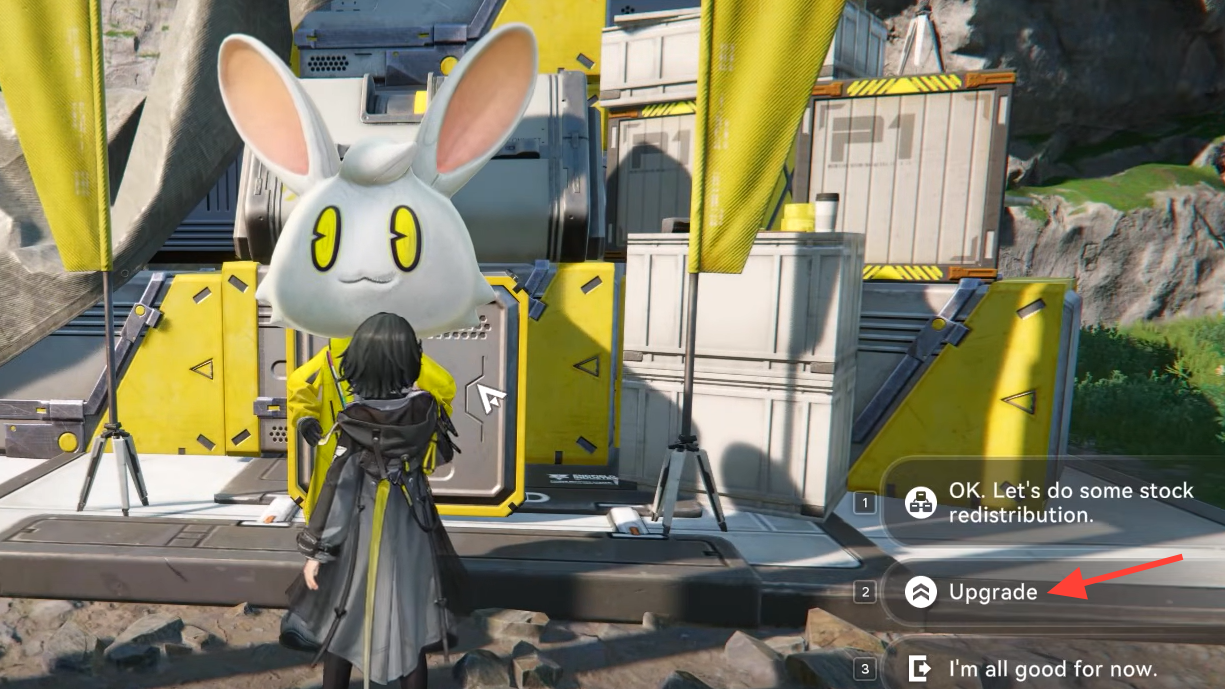
- Interact with the terminal or talk to Lucky Carrot.
- Select the Upgrade option.
- Spend the required 4000 Valley Stock Bills on the Stock Redistribution Terminal upgrade.
After the upgrade completes, a short tutorial walks through the interface and unlocks the Elastic Goods tab, which is where most of the long-term value comes from.
Stock Redistribution Terminal Levels And Effects
The Hub Terminal Upgrade Costs And Benefits
The Stock Redistribution Terminal at The Hub has several upgrade levels, each expanding its capacity and features.
| Level | Cost (Valley Stock Bills) | Main Effects |
|---|---|---|
| 0 → 1 | 500 | Restocks Staple Goods supply. |
| 1 → 2 | 4500 | Further Staple Goods restock, unlocks Elastic Goods, enables Elastic Goods restock. |
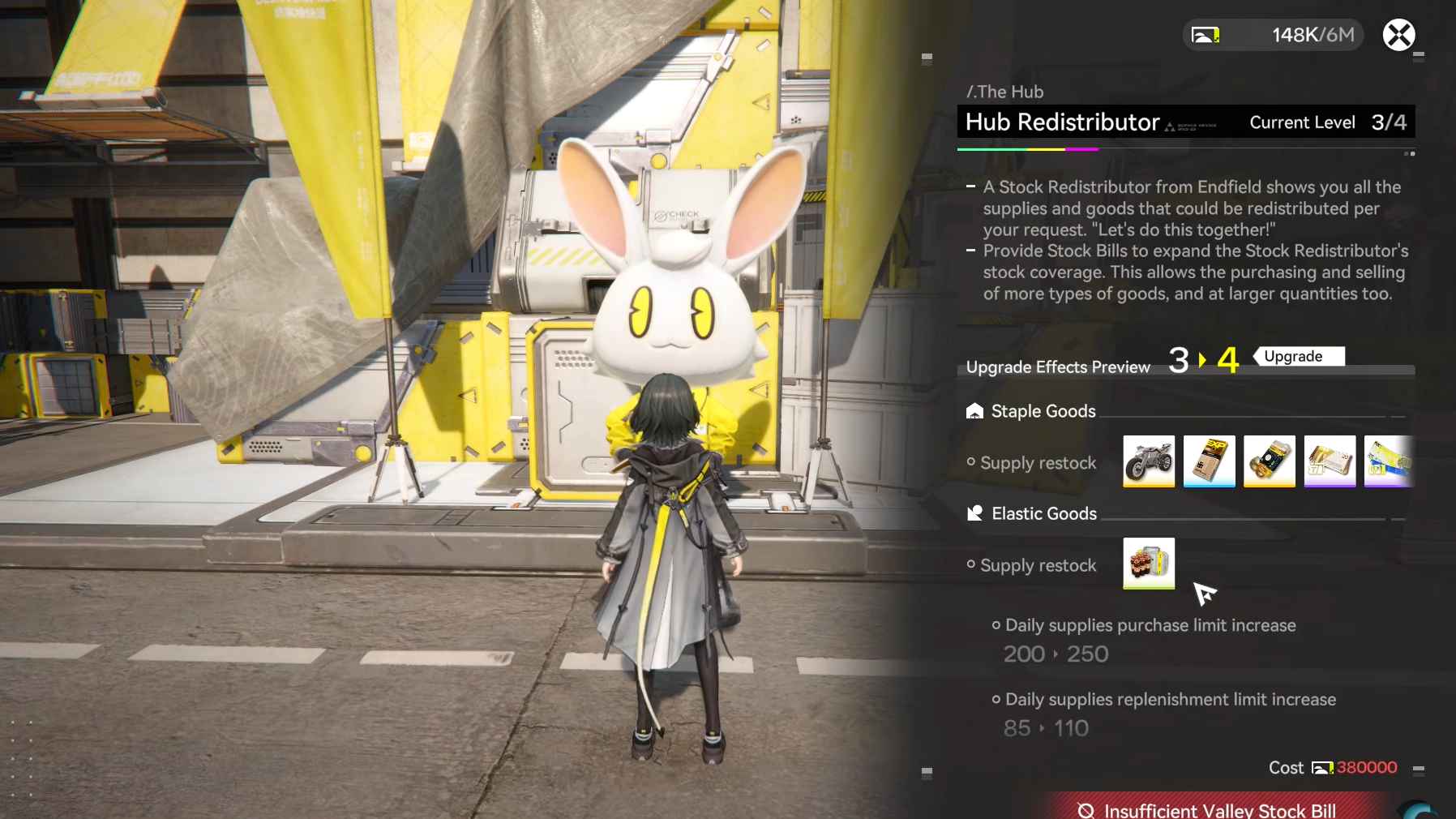
| 2 → 3 | 33000 | Staple and Elastic restock improvements, increases Daily Supplies purchase cap and replenishment. |
| 3 → 4 | 380000 | Additional increases to Staple/Elastic restocks, Daily Supplies purchase cap, and replenishment. |
Every level makes the terminal more lucrative:
- More Staple Goods become available and restock.
- Elastic Goods stock increases, letting you buy larger volumes on good price days.
- The “Daily Goods” pool grows, giving more options to convert Stock Bills into progression items.
Other Stock Redistribution Terminals
Once Stock Redistribution is active in The Hub, you can find additional terminals that share the same core system:
- The Hub (Valley IV) – First terminal, tied to the Restart Area Stock Redistribution missions and the primary early-game upgrade target.
- Originium Science Park (Valley IV) – Another terminal on the Mountain Slope subarea on the right side of the map; this one can also be upgraded to expand trading capacity.
- OMV Dijiang – A terminal on the ship’s Kernel Sector; this one lets you trade stocks but does not have upgrade functions.
Understanding Staple Goods And Elastic Goods
Staple Goods: One-Time Permanent Purchases
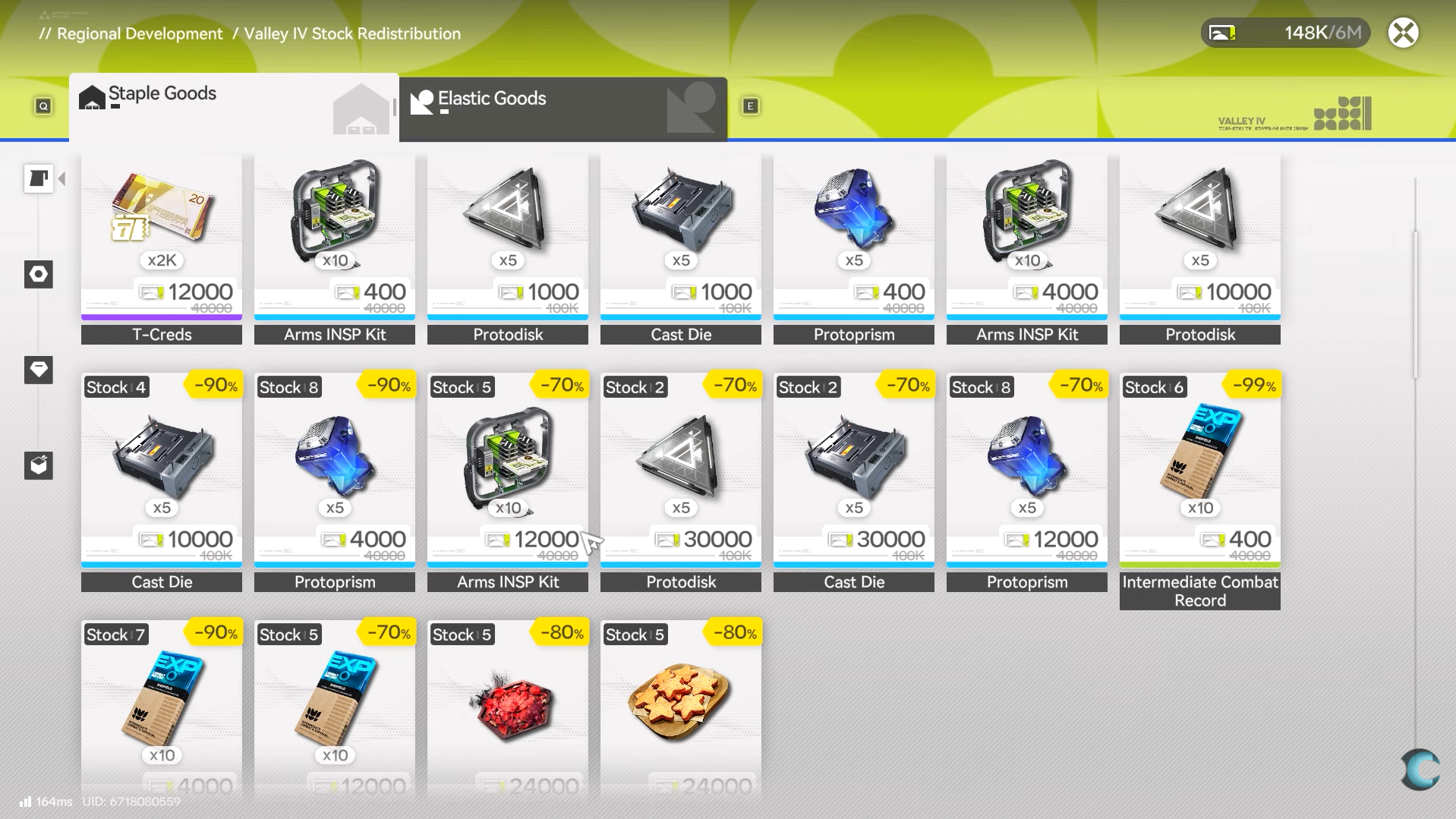
Staple Goods behave like a fixed shop of long-term rewards. Items purchased here are permanent unlocks or consumables that do not expire, and once an item’s stock is gone it stays sold out unless a terminal upgrade explicitly restocks it.
Typical Staple Goods include:
- Basic HH Permit (Standard pulls) – 2,000–8,000 Stock Bills.
- T-Creds – 400–8,000 Stock Bills.
- Arms INSP Kit – 400 Stock Bills.
- Protodisk – 1,000–10,000 Stock Bills.
- Cast Die – 1,000–10,000 Stock Bills.
- Fortmaker – 1,000 Stock Bills.
- Opus: The Living – 4,000 Stock Bills.
- Finishing Call – 8,000 Stock Bills.
- Seeker of Dark Lung – 2,000 Stock Bills.
- Keen Valley Detector – 1,000–5,000 Stock Bills.
- Keen Valley Compass – 1,000–5,000 Stock Bills.
- Tastes of V4: Workers Borscht – 2,500 Stock Bills.
- Training Material: Of Wildlife and Aggeloi – 15,000 Stock Bills.
- Mr. Rammu – 100 Stock Bills.
- Operator Gifts – 100–300 Stock Bills.
Staple Goods are ideal for:
- Permanently increasing your account’s value with permits and unique items.
- Stocking high-impact progression materials that cannot be farmed easily elsewhere.
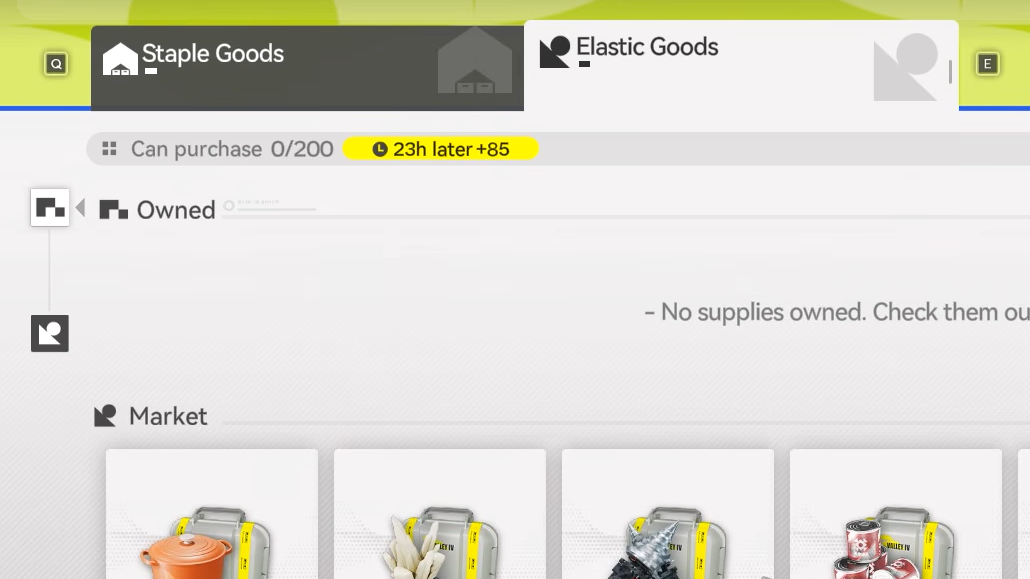
Elastic Goods: Stock Market-Style Trading
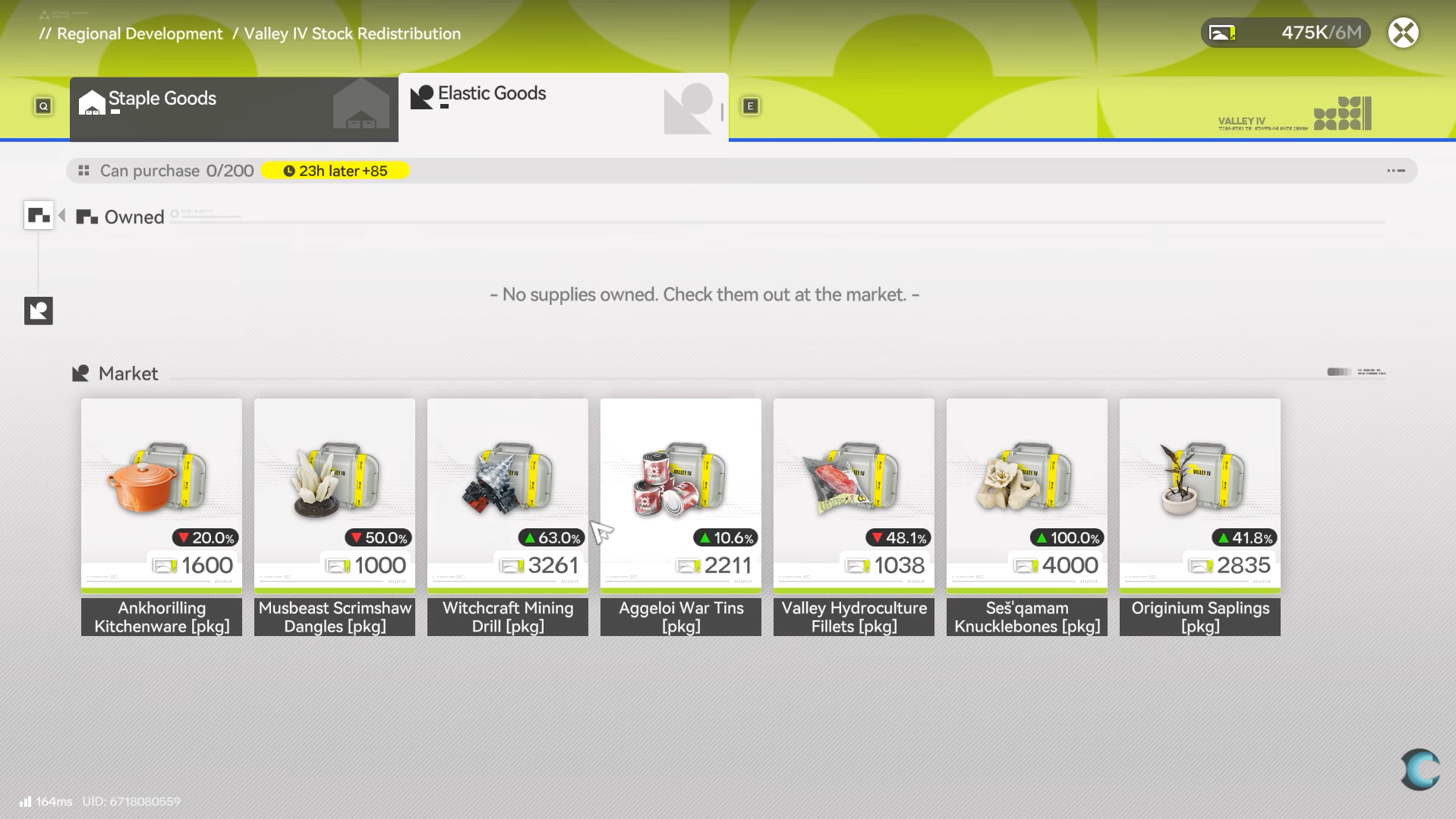
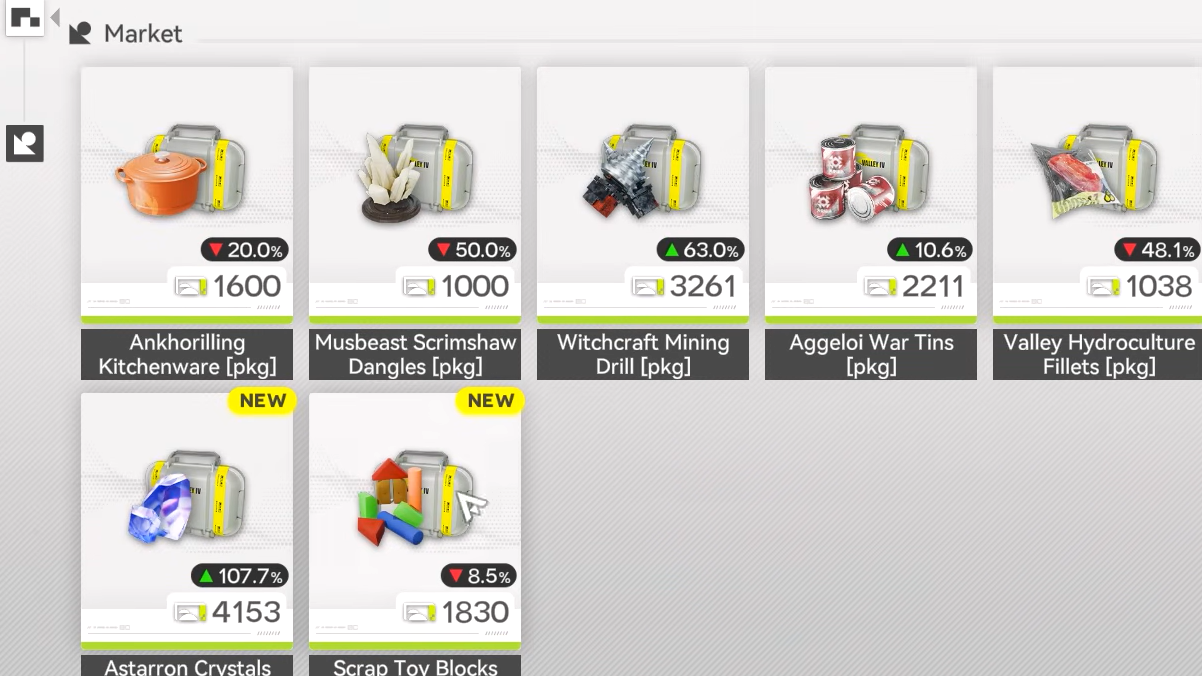
Elastic Goods is where you leverage daily price swings to generate extra Stock Bills. Each Elastic Good shows:
- A Total Cost (what you would pay or have paid).
- A Recommended Price (current selling reference value).
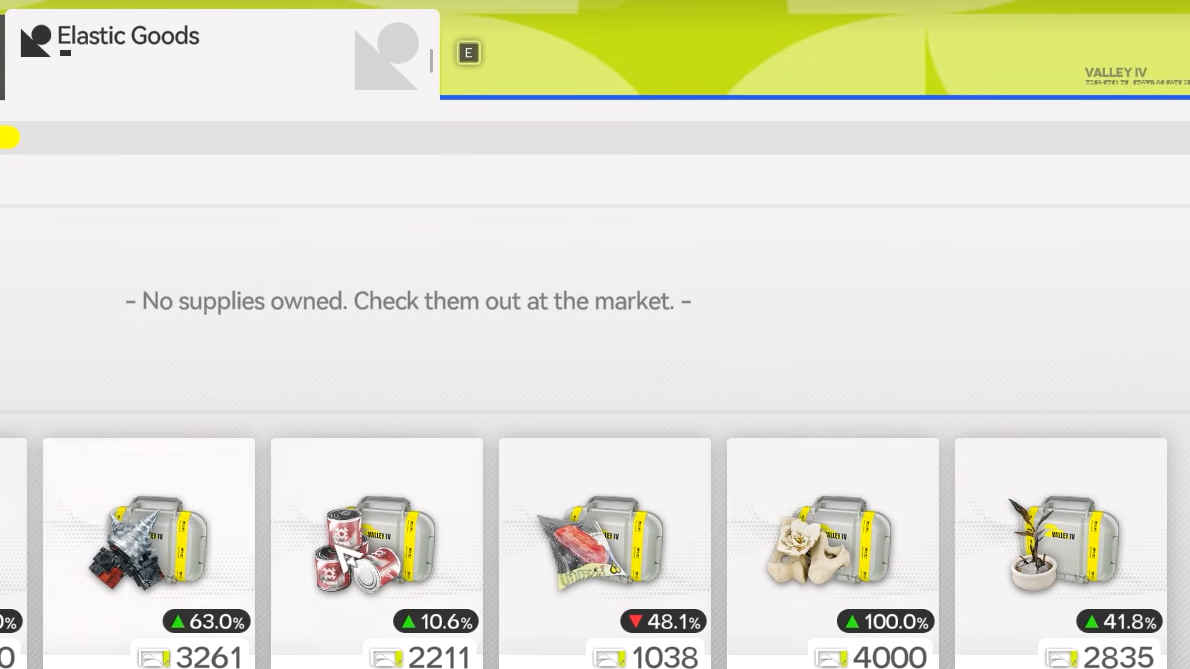
- A percentage indicator showing how far the current price has moved from its baseline (e.g., –50% or +300%).
For efficient trades, follow a simple rule:
- When buying: If the Recommended Price is lower than the Total Cost, the item is effectively discounted. Buy as much as your daily cap allows.
- When selling: If the Recommended Price is higher than the Total Cost you originally paid, the item is profitable. Sell your stock for a gain.
Prices and caps reset daily, so you only get one chance per reset to make each profitable trade. Upgrading terminals increases how many units you can buy per item each day, which directly scales your maximum daily profit.
Using Friends’ Prices For Massive Profits
Elastic Goods trading isn’t restricted to your own terminal’s prices. You can check and use your friends’ prices for the same goods, which often leads to much higher returns.
From the Elastic Goods menu after buying an item:
- Select the purchased good.
- Choose the Friend’s Price option to display your friends’ buy prices and profit percentages.
- Sorts naturally put the highest return at the top, so target that friend for maximum profit.
To complete the trade:
- Select the chosen friend and visit their ship.
- On their ship, interact with their Stock Redistribution Terminal (on the Kernel Sector deck for OMV Dijiang, or at their base terminal).
- Pick the Elastic Good you purchased and sell the full stack.
The difference between your purchase price and their sell price can easily reach several hundred percent profit, converting one discounted buy into a large Stock Bill payout. Your friend also earns a small benefit from the sale, so both sides gain value.
How To Farm Stock Bills To Fund Upgrades
Outpost Management Trading
Your primary and most consistent Stock Bill income comes from Outpost Management in each region.
To farm Stock Bills:
- Open Regional Development → Outpost Management.
- Select an Outpost (for Valley IV, the Refugee Camp or others you have unlocked).
- Check the Outpost’s Stock Bill capacity for the day and how much of it remains.
- Use the trade interface (Switch Goods) to sell gathered materials—ores, plant parts, and other surplus items.
Important details:
- Each Outpost has a daily Stock Bill pool that refills every reset and can be expanded by leveling up the Outpost.
- You cannot earn beyond that cap per reset from that Outpost, so check the remaining capacity before dumping materials.
- Assign an operator with a Stock Bill gain bonus to boost the return on each trade.
Depot Node Deliveries For Large One-Time Gains
The Depot Node system provides delivery missions that pay out significant chunks of Stock Bills in one go.
In Valley IV, once you progress the story through Originium Science Park and complete the main mission with Yvonne there, an important Depot Node quest unlocks at the Science Park.
After activating the Depot Node:
- You can pack goods into shipments at the Depot Node interface.
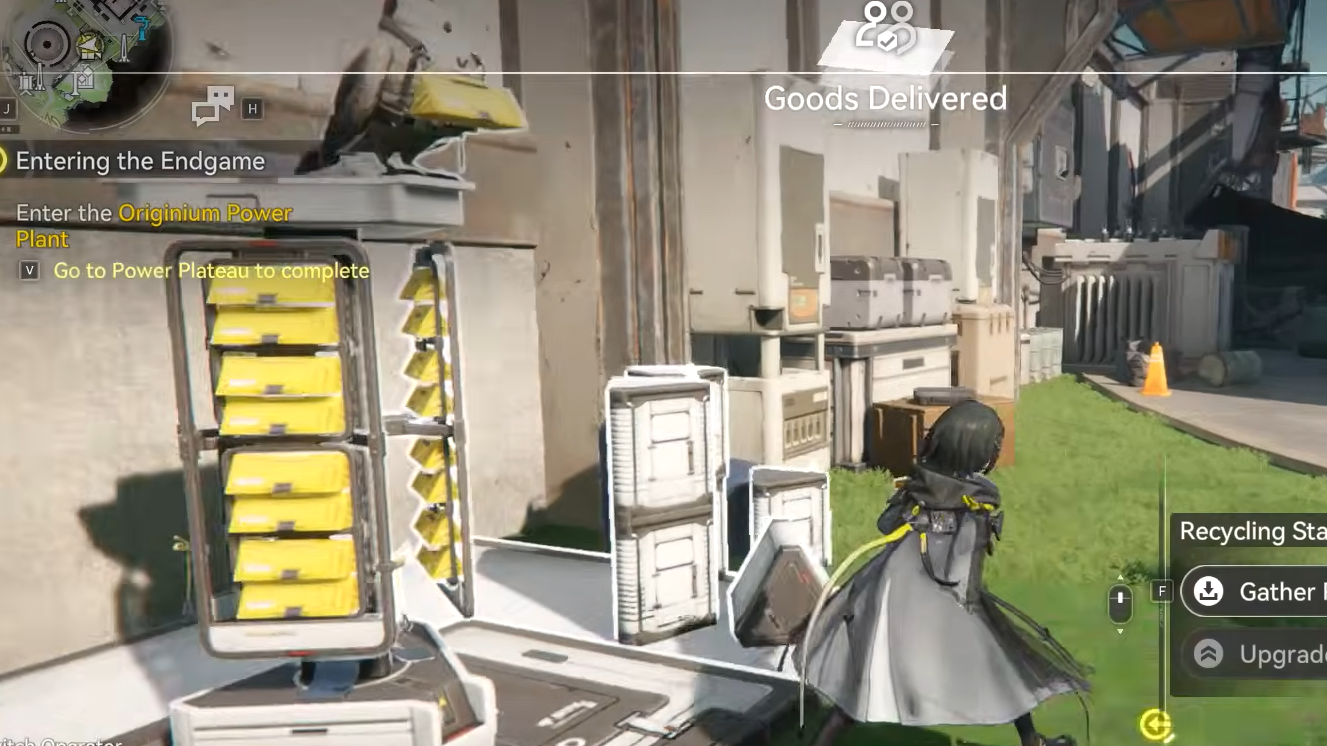
- Each shipment assigns a delivery destination, usually a Recycling Station.
- You can preview the route, clear enemies, or set up ziplines to secure the path.
- Start the delivery, pick up the goods, and escort them intact to the target station.
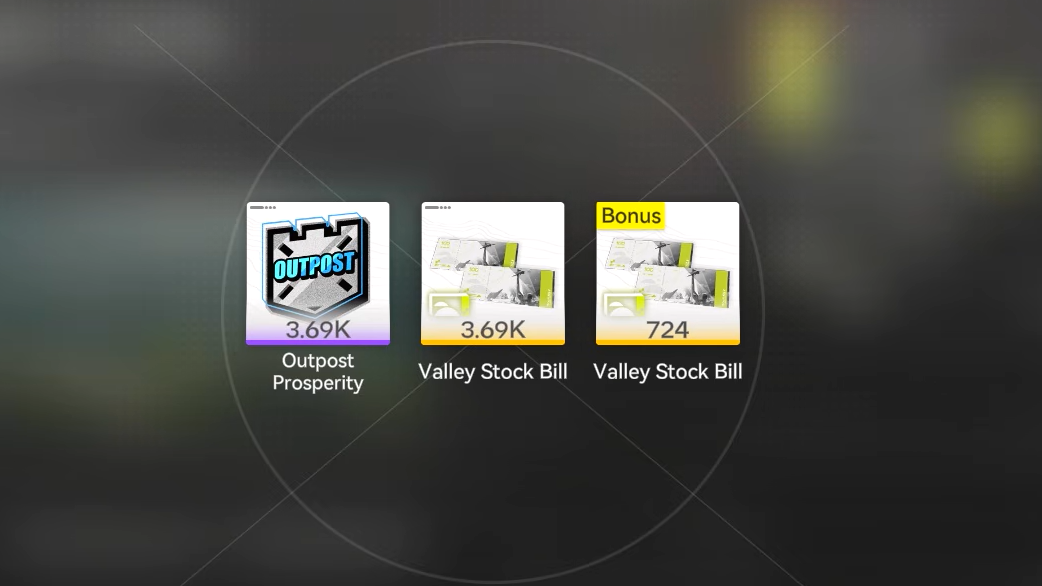
Successful deliveries award a large Stock Bill payout (for example, around 55,000 Valley Stock Bills for a single run in early upgrades), and Depot Node upgrades increase both your base storage capacity and the list of materials eligible for packing.
More Terminals And Why Upgrading Them Matters
As you explore further regions within Valley IV and beyond, you’ll encounter more Depot Nodes and more Stock Redistribution Terminals.
Upgrading these systems synergizes in several ways:
- Depot Nodes – Increase base storage capacity and unlock more lucrative delivery options, which in turn generate more Stock Bills per run.
- Stock Redistribution Terminals – Raise daily buy caps and unlock more Elastic Goods items, which increases how much discounted stock you can flip each reset.
- Outposts – Higher Outpost levels increase daily Stock Bill capacity and open additional trade items.
Early on, prioritize:
- Bringing The Hub’s terminal to at least Level 2, so Elastic Goods unlocks and you can start compounding profits.
- Upgrading the Originium Science Park terminal as you can afford it, to broaden your daily Elastic Goods volume.
- Raising Outpost levels in Valley IV so your daily Stock Bill cap keeps pace with your growing Stock Redistribution demands.
Putting It All Together For Fast Upgrades
Once everything is unlocked, Stock Redistribution upgrades effectively pay for themselves if you lean into Elastic Goods and Outpost trading.
- Use Outpost Management and Depot Node deliveries to stockpile Valley Stock Bills.
- Invest Stock Bills into terminal upgrades at The Hub and Originium Science Park, increasing daily Elastic Goods capacity.
- Every reset, buy Elastic Goods only when the price is down, then flip them at the best friend terminal price or on later days when the Recommended Price spikes.
- Reinvest the growing profits into further terminal and Depot Node upgrades to keep compounding your gains.
Handled this way, Stock Redistribution becomes one of the most efficient engines for funding base expansion, high-value shop purchases, and constant progression in Arknights: Endfield.