

Borderlands 4 has a handful of distinct crash patterns on PlayStation 5 rather than one single problem. Some players can run the game for dozens of hours without a hitch; others hit a crash report every time they wake the console from rest, load into co-op, or even press “continue” on the title screen.
Most of what is going wrong falls into three buckets:
| Scenario | Typical symptom | How often it happens (reports) |
|---|---|---|
| Resume after PS5 rest mode | Game or console crashes as soon as PS5 wakes or when returning to the game | Very frequent for affected players, often “every time” |
| Normal play (solo or co-op) | Crash every 20–60 minutes, sometimes a hard power-off | Intermittent but recurring during longer sessions |
| Startup / title screen | Crash before or right after the main menu, sometimes only when online | For some players, 100% reproducible until settings are changed |
Borderlands 4 PS5 rest mode crash (memory leak and resume bug)
One of the clearest patterns on PS5 is a crash when the console wakes from rest mode with Borderlands 4 as the active game. Players describe:
- Putting PS5 into rest while in Borderlands 4.
- Waking the console later.
- Seeing the game immediately crash or trigger a crash report when it tries to resume.
A number of players say this happens literally every single time they resume from rest with the game open. Others notice stuttering and freezing first, then a crash if they keep playing. That behaviour is consistent with a memory leak on resume: memory usage builds up, performance tanks, then the process dies.
Gearbox has formally listed this under the live issues tracker as “PS5: Game Crashes After Starting Console From Rest Mode” on the official Borderlands support site at support.borderlands.com. The issue is being tracked there rather than ignored; that page also allows you to upvote and follow the bug if you want notifications when it changes status.
A later seasonal (“Halloween”) update appears to have reduced or removed the crash for some players, but others still hit it, especially when resuming very old suspended sessions. So it is not fully resolved at the system level.
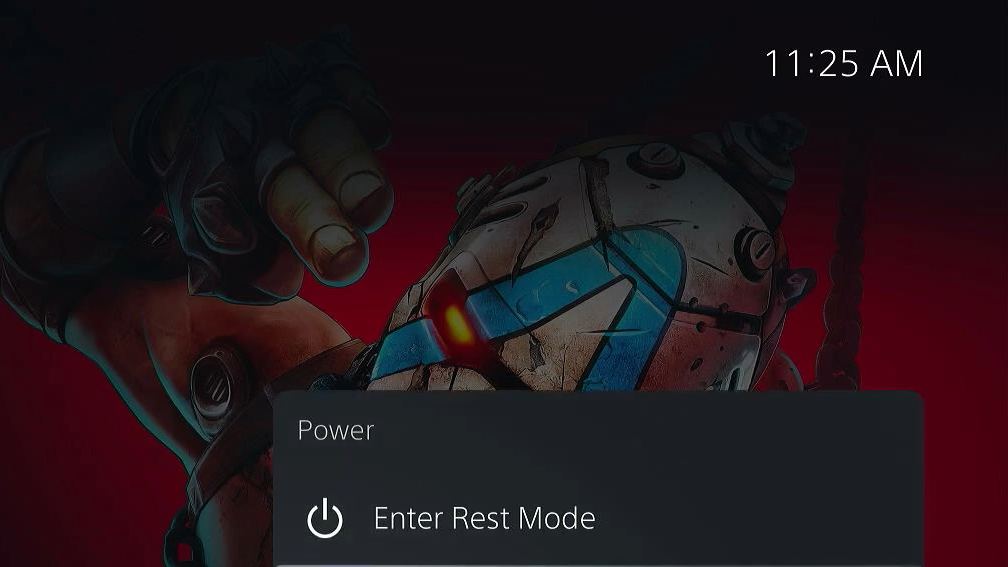
Temporary workarounds for the PS5 rest mode resume crash
Until there is a systemic fix from Gearbox or Sony, the only reliable way to avoid losing progress to this specific bug is to avoid resuming directly into an active Borderlands 4 gameplay state. The workarounds are clumsy but practical.
| Workaround | What to do | Trade-offs |
|---|---|---|
| Back out to the start screen | Before you put PS5 into rest, exit out of character select back to the first “Press any button” start screen, then rest the console from there. | Prevents instant resume into an active profile; you lose the convenience of pausing mid-area, but many players report this avoids the crash. |
| Fully close the game | Highlight Borderlands 4 on the PS5 home screen, press Options, and choose “Close Game” before using rest mode. | Always safe from this specific bug but forces you to reload the game and potentially repeat progress-only missions like wildcard missions. |
| Avoid resting during “Loading main menu” | If the game is in a state with “Loading main menu” on screen, do not trigger rest mode. Either wait for the menu or fully quit first. | Low effort, but only helps if your crashes coincide with this exact screen. |
Network-related rest mode crashes (CE-108262-9 and DNS)
Some PS5 Slim owners share a more general rest mode crash that affects the console itself, with error code CE-108262-9 in the system crash list. Their pattern:
- PS5 takes unusually long to wake from rest.
- The connected monitor or TV does not wake via HDMI link.
- A Wi‑Fi connection error appears after the console finally resumes.
- Borderlands 4 then crashes when resuming, or the system itself falls over.
On these systems, disabling PS5 Wi‑Fi stops the crash entirely. That strongly suggests the wake/resume sequence is tripping over the network stack rather than the game rendering pipeline alone.
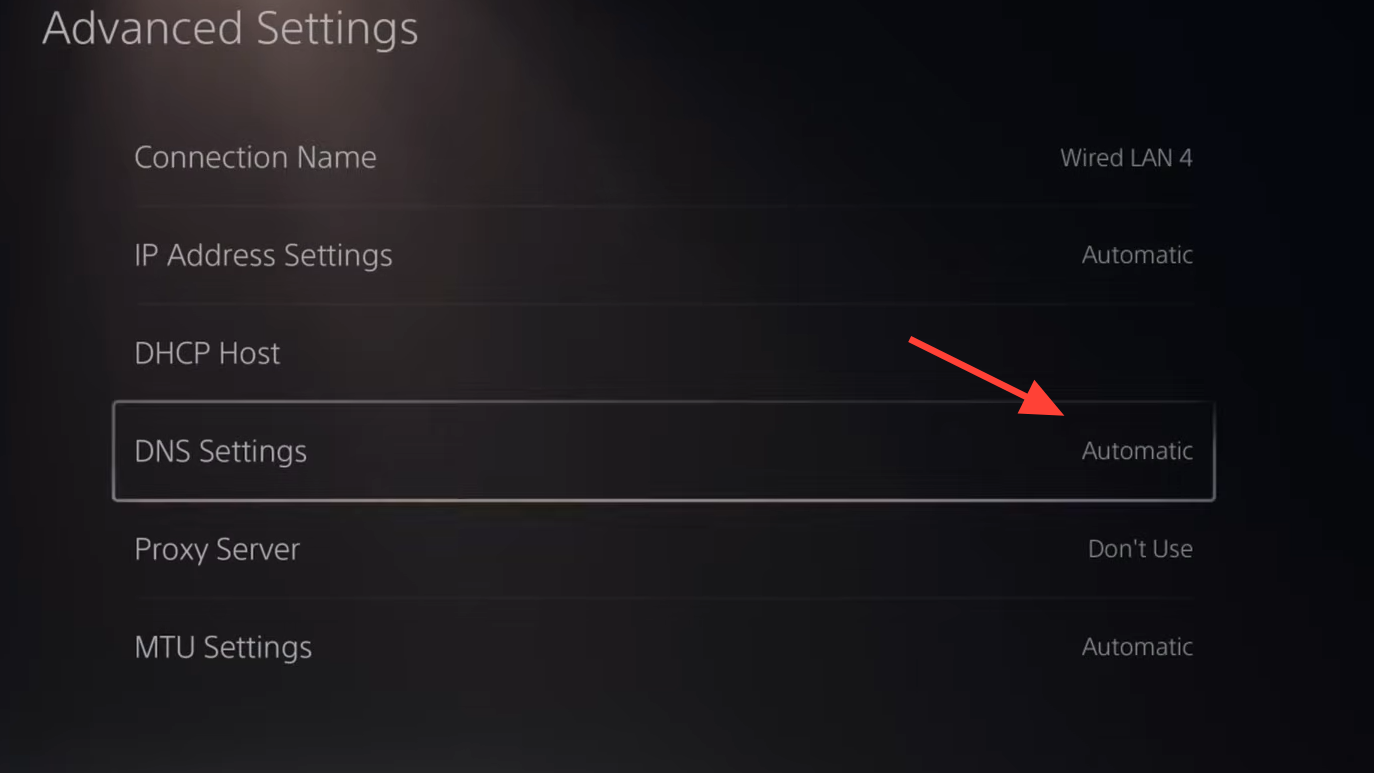
One player reports a stable fix by changing DNS servers on PS5 from automatic to manual values:
- Primary DNS:
1.1.1.1 - Secondary DNS:
1.0.0.1
To try this:
- Open
Settings > Network > Settings > Set Up Internet Connection. - Highlight your Wi‑Fi network, press Options for “Advanced Settings”.
- Change “DNS Settings” from Automatic to Manual.
- Enter the addresses above.
After multiple rest/wake tests, they no longer saw the crash. However, they later reported the issue reappearing in another session, so this is a mitigation rather than a guaranteed cure. If you see the same Wi‑Fi error every time you wake, testing with Wi‑Fi disabled or with manual DNS is still worth trying.
Borderlands 4 hard crashing and shutting off the PS5
A separate class of crash is more severe: instead of just kicking you to the PS5 home screen with an error report, the entire console shuts down. Typical symptoms:
- Screen goes black with no PS5 crash dialog.
- Console powers off instantly; the power light goes dark.
- On restart, PS5 performs a storage repair before returning to the home menu.
For several players, this only happens in Borderlands 4, often during co-op sessions or after 20–60 minutes of play. That kind of hard shutdown is what PS5 also does when it overheats or when a game hits the power subsystem particularly hard.
There is no single confirmed cause here. Some players are convinced it is not thermal because the console feels only warm, and other demanding games run fine. Others have seen identical behaviour with other PS5 titles and resolved it with basic maintenance.
Steps that have helped at least some players:
- Deep clean the PS5: remove the side plates and use compressed air to clear dust from all vents and internal channels.
- Ensure the console has open airflow, ideally horizontal with space at the back and sides.
- For older launch units, some users recommend reapplying thermal paste via professional servicing, though that goes beyond normal user maintenance.
Startup and title screen crashes on PS5
Another pattern is failure to even reach the main menu. For some players, Borderlands 4 consistently:
- Crashes during or right after the intro company logo sequence.
- Crashes after “Press any button”, while logging in and checking for patches.
- Throws PS5 error code CE-108255-1 (“something went wrong with this game or app”).
For a subset of these users, the game only boots successfully if the console is offline. Turning off “Connect to the Internet” in the PS5 network menu allows them to reach the lobby and play locally, but reconnecting to PSN triggers the crash again.
There are two practical lines of attack here: treating it as a corrupted installation or treating it as a network/account sync bug.
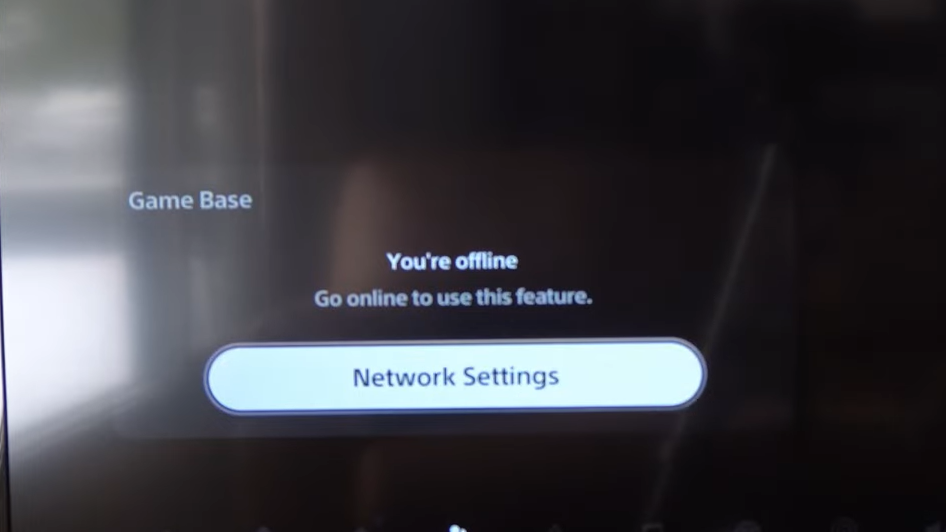
Fix Borderlands 4 crashing at startup on PS5 (reinstall, cache, database)
First, deal with the game bits and the PS5’s own caches. These steps are generic but do fix many launch or black screen problems.
| Fix | How to do it | What it targets |
|---|---|---|
| Power-cycle and clear system cache | Shut the PS5 down completely (not Rest). Unplug all cables. Wait ~30 seconds. Press the power button once (while unplugged) to discharge. Plug everything back in and boot. | Clears residual cached state that can break game launches. |
| Rebuild PS5 database | Turn PS5 off, then hold the power button until two beeps to enter Safe Mode. Connect the controller with USB, press PS. Choose “Clear Cache and Rebuild Database”, then “Rebuild Database”. | Repairs internal indexes so the system knows where game files live. |
| Delete and reinstall Borderlands 4 | On the home screen, highlight the game, press Options, choose “Delete”. Then redownload from your Library. If you have an M.2 SSD, install to that drive and test again. | Fixes corrupted game files that verification may not catch. |
| Restore game licenses | Open Settings > Users and Accounts > Other > Restore Licenses and confirm. Then launch the game again. |
Resolves license or entitlement checks that might be blocking startup. |
If CE-108255-1 persists for Borderlands 4 and not for other titles even after these steps, you are in the territory where a refund request or a formal support ticket to both Sony and Gearbox is reasonable.
Fix network-linked PS5 crashes and co-op disconnects in Borderlands 4
A cluster of PS5 crash reports point to online features and account linking rather than rendering load. Typical symptoms include:
- Instant crash after “logging in” or “checking for patches” on the title screen.
- Crash when joining or hosting co-op, often during fast travel.
- Crash that disappears when the console is offline or signed into a different PSN account on the same hardware.
A few patterns show up repeatedly:
- Crashes starting immediately after adding friends in SHiFT on a PSN-linked account.
- Crashes stopping when SHiFT is unlinked or a fresh SHiFT account is used.
- Crashes only when playing online; offline solo works fine.
Practical steps that have helped:
| Step | What to try | Effect |
|---|---|---|
| Test fully offline | In PS5 network settings, uncheck “Connect to the Internet” and then launch Borderlands 4. | If the game now reaches the menu and plays, the crash is tied to online services or account sync, not the rendering pipeline. |
| Use a different PSN profile | Create or switch to another user on the same PS5 and launch the game. | If it runs cleanly there, the problem likely sits with your main profile’s online data, not the console hardware. |
| Unlink and relink SHiFT | Using a browser, sign into your SHiFT account on the official site at shift.gearboxsoftware.com, remove the PSN link, and then relink or create a new SHiFT account. | Several players report that switching to a clean SHiFT account immediately stopped crashes at the title screen while preserving the ability to redeem SHiFT codes. |
| Change PS5 DNS | As described earlier, set DNS to 8.8.8.8 / 8.8.4.4 or 1.1.1.1 / 1.0.0.1 in “Advanced Settings” for your connection. | Can smooth out connectivity issues during login and patch checks that might be triggering a crash in the networking code. |
General PS5 fixes that often reduce crashes and stutters
Beyond the game-specific workarounds, a few standard PlayStation 5 maintenance and configuration tweaks are worth running through, especially if you are seeing freezing or black screens rather than instant error dialogs.
- Restart the console cleanly: Fully power down, unplug briefly, and restart so system cache is cleared.
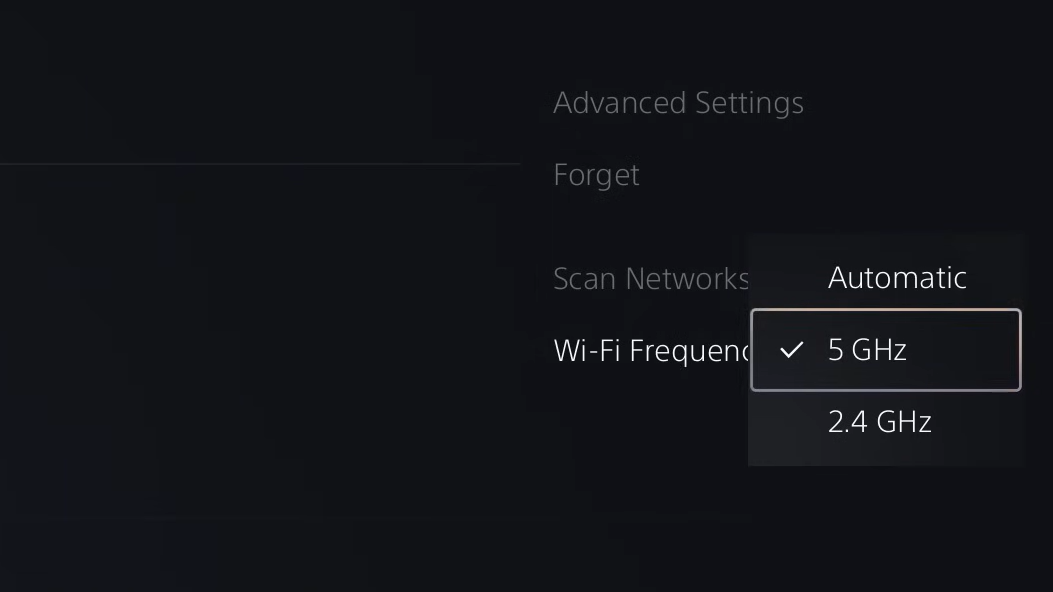
- Switch network type: If possible, use a wired Ethernet connection. If you must stay on Wi‑Fi, test both 2.4 GHz and 5 GHz bands under
Settings > Network > Settings > Set Up Internet Connection(Options button for Wi‑Fi frequency). - Toggle HDCP: Under
Settings > System > HDMI, turn off “Enable HDCP” and try the game. If the problem persists, turn it back on and retest. Some capture setups and certain TVs can interact badly with HDCP during resolution switches. - Move the game to SSD: If you have an M.2 SSD installed, try installing or moving Borderlands 4 there and see if load-related stutters or freezes improve.
- Delete only the game’s save data (backup first): Under
Settings > Saved Data and Game/App Settings > Saved Data (PS5)you can delete the game’s local data after backing it up to the cloud or USB. Corrupted saves can also lead to crashes on load.
When to escalate Borderlands 4 PS5 crashes
Not every issue is solvable with local tweaks. There are a few clear signs that it is time to escalate:
- The console hard powers off specifically when running Borderlands 4, even after cleaning, moving the console, and rebuilding the database.
- The game crashes on the title screen every time, even offline, even after a full reinstall and save data reset.
- Other modern PS5 titles run without crashes over similar play sessions.
In these cases, you can:
- Submit a crash report and bug ticket through the Borderlands 4 live issues tracker on support.borderlands.com (include video and screenshots if possible).
- Contact PlayStation Support through the official regional site if you suspect a wider system issue or repeated hard shutdowns.
- Request a refund through the PlayStation Store if you purchased digitally and the game is effectively unplayable for you after troubleshooting.
Borderlands 4 can be stable on PS5 for many players, but the clusters of rest mode crashes, network-linked startup failures, and occasional hard shutdowns are real. Until patches close those gaps, the mix of avoiding risky states (resting in character select or mid-mission), cleaning up the console, and loosening the game’s dependence on specific network/account states gives the best shot at getting back to uninterrupted looting.