

The Brookhaven RP x LEGO crossover adds four tiny LEGO-styled vehicles and a themed roleplay area, but they’re only around for a short window. Once the event ends, the cars disappear from the map, yet any you’ve unlocked stay in your garage permanently, so it’s worth grabbing all of them while the event is live.
Where the Brookhaven LEGO event starts
When you load into Brookhaven RP, look to the right side of the town spawn. A new LEGO Event Square has been added there as a dedicated hub for the collaboration.
In this square you’ll find:
- Showcases for all four LEGO vehicles, each with an interactive panel beside it.
- The LEGO French Fries Truck, which you can use as a food truck prop to serve fries and roleplay.
Every unlockable car is tied to its own panel in this square. The panels either claim the car instantly (for the free one) or start a brick-collecting quest that sends you on a lap around and outside town, guided by colored arrows and glowing LEGO bricks.
LEGO cars overview
| Vehicle | How to unlock | Brick color / count | Seats & standout features |
|---|---|---|---|
| LEGO Gaming Car | Claim instantly from its panel | None | 1 driver seat, spoiler seat, green flame effects |
| LEGO Bulldozer (Loader) | Complete its brick quest | 55 orange bricks | Up to 4 players, seats in blade, rear platform, hook |
| LEGO Police Car | Complete its brick quest | 53 blue bricks | Driver + prisoner seat, siren and police lights |
| LEGO Fire Engine | Complete its brick quest | 40 red bricks | Driver + ladder seat, extendable / lowerable ladder, siren and lights |
How long the Brookhaven LEGO event lasts
The Brookhaven RP LEGO event runs until December 12. That gives roughly a week from launch to unlock all four vehicles. Each quest only takes a few minutes, so you do not need to grind; one short play session is enough if you focus on the brick routes.
Once the event is over, the LEGO Event Square and its quests are removed from the map, but any of the four vehicles you’ve already unlocked remain available in your personal vehicle list.
How to claim the free LEGO Gaming Car
The LEGO Gaming Car is your starter reward and doesn’t require any brick collecting.
Step 1: Spawn into Brookhaven RP and walk to the LEGO Event Square to the right of the main spawn area.
Step 2: Stand in front of the showcased LEGO Gaming Car and interact with the panel next to it. Confirm the claim when prompted.
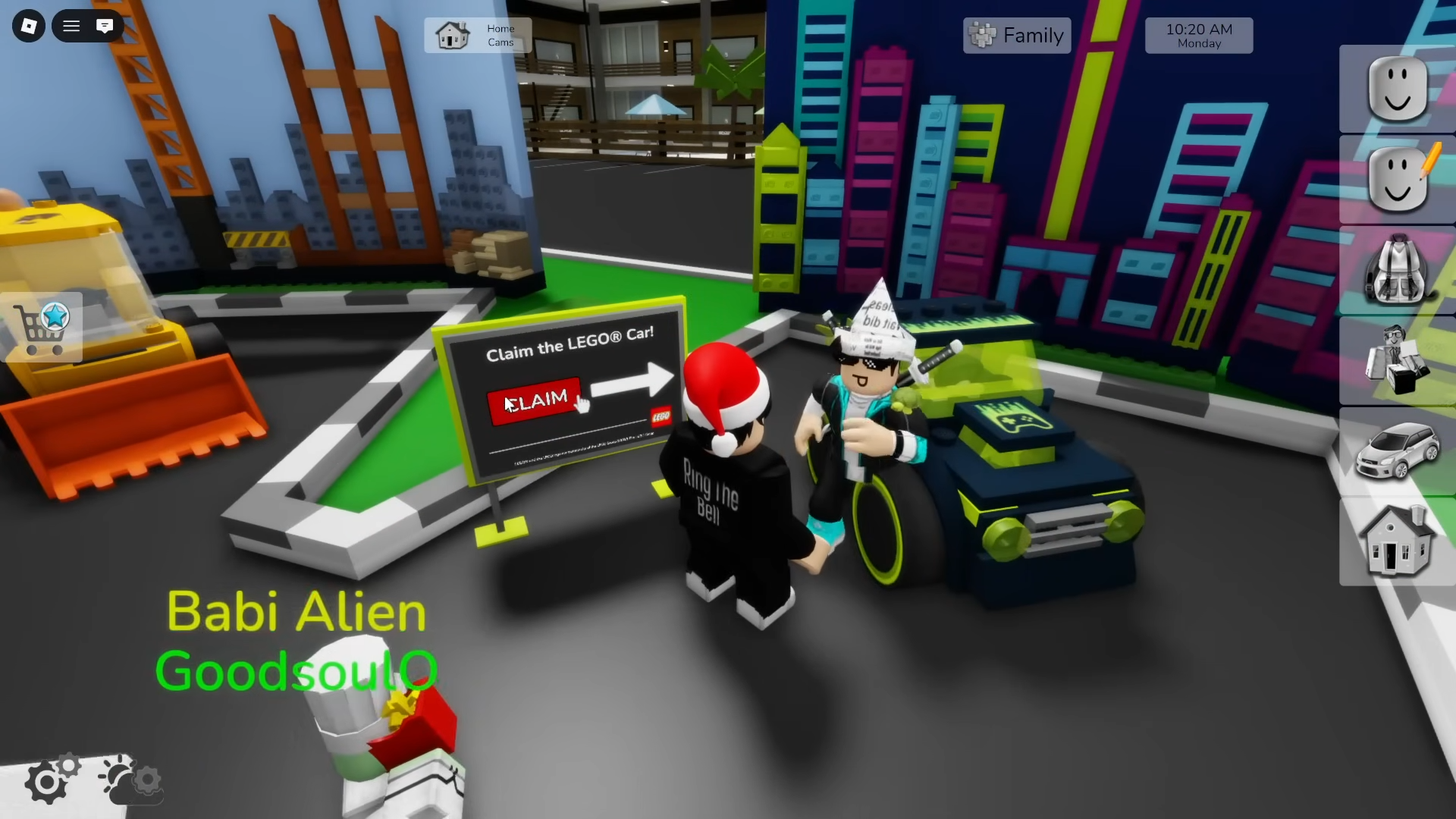
Step 3: Open your vehicle menu (car icon on the right side of the screen) and look for the temporary LEGO box icon in the top-left of that menu. Open the LEGO box and select the Gaming Car to spawn it.
The Gaming Car is a compact one-seater that throws out green flames whenever you accelerate hard or drift. A second player can sit on the rear spoiler for chaotic joyrides, which also makes it a fun prop for informal street races while you work through the quests for the other cars.
How to unlock the LEGO Bulldozer (55 orange bricks)
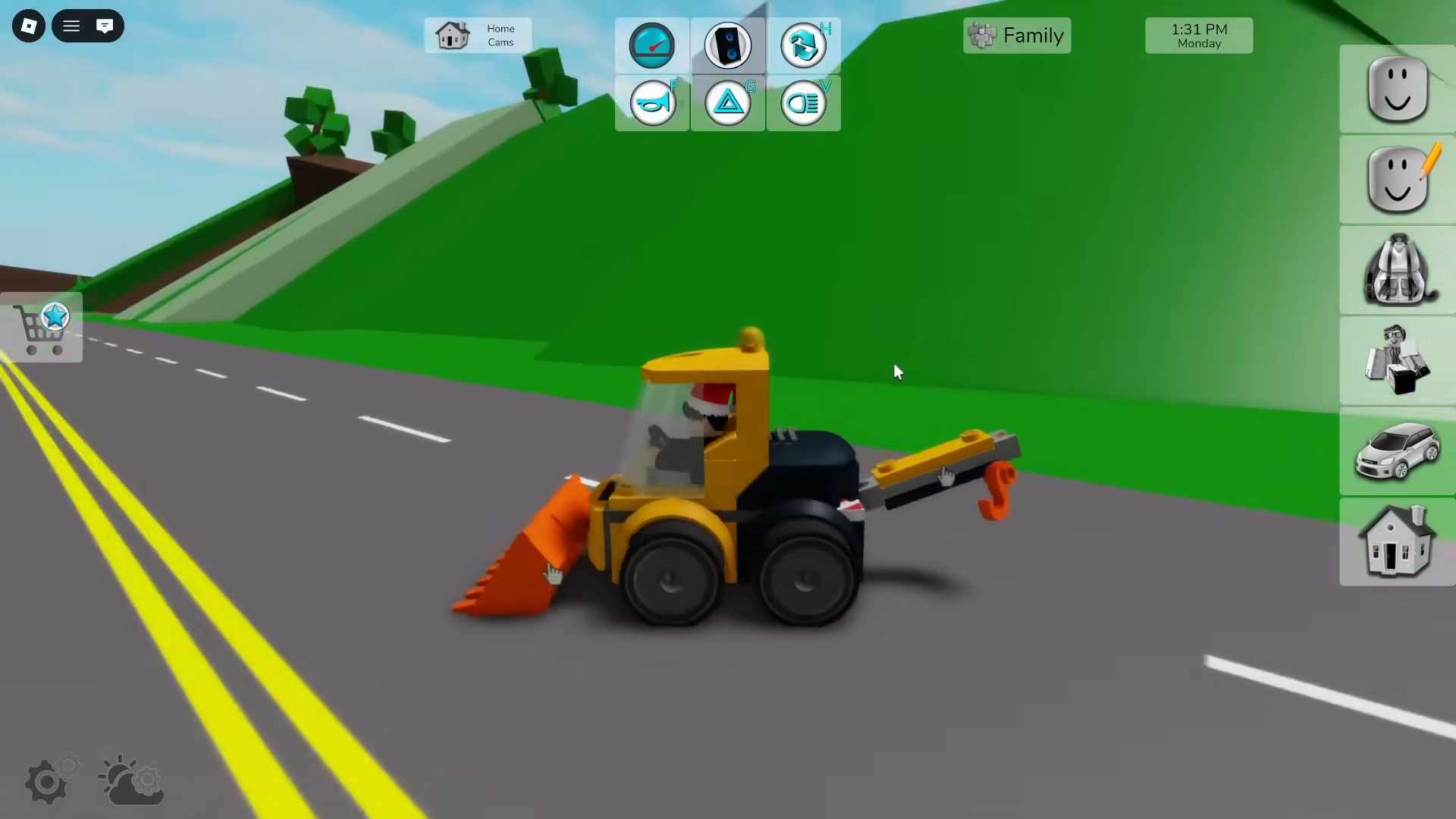
The Bulldozer is the biggest and most social of the LEGO vehicles, since it can carry up to four players at once. Unlocking it requires completing an orange brick route around the outskirts of Brookhaven.
Step 1: In the LEGO Event Square, go to the Bulldozer display and interact with the panel to the left of it. Choose the option to start the quest.
Step 2: An orange arrow appears above your character pointing toward the first brick, and glowing orange LEGO bricks spawn along a set path. Equip a fast way to move (hoverboard, skateboard, Segway, a regular car, or even the Gaming Car) to speed things up.
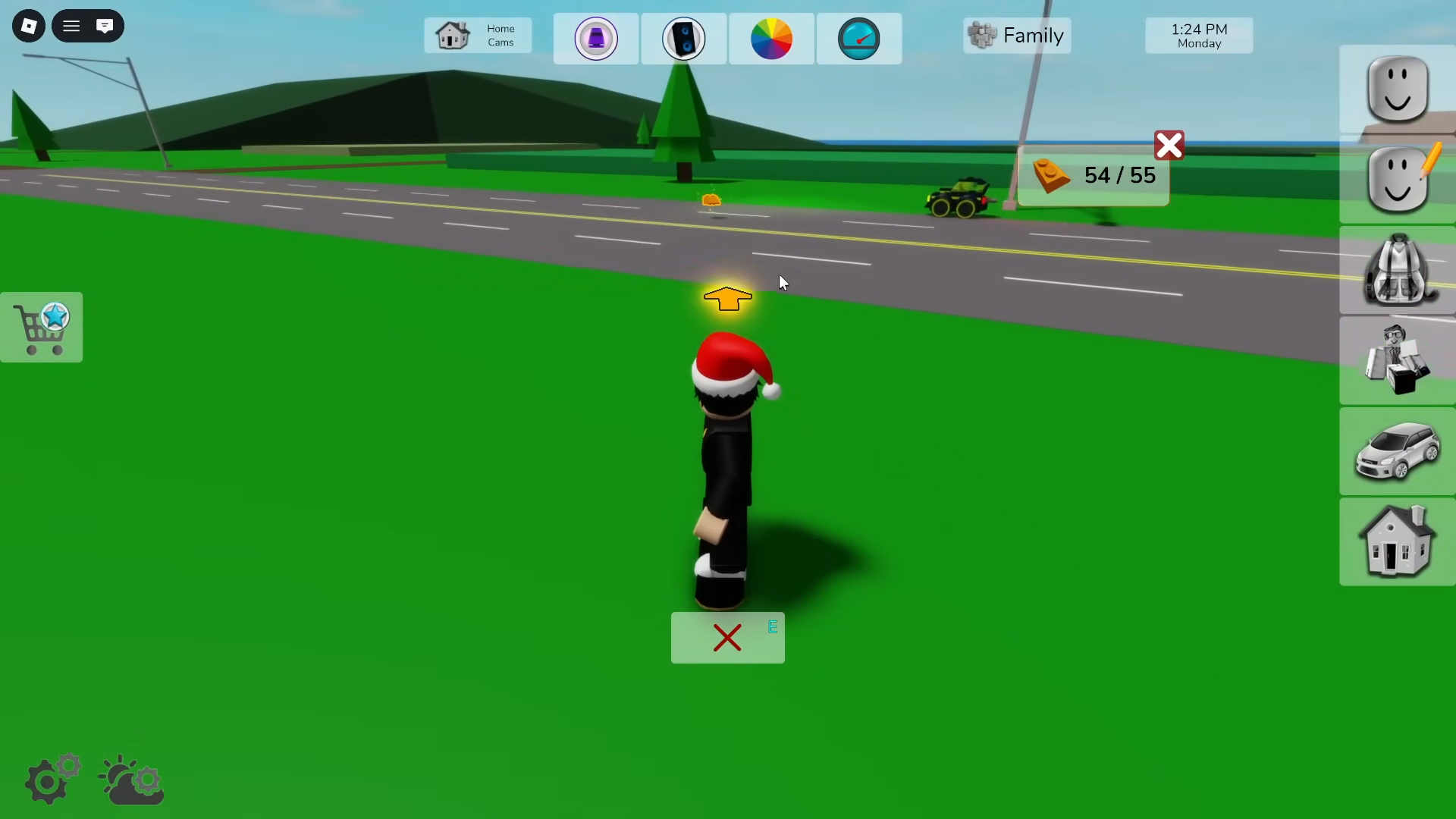
Step 3: Follow the orange arrow and drive or walk directly through each glowing brick. The game tracks your progress as “X / 55” on screen. The route takes you out of town, along the outskirts, through farm areas, and eventually back toward the event square.
Step 4: If your counter stalls, turn around and check for a brick you may have missed on a bend or near scenery. The bricks form a mostly linear trail, but it’s easy to overshoot one at speed.
Step 5: Collect all 55 orange bricks. When the final one is picked up, a completion message appears and the Bulldozer’s padlock icon disappears in the event square and in your LEGO vehicle list.
The Bulldozer supports:
- 1 driver in the cab.
- 1 player standing or sitting behind the cabin.
- 1 player lying inside the front blade.
- 1 player hanging onto the front hook.
In motion, this looks deliberately ridiculous, which makes the Bulldozer ideal for group roleplay and casual cruising during the event.
How to unlock the LEGO Police Car (53 blue bricks)
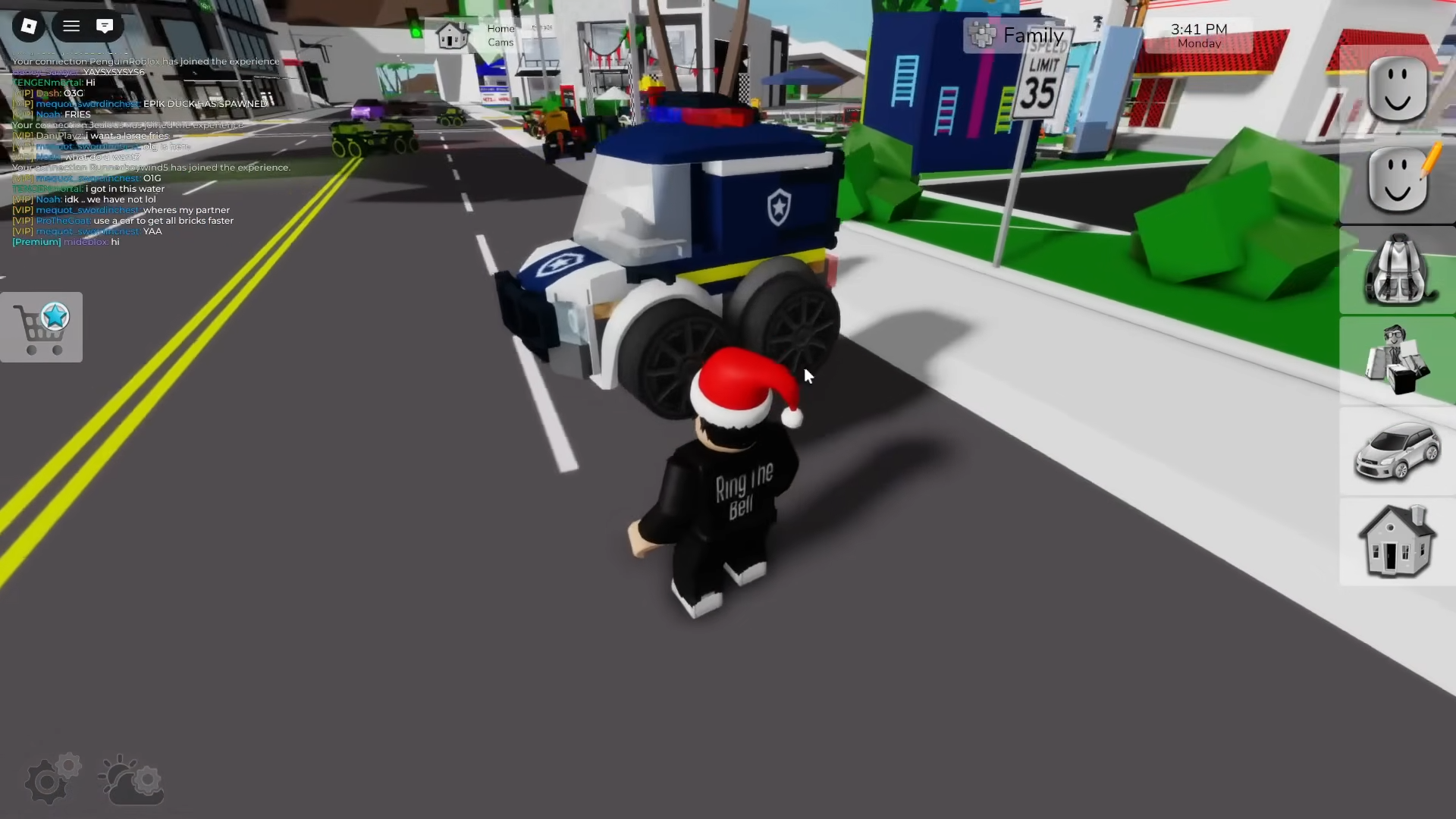
The LEGO Police Car is essentially a mini patrol truck: it can carry a driver and one “prisoner” locked in the rear compartment, complete with working lights and siren.
Step 1: In the LEGO Event Square, move to the Police Car display and use the panel on its left to begin the quest.
Step 2: A blue arrow appears to guide you to the first blue brick, and a path of glowing blue LEGO bricks spawns. Equip a vehicle; many players prefer using the Bulldozer here because it’s already unlocked and moves the brick trail quickly.
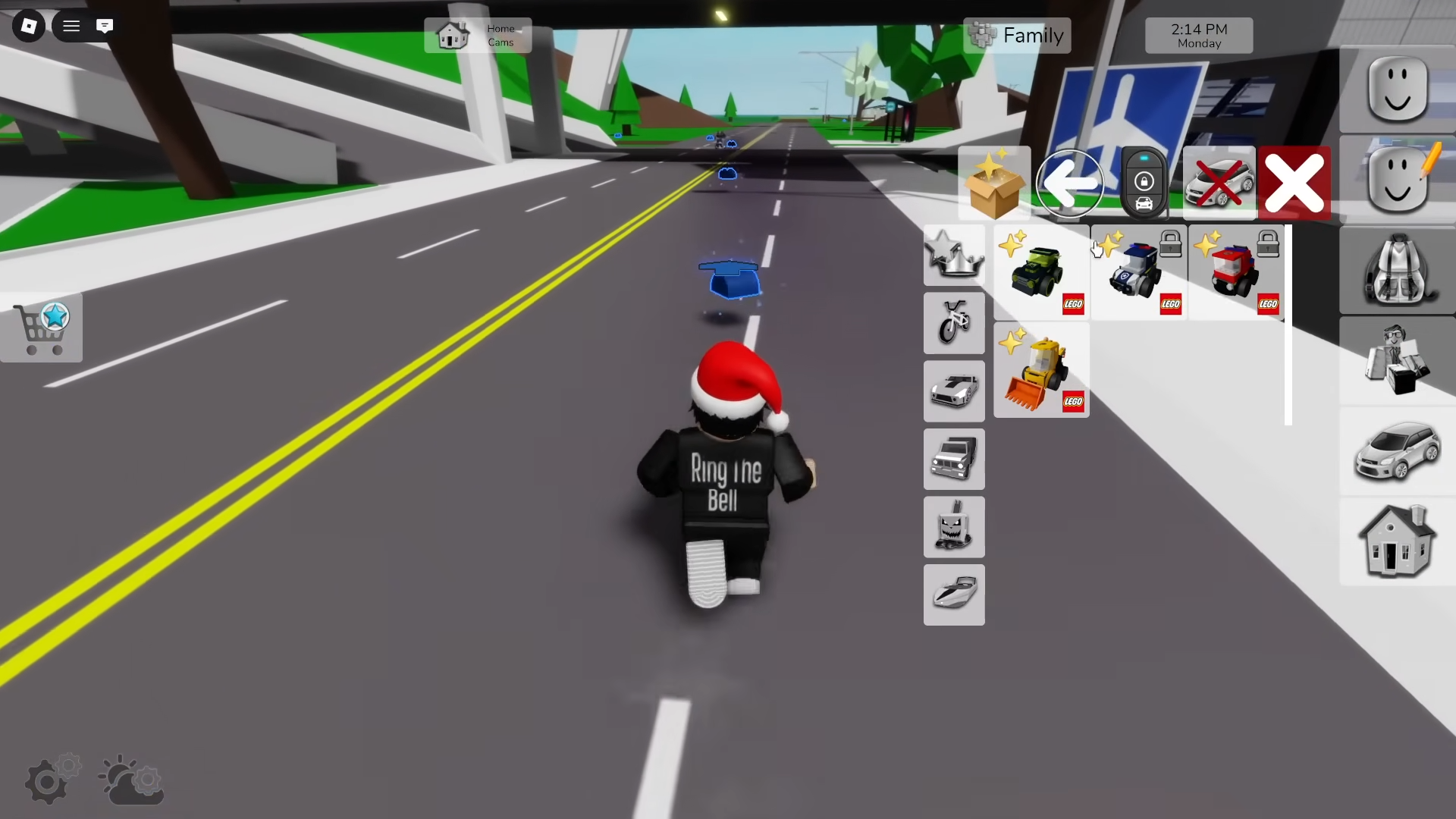
Step 3: Drive along the route, running through each blue brick. You need 53 in total. This path heads into the more industrial side of Brookhaven, passing near the power plant and other off-road sections before looping back to the square.
Step 4: Watch for tight turns between buildings or terrain where it’s easy to leave a brick behind. If your count seems off, backtrack slightly; missed pieces usually sit on the inside of corners.
Step 5: Once all 53 blue bricks are collected, the quest completes and the LEGO Police Car unlocks in your LEGO vehicle list.
The Police Car offers:
- 1 driver seat in the front.
- 1 rear seat that can be closed to simulate locking someone in custody.
- Toggleable siren and flashing police lights for chase roleplay.
The compact scale and the prisoner compartment make it one of the most thematically fun rewards in the event.
How to unlock the LEGO Fire Engine (40 red bricks)
The LEGO Fire Engine completes the set, pairing a ladder mechanic with the same miniature proportions as the other cars. Its route uses red bricks and runs further out toward the shoreline before circling back into town.
Step 1: From the event square, approach the Fire Engine showcase and interact with the panel to start its quest.
Step 2: A red arrow appears overhead and 40 glowing red LEGO bricks spawn along a path. You can stay in whichever LEGO vehicle you prefer (Police Car, Bulldozer, or Gaming Car) or swap to a skateboard or hoverboard if that’s easier to handle.
Step 3: Follow the red arrow and drive or ride through every brick. The route is longer and more scenic than the others, taking you all the way to the seaside and around the outer edges of the map before returning to the square.
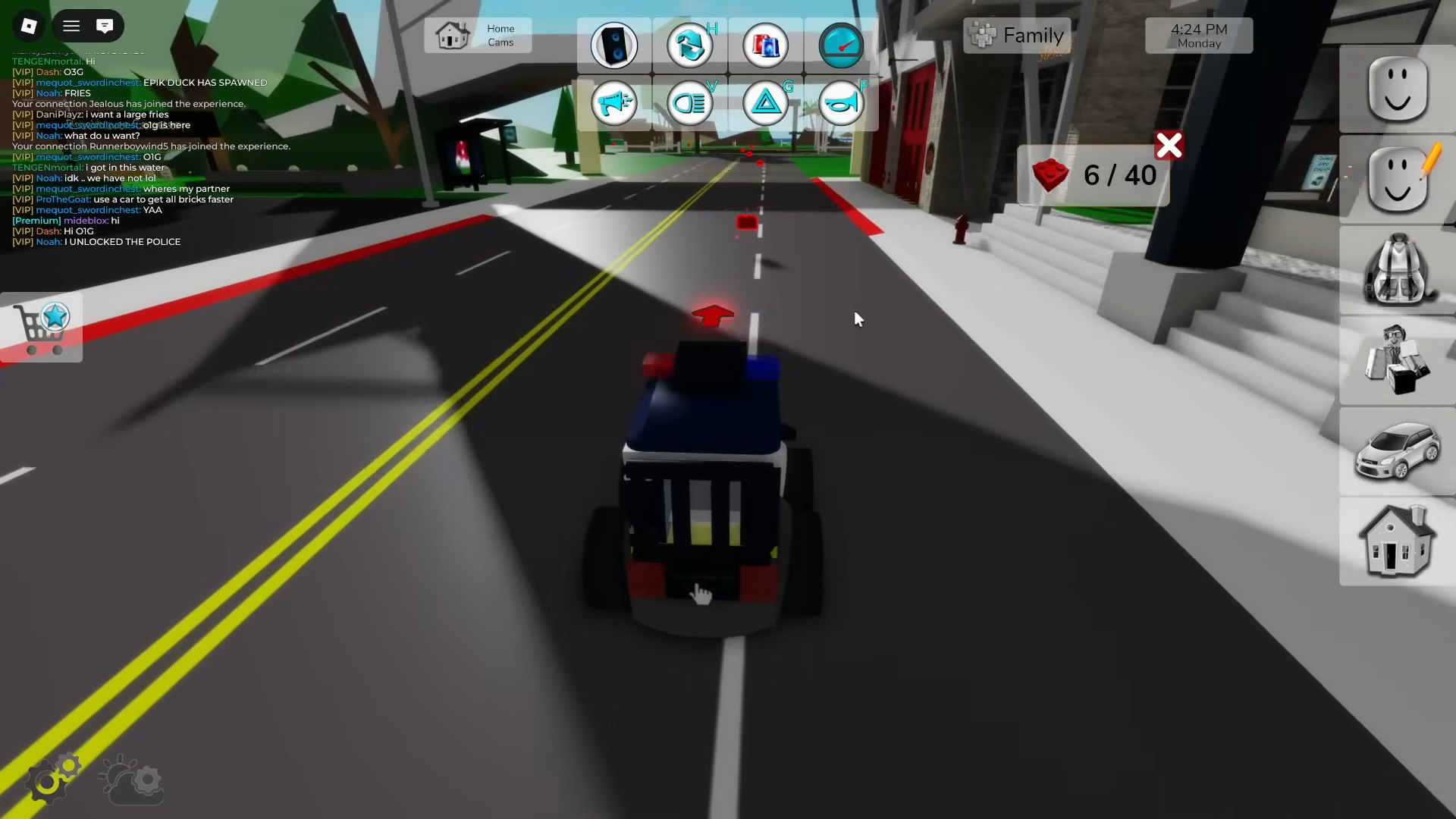
Step 4: Keep an eye on jumps and elevation changes; a few bricks are placed on small ramps where you need to hit the line cleanly to register the pickup.
Step 5: After collecting all 40 red bricks, the Fire Engine unlocks and becomes available in the LEGO vehicle category.
The Fire Engine supports:
- 1 driver inside the cab.
- 1 player seated on top of the ladder.
- A ladder interaction that lets you extend or lower it.
- Emergency siren and flashing lights for fire calls and rescue scenes.
Because of the ladder, it doubles as a mobile viewing platform, which is handy for screenshots around the event area.
How to access your LEGO vehicles after unlocking them
All unlocked LEGO vehicles are stored in the standard Brookhaven vehicle menu.
Step 1: Click or tap the car icon on the right side of the screen to open the vehicle selection window.
Step 2: In the top-left corner of that window, select the LEGO box icon that appears while the event is active. This filters the menu to show only LEGO event vehicles.
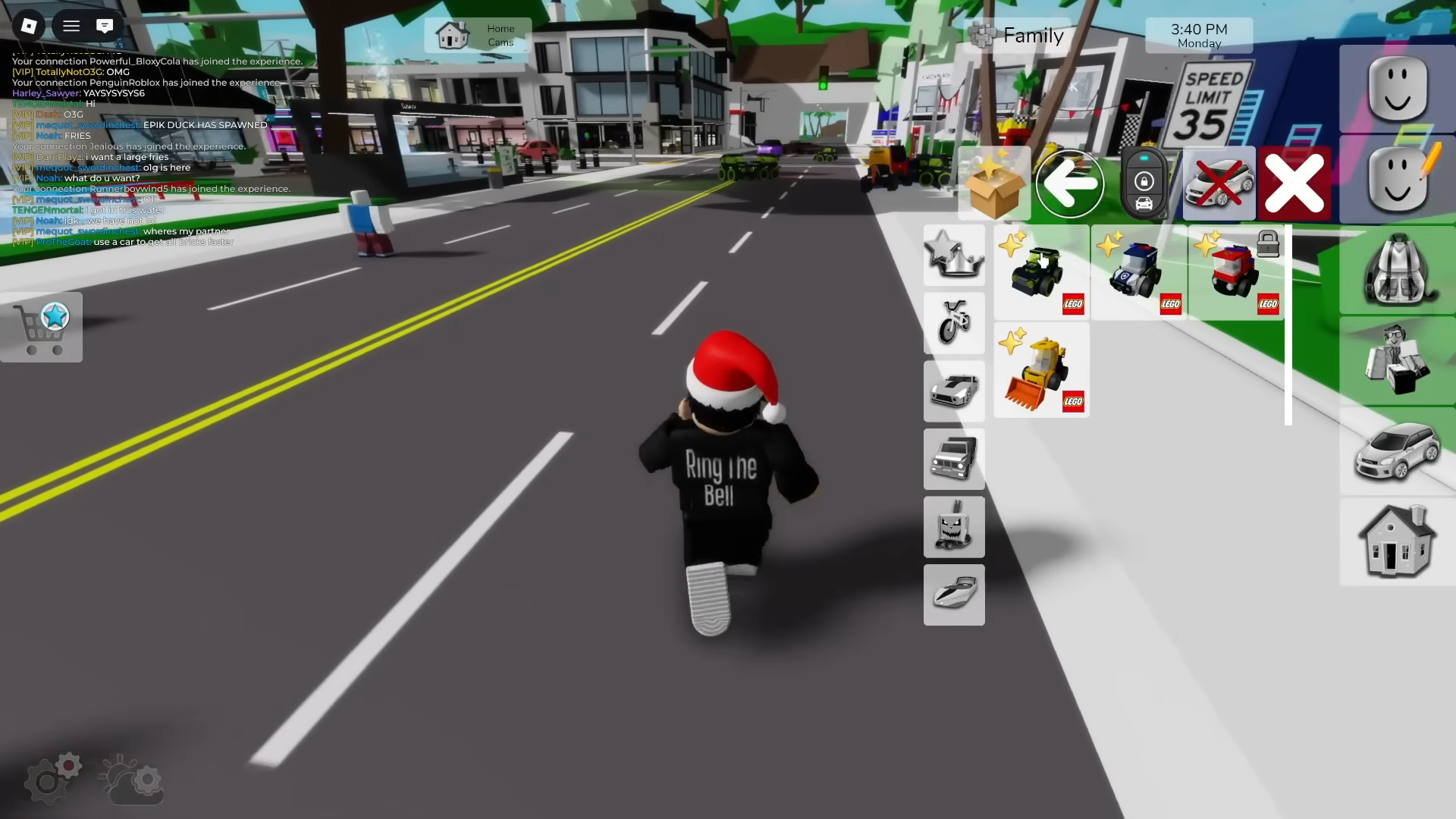
Step 3: Pick any LEGO car you’ve unlocked (Gaming Car, Bulldozer, Police Car, Fire Engine) to spawn it next to your character.
After the event ends, the LEGO box icon disappears, but the individual vehicles you unlocked remain in your broader vehicle list, letting you keep using them like any other permanent car.
How to make LEGO vehicles faster
The LEGO vehicles use the same speed system as other cars in Brookhaven RP, so you can tweak their top speed.
Step 1: While in-game, tap or click the speedometer icon at the top of the screen to open the speed settings.
Step 2: Adjust the max speed to 55 mph. This is available to everyone without extra purchases and is enough to comfortably finish the LEGO brick routes.
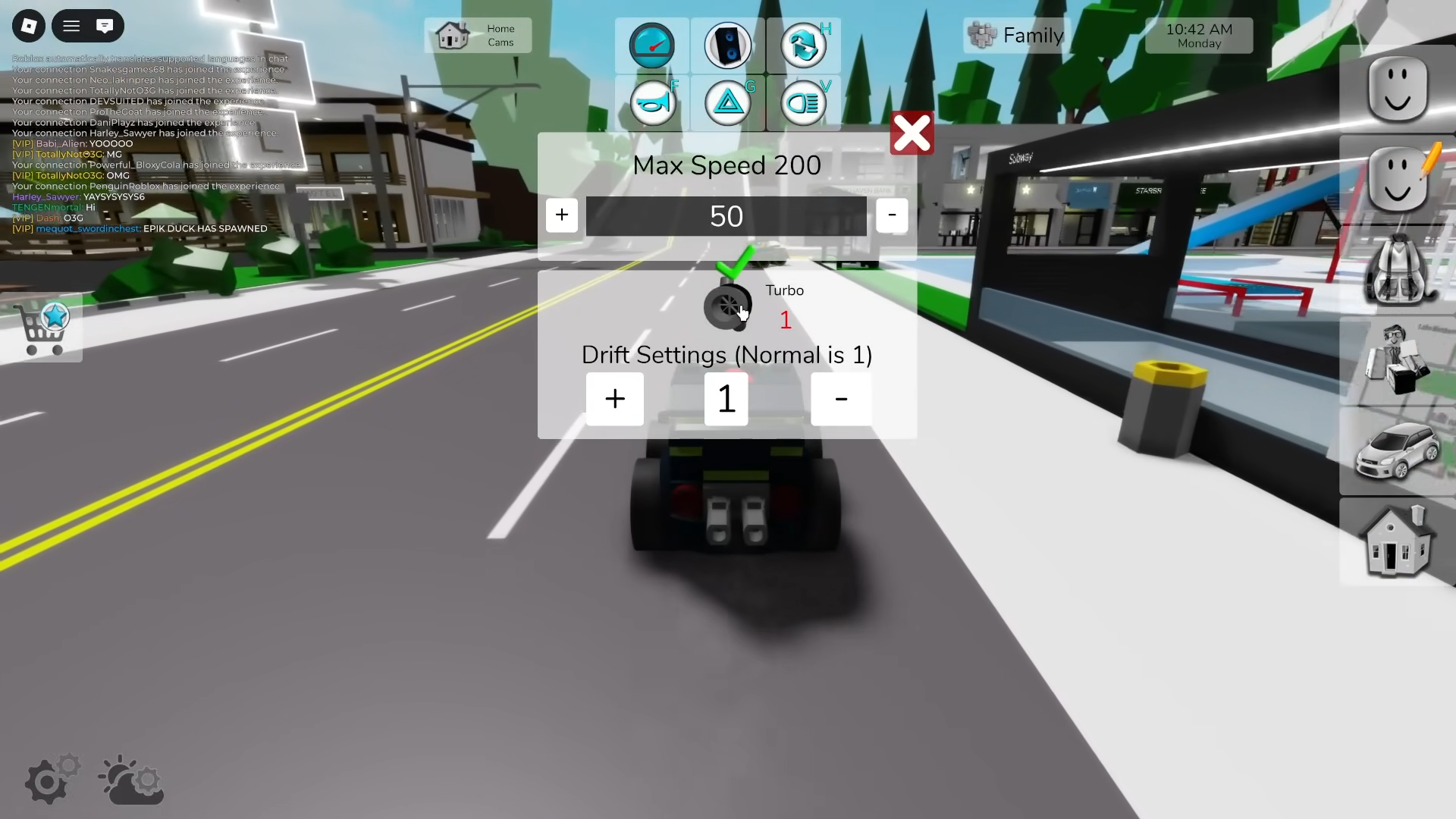
Step 3: If desired, purchase the vehicle upgrade pack with Robux to unlock higher speed tiers beyond 55 mph. Once owned, those boosts apply to the LEGO vehicles as well, making brick collection runs even quicker.
Higher speeds make it easier to overshoot bricks, so there is a balance: for straightforward stretches like the Bulldozer’s farm route, going faster is an advantage, but in tighter industrial areas it may be more efficient to slow down a little to avoid missing pieces.
What the LEGO French Fries Truck is for
The LEGO Event Square also introduces a LEGO French Fries Truck. This is not an unlockable car like the other four; instead it functions as a roleplay prop.
You can:
- Stand inside the truck and “serve” fries to other players.
- Use it as a focal point for food truck scenes during the event.
It helps turn the Event Square into more than a menu room, giving players a reason to linger and stage mini roleplays between brick runs.
The LEGO collaboration in Brookhaven RP is built to be approachable: every brick trail is clearly marked with arrows, the counts are modest, and you can unlock all four vehicles in a single session if you move with purpose. With the event set to disappear on December 12, logging in once to sweep up the orange, blue, and red routes is enough to keep these miniature cars in your garage long after the LEGO banners come down.