

Private servers in Bubble Gum Simulator Infinity are the quiet corner of Roblox’s loudest bubble. They don’t change how the game plays, but they completely change who you share it with.
What a private server actually does in Bubble Gum Simulator Infinity
In Bubble Gum Simulator Infinity, a private server is a separate instance of the game tied to a specific owner. The gameplay is identical to a public lobby — same pets, same eggs, same enchants, same trades — but entry is controlled through an access list or invite link.
The main impact is social and practical, not mechanical. A private server lets you:
- Control who joins, so trades happen without random players crowding you or spamming requests.
- Keep key machines and areas usable without other players idling on the crafting machine or blocking NPCs.
- Run events or giveaways with friends, clanmates, or viewers on a server that you manage.
Private servers are especially useful for high-value trading and for players who run multiple accounts or want to leave the game open for long hatching sessions with minimal disruption.
Current public Bubble Gum Simulator Infinity private server links
Several community members share open-access private servers for anyone to use. These are regular Roblox private servers that have been set to allow joining through a link.
Examples include:
| Server label | Join link | Notes |
|---|---|---|
| HYperX server | Roblox private server link | Direct link into the main Bubble Gum Simulator INFINITY place. |
| Community server 1 | roblox.com/share server 1 | Shared by a player maintaining multiple BGSI servers. |
| Community server 2 | roblox.com/share server 2 | Alternative join link if the first one is full. |
| Community server 3 | roblox.com/share server 3 | Another open lobby for grinding or trading. |
| Community server 4 | roblox.com/share server 4 | Extra capacity when earlier servers are busy. |
These links behave as normal Roblox invites. On PC or mobile, clicking a link launches the Roblox app or player into that specific instance if you’re logged into your Roblox account.
Console players cannot open these URLs directly on their system browser in a useful way. The typical workaround is to have a friend on PC or mobile join first using the link, then invite you through Roblox’s built-in friend or party system.
How to join a Bubble Gum Simulator Infinity private server
Step 1: Make sure you are logged in to your Roblox account on the device where you plan to play. The account needs permission to join private servers for that experience, which is usually controlled by the server owner’s settings.
Step 2: On PC or mobile, tap or click a valid private server link. For example, you can use the direct game link with a private server code or one of the shared roblox.com/share?code=... URLs.
Step 3: When the Roblox prompt appears, confirm that you want to open Roblox (from your browser) or join the experience. The client will connect you straight into the private server if there is a free slot.
Step 4: If the link fails or says you do not have permission, the server may be full, expired, or restricted. In that case, try another shared link, ask the host to add your username to the allow list, or use a different community server.
For console players, the practical flow is different.
Step 1: Ask a friend on PC or mobile to join the private server through one of the links.
Step 2: Once they are inside, have them send a Roblox invite to your console account through the Xbox, PlayStation, or platform-specific friend system.
Step 3: Accept the invite from your console, and you will load into the same private instance, assuming the player cap has not been reached.

How to buy your own Bubble Gum Simulator Infinity private server
Owning the server gives you full control over who joins and when the subscription renews. Private servers for Bubble Gum Simulator Infinity are sold through the Roblox experience page for a monthly fee of 99 Robux.
Step 1: Open the official Bubble Gum Simulator INFINITY experience page at roblox.com/games/85896571713843/Bubble-Gum-Simulator-INFINITY in a browser where you are logged into your Roblox account.
Step 2: Scroll down past the main description until you reach the section that lists social links and server options. Look for the entry labeled “Private Servers” or similar.
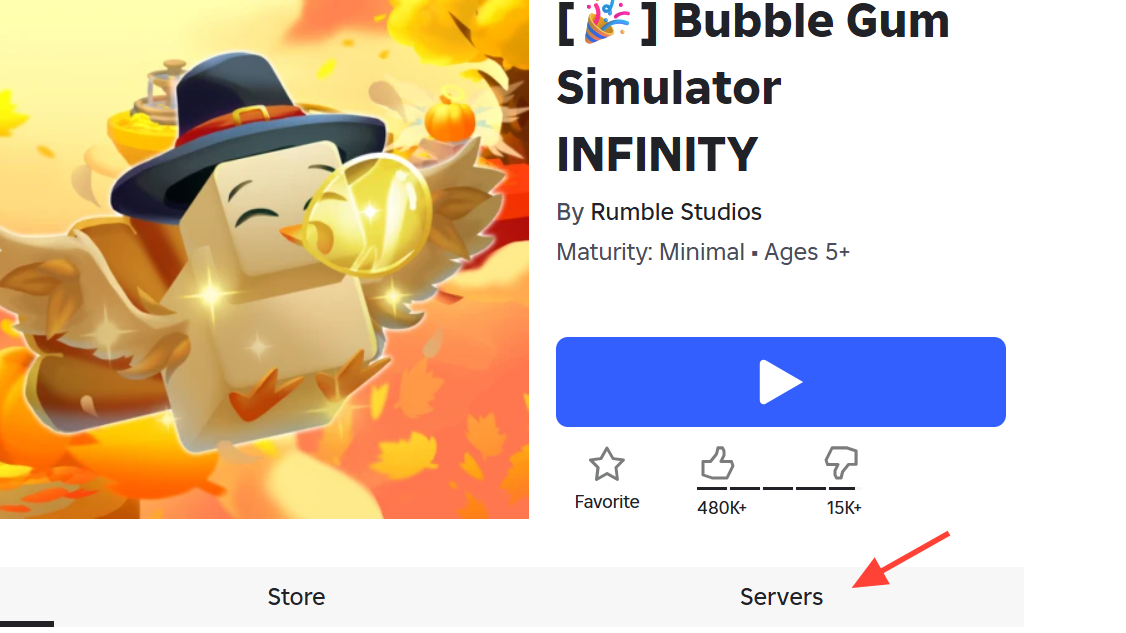
Step 3: Select the button to create a new private server. Roblox will prompt you to name the server and confirm the subscription cost of 99 Robux.
Step 4: Approve the purchase. Roblox will create the server, attach it to your account, and enable configuration options such as who can join and whether friends can use the link.
Step 5: Adjust the server’s permissions. You can typically choose whether friends of friends can join, generate a shareable link, or restrict the server to specific usernames.
Maximum player capacity for a private server
Bubble Gum Simulator Infinity private servers support up to 12 concurrent players. That limit applies whether the server is being used for solo grinding, small-group trading, or wider community events.
When the server is full, new join attempts are blocked until space opens. As the owner, you can manage this in two ways:
- Remove existing players using your admin permissions to free up slots.
- Maintain multiple private servers if you regularly need space for more than 12 people.
For most small groups, a single server is enough. Larger communities typically either rotate groups through one server or maintain several parallel servers with different hosts.
Private servers vs. public servers in BGSI
From a mechanics standpoint, Bubble Gum Simulator Infinity does not distinguish between private and public servers. Both types of lobbies run the same game version and offer the same systems.
| Feature | Public server | Private server |
|---|---|---|
| Egg hatching and pet stats | Full access | Full access |
| Buying new gums and upgrades | Available | Available |
| Enchanting and crafting pets | Available | Available |
| Trading with other players | Available | Available |
| Who can join | Any player the matchmaking places there | Controlled by server owner and invite links |
The difference is social friction. In public lobbies, you are exposed to everyone using that matchmaker shard. In private servers, you are exposed only to people you allow, which makes a noticeable difference when handling rare Infinity pets, high-value secrets, or giveaways.
When a private server is worth paying for
A 99 Robux monthly subscription is not trivial if you mostly play casually, but it can be efficient when spread across regular players or used as part of a content routine.
A private server tends to be worthwhile if:
- You trade high-value pets often and want to avoid crowding or interference in public hubs.
- You coordinate group grinding sessions or cross-trading and need a consistent, controllable space.
- You stream or run giveaways and want viewers or community members in a single controlled lobby.
Pooling Robux among friends is common. One player purchases the server, and the group treats it as shared infrastructure. As long as everyone trusts the owner, this avoids duplicate subscriptions while still giving the whole group a stable home instance.
Players who only need private space occasionally can lean on community-run servers or YouTube and Discord communities that sponsor multiple VIP servers and publish join links, instead of maintaining their own subscription.
Finding more private servers and communities
Beyond direct links, several kinds of communities orbit Bubble Gum Simulator Infinity and maintain their own server ecosystems.
- YouTube creators sometimes keep 20 or more VIP servers running, funding them with Robux and sharing the links in video descriptions. These often come with entry rules such as commenting your Roblox username or subscribing, especially when they’re paired with gamepass or pet giveaways.
- Reddit communities like the BubbleGumINFINITY subreddit occasionally post updated private server link lists and offer to add players directly if the links break or permissions change.
- Discord servers listed under Bubble Gum Simulator Infinity tags run grinding hubs, trading plazas, leak discussions, and giveaway centers. Many of them advertise 24/7 private-server access, event alerts for rare in-game spawns, and cross-trade middleman services.
These community spaces do not change how private servers work in-game, but they do determine how easy it is to find a reliable one without paying for your own. They also set expectations around rules, trading etiquette, and how giveaways are handled.
For most players, the right mix is simple: use shared links when you want frictionless grinding, switch to a tightly controlled private server for serious trades, and consider owning one only if you need guaranteed capacity on a predictable schedule.