

Garden Horizons, the Roblox farming experience developed by Dawn Digital, launched in February 2026 with a special perk for early supporters. Before the game went live, the developers promised a free OG Item to anyone who joined the Dawn Digital Roblox Group ahead of release. Nearly 120,000 players took them up on the offer, and the reward is now available to claim in-game.
Quick answer: Open Garden Horizons, go to Settings (gear icon, top-left), scroll to the Codes field, type DAWN, and submit. You'll receive one Dawnfruit Seed — but only if you joined the Dawn Digital Roblox Group before the game launched.
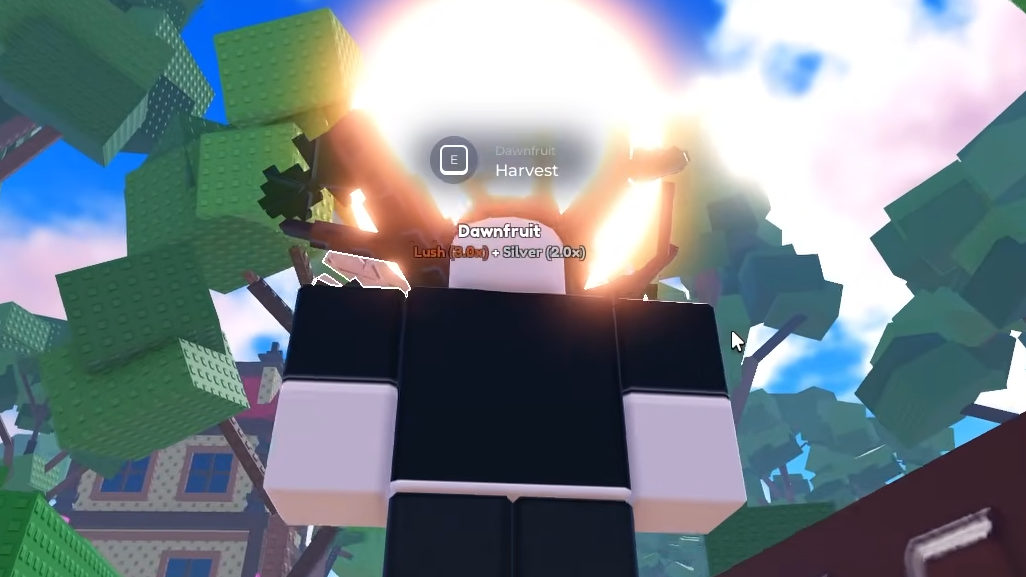
How to Redeem the DAWN Code
Step 1: Launch Garden Horizons on Roblox. Wait until you've fully loaded into the game world.
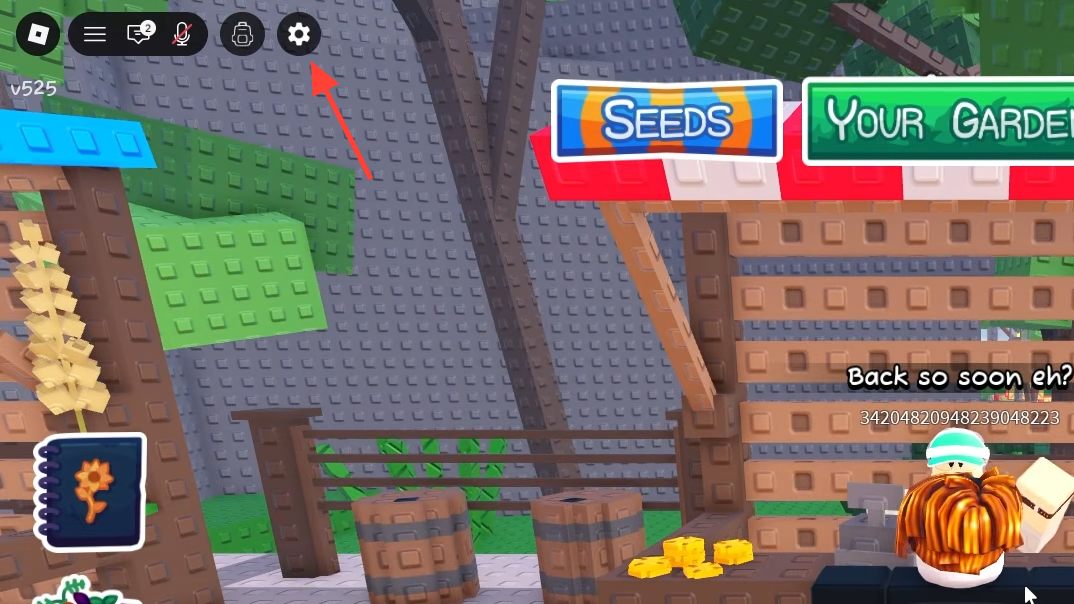
Step 2: Look at the top-left corner of your screen. Next to the Backpack icon, you'll see a gear-shaped Settings button. Click it.
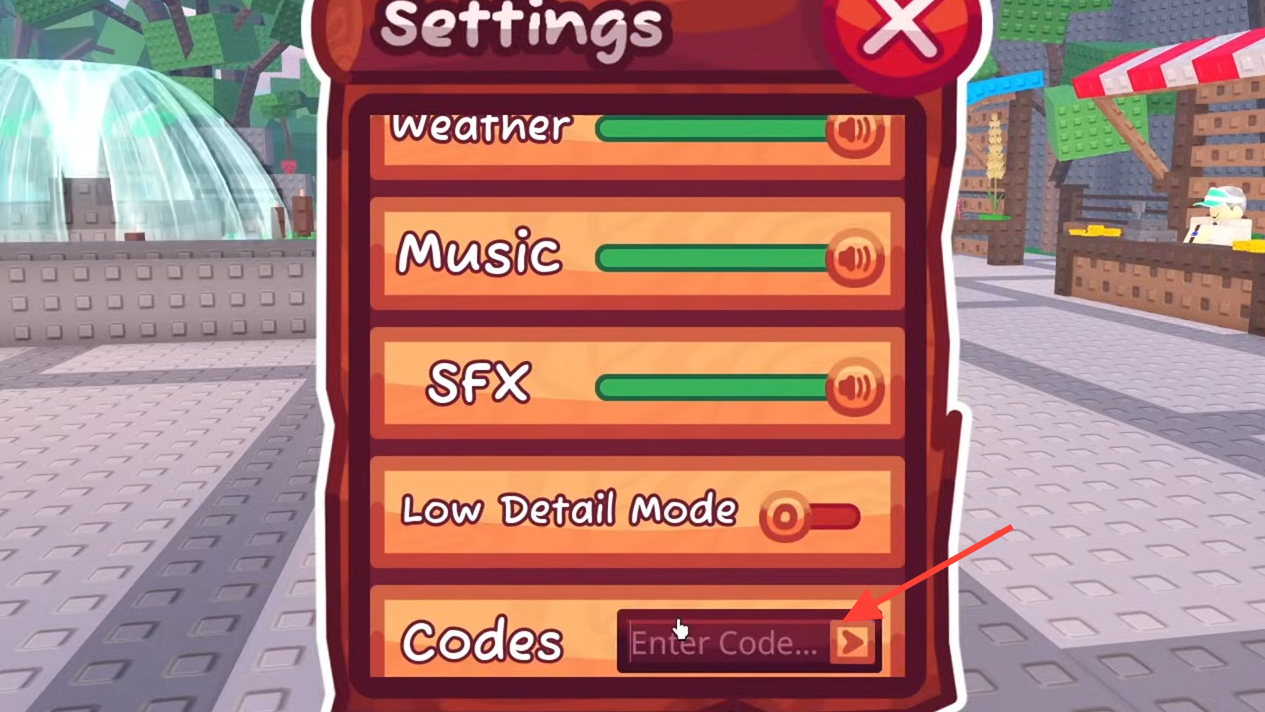
Step 3: Scroll all the way to the bottom of the Settings menu. You'll find a text field labeled for code redemption.
Step 4: Type DAWN into the field and press the arrow icon beside it. If you're eligible, the Dawnfruit Seed will be added to your inventory immediately.
What the Dawnfruit Seed Actually Does
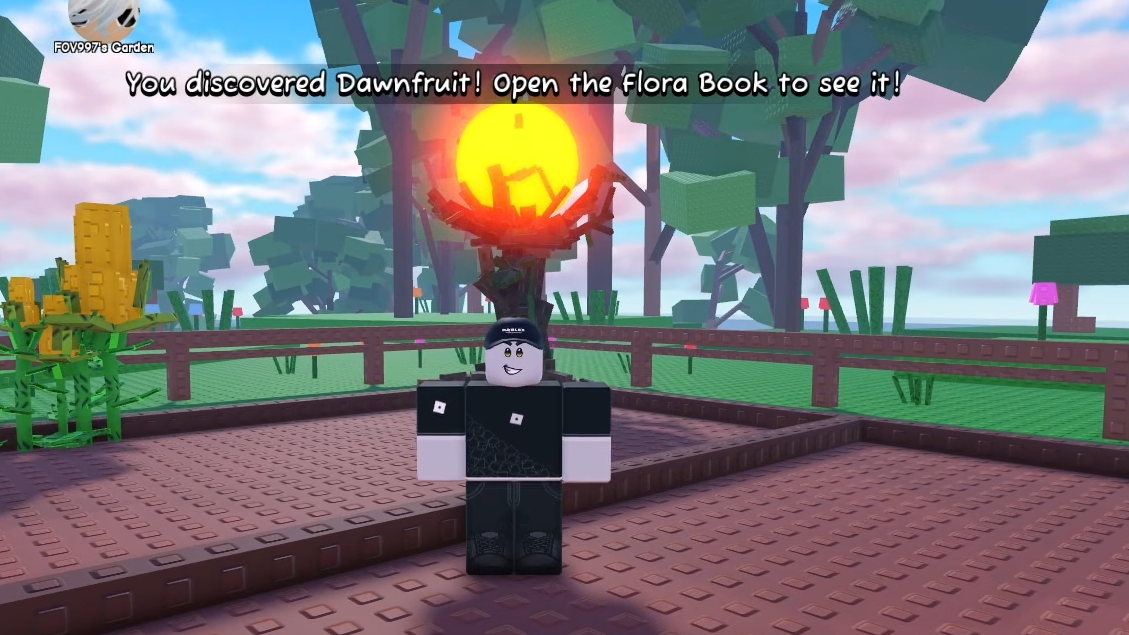
The OG Item is a single Dawnfruit Seed. It's a high-rarity, multi-harvest seed — meaning once the tree grows, you can pick fruit from it more than once without replanting. The tree takes roughly 10 minutes to mature on its own, though any sprinkler in the game will speed that timer up.
The Dawnfruit itself is named after Dawn Digital, the studio behind Garden Horizons. It cannot be purchased from Bill's Seed Shop or obtained through any other method right now, making it genuinely exclusive to players who joined the group early.
Because it's a multi-harvest plant, the Dawnfruit tree offers repeatable income once it's fully grown. Letting it reach the lush stage before harvesting can push the sell value up to three times higher than picking it early, which is a general rule worth following for all crops in Garden Horizons.
Why the DAWN Code Might Not Work
The most common reason is straightforward: you didn't join the Dawn Digital Roblox Group before the game's official release. The code is group-exclusive, and there's no workaround. Players who joined the group after launch are not eligible.
If you're certain you joined in time but the code still fails, double-check that you're typing it correctly — DAWN, all caps. Also, confirm your Roblox account is still a member of the group, since leaving and rejoining after release may invalidate eligibility.
Some players on console initially had trouble because the Roblox group could only be joined through the mobile app or desktop site. If you joined via one of those platforms before release, the reward should still be claimable once you log into Garden Horizons on any device tied to the same account.
The Dawnfruit Seed is a small but meaningful reward for early community members, and it's currently the only way to grow Dawnfruit in Garden Horizons. Whether it eventually appears in the Seed Shop or through other means remains to be seen, but for now, it belongs exclusively to the players who showed up before day one.