

Hytale's default inventory fills up fast once you start gathering resources, hunting animals, and exploring caves. Backpacks solve this problem by permanently adding extra storage slots to your character. Unlike equipment you can lose on death, backpack upgrades stay with you forever.
Quick answer: Craft the basic backpack at a Workbench using 8 Iron Ingots and 8 Medium Leather, then right-click the resulting item to unlock 9 permanent inventory slots.
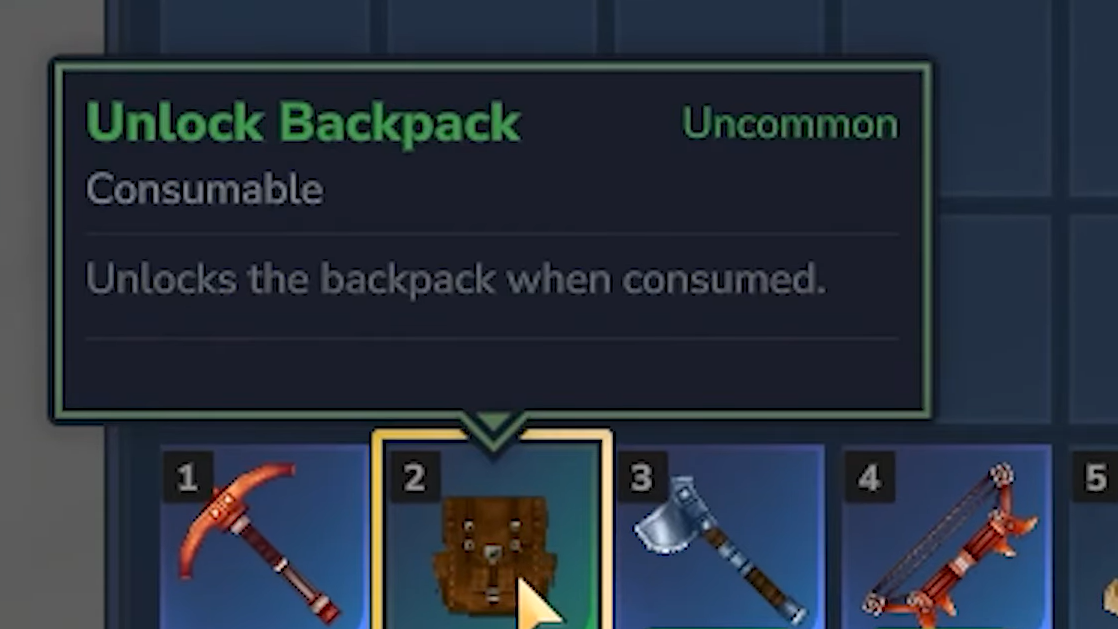
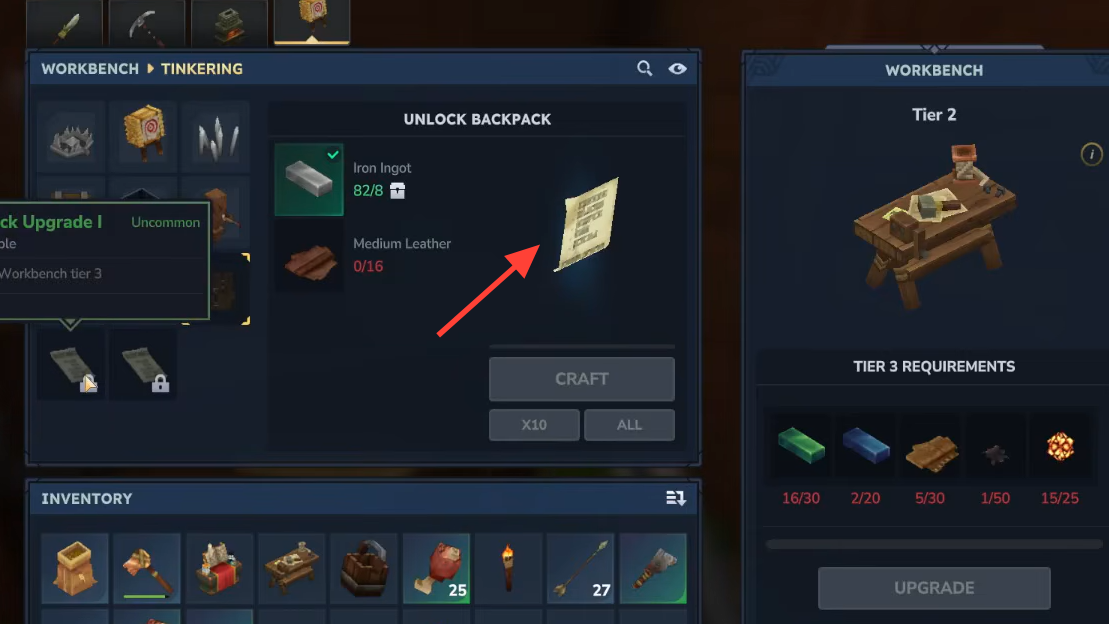
Basic backpack crafting requirements
Before crafting a backpack, you need a Workbench. Build one using 4 tree logs and 3 stones, then place it somewhere permanent. Moving a Workbench after upgrading it resets its tier level, wasting all your upgrade materials.
The basic backpack recipe appears in the Tinkering tab and requires:
- 8 Iron Ingots — Smelt iron ore in a furnace. Iron ore appears in caves, desert regions, and mountain peaks.
- 8 Medium Leather — Process medium hides from wolves, deer, or rabbits on a Tanning Rack.
After crafting, the backpack appears as a paper-like item in your inventory. Place it in your hotbar and right-click to consume it. This permanently unlocks a new inventory tab with 9 additional slots.
Accessing your backpack storage
Open your inventory and look at the left side of the screen near your character model. Below the Memories icon sits a backpack icon. Click it to toggle between your crafting panel and backpack storage. These slots function identically to regular inventory slots but provide dedicated space for materials you don't need immediate access to.
Backpack Upgrade I (18 slots)
The first upgrade doubles your backpack capacity from 9 to 18 slots. Crafting it requires upgrading your Workbench to Tier 2 first.
Workbench Tier 2 requirements:
| Material | Quantity | Source |
|---|---|---|
| Copper Ingots | 30 | Smelt copper ore from caves |
| Iron Ingots | 20 | Smelt iron ore from caves |
| Linen Scraps | 20 | Loot from Goblins, Skeletons, Trorks |
Once your Workbench reaches Tier 2, the Backpack Upgrade I recipe becomes available in the Tinkering tab.
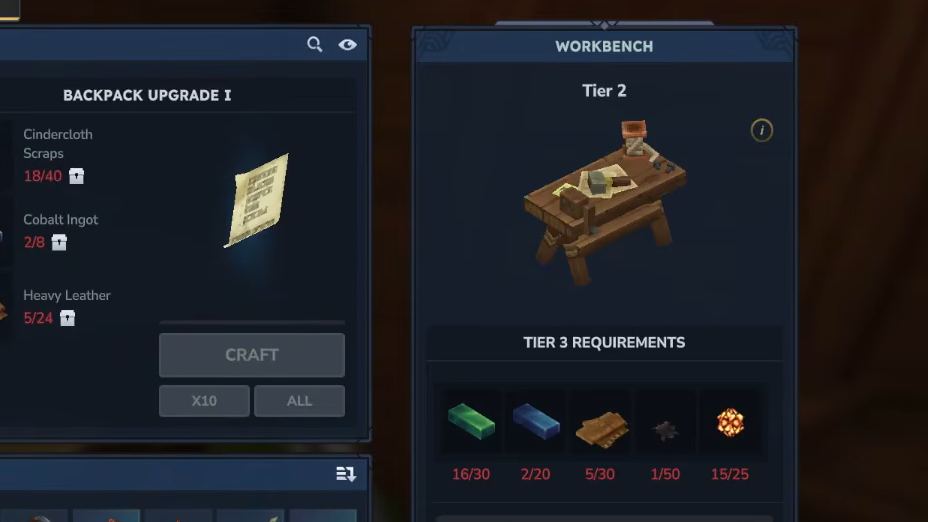
Backpack Upgrade I materials:
| Material | Quantity | Source |
|---|---|---|
| Cindercloth Scraps | 40 | Fire Skeletons, Fire Dragons, Fire Golems |
| Cobalt Ingots | 8 | Deep mining, challenging enemies |
| Heavy Leather | 24 | Large animals processed at Tanning Rack |
Craft the upgrade, then right-click it in your hand to expand your backpack to 18 slots arranged in two rows of nine.
Backpack Upgrade II (27 slots)
The final upgrade unlocks through an entirely different system. You must restore 100 Memories at the Forgotten Temple before the recipe becomes available.
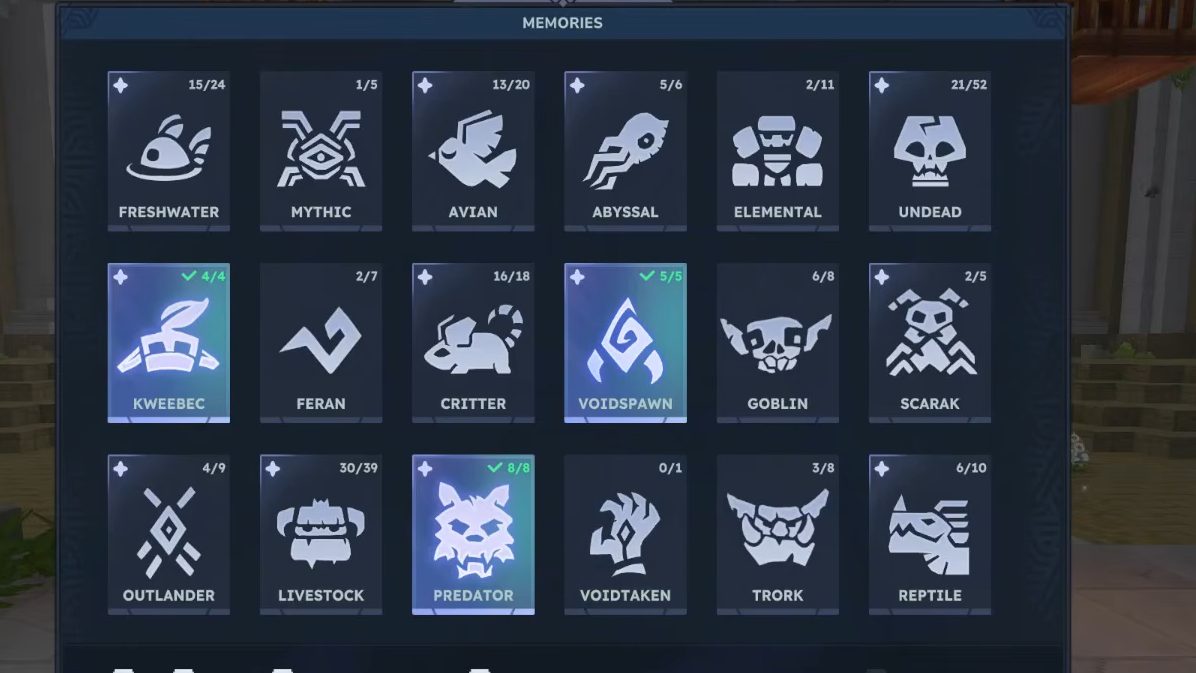
Step 1: Locate a Forgotten Temple on your map. These appear as swirling portal icons, and one spawns near every starting area.
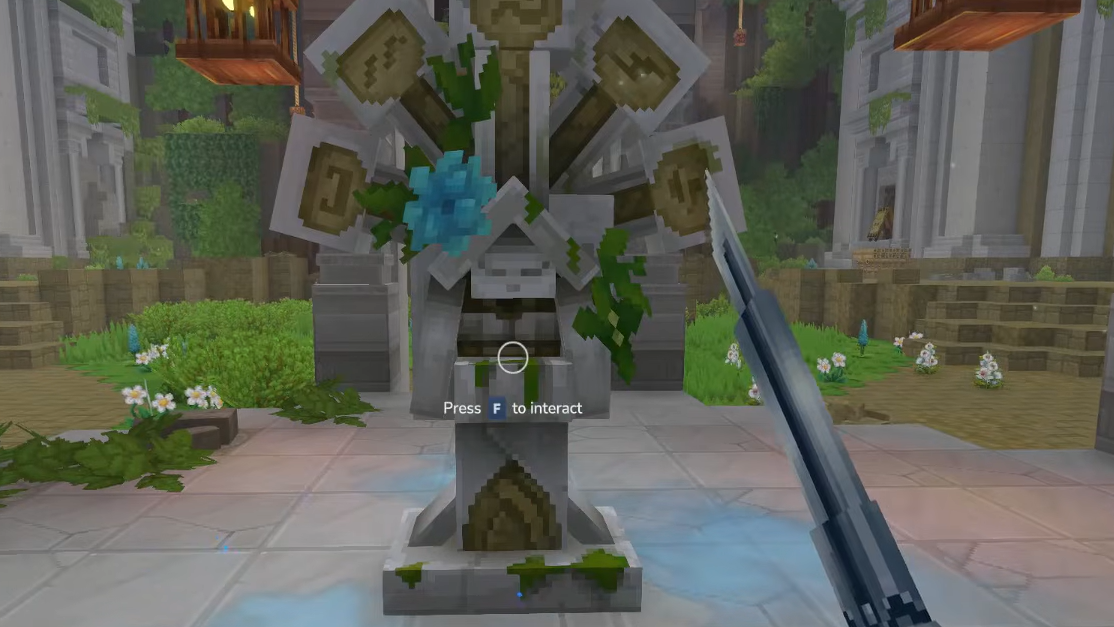
Step 2: Enter the portal to reach the temple's pocket dimension. Find the Heart of Orbis monument at the center and interact with it to open the Memories screen.
Step 3: Return to the main world and encounter new creatures. Memories collect automatically when you approach any animal, enemy, or NPC for the first time. Blue particles and a notification confirm each collection.
Step 4: Deposit memories regularly at the Forgotten Temple. You can only hold 48 memories at once, so hitting the cap means missing new collection opportunities.
Step 5: Once you've restored 100 memories total, the Backpack Upgrade II recipe unlocks at your Workbench.
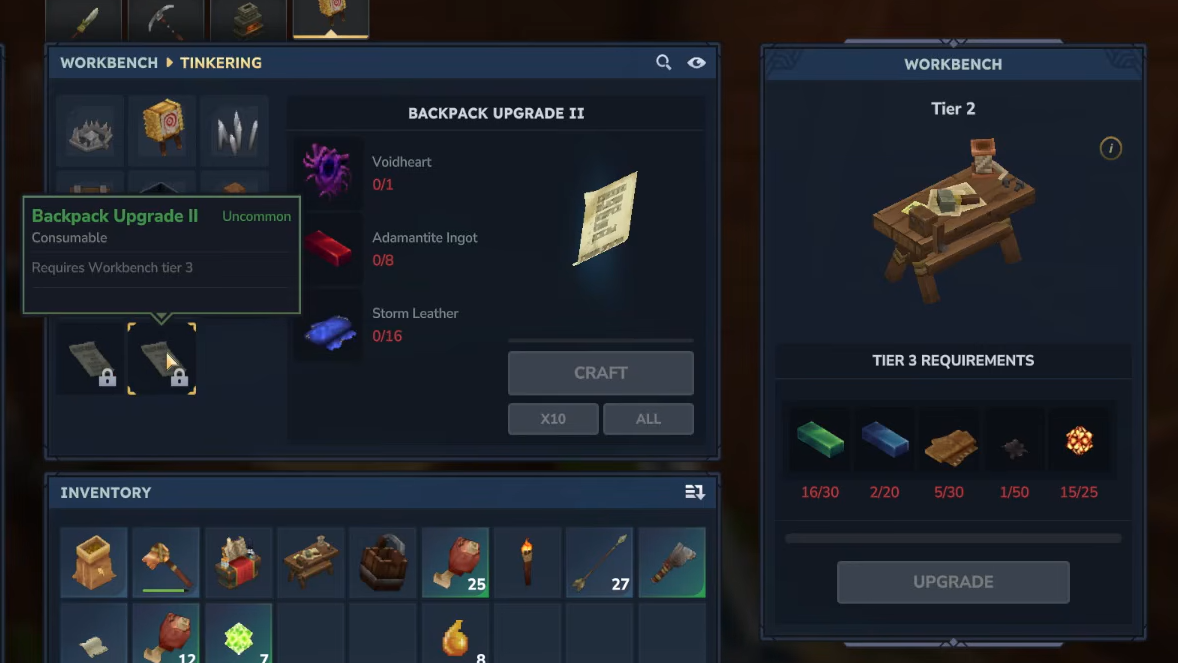
Backpack Upgrade II materials:
| Material | Quantity | Source |
|---|---|---|
| Voidheart | 1 | Void creatures |
| Adamantite Ingots | 8 | End-game ore processing |
| Storm Leather | 16 | Late-game animals |
These materials represent late-game progression. Completing this upgrade expands your backpack to 27 total slots across three rows.
Memory collection strategies
Efficient memory gathering requires systematic exploration across different biomes. Every unique creature type counts toward your total, including passive animals like rabbits and deer. Don't ignore non-threatening creatures since they contribute just as much as hostile enemies.
Explore creature variants in various zones. Different biomes contain unique species, so traveling widely accelerates your memory count. Visit the Forgotten Temple frequently to deposit collected memories and avoid hitting the 48-memory storage limit.
Common mistakes to avoid
Relocating your Workbench resets its tier level completely. All materials spent on upgrades get wasted, forcing you to gather everything again. Choose your Workbench location carefully before investing in tier upgrades.
Ignoring passive creatures slows memory collection significantly. Many players focus only on hostile enemies and miss easy memory opportunities from harmless animals wandering nearby.
Waiting too long to craft backpacks creates unnecessary inventory struggles. Each backpack tier improves resource collection efficiency, making subsequent upgrades easier to complete. Prioritize the basic backpack early in your playthrough.
Verifying successful upgrades
After consuming any backpack item, open your inventory and click the backpack icon. The number of available slots confirms whether the upgrade applied correctly. The basic backpack shows one row of 9 slots, Upgrade I displays two rows totaling 18 slots, and Upgrade II presents three full rows with 27 slots.
Backpack upgrades are permanent character features. Dying, changing zones, or starting new areas won't remove them. Once unlocked, your expanded inventory remains available throughout your entire playthrough.