

The Early Warning Terminal in Arknights: Endfield sits at the center of Imminent Incursion, the tower defense system tied to your outposts. It does not change your day‑to‑day combat directly, which makes it easy to ignore or misunderstand, but it quietly locks in one of the strongest long‑term economic bonuses in the game.
Quick answer: The Early Warning Terminal is the console you use to run Imminent Incursion defenses for an outpost; clearing each Risk level in Auto‑Defense through the terminal permanently raises that outpost’s Stock Bill Bonus Earning Chance, and once all levels are cleared in Auto‑Defense, that outpost no longer comes under attack.
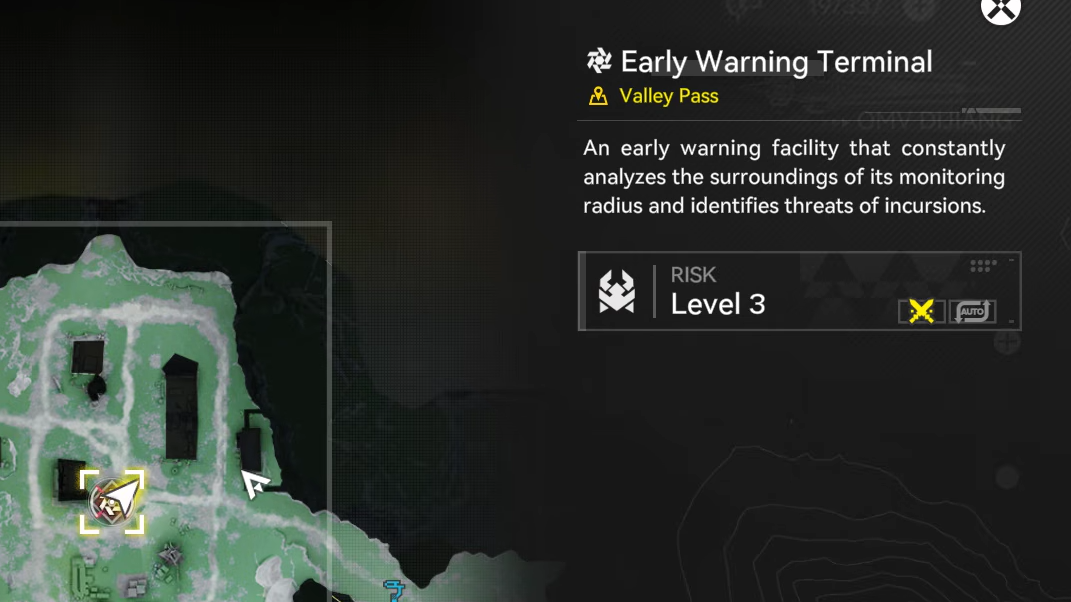
Early Warning Terminal: what it controls
The Early Warning Terminal is the interactive console at an outpost that opens the Imminent Incursion interface. Walking up to it is the only way to:
- See if that outpost is currently under Imminent Incursion.
- Select a Risk level for the defense.
- Choose between Operator Intervention and Auto‑Defense modes.
- Start the actual tower defense encounter.
Imminent Incursion itself is a tower defense mode where you defend Command Cores with AIC combat facilities instead of placing operators on tiles. The Early Warning Terminal is effectively the “mission board” for that mode at each outpost.
Economic effect: permanent Stock Bill bonus from Auto‑Defense clears
Each outpost in Endfield periodically generates Stock Bills. Imminent Incursion, managed through the Early Warning Terminal, layers a bonus system on top of that passive income.
Two distinct effects are involved:
- Operator Intervention clear: Clearing a Risk level manually by fighting alongside your towers grants a temporary increase to that outpost’s Stock Bill Bonus Earning Chance.
- Auto‑Defense clear: Clearing the same Risk level again on Auto‑Defense through the Early Warning Terminal grants a permanent increase to that outpost’s Stock Bill Bonus Earning Chance.
Stock Bill Bonus Earning Chance is a per‑outpost stat. When it increases, that outpost’s periodic Stock Bill payouts gain a chance to include additional Stock Bills. The Early Warning Terminal is, therefore, the only interface that lets you lock in these permanent buffs via Auto‑Defense clears.
Progression effect: ending outpost attacks
Imminent Incursions are finite. For a given outpost, each Risk level becomes permanently cleared once you complete it in Auto‑Defense mode from the Early Warning Terminal.
Once all available levels at that outpost have been cleared on Auto‑Defense, that outpost stops coming under attack. In practical terms:
- The Imminent Incursion icon at that outpost no longer signals new mandatory defenses.
- You do not need to revisit that Early Warning Terminal again for defensive purposes at that location.
How the Early Warning Terminal fits into unlocking Imminent Incursion
Imminent Incursion as a system unlocks through the Defense Construction side quest. That quest walks you through a first Imminent Incursion at the Refugee Camp outpost and introduces the Early Warning Terminal there.
After Defense Construction is complete and as other outposts reach the required development level, more Imminent Incursions can appear. Each such outpost will have its own Early Warning Terminal, and each one manages only that outpost’s defenses and Stock Bill bonus.
How to use the Early Warning Terminal during an Incursion
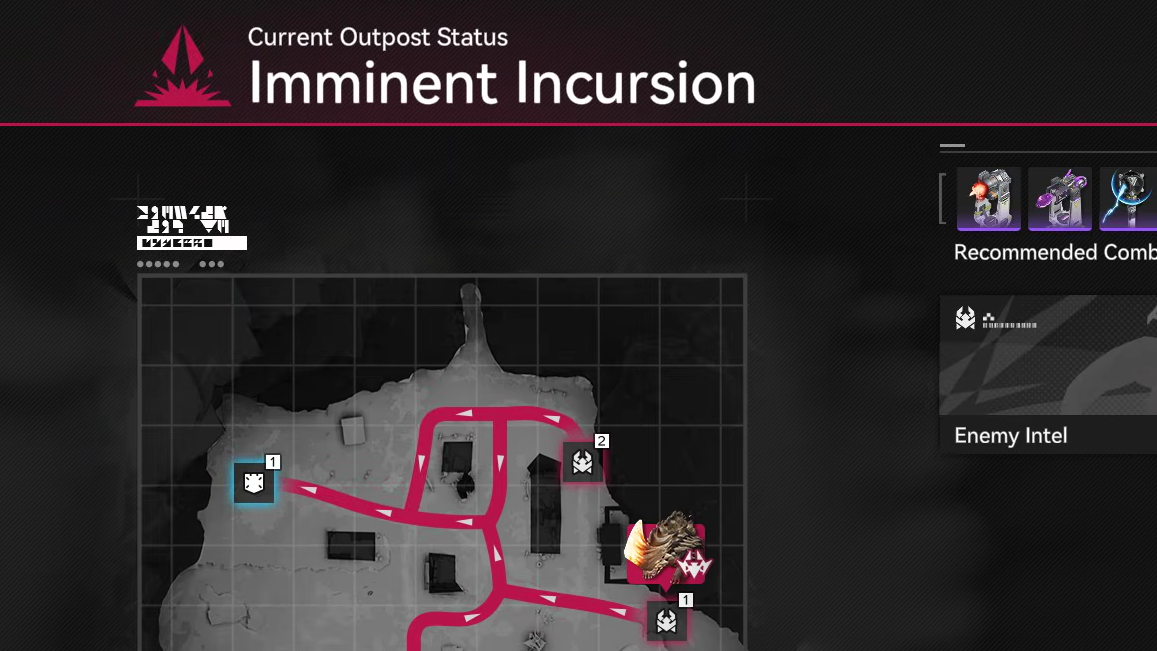
Step 1: Go to an outpost showing the red Imminent Incursion icon on the world map. That icon means there are unfinished defense levels there.
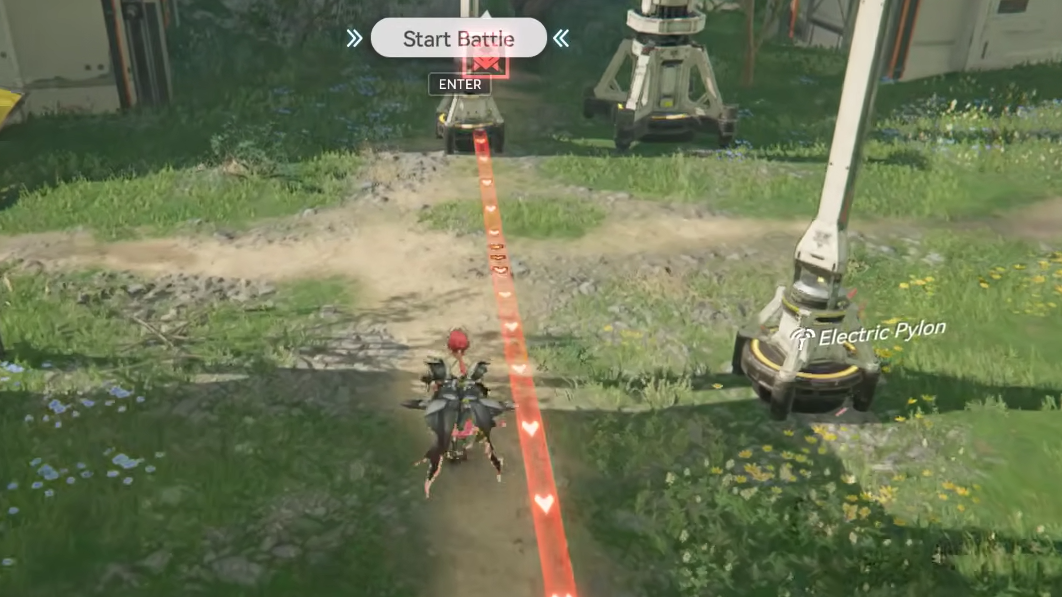
Step 2: Fast travel into the outpost and walk up to the Early Warning Terminal. Interact with it to open the Imminent Incursion interface for that location.
Step 3: Pick a Risk level that is currently available. Risk levels define which enemy waves and paths you will be dealing with.
Step 4: Choose the mode. If you have never cleared that Risk level, only Operator Intervention will be available. Once you have cleared it once in Operator Intervention, Auto‑Defense becomes selectable for that level.
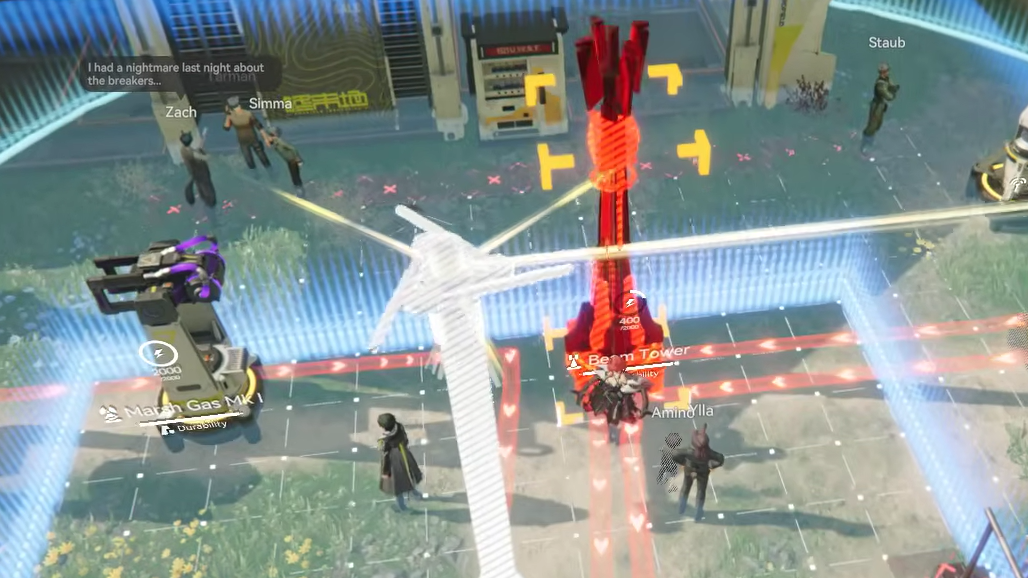
Step 5: Start the encounter, place your AIC combat facilities inside the outpost, make sure they are powered by Pylons or Relays, then run the defense. Clearing the level in Operator Intervention gives the temporary Stock Bill bonus; repeating and clearing in Auto‑Defense locks in the permanent bonus.
When you can safely ignore an Early Warning Terminal
The Early Warning Terminal remains in the outpost even after all Auto‑Defense levels are cleared, but its functional role changes.
- Before all Auto‑Defense clears: Ignoring the terminal means losing permanent Stock Bill bonus potential and leaving that outpost vulnerable to future Imminent Incursions.
- After all Auto‑Defense clears: The outpost does not come under further attack, and the permanent Stock Bill Bonus Earning Chance already reflects all completed levels. In this state, interacting with the Early Warning Terminal is optional rather than required for progression or income.
That is the practical definition of being “done” with an outpost’s Early Warning Terminal: every Risk level available there has been cleared in Auto‑Defense, the perma buffs are applied, and further defenses are no longer scheduled.
The Early Warning Terminal does not change combat stats by itself and does not alter story progression, which makes it easy to underestimate. Its actual role is narrower but significant: it is the control point for Imminent Incursion at each outpost, the gate to permanent Stock Bill drop bonuses, and the switch that turns ongoing outpost attacks off once all Auto‑Defense levels are cleared.