

Hytale leans hard into modding from day one, and that shows in the quality of its early mods. Many of the most useful add‑ons right now are small, focused changes that remove friction, automate chores, or gently reshape the world, rather than completely replacing the game.
What follows is a look at the stand‑out Hytale mods available in January 2026, grouped by what they change about your experience: world generation, progression, building, and day‑to‑day quality of life.
How Hytale mods work and where to install them
Hytale is built with modding in mind. Most of the game’s systems — blocks, items, world generation, user interface, and behavior — are exposed so that they can be changed, extended, or removed by modders. The goal is that almost anything the base game does, community creators can do as well.
Mods are delivered through a single client and are intended to work across both single‑player and multiplayer servers, which keeps installation and compatibility relatively straightforward compared with older sandbox games.
For distribution, Hypixel has partnered with CurseForge as the primary mod platform. The CurseForge desktop app provides a dedicated Hytale section where you can browse, install, and launch modded instances without handling files manually.
Step 1: Install the CurseForge Mod Manager on your PC. Open it and wait for it to detect your games and complete the initial setup.
Step 2: In the CurseForge app, open the game list and select Hytale. This loads the dedicated Hytale mod catalog.
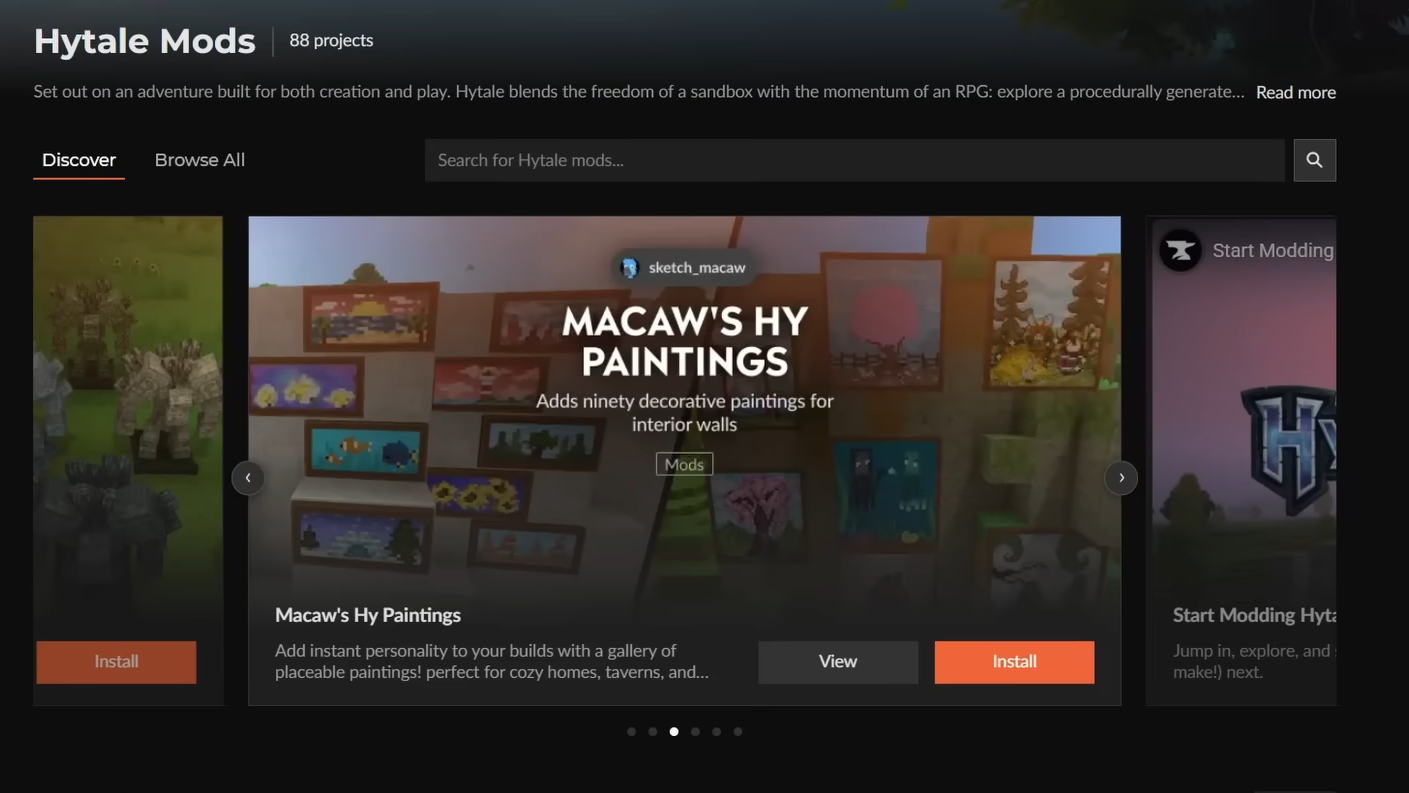
Step 3: Browse or search for a mod, then use the “Install” button on the chosen project. CurseForge downloads it and adds it to your Hytale mod profile.

Step 4: From the Hytale section in CurseForge, press “Play” to start the game with the selected mods enabled.
Yung's HyDungeons: more demanding late‑game combat
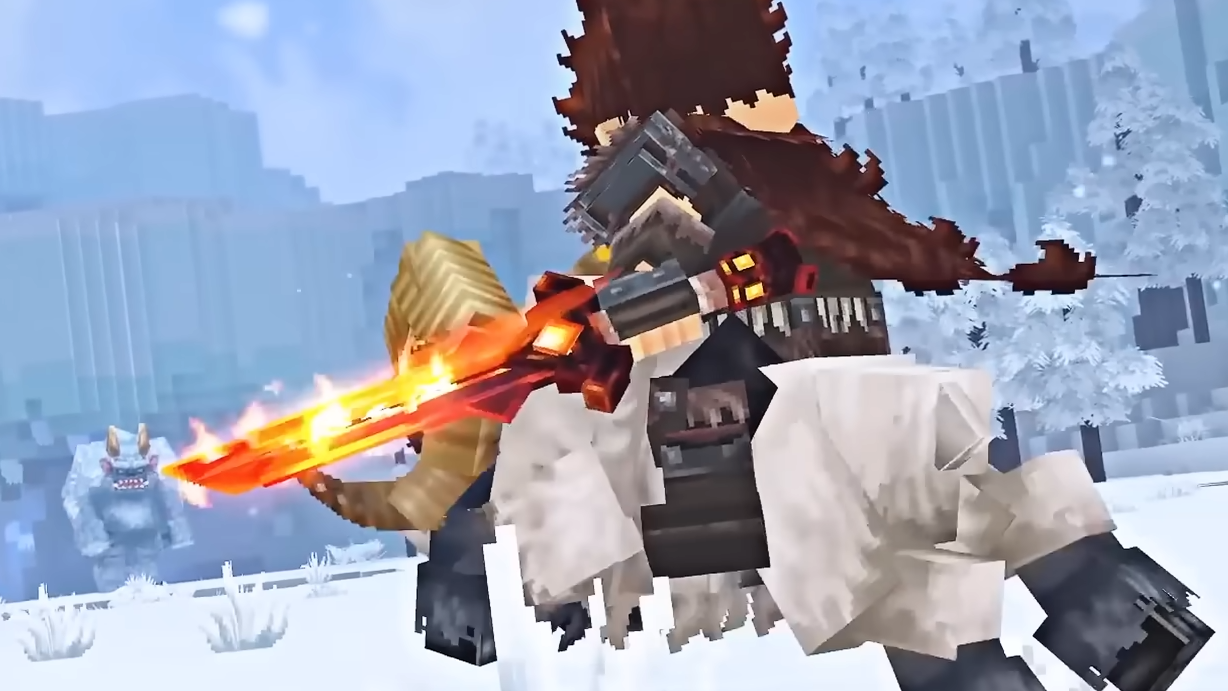
Yung's HyDungeons comes from a creator known for overhauling structures and dungeons in other block‑based sandbox games. In Hytale, the mod currently focuses on a single, bespoke dungeon rather than a full world rewrite, but even that one addition changes how late‑game combat feels.
The dungeon is accessed through an Ancient Portal once you reach 100 Memories. That requirement pushes it firmly into late‑game territory, turning the run into a deliberate expedition rather than something you stumble into. Inside, you get a custom, procedurally generated layout instead of a simple static structure, with encounters tuned to be more challenging than regular world content.
The intent is clear: treat dungeon crawling as a high‑stakes activity with its own rhythm and rewards, and expand from this first instance over time with more layouts, enemies, and structural complexity.
Lucky Mining: faster resource spikes with a risk of “too generous”
Lucky Mining rethinks ore gathering by giving every ore you break a chance to reappear instantly, effectively letting a single block pay out more than once. When the chance triggers, you hear a distinct sound and see particles to confirm the bonus proc.
Nothing about the mining pattern itself changes — you still dig, locate veins, and break blocks — but your yield can jump sharply in a short session. That makes Lucky Mining ideal if you want to compress the grind phase for armor and tool progression without skipping it outright.
There is a trade‑off, though. Because the extra resources come with almost no extra time investment, Lucky Mining can push the game close to feeling like a cheat if you leave it on in every world. It works best when you know you are leaning into a slightly accelerated economy.
Simply Trash and Advanced Item tools: inventory triage made bearable
Hytale, like most survival sandboxes, fills your inventory with junk fast. Early journeys usually end with you scrolling through rows of low‑value items you picked up by accident.
Simply Trash addresses that by adding a straightforward way to delete items you no longer want. Instead of throwing items on the ground and watching them despawn or clutter the area, you can send them directly to a trash container. The gain is subtle but constant: less micromanagement, a cleaner base, and fewer mistakes where you pick items back up after dropping them.
More advanced inventory utilities go further by improving sorting, filtering, or bulk moving of items. Taken together, these mods turn inventory management from an ever‑present chore into a quick, occasional maintenance task.
Overstacked: bigger stacks for fewer storage headaches
Overstacked changes one number that quietly reshapes the entire game’s pacing: item stack size. With this mod, common materials can stack much higher in a single slot. For example, ore stacks can double from 25 to 50, while processed blocks like wood planks can jump into the hundreds per slot.
This is not just about convenience. Larger stacks let you carry enough resources for a long mining trip or a major build without covering your entire inventory in nearly identical stacks. It also pushes the moment when you need to invest in large storage rooms or complex sorting systems further into the future.
On the flip side, more generous stack sizes make inventory limitations less meaningful as a design constraint. If you enjoy having to plan trips carefully around limited capacity, Overstacked might be too forgiving. If you see inventory Tetris as a distraction from exploration and building, it is one of the most impactful small tweaks you can make.
Aures Livestock Skins: cosmetic variety for farm life
Aures Livestock Skins focuses exclusively on how animals look. The mod adds new visual variants for every livestock type, changing colors and patterns so herds feel less uniform.
The effect is strongest in settled areas. Barns, pens, and pastures become more visually dense and varied, and it is easier to identify particular animals at a glance. None of this alters behavior or stats, but it raises the perceived detail of the world with almost no cognitive load for the player.
If you enjoy building farms and villages or lean into role‑play, this kind of texture pack is a low‑risk way to refresh a long‑running save without rebalancing the core game.

Ymmersive Foliage: denser trees and more expressive biomes
Ymmersive Foliage does for plants what livestock skins do for animals. It reworks the look of leaves, trees, and bushes, often making them feel fuller and less blocky, and introduces additional color variants.
This has a few practical effects. Forests and jungles read as richer and more layered, which makes exploration feel slightly more grounded. Seasonal or biome transitions can appear more dramatic when color shifts are accentuated. Even simple builds that rely heavily on leaves or hedges benefit from the added depth.
Because the mod focuses on textures and density rather than mechanics, it is a good choice for players who want the world to feel more mature and atmospheric while preserving the default gameplay loop.
Macaw's Mods: modular building pieces and eccentric extras
Macaw's Mods is less a single mod and more an ecosystem from one prolific creator. The packs cover a wide range of decorative and structural blocks: paintings, paths, bridges, windows, lighting, and multiple lines of furniture, among other pieces.
Two aspects stand out. First, the breadth of the catalog means you can theme an entire settlement — from its bridges and streets to its interiors — with consistent visual language. Second, Macaw’s paintings pack lets you cycle which artwork appears on placed canvases instead of relying on random selection, which makes tuned interior design much easier.
There are also oddities such as NEP – Not Enough Poops, which suggests Hytale’s systems include some unexpected mechanics around waste. Even if you have no interest in that specific tweak, it is a reminder that Macaw’s collection is willing to experiment at the edges of the sandbox.
AutoHammer: faster, more organic block variation
Building with a single block type often looks flat. The usual fix is to manually mix in variants — slightly different textures or colors — in a semi‑random pattern to create the illusion of wear, moss, or depth.
AutoHammer automates that patterning. You select multiple variants of the same block type, and the mod randomly chooses among them when you place blocks. Instead of consciously deciding which texture to use every time, you can focus on shape and structure while the surface detail distributes itself.
For players who build large walls, roads, or cliffs, this saves a significant amount of time and makes “good‑looking by default” builds more accessible, even if you are not used to hand‑placing noisy gradients and texture blends.
Thorium Furnaces: less time staring at progress bars
In unmodded Hytale, smelting is a major early‑game bottleneck. With just one craftable furnace type and relatively slow processing, you can easily end up babysitting smelts instead of being out in the world.
Thorium Furnaces addresses that by adding 11 new furnace variants, each tied to different materials and each faster than the basic option. As you progress, you can craft better furnaces and cut down the time you spend waiting for ore to turn into usable bars.
The result is a clearer, more satisfying crafting curve: invest rarer resources into upgraded infrastructure, receive a tangible payoff in processing throughput, and spend more of your session exploring, building, or fighting instead of staring at a UI timer.
Wayback Charm: one‑button return to safety
Large procedural worlds make it easy to wander far from home — and just as easy to lose track of where that home actually is. Wayback Charm offers a simple answer: while holding the Wayback Charm item in your inventory, you can teleport back to your nearest respawn point with a single button press.
This changes how you plan expeditions. You can push deeper into dangerous areas, knowing that you have a guaranteed escape route that does not depend on pathfinding or landmarks. It also reduces the cognitive load of constantly tracking your bearings relative to base.
The trade‑off is tension. Removing the risk of getting lost makes exploration less punishing but also less suspenseful. If you like the survival aspect of having to navigate home under pressure, you may want to reserve Wayback Charm for certain worlds or co‑op sessions where convenience matters more than drama.
Violet's Workshop, NoCube's packs, and other creator libraries
Beyond single, focused mods, several creators maintain broader content packs that sit somewhere between expansion sets and curated toolboxes. Violet's Workshop Packs, Macaw's Packs, and NoCube's Packs fall into this category.
These collections usually add themed blocks, decorations, or mechanical tweaks that share a consistent style. Installing one can quickly reframe your building vocabulary, giving you new shapes, trims, or environmental details without needing to juggle dozens of unrelated micro‑mods.
For many players, these creator libraries become the backbone of a long‑term world, with smaller utility mods layered on top as needed.
The early Hytale mod scene is already less about wild total conversions and more about careful, practical changes that respect the base game’s structure. A few targeted installs — a smarter furnace line, better inventory tools, denser foliage, and one or two world or dungeon overhauls — are enough to reshape how each session feels without overwhelming you with complexity.