

Version 6.3’s Luna IV Special Program dropped the usual trio of limited-time Genshin Impact codes, and together they add up to 300 Primogems plus a handful of useful upgrade materials. These redemption codes are only live for a short window, so timing is as important as entering them correctly.
All Luna IV (Version 6.3) livestream codes and rewards
The Luna IV stream provides three global redemption codes. Each grants 100 Primogems and a secondary reward.
| Code | Primogems | Other rewards |
|---|---|---|
ComeNightorDay |
100 | Mystic Enhancement Ore ×10 |
Zibai0515 |
100 | Hero's Wit ×5 |
GallopYeah |
100 | Mora ×50,000 |
Redeeming all three codes gives:
- Primogems ×300
- Mystic Enhancement Ore ×10
- Hero’s Wit ×5
- Mora ×50,000
These rewards are standard for Special Program codes and are designed to cover both character and weapon progression around the new version launch.

When the Luna IV livestream codes expire
The Luna IV codes are tied to a strict deadline. They expire on January 4, 2026, at 11:00 pm (UTC-5).
After that time, the redemption system will treat them as invalid, even if they have not been used on a given account. There is no grace period, and each code can only be applied once per account.
Requirements before redeeming the codes
Genshin Impact accounts must meet a basic progression threshold before any promo codes work.
- Adventure Rank 10 or higher is required for code redemption to function on an account.
- The account must be linked to a HoYoverse login (email, username, or third-party login) to redeem via browser or HoYoLAB.
- Codes are region-bound per account; rewards go to the active server region you select when redeeming.
If the game shows an error even though a code is still within its validity window, common causes are a typo, using the wrong account/region, or trying to reuse a code already claimed on that account.

How to redeem Luna IV codes on the official website
Redeeming through a browser is often the quickest method, especially if you are away from your main device. The official redemption page is at https://genshin.hoyoverse.com/en/gift.
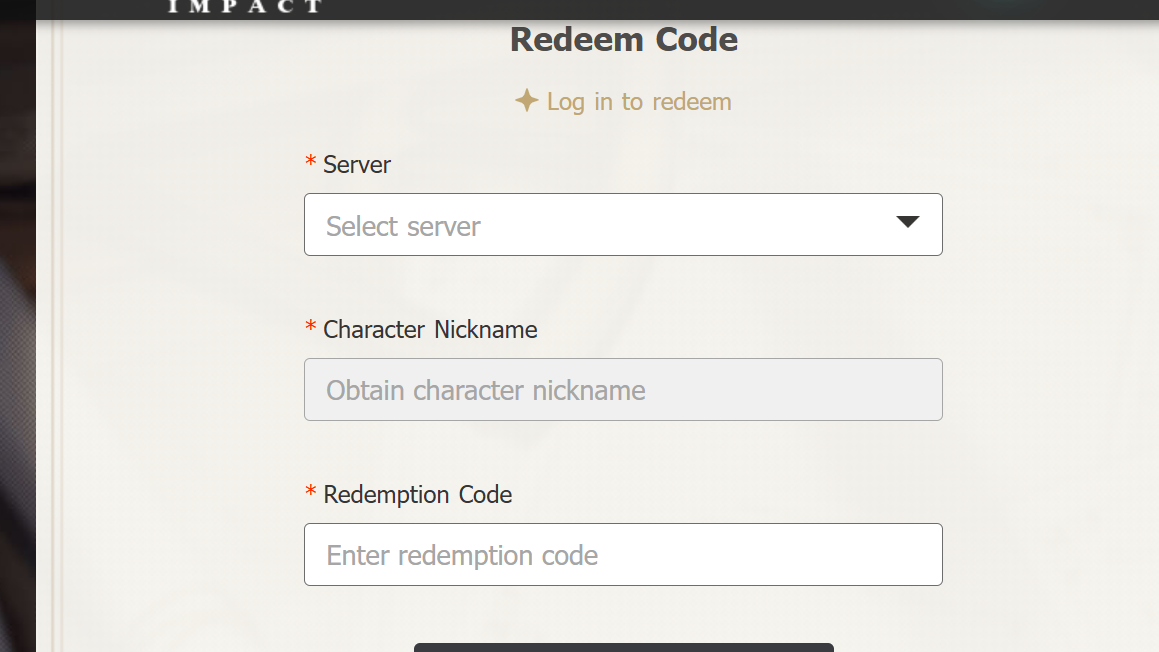
Step 1: Open the Genshin Impact gift redemption page in a browser and log in with the same HoYoverse account used in-game. This ensures rewards are sent to the correct profile.
Step 2: After logging in, select the correct server region (for example, America, Europe, Asia) that matches the region where you actually play, and then confirm the in-game character name shown on the page.
Step 3: Enter one Luna IV code, such as ComeNightorDay, into the redemption box and confirm. A success message indicates that the code has been applied to your account.
Step 4: Repeat the same process for Zibai0515 and GallopYeah, entering and redeeming each one separately.
Step 5: Launch Genshin Impact on your usual platform and open the in-game mailbox. The Primogems and items from each code arrive as separate mails that must be manually claimed.
How to redeem Luna IV codes through in-game settings
If you prefer not to leave the game client, codes can be exchanged directly via the settings menu on PC, console, and Android. The path is the same across platforms that support in-game redemption.
Step 1: Log in to Genshin Impact and load into the world, then open the Paimon main menu (Esc on PC, the menu button on controllers, or the Paimon icon on mobile).
Step 2: Open Settings from the lower-left corner of the Paimon menu, then navigate to the Account tab in the settings list.
Step 3: Select the Redeem Code option that appears in the Account section. This opens an in-game text field for code entry.
Step 4: Type one code, such as ComeNightorDay, into the field and confirm the exchange. A confirmation popup indicates that the redemption succeeded.
Step 5: Repeat the same process for Zibai0515 and GallopYeah, entering and exchanging each one in turn.
Step 6: Open the in-game mailbox from the Paimon menu and claim the mail tied to each redeemed code so the Primogems and materials are added to your inventory.
On some iOS configurations, in-client redemption may be restricted; in that case, the web method remains the fallback.

How to redeem Luna IV codes via the HoYoLAB app
For players who manage their account from a phone, HoYoLAB also supports code redemption through its Genshin Impact section.
Step 1: Install and open the HoYoLAB mobile app, then log in with the HoYoverse account that is linked to your Genshin Impact profile.
Step 2: Navigate to the Genshin Impact area in the app and open the HoYo Guides or tools section where the code redemption function is provided.
Step 3: Use the redeem option, select the correct in-game server region for your account, then input one of the Luna IV codes and confirm.
Step 4: Redeem the remaining two codes the same way, making sure each one shows as successfully applied.
Step 5: Launch Genshin Impact and open the mailbox to collect all three sets of rewards.

What the Luna IV rewards are useful for
The three codes provide a small but targeted boost that lines up with Version 6.3’s focus on new characters and progression in Nod-Krai and the ongoing Song of the Welkin Moon arc.
- Primogems ×300 convert into Intertwined or Acquaint Fates and push you closer to a 10-pull on upcoming Luna IV character or weapon banners.
- Mystic Enhancement Ore ×10 goes straight into weapon experience, useful if you plan to build new 4-star or 5-star weapons introduced around 6.3.
- Hero’s Wit ×5 provides character experience, which helps bring freshly pulled units to viable levels faster.
- Mora ×50,000 is a small but always-needed buffer for talent upgrades, artifact leveling, and weapon enhancement.
All of these items arrive as standard mail attachments and do not require any extra quest or event participation to unlock. They can be claimed at any time as long as the mail has not expired, even after the promo codes themselves have timed out.
The Luna IV codes are straightforward: three strings, one expiry window, and a familiar set of progression boosts. As long as your account is Adventure Rank 10 or above and you redeem them before January 4, 2026, at 11:00 pm (UTC-5), the 300 Primogems and materials drop into your mailbox within minutes, ready for the next round of wishes and upgrades in Version 6.3.