

The Admin Machine in Steal A Brainrot takes the chaos of “admin abuse” weekends and drip-feeds it into the game every single hour. Instead of waiting for occasional admin-controlled events, you now get a predictable rhythm of buffs, new brainrots, and luck spikes that you can plan around.
What the Admin Machine actually is
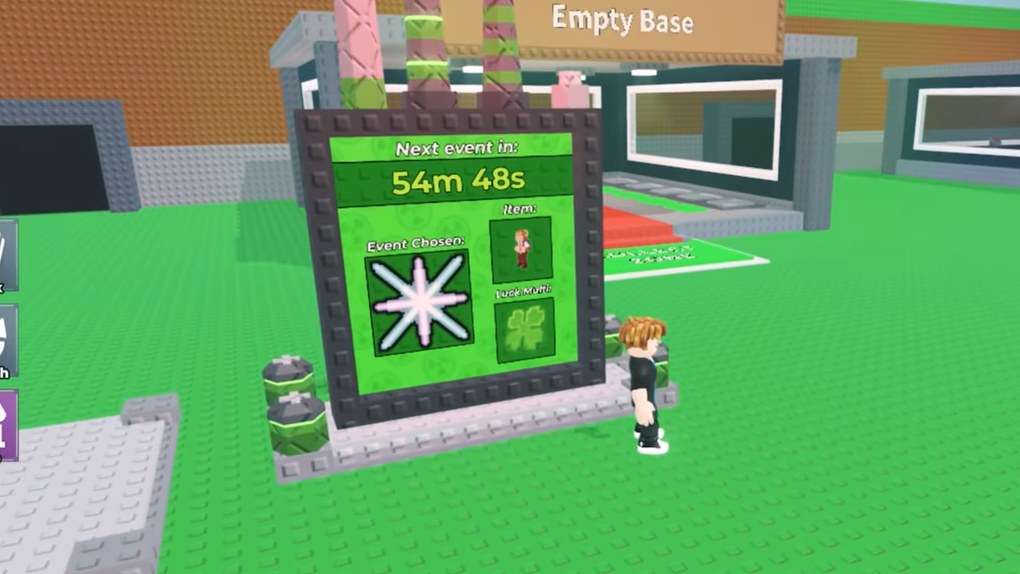
The Admin Machine is a table-style board placed in the main lobby of Steal A Brainrot. It doesn’t take inputs, it doesn’t eat your currency, and you never press a button on it. It behaves like a status screen for the next round of admin-driven chaos.
Every rotation, the board displays three things:
- Next admin event – one of the existing admin events, from harmless boosts to full-on game modifiers.
- Featured brainrot – a specific brainrot that will spawn during that event window.
- Luck multiplier – a server-wide boost that affects how often good things happen while the event is running.
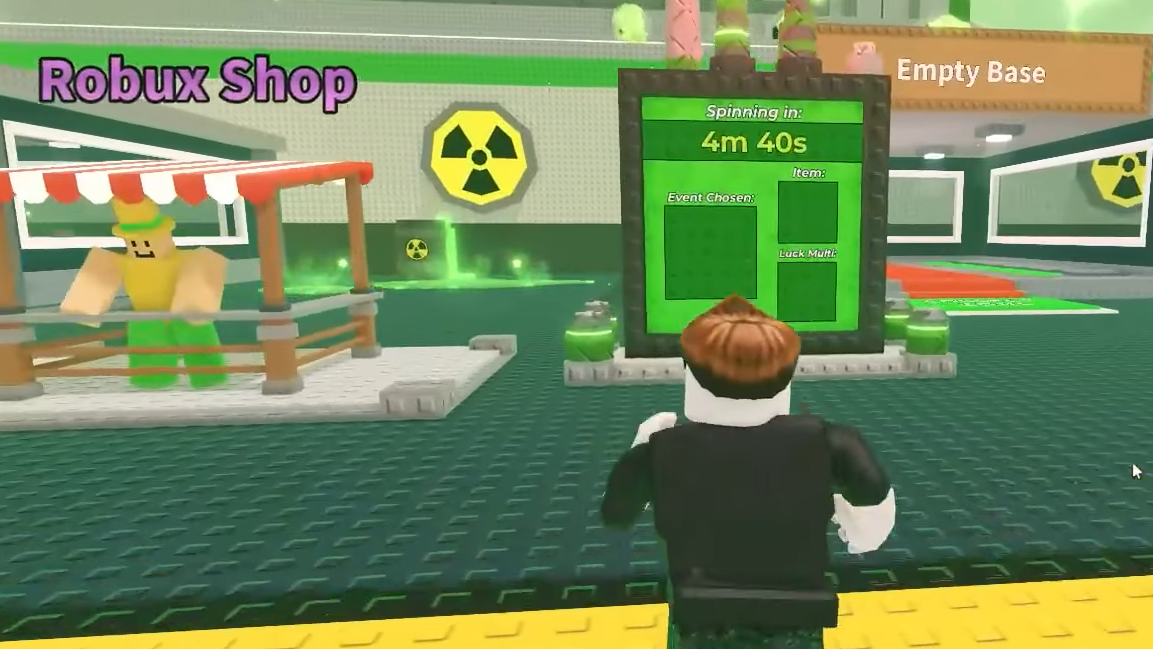
Visually, the machine animates with a spinning “?”-style interrogation sign before it lands on the next combination, leaning into the slot-machine feel the game already likes to play with.
Where to find the Admin Machine
The machine is anchored in the lobby so you can read it before deciding what to do next.
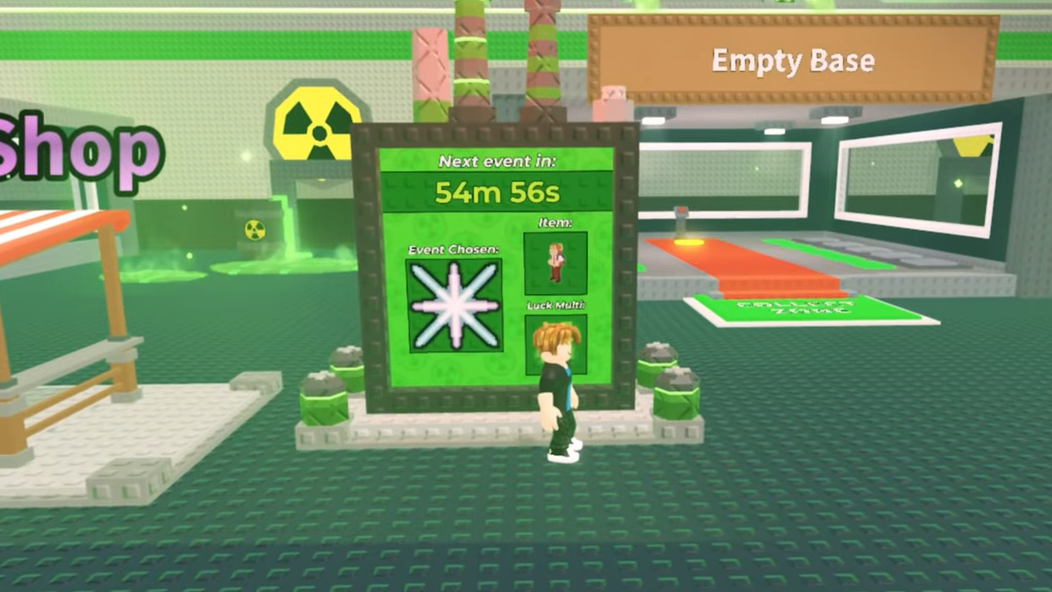
- In the main lobby, it sits beside the Robux Shop, within easy view when you spawn in.
- On the broader Steal A Brainrot map layout, it’s effectively at the center of the map, treated as a hub object that players walk past between sessions at their base.
You never interact with a prompt or menu; you simply walk close enough to read what the board is announcing for the next hour.
How the Admin Machine rotation works
The Admin Machine runs on an hourly heartbeat:
- Every 1 hour, the machine “spins” and picks a fresh combination of event, brainrot, and luck multiplier.
- The selected Admin Event then runs for around 15 minutes.
- After that, there is roughly an hour gap before the next chosen event actually spawns again, keeping the loop from turning into permanent chaos.
- A short refresh delay of about 30 seconds happens after a new event begins, before the board fully updates its display.
The rotation is not random in the usual sense. Developers choose which events, brainrots, and multipliers are in the pool and what shows up each hour, but once it’s posted on the machine, what you see is what the entire server gets.
What can show up on the Admin Machine
The machine pulls from three buckets that already exist in the game’s admin tooling.
- Admin Events – anything tagged as an admin event can appear. That includes simple boosters like bonus spawn waves as well as disruptive modifiers that can change how safe or profitable the map feels for a while.
- Brainrots – any brainrot type can be featured as the next special spawn. This might be something you already have in your collection, or a rare target you’ve been missing.
- Luck multipliers – these raise the global luck value for the event window, impacting drops, hits, and other probabilistic systems while the admin event is active.
Because the pool includes both mundane and high-impact options, some hours will be worth dropping everything for, while others are safe to skip.
How much control players have (and don’t have)
The key design choice behind the Admin Machine is that players do not control it at all.
- You can’t feed it currency.
- You can’t vote for events or brainrots.
- You can’t roll or re-roll the board by standing near it.
Every outcome is set by the admins and surfaced to everyone simultaneously. Your only agency is whether you log in for a specific hour, reposition your base plans around the upcoming modifier, or ignore it entirely.
That lack of direct input keeps the mechanic simple: scan the board, decide whether to commit time for the next window, then either grind hard or go back to business as usual.
How the Admin Machine changes gameplay flow
Admin abuse used to be an occasional, unpredictable spectacle. With the machine in place, it becomes part of the minute-to-minute planning instead of a rare event.
Three shifts stand out:
- Regularized chaos – with a guaranteed event spin every hour, you can plan sessions around specific modifiers instead of hoping an admin logs in at the right time.
- Targeted farming windows – when the board shows a rare brainrot plus a strong luck multiplier, it becomes an obvious time to focus on that target rather than spreading attention across your whole collection.
- Lobby as dashboard – the main lobby stops being just a spawn room and turns into something closer to a schedule board you check between long AFK stretches in your base.
The rhythm is especially noticeable during seasonal updates like the holiday rush, where a steady stream of new brainrots and multipliers keeps players looping back hourly instead of logging off after a single event.
Using the Admin Machine in practice
There are no buttons to press, but there is still a clear routine that makes sense if you want to use the system efficiently.
Step 1: Spawn into the main lobby and walk toward the Robux Shop. Position yourself so the Admin Machine’s board is readable.
Step 2: Read the listed next Admin Event, featured brainrot, and luck multiplier. Decide whether the combination lines up with what you are currently trying to achieve (for example, hunting a specific secret or pushing for big cash spikes).
Step 3: If the event looks valuable, stay online through the upcoming spin and the ~15-minute window while the event is live, moving to your base or farming location as needed.
Step 4: If the event looks uninteresting, step away or switch focus to low-intensity tasks, then come back around the next hourly mark to check the new combination.
How the Admin Machine fits with other systems
Steal A Brainrot already leans heavily on machines and admin levers: Fuse Machine for combining brainrots, fishing events for one-off bursts of value, and lucky blocks that inject extra randomness.
The Admin Machine slots in as a meta-layer on top of all of that:
- Fuse Machine and other upgraders still define your long-term progression, but an admin event with a good multiplier can make specific fuse attempts more tempting in that window.
- Brainrot spawns shift with each hourly brainrot selection, steering which parts of your collection are worth investing time into at any given moment.
- Seasonal features like the Advent Calendar and returning secrets such as Tung Tung Tung Sahur gain extra life when paired with favorable admin events or luck spikes posted on the board.
None of these systems is required to use the Admin Machine, but the board makes it easier to decide when to prioritize them.
Is the Admin Machine permanent?
The Admin Machine is not a temporary Christmas prop. It is described as a permanent fixture of Steal A Brainrot’s map and pacing. Players can check it at any time to see when the next admin-controlled twist is scheduled, and admins use it as the surface for their event stream going forward.
That permanence is important because it shifts player expectations from “sometimes admins will do something wild” to “every hour there will be a defined event, and I can decide how much I care about this one.” It stabilizes the chaos into a repeatable loop.
Steal A Brainrot has always been about riding waves of absurd luck and admin-induced mayhem. The Admin Machine doesn’t try to tame that; it just pins it to a wall where everyone can see it coming. If you treat the board like a train schedule for your grinding sessions, it becomes one of the most powerful tools in the lobby—even if you never touch it.