

Hollypaw is an Uncommon Fortnite Wrap that’s being distributed as a free claim through the Epic Games Store. It’s part of the Luckypaw set, and it first released on Dec 11, 2025. In your Locker, it can be applied broadly to weapon slots like other wraps, giving your loadout a holiday-themed look.
What Hollypaw is (and why it’s different from an Item Shop buy)
Unlike a standard Item Shop purchase inside Fortnite, Hollypaw is redeemed through the Epic Games Store as a $0 “Get” checkout. That means it behaves more like an add-on you attach to your Epic account, then pick up inside Fortnite once the game syncs your entitlements.
In practical terms: you don’t need V-Bucks, but you do need to be signed into the correct Epic account when you claim it.
Claim Hollypaw Wrap from the Epic Games Store
Step 1: Sign in to the Epic Games Store with the Epic account you use for Fortnite. This is the account that must receive the wrap entitlement.
Step 2: Open the Hollypaw Wrap product page and confirm you’re still signed in before continuing. Use the official listing: Epic Games Store Hollypaw Wrap page.
Step 3: Select the blue Get button and proceed through checkout. The total should be $0, and completing the flow adds it to your library.
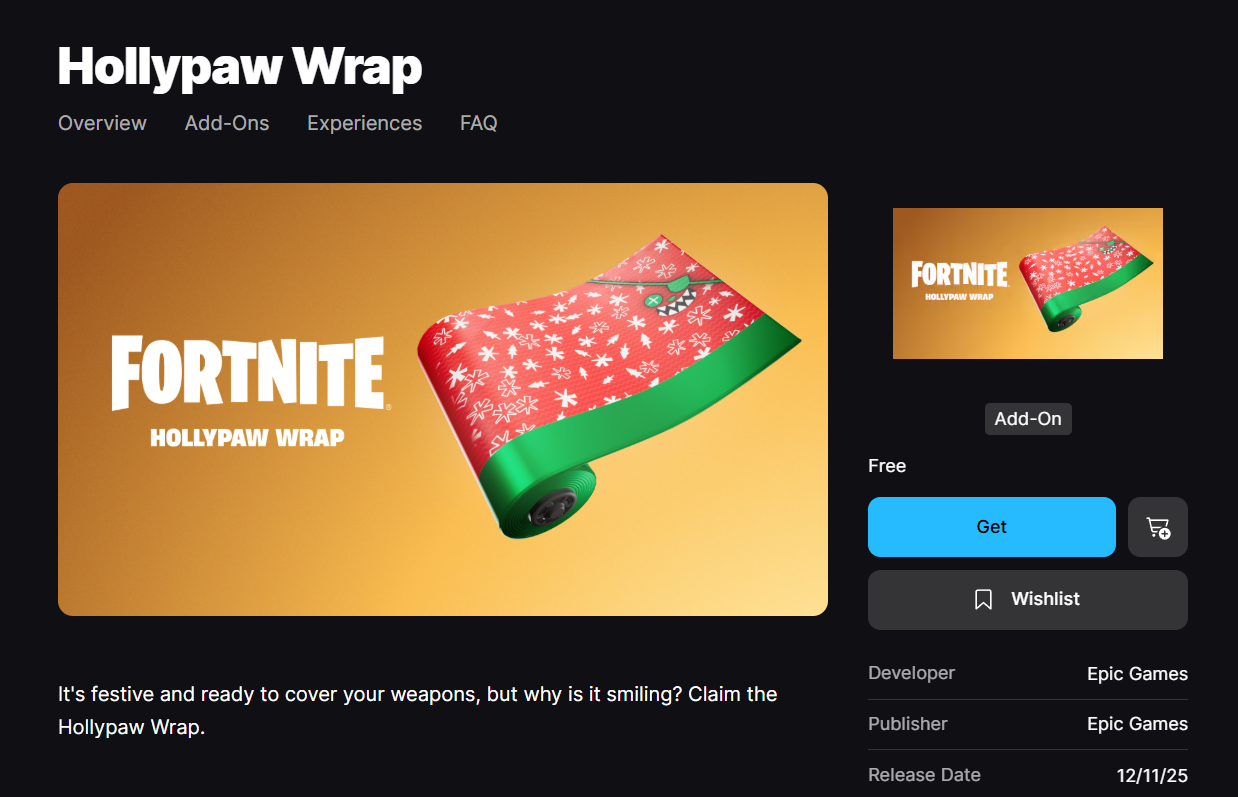
Step 4: Launch Fortnite and check your Locker for Hollypaw under Wraps. If you use presets, confirm you’re viewing the correct one before assuming it’s missing.
If Hollypaw doesn’t show up in Fortnite after claiming
The most common fix is a clean refresh of Fortnite’s session after the store claim completes.
Step 1: Fully close Fortnite (don’t leave it suspended or idling in the background).
Step 2: Relaunch Fortnite and re-check your Locker’s Wraps. The entitlement typically appears after a restart.
Common claiming problems: page errors and device quirks
Some players hit errors while trying to claim the wrap, and others report the link not working reliably on mobile. If the store page fails to load or the claim errors out, try switching to a different device or using the Epic Games Launcher on PC, then repeat the same “Get” checkout flow.
Also double-check that you didn’t accidentally sign into a secondary Epic account in a browser or app. A successful $0 claim on the wrong account won’t transfer to the one you actually play on.
Hollypaw reference details
| Field | Value |
|---|---|
| Name | Hollypaw |
| Rarity | Uncommon |
| Type | Wrap (Weapon) |
| Set | Luckypaw set |
| Release date | Dec 11, 2025 |
| ID | Wrap_BunnyPurple_Festive |
| Distribution | Epic Games Store free claim |
Once the claim is attached to your Epic account, Hollypaw behaves like any other wrap in Fortnite: equip it per slot, or use “apply to all” if you want the same look across your loadout.