

Runes are the quiet power spike in The Forge. They turn ordinary swords, armor pieces, and pickaxes into build-defining tools, and on late-game gear they can be worth more than the item they’re socketed into. The good news: once a rune is slotted, it is not stuck there forever. You can pull it out intact and use it again—if you’re willing to pay.
Can you remove runes from weapons, armor, and pickaxes?
Yes. Any rune you’ve attached to a weapon, armor piece, or pickaxe in The Forge can be detached and reused. Removal does not:
- Destroy the gear.
- Destroy or downgrade the rune.
- Limit how many times you can move the rune.
You can add and remove the same rune as many times as you like. The only real constraint is gold.
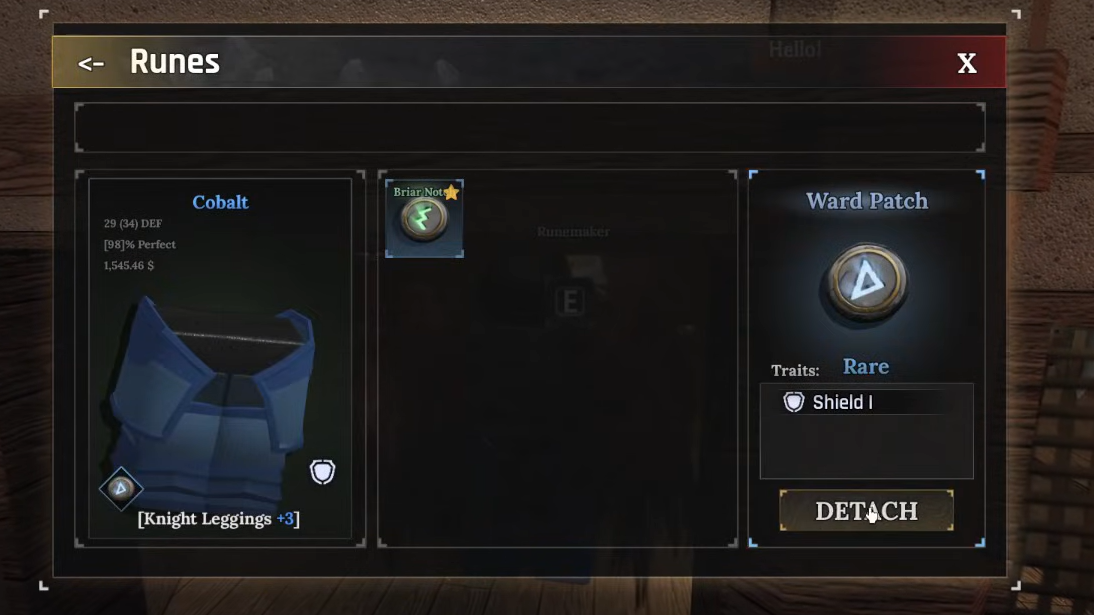
Where to remove runes in The Forge
Rune removal is handled by a single vendor: the RuneMaker NPC. You use the same interface for attaching and detaching runes, so once you’ve slotted a few you already know most of the flow.
Step 1: Go to the RuneMaker NPC in town and walk up close enough for the interaction prompt to appear.
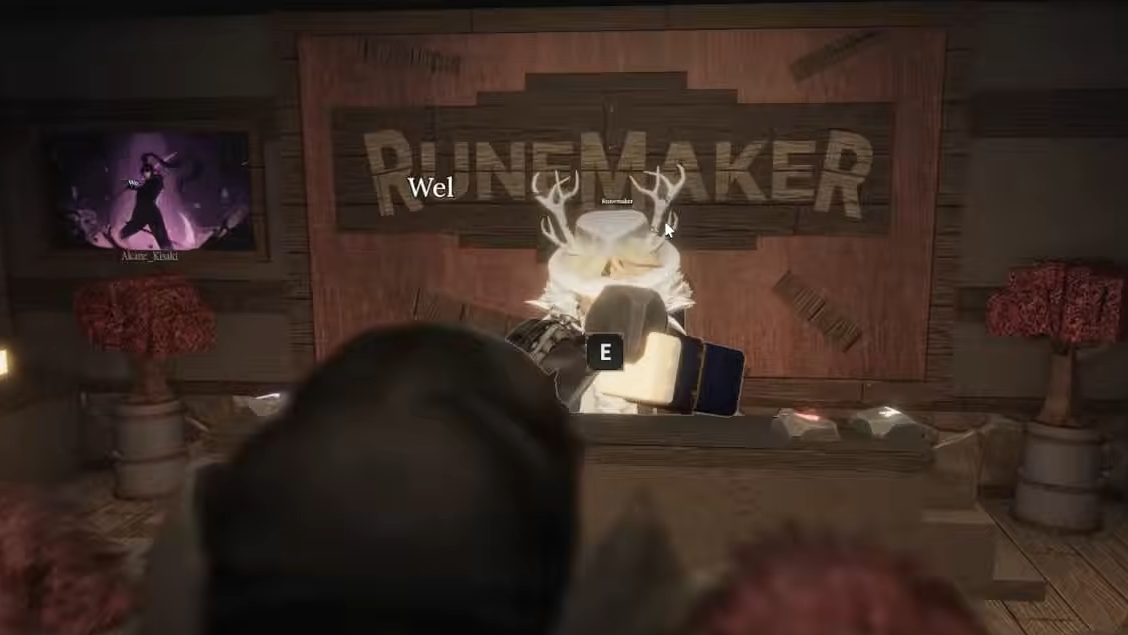
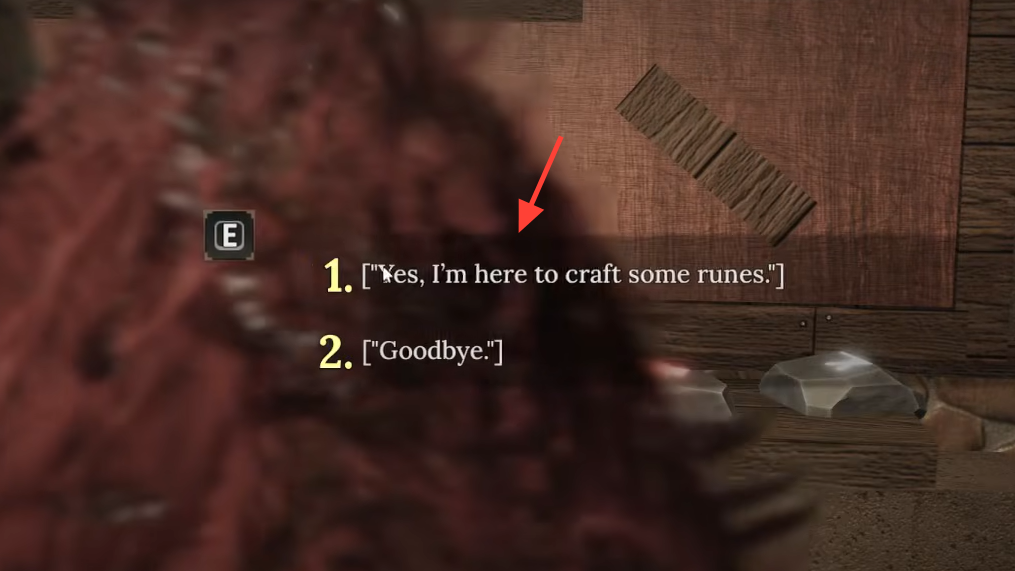
Step 2: Press E to talk to the RuneMaker, then choose the dialogue option “Yes, I am here to craft some runes.” This opens the rune management screen.
Step 3: In the Select Equipment panel, click the weapon, armor piece, or pickaxe that currently holds the rune you want to remove, then hit Select.

How to detach a rune step by step
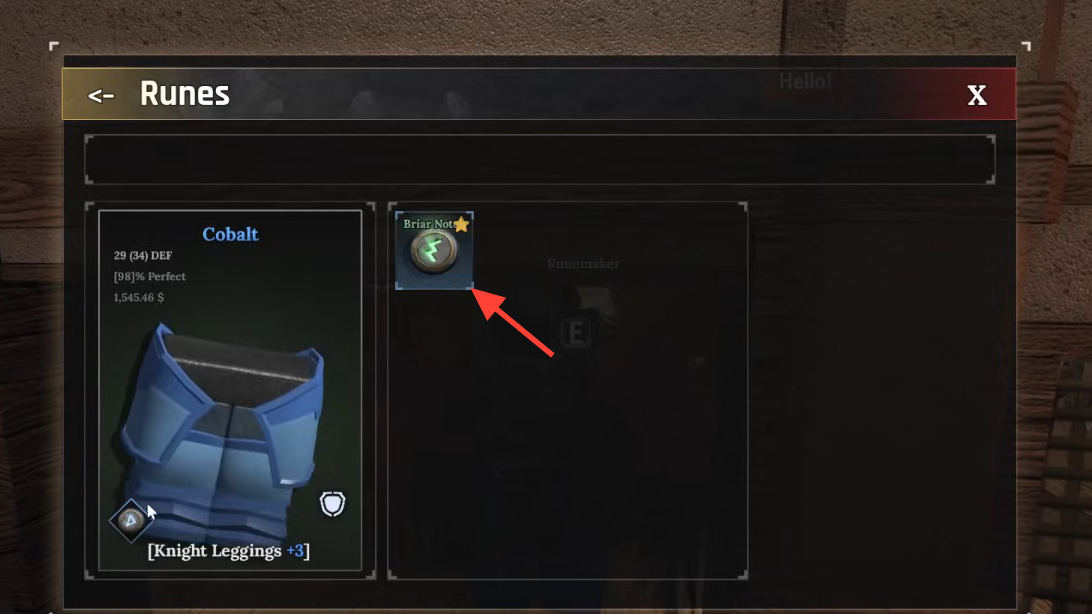
Once the equipment is selected, you’ll see its rune slots and any runes currently in them.
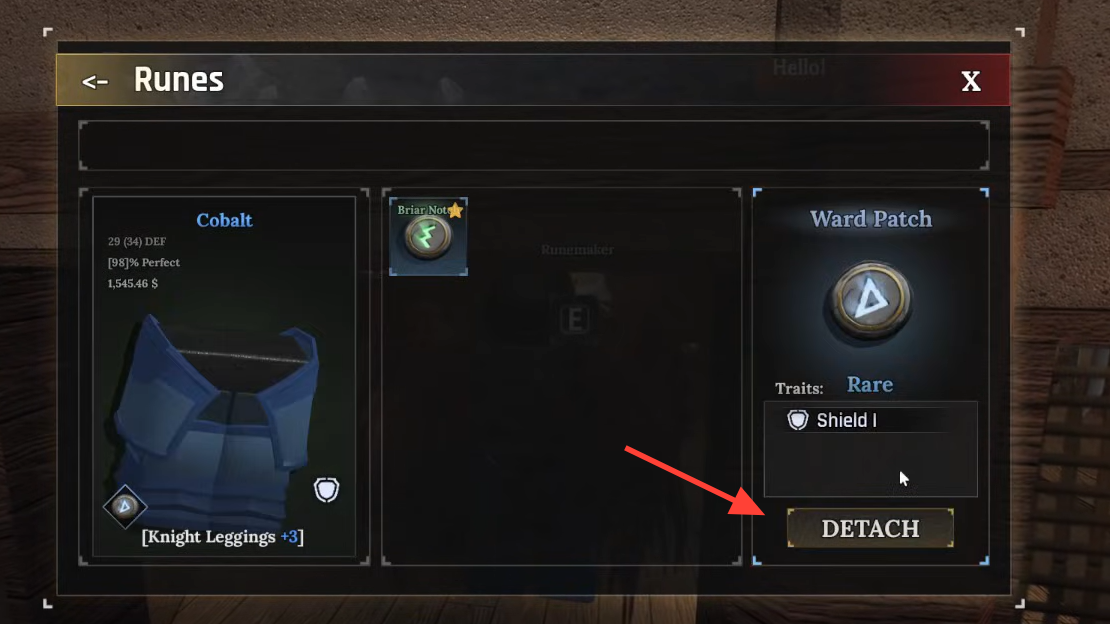
Step 1: In the gear window, click the small rune icon sitting in the slot you want to clear. That specific rune will appear on the right side of the interface with its name and effect.
Step 2: Click the Detach button under the rune’s description. A confirmation window will pop up showing the gold cost for removing that rune from this item.
Step 3: Review the price. If you’re fine with it, press YES. If not, press NO to cancel and leave the rune where it is.
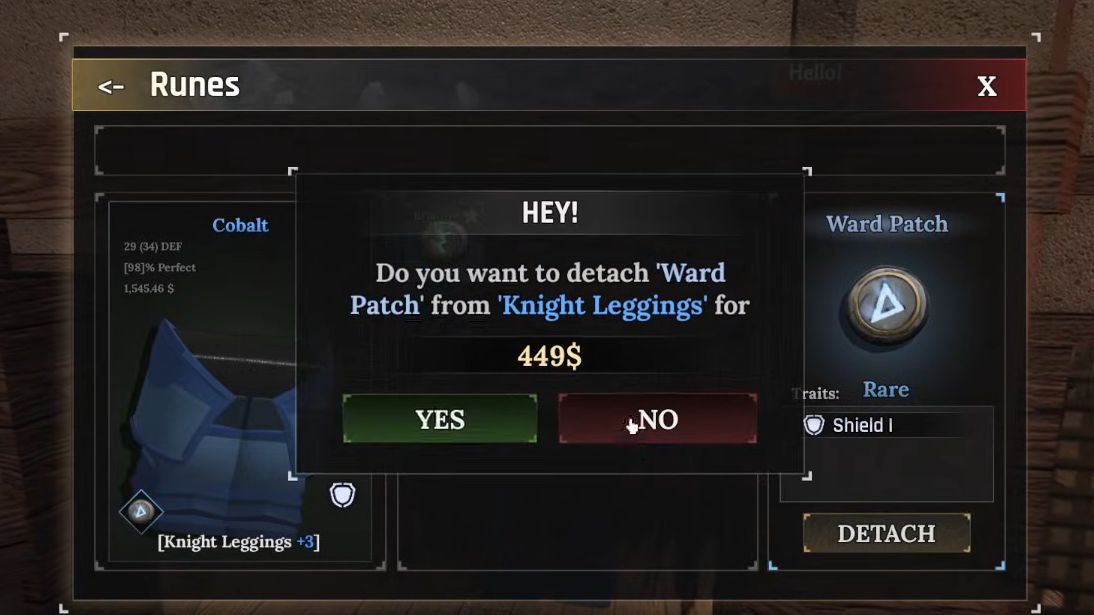
Step 4: After confirming, the rune disappears from the gear’s slot and is sent back to your rune stash, ready to be attached to another weapon, armor piece, or pickaxe later.
There’s no cooldown or durability hit involved. The only resource you lose is the gold you just spent.
Rune detachment cost in The Forge
Detaching a rune is never free. The game calculates a gold fee each time based on several internal factors, including:
- The specific rune you’re removing.
- The base quality or tier of the gear.
- The current enhancement level of that item.
- Other hidden multipliers tied to the item’s value.
The result is that two removals can have very different prices:
- Pulling a Miner Shard off a Platinum Pickaxe can cost around 1,313 gold.
- Removing the starter Ward Patch from a pair of Medium Leggings +3 is closer to 132 gold.
There isn’t a simple public formula you can memorize. The cost is tied to the item’s value and upgrades, so higher-end gear and powerful pickaxes will almost always be more expensive to strip.
When to detach a rune vs. leave it on the item
Because every part of progression in The Forge leans on gold—enhancing, forging, buying gear, attaching runes—you should treat each detachment as an investment decision.
Detaching a rune usually makes sense when:
- The rune is rare or has an excellent effect or sub stat (for example, a strong Miner Shard or a top-tier weapon rune).
- The item it’s on is being permanently retired from your build.
- The detachment fee is lower than what it would cost you in time and gold to farm the same rune again.
Leaving the rune on the item and selling the gear can be better when:
- The rune is common or weak and easy to re-farm.
- The detachment fee is very high because the item is premium or heavily enhanced.
- You need a quick gold injection, and selling the item with the rune still attached gives you more total value than stripping and selling separately.
Gold is the bottleneck for almost everything in The Forge, so it’s often smarter to sell a mid-tier piece with its rune intact and wait to detach only on endgame setups.

How rune detachment interacts with rune quality and usage
Rune removal in The Forge is forgiving. A few key rules always apply:
- Infinite re-use: A rune can be attached and detached any number of times. There is no hidden durability, counter, or decay.
- No quality loss: A rune’s stats do not change when you pull it out. If it rolled great values initially, those numbers are preserved across every gear swap.
- No upgrades yet: There is currently no system for upgrading or combining runes into higher tiers. Each rune you drop stays at its existing tier and roll.
That makes high-rolled runes long-term assets. Once you find a standout copy of something like a strong Miner Shard or a top-tier weapon rune, you can treat it as part of your account’s permanent toolkit and pay to move it forward as you replace gear.
Detaching runes from different item types
The detachment process is identical no matter what you’re pulling the rune off, but the stakes are different depending on the slot.
Weapons
Weapon runes can dramatically change your combat feel and damage output. Moving your best weapon rune from an outdated sword to a new endgame weapon is usually worth paying a respectable fee, because:
- You only run one main weapon at a time.
- Farming a high-rolled weapon rune again can be slow.
Here, gold spent on detachment tends to be justified if the rune is core to your build.
Armor
Armor runes are more defensive and utility-focused. Many of them are less build-defining than weapon runes or pickaxe Miner Shards, so you should be stricter:
- Detach only the armor runes that have standout stats (for example, great max HP or movement speed sub stats).
- For generic or low-roll armor runes, it’s often fine to leave them on the piece and move on.
Pickaxes
Pickaxes are where the costs spike hardest. Attaching and detaching runes here is expensive because late-game pickaxes have high base values and big upgrade investments.
- Detaching a Miner Shard from a high-end pickaxe can cost well over a thousand gold.
- On top-tier tools, detachment fees can scale into very punishing sums.
For that reason, many players treat pickaxe runes as semi-permanent on a specific tool. If you’re not slotting one of the best Miner Shard variants (Luck, Mine Power, or Swift Mining with strong rolls), it can be better to wait and save your gold rather than rotate weaker runes through multiple pickaxes.

Practical routine for managing runes as you upgrade gear
Rune detachment only becomes painful when it’s done impulsively. A simple routine keeps costs under control while you still benefit from strong runes:
Step 1: Tag your “keeper” runes mentally (or in your own notes): rare drops, strong core effects, and especially good stat rolls.
Step 2: As you upgrade gear, only detach from pieces that were using these keeper runes. Treat everything else as expendable.
Step 3: Before confirming a detachment, compare the fee to what you’d gain by selling the item with its rune. If selling yields a big gold gain and the rune isn’t irreplaceable, walk away from the removal.
Step 4: Reserve rune detachments on pickaxes for late-game, high-value runes you expect to run for a long time. Until you reach that point, it’s often safer to skip attaching anything to your mining tools or use runes you’re comfortable losing.
Rune removal in The Forge is powerful precisely because it’s not free. With a bit of planning—saving detachments for rare, high-rolled runes and double-checking costs before you confirm—you can keep your best runes moving forward with your build instead of leaving them buried on old gear.