

Storm Leather is a refined crafting ingredient in Hytale. Even though it’s part of the leather progression (hide → leather), it isn’t currently obtainable through regular Adventure Mode gameplay because Storm Hide doesn’t drop from any mobs.
Storm Leather availability in Adventure Mode (normal gameplay)
Storm Leather is effectively blocked behind Storm Hide, and Storm Hide has no active enemy drops in Adventure Mode at the moment. That means you can’t farm it, can’t hunt for it, and can’t refine it through normal progression.
Item. |
Storm Leather. |
Type. |
Ingredient. |
Classification. |
Refined Material. |
Refined at. |
Tanning Rack. |
Farmable. |
No. |
Practical way to obtain right now. |
Creative Mode or console commands. |
Get Storm Leather via Creative Mode
Creative Mode is the most direct way to obtain Storm Leather, since you can take it straight from the item menu without needing Storm Hide first.
Step 1: Switch your session to Creative Mode. This is required because Adventure Mode can’t supply Storm Hide drops right now.
Step 2: Open the Creative inventory menu. This is where you can access items that aren’t currently obtainable through normal drops.
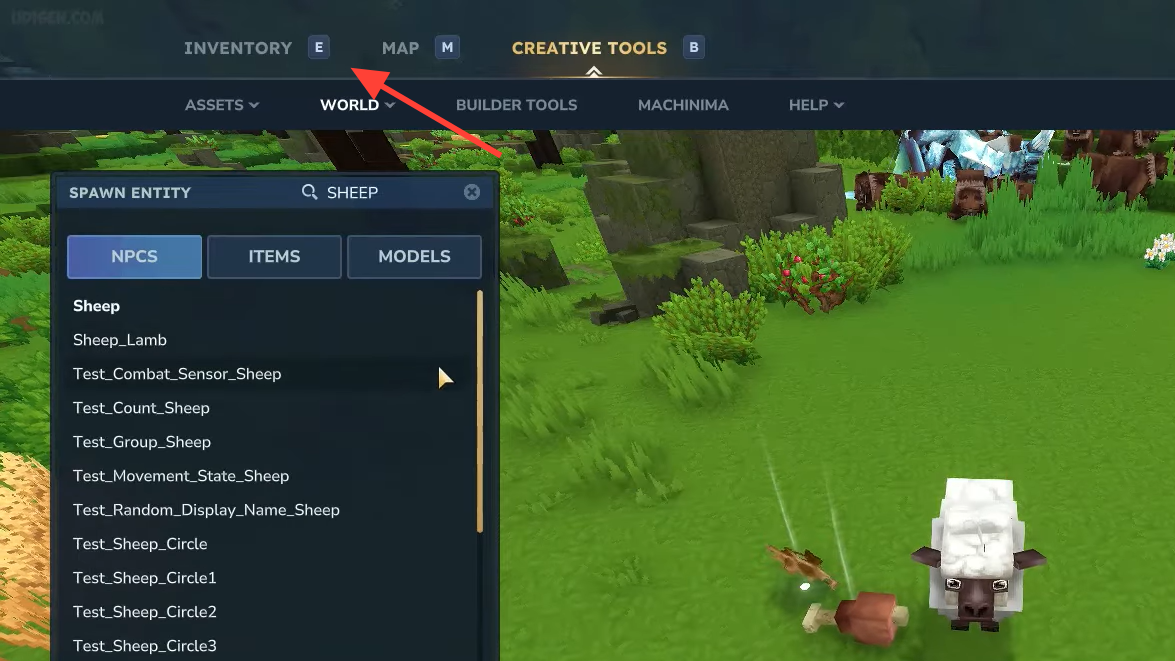
Step 3: Search for Storm Leather in the item list. Add it to your inventory so you can carry it into your build or crafting setup.
Use /op self and o to toggle Creative access
If your world is running in Adventure Mode and you want a quick way to access Creative items, you can grant yourself operator privileges and use the mode toggle.
Step 1: Enter /op self. This gives your character the permission needed to use certain admin controls.
Step 2: Press o once. This toggles you into Creative access so you can pull restricted items.
Step 3: Open the Creative inventory menu. Locate Storm Leather and move it into your inventory.
Step 4: Press o again. This returns you to Adventure Mode so you can continue playing normally.
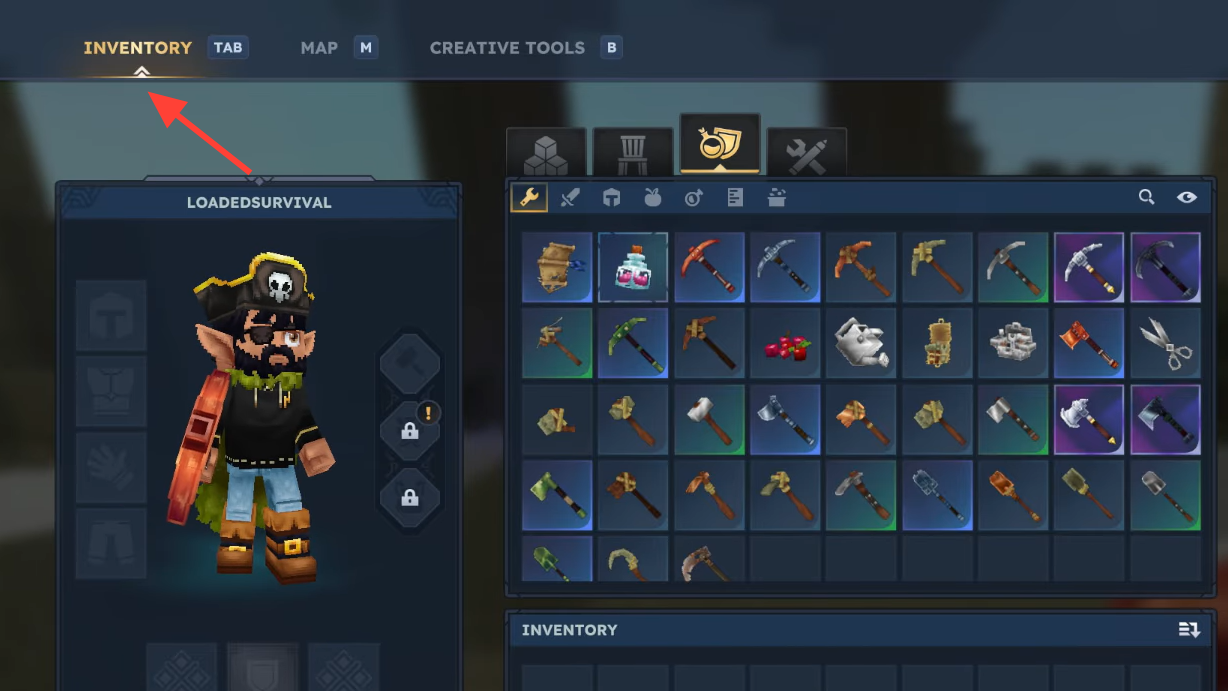
Craft Storm Leather from Storm Hide (Tanning Rack)
Storm Leather is a refined material, so the intended crafting chain is to process Storm Hide at a Tanning Rack. The catch is that Storm Hide itself isn’t currently available through Adventure Mode drops, so you’ll typically only do this after obtaining Storm Hide via Creative Mode or commands.
Station. |
Tanning Rack. |
Input. |
Storm Hide. |
Output. |
Storm Leather. |
Processing time. |
60 seconds. |
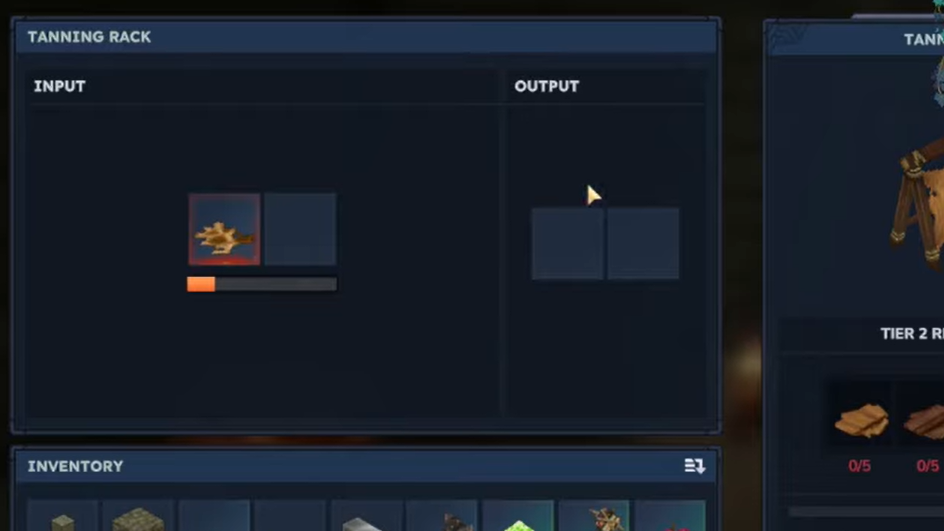
Step 1: Place or interact with a Tanning Rack. You need access to this station because Storm Leather is marked as a refined material.
Step 2: Put Storm Hide into the Tanning Rack’s input slot. Storm Hide is the required raw material for the conversion.
Step 3: Start the refining process. This consumes the Storm Hide as part of the craft.
Step 4: Wait for the timer to finish. The Storm Hide → Storm Leather recipe completes in 60 seconds.
Step 5: Collect Storm Leather from the output. You can now use it in crafting recipes that require Storm Leather.
Craft a Tanning Rack (Adventure Mode recipe)
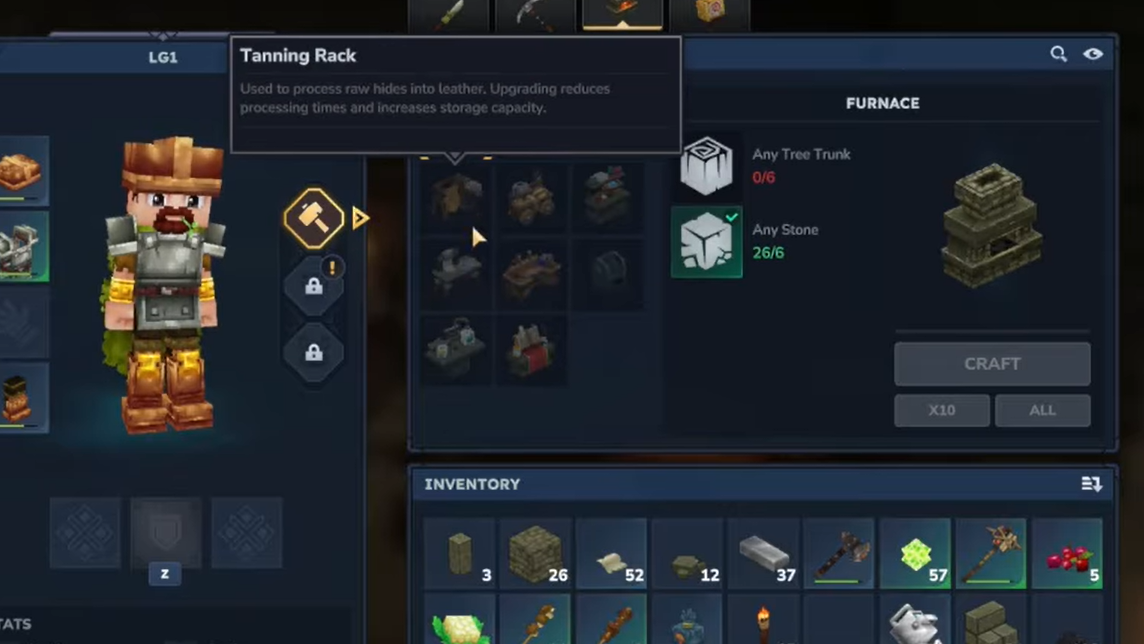
If you don’t already have a Tanning Rack placed, you can craft one using basic materials plus Light Hide. This is the same station used for turning other hides into leather as well.
Ingredient. |
Amount. |
Any tree trunk. |
6. |
Any stone. |
3. |
Light hide. |
3. |
Storm Leather identifier and examples of what it crafts
If you’re using item spawning workflows, Storm Leather has a specific in-game identifier. Identifiers are used to reference items consistently in command and data contexts.
Ingredient_Leather_StormStorm Leather is also used in multiple higher-tier recipes. Here are a few common examples.
Crafted item. |
Storm Leather needed. |
Backpack Upgrade II. |
16. |
Mithril Shield. |
3. |
Mithril Sword. |
3. |
If you’re playing Adventure Mode only, Storm Leather isn’t something you can grind out yet. For building and testing recipes, Creative Mode (or an operator toggle) is the reliable path for now.