

Public servers in Brainrot Evolution get crowded fast. During boss fights or when you are grinding for secret characters, random players can slow you down or pull enemies away at the worst possible time. Private servers are the simplest way to control who you play with and when.
Active Brainrot Evolution private server link
At the moment, one shared VIP link is publicly available for Brainrot Evolution:
| Server | Host |
|---|---|
| Brainrot Evolution Private Server | Ranyel |
On PC or mobile, clicking the link opens the Brainrot Evolution page in your browser, then hands you off to the Roblox app to load directly into that VIP server.
These shared servers stay up only as long as the owner keeps paying for them and chooses to leave the invite link public, so it is normal for some links to stop working over time.
How private servers work in Brainrot Evolution
Private servers in Brainrot Evolution are standard Roblox VIP servers. Gameplay and progression are identical to public servers. You use the same save data, unlock the same evolutions, and open the same eggs.
The only real change is who can join:
- Access control: The server owner decides whether the server is friends-only, link-only, or open to specific usernames.
- Capacity: Each Brainrot Evolution server supports up to 10 players, matching the game’s regular server size.
- Billing: Servers are rented, not bought outright. You pay in Robux, and the subscription renews on a schedule set by Roblox for that experience.
Because the game does not distinguish between public and private servers at a systems level, anything you can do in public—bosses, raids, eggs, pets, secrets—you can also do in a private instance.
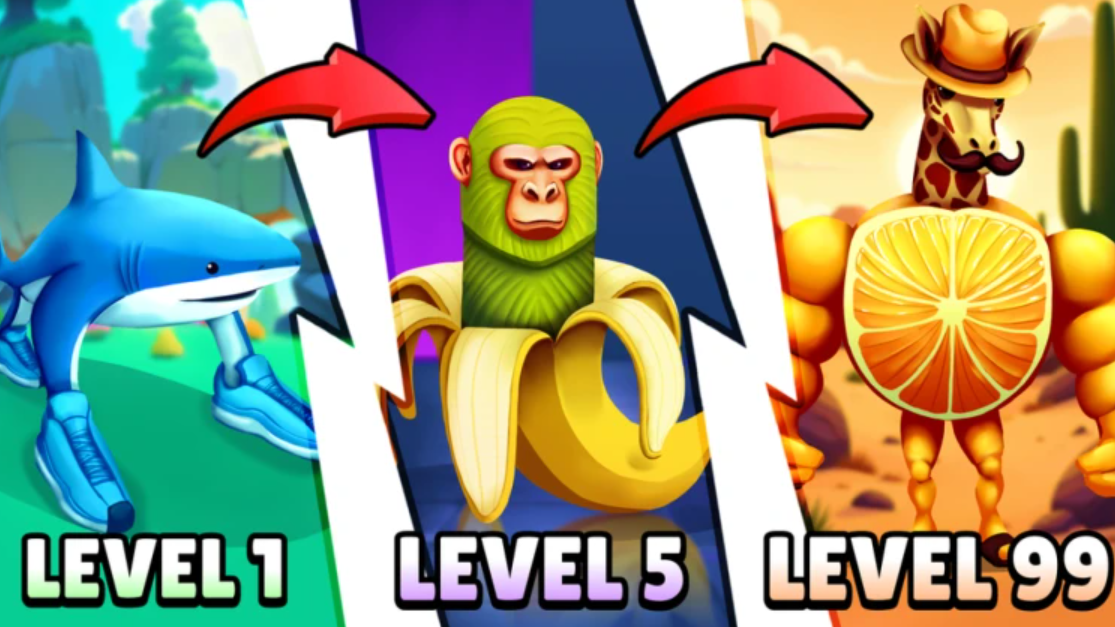
How to buy your own Brainrot Evolution private server
You can create a personal VIP server for Brainrot Evolution directly from its Roblox experience page. Private servers for this game cost 29 Robux and renew on a subscription basis.
Step 1: Open the Brainrot Evolution listing on Roblox at roblox.com/games/111989938562194/Brainrot-Evolution on the platform you use (browser, desktop app, or mobile app) and sign in to your Roblox account.
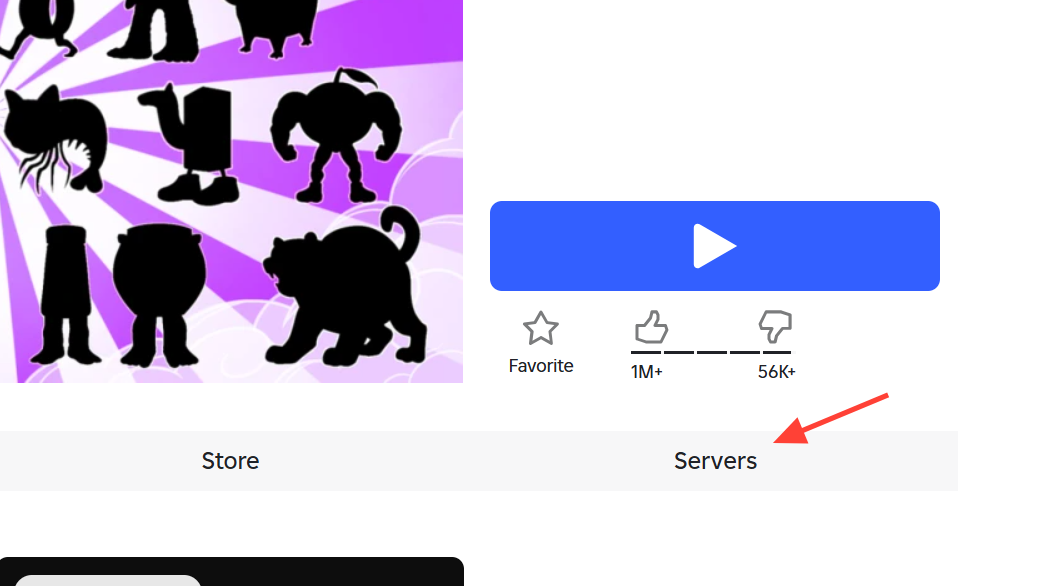
Step 2: Scroll down the page until you see the navigation tabs for the experience and select the Servers tab on the right side.
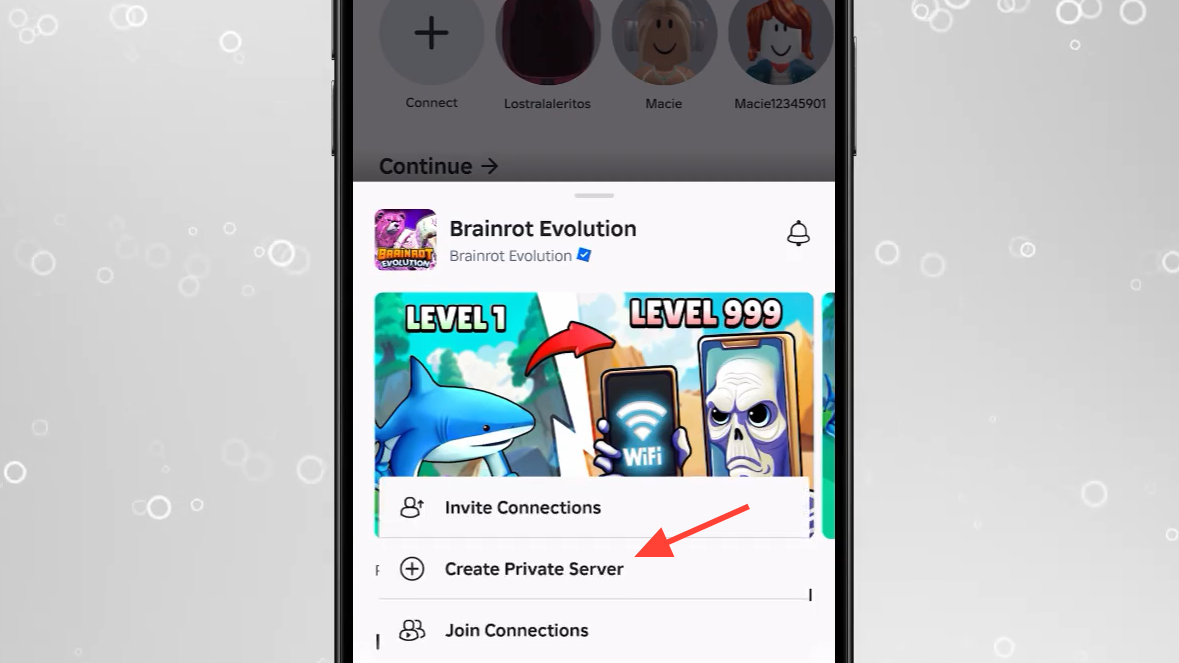
Step 3: In the Private Servers section, select Create Private Server. Roblox will show the current price, which is 29 Robux for Brainrot Evolution.
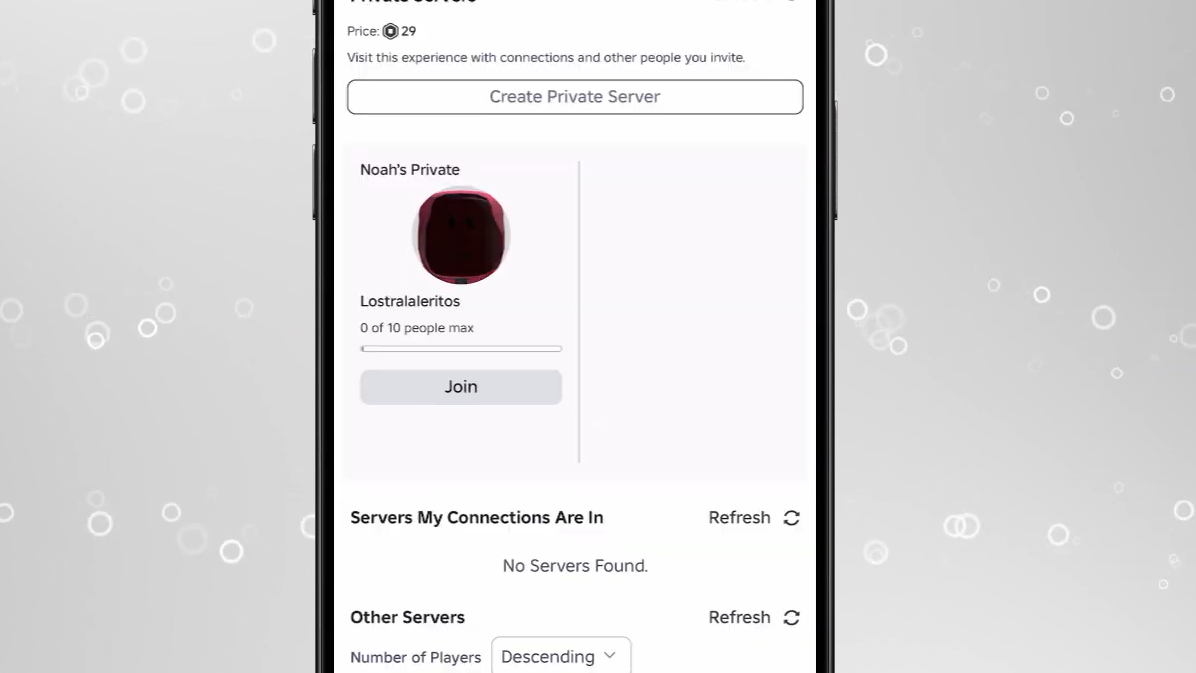
Step 4: Enter a name for your server. Keep it recognizable so your friends can identify it in their server list.
Step 5: Confirm the purchase to spend 29 Robux. Roblox will create the server and attach it to your account as an ongoing subscription for this experience.
Step 6: After the server is created, open its settings (Customize) to adjust who can join and to copy the invite link if you want to share it.
Brainrot Evolution private server size and limitations
Each Brainrot Evolution server, public or private, supports up to 10 simultaneous players.
| Setting | Value |
|---|---|
| Maximum players per server | 10 |
| Server type | Public and Private use the same rules |
| Player cap controls | No in-game slider; only join permissions |
You cannot increase this cap through the private server menu. If you want a different group composition, you have two options: remove some players from the allow list, or create an additional private server (for more Robux) and split the group.
How to join a Brainrot Evolution private server
Joining a VIP server is straightforward on PC and mobile, and a bit more roundabout on consoles because console users cannot click web links directly.
Join via invite link (PC and mobile)
Step 1: Click or tap the private server link in your browser or chat app. For shared servers, the link will point to a URL on https://www.roblox.com with a type=Server or a privateServerLinkCode parameter.
Step 2: When the Roblox page opens, sign in if needed and confirm the prompt to open the Roblox app.
Step 3: Roblox will launch Brainrot Evolution and connect you directly to that specific private server, as long as the owner has allowed link-based joins and the server is still active.
To rejoin later without the link, open the Brainrot Evolution page, switch to the Servers tab, and look under the Private Servers list tied to your account. Any server you own or are allowed to join appears there.
Join from console (PlayStation and Xbox)
Console players cannot follow web links directly, so the usual workaround is to use a second device or a friend’s account.
Step 1: On a phone or PC, log into an alternate Roblox account and join the target private server through the invite link or Private Servers list.
Step 2: Add your main console account as a friend from that alternate account inside Roblox if you have not already.
Step 3: On your console, sign in to your main Roblox account and accept the friend request.
Step 4: From the console, join the alternate account’s session in Brainrot Evolution through the “Join” or friend-session feature. Roblox will route you into the same private server, provided the owner allows friends of participants or has explicitly added your username.
Server owners can make this easier by opening the private server’s Customize panel on the Roblox website, turning on the “Allow joining via link” style setting, and adding trusted usernames directly where possible.
Is buying a Brainrot Evolution private server worth 29 Robux?
Whether a private server is worth paying for depends on how you play Brainrot Evolution.
It is usually a good value if:
- You hunt secret Brainrot characters: Many secrets require focused grinding or specific setups. Not having strangers interrupt spawns or pull bosses away makes this far smoother.
- You play mostly with a fixed group: A private server gives you a consistent space where only your friends show up, making it easier to coordinate party boosts and shared goals.
- You dislike frequent help requests: In public servers, other players often ask higher-level players to carry them. A private server lets you opt out of that social load.
On the other hand, if you are still early in the game, play sporadically, or enjoy the chaos of full public lobbies, you may not need a recurring VIP subscription yet. Public servers already provide all core mechanics and progression paths.
Private vs public servers in Brainrot Evolution
From a systems standpoint, Brainrot Evolution treats public and private servers the same. Differences are social, not mechanical.
| Aspect | Public server | Private server |
|---|---|---|
| Gameplay rules | Standard | Standard (no gameplay changes) |
| Secret character availability | Available | Available |
| Eggs, pets, items | Available | Available |
| Who can join | Anyone via matchmaking | Only owner-approved players or link holders |
| Cost | Free | 29 Robux on a recurring basis |
That means you do not miss out on events, drops, or systems by staying on public servers. You are paying purely for control over who you share the instance with.
Managing and renewing your private server subscription
Because Brainrot Evolution private servers use Roblox’s subscription system, they renew automatically using your Robux balance. If your balance is too low on the renewal date, the server will eventually expire, and its invite link will stop working.
To avoid surprises, keep an eye on:
- Your Robux balance: Make sure you have at least 29 Robux available around the renewal date.
- Server status: If friends suddenly cannot join, check the Servers tab on the Brainrot Evolution page to confirm the VIP server still appears under your account.
Roblox also allows you to cancel private server subscriptions through the same Servers tab by opening the three-dot menu next to your server and turning off renewal. After cancellation, the server remains usable until the current paid period ends.
For players who are serious about long-term progression, collecting every secret, or simply avoiding constant interruptions, a Brainrot Evolution private server is one of the few paid upgrades that directly improve the day-to-day experience. Used well, a single 10-slot instance can serve an entire friend group for grinding, testing, and showing off new evolutions without strangers cutting in.