

Steal A Brainrot is far easier to progress in when nobody is camping your base or swiping your rare brainrots. That is exactly what private servers are for: small, controlled lobbies where you and a few others can grind, farm mythical and Brainrot rarity characters, or trade without the constant noise of public matchmaking.
Why Steal A Brainrot private servers matter
On public servers, every strong brainrot you place on your base is a target. Other players can run into your area, stun you, and walk off with your rarest units. That PvP loop is part of the game, but it also slows down early and mid-game progress dramatically.
Private servers change that dynamic. You still get the same spawn rates, item prices, and progression systems as public servers, but you control who is allowed in. That gives you room to:
- Hunt mythical and Brainrot rarity characters safely, especially on the central ramp, without being stunned mid-pickup.
- Build and optimize your base without constantly having to defend it.
- Run co-op farming sessions with friends or trusted traders under clear “no steal” rules.
There is no mechanical gameplay advantage baked into private lobbies; the benefit is simply having fewer (or zero) hostile players around. That alone makes progression faster and more predictable.
Current Steal A Brainrot private server links (January 2026)
Several owners are hosting public-facing private servers that anyone can join through a direct Roblox link. Capacity on each server is eight players, the same as a normal public lobby, so slots will occasionally be full, or the owner might have changed settings since they were shared.
| Server | Owner / Host | Notes |
|---|---|---|
| Link 1 | Misz | General private lobby for quiet farming. |
| Link 2 | ProGod | Frequently referenced as a stable “official-style” server. |
| Link 3 | Monkey 16 | Standard community server, small lobbies. |
| Link 4 | CoolKid | Another low-population option for casual grinding. |
| Link 5 | Reaper | Community server; often used when other links are crowded. |
These are public invites to private instances of the main Steal A Brainrot game. Treat them like shared lobbies run by individual owners. Rules are usually informal, but many owners expect no stealing or scamming; if you break those rules, you risk being kicked or banned from that specific server.
Bigger community lists and themed private servers
Beyond individual links, there are larger community-maintained lists that group dozens of servers by rules and activity type. These often distinguish between:
- No-steal servers focused on peaceful farming and trading.
- Trading-only servers where PvP and stealing are usually banned.
- Giveaway or “high luck” servers run by owners doing events or using special boosts.
- Admin-abuse or chaos servers where owners explicitly play around with admin tools.
Owners frequently label their lobbies with titles like “Steal = Ban”, “free ps no steal”, or “TRADING SERVER | STEAL = BAN” to signal strict rules against taking other players’ brainrots. If you want a calm environment to stack up rare units, these tags are worth watching for when you pick a link from any public list.
Always remember that every private server is under the control of its owner. They decide who stays, which rules apply, and how strictly those rules are enforced.
How to join a Steal A Brainrot private server from a link
Joining through a direct URL is straightforward and works on both PC and mobile. Console access is possible, too, but it usually depends on friends already being inside the server.
Step 1: Copy or tap the private server link you want to use. On PC or mobile, this opens the Steal A Brainrot game page in your browser or directly in the Roblox app.
Step 2: When prompted, approve the request to open the Roblox client on your device. This handoff is what actually launches the game.
Step 3: Wait for Roblox to start joining the specific private server instance tied to that link. If you see an error about permissions or endlessly long loading, back out and try another link; the owner may have closed access or the server may be offline.
On Xbox or PlayStation, you usually cannot paste links. The common workaround is to have a friend on PC or mobile join the private server first, then invite you through the Roblox friends or party system while you’re in the main Steal A Brainrot menu.
How to buy and host your own Steal A Brainrot private server
Owning your own server is the cleanest way to control who you play with and what kind of behavior you allow. Steal A Brainrot uses Roblox’s private server system, which runs as a monthly subscription.
Step 1: Open the Steal A Brainrot experience page on any supported platform. On PC or mobile, you can go directly to the Roblox game listing at roblox.com/games/109983668079237.
Step 2: Scroll down the page until you reach the area that lists servers and social options. Look for the control that lets you create a private server.
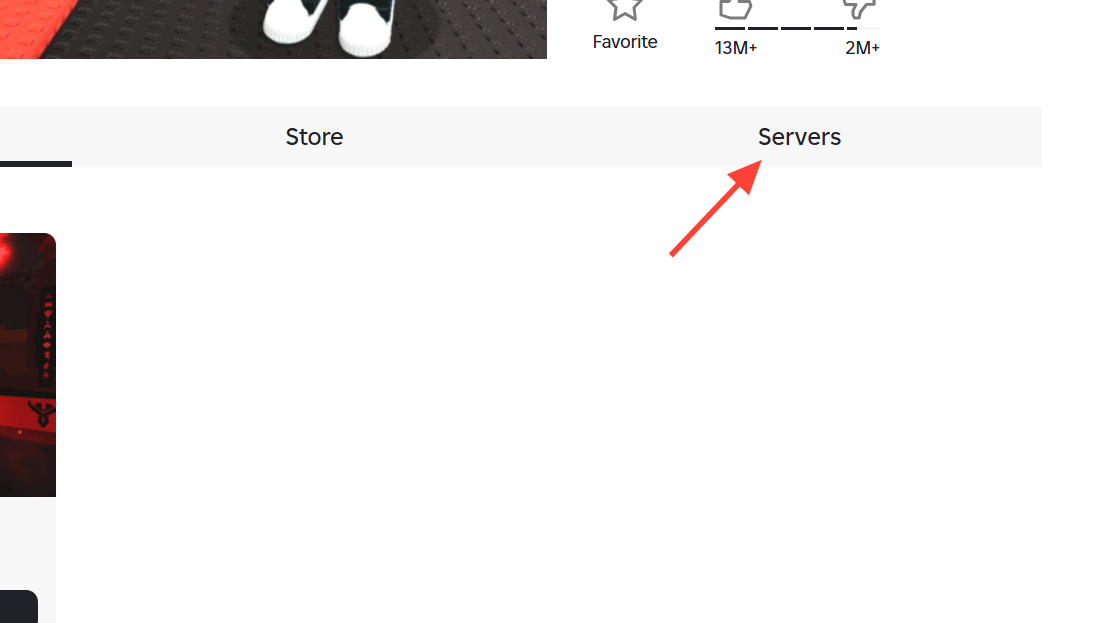
Step 3: Select the “Create Private Server” option. Roblox will prompt you to name the server and confirm the purchase.
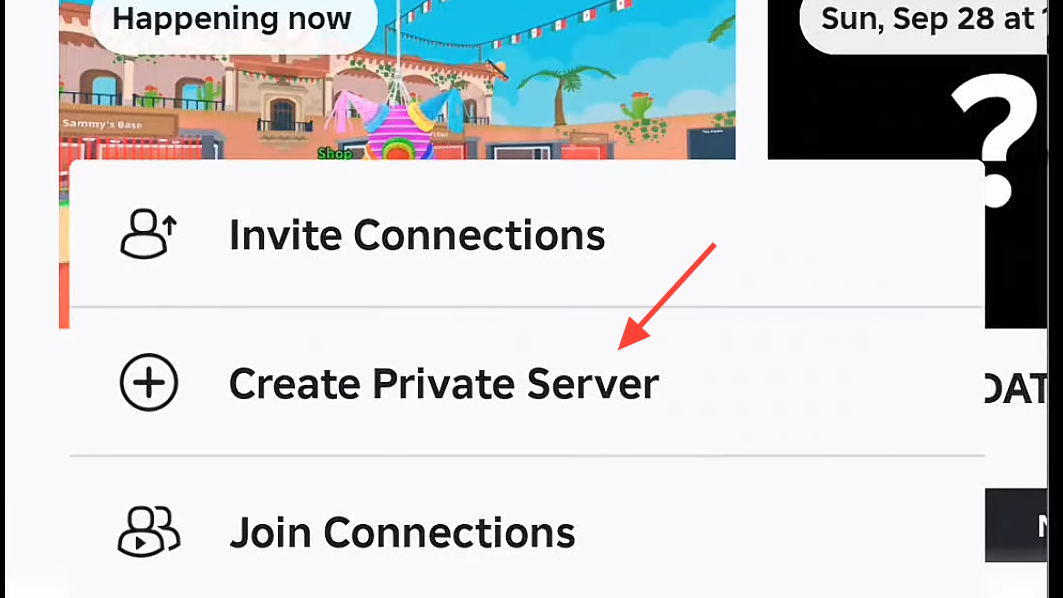
Step 4: Pay the required 79 Robux subscription fee. This payment covers one month of uptime; after that, you need to renew the subscription if you want to keep the server running.
Step 5: Once the server is created, adjust any available settings, then generate and copy the invite link. Share this URL with friends so they can join directly from their browser or app, just like the public links above.
Because the subscription is not permanent, it is worth deciding how actively you and your group plan to use the server before you commit. If you are grinding heavily for a season or running regular events, the 79 Robux per month is usually justified by the time saved.
How Steal A Brainrot private servers differ from public servers
Mechanically, Steal A Brainrot does not differentiate between public and private instances. Both use the same core rules:
- Maximum 8 players per server in either mode.
- Identical spawn rates and rarity tables for brainrots, including mythical and Brainrot tiers.
- Same prices for items and upgrades.
The only meaningful differences come from human behavior and owner control. In private spaces, you pick who joins and you can remove players who ignore rules. That leads to:
- Far less risk of random base invasions while you are mid-upgrade or AFK.
- Smoother testing of layouts and defense setups without constant interruptions.
- Easier coordination for trades, events, or shared goals like hunting a specific rarity.
In practice, many players treat private servers as “easy mode” not because the game changes, but because other players stop being a threat. The actual maths behind drops and income stays the same.
Finding more Steal A Brainrot private servers
If the shared links feel busy or you keep running into full lobbies, there are a few reliable ways to find emptier or more specialized servers.
Use the Roblox server browser
Step 1: Open the main Steal A Brainrot game page on Roblox.
Step 2: Scroll below the description until you see the list of live servers.
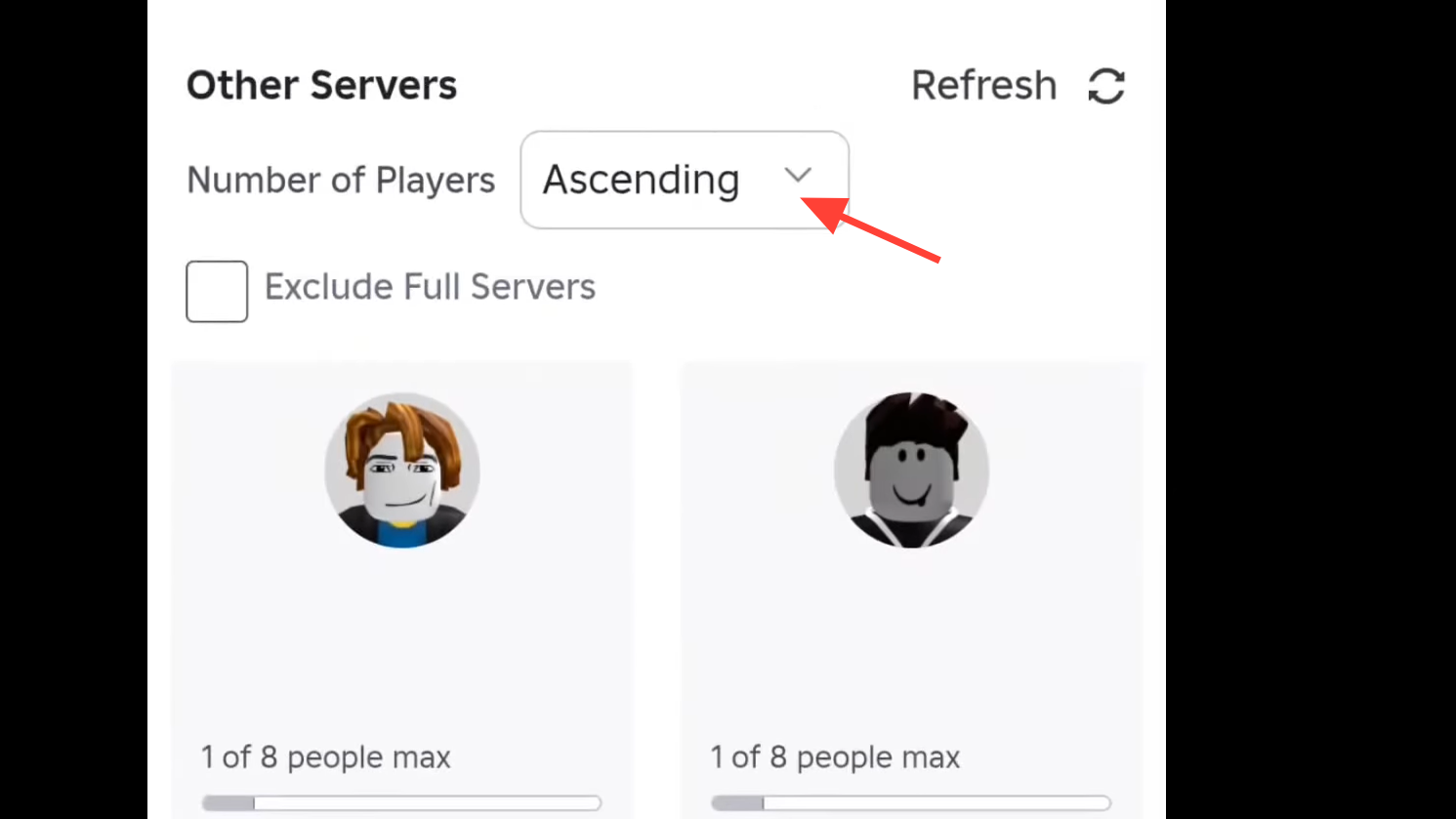
Step 3: Use the sort controls to order servers by player count in ascending order. Also, enable any option that hides full servers.
Step 4: Join lobbies that show zero or one player. While these are technically public instances, they often feel like private runs because almost nobody else is inside.
Use Discord and community channels
The official Steal A Brainrot Discord runs channels where server owners and regular players share up-to-date private links, organize trades, or host events. You can join the community at discord.com/invite/GCxZdgU9je from any browser that supports Discord.
Inside, look for sections dedicated to private servers, “codes”, or announcements. Many owners will explicitly label whether their lobby is no-steal, trading-only, or open for PvP. This is also where you can share your own private server link if you want to host a more curated group.
Common rules and etiquette on private servers
Because private servers are personal spaces, social rules matter more than in public lobbies. Some expectations you will see repeatedly:
- No stealing from other bases unless the server description clearly allows it.
- No scamming during trades; if you agree to swap items or brainrots, follow through.
- Respect the owner’s events, such as giveaways or structured trading hours.
- Keep chat and behavior reasonable so you are not kicked or banned on sight.
Private servers labeled “Steal = Ban”, “No steal 4x lucky server”, or similar usually enforce these rules tightly. If you prefer open PvP, look for lobbies without those labels or simply stick to standard public servers.
For January 2026, private servers remain the most practical way to push into higher brainrot rarities and optimize your base without constant harassment. Whether you join a shared link from the community or pay the 79 Robux to host your own, the underlying game stays the same; what you gain is control over who gets to share that space with you.