

Hytale treats your avatar as more than a nameplate. The game leans hard on character customization, both for fantasy roleplay in adventure mode and for themed outfits on community servers and minigames.
Customization currently revolves around the Character Creator and the My Avatar menu. These tools cover your base appearance, clothing layers, and cosmetic details like hair and facial features. On top of that, armor and gear sit as an extra visual layer that ties into progression and combat.
Where Hytale character customization lives
Avatar setup starts in the My Avatar menu, which is built around a dedicated Character Creator. This is where you define everything that persists across worlds and servers unless a server owner overrides it with a themed look.
The Character Creator focuses on presets and in-game assets rather than raw image uploads. You work with a large catalog of options, color choices, and a randomizer that can generate a complete look if you want a quick starting point.
For more advanced work, Hytale’s tools connect to Blockbench and Hytale Model Maker, letting creators build new hairs, outfits, and props that follow the same proportions and texture rules as official content.
Core avatar options in the Character Creator
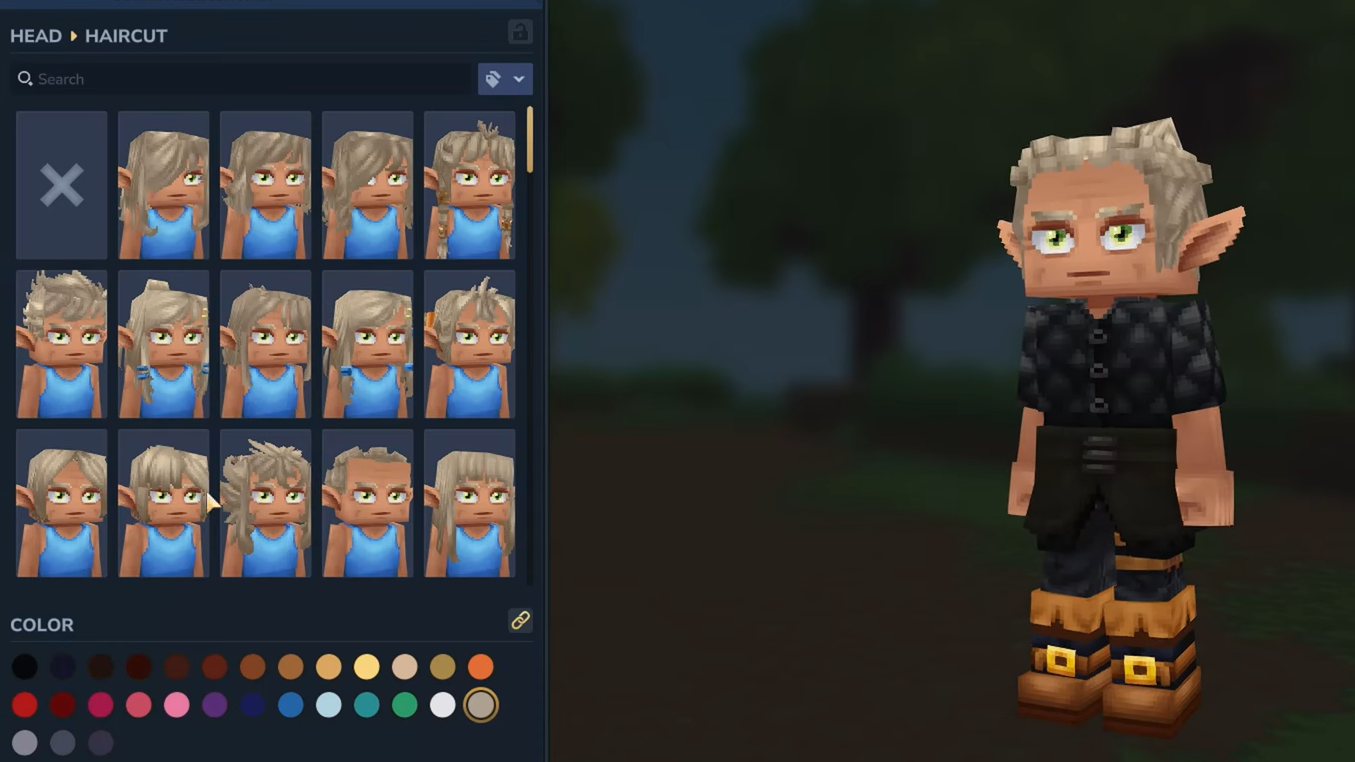
The Character Creator is built to cover the essentials of how your avatar looks while staying readable in Hytale’s chunky, cartoony art style. You configure several main categories.
Playable races and body types
Race is the highest-level choice. Current options include:
- Human for a baseline look that fits most themes.
- Elf with more obviously fantastical features.
- Other playable races that expand the roster beyond humans and elves as development continues.
Body type is separate from race. You can switch between a more Masculine or more Feminine frame, which changes proportions while staying within Hytale’s small, blocky character style.
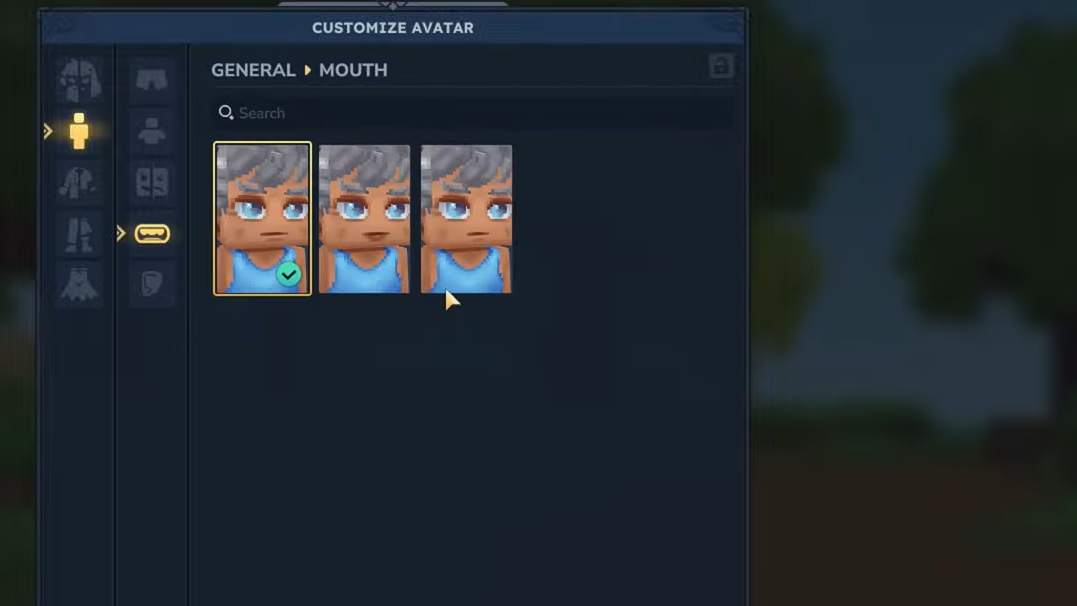
Face customization: eyes, brows, facial hair
Hytale’s faces do a lot of work. They carry emotions, sell combat feedback, and underpin emotes. The Character Creator lets you tune several layers of that expression.
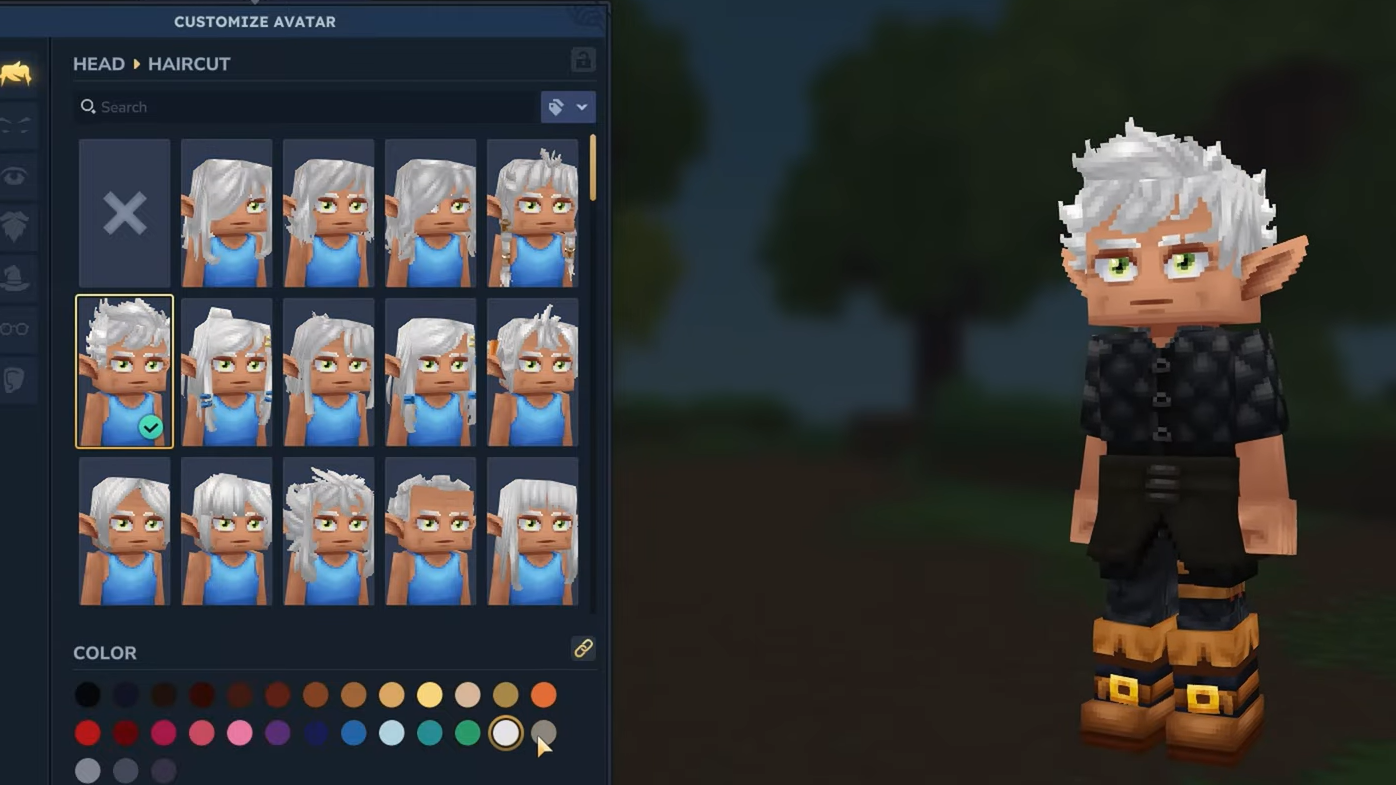
Eyes come in multiple shapes, including smaller and larger options and several stylized variants. Combined with color selection, this makes a big difference to how intense or relaxed your avatar reads.
Eyebrows offer a wide range of silhouettes. Examples include thin lines, shaved or missing sections, small, rounded shapes, rounded, thin brows, more aggressive “angry” brows, and carefully “plucked” variants. Brows combine with eye shape to define the default attitude of the character.
Facial hair adds further identity, with options like a small soul patch or a longer goatee. These are treated as separate cosmetic layers, so they can be swapped without remaking the rest of the face.
Haircuts, colors, and head accessories
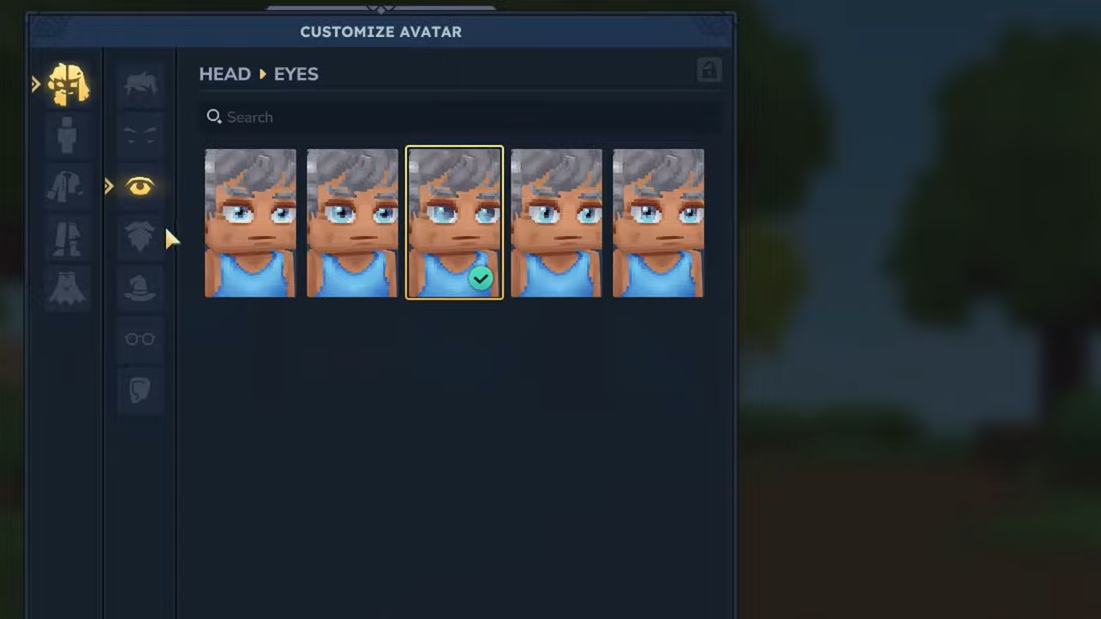
Hair is one of the most visible parts of your avatar, especially in third person. Hytale includes short and long hairstyles, from simple cuts to elaborate fantasy hair. Longer hairstyles also demonstrate how custom models built in Hytale Model Maker can plug directly into the avatar system.
You pick a hairstyle, then select a color. The palette supports a broad range, from natural browns and blondes to more saturated fantasy shades. Color choice applies cleanly because of Hytale’s higher texture density for characters, which preserves small details like strands, streaks, or dyed tips without turning the face into a blocky blur.
Head accessories sit above hair. Hats, helmets, and smaller items like headbands or goggles are designed to work regardless of the haircut you picked. That means you can swap between a hooded cloak, a wide-brimmed hat, or a modern beanie without needing to redo the base hair each time.

Clothing layers: shirts, over-tops, gloves, shoes, and jewelry
Hytale’s clothing system is layered so you can combine casual outfits with armor without losing your identity.
Shirts are the base torso layer. They are designed as one-size-fits-all items that cover the chest and arms and provide a consistent canvas under everything else. Over that, you can add overtops like coats, jackets, or cloaks. These pieces often have longer tails or sleeves that are fully animated while you move.
Gloves cover the hands with several styles, from basic work gloves to more stylized variants. They sit visually between skin and weapon, which makes them a subtle but constant part of how your avatar reads in motion.
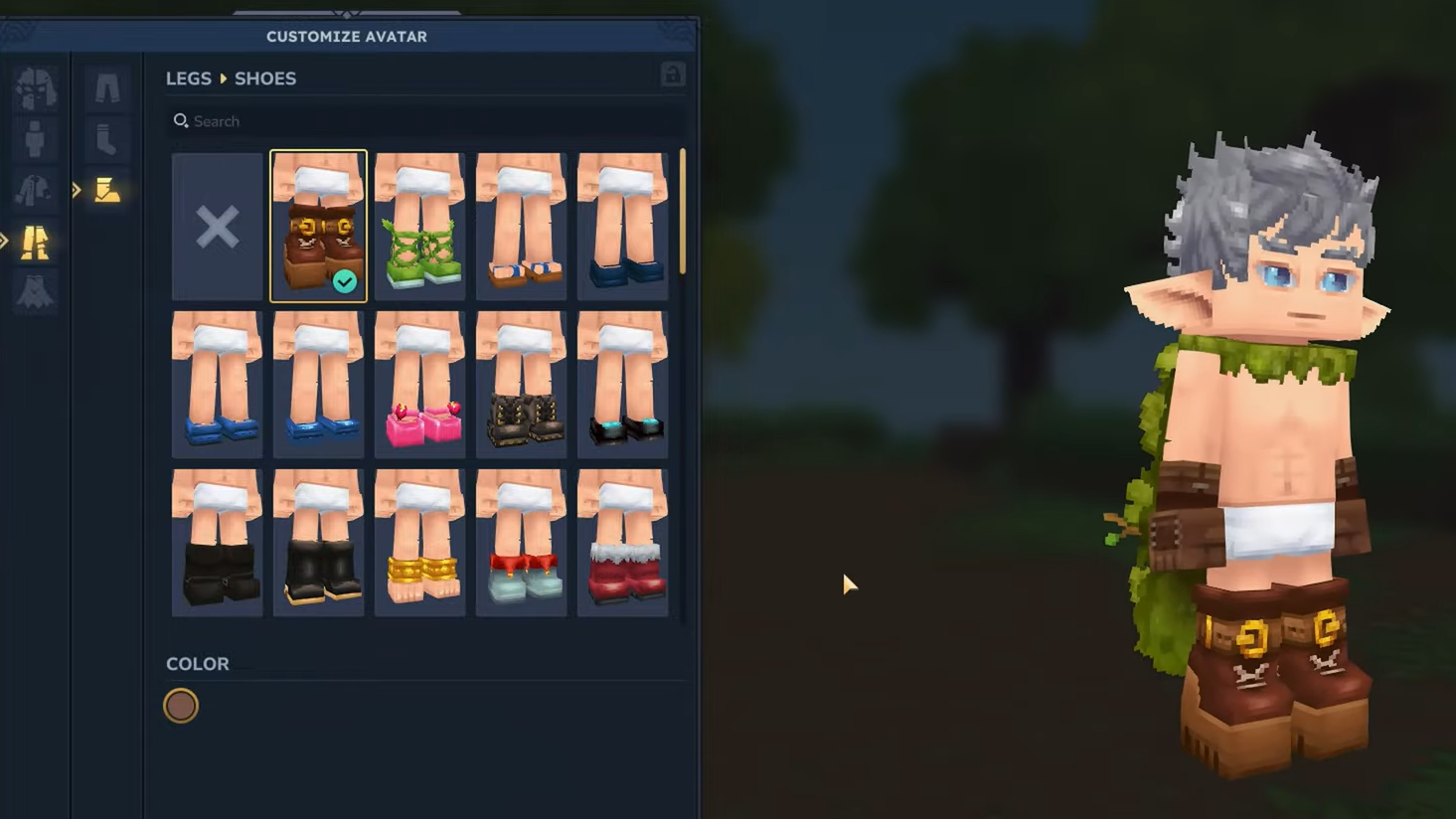
Shoes and lower-leg wear include options like stockings paired with shiny shoes, as well as more rugged or thematic boots. Like shirts, they are cut to fit the universal character proportions, so you don’t have to worry about clipping when you change body type.
Accessories extend beyond the head. Ear accessories include simple single earrings, double sets, and more ornate beaded hoops. These fit the same stylized art rules as the rest of the avatar: clear silhouettes, readable colors, and minimal but deliberate detail.
Color, themes, and art direction
Hytale’s art team uses strict guidelines to make sure even wildly different outfits still look like they belong in the same game. The Character Creator exposes the results of that work rather than every possible color value.
For fantasy-flavored pieces tied to the main adventure, colors tend to be darker and more saturated. Modern clothing and everyday outfits skew lighter and brighter. Cute or playful designs lean into pastels.
These rules help keep mixed outfits coherent. A gritty desert costume, a modern jacket, and a playful hat can be combined without crashing the overall look, because tones and contrast are controlled across the catalog.
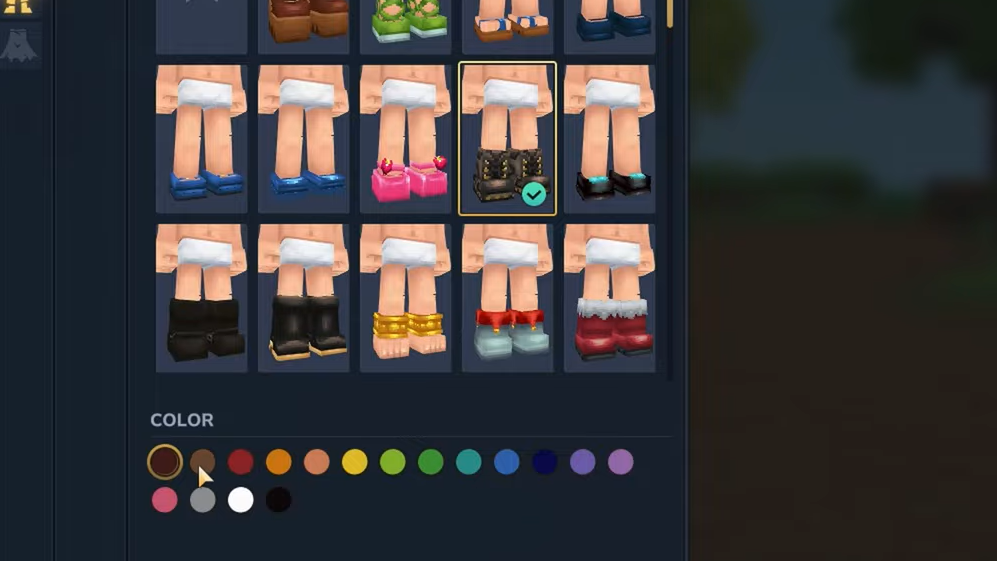
How armor and gear sit on top of your avatar
Armor and equipment do not replace your avatar outright. Instead, most gear layers over the base look you created.
When you equip a new chest piece or helmet in adventure mode, your underlying shirt, hair, and accessories remain the foundation. The new armor usually overlays specific regions, such as the torso, shoulders, or head, while still revealing elements of the base outfit at the edges.
Longer pieces like coats are fully animated. As you run, jump, or fight, these layers react along with your character, contributing to a sense of movement that supports the game’s fantasy and “toylike” aesthetic.
This layering system is central to how Hytale handles both identity and progression. You can be recognizable to friends while still visually reflecting your current gear tier and role in combat.
Facial expressions, emotes, and combat feedback
Customization goes beyond static appearance. Hytale avatars support a set of facial expressions and emotes that tie directly into gameplay and social play.
Some expressions are automatic. During regular play, your character might grit their teeth as they swing a sword or react subtly to hits and movement. These micro-animations are part of how the game sells combat impact and keeps the world feeling reactive.
Other emotes and expressions are manual. You can trigger them for social interactions, roleplay, or just to add some personality during downtime. The same face structure used in the Character Creator drives these expressions, so your chosen eyes, brows, and mouth lines all participate in each emote.
Server overrides and themed avatars
Server operators have the ability to override player appearances while you are connected to their world. This is especially important for minigames and themed servers.
A western-themed server can decide that everyone appears in period clothing, even if their personal avatar is set up with modern streetwear. A sci-fi server can enforce space suits or uniforms. These overrides sit on top of the foundational Character Creator system rather than replacing it globally, so your personal avatar remains intact when you leave.
This approach serves two goals at once. Players keep a persistent identity that travels with them, while creators get strong visual control over the experiences they design.
Creating custom skins and cosmetics with Blockbench
Hytale’s own art pipeline leans heavily on Blockbench and the Hytale Model Maker, and those tools are being made available for creators as well. That means you can build cosmetics and character attachments that follow the same rules as official content.
To experiment with avatar-scale models, you can start from example files shared by the developers in the “Hytale Model Examples” bundle, which can be opened with the Blockbench desktop app or the web version at web.blockbench.net. These files include fully rigged characters with named bones set up for Hytale’s animation system.
When modelling for avatars, there are several important constraints:
- Proportions must stay within Hytale’s compact, bulky character style so animations and gear still line up.
- Geometry should be efficient. Models are built from primitive shapes like cubes and quads, with polygon counts kept low to survive scenes that already render millions of triangles.
- Texture density for characters and attachments is higher than for world blocks. Character textures work at 64 pixels per unit, while props and blocks use 32 pixels per unit.
- Texture size must be a multiple of 32 pixels on each axis, such as 32, 64, 96, or 128.
For colors, the art style avoids pure white or pure black because those extremes break the lighting model and create harsh, unrealistic contrast. Shadows often carry subtle color, like a hint of purple, to keep models vibrant and readable without flattening them.
Designing a Hytale-style avatar in Blockbench
For players and artists who want to design their own Hytale-style skin or cosmetic item, Blockbench provides a close approximation of the in-game pipeline. The process is straightforward once you have a rigged model to work from.
Step 1: Download a compatible character rig. The Hytale art team has released a zip containing model examples; extract it to a folder where you can find it easily.
Step 2: Open the Blockbench web app at web.blockbench.net or use the desktop version. Choose the option to open an existing model.
Step 3: Navigate to the folder that contains the character rigs. Select the appropriate .bbmodel file for the player avatar and open it.
Step 4: Switch to the paint interface in Blockbench. Use the color picker and brush tools to paint directly on the model’s texture, treating each pixel as part of the eventual in-game look. This is similar to painting a Minecraft skin but tuned to Hytale’s proportions and texture density.
Step 5: Save often as a .bbmodel project file from the File menu. This keeps the hierarchy, textures, and animations bundled together so you can return to tweak the design later.
Step 6: Use the animation tab to pose the rig and capture screenshots of your design. This is useful for sharing concepts, testing how textures behave in different stances, and checking that details remain readable from typical gameplay angles.
These custom models are subject to server rules. Community servers may choose whether to allow user-made cosmetics or stick to their own curated set, but the underlying tools are the same ones used to create official assets.
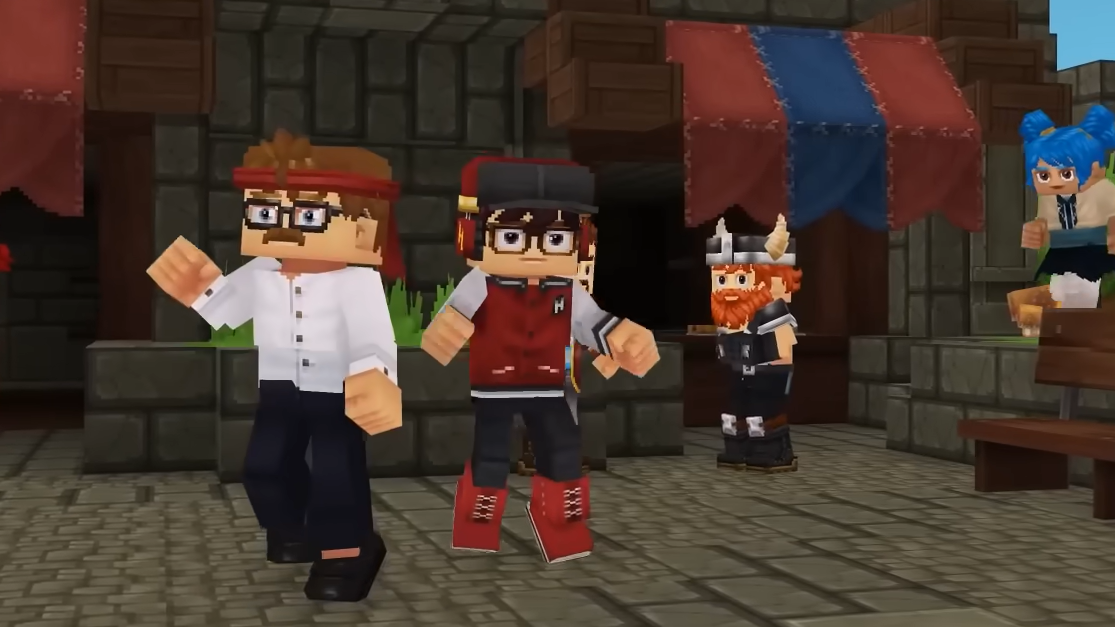
Hytale’s avatar system sits between strict MMO character builders and the wild-west approach of skin uploads in open sandbox games. It gives players a broad range of expressive options, provides creators with a coherent art style and clear technical rules, and leaves room for servers to enforce strong themes when they need to. As Early Access evolves, the Character Creator and cosmetic pipeline are positioned to become one of the main ways players express who they are in the world of Orbis and beyond.