

Hytale treats modding as part of the game’s core, not an afterthought. The same pipelines that drive blocks, items, NPCs, world generation, VFX, and UI are exposed to players, and the Hytale Asset Editor sits at the center of that system.
It is the primary editor for the game’s data assets. In early access, it is already powerful enough to define new content and tweak many built-in systems, but it also carries rough edges and missing pieces that the team is open about. Understanding what the asset editor is, what it covers today, and how it relates to the rest of the toolchain is key if you want to build anything beyond a simple map.
How Hytale’s modding model works around the server
Hytale runs everything through a server, even in singleplayer. When you start a solo world, you are effectively joining a local server that you host yourself. That architecture shapes how the asset editor is used.
Modding is deliberately “server-side first.” The server host — whether that is you running a private world or an operator running a public network — decides which asset packs and plugins are active. Players connect with an unmodified client and receive the content and behavior from the server. The goal is to avoid the fractured landscape where every server demands a custom client build or separate modpack.
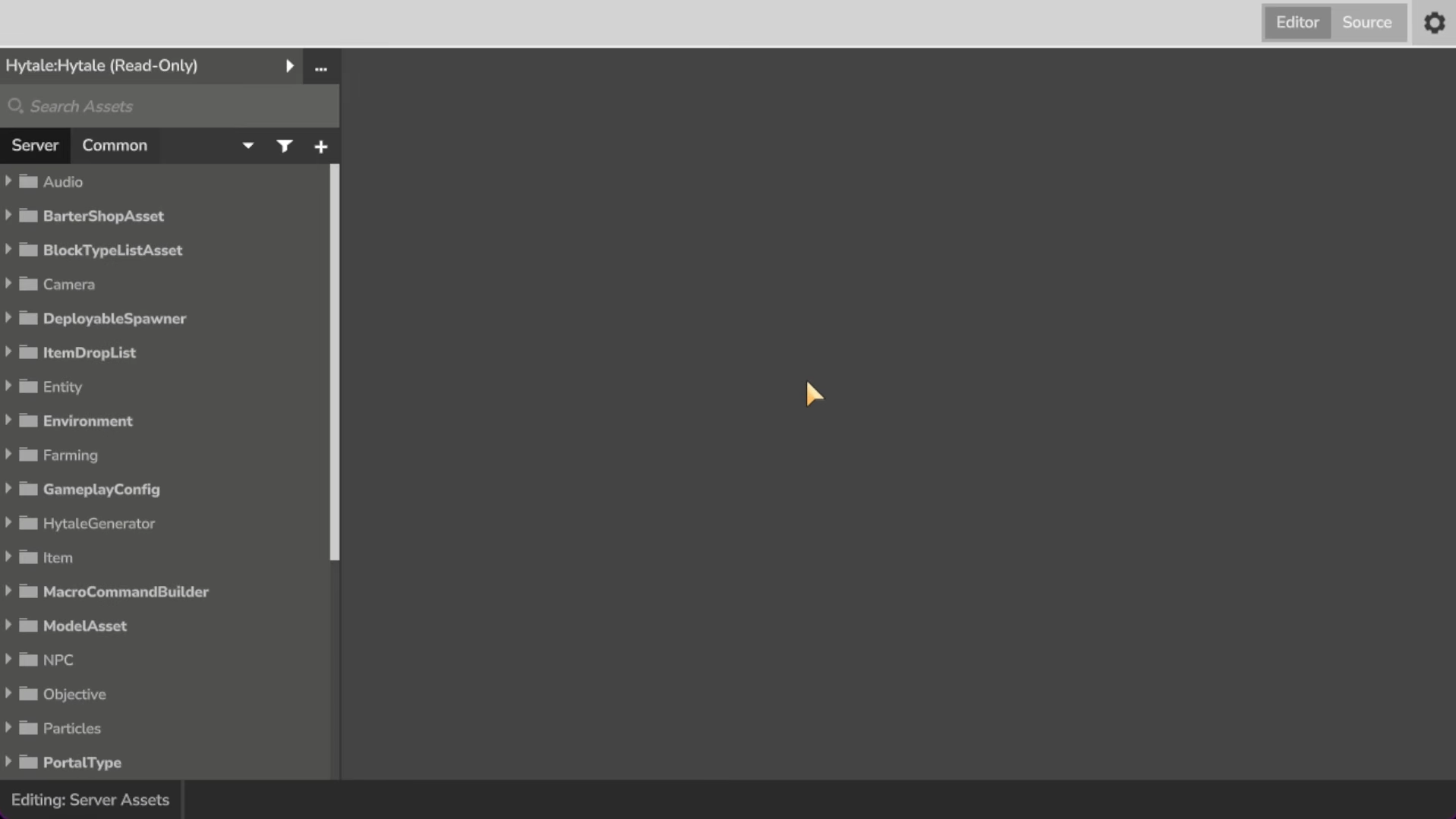
Most of the game’s content and behavior is defined as data and code that the server can read: JSON assets, Java plugins, art files, and save data. The asset editor is the main interface for editing those JSON-driven “data assets.”
What the Hytale Asset Editor is designed to do
The asset editor focuses on the data that describes how the game works. In practical terms, that includes things like blocks, items, NPC definitions, loot tables, biomes, and many configuration objects that would otherwise live in hard-to-maintain text files.
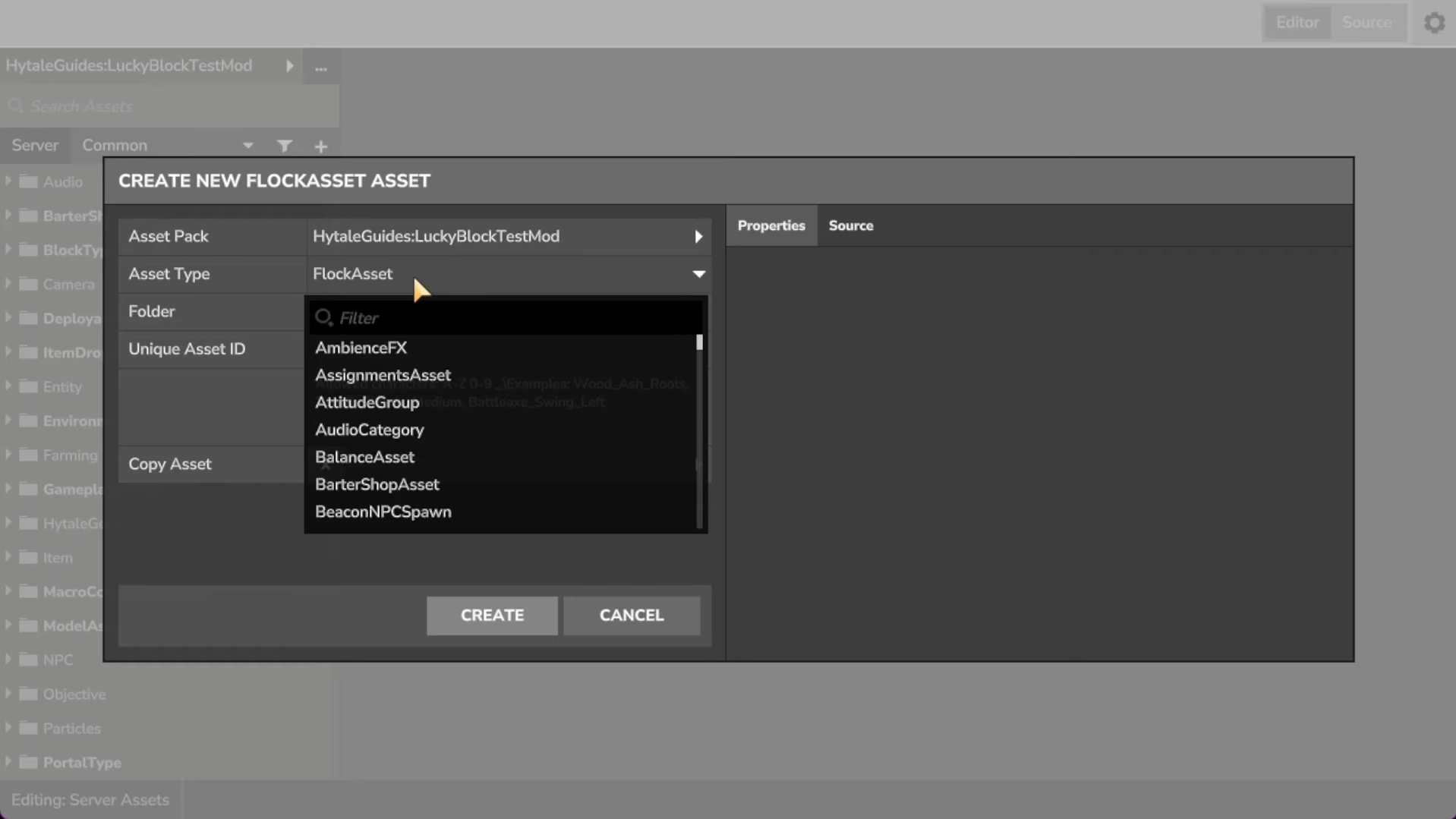
The editor aims to provide structured forms, validation, and visualization instead of forcing you to hand-edit JSON by trial and error. For example, rather than opening a text file and hoping a misspelled field name does not crash your world, you work through property panels and dropdowns. That makes it easier to discover available options and reduces subtle mistakes.
Even in this early phase, the editor supports “most asset types.” The main gaps are complex systems such as NPC behavior, world generation, and interactions, which still rely more heavily on raw JSON and internal tools. Those areas are expected to move into richer node-based interfaces over time.
How the Asset Editor fits with other Hytale tools
The asset editor does not replace every other creation tool. It sits alongside a small ecosystem:
- Java server plugins extend the server programmatically. They are compiled
.jarfiles that can create new systems, minigames, commands, and custom logic that go far beyond what data-only assets can do. - Art assets such as models, textures, animations, and sounds are created outside the asset editor, then referenced by data assets. Hytale supports a custom Blockbench plugin so you can make game-ready models and animations directly in Blockbench and hook them up in data definitions.
- Save files store worlds and prefabs. Prefabs are reusable structures — trees, houses, landmarks — that world generation and creative tools can place. The asset editor helps describe how and where those prefabs appear.
- Asset Graph Editor, a more experimental internal tool, is currently used for world generation graphs, creative brushes, and some NPC logic. It is not at the same polish level but is being released so creators can already benefit from functionality that would otherwise be locked away.
The long-term plan is to fold many of the graph-based workflows directly into the asset editor, so creators are not juggling multiple partly-overlapping tools.
What you can change with data assets today
Hytale’s content pipeline is intentionally broad. Through JSON-driven assets edited in the asset editor, you can influence:
- Blocks and items — definitions for new block types, decorative props, tools, weapons, and crafting materials.
- Entities and NPCs — base properties, stats, drops, and references to models and animations.
- World generation — high-level parameters for how terrain, biomes, and structures appear.
- Loot and progression — drop tables, reward pools, and similar progression-related configurations.
- UI assets — as Hytale consolidates on NoesisGUI, more interface layouts and widgets become asset-driven instead of hardcoded.
Some of these areas are much more comfortable to work with than others. Simple blocks and items are straightforward. Deeper systems, such as intricate NPC behavior trees or layered world-generation logic, still require patience and an appetite for early-access tooling.
Limits of the Asset Editor in early access
The team is open about the fact that the toolchain is “behind where they want it to be.” Years of planned development are being compressed into a much shorter timeline now that the game is out in early access.
For the asset editor, that translates to a few practical constraints:
- NPCs, worldgen, and interactions are not fully surfaced in friendly editors yet. You can still alter them, but the workflow leans more on raw JSON and partially finished node tools.
- Client behavior is not entirely controlled from the server. Certain visual or UX aspects still live in the client and are not yet exposed as assets you can change.
- Stability is not guaranteed. Crashes and data loss are acknowledged risks in this phase, and creators are explicitly warned to keep their own backups.
Those gaps mean you should treat the current asset editor as a powerful but incomplete toolbox. It is good for experimentation, prototypes, and even serious projects if you are tolerant of breakage, but it is not yet the polished environment you would expect from a fully mature platform.
How the Asset Editor is used in practice
The asset editor is already being used internally to build production content, and that same workflow is available to modders. Visual effects, environment objects, and progression systems flow through the same data definitions.
In one public example, a developer builds a Fragment Portal VFX using the asset editor alone, demonstrating that visual effects can be authored by combining reusable asset nodes rather than writing bespoke code for every effect. The same pattern applies broadly: once a programmer exposes a system as data-driven nodes or properties, designers and modders work in the editor instead of touching the underlying implementation.
On the creative side, the editor pairs with tools like Blockbench and Hytale’s creative mode. You might model a new creature in Blockbench, animate it, then define its behavior, stats, and spawn rules as data assets. Or you could design a new type of environmental hazard for Fragments of Orbis, with its visuals driven by art assets and its behavior configured through data and plugins.
Launching the Asset Editor from Hytale
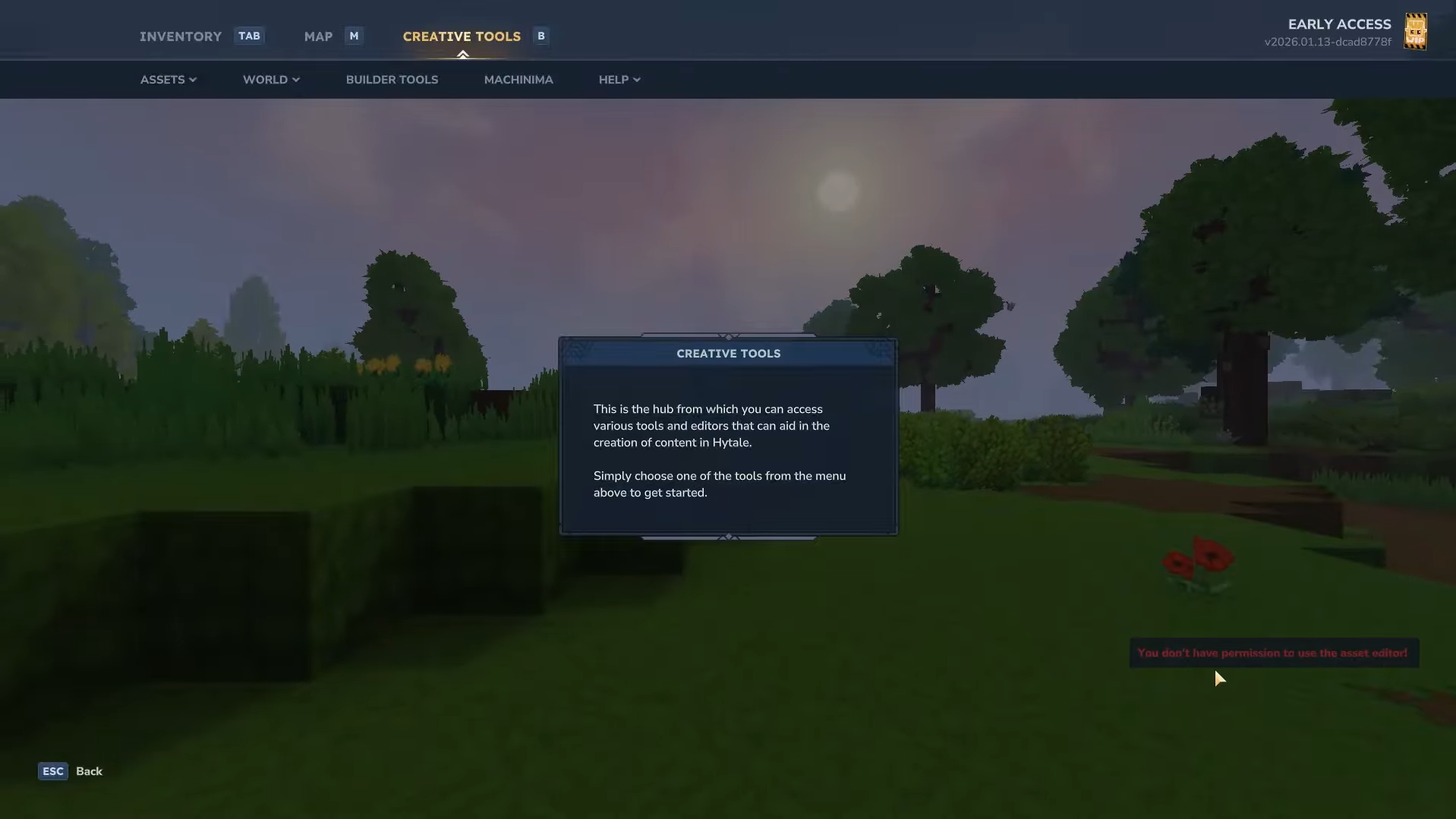
The asset editor is part of the Hytale early-access toolset, alongside creative mode, world-generation editors, and machinima tools. Getting into it is deliberately streamlined so creators can move quickly from playing the game to editing its content.
At a high level, you start from the Hytale launcher and use the provided modding or tools entry points. From there, you can open or create projects, browse existing game assets, and begin cloning or editing them. Community tutorials and official documentation expand on the exact buttons and menus, but the key idea is that there is no separate “modding client” to install: the editor is built into the same ecosystem that runs the game.
For help with initial configuration and project structure, Hytale’s official site hosts modding documentation on GitBook, and a dedicated Hytale section on CurseForge offers starter guidance. Those resources walk through the layout of asset packs, how they are loaded by the server, and how the editor fits into that flow.
How asset packs and the editor work together
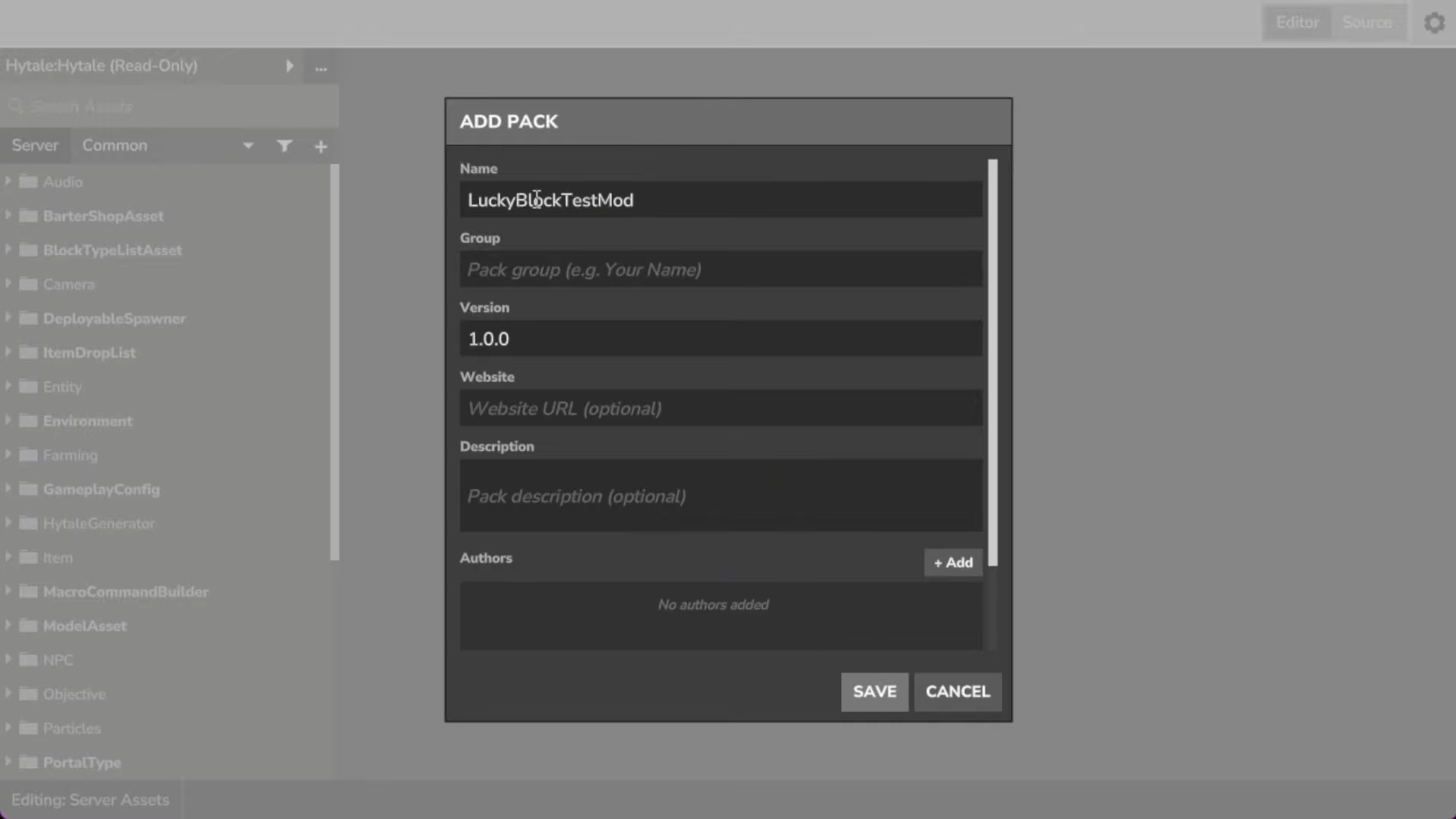
The asset editor operates on content that ultimately lives in “asset packs.” An asset pack is a bundle that can contain data assets, art assets, and any other content used by the game. Servers enable and combine packs to create a specific experience.
Because the game launched early, the distribution flow for those packs is still rough. Packaging creations cleanly, managing dependencies between plugins, asset packs, and worlds, and sharing them with others involves more manual work than ideal. That friction is identified as a top priority for near-term improvement.
Despite that, the principle is straightforward: when you save content in the asset editor, you are effectively editing or creating assets inside a pack. Players joining your server automatically receive the content without running their own mods, because the server sends everything necessary as part of the connection and loading process.
Future plans: node editors and visual scripting inside the Asset Editor
Some of the asset types that are most tedious to manage as plain JSON — NPC logic, interaction trees, and complex world-generation graphs — are planned to move into an integrated node editor within the asset editor.
The vision is a set of node-graph style interfaces for those systems. Instead of editing nested structures in text form, you would connect nodes that represent conditions, actions, and procedural generation steps. The work-in-progress Asset Graph Editor already shows how worldgen and brushes can be handled that way; over time, those capabilities are intended to live directly in the main editor to provide a single, coherent creation suite.
Visual scripting is another long-term pillar. Hytale deliberately avoids adding a second text scripting language, such as Lua. The team argues that this kind of hybrid stack forces programmers to juggle multiple languages and still demands real programming knowledge from non-programmers, without delivering the clarity of a full programming environment.
Instead, the plan is a visual scripting system that sits on top of Java and C# implementations. Programmers write performant, low-level code and expose high-level nodes, while designers and modders link those nodes visually. Over time, the goal is to make that visual logic feel native in the 3D world — connecting levers, doors, spawners, and triggers directly in an in-world editor — while still tying back into the same asset definitions that the asset editor manages.
Shared-source server and how it changes asset editing
One of the most important upcoming steps for creators is the release of the server’s source code in a shared-source form, targeted for a short window after launch. That will not turn the game into open source, but it will make it possible to read how systems actually work and, in some cases, contribute fixes and improvements.
For asset editing, that matters because it removes much of the guesswork. When documentation lags behind, you can inspect the server’s code to see which fields a given asset type expects, how it interprets values, and where the data flows. That makes it easier to build assets that push the engine’s capabilities without fighting hidden assumptions.
During the period before the shared source ships, the server binaries remain unobfuscated, which means determined modders can still inspect behavior while official docs catch up. The intention is to reduce friction, not add DRM layers that get in the way of experimentation.
Where the Asset Editor leaves off and plugins pick up
The asset editor is all about data: describing content, parameters, and configurations. When you need entirely new mechanics — a custom combat system, a different economy, a novel progression loop — you move into Java plugins.
Plugins can:
- Hook server events and react to player actions.
- Define new game modes, from adventure-style experiences to fast-paced minigames.
- Integrate with external services, such as authentication, leaderboards, or monetization layers.
- Expose new data types or asset nodes that then appear inside the asset editor.
The ideal workflow is layered. Programmers build the deep logic and expose clean, reusable hooks; the asset editor becomes the way designers and modders assemble those hooks into concrete content. That division also supports safety: data assets are easier to sandbox and review than arbitrary code from unknown creators.
Hytale’s asset editor is not just a convenience UI on top of a config folder; it is the front door to how the game’s world is defined. In its early-access form it is uneven and occasionally fragile, but it already offers direct access to the same systems Hypixel’s own developers use. As node editors, visual scripting, and shared-source server code arrive, the editor is set to become an even more central piece of how players turn Hytale from a game they play into a platform they build on.