

Quick answer: Error Code Currant in Marathon signals a server-side network interruption — your internet connection is almost certainly fine, and the only consistent workaround is restarting the game and trying again.
What Error Code Currant actually means
Marathon uses fruit-themed error codes inherited from Bungie's naming conventions in Destiny 2, and Currant specifically flags a host-to-client network interruption. The in-game message frames it as a problem with your connection, but the overwhelming pattern during the Server Slam tells a different story. Hundreds of players across Steam, PS5, and Xbox have reported hitting Currant while every other game and app on their network works perfectly. The error can appear before the tutorial even loads, between matches when re-queuing, or immediately after dying and respawning.
Bungie Support has acknowledged the issue and stated they are "actively monitoring the occurrence of this error code." Their official stance classifies it as a networking error, but the scale and timing — thousands of simultaneous reports beginning the moment the Server Slam went live on February 26 — point squarely at backend capacity problems rather than individual connection faults.
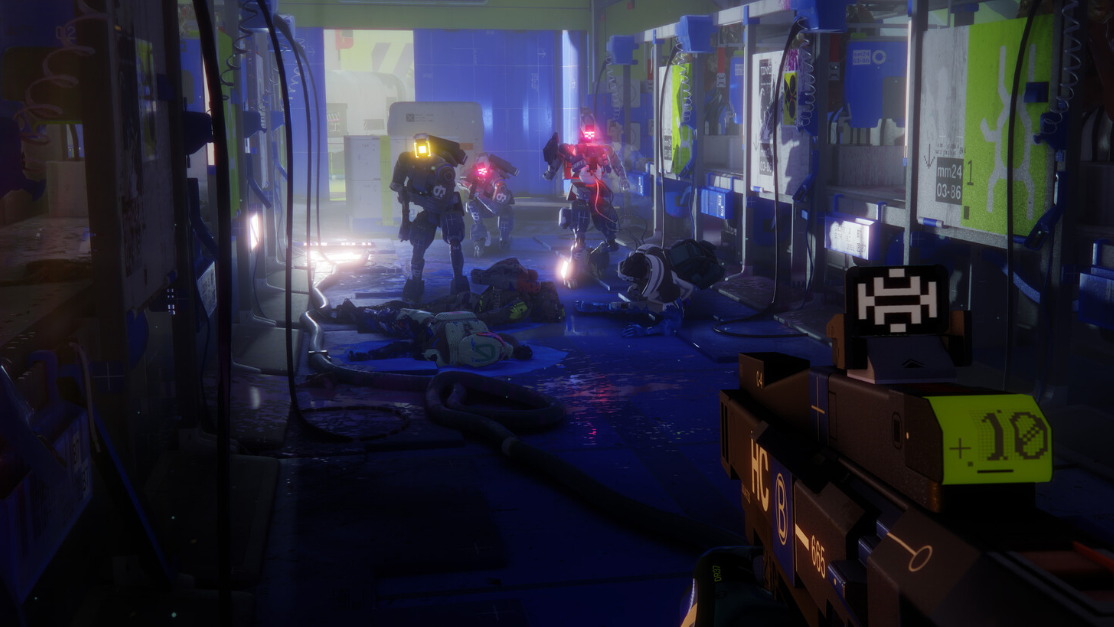
Who is affected
Early reports suggested the Currant error was hitting PC players on Steam disproportionately, with many unable to get past the initial login screen. However, PS5 players have confirmed encountering the same error as well. The issue appears across regions, with reports from Europe, North America, North Africa, and elsewhere all describing identical behavior. Some players can get into one match but then hit Currant every time they try to queue for the next one, creating a frustrating loop of restarting the client after every single run.
Troubleshooting steps worth trying
No guaranteed fix exists right now, but a few things have helped some players get back in — at least temporarily.
Restart the Marathon client. This is the single most effective workaround. Closing and relaunching the game generates a fresh authentication token, and several players report that they can successfully queue into a match immediately after a restart. The downside is that you may need to do this after every single match.
Switch to a wired connection. Currant is categorized alongside Ginger as a packet-loss and Wi-Fi instability error. An Ethernet cable won't solve a server-side problem, but it eliminates one variable and reduces the chance of your connection contributing to the issue.
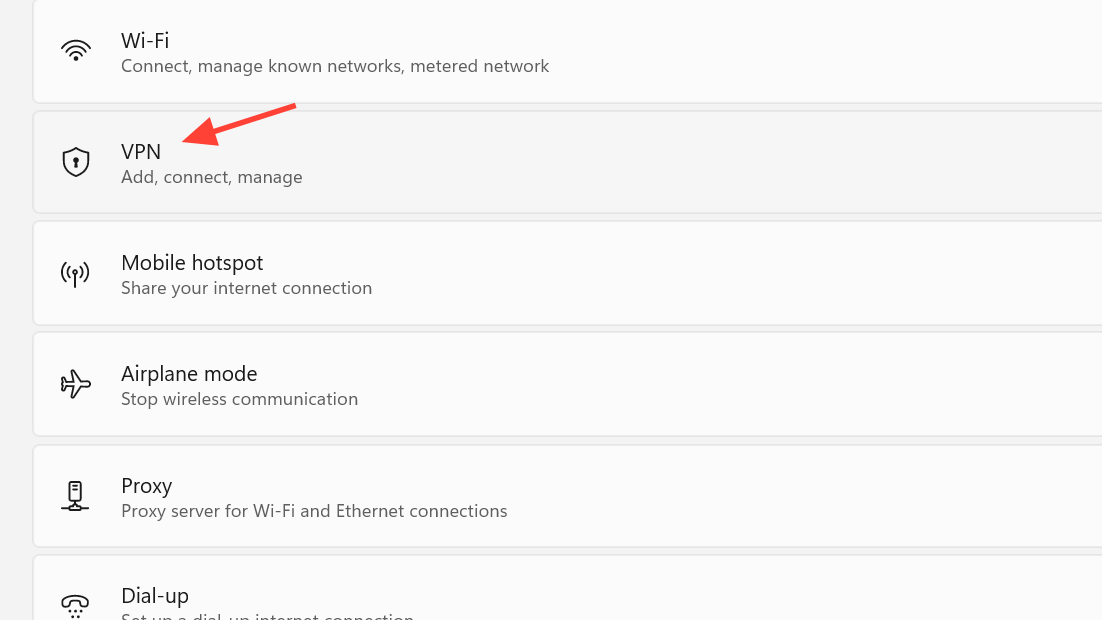
Disable any active VPN. VPN routing adds latency hops that can trigger host-to-client interruption errors. If you're running one, turn it off before launching Marathon.
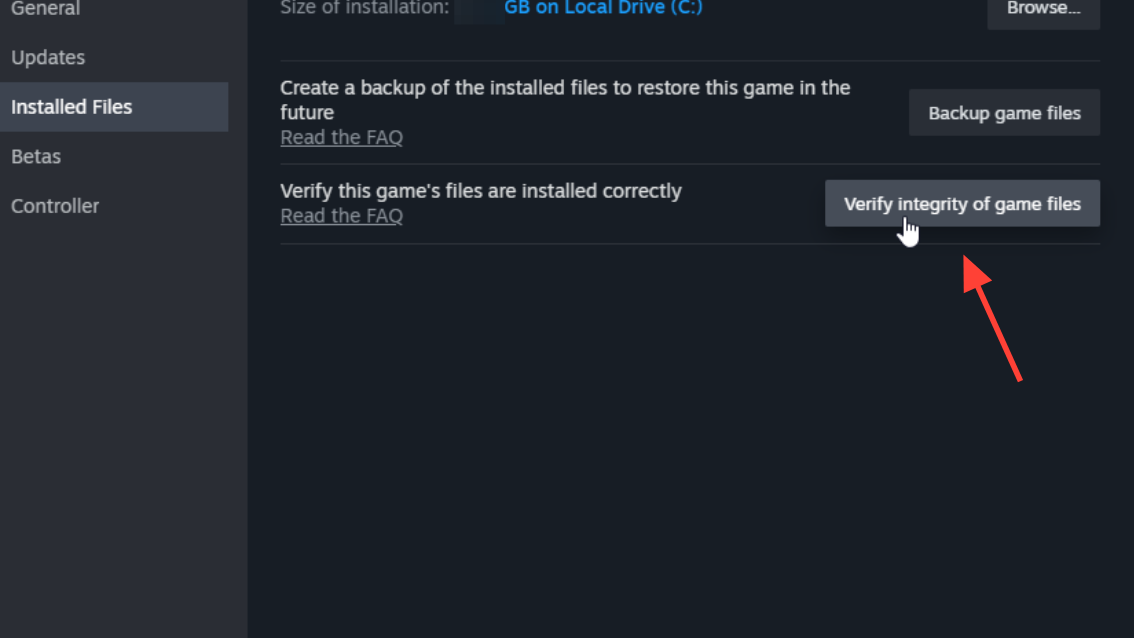
Verify game files through Steam. At least one player reported that using Steam's "Verify integrity of game files" option resolved the error for them, though many others have tried reinstalling entirely without success. It takes a few minutes and costs nothing, so it's worth the attempt.
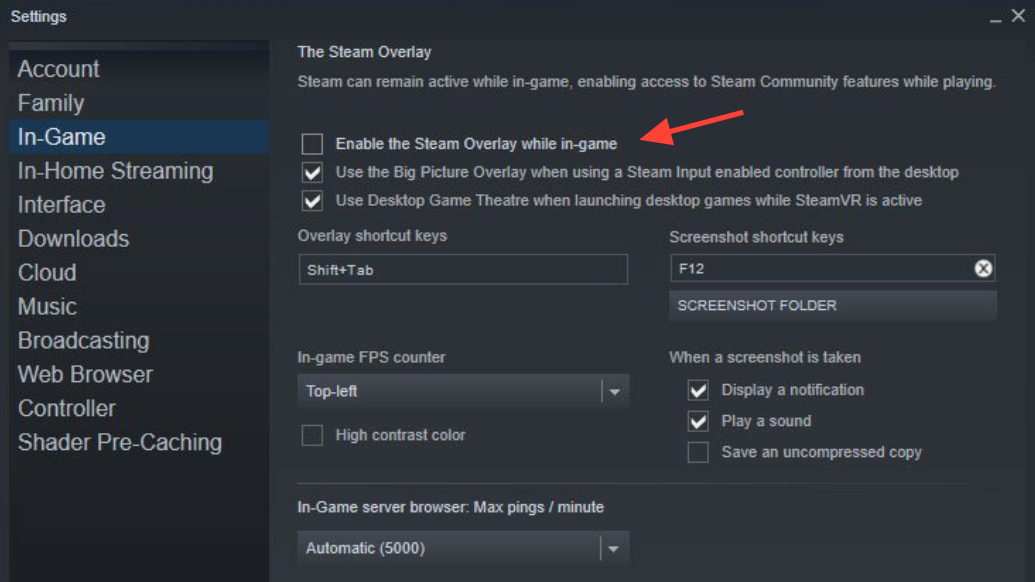
Disable overlays. Steam overlay and Discord overlay have been linked to multiple Marathon issues during the Server Slam, including mouse input failures. Turning them off may reduce instability. In Steam, go to Settings → In Game and uncheck "Enable the Steam Overlay while in-game." For Discord, disable the overlay in its settings or switch to the web version.
Disable cross-platform play. This narrows the matchmaking pool and has resolved connection lockouts for some players. You'll find the toggle in Marathon's network settings.
What won't help
Reinstalling the game, restarting your router, flushing DNS, and disabling Windows Defender have all been tried extensively by the community with no consistent results. These are standard network troubleshooting steps, and they're not harmful to attempt, but the Currant error during the Server Slam is overwhelmingly a capacity issue on Bungie's end. If your internet works fine in every other application, the problem is not your network configuration.
Bungie's official Network Troubleshooting Guide at help.marathonthegame.com walks through every standard step. Running through it confirms whether anything on your end needs attention, but for most players encountering Currant right now, it will simply confirm what they already know.
The Server Slam context matters
The entire point of a Server Slam is to stress-test infrastructure before launch. Marathon's full release is scheduled for March 5, 2026, and this final pre-launch event is deliberately designed to push servers to their breaking point. Errors like Currant, long login queues, and matchmaking failures are expected outcomes of that process — frustrating for players, but exactly the kind of data Bungie needs to prepare for launch day.
Bungie has confirmed there will be no extra Server Slam time granted to compensate for downtime or errors. The test window is fixed, and the game's March 5 launch leaves no room for extensions.
Other common Server Slam errors
Currant is the most widely reported error, but it's far from the only one players are encountering.
| Error | Cause | Fix |
|---|---|---|
| W:8:80090305 | Server connection timeout during authentication | Restart the game |
| PAPRIKA | General connection/server error | Restart, check network, wait |
| Nightingale | Failed CDN config download | Change DNS to 1.1.1.1 or 8.8.8.8; power cycle console |
| Salak | Antivirus blocking config fetch | Whitelist Marathon in firewall |
| WEAVE | Connection failure or disconnect | Restart, verify network, retry |
| Currant / Ginger | Host-to-client interruption, packet loss | Wired connection, disable VPN, restart game |
If you disconnect mid-run
Marathon includes reconnection logic and inventory rollback for players who get kicked during a match. If Currant boots you while you're in a run, you shouldn't lose the gear you brought in. That said, any loot picked up during the interrupted session may not be saved, depending on when the disconnection occurred.
The realistic expectation for the remainder of the Server Slam is that Currant will continue appearing intermittently as server load fluctuates. Restarting the game before each queue attempt remains the most reliable way to get matches in. Once Marathon launches on March 5 with full production infrastructure, the error should become far less common — though Bungie veterans from the Destiny 2 era will recognize that Currant has a long history of showing up during peak traffic events.