

Quick answer: Yes, Nioh 3 has a full character creation system. You can customize your protagonist's physique, facial features, hair, makeup, voice, and more before starting the game — and you can even set different appearances for Samurai Style and Ninja Style.
How Character Creation Works in Nioh 3
Nioh 3 carries forward the character creation feature that debuted in Nioh 2 and was widely praised by the community. Team Ninja confirmed the feature when the game was announced for PS5, noting that it was still being finalized for the demo but would be fully available at launch. The system lets you build a unique protagonist from scratch or pick from a selection of presets if you'd rather jump straight into combat.
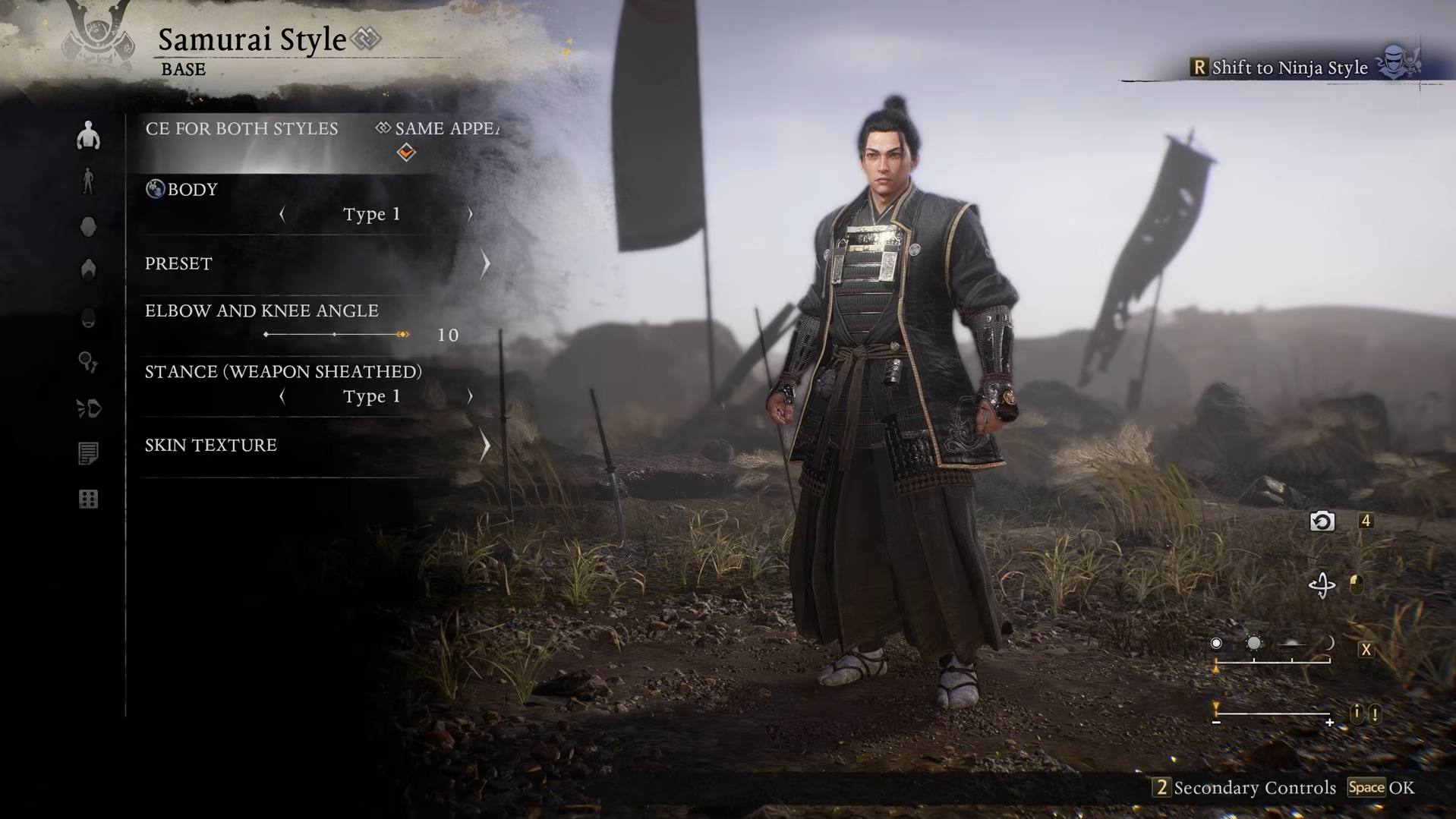
Character creation begins with a choice between two starting outfit appearances: Samurai Style, which features heavier garments, and Ninja Style, which uses lighter clothing. This is purely cosmetic and doesn't lock you into one combat style — you can freely switch between Samurai and Ninja gameplay regardless of your outfit choice. A notable addition in Nioh 3 is the ability to assign separate visual appearances to each style, so your character can look entirely different when toggling between the two.
All Eight Customization Menus
The character creator is organized into eight distinct menus, plus a Randomize button that generates a completely random character each time you press it.
| Menu | What You Can Change |
|---|---|
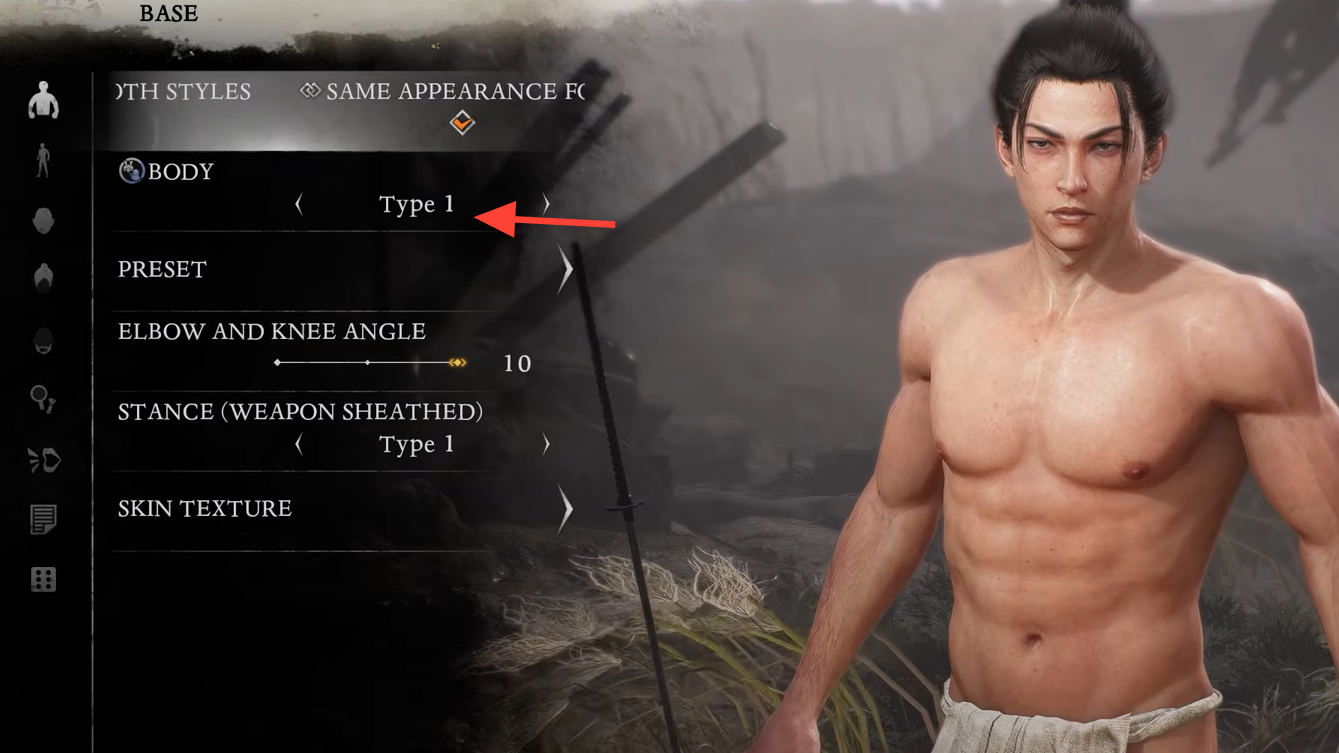
| Base | Body type (male/female), presets, elbow and knee angle, idle stance, skin texture |
| Face | Face shape, aging, eyebrows, eyes, irises and pupils, nose, teeth, mouth, ears, accessories |
| Hair | Hairstyle, hair color, hair tips (up to 5 sections), accessory color |
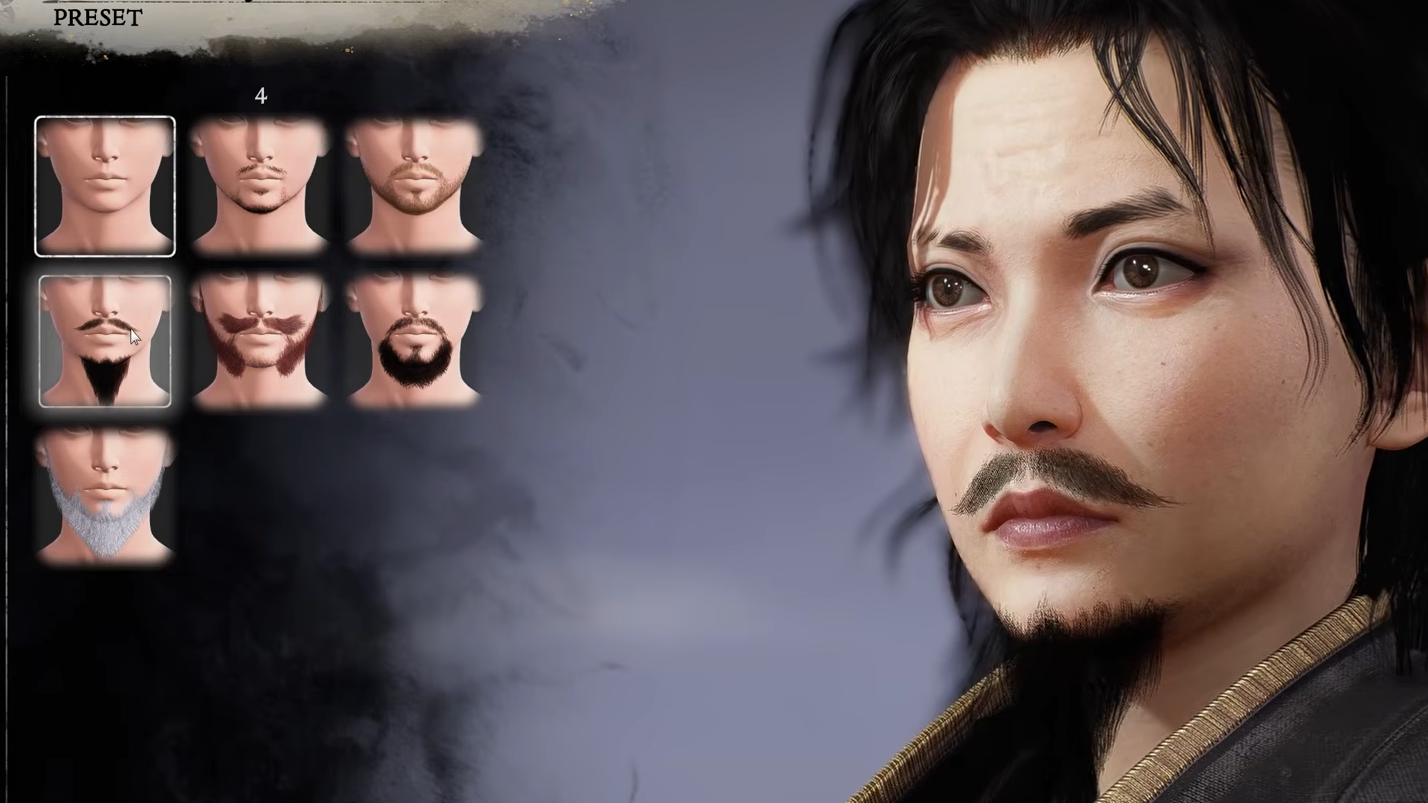
| Facial Hair | Mustache, beard, facial hair color — available regardless of chosen gender |
| Makeup | Eyeliner, eye shadow, eyelashes, lipstick, blush, face powder, nail polish, facial markings (scars, tattoos) |
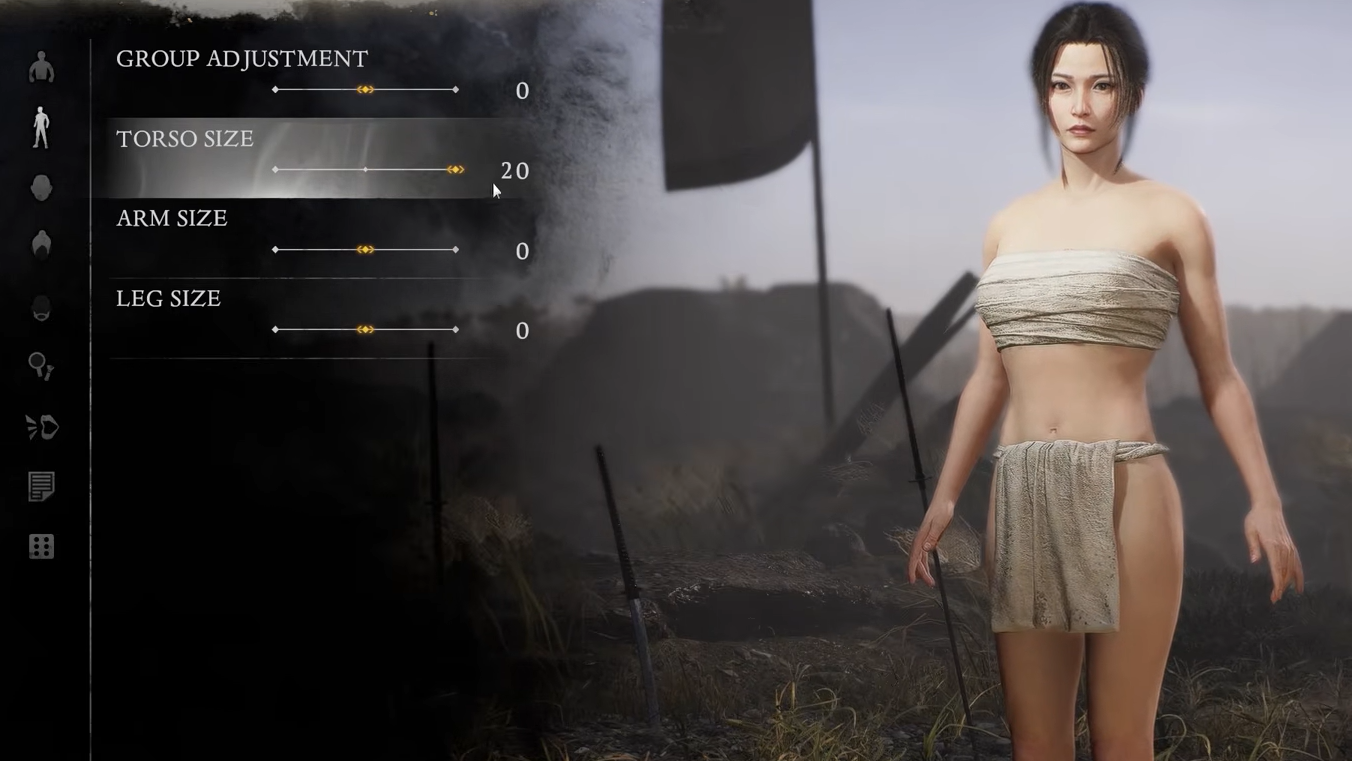
| Body | Height, skin color, head size, body size, muscle mass, chest size, undergarment type and color, body markings, bathing action pose |
| Voice | Two voice types with adjustable pitch |
| Options | Create, manage, or input character creation codes from other players |
Switching body type resets all current appearance settings, so it's best to pick male or female first before diving into the finer details. Six skin texture options range from smooth and youthful to scarred and weathered. The idle stance selector offers a relaxed or combat-ready posture when your weapon is sheathed, and the elbow and knee angle sliders subtly shift your character's silhouette between more masculine and feminine proportions.
Face, Hair, and Makeup Details
The Face menu is where most of the fine-tuning happens. You can adjust face shape, aging, individual eye parameters, iris and pupil appearance, nose bridge and width, teeth visibility, mouth shape, and ear positioning. Presets are available for players who want a quick starting point before making targeted adjustments.
Hair customization goes beyond a simple style picker. You choose from a library of hairstyles, then independently color up to five sections of hair tips — useful for gradient or multi-toned looks. Hair accessory color is also adjustable.
Facial hair is not gender-locked. Both male and female characters can sport mustaches, beards, or combinations of both, with full color control. The Makeup menu covers eyeliner, upper and lower eye shadow, eyelashes, lipstick, blush, face powder, and nail polish. Up to three facial marking slots let you layer scars, tattoos, or other designs with adjustable position, size, opacity, and color.
Body Customization
The Body menu handles physical proportions. Height, body size, and muscle mass sliders all operate independently, so you can create anything from a compact, wiry fighter to a towering, heavily muscled warrior. None of these settings affect gameplay mechanics or combat performance — they're purely visual.
Upper and lower body markings work similarly to facial markings, with position, color, opacity, and size controls. Two undergarment styles are available (one more revealing than the other), though armor will cover them during normal gameplay. You can also pick a bathing action pose — cross-legged or relaxed — which determines how your character sits when using in-game baths.
Character Creation Codes and Sharing
One of the most popular features carried over from Nioh 2 is the code-sharing system. Through the Options menu in character creation, you can generate a unique alphanumeric code for your character and share it with other players. Anyone who inputs that code will get an exact copy of your appearance settings.
To use a code someone else has shared, open the character creation screen (or the Change Appearance option later in the game), select Options, then Input Code, and enter the string. The community has already produced recreations of characters like Venom Snake, Ciri, 2B, Zack Fair, and William Adams from the original Nioh.
How Character Creation Fits the Story
Nioh 3's protagonist is tied to the Tokugawa name — the character introduces themselves to Honda Tadakatsu using "Takechiyo," which was Tokugawa Ieyasu's childhood name. This mirrors the approach Team Ninja took in Nioh 2, where the player-created character (Hide) shared a merged identity with the historical figure Toyotomi Hideyoshi. The custom protagonist exists within the historical narrative rather than replacing it, with the story weaving your created warrior's actions into the broader events of the Sengoku period.
Unlike the original Nioh, which locked players into the predetermined character William Adams, Nioh 3 follows the Nioh 2 philosophy of letting you define your own hero while still grounding the plot in real Japanese history.
The character creator can also be accessed after the game begins through the Change Appearance option, so you're not permanently locked into your initial choices. Between the eight customization menus, the randomizer, and the community code-sharing system, Nioh 3 gives you a wide range of tools to make a protagonist that feels distinctly yours — or to download someone else's masterpiece and get straight to slaying yokai.