

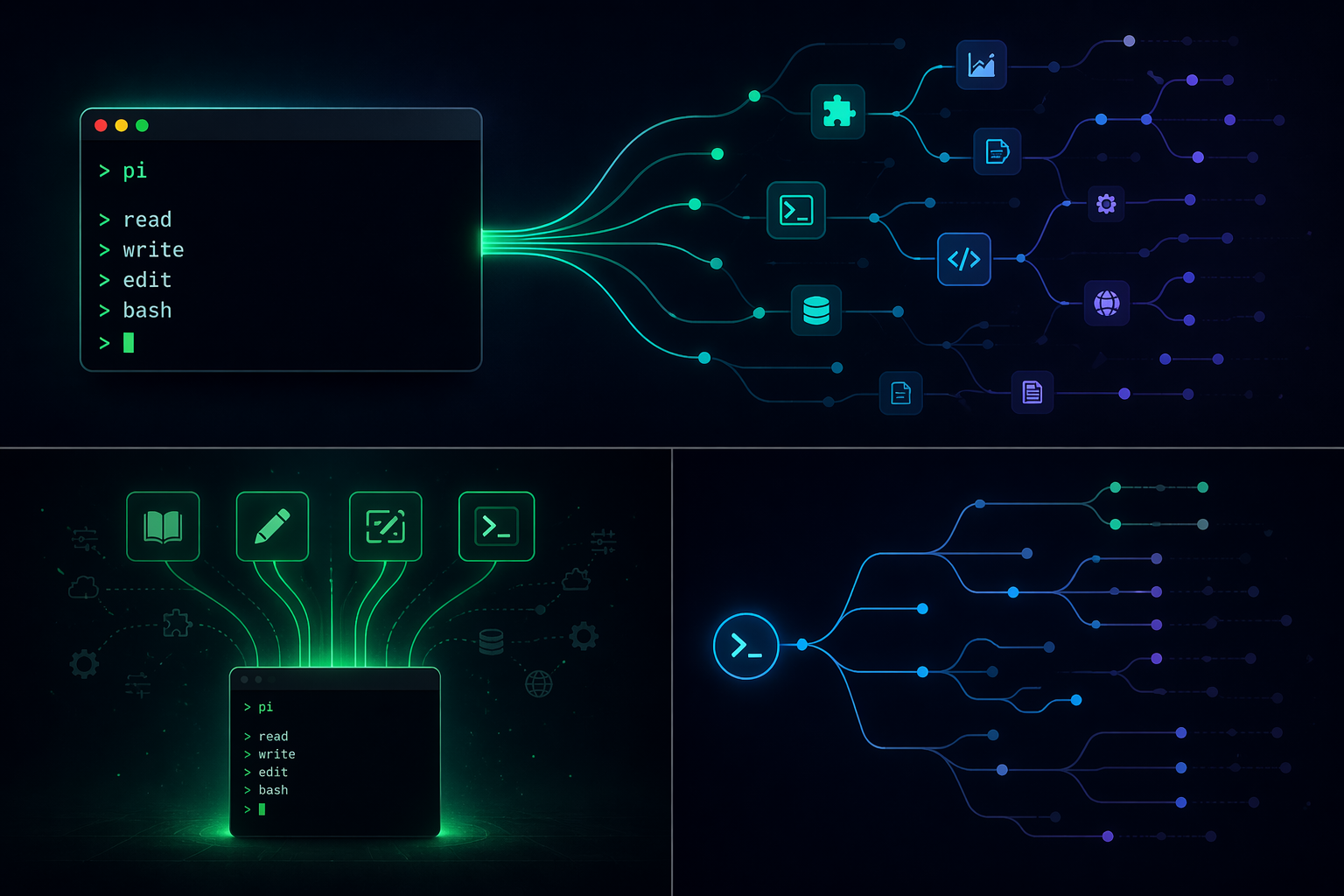
Pi is a terminal-based coding agent built by Mario Zechner that takes a deliberately stripped-down approach to agentic programming. Instead of bundling every feature other agents ship with, it gives the model four tools, keeps the system prompt short, and pushes everything else into a TypeScript extension layer that you (or the agent itself) can write.
What pi actually is
Pi runs in a terminal as a text UI. You talk to a language model, and the model uses a tiny built-in toolset to read files, write files, edit files, and run shell commands. That’s the whole default surface. No MCP. No plan mode. No sub-agents. No permission popups. No background bash. No built-in to-do system.
The design premise is that most “features” in other agents can be assembled from primitives when the core is small and the extension API is rich. If you want plan mode, write it. If you want sub-agents, spawn them. If you want MCP, bridge to it with a CLI or an extension. The agent is framed as clay you shape, not a fixed product.
Pi lives inside the broader pi-mono monorepo, which also contains the unified LLM API (pi-ai), an agent runtime, a terminal UI library, and a Slack bridge called pi-mom. The coding agent is one package among several, but it’s the entry point most people care about.
Installation and first run
npm install -g @mariozechner/pi-coding-agent
export ANTHROPIC_API_KEY=sk-ant-...
pi
/login inside the TUI to connect an Anthropic Claude Pro/Max, ChatGPT Plus/Pro (Codex), GitHub Copilot, Google Gemini CLI, or Google Antigravity subscription.Once you’re in, you just type. The model has four tools by default: read, write, edit, and bash. Optional extras like grep, find, and ls can be turned on with the --tools flag.
Providers and model switching
Pi supports a long list of providers and keeps their tool-capable model lists updated with each release. You can switch models mid-session with /model or Ctrl+L, and cycle through a shortlist with Ctrl+P.
| Auth type | Supported providers |
|---|---|
| Subscription (OAuth) | Anthropic Claude Pro/Max, ChatGPT Plus/Pro (Codex), GitHub Copilot, Google Gemini CLI, Google Antigravity |
| API key | Anthropic, OpenAI, Azure OpenAI, Google Gemini, Google Vertex, Amazon Bedrock, Mistral, Groq, Cerebras, xAI, OpenRouter, Vercel AI Gateway, ZAI, OpenCode Zen, OpenCode Go, Hugging Face, Fireworks, Kimi For Coding, MiniMax |
| Local / custom | Ollama and any OpenAI/Anthropic/Google-compatible endpoint added via ~/.pi/agent/models.json or an extension |
Custom providers that speak a supported API can be added through a JSON file. Anything needing a non-standard API or OAuth flow goes through an extension, which can register a provider and fetch remote model lists at startup.
The four modes of operation
Pi isn’t only a TUI. It runs in four distinct modes depending on how you want to integrate it.
| Mode | Invocation | Use case |
|---|---|---|
| Interactive | pi | Full terminal UI with editor, messages, footer, and extensions |
pi -p "query" | Run once, print the answer, exit. Reads piped stdin. | |
| JSON | pi --mode json | Event stream as JSON lines for scripting and pipelines |
| RPC | pi --mode rpc | LF-delimited JSONL protocol over stdin/stdout for non-Node integrations |
| SDK | import { createAgentSession } from "@mariozechner/pi-coding-agent" | Embed pi as a library in your own Node app |
The RPC mode is worth calling out. It uses strict LF-delimited JSONL framing, which means clients must split on \n only, never on generic Unicode line separators. Node’s built-in readline will break the protocol because it splits on additional separators that can appear inside JSON payloads.
The SDK is the integration path used by OpenClaw, a chat-connected agent that sits on top of pi and runs code on demand. The same primitives let you build Slack bots, Telegram bots, or anything else that wants an agent loop backing a conversation surface.
Sessions are trees, not logs
Sessions are stored as JSONL files in ~/.pi/agent/sessions/, organized by working directory. Each entry has an id and a parentId, which means a session is a tree rather than a linear chat log. You can branch, switch between branches, and rewind without creating separate files.
The commands that matter here:
| Command | What it does |
|---|---|
/tree | Navigate the session tree, pick any previous point, and continue from there |
/fork | Create a new session file from a previous user message on the active branch |
/clone | Duplicate the current active branch into a new session file |
/compact [prompt] | Summarize older messages, optionally with custom instructions |
/share | Upload the session as a private GitHub gist with a shareable HTML link |
/export [file] | Export the session as a standalone HTML file |
Compaction is lossy, but the full history stays in the JSONL file, so /tree can always revisit the pre-compaction state. Automatic compaction triggers when the context approaches the limit, or recovers after an overflow and retries.
The practical consequence is that side-quests don’t pollute the main thread. If an agent breaks one of its own tools mid-task, you can branch, fix the tool, verify it, then rewind the main branch with a short summary of what happened in the detour.
Message queueing while the agent works
You can type while the model is still producing output. Pi distinguishes two kinds of queued input:
- Enter queues a steering message. It’s delivered after the current tool call finishes, and it interrupts any remaining queued tool calls in that turn.
- Alt+Enter queues a follow-up. It’s only delivered once the agent finishes all pending work.
- Escape aborts and pulls queued messages back into the editor so you can edit them.
- Alt+Up retrieves queued messages without aborting.
Delivery modes steeringMode and followUpMode can be set to one-at-a-time (the default, where each queued message waits for a response) or all (deliver everything queued at once). On Windows Terminal, Alt+Enter is mapped to fullscreen by default and needs to be remapped for follow-ups to work.
Context files and system prompts
At startup, pi loads AGENTS.md (or CLAUDE.md) from three locations, walking up the directory tree:
~/.pi/agent/AGENTS.mdfor global instructions- Every parent directory between
~and the current working directory - The current directory itself
Matching files are concatenated and appended to the system prompt. Use this for coding conventions, repo-specific commands, and agent instructions. You can disable discovery with --no-context-files (or -nc).
To replace the system prompt entirely, create .pi/SYSTEM.md per project or ~/.pi/agent/SYSTEM.md globally. To append without replacing, use APPEND_SYSTEM.md. The default system prompt is intentionally short so that project context dominates behavior rather than generic boilerplate.
The four extensibility surfaces
Pi ships with a specific vocabulary for customization. Each type has its own discovery path and its own purpose.
| Type | Format | What it does |
|---|---|---|
| Prompt templates | Markdown files with {{variables}} | Reusable prompts invoked by typing /name in the editor |
| Skills | SKILL.md in a folder, Agent Skills standard | On-demand capability packages; loaded automatically or via /skill:name. Progressive disclosure avoids busting the prompt cache. |
| Extensions | TypeScript modules exporting a factory function | Register tools, commands, keybindings, event handlers, and custom TUI components |
| Themes | Theme files placed in theme directories | Color and visual customization; hot-reloads on save |
| Pi packages | npm or git repo with a pi key in package.json | Bundle any combination of the above and distribute it |
Discovery paths are consistent. Each resource type is loaded from ~/.pi/agent/<type>/ (global), .pi/<type>/ (project), or from installed pi packages. Skills additionally support ~/.agents/skills/ and .agents/skills/, walking up from the current directory.
Writing an extension
An extension is a TypeScript module with a default export that takes the extension API. The factory can be async, which matters when you need to fetch remote model lists or do one-time setup before pi finishes starting up.
export default function (pi: ExtensionAPI) {
  pi.registerTool({ name: "deploy", /* ... */ });
  pi.registerCommand("stats", { /* ... */ });
  pi.on("tool_call", async (event, ctx) => { /* ... */ });
}
From this API, an extension can register custom tools (or replace the built-in ones entirely), add slash commands and keyboard shortcuts, inject messages before each model turn, filter message history, implement RAG, build long-term memory, render TUI widgets above or below the editor, add status lines and custom footers, or take over the editor with a custom UI.
The example directory in pi-mono contains over 50 extensions to read or fork, including sub-agents, plan mode, permission gates, path protection, SSH execution, sandboxing, MCP integration, git checkpointing, and a Doom overlay that proves the TUI can host arbitrary rendering.
Skills vs extensions vs prompt templates
The three are easy to confuse. Here’s the decision model that maps cleanly to pi’s design.
| Situation | Use |
|---|---|
| A reusable prompt you type often with slight parameter changes | Prompt template |
| A capability the model should know about but only load when needed | Skill |
| A new tool, UI element, keybinding, or event hook | Extension |
| A shell-level capability that already works from the command line | Just let the model call it through the bash tool; optionally document it in a skill |
Skills follow the Agent Skills standard, so a single skill folder is portable across agents that support the spec. Each SKILL.md declares when the skill is relevant and the steps to follow. The point of progressive disclosure is that skill content only enters the context when invoked, which keeps the prompt cache intact for everything else.
Installing and managing pi packages
Packages are distributed through npm or git. Install, remove, update, and configure them with the pi CLI itself.
pi install npm:@foo/pi-tools
pi install npm:@foo/[email protected]
pi install git:github.com/user/repo
pi install git:github.com/user/repo@v1
pi install https://github.com/user/repo@v1
pi install ssh://[email protected]/user/repo@v1
pi remove npm:@foo/pi-tools
pi list
pi update
pi config
The -l flag installs into a project-local directory (.pi/git/ or .pi/npm/) instead of the global location. Git packages install with npm install --omit=dev, so runtime code must declare its dependencies under dependencies, not devDependencies.
Node version managers can trip up package installs. If you use mise, nvm, or similar, set npmCommand in settings.json to something stable, for example ["mise", "exec", "node@20", "--", "npm"].
To test a package without installing, use the -e flag: pi -e git:github.com/user/repo. That runs pi with the package loaded for the session only.
To ship your own package, add a pi key and the pi-package keyword to package.json:
{
  "name": "my-pi-package",
  "keywords": ["pi-package"],
  "pi": {
    "extensions": ["./extensions"],
    "skills": ["./skills"],
    "prompts": ["./prompts"],
    "themes": ["./themes"]
  }
}
Without an explicit manifest, pi auto-discovers resources from the conventional folders (extensions/, skills/, prompts/, themes/).
CLI flags worth knowing
The full flag list is long. These are the ones that come up most often.
| Flag | Effect |
|---|---|
-c, --continue | Continue the most recent session for the current directory |
-r, --resume | Open a picker to resume any past session |
--no-session | Ephemeral mode; nothing is written to disk |
--session <path|id> | Open a specific session by file path or partial UUID |
--fork <path|id> | Fork an existing session into a new one |
--tools read,grep,find,ls | Run in read-only mode; no write, edit, or bash |
--no-tools | Disable all built-in tools; only extension tools remain |
--model <pattern> | Supports provider/id and :<thinking> shorthand, e.g. sonnet:high |
--thinking <level> | off, minimal, low, medium, high, xhigh |
--models "claude-*,gpt-4o" | Patterns for the Ctrl+P cycle list |
@filename | Include a file (text or image) in the initial message |
Piped stdin is merged into the initial prompt in print mode, which makes one-liners easy:
cat README.md | pi -p "Summarize this text"
pi -p @screenshot.png "What's in this image?"
pi --tools read,grep,find,ls -p "Review the code"
Environment variables
| Variable | Purpose |
|---|---|
PI_CODING_AGENT_DIR | Override the config directory (default: ~/.pi/agent) |
PI_PACKAGE_DIR | Override the package directory; useful on Nix/Guix where store paths tokenize poorly |
PI_SKIP_VERSION_CHECK | Skip the version check at startup |
PI_TELEMETRY | Set to 0/false/no to disable anonymous install/update telemetry |
PI_CACHE_RETENTION | Set to long for extended prompt cache (Anthropic 1h, OpenAI 24h) |
VISUAL, EDITOR | External editor invoked by Ctrl+G |
Telemetry can also be disabled per-install by setting enableInstallTelemetry to false in settings.json.
What pi deliberately doesn’t ship
The omissions are the design. Each one has a stated rationale and a workaround.
| Missing feature | Rationale | Workaround |
|---|---|---|
| MCP support | MCP tools have to be loaded at session start and can’t be hot-swapped without invalidating the cache or confusing the model about older tool calls | Use CLI wrappers like mcporter, or write an extension that bridges MCP |
| Sub-agents | Too many reasonable implementations to pick one | Spawn pi instances via tmux, or install a sub-agent extension |
| Permission popups | Confirmation flows should match your environment and security model | Run in a container, or build a permission gate extension |
| Plan mode | Plans vary by team and workflow | Write plans to a file, or install a plan-mode package |
| Built-in to-dos | They confuse models | Use a TODO.md file, or an extension that manages .pi/todos |
| Background bash | Hard to observe and interact with reliably | Use tmux for full observability |
The recurring pattern: the core stays minimal so that the customization layer can absorb the variance. Features other agents bake in can be built, borrowed, or replaced without forking pi itself.
Community resources
Community packages, extensions, and discussion are concentrated in a few places. Pi packages publish under the pi-package keyword on npm, making them discoverable with a single search.
Issues and pull requests from new contributors are auto-closed by default; maintainers review the auto-closed queue daily. This keeps the project shippable by a small team while still letting community contributions land after review.
The underlying idea that makes pi worth paying attention to isn’t the tool count or the provider list. It’s that extension state persists into sessions, extensions hot-reload, and sessions are trees. Those three properties together let the agent build, test, and iterate on its own tools inside a single working session, which is the closest most developers have come to software that actually builds more software.





