

PlayStation 2025 Wrap-Up is Sony’s yearly recap of how you used your PS4 and PS5, from total hours to your most-played games. It runs as a standalone web experience and is not built into the console UI, so you need to know exactly where to go and what the requirements are.
Basic requirements for PlayStation 2025 Wrap-Up
Before trying to load your recap, check that your account qualifies:
- Platform and account: You need a PlayStation Network account in your region and activity on a PS4 or PS5.
- Age: The account must be an adult account (not a child sub-account).
- Minimum playtime: You must have played PS4 or PS5 games for at least 10 hours between January 1, 2025 and December 31, 2025.
- Data collection on PS5: On PS5, the “Full Data” option must have been enabled in system settings during 2025; without it, the recap will not be generated.
- Data collection on PS4 in certain regions: In Europe, the Middle East, Africa, Australasia, India, and Russia, PS4 users need to have allowed “Additional Data” collection during 2025.
Playtime from PS3 and PS Vita does not contribute to the 2025 Wrap-Up summary, and only activity within the 2025 calendar year is reflected.
How to open your PlayStation 2025 Wrap-Up
There is no menu option on PS4 or PS5 for Wrap-Up. Everything runs through the browser-based experience.
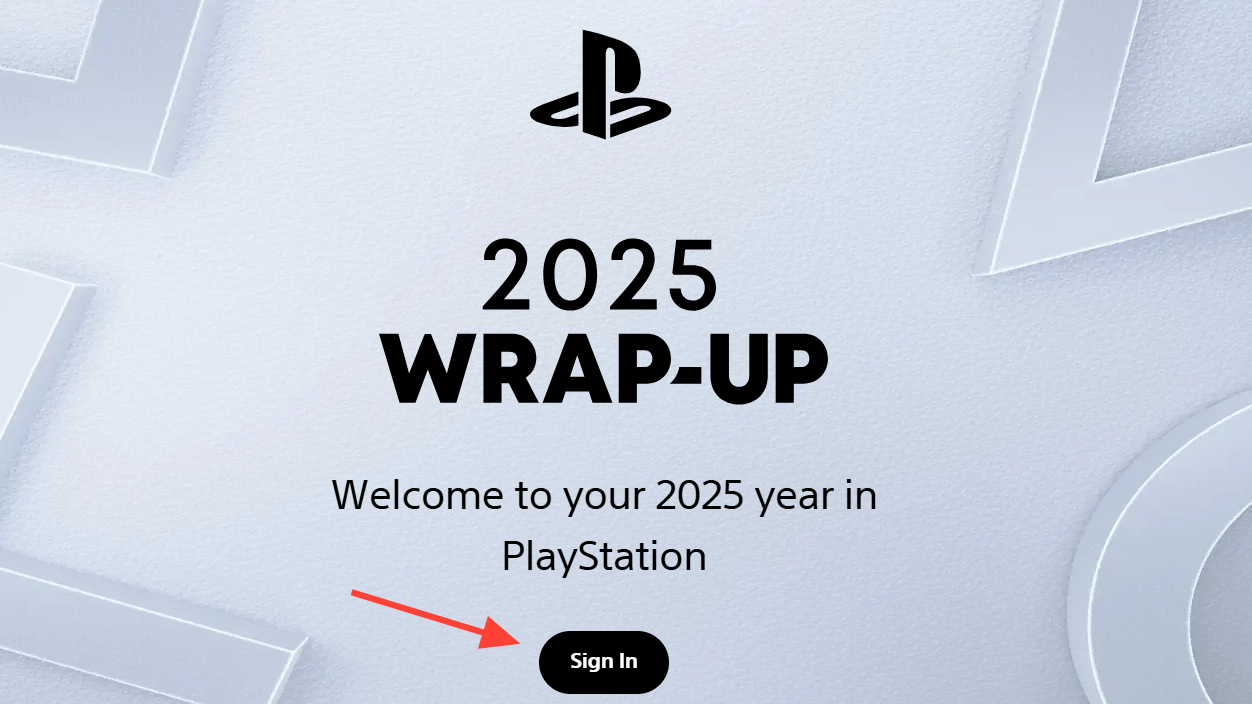
Step 1: On your phone, tablet, or PC, go to wrapup.playstation.com. This is the dedicated Wrap-Up 2025 site.
Step 2: Select the sign-in button and log in with the PlayStation Network ID you use on your PS4 or PS5. If you have multiple accounts, the stats only reflect the one you sign in with.
Step 3: After sign-in, the Wrap-Up 2025 experience loads your data and starts on an overview card that shows how many games you played in 2025, split into PS5 and PS4 titles.
Step 4: Use the on-screen navigation (usually a “Next” button or arrows) to move through the recap screens for games, playtime, trophies, accessories, and social stats.
Wrap-Up 2025 is available from December 9, 2025, through January 8, 2026. The stats update as you keep playing through the end of the year, so you can revisit the site later in December or early January to see your final numbers.
What PlayStation 2025 Wrap-Up actually shows
The 2025 recap focuses on a compact set of stats rather than a month-by-month timeline. As you advance through the experience, you can expect several types of cards.
Game and playtime stats
- Total games played: The number of distinct PS4 and PS5 games you launched in 2025, with a breakdown by platform.
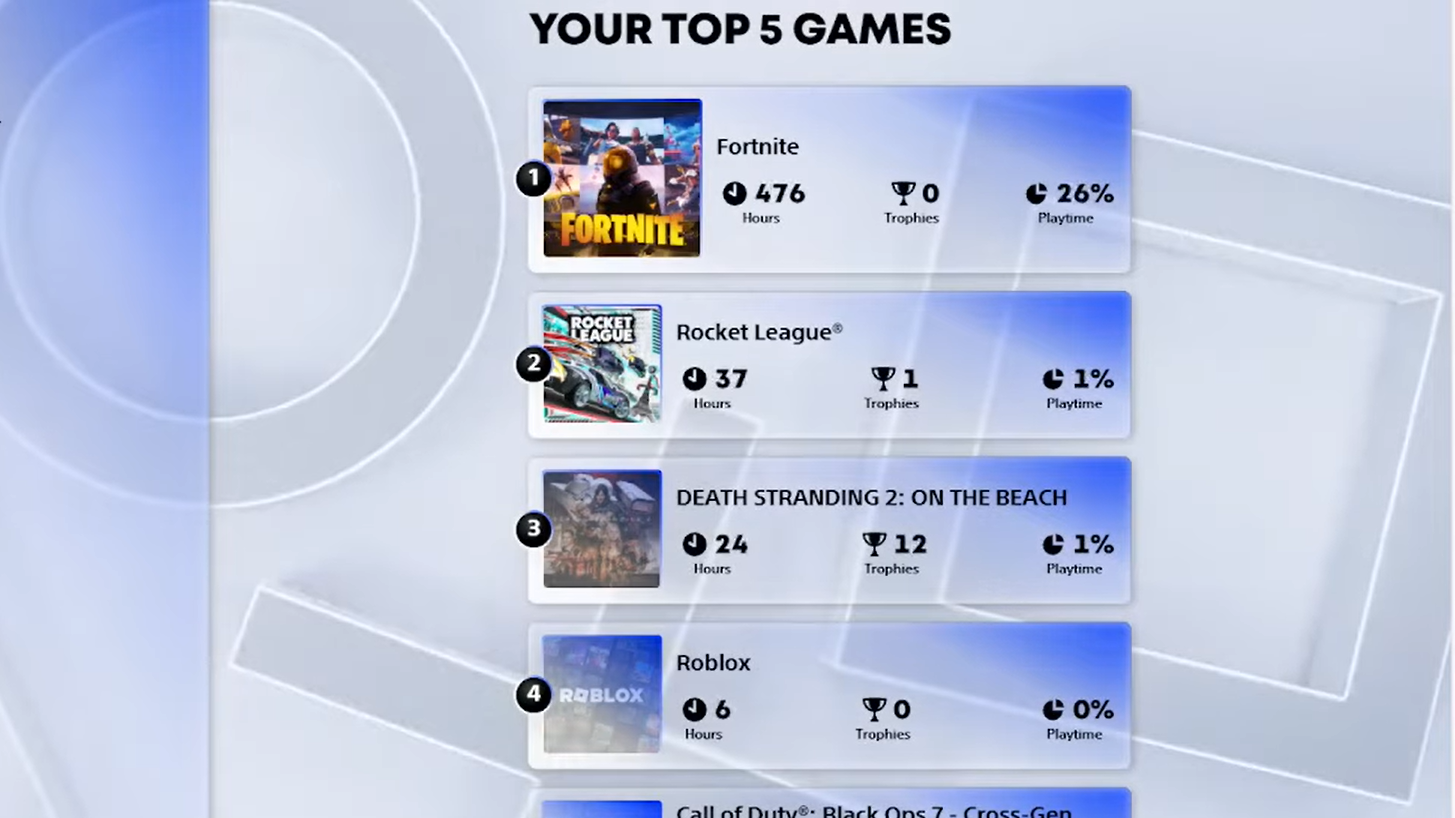
- Top 5 games by hours: A ranked list of your most-played titles, showing hours spent in each and how that compares with your overall time.
- Total hours played: Your cumulative playtime across all PS4 and PS5 games in 2025.
- Single-player vs multiplayer time: A split between time spent in solo modes and in online or local multiplayer.
- Gaming sessions: The number of distinct play sessions logged across the year.
2025 Wrap-Up does not provide a per-month breakdown like some previous years; the emphasis is on the games that dominated your year and your total commitment rather than a calendar timeline.
Gaming Style and genre profile
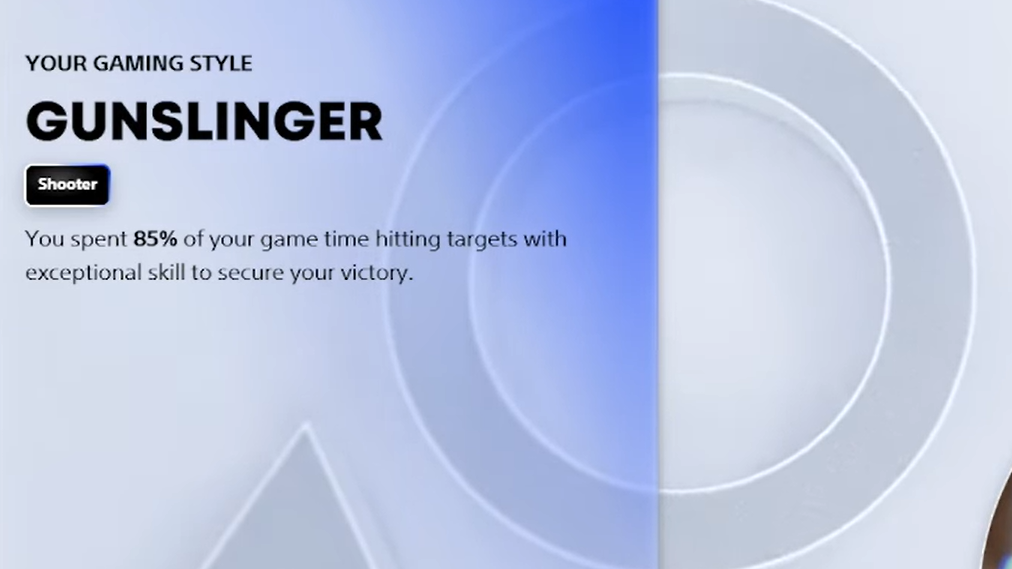
Wrap-Up 2025 includes a “Gaming Style” card that tries to summarize what you play most.
- Style label: A short descriptor, such as a shooter-focused label like “gunslinger,” built from your most-played genres.
- Time share: A percentage of your total playtime spent in those dominant genres.
This is derived from the genres of your most-played titles and is meant as a quick snapshot, not a complete taxonomy of everything you touched.

Accessories and controller usage
New for the 2025 recap is an emphasis on how you played, not just what you played.
- Most-used DualSense design: A card calling out which DualSense wireless controller design Wrap-Up recorded as your most used in 2025 (for example, the standard white DualSense, Midnight Black, or a limited edition).
- PlayStation VR2 usage: Hours or sessions in VR if you used PlayStation VR2 during the year.
- PlayStation Portal sessions: Time spent playing via the PlayStation Portal remote player, if applicable.
These stats are based on accessory usage logged by the system throughout 2025.
Trophies and milestones
The trophies section focuses on a handful of highlights rather than exhaustive breakdowns.
- Total trophies earned in 2025: All bronze, silver, gold, and platinum trophies across PS4 and PS5.
- Milestone trophies: Notable unlocks such as your first trophy of 2025, your latest trophy, and other selected moments.
- Featured games: The recap can highlight specific games tied to these milestones, especially major releases like Death Stranding 2: On the Beach, Ghost of Yōtei, Blue Prince, or Clair Obscur: Expedition 33, if you played them.
Some players also see how many of their trophies came from PlayStation Plus titles, although the exact layout can vary.

Social and multiplayer activity
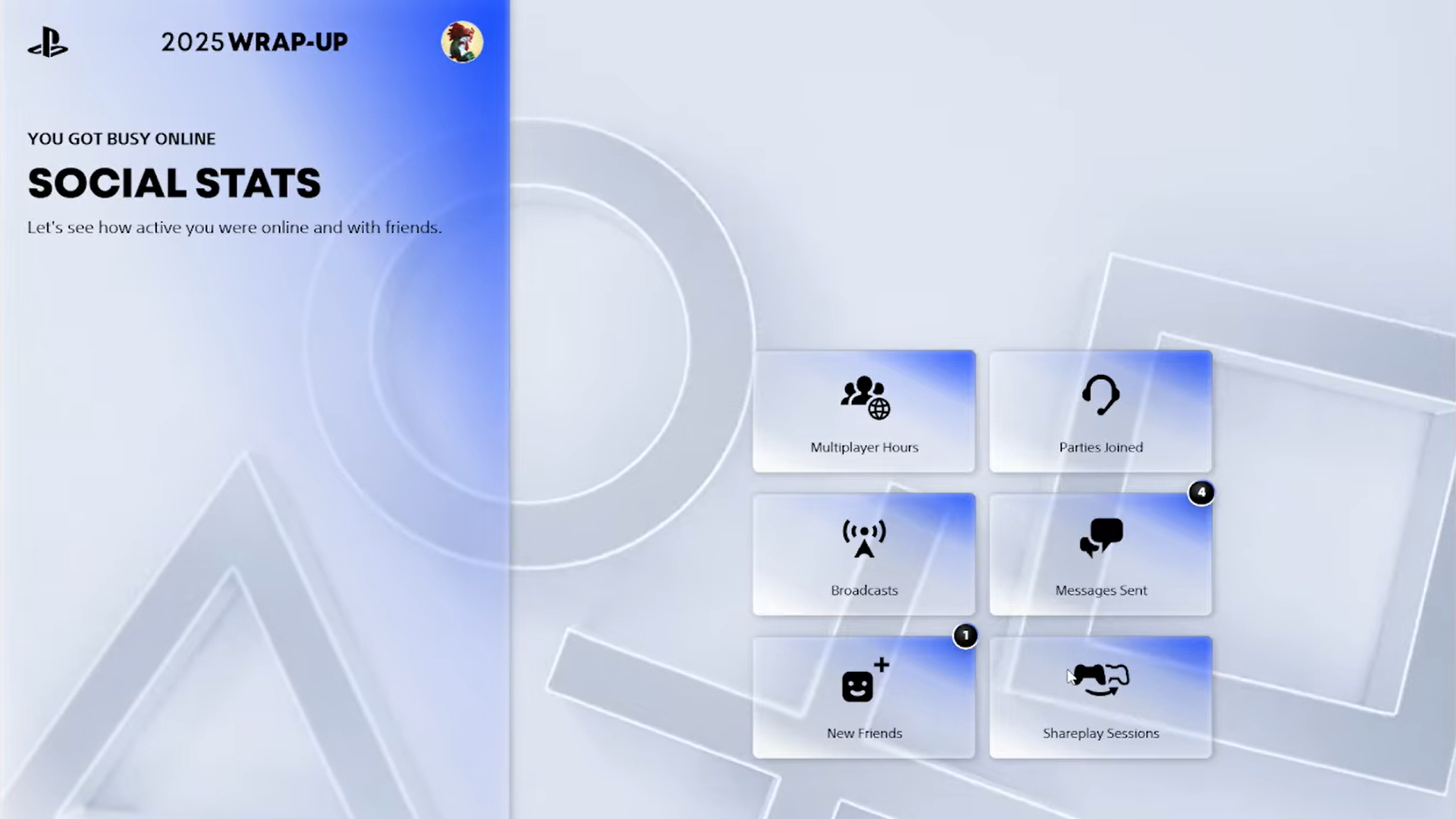
Later in the experience, Wrap-Up surfaces how you played with other people.
- Multiplayer hours: The total time spent in online multiplayer across all games.
- Parties joined: How many party voice chats you were part of during the year.
- Messages and friends: Counts for messages sent and new friends added, where available.
These cards are particularly useful if most of your time went into titles with heavy online components like shooters, live-service games, or co-op action games.
How to claim the 2025 Wrap-Up avatar and summary card
PlayStation 2025 Wrap-Up includes a small reward for completing the recap.
Step 1: Progress through the Wrap-Up experience on wrapup.playstation.com until you reach the final “That’s a wrap” or equivalent closing screen.
Step 2: On the final screen, look for the reward section. Wrap-Up 2025 grants a unique glass-themed avatar that is tied to this campaign.

Step 3: Follow the on-page instructions to either auto-apply the avatar to your PSN profile or obtain the redemption code shown. If a code is provided, redeem it through the “Redeem Codes” option in the PlayStation Store on your console or via the web store.
Step 4: On the same closing screen, download or copy your 2025 summary card image. This graphic condenses your headline stats (games played, hours, trophies) and is formatted for sharing on social platforms or with friends.
The avatar and summary card are only available while Wrap-Up 2025 is live, so make sure you complete the flow before January 8, 2026.
If the Wrap-Up 2025 site shows errors or missing data
Heavy traffic and data processing can make Wrap-Up unreliable during the first days after launch. Common issues include “500 Internal Server Error” messages, empty stat cards, or obviously incomplete trophy counts.
Step 1: If you see a server error or a blank page after sign-in, wait a few minutes and refresh the site, or try again at a quieter time of day.
Step 2: If specific sections (such as trophies or social stats) look obviously wrong, leave the recap and revisit it after a day or two. The 2025 experience continues updating until the end of the year, and data often appears more complete after the initial rush calms down.
Step 3: Confirm that your account meets the eligibility rules. If you are below the 10-hour threshold, used only a child account, or had data collection disabled during 2025, the recap cannot be generated or fixed on Sony’s side for that year.
Small discrepancies are possible, especially for very recent releases or titles that share trophy lists across versions, but major gaps often resolve once the backend finishes catching up.
PlayStation 2025 Wrap-Up is ultimately a snapshot: a quick way to see where the year went, whether that was a single live-service game, a long JRPG, a slate of short indies, or a mix of everything. As long as your account meets the basic requirements and you use the dedicated web page, the recap is straightforward to access and gives you a shareable record of your year on PS4 and PS5.