

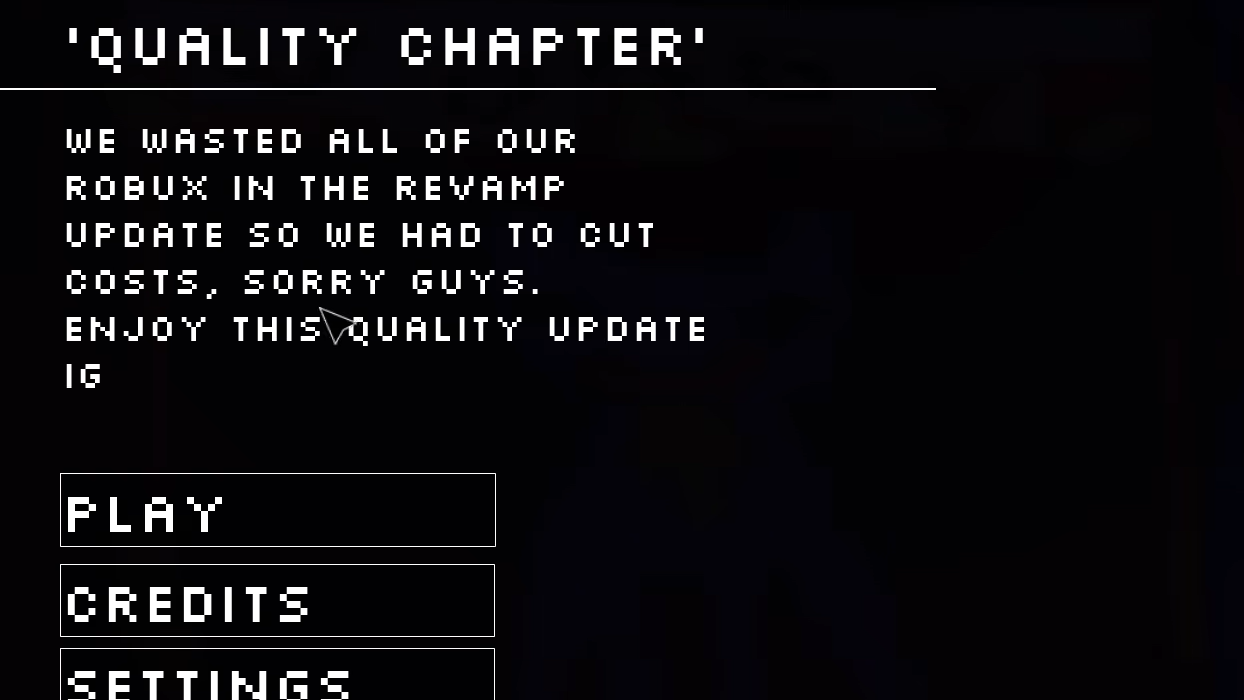
Pop Playtos Quality Chapter is a special event chapter in the Roblox Poppy Playtime-inspired game Pop Playtos. The chapter presents itself as a deliberately low-quality experience, with a menu description explaining that the developers "wasted all of our Robux in the revamp update so we had to cut costs." Despite the comedic framing, the chapter includes puzzles and interactive elements that require specific solutions to progress.
Quick answer: Access the Quality Chapter from the chapter select menu, solve the colored keypad puzzle by matching the sequence shown on nearby panels, and interact with doors using the E key or mobile tap controls to advance through the level.
Access the Quality Chapter
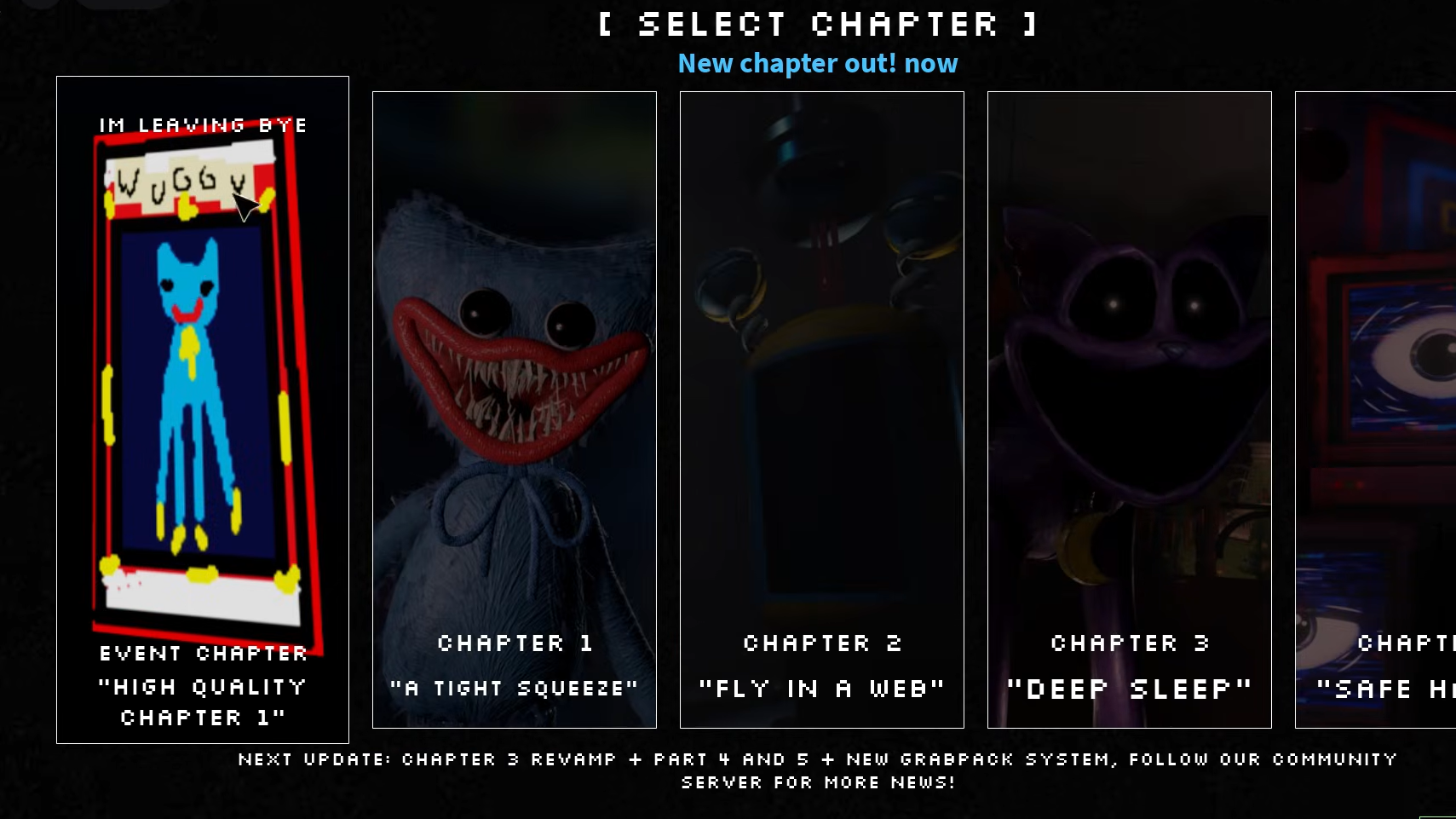
The Quality Chapter appears as an event option in the chapter select menu. The menu displays multiple chapter choices, including Chapter 1 through Chapter 4, with the Quality Chapter labeled as "EVENT CHAPTER 'HIGH QUALITY CHAPTER 1'" at the top of the list. A poorly drawn blue character accompanies the chapter thumbnail with text reading "IM LEAVING BYE."
Select the event chapter option to open a secondary menu titled "EVENT CHAPTER 'QUALITY CHAPTER'." This menu includes Play, Credits, Settings, and Quit options. Choose Play to begin the chapter.
Door interaction controls
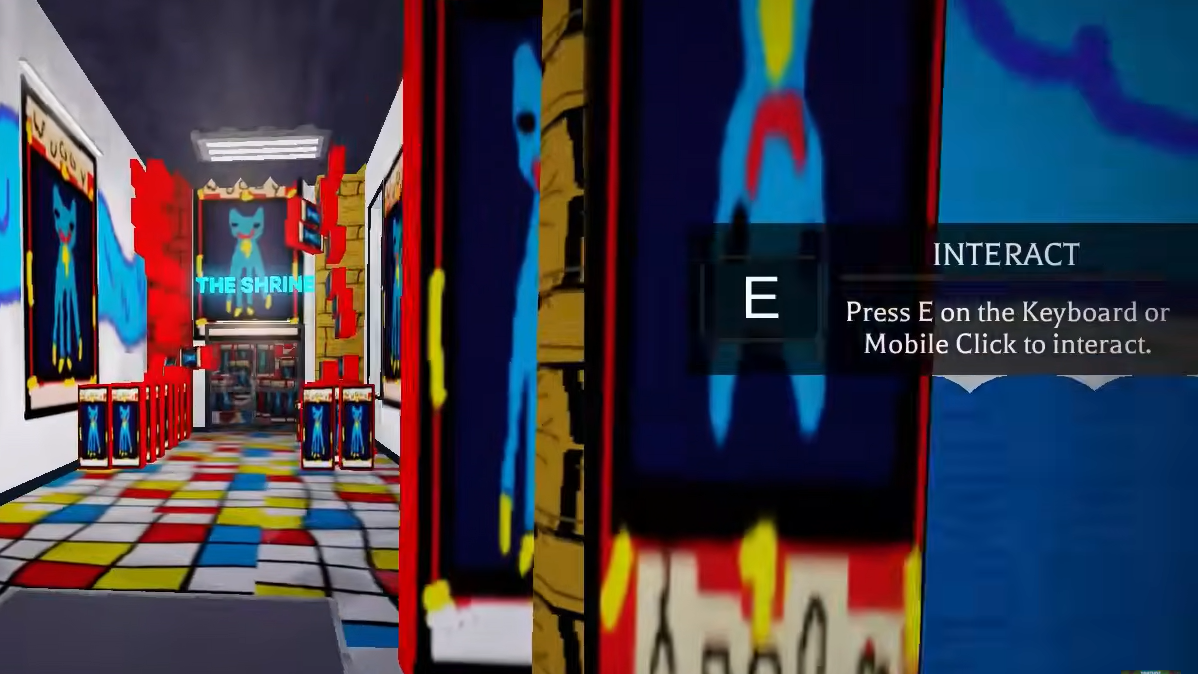
The game uses standard Roblox interaction mechanics. When you approach a door or interactive object, an on-screen prompt appears displaying "INTERACT Press E on the Keyboard or Mobile Click to interact." Press the E key on the keyboard or tap the screen on mobile devices to open doors and activate objects.
Doors serve as the primary progression points throughout the chapter. Each door must be manually opened using the interaction prompt before you can continue to the next area.
Colored keypad puzzle solution
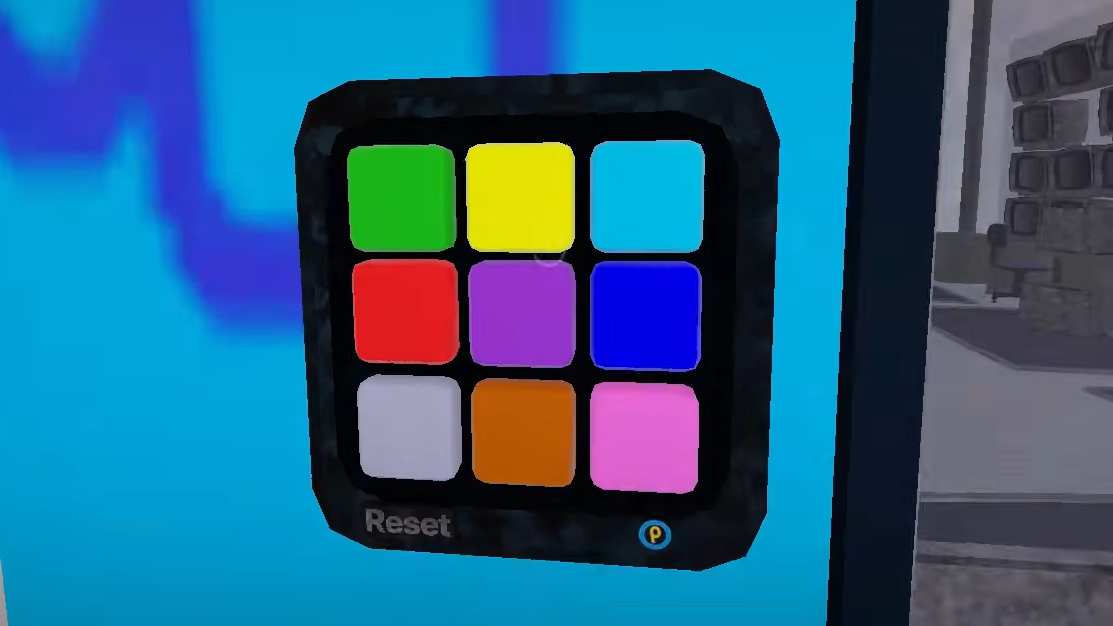
The main puzzle in the Quality Chapter involves a colored keypad mounted on a wall. The keypad displays multiple colored buttons and includes a Reset button that clears your current input.
To solve the keypad puzzle, locate the colored panels or indicators positioned near the keypad. These panels display the correct color sequence you need to input. Press the colored buttons on the keypad in the exact order shown by the reference panels. If you make a mistake, use the Reset button to clear your entry and start the sequence again.
Successfully entering the correct color sequence unlocks the next door and allows you to progress through the chapter. The puzzle does not include a timer, so you can take your time matching the pattern.
Chapter completion and future updates
The Quality Chapter is a short event experience designed as a humorous interlude between major content updates. The chapter select menu displays a notice at the bottom stating "NEXT UPDATE: CHAPTER 3 REVAMP + PART 4 AND 5 + NEW GRABPACK SYSTEM, FOLLOW OUR COMMUNITY SERVER FOR MORE NEWS!" This indicates that the main game continues to receive regular updates with revamped chapters and new mechanics.
After completing the Quality Chapter, you return to the chapter select menu where you can choose to replay the event or select one of the standard numbered chapters. The chapter does not include unique badges or rewards beyond the experience itself.