

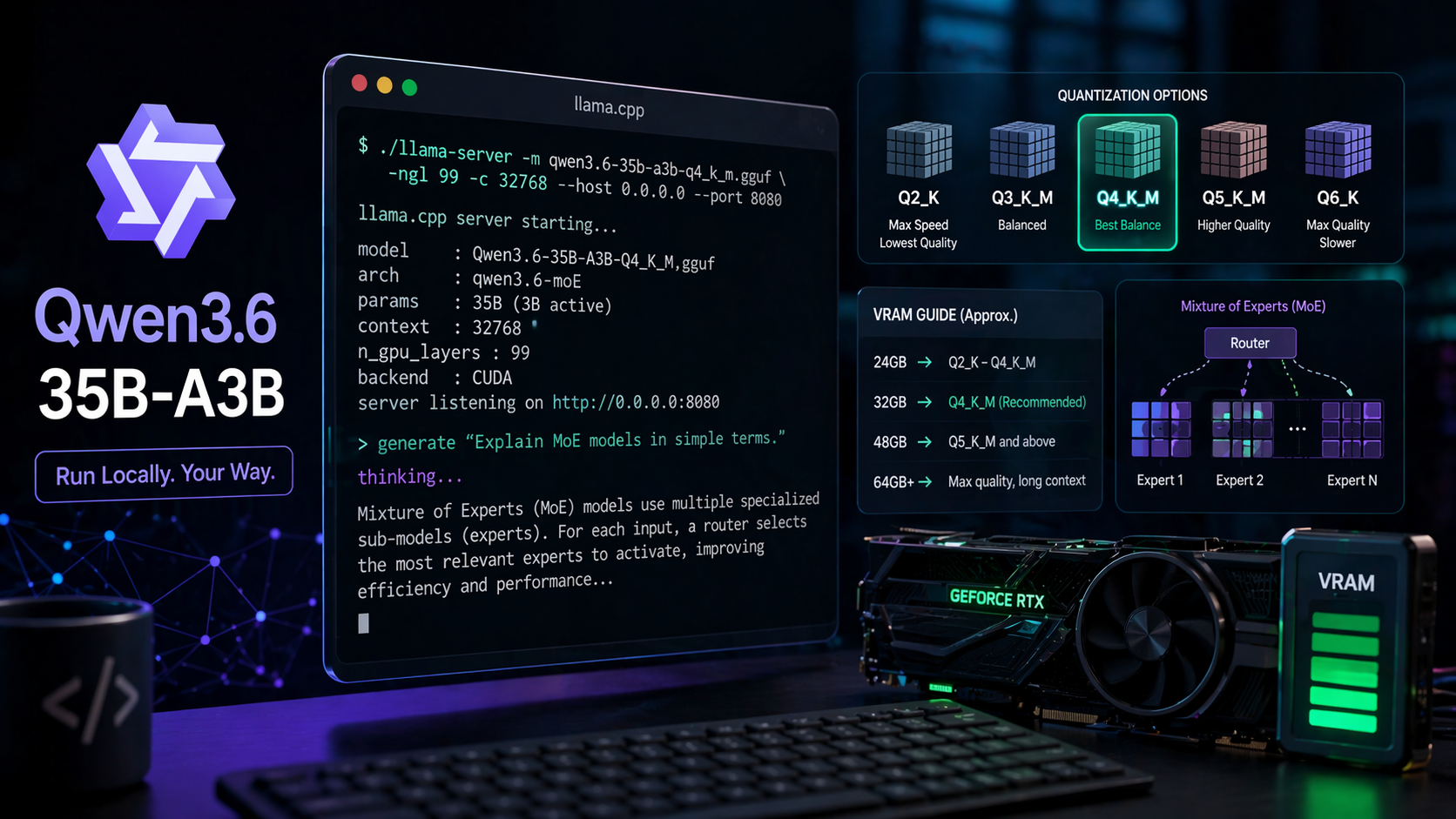
Qwen3.6-35B-A3B is the first open-weight model in the Qwen3.6 family, packaged as GGUF for local inference through llama.cpp and compatible tools like LM Studio, koboldcpp, Jan, and Unsloth Studio. It’s a 35-billion parameter mixture-of-experts model with roughly 3B active parameters per token, built around a hybrid architecture that alternates Gated DeltaNet layers with Gated Attention and a 256-expert MoE stack (8 routed experts plus 1 shared active per token).
Quick answer: For most 24GB GPUs, the Unsloth UD-Q4_K_XL (~21GB) or UD-Q3_K_XL (~17GB) quants hit the best quality-to-size ratio. If you see gibberish on 4-bit quants, downgrade to CUDA 13.1 — CUDA 13.2 has a confirmed bug affecting low-bit inference across all GGUF providers.
What the model is
Qwen3.6-35B-A3B is a causal language model with a built-in vision encoder, post-trained for agentic coding and tool use. It follows Qwen3.5 in the lineup but focuses on stability, tool calling, and repository-level reasoning rather than raw benchmark chasing. Thinking mode is on by default, wrapping reasoning in <think>...</think> blocks before the final response.
Native context length is 262,144 tokens, extensible to roughly 1,010,000 tokens through YaRN RoPE scaling. The architecture uses 40 layers arranged as 10 repetitions of three DeltaNet→MoE blocks followed by one Gated Attention→MoE block, with 2048 hidden dimension and a 248,320-token padded vocabulary.
GGUF quant options and sizes
Three providers dominate the GGUF landscape for this model: Unsloth (dynamic UD quants), Bartowski (imatrix quants), and mudler’s APEX quants. Sizes and use cases differ meaningfully across the range.
| Quant | Size | Best for |
|---|---|---|
| BF16 | ~69 GB | Reference, full precision |
| Q8_0 | ~35 GB | Near-lossless, dual GPUs or 48GB+ |
| Q6_K / Q6_K_XL | ~30 GB | High quality, 32–48GB VRAM |
| Q5_K_M / UD-Q5_K_XL | ~25 GB | Strong quality on 32GB cards |
| UD-Q4_K_XL / Q4_K_M | ~21 GB | Default for 24GB VRAM |
| IQ4_XS | ~19 GB | Smaller than Q4_K_S, similar quality |
| UD-Q3_K_XL | ~17 GB | Low-RAM builds, 16GB VRAM + offload |
| IQ2_M / Q2_K | ~12 GB | Tight budgets, quality drops noticeably |
| IQ1_M | ~8.5 GB | Not recommended outside experiments |
Quants with the XL suffix keep embedding and output weights at Q8_0 while compressing the rest, which preserves more accuracy at small size penalties. The UD prefix marks Unsloth’s dynamic quants, which use per-tensor bit allocation tuned against KL-divergence benchmarks.
Picking a quant for your hardware
Match your total VRAM (or unified memory on Apple Silicon) minus context overhead to the quant size. Reserve 2–4GB for KV cache at moderate context lengths, more if you plan to use the full 262K window.
| Hardware | Recommended quant | Notes |
|---|---|---|
| RTX 3090/4090 (24GB) | UD-Q4_K_XL or IQ4_XS | Room for ~128K context |
| RTX 5090 / A6000 (32–48GB) | UD-Q5_K_XL or Q6_K | Full context feasible |
| 16GB GPU + 32GB RAM | UD-Q3_K_XL with CPU offload | Expect 5–12 tokens/sec |
| M2/M3 Mac (64GB unified) | Q5_K_M or Q6_K | MLX builds also available |
| Dual 24GB GPUs | Q8_0 with tensor parallel | Near-BF16 quality |
IQ-series quants (IQ4_XS, IQ3_M, IQ2_M) use newer techniques that squeeze more quality out of each bit, but they run slightly slower during inference than K-quants of similar size. For CPU-only setups, stick with K-quants.
The CUDA 13.2 gibberish bug
The issue affects low-bit quants across Unsloth, Bartowski, APEX, and every other provider — it’s a driver-level problem, not a quantization defect. CUDA 13.2 is backwards compatible, so you don’t need to uninstall it. Just install CUDA 13.1 alongside it and point llama.cpp at the older toolkit, or grab pre-built binaries from the llama.cpp releases page.
Running with llama.cpp
Download the GGUF file and an mmproj file if you want vision support. The mmproj files for Qwen3.6 are different from Qwen3.5 — they’re not interchangeable.
huggingface-cli download unsloth/Qwen3.6-35B-A3B-GGUF \
  --include "Qwen3.6-35B-A3B-UD-Q4_K_XL.gguf" \
  --local-dir ./qwen36
./llama-server \
  -m ./qwen36/Qwen3.6-35B-A3B-UD-Q4_K_XL.gguf \
  -c 32768 \
  -ngl 99 \
  --host 0.0.0.0 --port 8080
Sampling parameters
The recommended settings change based on whether you’re using thinking mode or not, and what kind of task you’re running. These are the official recommendations from the Qwen team.
| Mode | Temperature | top_p | top_k | presence_penalty |
|---|---|---|---|---|
| Thinking, general | 1.0 | 0.95 | 20 | 1.5 |
| Thinking, coding | 0.6 | 0.95 | 20 | 0.0 |
| Instruct, general | 0.7 | 0.8 | 20 | 1.5 |
| Instruct, reasoning | 1.0 | 0.95 | 20 | 1.5 |
Presence penalty can be tuned between 0 and 2 to control repetition, but values above 1.5 sometimes cause language mixing. Keep min_p at 0 and repetition_penalty at 1.0.
Thinking mode and the preserve_thinking flag
Qwen3.6 thinks by default. Unlike Qwen3, it does not support the soft /think and /nothink switches inside prompts. To disable thinking, pass enable_thinking: false through the chat template kwargs in your inference call.
A new option called preserve_thinking keeps reasoning traces from earlier turns in the conversation history. Normally, only the most recent thinking block is retained. Enabling preservation helps in long agentic sessions where the model benefits from its own earlier chain of thought, and it can actually reduce total token usage by cutting redundant re-reasoning.
chat_response = client.chat.completions.create(
    model="Qwen/Qwen3.6-35B-A3B",
    messages=messages,
    extra_body={
        "top_k": 20,
        "chat_template_kwargs": {"preserve_thinking": True},
    },
)
Tool calling setup
For tool use with llama.cpp-based servers, you’ll need a frontend that handles the Qwen3 tool-call parser. SGLang and vLLM both expose a --tool-call-parser qwen3_coder flag, and recent Unsloth Studio and LM Studio builds handle tool calls natively.
Unsloth’s recent updates specifically improved nested object parsing for tool calls, which was a weak point in earlier Qwen3 releases. If tool calls still fail sporadically even at BF16, the issue is usually how the client formats the tool schema rather than the quant itself.
Extending context beyond 262K
Native context caps at 262,144 tokens. Beyond that, YaRN scaling pushes it up to roughly 1,010,000 tokens, but static YaRN affects performance on shorter prompts. Only enable it when you actually need the longer window.
To turn on YaRN in vLLM, pass the rope parameters through --hf-overrides:
VLLM_ALLOW_LONG_MAX_MODEL_LEN=1 vllm serve Qwen/Qwen3.6-35B-A3B \
  --hf-overrides '{"text_config":{"rope_parameters":{"rope_type":"yarn","factor":4.0,"original_max_position_embeddings":262144}}}' \
  --max-model-len 1010000
If your typical workload sits around 500K tokens, set factor to 2.0 instead of 4.0 to minimize short-context degradation.
Known issues and common failures
Beyond the CUDA 13.2 bug, a few recurring problems show up in the GGUF discussions:
- Unstoppable thinking loops: Usually caused by wrong sampling parameters, a broken chat template in the client, or uncensored fine-tunes. Check that your frontend applies the Qwen3 chat template correctly and that
presence_penaltyis set to 1.5. - Qwen3.6 slower than Qwen3.5 at the same quant: The hybrid DeltaNet architecture requires different kernel paths, and some llama.cpp builds haven’t fully optimized them yet. Later builds close the gap.
- Speculative decoding regressions: Post-PR #19493 in llama.cpp, speculative decoding with MTP can actually slow down inference on single-GPU setups like the RTX 3090. Disable it if you’re not seeing gains.
- Missing mmproj: Vision support needs the separate mmproj GGUF file from the same repo. Don’t reuse Qwen3.5’s mmproj — it won’t work.
Comparing providers
All three major GGUF publishers (Unsloth, Bartowski, mudler’s APEX) produce usable quants. The choice mostly comes down to preference and specific use cases.
| Provider | Strengths | Notes |
|---|---|---|
| Unsloth UD | Dynamic per-tensor bit allocation, strong KLD scores | Best overall disk-to-quality ratio in most bands |
| Bartowski | Wide quant coverage, imatrix calibration | Competitive at Q5 and Q6 sizes |
| APEX (mudler) | Lowest KL max in some bands, agentic coding focus | I-Balanced at 24GB is notably consistent |
APEX I-Balanced specifically achieves a KL max of 4.53, which is lower than Q8_0’s 9.72 — meaning its worst-case token divergence is actually smaller than the near-lossless baseline. That matters for long-horizon agentic tasks where one bad token can derail an entire session.
Verifying it works
A simple sanity test: ask the model to reverse a string. Qwen3.6 should produce a thinking block explaining the character-by-character reversal, followed by the reversed output. If you see garbled Unicode, repeated tokens, or an empty response, the quant is corrupted or CUDA 13.2 is the culprit.
For agentic scenarios, check tool calling by giving it a simple filesystem MCP server and asking it to list files. The response should include a properly formatted tool call JSON block that your client can parse. If the model hallucinates tool names or malforms arguments, update to the latest GGUF re-upload — Unsloth has pushed several fixes specifically for nested tool-call parsing.
For most users on consumer hardware, start with UD-Q4_K_XL, set the sampling parameters to the thinking-mode defaults, and only drop to smaller quants if memory forces it. The 35B-A3B architecture’s 3B active parameters mean inference speed stays respectable even on modest hardware, which is the whole reason this model exists as an open release.





