Re:Aura is a Roblox climbing experience from c1z studio built around a ruthless loop: scale a staircase, accumulate aura, and knock rivals off the edge to absorb their shine. The codes below hand out free shards, yen, and cosmetic skins — sparing you from earning them purely through grinding the steps.
Working Re Aura codes
HAPPYBIRTHDAY— 45 shards and one gemAURAMONSTER— 50 shards3KCCU— 25 shards and the Baru skinUPDATE4— 250 yen and 20 shardsFREEROLL— Undisclosed rewards2KCCU— 50 shards1MILLION— 30 shardsNATSUKIDANIEL— 50 shards and the Natsuki Daniel skinDANIEL— Natsuki Daniel skin
What shards and yen do in Re Aura
Shards are Re:Aura’s primary currency. You spend them to roll for sins — passive traits that shape your aura output — and to summon pets that accompany you on the climb. Yen serves as a secondary currency used alongside shards for various in-game actions. Stocking up on both before attempting high-stakes climbs gives you more flexibility to reroll unfavorable outcomes without waiting for drops.
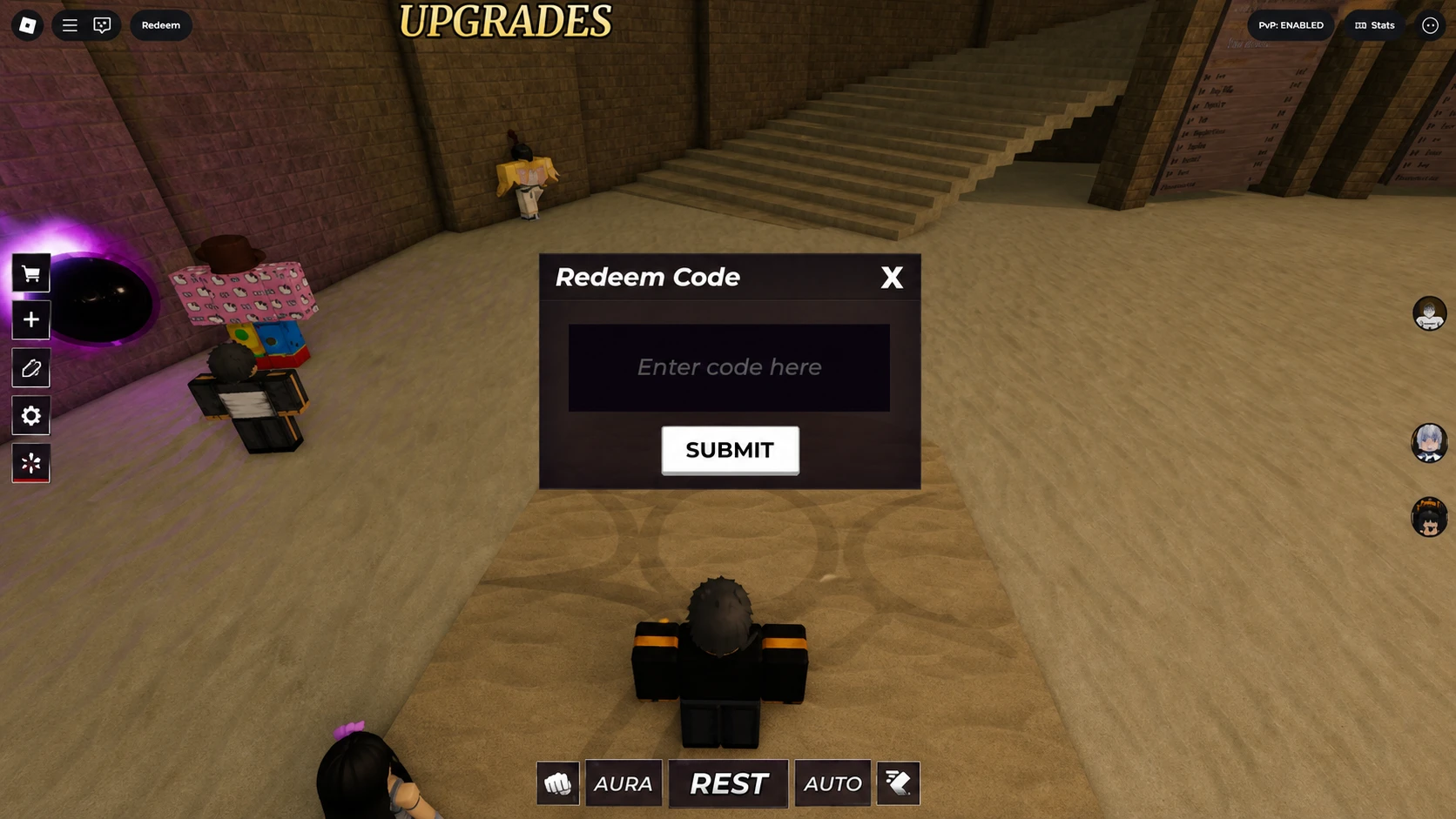
How to redeem Re Aura codes
Where to find new Re Aura codes
All Re:Aura codes come from c1z studio, the developer of the game. The quickest way to spot them as they drop is through the official Discord server, which is linked at the bottom of the Re:Aura game page on Roblox. The game’s Roblox page itself also lists a small selection of codes, though not all of them remain valid for long. Bookmarking this page is a reliable alternative — the working list above is checked and updated regularly so you can redeem codes before they expire.
Expired Re Aura codes
AURALESS380KVISITS1400LIKESSOMESHARDSNEWCRATESORRYFORDEADRUNUPDATE3SORRYFORDELAY1KFAVS125KVISITS600LIKES