

The Forge on Roblox supports private servers, which let you mine without competing with random players in public lobbies. Creating one takes a minute from the game’s Servers page, but it’s also a paid, recurring subscription, so it helps to understand the knobs you can control before you commit.
Create a private server in The Forge (100 Robux subscription)
You can create a private server from the Roblox website in a browser or from the Roblox app. In both cases, you’ll use the game’s Servers page and the Private Servers section.
Step 1: Open The Forge’s game page and go to the Servers area. In a browser, use the Servers tab; in the app, scroll down until you see Servers.
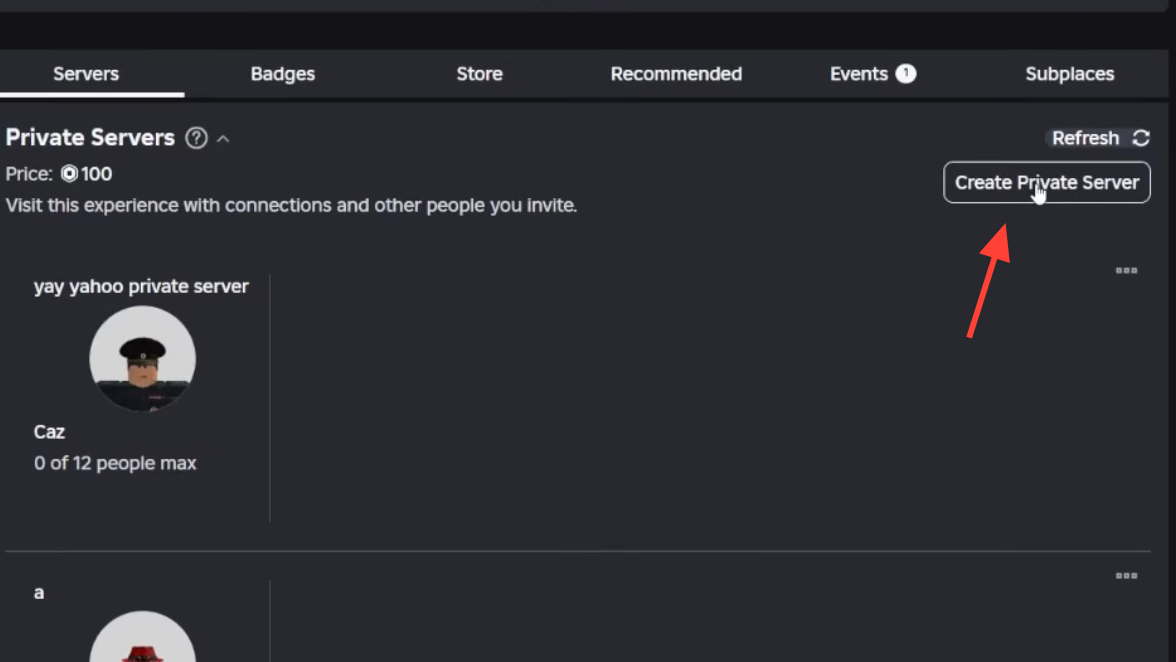
Step 2: Find the Private Servers section and select Create Private Server.
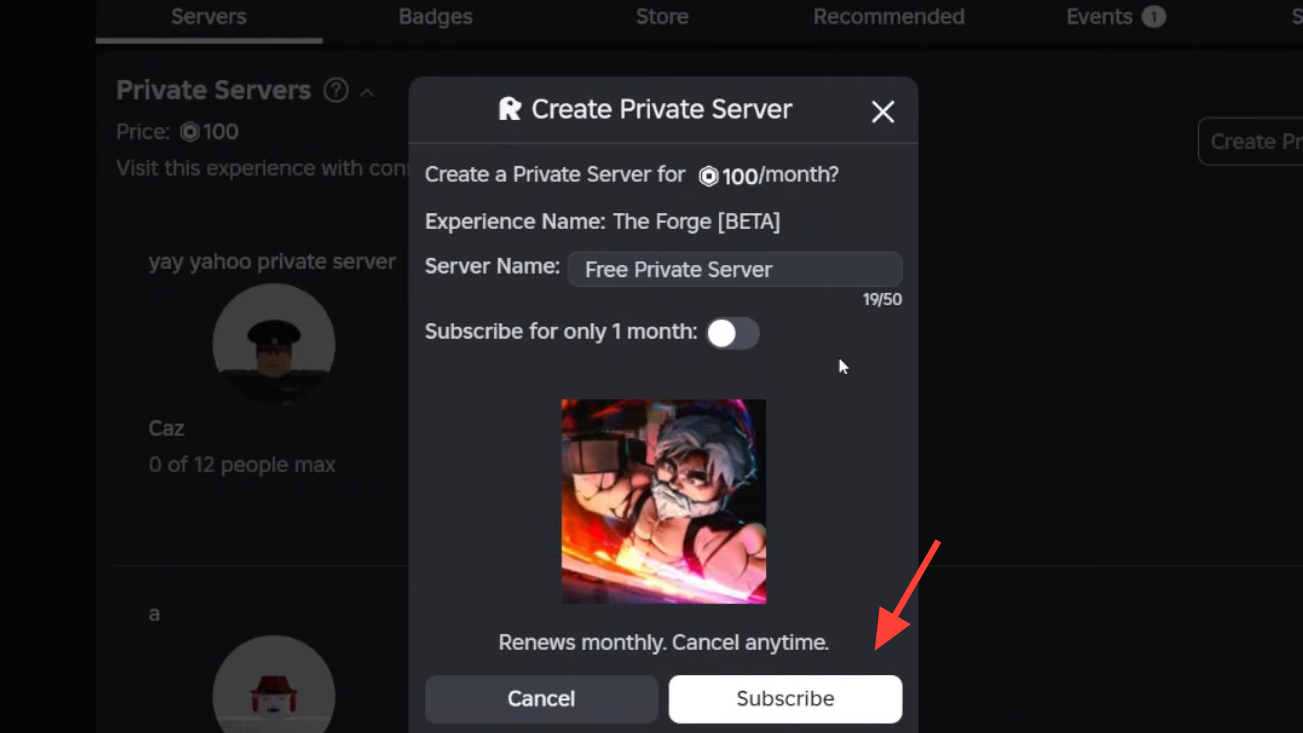
Step 3: Enter a Server Name when prompted.
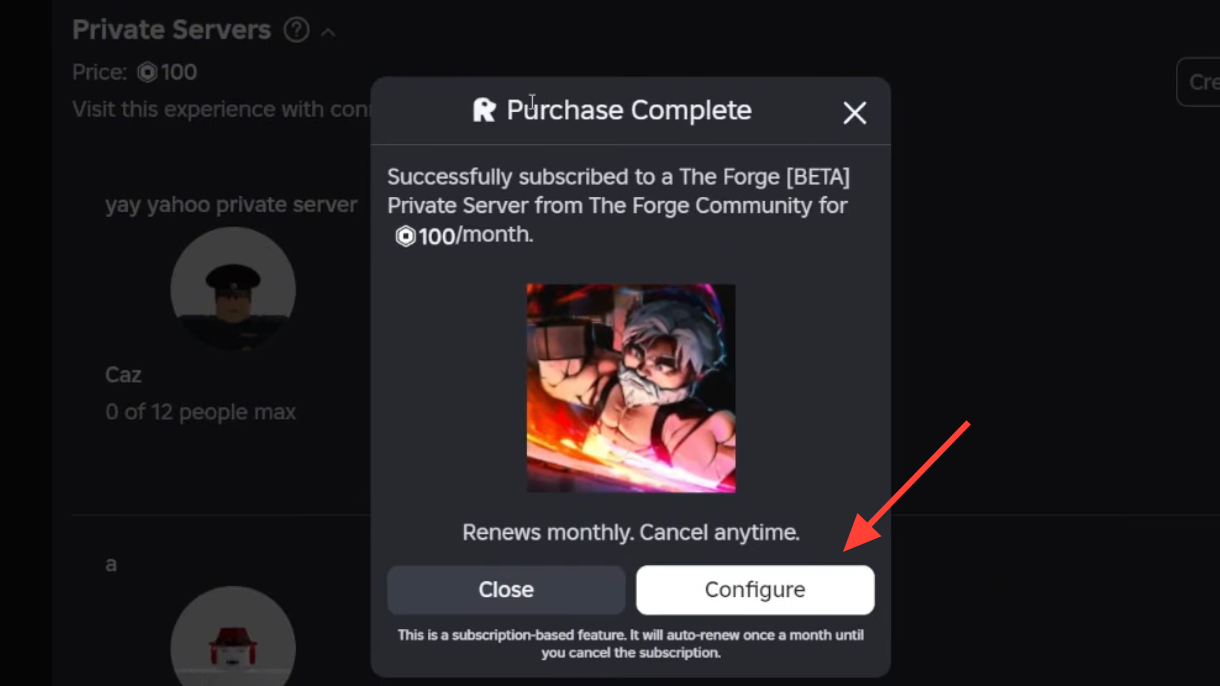
Step 4: Select Subscribe to finish creating the server. The cost is 100 Robux, and it’s set up as a recurring monthly subscription.
Invite friends (and keep everyone else out)
After your server exists, you manage access from the same Servers page. The key control is the Allow Joining toggle, plus a list that can limit access to specific people.
Step 1: On the Servers page, find your private server and select the three-dot menu next to it.
Step 2: Select Configure.
Step 3: Turn on Allow Joining if you want others to join.
Step 4: Choose whether you want broader access (for example, letting all your connections join) or restricted access by adding specific player names to the allowed list.
Cancel the private server subscription
If you’re done with the server, you can stop the monthly charge from the configuration screen.
Step 1: Open your server’s Configure menu from the three-dot button on the Servers page.
Step 2: Find Subscription Status and turn the toggle off.
Workarounds people used before private servers
Before The Forge supported private servers, players commonly tried to approximate “VIP” play by hunting for nearly empty servers. One approach was joining at off-peak hours so the lobby naturally emptied out. Another relied on locating a low-population server, identifying someone in it, and attempting to join their session if their Roblox settings allowed joins. These methods can still be useful if you’re trying to land in a quiet public lobby, but they’re not a substitute for the access controls a real private server gives you.
If you’re mining with friends or you’re tired of crowded public servers, a private server is the most direct way to control your lobby. The main tradeoff is the ongoing 100 Robux monthly subscription, so it’s worth cancelling when you know you won’t use it.