

The first time a Base Core goes “infected” in StarRupture, it feels like you just lost an entire region of the map. The tower is wrapped in a huge blue‑purple cloud, bugs keep spawning, your shield disappears the moment you step in, and every structure in range is flagged as contaminated. You can’t dismantle anything, and you can’t place new buildings inside the field.
This isn’t permanent loss, though. Infection is a contained mechanic with a specific weak point and a clear recovery loop: find the cyst, destroy it, then disinfect the Core.
What Base Core infection actually does
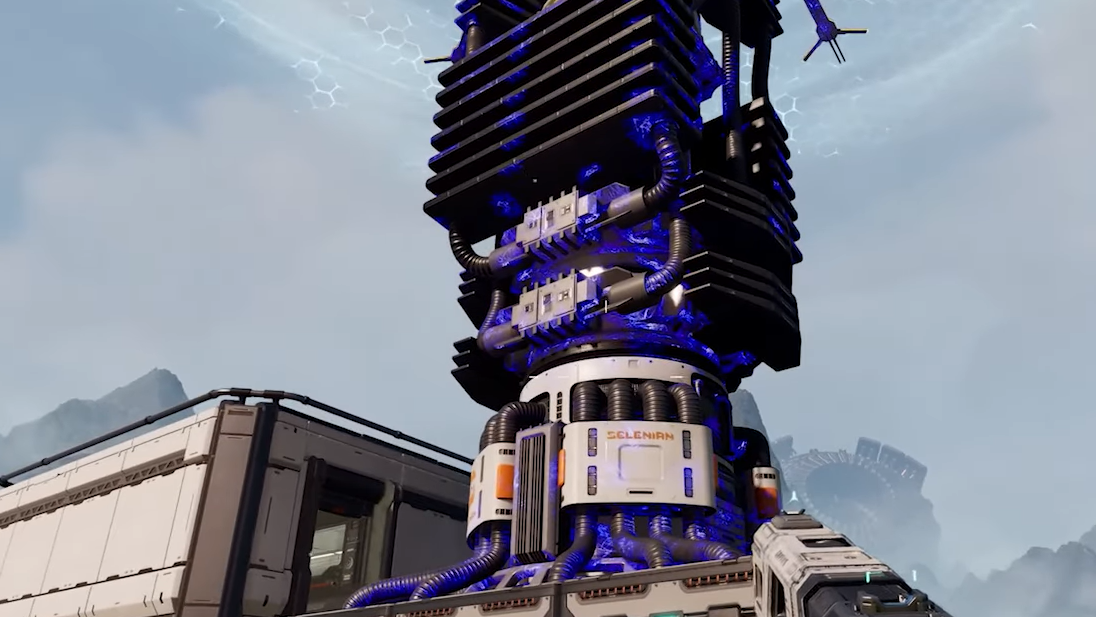
When enemies reach and touch a Base Core, they can “slime” it and flip the entire Core radius into an infected state.
Three things change at once:
- A large infection cloud appears. The area around the Base Core fills with a tall, wide blue or purple fog. Stepping into it strips your shield and stops normal healing, so you’re effectively on raw health while inside.
- The region becomes a bug hotspot. Bugs cluster around the infected tower and can keep spawning nearby, turning the Core into a repeating combat arena.
- All covered buildings are locked. Structures under that Core’s influence are marked as contaminated. You can’t dismantle “slimed” buildings, and you’re blocked from placing new ones inside the cloud until the infection is cleared.
Functionally, an infected helium or glass refinery base is still there, but it’s trapped under a hazard zone you have to dismantle at the source.

How the infection cloud affects you
The cloud is punishing, but it’s designed to push you into careful aggression, not to be an instant kill.
- Shield is suppressed. As soon as you enter the fog, your shield drops or stops regenerating. Any hits you take go straight to health.
- Healing is blocked. Normal regen and shield recharge won’t kick in while you stay inside the zone, so drawn‑out fights are risky.
- You can still move and act freely. You’re not slowed or locked; you can sprint, jump, shoot, and interact. The danger comes from fighting waves of bugs with no safety buffer.
This tradeoff is intentional. You’re allowed to push into the field to save the Core, but you need to plan your route, your escape path, and your crowd control before you commit.
Where to find the infection cyst on the Base Core
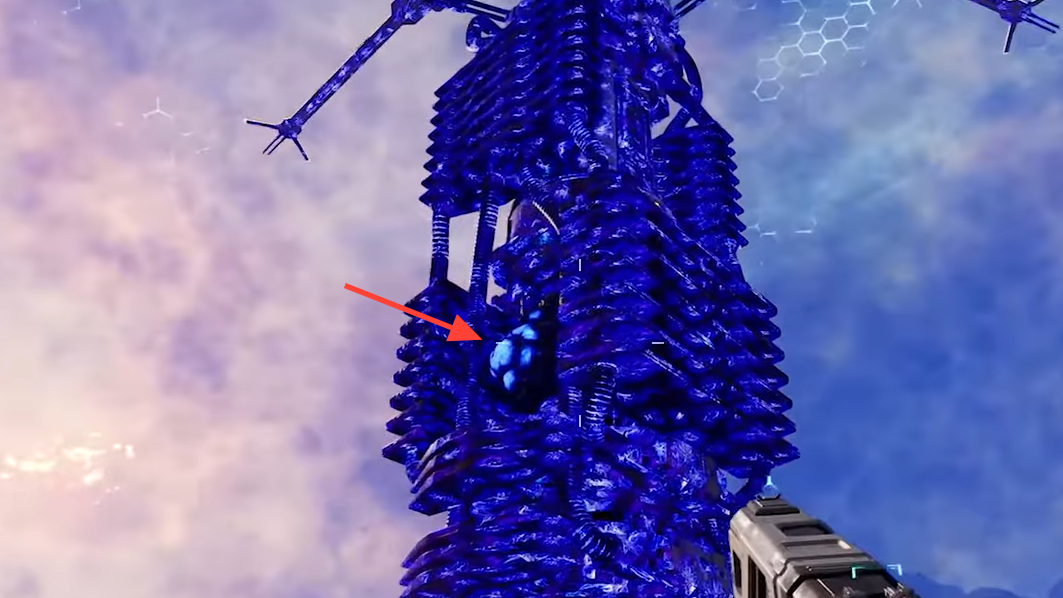
Every infected Base Core has a single weak point: a visible growth attached somewhere on the tower. Players describe it as a cyst, tumor, nodule, or even a large bug clinging to the structure.
- It is usually partway up the Core. Don’t just scan the base plate. The growth can sit halfway up the shaft or even closer to the top, so back up, look up, and circle the tower.
- It blends with the infected color scheme. The pustule often shares the same blue‑purple tone as the infected Core, which makes it easy to miss on a quick glance. Look for an abnormal bump rather than a different color.
- Other infected devices behave similarly. Geo‑scanners and some production buildings can also sprout a single purple‑blue lump when slimed. Popping that lump is what clears those structures.
If you absolutely cannot see the cyst, sweeping the Harvester laser over suspicious spots on the Core can sometimes register hits on an otherwise hard‑to‑see growth.
How rupture phases interact with infected Cores
StarRupture’s planetary cycle changes how safe it is to approach an infected base and can even affect when the cyst is vulnerable.
- Right after a rupture (“burn”). When Ruptura goes off and the world enters the charred, ashen stage, infection fields around affected Cores can temporarily disappear or weaken. During this window, you can reach the tower without fighting the fog.
- During the ashen phase. Some players have been able to run back to previously lethal infected bases during this stage, reach the Core, and inspect the cyst while the field is absent.
- Back in stable phase. Once the planet cools and returns to normal, the blue cloud can come back. In at least one case, the cyst stayed invulnerable through the ashen phase, only becoming destructible once the infection cloud reappeared in the stable phase.
Ruptures don’t cleanse infection by themselves. What they offer is a timing window: either safer access (no fog) or a phase change that flips the cyst from shielded to vulnerable.
Destroying the cyst: the critical first step
The reclaim sequence always starts with breaking the cyst on the Base Core. Without that, you cannot disinfect the tower.
Step 1: Thin out nearby bugs from outside the cloud. Lure enemies to the edge of the infection field where your shield still works, then clear them there. The fewer defenders around the tower, the less pressure you’ll face when you step inside.
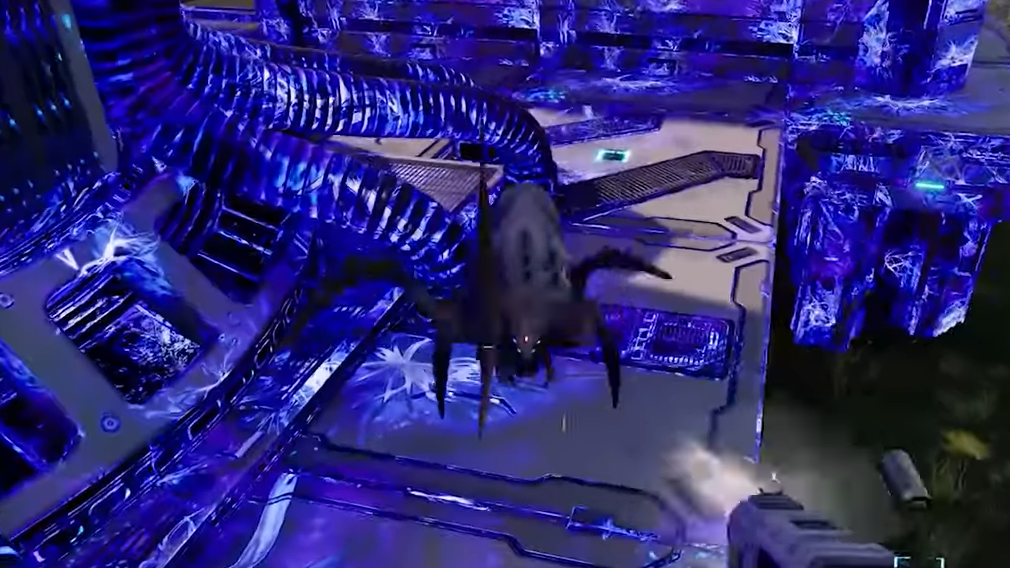
Step 2: Move into the fog until you have a clear line of sight on the cyst. Watch your health closely, as your shield and healing will be offline. If necessary, approach from multiple angles to spot the growth.
Step 3: Shoot the cyst with a ranged weapon or the Harvester. Players report popping it with the ranged rifle, the pistol, and the Harvester beam. Once it’s actually vulnerable, it goes down in very few hits.
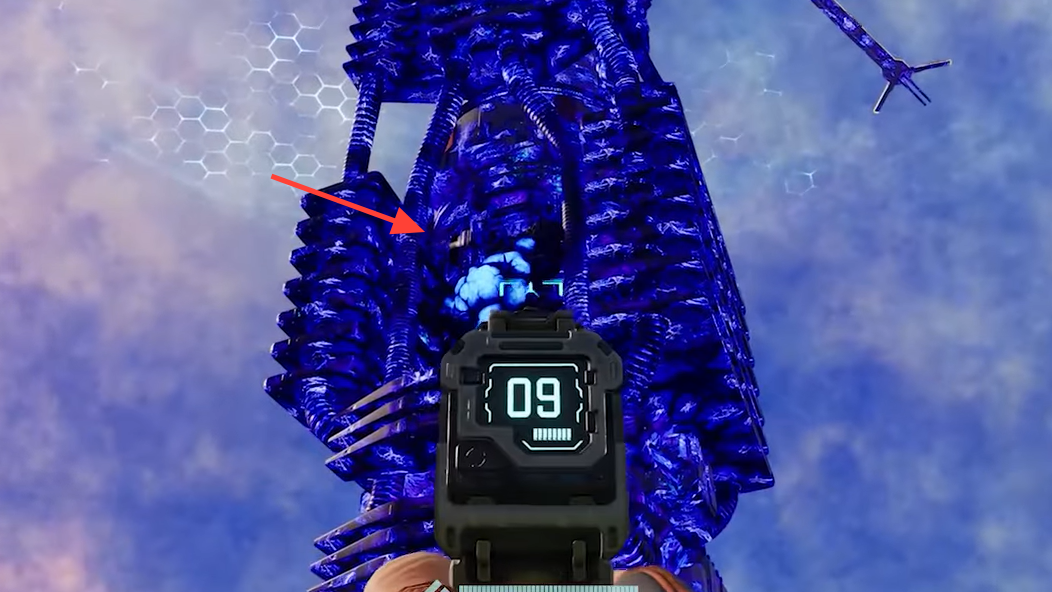
Sometimes the cyst behaves differently:
- Shield icon and “thunk” sound. If you see a shield icon and hear a dull impact when you hit the cyst, it’s in an invulnerable state. This has been observed in the ashen phase, just after a rupture.
- Phase‑dependent vulnerability. In that situation, backing off and waiting for the world to return to stable phase can flip the cyst into a destructible state, often with a visual glow before it breaks.
- Long‑range shots. On some towers, you can see and hit the cyst from just outside the infection boundary. That lets you keep your shield while you destroy it.
Once the cyst is destroyed, the infection cloud usually persists for a short time instead of vanishing instantly. Give it roughly a minute to clear before you attempt to interact with the Core itself.
Disinfecting and reclaiming the Base Core
Breaking the cyst weakens the infection but doesn’t finish the job. The tower still needs to be cleansed through an interaction.
Step 1: Wait until the blue‑purple fog has fully, or almost fully, dispersed. You want clear visibility and your shield back before committing to a long interaction at the Core.
Step 2: Walk up to the Base Core’s usual interaction point and look directly at it. When prompted, hold the interaction key (default E). This is the same long press used to clear residual heat from structures after a rupture.
Step 3: Keep holding until the progress completes. When the disinfect action finishes, the Core returns to its normal state, the environment shifts back to non‑infected conditions, and affected buildings become usable and dismantle‑able again.
For heavily infected resource hubs, players describe the result as a complete reset: the poison cloud disappears, enemy spawns calm down, and the base behaves like any other healthy Core area.
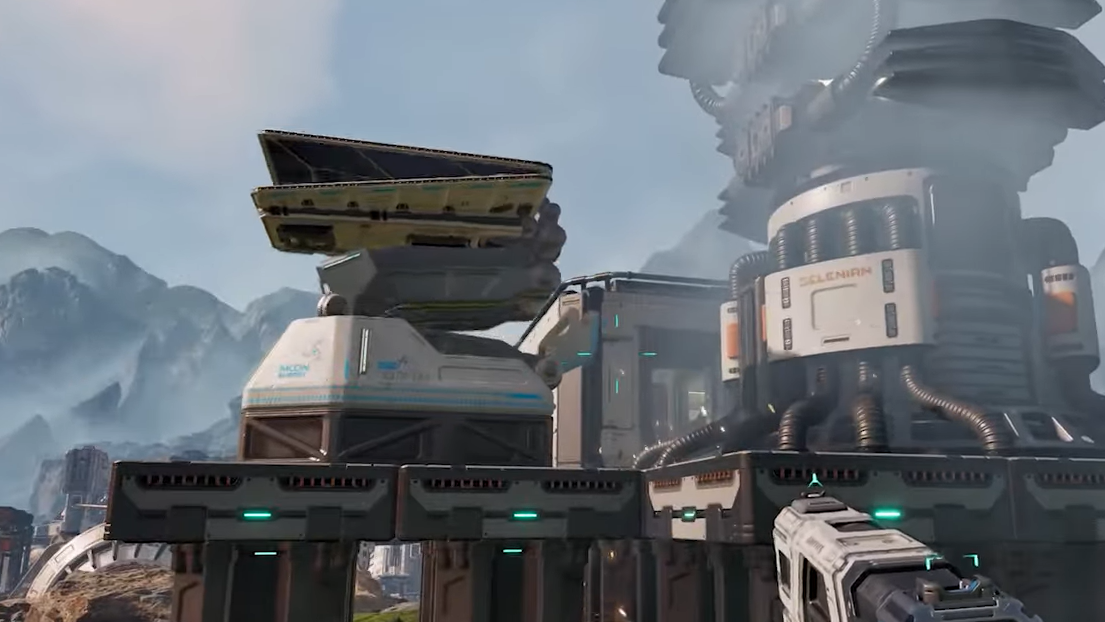
Reclaiming during stable phase vs after a rupture
You can reclaim a Core either while the infection cloud is active in the stable phase or during the calmer windows around a rupture. Each option has different risks.
Reclaiming during stable phase:
- Destroying the cyst while the cloud is up has triggered very large spider spawns in some cases, with reports of dozens appearing at once around the tower.
- Zone control becomes critical. One player prepared by surrounding the Core with rail supports before triggering the final phase, using those rails as a crude barricade to stall spiders long enough to kill the cyst and even deconstruct the Core.
- If you can see the cyst from outside the fog, taking it out at range first dramatically reduces the chaos when you push in to disinfect.
Reclaiming around a rupture:
- Running to the Core during the hot “burn” or early ashen stage can let you reach the tower before the infection rebuilds. The zone may still be flagged as dangerous, but not immediately lethal.
- On some Cores, cysts are easier to remove in this window; on others, they remain shielded until the stable phase returns. If you’re getting only shield hits, be ready to retreat and come back after the phase flips.
Either way, treat reclaiming an infected Base Core as a deliberate operation. Bring ammo, plan terrain, and make sure you have enough health food to survive a brief dive without shield support.

When the cyst doesn’t behave as expected
There are edge cases where infection doesn’t follow the intended loop.
- No visible cyst. Some players report cores that went infected just before a wave where the required growth never appeared, leaving no clear way to cleanse the tower.
- Permanently invulnerable cyst. In other cases, the lesion appears but never stops showing the shield icon and remains immune across multiple phase changes.
These situations differ from the normal “find cyst → destroy cyst → hold E to disinfect” pattern. When a Core falls into this broken state, the only consistent workaround described so far is to abandon that base footprint and rebuild elsewhere under a different Core.
Infection on other buildings and scanners
Base Cores are the most dramatic target, but they aren’t the only structures that can be slimed.
- Production chains. Ore extractors, smelters, and related factory elements near a heavy fight can end up coated in purple slime. Lightly infected buildings sometimes clear themselves after the bugs are wiped out and some time passes.
- Geo‑scanners. Global or local geo‑scanner structures can become infected and will typically show a single purple‑blue sack or lump on one side. Shooting that specific lump removes the slime and resets the scanner.
- Manual disinfection. For buildings that don’t auto‑clear, walking up and holding the interaction key on the device removes infection in the same way you clear heat. This applies to ordinary structures as well as Base Cores.
Abandoned or lightly contaminated outposts you no longer rely on are mostly harmless. They don’t spread infection on the world scale, so you can safely ignore them while you focus on reclaiming high‑value nodes.
Preventing Base Core infection
Recovering an infected Core is possible, but prevention is cheaper in time, ammo, and nerves.
- Physically protect the Core’s hitbox. Place turrets, walls, rails, or other obstacles so bugs can’t easily path directly into the Core tower. Even simple rail supports can force enemies into longer routes.
- Prioritize wave defense. Most infections happen because a wave fully overruns your defenses. Investing early in better weapons, grenades, and healing tools pays off by stopping bugs short of the Core.
- Designate expendable outposts. For distant or low‑value bases, sometimes the right call is to treat them as disposable. If a non‑critical Core gets infected in a risky area, it can be more efficient to write it off and rebuild smarter rather than repeatedly throwing runs into a lethal fog.
The important thing to remember is that a blue‑shrouded Core is not the end of a region by default. As long as the cyst exists and behaves normally, you can still push back in, destroy the growth, wait for the cloud to fade, and disinfect the tower. Once you understand that loop, “Base Core Infected” stops being a soft permadeath and becomes another high‑stakes problem to plan around in your StarRupture network.