

The Forge revolves around a single loop: mine ore, turn it into weapons or armor, and then push that gear as close to 100% quality as the systems will allow. The catch is that every craft mixes three things you can control — ore selection, minigame performance, and upgrades — with a heavy dose of random chance.
Every time you walk up to the anvil and start a craft, you’re deciding four things:
- What slot you are making (weapon or armor).
- Which specific weapon/armor archetype you’re more likely to roll (light vs heavy, daggers vs greatswords, etc.).
- The stat multiplier on the finished item, driven by ore rarity.
- The base quality percentage, driven by how cleanly you execute the three forging minigames.
The result is a piece of gear with a type (for example, greatsword), a rarity (uncommon, epic, legendary), a stat multiplier, and a quality percentage. That quality number is where the “perfect” crafts live — and where most players start running into frustration.
Ore selection, multipliers, and forge chances
Before the minigames ever start, the ores you pick decide how strong your item can be and what form it’s likely to take.
| Element | Where it appears | What it controls | Practical impact |
|---|---|---|---|
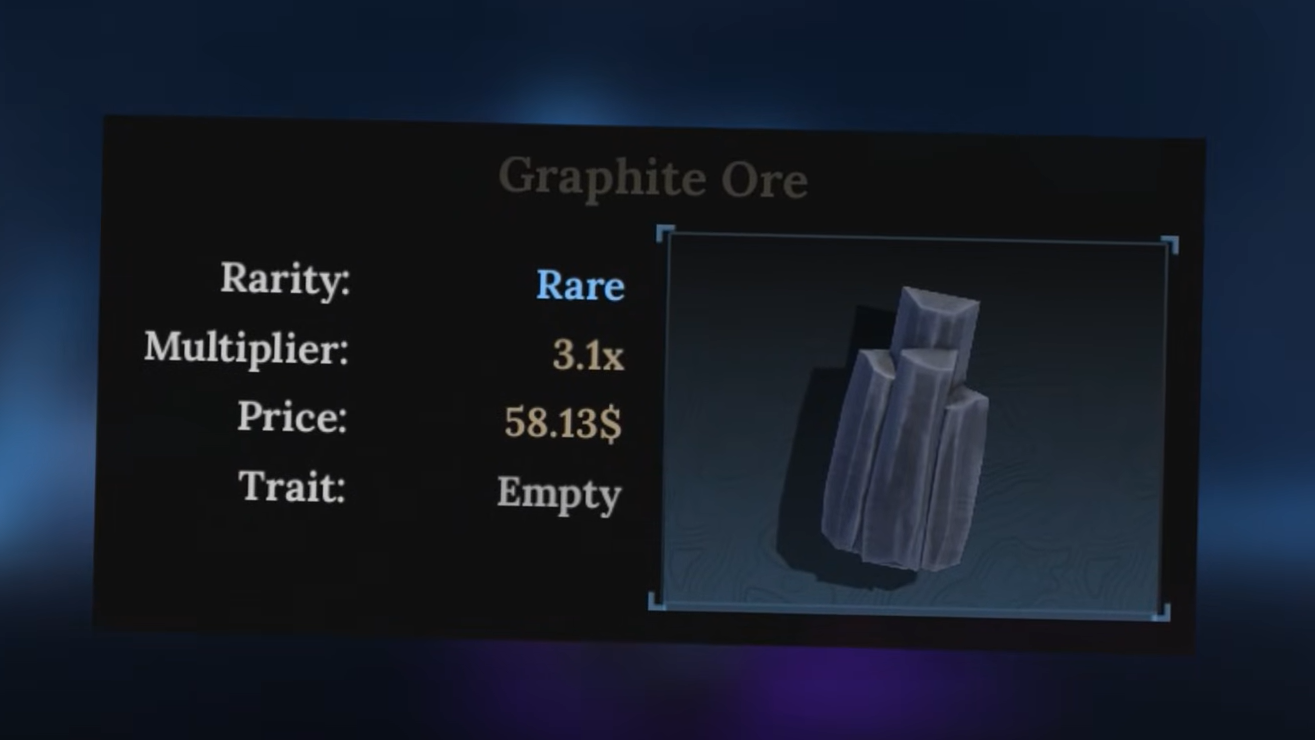
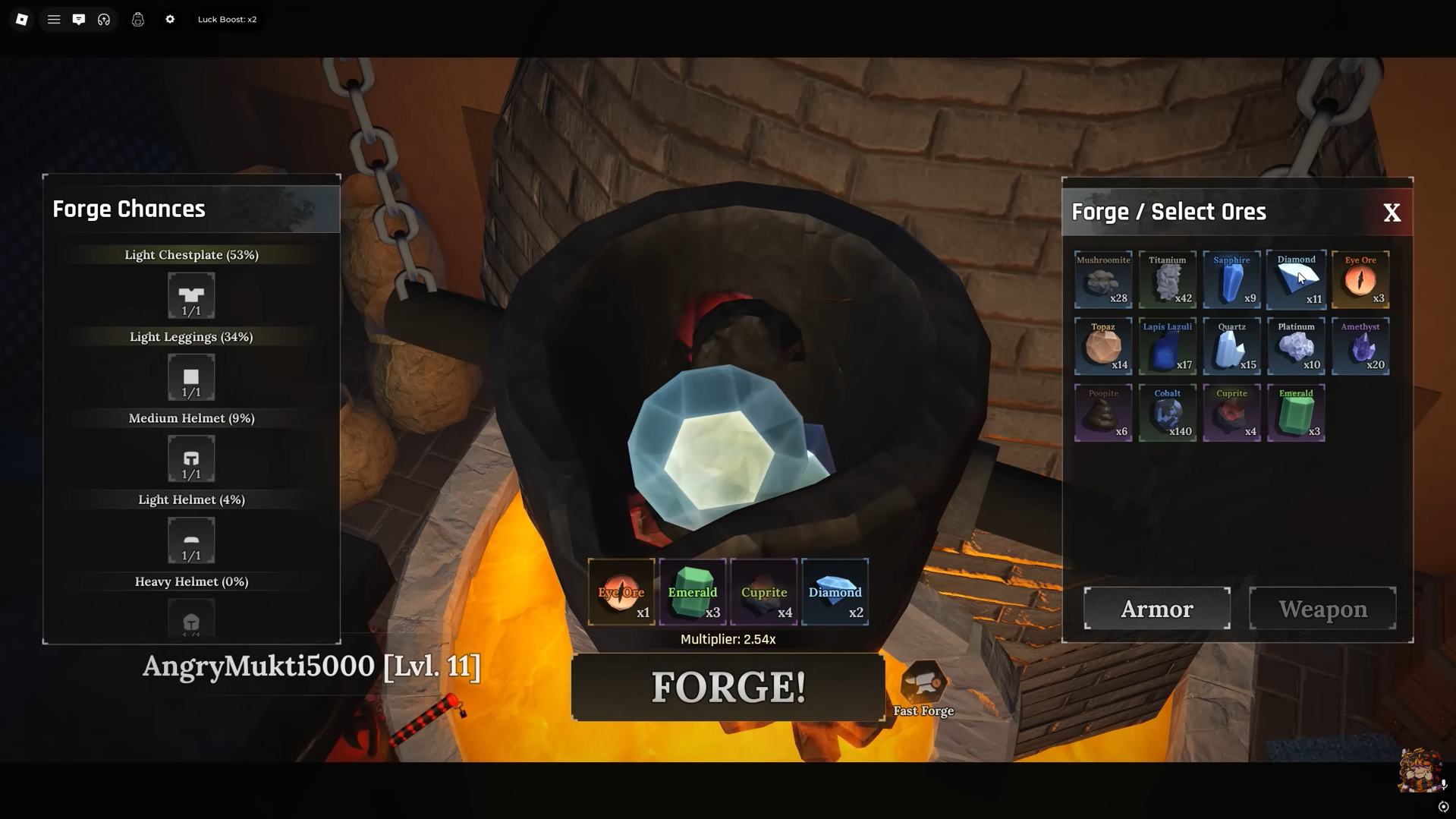
| Ore rarity | Index panel on the right side of the forge UI | Stat multiplier (e.g., 0.25x, 1.2x) | Higher-rarity ores push damage/defense well above base values. |
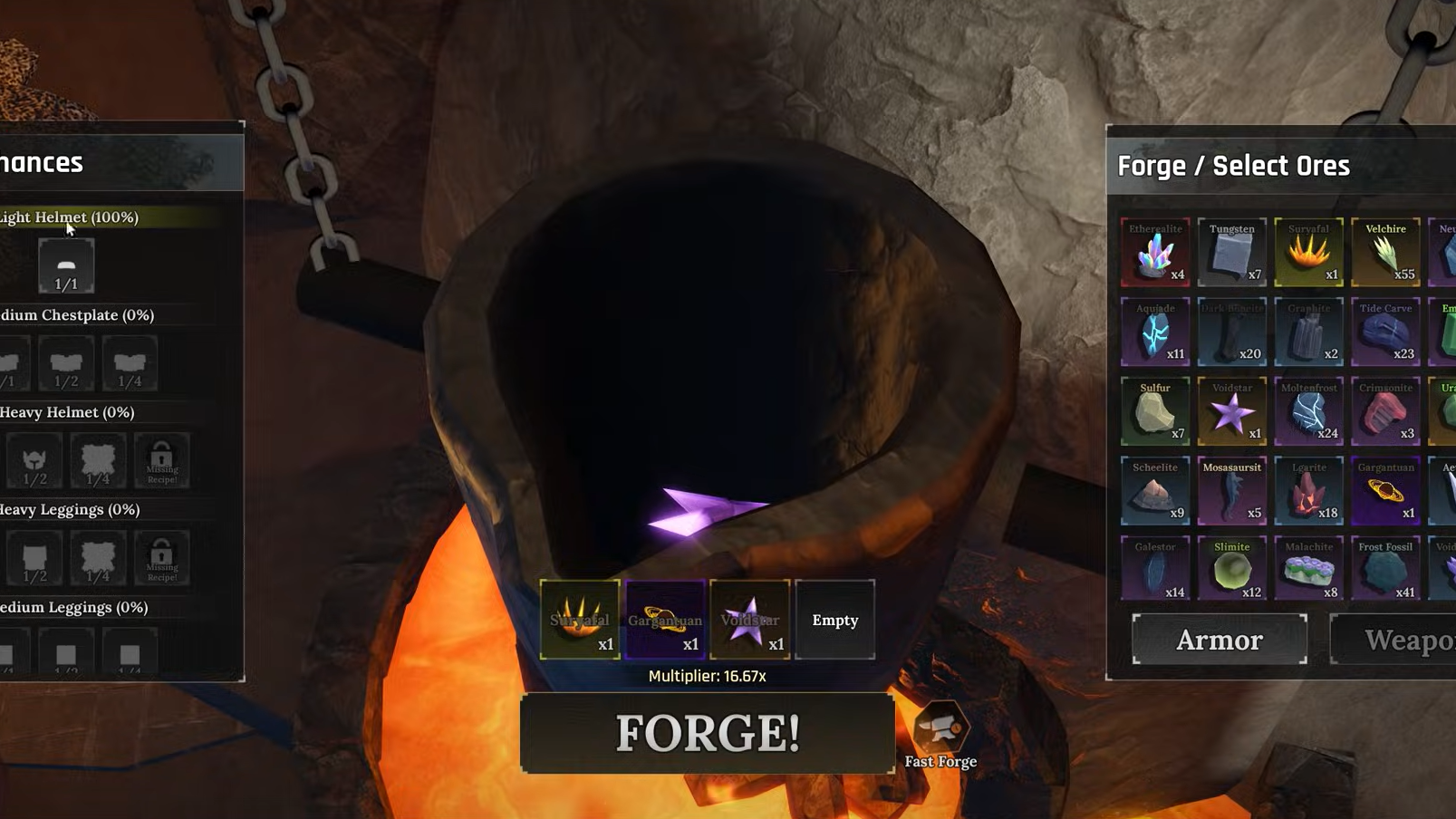
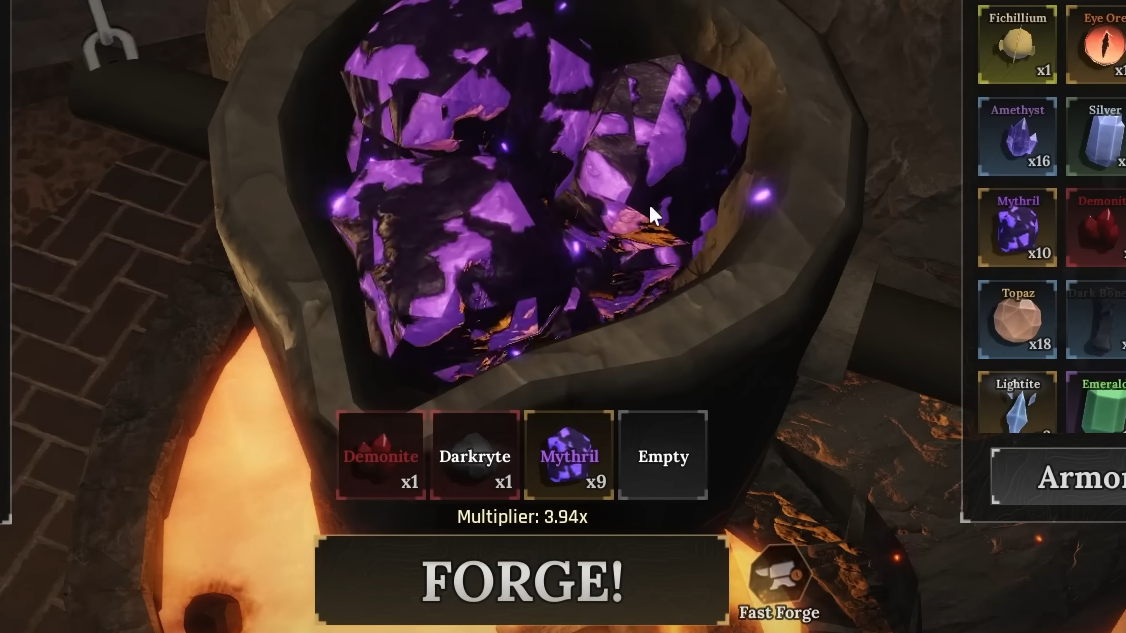
| Ore type mix | Slots under the ore list (up to 4 ores) | Forge Chances for each weapon/armor archetype | Heavier ores skew rolls toward heavy weapons/armor; lighter ores toward lighter gear. |
| Multiplier display | Below your selected ores | Average of all ore multipliers | Represents the theoretical ceiling before minigame performance and later upgrades. |
| Forge Chances panel | Left side of the forge UI | Probability of each outcome (dagger, sword, greatsword, etc.) | Lets you bias, but not fully control, what item type drops. |
Throwing in rare ore with a high multiplier is the single biggest lever you have for raw stats. A legendary dagger made with weak ore can easily hit lower numbers than an uncommon greatsword forged from high-multiplier material.
Heavier ores do two things at once: they usually carry more generous multipliers, and they push the Forge Chances toward heavy weapons and armor. That’s why most early “best” starter weapons end up being some kind of greatsword or other heavy option — you get reach, good base damage, and the multiplier all at once.
The three forging minigames and how quality is calculated
Once you’ve committed your ore, the game runs you through three short minigames. Together, they decide the quality percentage printed on the finished item. Poor execution here can drag even a strong multiplier into mediocrity; clean execution lets you hit 100% and unlock the “perfect” tier.
Forging minigame 1 — heating and melting
The first step simulates heating ore until it melts into a usable state.
- You swipe or drag the mouse up and down rapidly to raise the temperature.
- The goal is simply to fill the progress and melt the ore; there is no visible danger zone for “overheating” at this stage.
- Performing this smoothly contributes to the internal quality score but is generally the least punishing of the three phases.
You cannot “salvage” a run by acing later minigames if this stage is consistently sloppy; it all rolls into the same quality calculation.
Forging minigame 2 — timing the pour
The second phase happens while your molten metal is being cast into a mold.
| Element | What you see | Correct input | Effect on quality |
|---|---|---|---|
| Vertical pointer | A marker moving up and down alongside a bar | Hold and release the mouse so the pointer stays inside the highlighted zone | Each “stay in zone” tick raises quality; slipping out of it lowers the hidden score. |
| Highlighted region | Bright area inside the bar | Aim to keep the pointer centered in this region as long as possible | The more time you spend fully inside, the better the eventual percentage. |
This phase is about sustained control, not single-frame precision. Short corrections that quickly nudge the pointer back into the zone work better than big swings that overshoot.
Forging minigame 3 — impact timing and “perfect” hits
The last minigame is where most of the visible quality difference comes from.
- Multiple circles appear on the screen.
- Each circle has an inner ring and an outer ring that shrinks toward it.
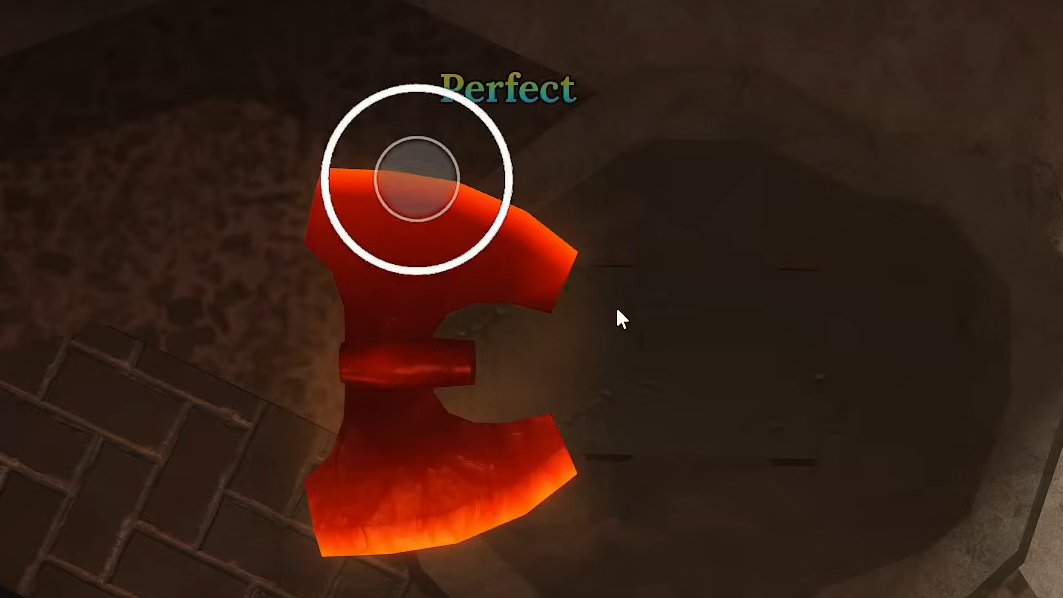
- You click when the outer ring shrinks to match the inner ring.
- A click right on the overlap registers as a “perfect” hit and pushes quality hard toward 100%.
- Early or late clicks still count but add much less to the score; badly mistimed hits may do almost nothing.
Hit all of these circles with near-perfect timing, and you can produce 100% quality items even on fairly modest ore. Miss several and you can drag an otherwise strong craft down into the “good enough” bracket.
Sound design helps here. Many players find it easier to use the audio cue — a distinct chime right as the rings line up — rather than relying solely on visual timing.
What “quality” really means for gear
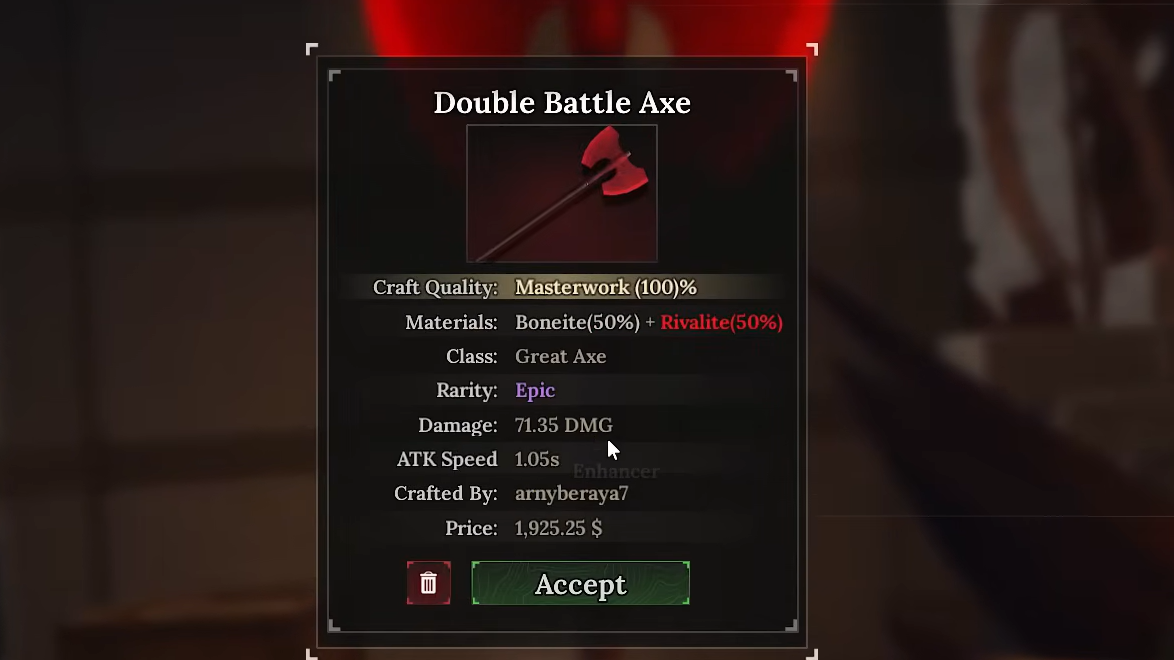
Once the last animation finishes and the item is quenched, you see a summary panel with:
- The item type (for example, straight sword, greatsword, light armor chest).
- Rarity and multiplier.
- Quality percentage (often color‑coded).
Higher quality directly scales practical stats — more damage, more armor, and sometimes more efficient scaling with later enhancements. A 100% piece can be several points ahead of a 70–80% version of the same blueprint, which adds up quickly when you compound it with multipliers and enhancements.
Quality does not change what runes you can slot or which enhancements are allowed, but it makes every future upgrade more valuable because you’re stacking bonuses on a stronger base.
RNG, “best quality” odds, and why perfection feels inconsistent
Even with flawless minigame execution, crafting in The Forge is not deterministic. Several layers of randomness sit between you and a truly perfect result.
| Random element | Where it hits | Visible to player? | Practical effect |
|---|---|---|---|
| Ore drops | Mining rocks in the Cave and other zones | Yes (drop text and icons) | Controls how often you see high‑multiplier ore, which caps potential strength. |
| Forge Chances | Item archetype selection at craft time | Yes (percentage display) | Can still roll an undesired type even if the chance looks low. |
| Quality roll on success band | Behind the scenes after minigames | No direct readout of “band” | Perfect minigames push you into the top band, but the final % can still wiggle a bit. |
| Post‑craft enhancements | Enhancer NPC | Yes (success % is shown) | Failed upgrades can destroy an item, meaning some perfect crafts will be lost in the upgrade chase. |
That mix is why players can nail all four plates in blacksmith‑style timing games and still see only a chance at top‑tier outcomes. Many systems simply gate the very highest quality behind a small probability, even once you’ve done everything “right.”
Some items also carry extra randomness on top of this — for example, armor with varying numbers of layer slots, or recipes that unlock extra slots only after you’ve completed specific achievements.
Quality tiers, stars, and armor layer slots
Across games that use similar forging systems, quality tends to collapse into a simple star or tier rating to make things readable at a glance. The core patterns are consistent:
- One star / Tier 1: basic success, no major bonuses, often fewer mod slots.
- Two stars / Tier 2: good craft, slightly higher stats, sometimes an extra armor layer slot or rune slot.
- Three stars / Tier 3: superior craft, max number of armor layers for that blueprint, best base stats.
In some systems, achievements unlock structural bonuses on top of raw quality. For example, crafting a large number of armors can grant a permanent extra armor‑layer slot on future crafts, even when the quality roll lands at two stars. That means a two‑star, three‑layer chest piece can out‑perform an older three‑star, two‑layer equivalent.
Quality and slot count are related but not identical levers. Quality controls the baked‑in numbers; stars and achievements can change how much customization you can bolt on afterward.
How to push toward perfect crafts in The Forge
There is no button that guarantees a max‑quality item every time, but you can stack the odds heavily in your favor.
- Prioritize high‑multiplier ore. Spend your best ore only on blueprints you plan to keep for a while — weapons you like the moveset on, or armor sets that match your build.
- Practice the timing minigames with cheap crafts. Use common ore and low‑impact recipes to learn the rhythm of each phase until you’re consistently hitting “perfect” circles in the final game.
- Use heavier ore mixes for heavy weapons. If you want greatswords or other large weapons, lean on the heaviest ores in your stash to bias Forge Chances in their favor.
- Accept that three‑star outcomes have an RNG gate. Even flawless runs won’t flip every craft into the top band; don’t waste rare ore endlessly rerolling the same blueprint unless it’s genuinely build‑defining.
- Exploit achievements and profession bonuses. Some perks improve the odds of superior crafts or unlock extra slots. Those passive boosts do more over time than obsessing over a single perfect hammer strike.
On top of that, upgrades matter as much as the original craft. Enhancing, socketing runes, and stacking achievement buffs on a 90–95% quality item will usually beat an unupgraded 100% piece.
Forging in The Forge sits in an awkward space between skill check and dice roll. You can master the swipes and clicks, pick the right ores, and still watch a potential masterpiece roll in a little short of perfect. Treat the minigames as a way to push into the best quality band, then let upgrades, runes, and smart ore management do the rest of the work.