

Inventory pressure arrives early in Where Winds Meet. The game throws gear at you, but your bag only has so much room and there is no separate long‑term storage you can dump items into. To keep playing comfortably, you need to understand what lives in the bag, how to expand it, and which pieces of gear are safe to destroy.
How the bag and gear inventory actually work
The game splits your possessions into two broad groups. Most everyday items have their own hidden storage and never touch your bag slots. Quest items, food, healing consumables, ingredients, crafting materials, currencies, arrows, and similar resources sit in dedicated sections of the inventory UI and do not count toward your bag capacity at all.
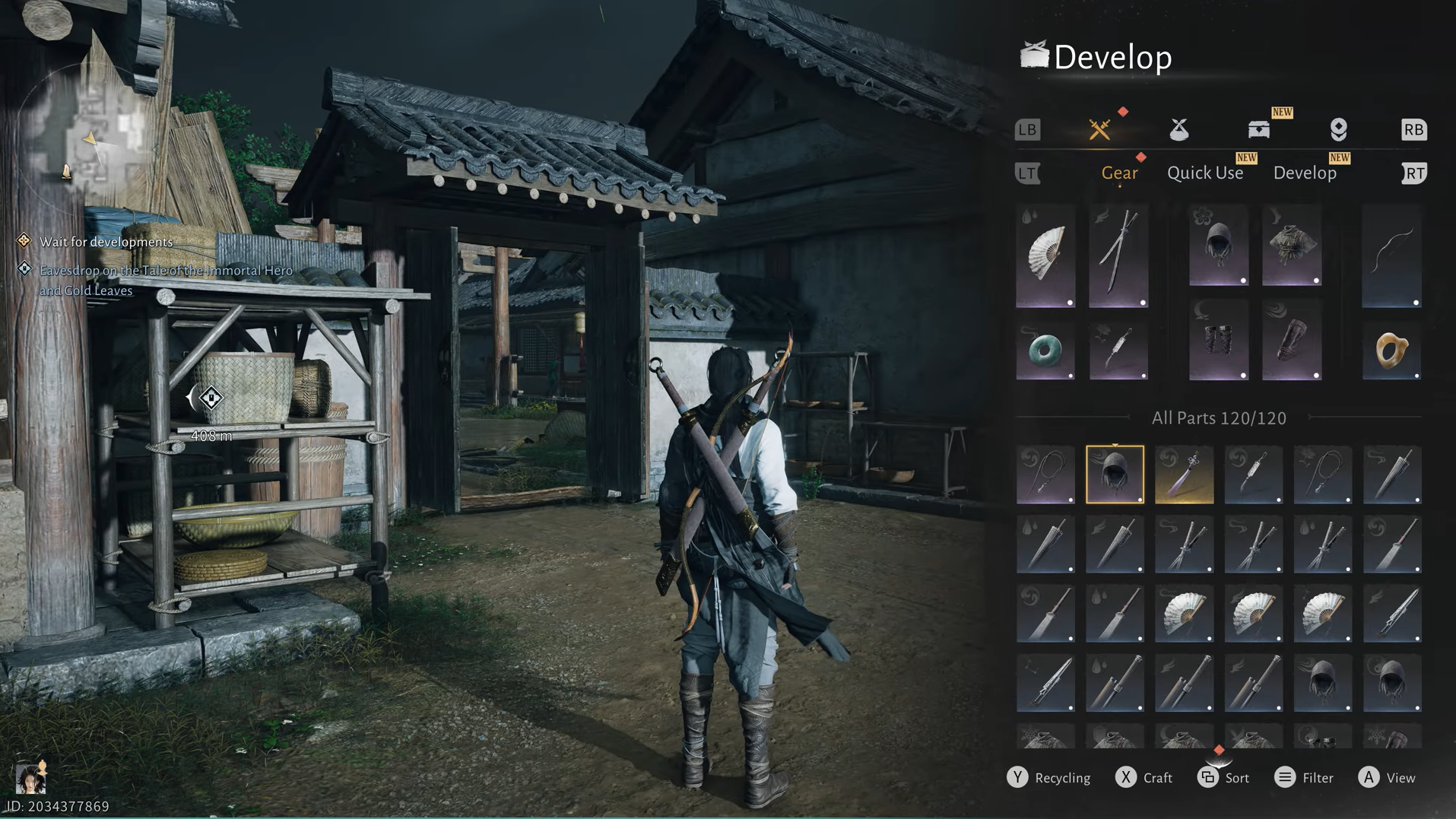
The visible bag grid is reserved for gear only. That covers weapons, armor pieces, and accessories you can equip, plus spare copies of those items. When players talk about their “bag being full,” they are almost always running up against this gear limit, not an overall inventory cap.
At the start of the game, the bag holds 100 gear slots. That feels generous while you are still in low‑level areas, but the moment you begin clearing higher‑level content and collecting upgrade fodder, those 100 spaces disappear quickly. Once every slot is occupied, you cannot loot additional gear drops from enemies or open‑world chests. Rewards from quests and activities still arrive, but they are held in your notification center until you free up space and claim them.
How to increase bag size with more gear slots
The game never points directly at the bag expansion option, which is why many players assume they are stuck with 100 slots. In reality, you can buy a significant number of extra spaces using only in‑game coins.
Step 1: Open your bag from the main menu. On the keyboard and mouse, pressing B opens the bag interface directly.
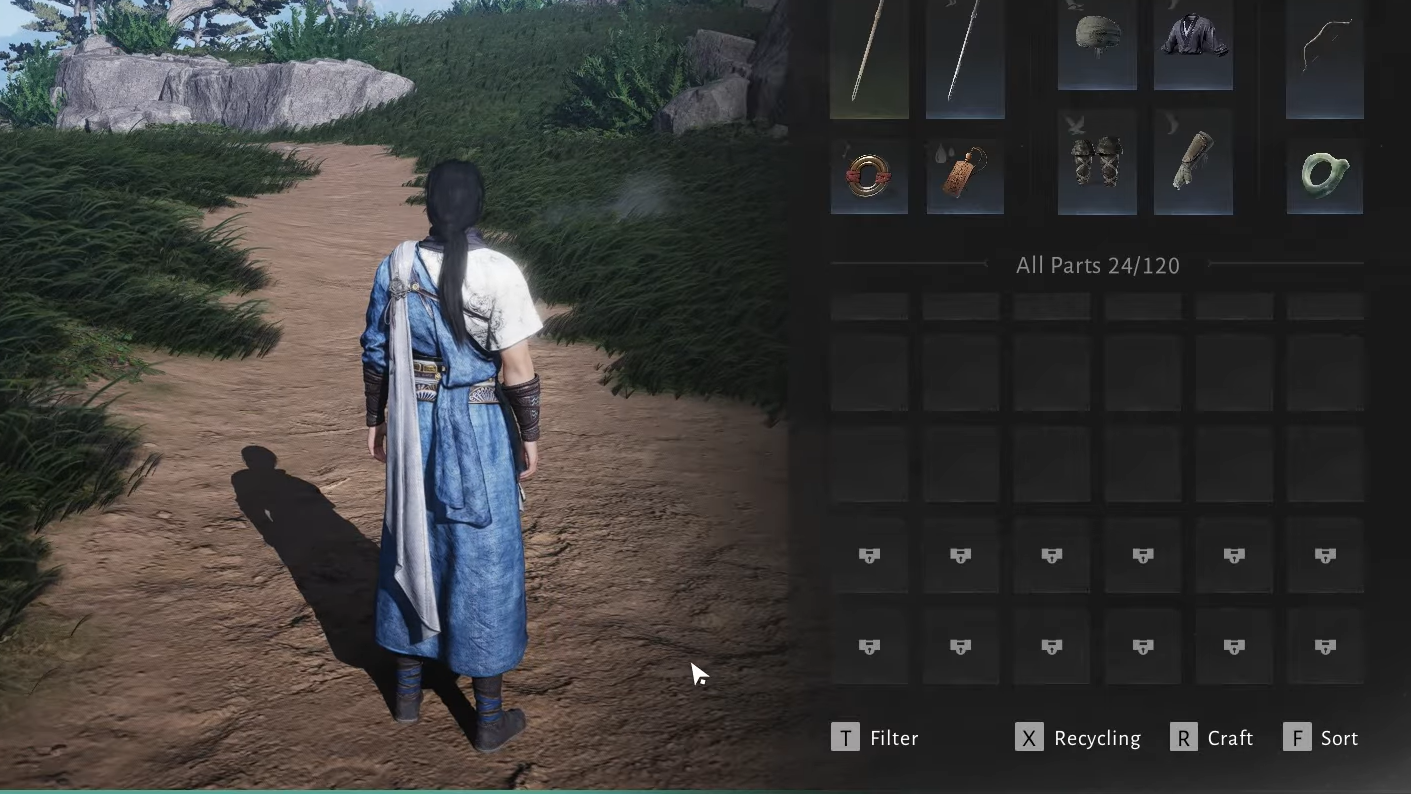
Step 2: Scroll all the way to the bottom of the gear grid. The last two rows show locked slot icons rather than normal item spaces.
Step 3: Click any locked slot. A prompt appears asking whether you want to spend coins to unlock a small group of additional slots, typically six at a time. Confirm to purchase that block of space.
Each time you unlock extra slots, a new set of locked icons appears underneath, with a higher price. The cost ramps up sharply, and later purchases can climb above 100,000 coins per six‑slot block. There is no visible hard cap during early testing; reaching 168 total slots still leaves the option to buy more. That means you can expand as far as your coin balance and tolerance allow, but it is not efficient to dump all of your money into inventory immediately.
There is no separate storage chest
When the bag hits its limit, many players go looking for a stash in town or at an outpost. At launch, there is no separate storage chest or bank where you can park extra gear. The bag is your only space for unused weapons, armor, and accessories.
That design is deliberate. The game expects you to recycle most low‑level gear and keep a smaller, curated collection of items that feed into late‑game systems such as Tuning, Arsenal, or the Gear Gallery.
What to do when your gear bag is full
When the gear grid is packed, and you cannot loot anything new, you have three tools: expand the bag, recycle gear for coins, and selectively hold onto pieces that interact with end‑game mechanics. The right choice depends heavily on item level and on your character level.
Recycling old gear for coins
Recycling is the primary way to clear space. It converts spare weapons and armor into Gold Coins and permanently deletes the items. Early on, this is almost always the correct move for low‑level drops.
Step 1: Open the in‑game menu and choose the Bag option, or press B to open it directly.
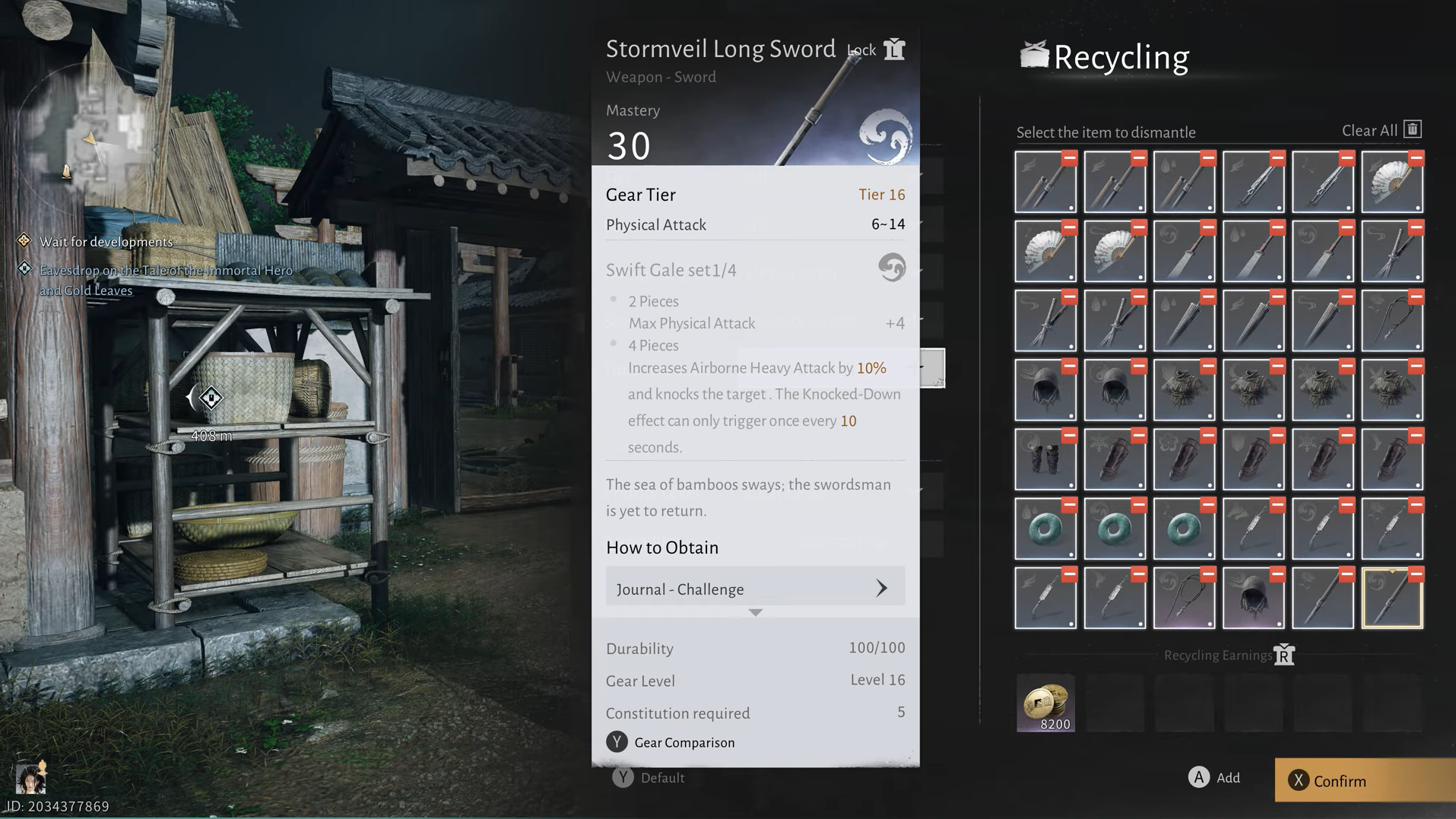
Step 2: Switch to the Gear tab, then select the Recycling option. On keyboard, you can press X as a shortcut to open the recycling interface.
Step 3: Pick the items you want to dismantle. Equipped weapons, armor, and accessories never appear in the recycling list, so there is no risk of scrapping currently worn gear by mistake.
The interface supports batch recycling, which is the fastest way to purge dozens of drops at once. However, batch dismantling does not show a final confirmation step. Once you hit recycle, those items are gone and cannot be recovered. If you are worried about accidentally destroying something important, dismantle high‑value items one by one instead.
Which gear can you safely recycle?
The game layers additional systems on top of raw gear stats, which means not every old weapon is junk. The safest recycling rules come from three breakpoints: gear level, Tuning compatibility, and future collection systems.
Recycling by gear level
Early on, there is almost no reason to keep very low‑level items. Players routinely clear anything at levels 1–16 and similar ranges without consequence. More broadly, there is community consensus that sub‑41 gear has no role in the Gear Gallery‑style collection system and can be freely recycled once outclassed.
For characters below level 40, the pattern is simple: destroy older pieces that you no longer equip and take the coin refund. You will replace them quickly while leveling, and low‑tier gear does not feed into the late‑game Arsenal system.
Tuning and “trace” vs “untrace” gear at level 41+
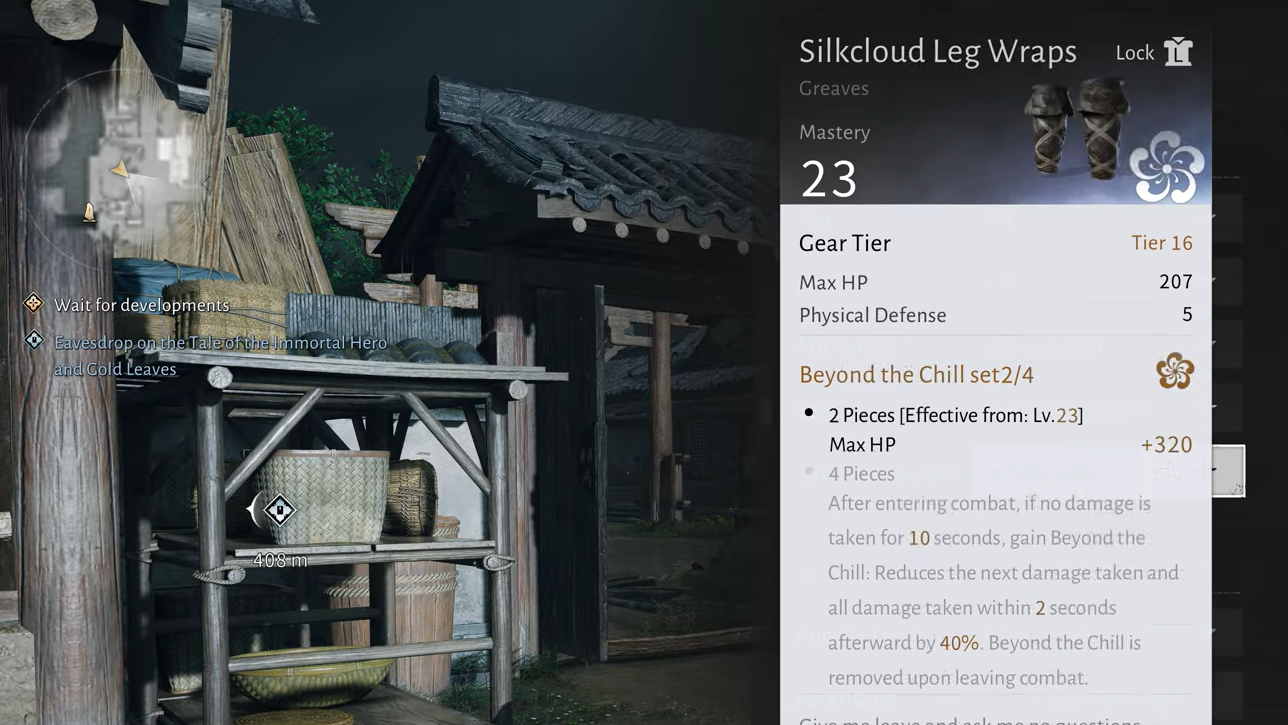
At level 41, a system called Tuning unlocks. Tuning lets you feed certain weapons and armor into a target piece to further increase its power. Not every item qualifies; only specific ones carry the internal flag that marks them as Tuning material.
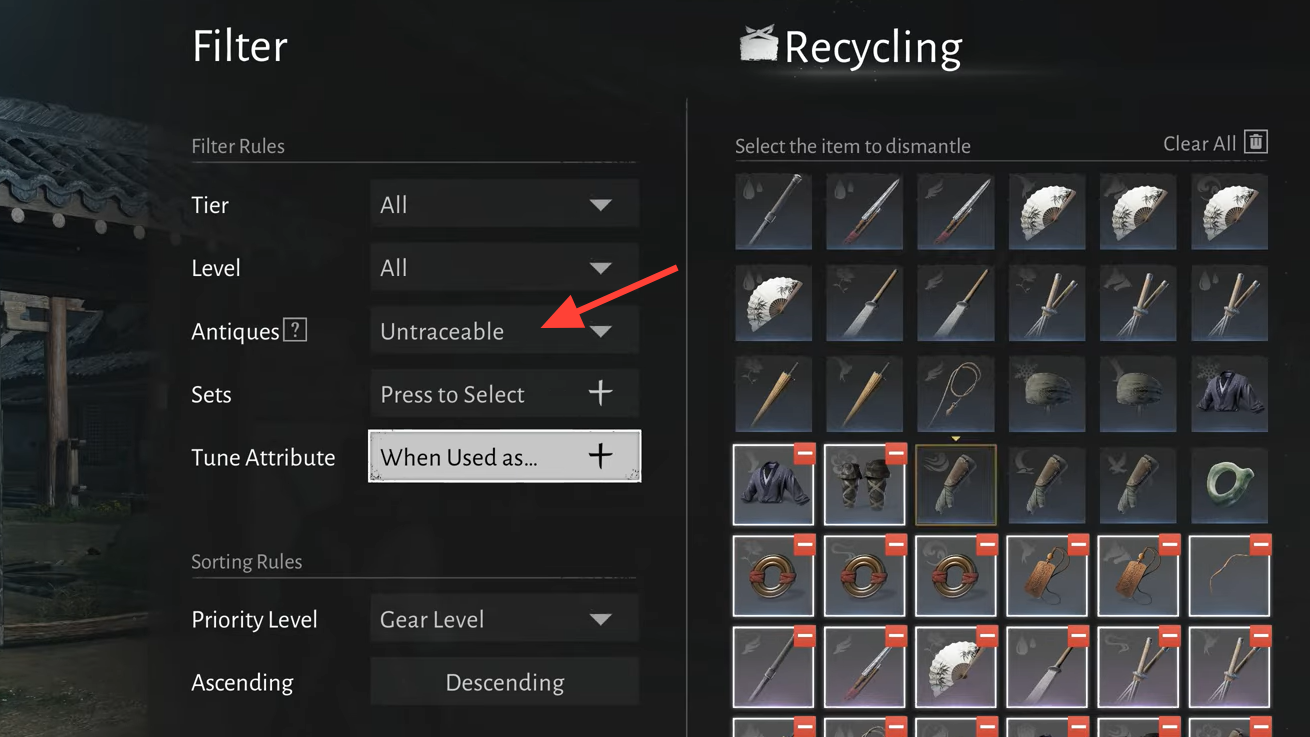
When you open the destroy or recycle interface for gear 40 and above, a filter helps separate these categories.
Step 1: Open the recycling or destroy screen for your gear.
Step 2: Use the filter that toggles between “traceable” and “untraceable” items. Trace gear can participate in Tuning, while untrace gear cannot.
Step 3: Select only the untrace items when you want to clear space. These pieces have no role in Tuning and are safe to destroy for coins.
Holding level 41+ gear for Arsenal and Gear Gallery
Two different systems encourage you not to recycle every high‑level drop the moment you outperform it.
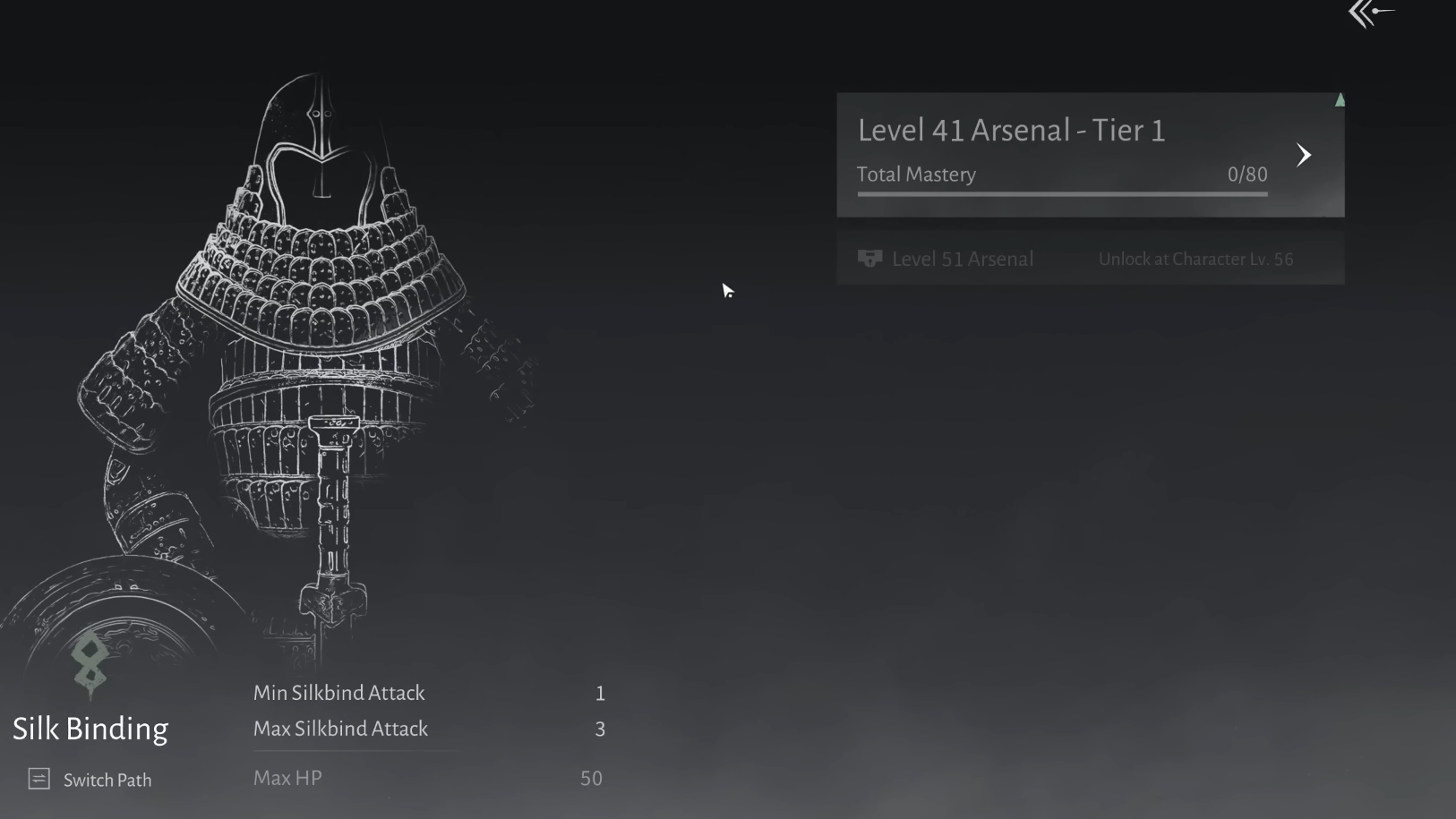
The first is the Arsenal, which unlocks at level 51. Once active, the Arsenal lets you place old gear into themed paths that grant small permanent attribute bonuses. The path you choose ties into your build choices; for example, a Strategic Sword and Heavenquaker Spear build can lean into the Bellstrike Arsenal path to match its stats. Gear placed into the Arsenal no longer occupies bag space, so holding onto strong pieces until you can slot them becomes a long‑term payoff.
The second is a Gear Gallery‑style collection feature referenced in community discussion. It allows you to register qualifying gear (typically level 41 and higher) into a gallery for additional buffs. Registered gear leaves your bag after being logged, similar to Arsenal slots.
Put together, these systems justify keeping a curated set of level‑41‑plus gear in your bag, even if you are not currently using it. The short‑term cost is lost space; the reward is a stronger account once Arsenal and any gallery mechanics are available.
Repaired gear and set effects
Some armor sets provide bonuses when you equip multiple matching pieces. Repairing and maintaining those items can be worthwhile even when their individual stats fall behind newer drops, because the set bonus directly affects combat performance.
If a set bonus supports your preferred playstyle, prioritize holding and repairing that gear rather than recycling it immediately. Treat those pieces more like long‑term tools than disposable loot.
Practical loadout strategy to avoid constant bag clutter
For players struggling with hoarding habits, a simple framework helps keep the gear grid under control:
- Below level 40: Recycle almost everything you are not wearing. Use the coins to upgrade current gear and buy a few extra bag blocks.
- Levels 40–50: Flag items that can be used for Tuning by using the trace filter. Keep traced pieces as upgrade fodder and scrap untraced ones when space is tight.
- Level 51 and beyond: Keep standout level‑41‑plus gear that aligns with your future Arsenal path or Gear Gallery bonuses. Regularly move eligible items into Arsenal when unlocked to free bag slots.
On top of that, continue unlocking new bag rows periodically. Early blocks are cheap and dramatically reduce how often you see “bag full” prompts. Later, once slot prices spike into six‑figure coin territory, shift most of your resources into character power and only buy more capacity when hitting the limit becomes a frequent annoyance again.
Managing the gear bag in Where Winds Meet is less about perfect organization and more about understanding what the game values long term. Low‑level drops are coin, mid‑tier untrace gear is clutter, and post‑41 standouts are raw material for systems that live beyond any single weapon’s stat line. Once that hierarchy is clear, cleaning out a full bag becomes a quick, confident decision instead of a stressful chore.