

Neon Flags in Where Winds Meet are a special event currency tied to the Spring Festival's "Show of Splendor" activity. They function as votes you can offer to other players' submitted works, and earning them is part of the broader "All as One" event chain.
Quick answer: You receive 5 Neon Flags daily from the "Obtain Nijing" tab within the Spring Festival event, then spend them by voting on other players' uploaded appearances under the Rank tab in Show of Splendor.
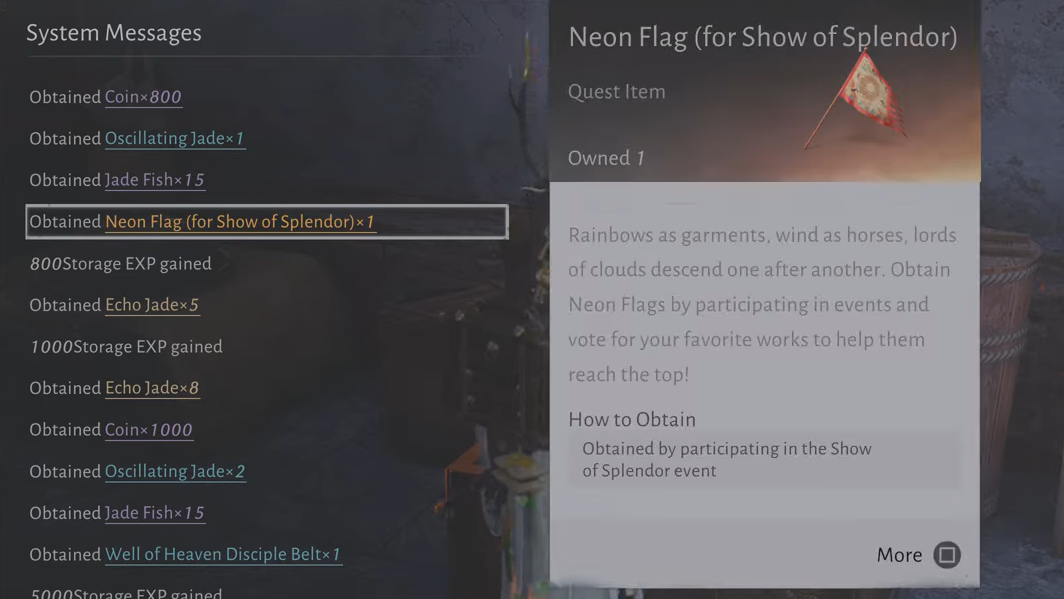
Where to find Neon Flags
Neon Flags are not a drop from enemies or an item you craft. They come directly from the Spring Festival event interface. Open the Events tab in your menu, navigate to the "Spring Festival" section, and select "All as One." From there, look for the "Obtain Nijing" tab. Completing the daily tasks listed under this tab grants you 5 Neon Flags per day.
The Obtain Nijing tab also tracks other resource objectives, so make sure you're looking specifically at the Neon Flag reward line. If the counters under Obtain Nijing show (0/X) and aren't progressing, double-check that you're completing the correct activities — some players have reported confusion between general exploration tasks and the specific actions that count toward Nijing objectives.
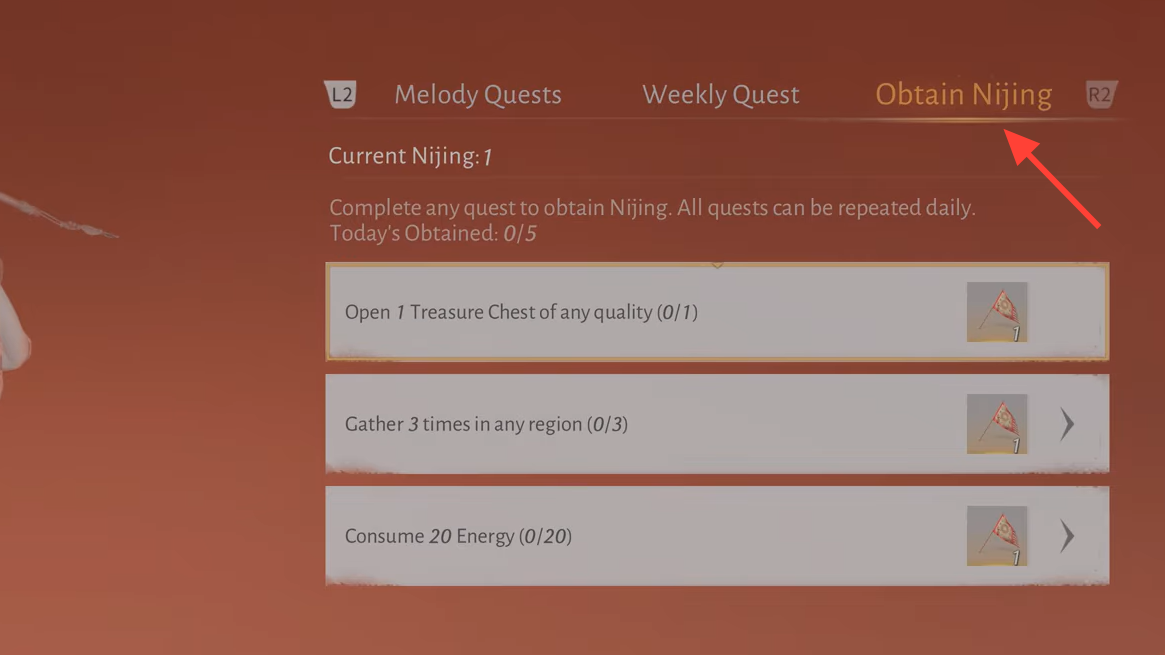
How to spend Neon Flags
Once you have Neon Flags in hand, head back to the "All as One" section of the Spring Festival and open "Show of Splendor." Inside, switch to the Rank tab. This tab displays works that other players have uploaded — primarily character appearance designs and customizations.
Browse through the submitted works and vote for the ones you like. Each vote costs one Neon Flag. Offering Neon Flags to other players' works counts toward your event quest progress, specifically the tasks that require you to "give Neon Flags" or participate in the Show of Splendor ranking system.
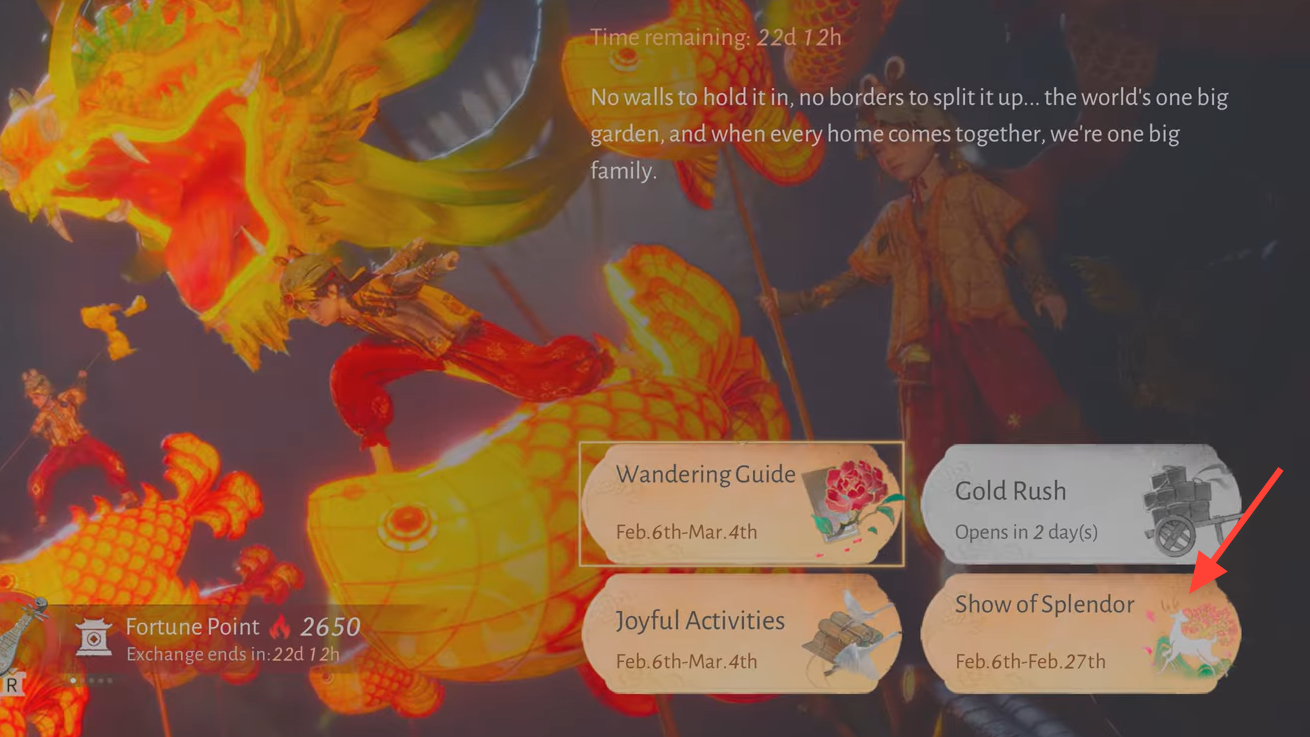
Detailed steps walkthrough
Step 1: Open the Events tab from the main menu and select "Spring Festival." Then choose "All as One" from the available sub-events.
Step 2: Go to the "Obtain Nijing" tab. Complete the listed daily tasks to earn your 5 Neon Flags for the day. These tasks may involve spending energy or gathering items in the open world.
Step 3: Return to "All as One" and open "Show of Splendor." Switch to the Rank tab to see other players' submitted works.
Step 4: Select any work you'd like to support and vote for it. Each vote uses one Neon Flag. You'll see your quest progress update once the flags have been offered.
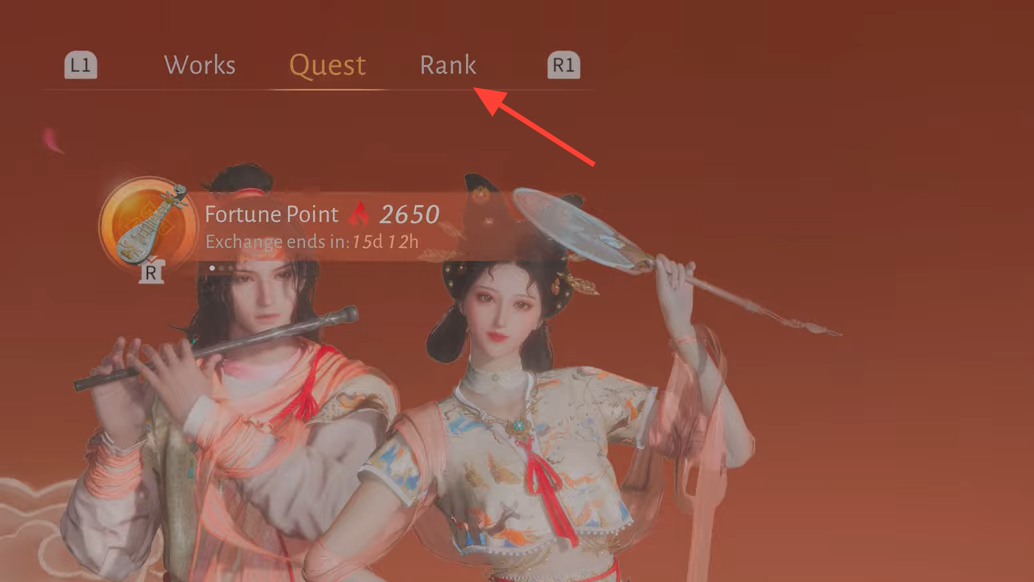
Common issues
Some players initially struggle to locate the Neon Flag mechanic because the Show of Splendor interface has multiple tabs. The key distinction is that you earn flags under "Obtain Nijing" and spend them under the "Rank" tab within Show of Splendor. These are two different screens within the same event chain.
If your Obtain Nijing progress isn't counting, make sure you're performing the exact activities the tab specifies. General exploration or unrelated energy spending may not register. The daily cap of 5 Neon Flags also means you'll need to return on multiple days to complete quests that require a larger total number of flags offered.
Neon Flags are a straightforward but easy-to-miss part of the Spring Festival event loop. Since they refresh daily, it's worth checking in each day to collect your allotment and cast your votes before the event period ends.