The Update 3.0 Boss Rush in Anime Expeditions drops Infernal Dust, the currency you spend to unlock Benimaru (also shown in-game as Crimson Captain [Moon]). Because each run repeats the same gate sequence, you can record a single loop in TinyTask and let it clear the stage over and over while you are away. The trick is preparing the match, the units, and the settings correctly first, so the recording lands on the same buttons every cycle.
Quick answer: Turn on Auto Vote Start, Auto Retry, and Auto-Upgrade, bring an even number of stage-buff units, clear one District 7 Boss Rush run manually, then record a TinyTask loop that clicks Repeat Stage, teleports to spawn, places your units, and walks the gates pressing E.
Team requirements for District 7 Boss Rush
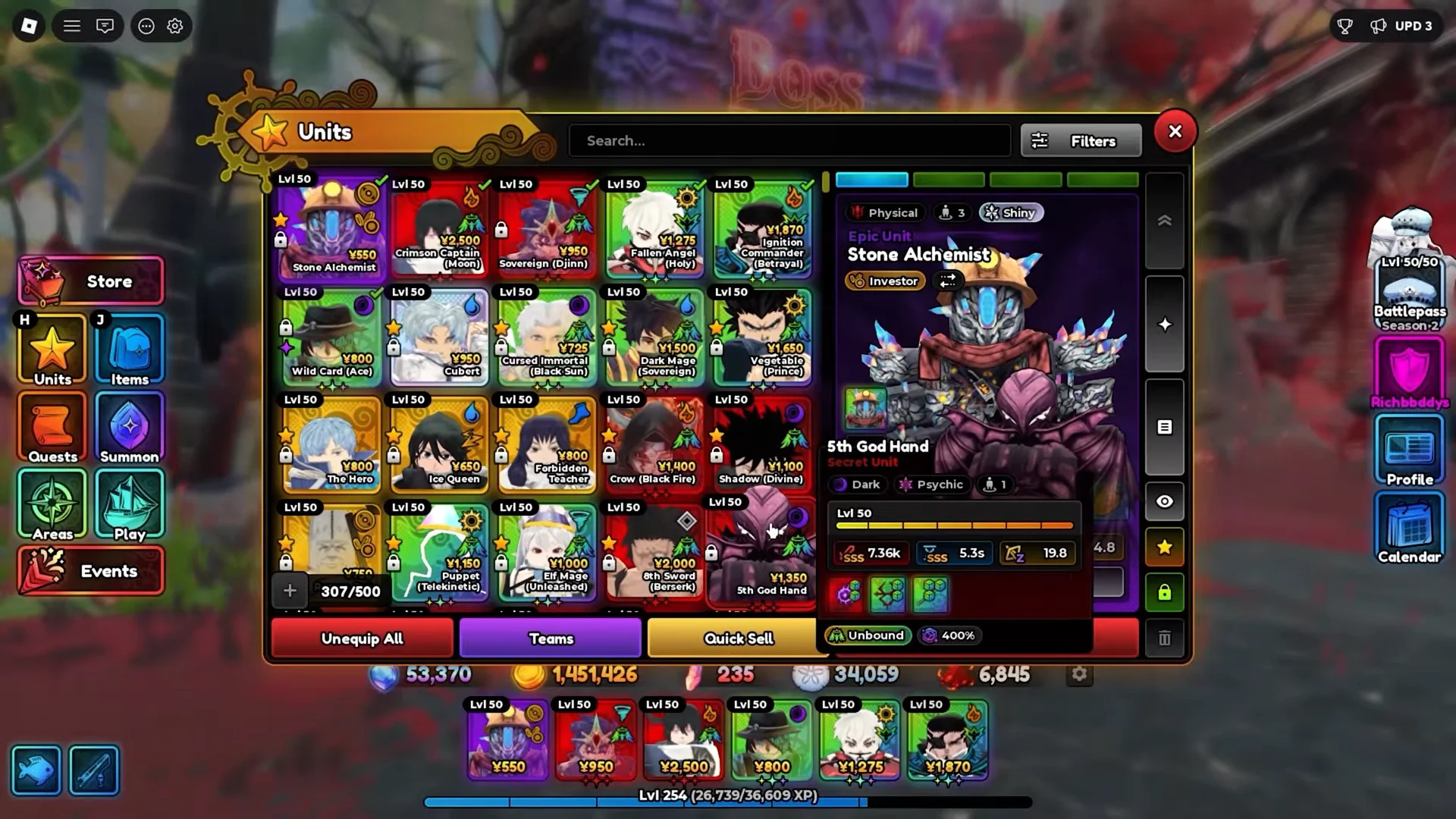
Field at least three DPS units so the macro can clear waves on its own. For farming, consider Crimson Captain (Moon), with Sovereign (Djinn) also suitable, alongside Fallen Angel (Holy), plus Ignition Commander and Stone Alchemist. If you lack these, 5th God Hand, Enel, or Kenpachi can fill in.
The stage buff rule that changes your dust income
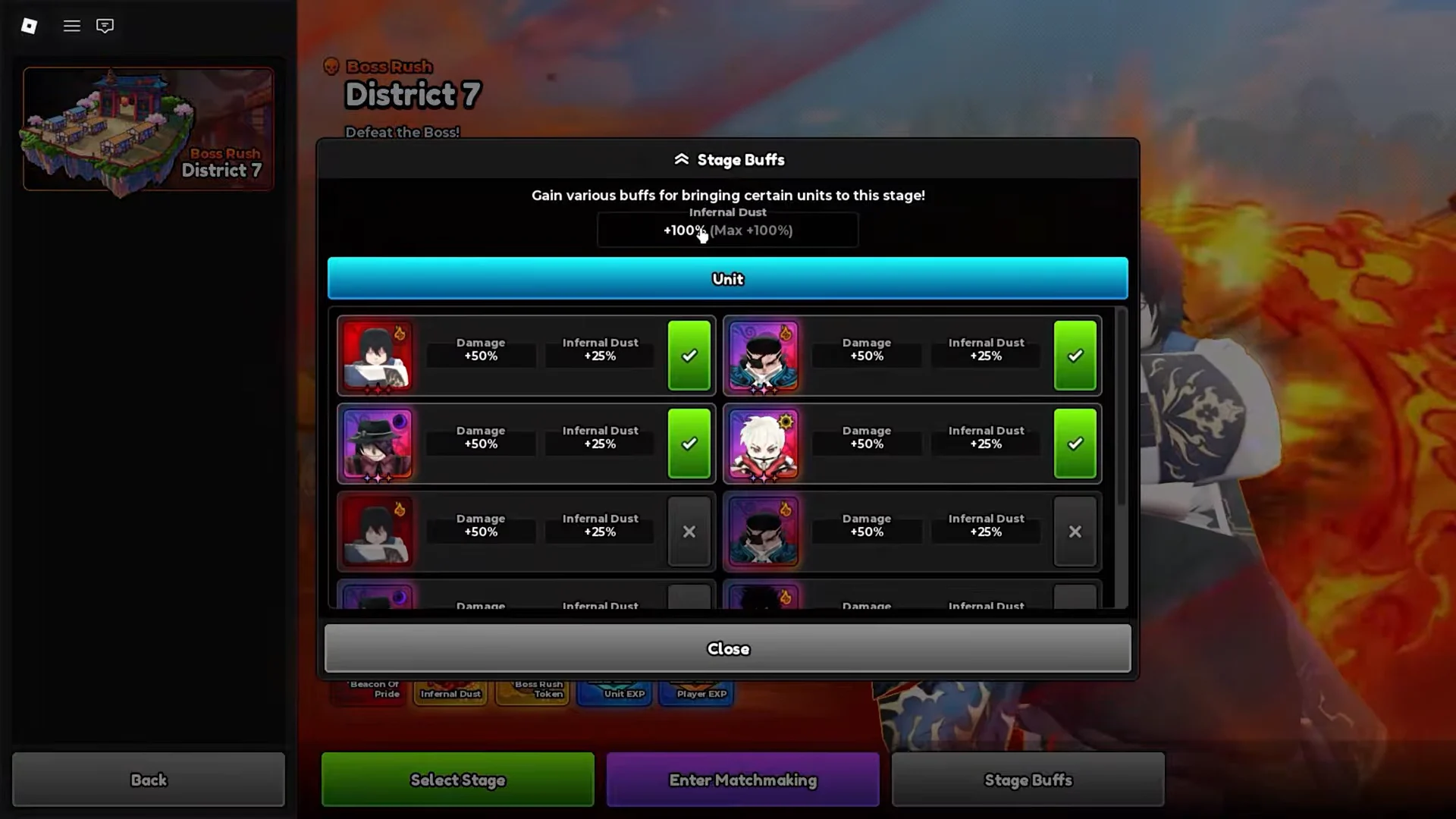
District 7 Boss Rush grants stage buffs for bringing featured units into the match. Each qualifying unit adds +50% damage and +25% Infernal Dust, stacking up to a +100% cap. More buff units means more dust per clear, which is the whole point of the grind.
Bringing an odd number of buff units is currently bugged and pays out reduced Infernal Dust. Only bring an even number of buff units, so two or four, to make sure the multiplier applies correctly.
In-game settings you must enable first
These toggles let the game restart and upgrade on its own, which keeps the macro alive across hundreds of runs. Set them before you record anything.
- Auto Vote Start — ON, so each run begins without a manual vote.
- Auto Retry — ON, so a failed run restarts instead of stalling.
- Auto-Upgrade Placed Units — ON, found under Settings then Units.
- Teleport To Spawn — must be reachable from the Settings menu, since the macro clicks it every loop.
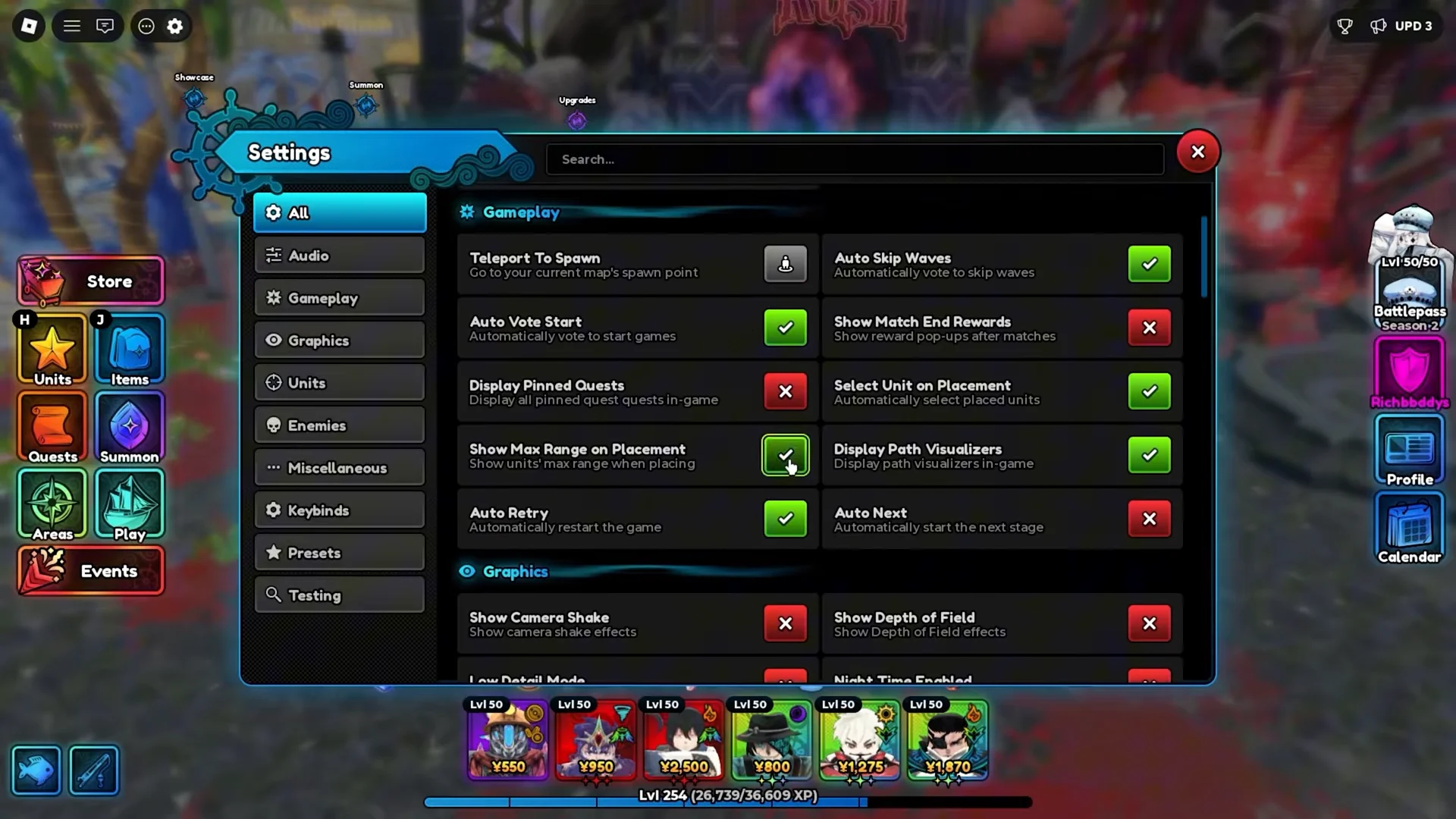
Leaving Auto Retry off is the most common reason a loop dies overnight. Without it, a single loss stops the cycle and the macro just clicks a dead screen.
Prepare the match before recording
Record the loop in TinyTask
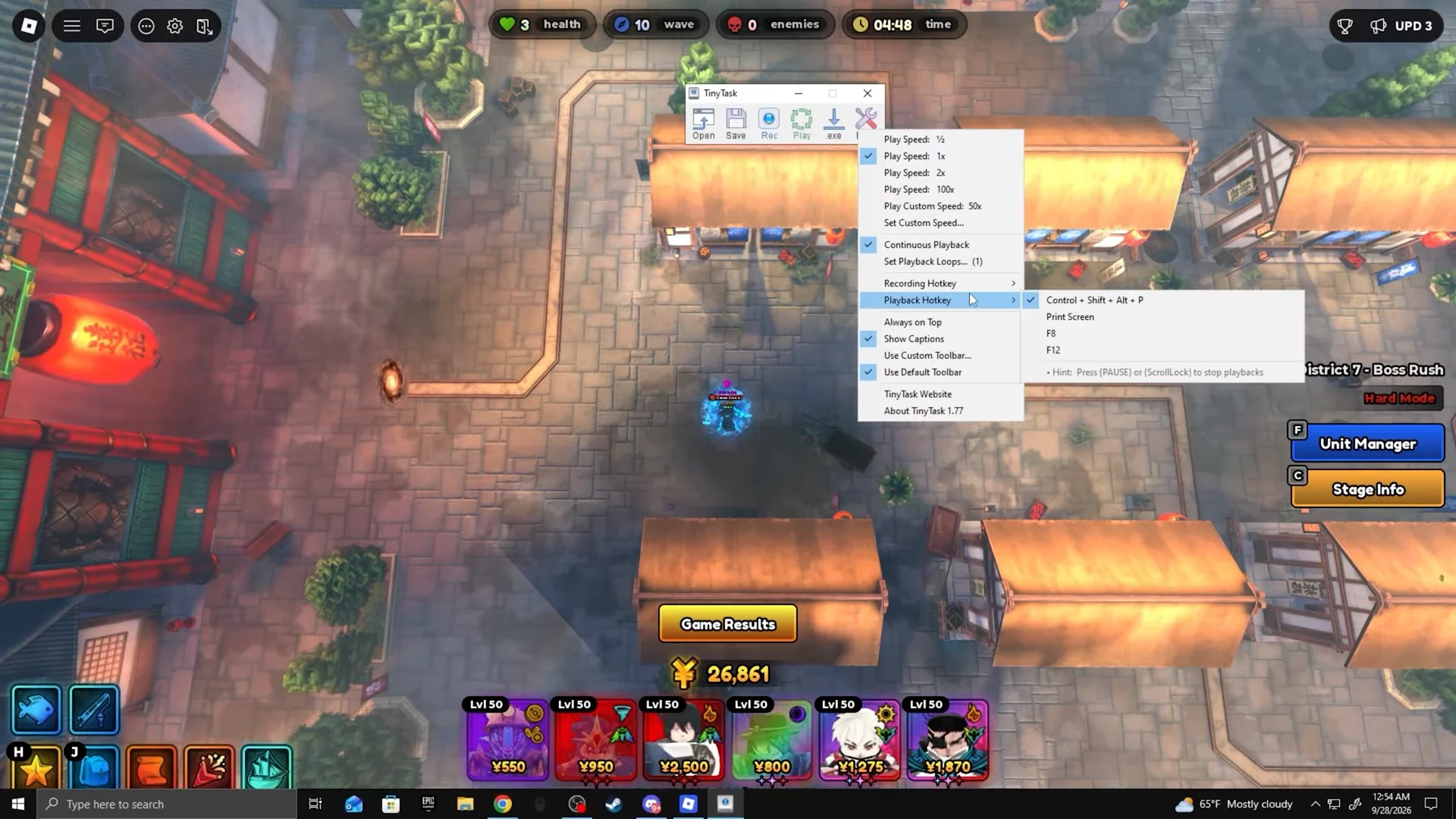
Run the macro and confirm it works
With “Continuous Playback” still checked, press the playback hotkey (F12) or the Play button to launch the loop. A working macro re-enters District 7, clears the gates, places and auto-upgrades your units, and fights through the Demonic Inferno bosses and Crimson Captain on its own.
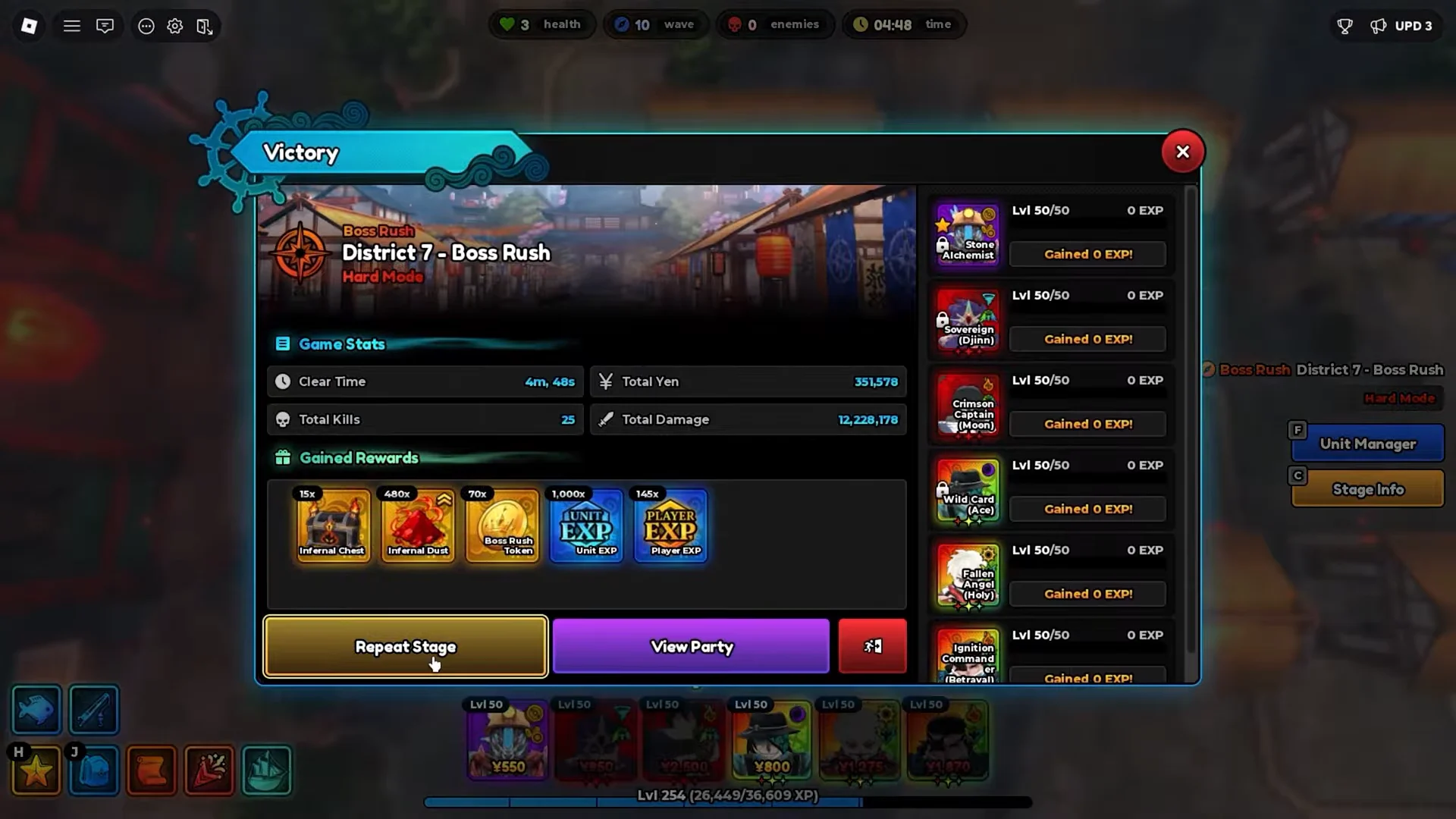
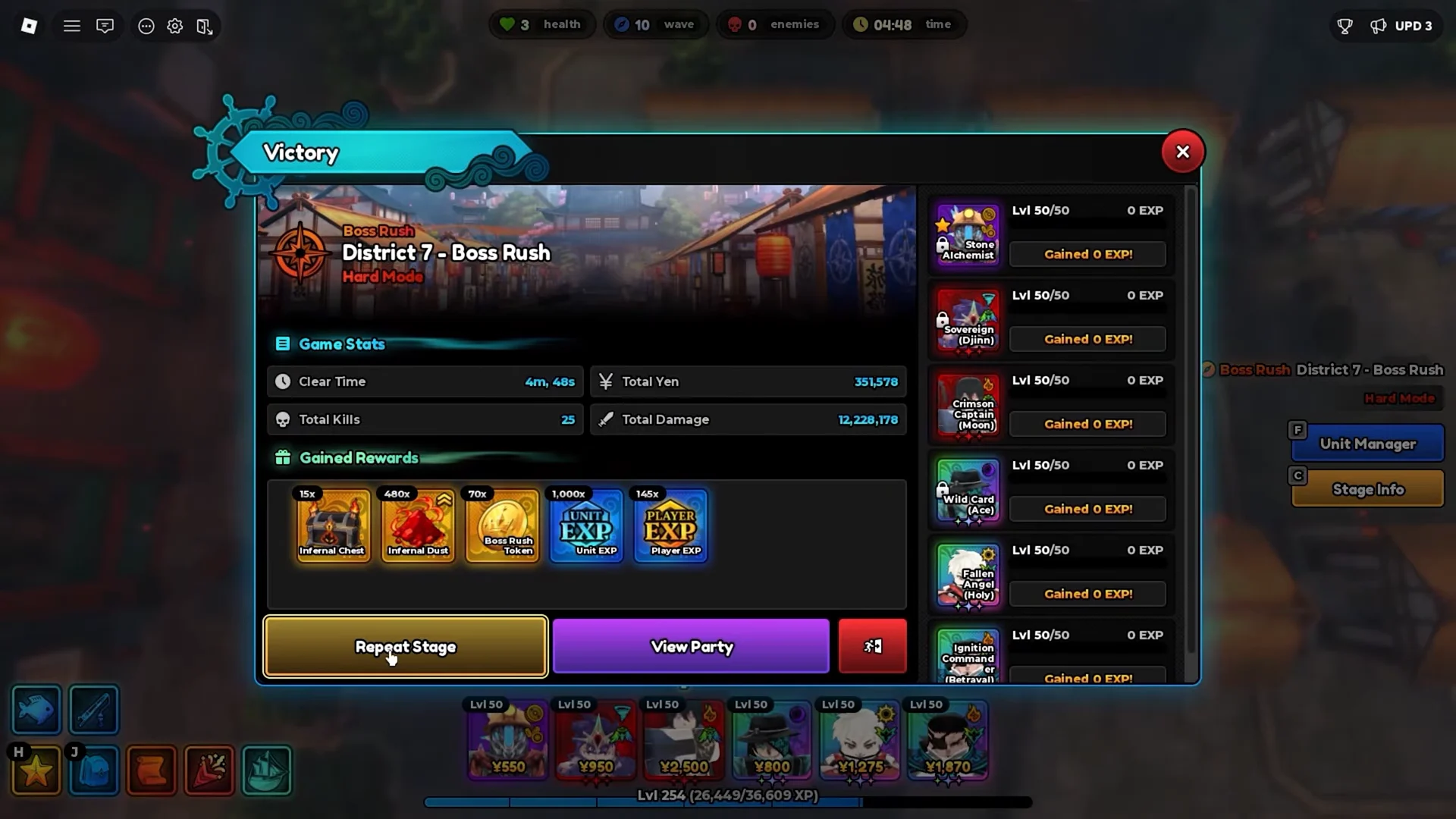
You know it is running correctly when the cycle reaches the Victory screen, claims its rewards, and then clicks Repeat Stage to begin again without stopping. As long as Auto Retry stays enabled, the loop keeps farming Infernal Dust toward Benimaru run after run.