The Environment Level in Pokémon Pokopia measures how well you’ve restored a town’s ecosystem and how happy the Pokémon living there are. Each of the five towns tracks its own level, and pushing those numbers up is what unlocks new shop items, recipes, and the game’s ending. The system sounds vague at first, but it comes down to two things you control directly.
Quick answer: Raise a town’s Environment Level by attracting more Pokémon through new habitats and by raising each Pokémon’s Comfort Level. Give Pokémon the food, toys, and furniture they request, move them into houses, and complete PC Challenges. You need Level 5 in the four story towns to reach the credits, and Level 10 is the maximum.
What the Environment Level measures
Every town keeps a separate Environment Level that reflects the health of the land and the mood of its residents. There are five towns in total. Four are tied to the story — Withered Wasteland, Bleak Beach, Rocky Ridges, and Sparkling Skylands — while Palette Town is a free-play sandbox.
The score is calculated from the Pokémon in the area. Each Pokémon has a Comfort rating, and each Comfort tier is worth a set number of points. The more Pokémon you attract, and the higher their Comfort, the higher the cumulative Environment Level climbs. So progress comes from two levers: adding more Pokémon, and making the ones already there happier.
How to check your Environment Level
Open the PC at any Pokémon Center. The Environment Level for that town is shown at the top of the screen. Pressing the – button brings up the Comfort Levels of all your Pokémon, so you can spot which residents are dragging the score down.
How to raise the Environment Level
Story progress alone usually pushes a town to around Level 3 or 4. To go higher, you work the two levers directly. The methods below stack, so doing several at once moves the number fastest.
Restore the land first
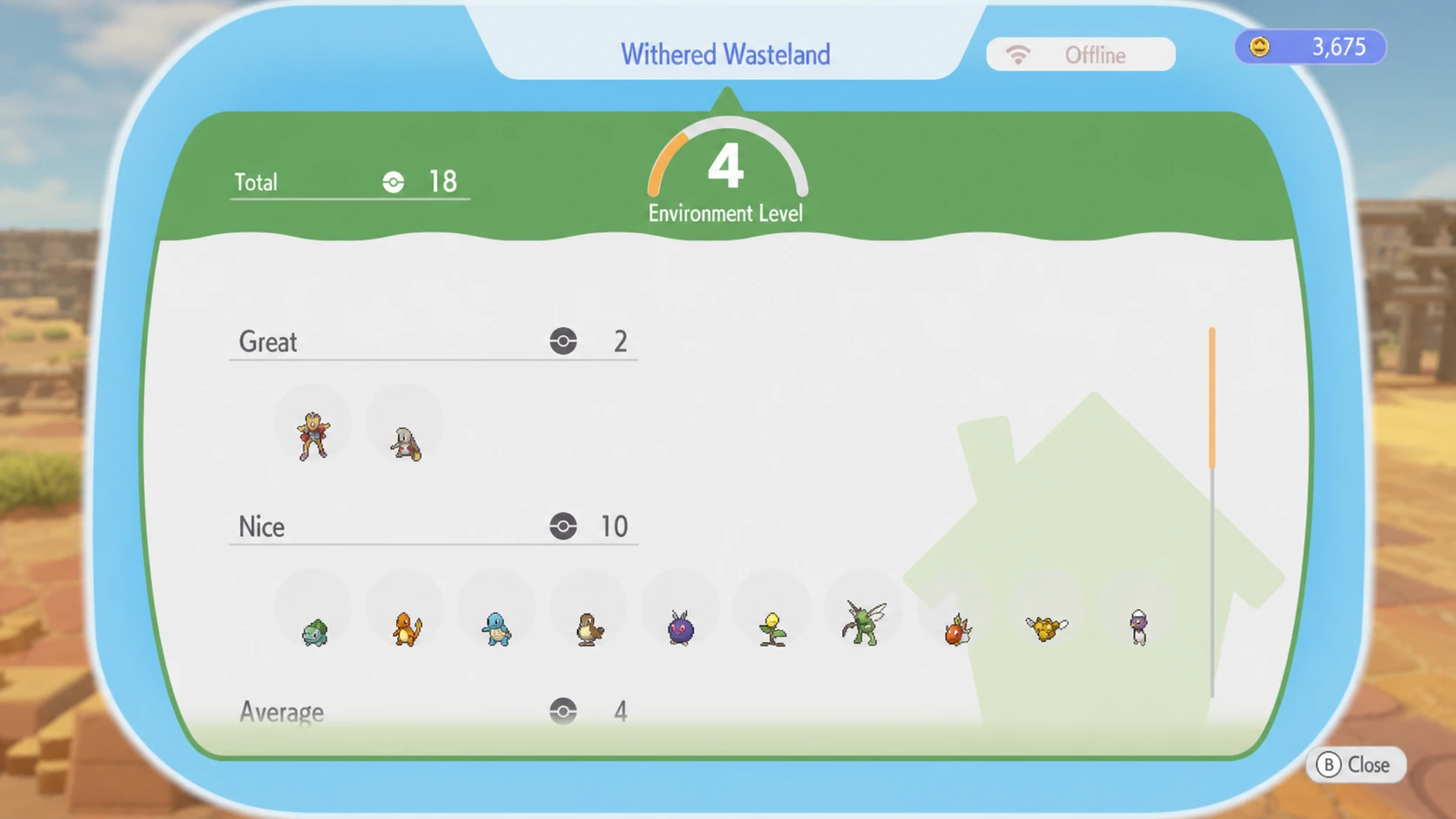
Build habitats to attract more Pokémon
Build houses for your Pokémon
Moving Pokémon out of habitats and into houses is the quickest way to lift the level. A house raises Comfort faster than a habitat and gives you more space to decorate. Blueprints come from the Pokémon Center shop, and a house needs at least three pieces of furniture to be livable. You can also restore the broken buildings already standing in each town.
Raise each Pokémon’s Comfort Level
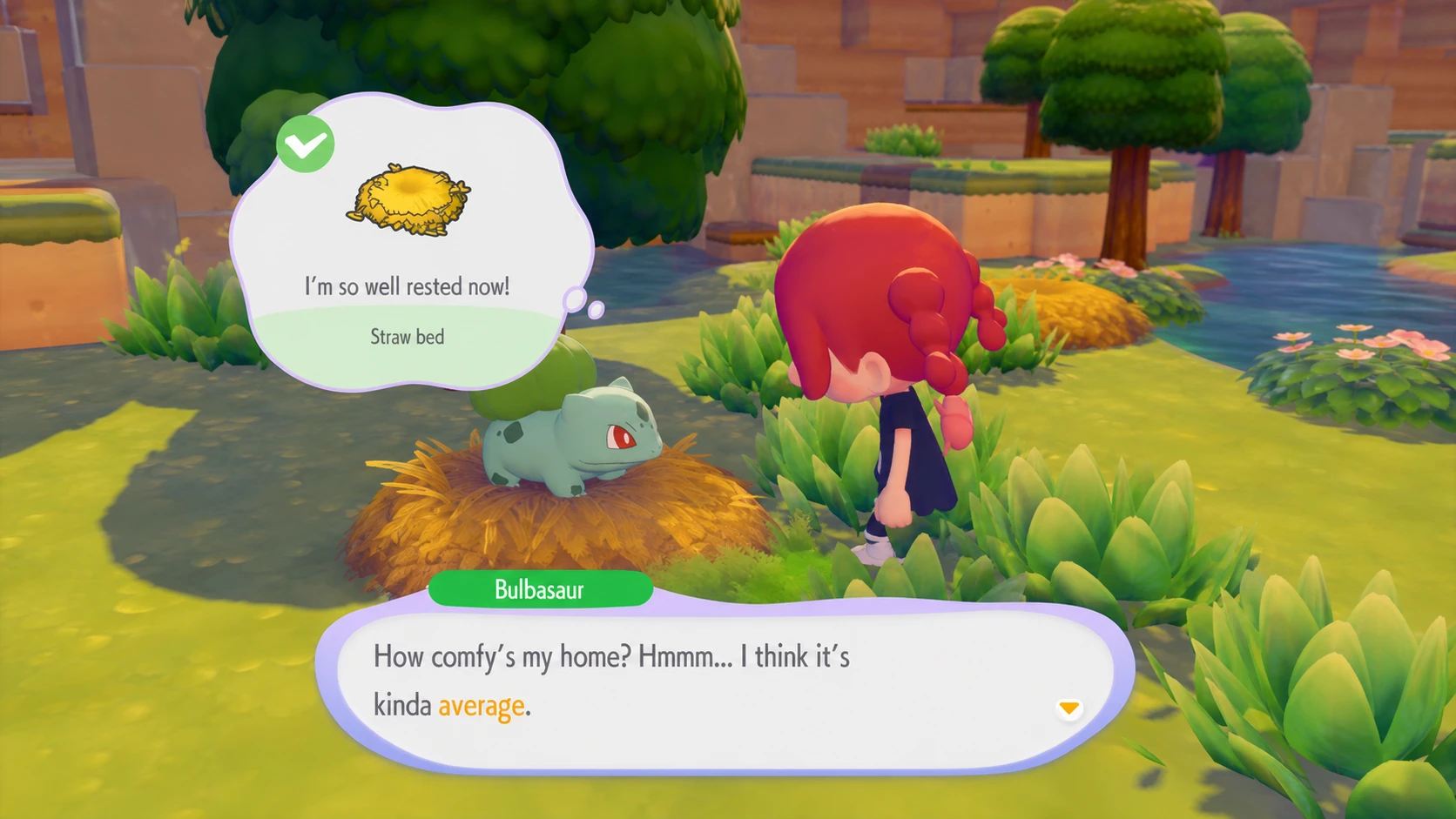
Comfort is the heart of the whole system. Talk to a Pokémon and ask “How’s your comfort level?” to see its current rating, which runs from iffy to great, plus a hint about what it wants. Pokémon usually ask for food, a decoration, or a toy, so keep those items inside their habitats.
Check the Pokédex for each Pokémon’s favorites and ideal habitat. Decorating with preferred items gives a large Comfort boost. It helps to group Pokémon with similar tastes in one area, because they share the furniture you place as long as it sits within their habitat range. Press the Right Stick to see that range.
Complete Challenges and requests
Open the Challenges list on the Pokémon Center PC. Challenges suggest concrete ways to keep a town clean and its residents happy, and finishing them awards Life Coins for the shop along with materials like logs, stone, and twine for crafting. New Challenges unlock as the level rises.
Pokémon also hand out individual requests, usually small fetch tasks for an item. Completing them raises that Pokémon’s Comfort and often rewards new moves, recipes, items, or decorations you can use to push the level further.
Play mini games
Certain Pokémon will play jump rope, hide-and-seek, or quiz you with random questions. Playing along raises their Comfort even if you don’t perform well, making it a reliable extra source of progress.
Why the Environment Level can go down
The level is not locked in once you reach it. If your Pokémon’s Comfort drops below what the current level needs, the Environment Level falls — even after you’ve hit the maximum. When that happens, any shop items unlocked above your new level get locked again until you climb back up.
Two common triggers cause drops. Weather is one. If Pokémon that dislike water are left outside when it starts raining, their Comfort can dip. Moving a Pokémon is the other. Relocate a Pokémon into a habitat it likes less than its old one, with nothing it enjoys nearby, and its mood, Comfort, and the town’s level can all slide.
Level 5, Level 10, and the rewards
Each level up unlocks more content from the Pokémon Center PC shop, including extra decorations, building kits, recipes, materials, and habitat hints. Shop unlocks are shared across every PC in your world, so once an item is available you can buy it from any Pokémon Center. Higher levels also open structures like cafes and gardens. Crucially, the Pokémon Center Rebuild Kit only becomes available once a town reaches around Level 2 or 3.
| Milestone | What it means |
|---|---|
| Level 5 (four story towns) | Required to reach the game’s end credits, since items for certain Team Initiation Challenges are locked behind it. |
| Level 10 (maximum) | Shows a “Max” tag next to the grade. Unlocks everything in the PC shop, including kits to restyle other Pokémon Centers to match your favorite design. |
You’ll know a step worked when the PC shows the new level with a “Level up!” message and the shop refreshes with new stock. At Level 10, the “Max” indicator confirms there’s nothing left to raise in that town. The most efficient routine is steady: restore the land, lay roads, build habitats, move Pokémon into furnished houses, then keep their Comfort high by answering requests and giving them what the Pokédex says they love.