

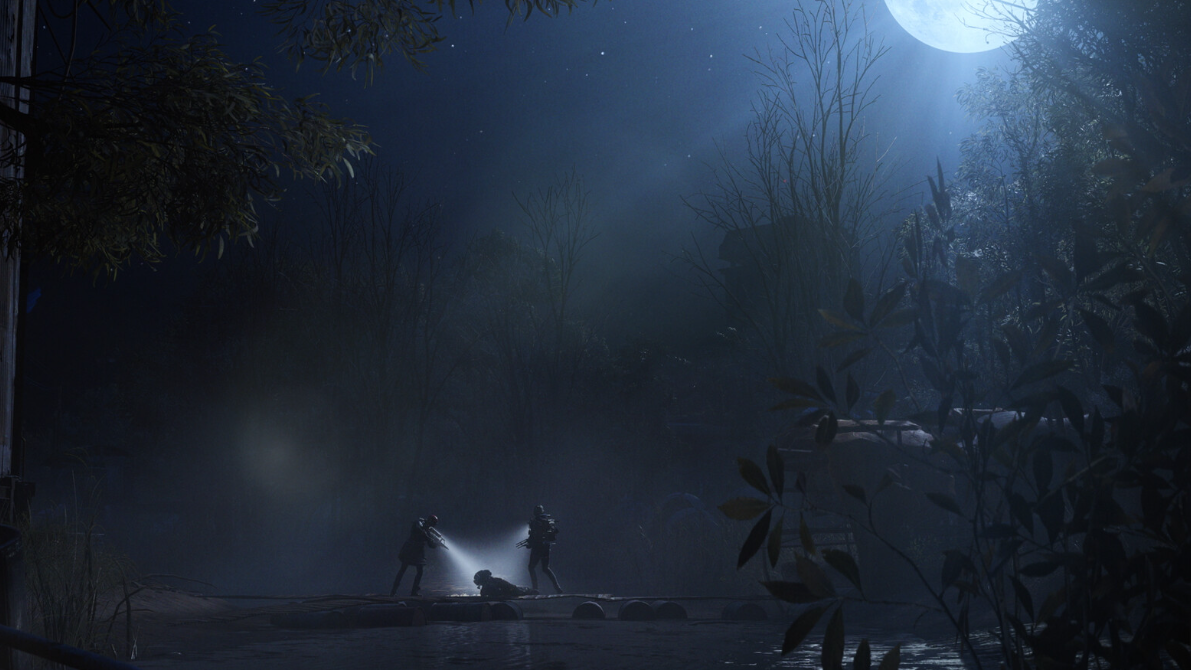
ARC Raiders leans hard into darkness. Night raids, indoor corridors, subway tunnels, extraction points at the Dam, and Buried City — a lot of the game is designed around areas where you are not supposed to see clearly without light.
That design choice collides with a simple problem: there is no in‑game brightness or gamma slider, and the 1.0 release does not support HDR. On some setups, the game looks fine; on others, it ranges from washed‑out grey to “I can’t see the floor.”
ARC Raiders brightness basics (what the game does and does not offer)
ARC Raiders currently:
- Does not expose an in‑game brightness or gamma slider.
- Does not support HDR output in the 1.0 build.
- Relies on its own lighting model, contrast, and post‑processing to create very dark interiors and night scenes.
- Uses equipment (flashlights, glow sticks, cosmetic lights) and environmental lighting as the intended way to navigate dark spaces.
Because there is no calibration screen, the same content can look wildly different across hardware. Some players on OLED or bright IPS panels report that the game is almost too bright, with hazy whites and weak shadows. Others on VA panels, OLEDs with aggressive black levels, laptops, or streaming clients report that night raids and indoor rooms are nearly unplayable without external tweaks.
Why ARC Raiders feels so dark for some players
There are three overlapping issues:
- Darkness is a deliberate mechanic. The game expects you to lose information in the dark. Outdoors at night, you are meant to rely on moonlight and silhouette, and indoors, you are meant to trade concealment for information when you turn on a flashlight or throw a glow stick.
- Display variation is huge.
- On some OLED monitors and TVs, black levels are so deep that unlit corners collapse into featureless black. Players describe not seeing walls, doors, or the ground on night maps unless they crank up the panel’s black level.
- On some VA panels, viewing angle and room glare make dark areas even harder to see, especially with sunlight in the room.
- On other OLEDs or bright IPS TVs, the same scenes look almost flat and over‑bright; shadows hardly exist, and the whole image gains a white sheen.
- On streaming setups like Steam Link to an iPad, compression and tone mapping can crush blacks so far that night raids are “unreasonably dark” even with the client brightness maxed.
- No standardised calibration path. With no in‑game calibration, you are pushed to do per‑device tweaks (monitor OSD, GPU control panel). That creates arbitrary advantages for players who know how, and major disadvantages for those who cannot change those parameters on their device.
The result is the split many players describe: one person can walk around indoors at night with no flashlight and see fine; another, on different hardware, cannot see a doorway from a few meters away without cranking external brightness to eye‑searing levels.
Visibility differences on OLED, VA, and other panels
Several recurring patterns show up across displays:
- OLED “too dark” cases. Players on Asus and other gaming OLEDs often avoid night raids because they “can’t see indoors,” even with flashlights. Raising panel brightness alone does not help because the issue is the black clipping in dark scenes. Adjusting black level and gamma on the monitor makes a bigger difference than simply increasing brightness.
- OLED “too bright” cases. A 55" OLED TV with high overall brightness can make ARC Raiders look blown out: over‑bright whites, foggy image, and almost no deep shadows. In that situation, the game’s intended darkness is effectively lost.
- VA panels in bright rooms. Curved VA panels in sunlit rooms make ARC Raiders’ darks “crazy” even when other games look fine. Dark tunnels, lower floors, and some Dam interiors are hard to read because ambient light and VA contrast work against each other.
On top of that, players are forcing HDR through tools like NVTrueHDR on some OLEDs with good results, while others avoid night raids altogether. There is no official HDR path, so these behaviours are entirely at the mercy of personal setup.
How players are “fixing” brightness on PC
With no brightness slider inside ARC Raiders, PC players lean on three main approaches:
Method 1: Adjust GPU control panel (NVIDIA / AMD)
On Windows, the most common workaround is to change global display settings in the GPU control panel while playing ARC Raiders, then switch back afterward.
Step 1: Open your GPU control application. On NVIDIA, this is the NVIDIA Control Panel. On AMD, use Adrenalin software.
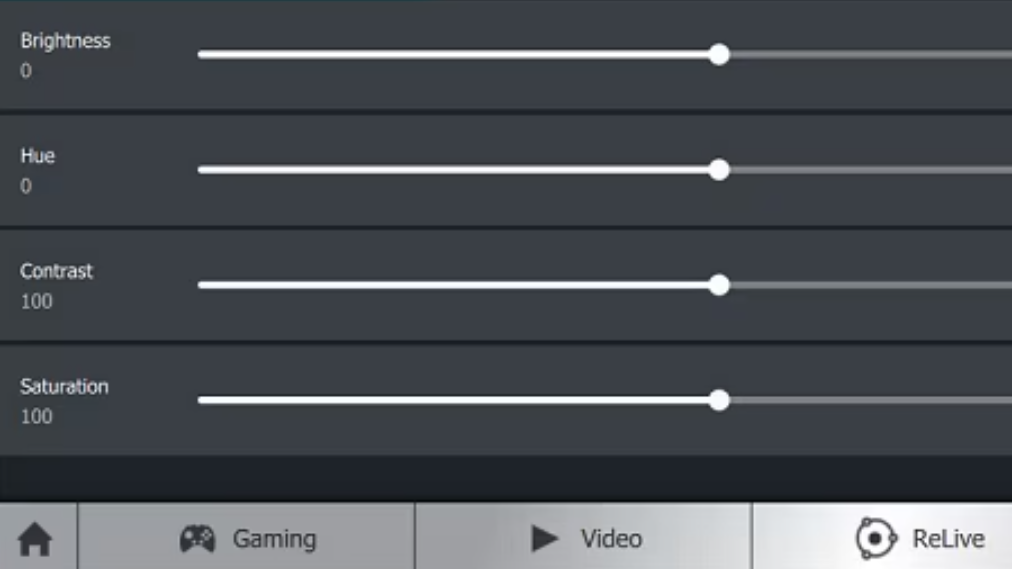
Step 2: Go to the desktop or display color settings page for the monitor you use for ARC Raiders. Look for controls for brightness, contrast, gamma, digital vibrance, and sometimes hue.
Step 3: Increase gamma slightly and, if available, nudge digital vibrance and contrast to lift detail in shadows without turning everything white. The exact values depend heavily on your panel; the goal is to reveal ground, doors, and silhouettes in night raids without crushing highlights.
Step 4: Play a few night and indoor raids and iterate. Expect to overshoot at first and end up with “thermal vision” levels of clarity before dialing it back.
Step 5: When you are done playing ARC Raiders, reset those settings or switch back to a saved profile so your desktop and other games don’t stay washed out.
Some players run similar tweaks at the monitor level instead of the GPU layer. Certain gaming monitors expose their own “Black Equalizer” or custom gamma modes in their on‑screen display, which can mimic or exceed what the GPU panel does. That path is also attractive in games that lock the GPU controls.
Method 2: Tweak monitor OSD on OLEDs and TVs
On OLED displays, the critical controls are often different from standard LCDs. Simply maxing out brightness rarely solves the problem; it can make highlights harsh while leaving dark corners unchanged.
Step 1: Open your monitor or TV’s on‑screen display (OSD) while ARC Raiders is running.
Step 2: Locate settings related to black level, shadow detail, or gamma. On some LG OLEDs, raising the black level setting from “Low” to “High” lifts crushed blacks into visible dark grey, making interiors and tunnels legible.
Step 3: Adjust brightness and contrast in small increments, watching a dark indoor area in real time. You are looking for the point where you can see geometry (door frames, railing, floor texture) without turning the entire image into a grey fog.
Step 4: Save the configuration as a dedicated gaming or ARC Raiders preset if your display allows it. That keeps you from blowing out HDR movies or other games.
Players who are comfortable with more advanced tooling also experiment with forced HDR tone mapping through utilities like NVTrueHDR on PC. That can help specific OLED models by giving the signal a different curve, but it is not officially supported by ARC Raiders and depends on your OS pipeline.
Method 3: Use in‑game graphics options for visibility, not just FPS
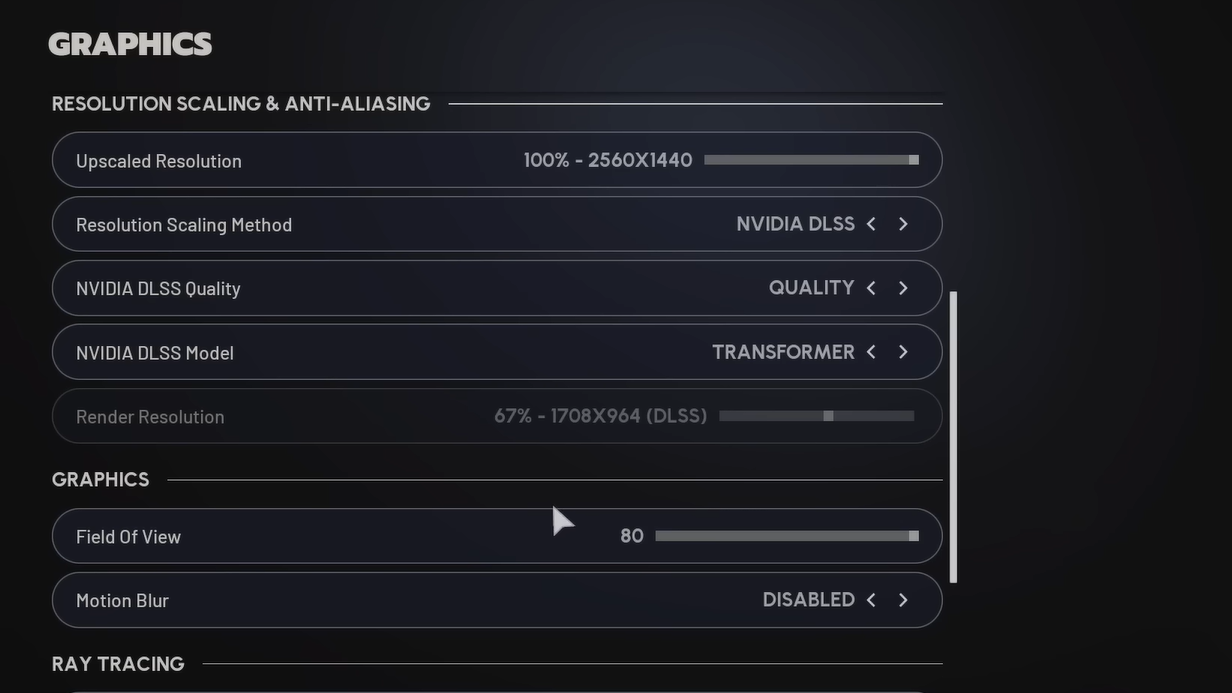
Even without brightness or HDR toggles, some of the ARC Raiders’ graphics settings directly affect how much you can see.
- Lighting and shadows. Adjusting lighting and shadows changes how bright interiors appear and how hard shadows fall. One pattern players report: higher shadow or lighting quality can increase interior visibility, while lower settings may remove subtle indirect light and make some spaces feel darker and flatter.
- Foliage and planet detail. Dropping foliage and ground detail to low can remove grass and small plants entirely in some spots, making it easier to see players hiding in bushes or tall grass. That is effectively a visibility “exploit” rather than a brightness change, but the end result is the same: you see more than someone on high settings.
- RTX global illumination. ARC Raiders exposes an NVIDIA RTX Global Illumination option under ray tracing. Disabling it makes the game “a lot brighter and less grainy” for some players, especially in dark interiors, because it removes some of the subtle bounced lighting and noise that makes scenes look more realistic but harder to parse.
These toggles sit in a grey area. They are exposed options, so they are not cheating in the strict sense, but they absolutely change how the game plays. Some players keep everything on “recommended” to stay closer to the intended look; others drop foliage and RTX for maximum clarity in PvP.
Flashlights, glow sticks, and why they feel weak
ARC Raiders ships with several in‑world tools for managing darkness:
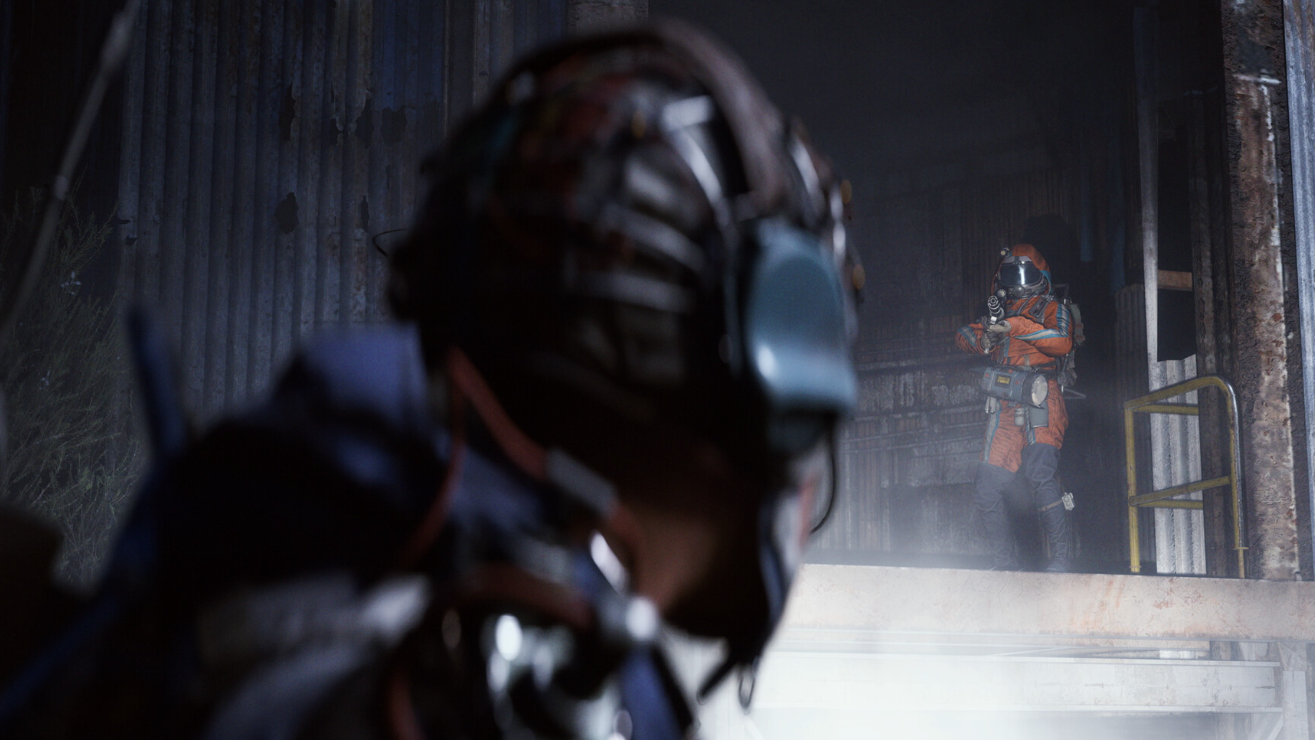
- Flashlights. Essential in corridors and rooms with no ambient light. Their beam is narrow and, at a distance, they do not meaningfully light up far corners — a common complaint from players who still cannot see enemies 10 meters away in a dark corner. They also broadcast your position; other players can track you through windows or across open ground as soon as you switch them on.
- Glow sticks. These offer gentle area lighting and marking. They are good for marking extraction points or entrances but are slow to deploy in combat and do not dramatically change visibility when someone is already entrenched in a dark corner. Players joke about going to throw a glow stick and getting instantly shot by someone they still cannot see.
- Cosmetic lights. Some Raider cosmetics include bright glow attachments on the chest. These make you highly visible in night raids and dark interiors, essentially acting as a permanent “shoot here” marker.
Design‑wise, the game expects you to make trade‑offs: stay dark and blind, or light up and risk exposing your position. That is effective as a tension mechanic, but it becomes frustrating when other players have brightened their entire image through external means and can track you in “pitch‑black” rooms while you see nothing.
Is external brightness tuning “cheating” in ARC Raiders?
The community is split.
On one side, players argue that:
- The lack of a built‑in slider forces some kind of external adjustment if the game is physically uncomfortable or unreadable.
- Monitor OSDs, GPU control panels, and TV presets have been part of PC gaming forever, and not everyone’s hardware is calibrated the same way.
- Some players literally cannot play night raids without accessibility‑style tweaks to gamma or black levels, especially if they struggle with low‑light vision.
On the other side, there is a strong feeling that:
- Cranking gamma, contrast, and digital vibrance until night raids look like daytime gives a real combat advantage, similar to lowering foliage to remove bushes.
- Console players and PC players who do not know or cannot change these settings are at a baked‑in disadvantage, especially in crossplay.
- Content built around “secret tech” for seeing everything at night encourages an arms race away from the intended experience and toward washed‑out competitive tuning.
There is also a smaller group that chooses to “play as intended,” avoiding heavy external tweaks even if that means losing gunfights to people who can see more clearly in the dark. Others disable crossplay to escape those advantages entirely.
Whatever your stance, one thing is clear: ARC Raiders’ lack of an in‑game brightness or calibration screen shifts responsibility for fairness from the game to a mix of personal ethics and hardware quirks.
Impact on accessibility and comfort
Brightness is not just about competitive edge. It also affects whether people can play at all.
- Players with poor night vision or difficulty distinguishing dark greys from black report being unable to navigate night maps, bumping into walls and missing loot.
- Others experience eyestrain and headaches because the only way to make interiors visible is to push overall screen brightness to painful levels, leaving outdoor scenes blown out and “all grey and white.”
- On some OLEDs, the combination of aggressive darkness and no gamma control makes the game effectively inaccessible without external tweaks or mods.
For those players, a standard brightness/gamma slider is not an optional nicety; it is an accessibility feature. Without one, night raids — which often contain the better loot — become content they simply cannot engage with, or they refund the game entirely.
Practical recommendations (within what ARC Raiders allows)
Within the constraints of the current build, there are a few grounded approaches that line up with what players are already doing.
For PC players
- Use your GPU control panel or monitor OSD to create a dedicated ARC Raiders profile:
- Raise gamma and/or black level enough to see geometry in night raids and dark interiors.
- Avoid turning the entire image into a flat grey wash; keep some contrast for comfort.
- Experiment with ray tracing / RTX Global Illumination off if interiors feel too noisy or dark.
- Be aware that foliage on low and similar settings grant visibility advantages; decide consciously whether you want to play that way.
- Reset or swap profiles after playing so other games and desktop use are not affected.
For console players
- Use your TV or monitor’s built‑in presets to create a game mode tuned for ARC Raiders, adjusting black level and gamma more than raw brightness.
- Reduce room lighting where possible. Daylight on the screen, especially with VA panels, makes ARC Raiders’ darks much harder to read.
- Avoid cosmetic glow items in PvP nights; they undo most of the advantage of staying in the dark.
None of these are perfect substitutes for a real brightness and calibration screen, and they cannot fix every problem in every room. They do, however, bring ARC Raiders closer to a readable state on the widest range of hardware without fully blowing up the intended mood of its night raids.
Until ARC Raiders adds an explicit brightness or gamma control, darkness will sit at the intersection of design choice, hardware lottery, and personal ethics. If you are struggling to see, use external tweaks unapologetically to get the game into a state that is playable and physically comfortable. Beyond that point, any further push toward “daytime night raids” is less about accessibility and more about how far you want to bend the intended experience to win fights.