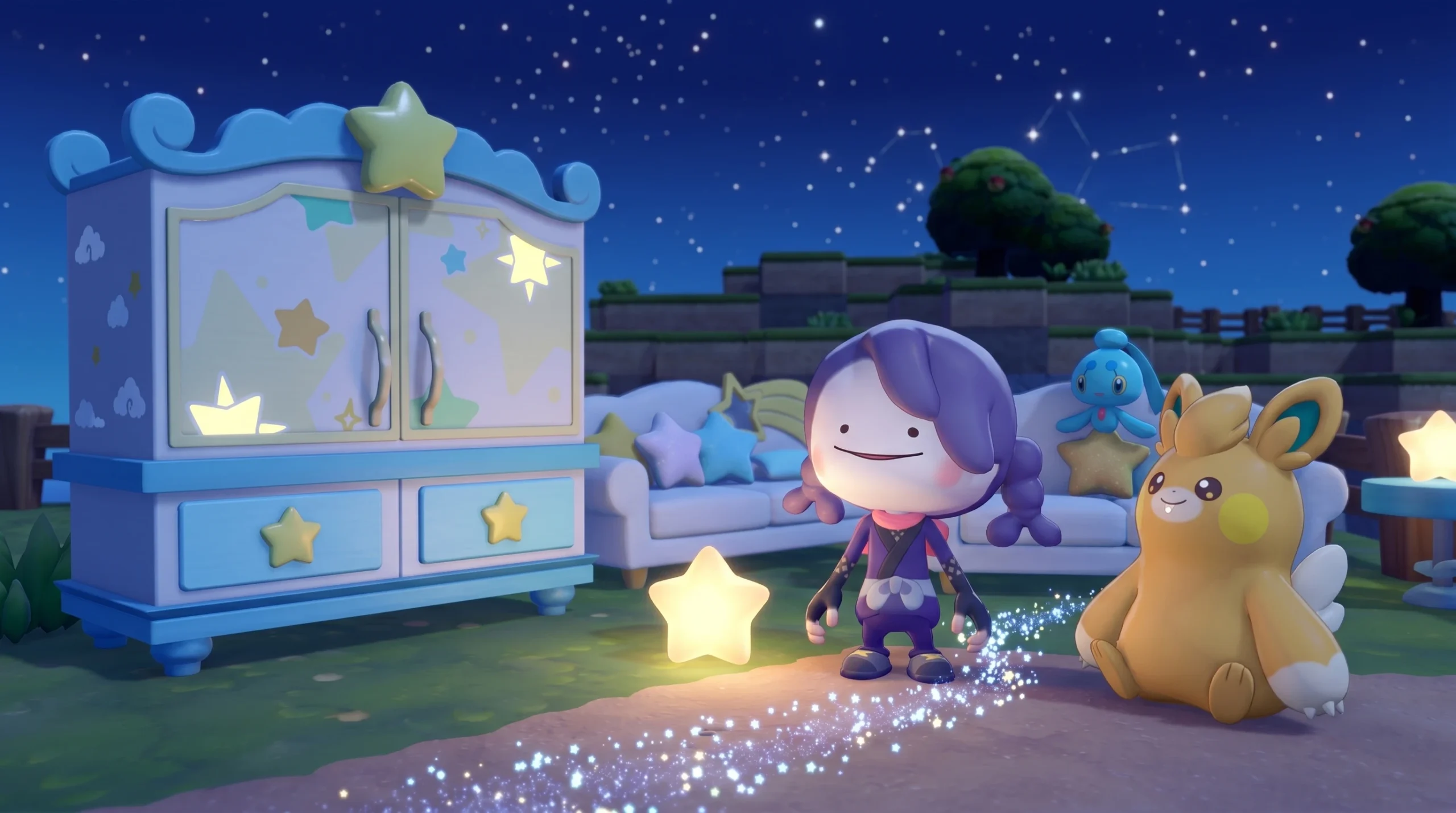
Jirachi has floated into Pokémon Pokopia as the newest event Pokémon, and getting the Wish Pokémon to stay for good means building the one home it accepts. That home is the Surrounded by Stars habitat, a star-themed setup made entirely from limited-time furniture you can only collect while the Wish Upon a Jirachi event is live.
Quick answer: Place a Star Closet, a Starry-Sky Bed, a Cloud Table, and a Jirachi Lamp close together (within a roughly five-block area), then power the lamp using electricity or a Pokémon with the Generate ability. All four items cost one Sparkling Wish Note each from Jirachi’s shop inside a Pokémon Center.
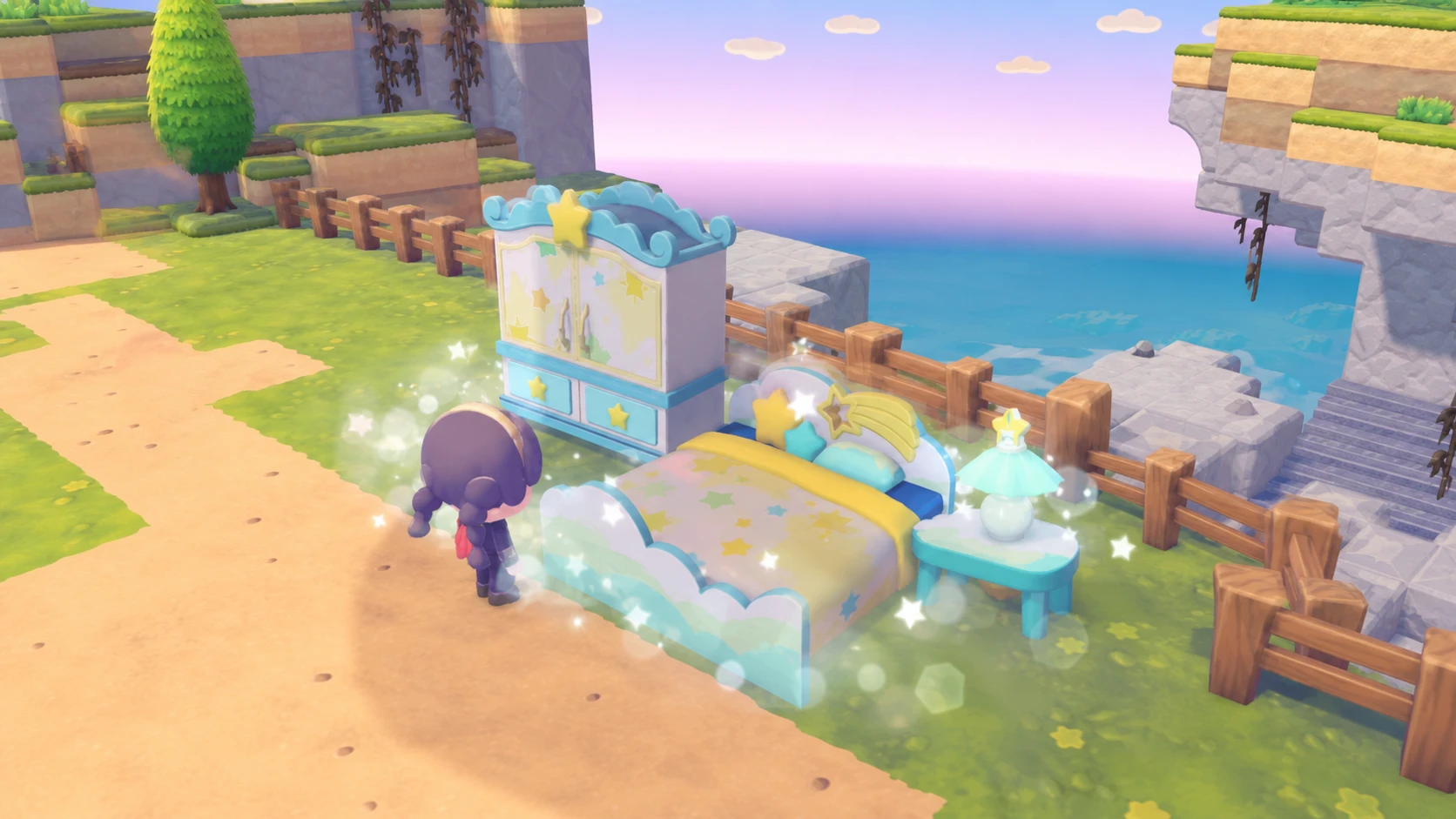
The four items the Surrounded by Stars habitat requires
Only four pieces of furniture count toward the habitat. The event store sells other star-themed decorations too, but those are optional and do not affect whether Jirachi moves in. Stick to the list below if you only care about completing the habitat.
| Item | Cost | Required |
|---|---|---|
| Star Closet | 1 Sparkling Wish Note | Yes |
| Starry-Sky Bed | 1 Sparkling Wish Note | Yes |
| Cloud Table | 1 Sparkling Wish Note | Yes |
| Jirachi Lamp | 1 Sparkling Wish Note | Yes (must be powered) |
That adds up to four Sparkling Wish Notes total, which makes this one of the cheapest event habitats to assemble so far.
How to earn the Sparkling Wish Notes you need
Sparkling Wish Notes are the event currency, and you cannot buy them outright. You earn them by completing requests for the Pokémon already living in your town while carrying a regular Wish Note.
Note: Requests you accepted before the event started will not produce a Sparkling Wish Note, since you never handed over a Wish Note for them. If new requests are slow to appear, let some in-game time pass and they should start popping up.
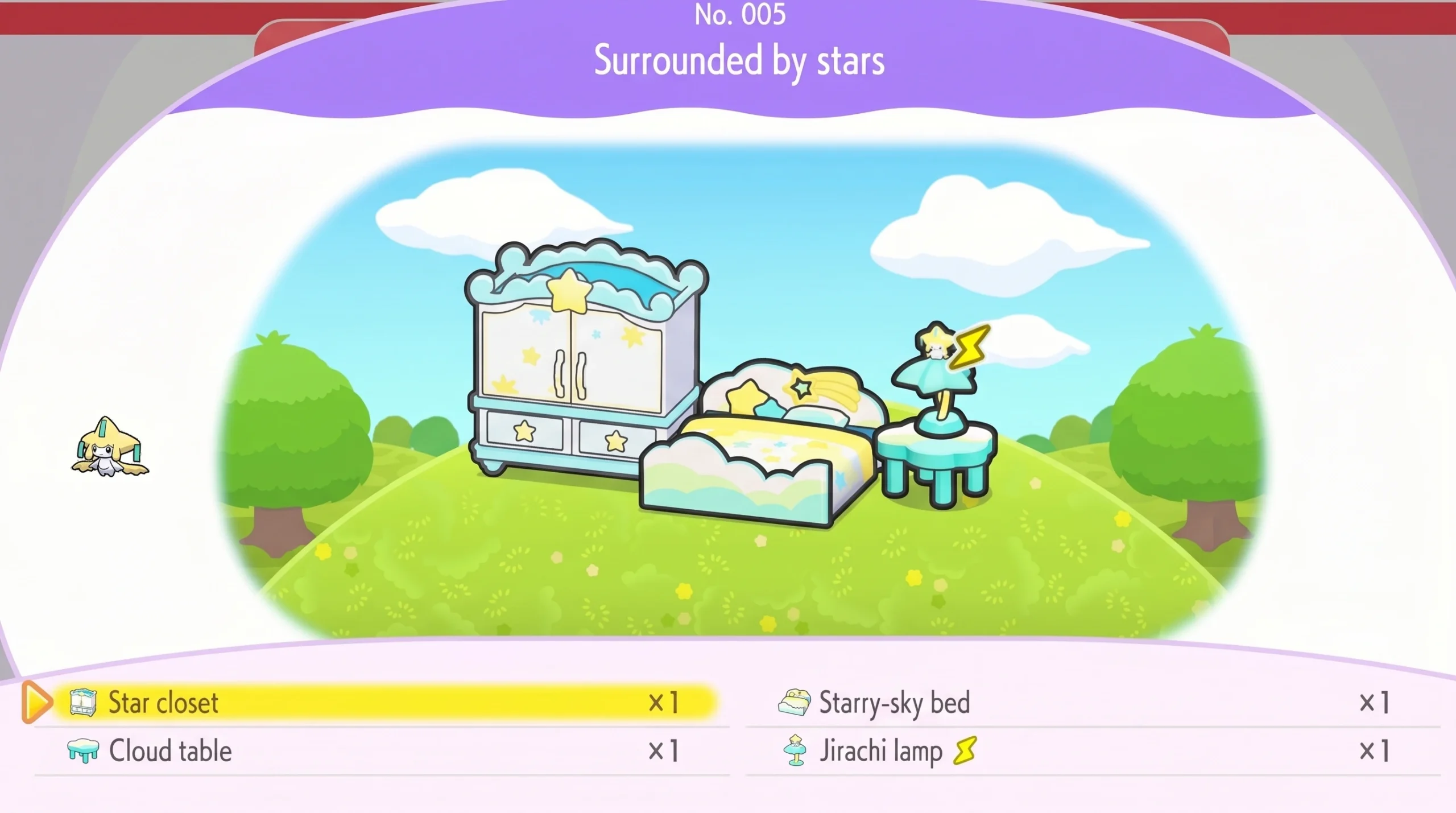
Placing the furniture and powering the Jirachi Lamp
Once you own all four pieces, arrange them however you like as long as they sit close together, roughly within a five-block area. Layout and orientation don’t matter for completion, only proximity does.
The one extra requirement is electricity. The Jirachi Lamp has to be lit, and the habitat will not register as complete if the lamp has no power. You have two ways to handle this.
- Connect the lamp to a nearby power source if you already have permanent electricity unlocked.
- Bring over a Pokémon with the Generate ability, such as Pawmo or Mareep, and have it follow you to the lamp to charge it.
If you don’t have permanent electricity yet, keep pushing through the main story in the Bleak Beach area, since that line eventually unlocks power. A Generate-ability Pokémon is enough on its own in the meantime, and both Pawmo and Mareep are available fairly early.
How to confirm the habitat is done and when Jirachi moves in
With all four items placed and the lamp lit, the Surrounded by Stars habitat registers in your Habitat Dex. That entry is your confirmation that the setup is valid.
Jirachi will not move into the home while the event is still running, because it stays busy operating the shop inside the Pokémon Center. It relocates to the finished habitat once the event ends. As long as the habitat is built and powered, Jirachi settles in afterward as a permanent resident.
Deadline and what happens after the event
The Wish Upon a Jirachi event runs from June 23 through July 8, 2026, and the event requires an internet connection to verify the date, so changing your system clock won’t work. The four habitat items are only sold at Jirachi’s shop during that window, so collect every piece before the event closes.
There is one safety net. If you photograph the items at a Cloud Island, you can later recreate any missing pieces using the 3D Printer inside a Pokémon Center. The shop itself disappears once the event is over, and there’s no guarantee it returns, so building the habitat now is the surest way to keep Jirachi in your town for good.