

The Prison is a mystery case in Detective Duck, a Roblox puzzle-solving game. Your task is to investigate a security breach where 20 inmates vanished overnight with no alarms triggered and no guards attacked. The solution requires collecting tools, solving code puzzles, blending chemicals, cutting wires, and ultimately identifying the inside conspirator.
Quick answer: The culprit is the Receptionist, who was positioned to enable the mass escape from the front desk area.
Collect the Grinding Tool
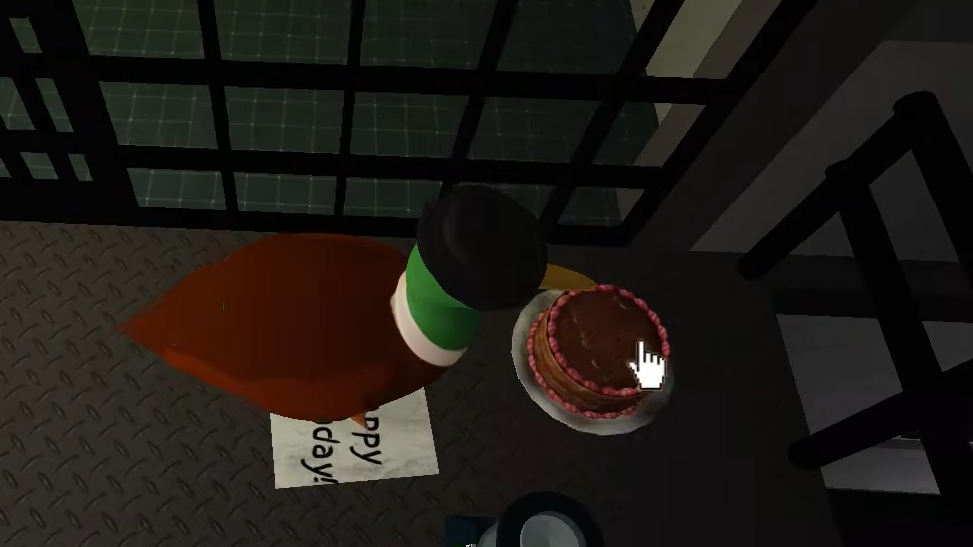
Step 1: Head upstairs from the main prison floor. Look for a chocolate cake sitting on a table or shelf with a "Happy Birthday!" note.
Step 2: Click on the cake. The Grinding Tool will appear beneath it, and you'll receive a notification that it has been collected.
Unlock the First Cell and Find the Arrow Pattern
Step 1: Return downstairs and locate a locked cell door marked "STAFF ONLY." Use the Grinding Tool to break it open.
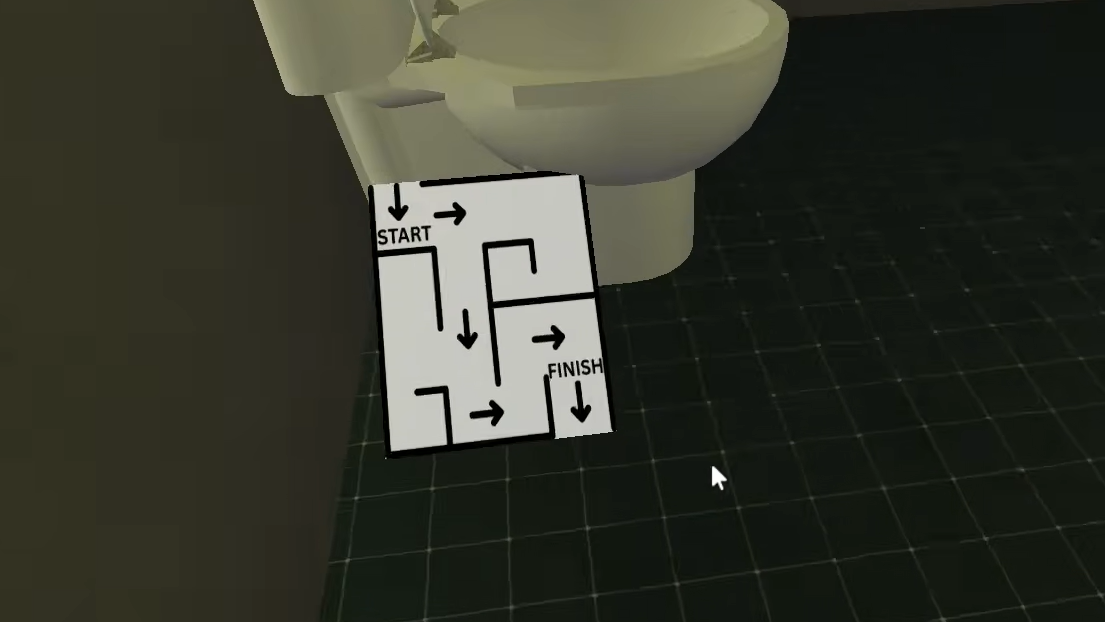
Step 2: Inside the cell, examine the poster behind the toilet. It displays a maze pattern with six arrows in this sequence: Down, Right, Down, Right, Right, Down. Write down or memorize this pattern.
Convert Arrows to a Numeric Code
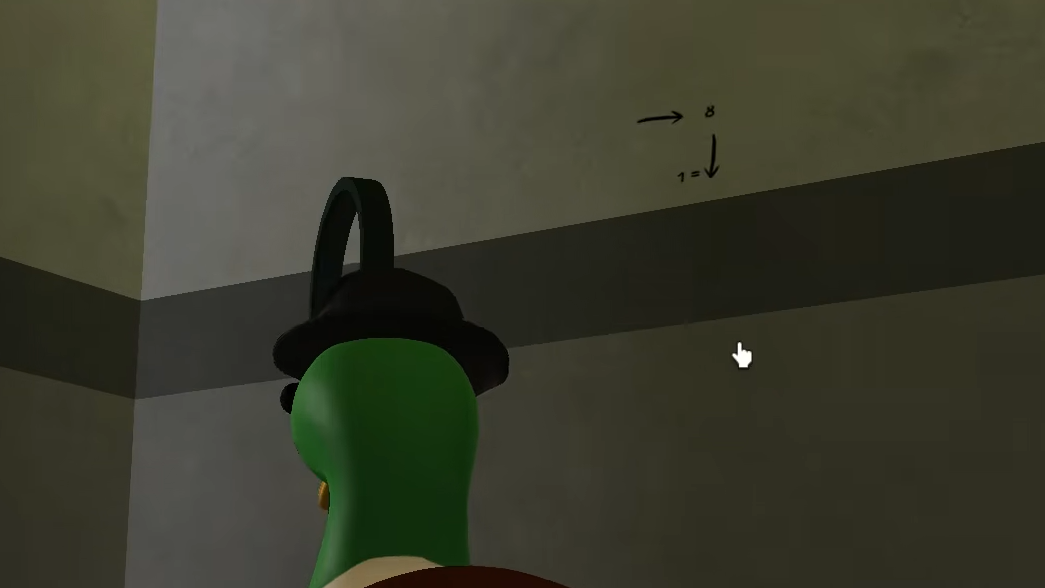
Step 1: Equip the Magnifying Glass tool and examine the prison walls. You'll find small markings that show the conversion key: Down equals 1, and Right equals 8.
Step 2: Convert the arrow sequence using this key. Down-Right-Down-Right-Right-Down becomes 1-8-1-8-8-1, giving you the code 181881.
Open Cell A3
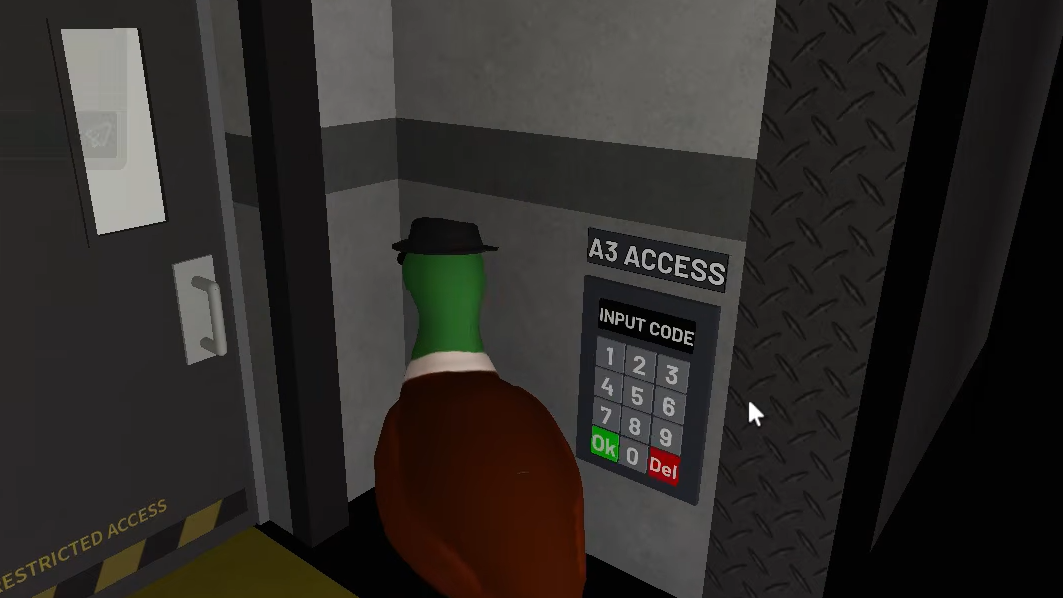
Step 1: Find the A3 Access Keypad in the prison. Enter the code 181881 and press OK.
Step 2: The cell door unlocks. You'll see a confirmation message: "A correct code has been entered."
Retrieve the Plunger and Keycard
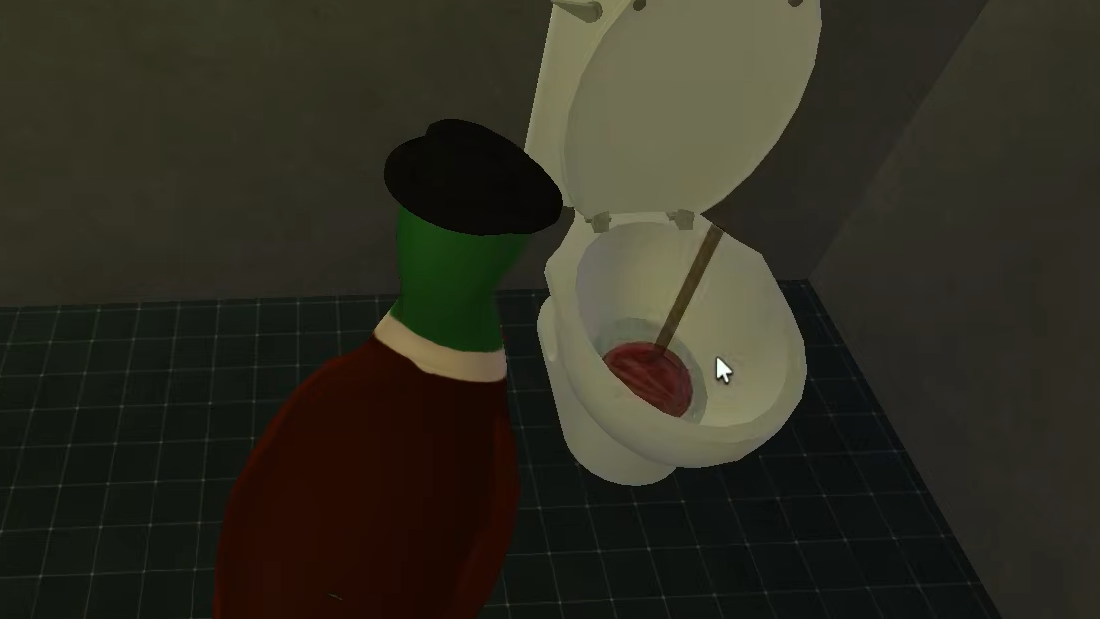
Step 1: Go back upstairs to the left side of the upper level. Collect the red plunger sitting on a table or shelf.
Step 2: Return to the unlocked Cell A3 and use the plunger on the toilet. A blue keycard will appear inside. Collect it.
Access the Cafeteria
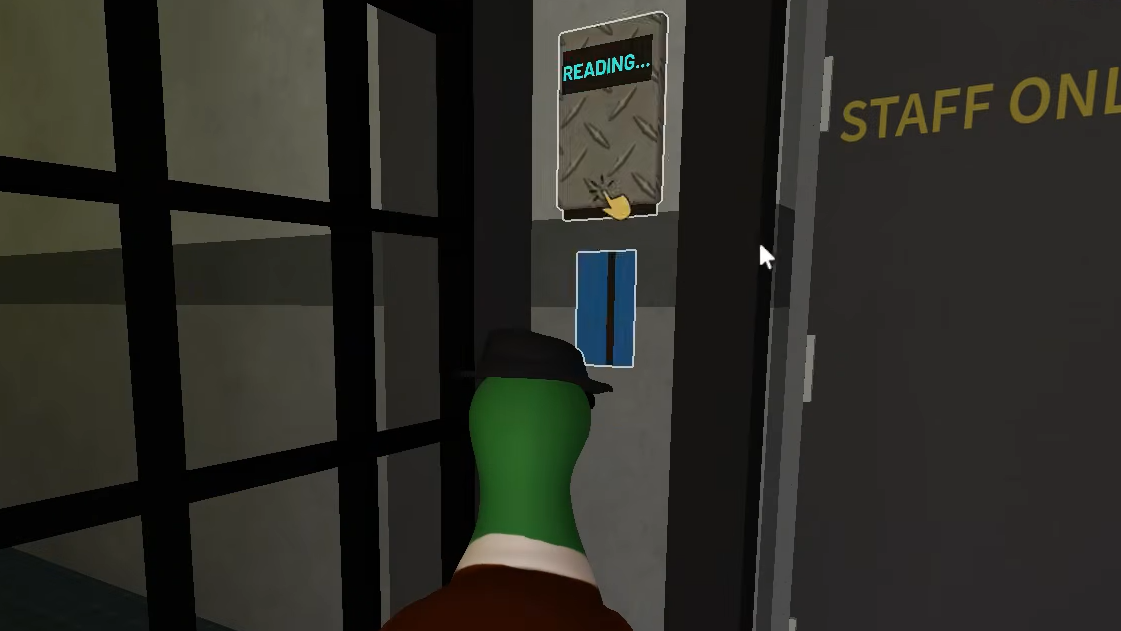
Step 1: Locate the cafeteria entrance, which has a keycard reader next to the door. Use the keycard on the reader.
Step 2: The reader will display "ACCEPTED" and the door opens. Enter the cafeteria.
Collect Tomatoes and Create Acidic Juice
Step 1: Search the cafeteria for four red tomatoes scattered throughout the room. Collect all four.
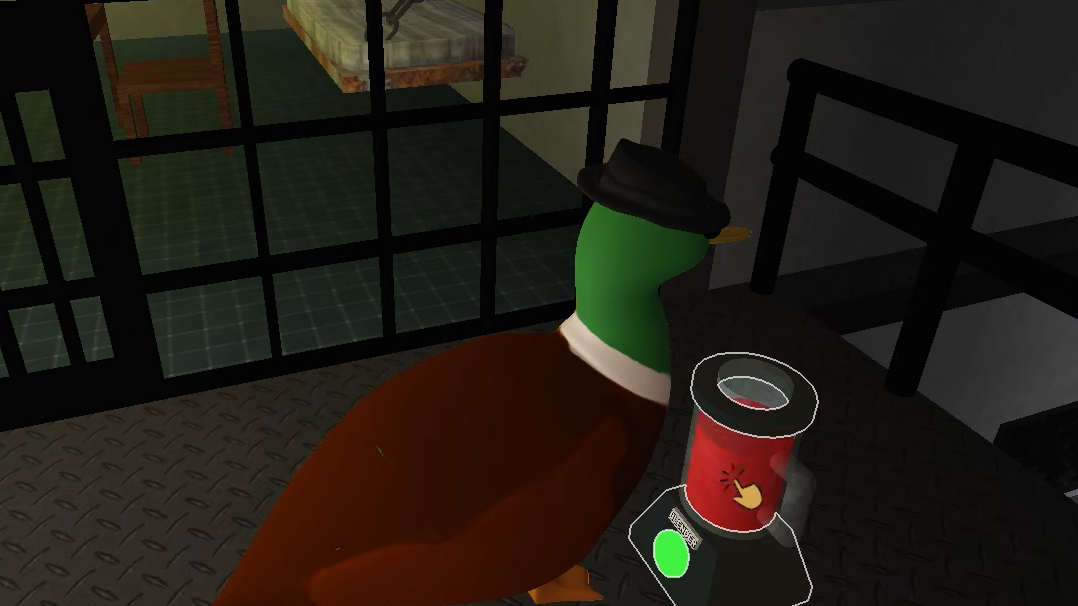
Step 2: Go upstairs to the right side of the cafeteria. Find the blender and place all four tomatoes into it.
Step 3: Activate the blender. It will turn green as it processes. When complete, a jug of acidic tomato juice will be given to you.
Melt the Rusted Iron and Cut the Wires
Step 1: Locate the metal box labeled "NOTICE AUTHORIZED PERSONNEL ONLY" on a wall in the prison. Pour the acidic juice on it to melt the cover and reveal colored wires inside.
Step 2: Return to the back of the cafeteria and collect the scissors from the storage shelves.
Step 3: Go back to the wire box and cut the wires in this exact order: Green, Blue, Yellow, Red. A nearby metal gate will open once all four wires are cut.

Unlock the Office
Step 1: Enter the newly opened area and collect the Denim Dan Cell Key from a corkboard.
Step 2: Use this key to unlock the cell door labeled "Denim Dan."
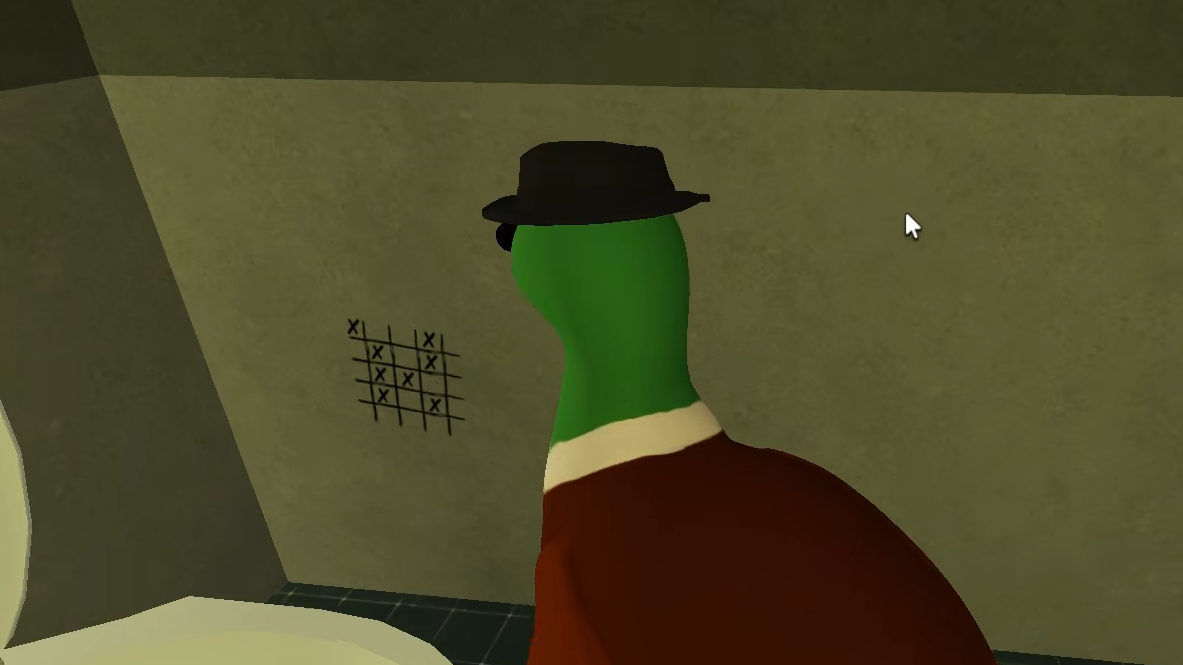
Step 3: Inside the cell, observe the 3×3 grid drawn on the wall. Note which positions have checkmarks (not X's).
Unlock the Safe with the Grid Pattern
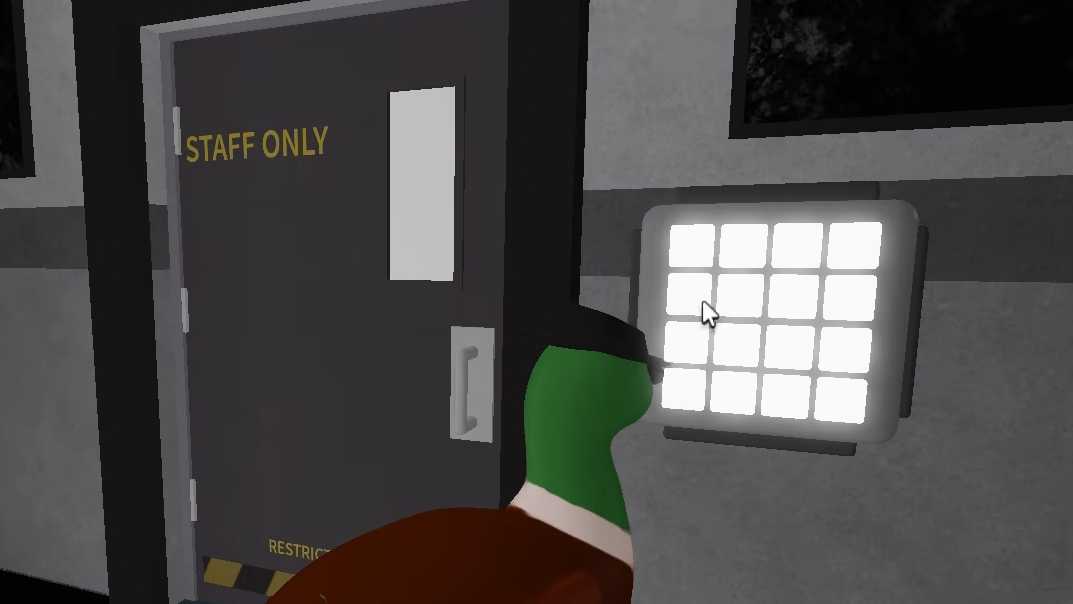
Step 1: Find the keypad with a 3×3 grid next to a "STAFF ONLY" door. Press the buttons that correspond to the checkmark positions from the cell wall. Typically, this is the middle-right, bottom-left, and bottom-right positions.
Step 2: When correct, the buttons will turn green, and the door will open. Enter the office.
Retrieve Your Password from the Inbox
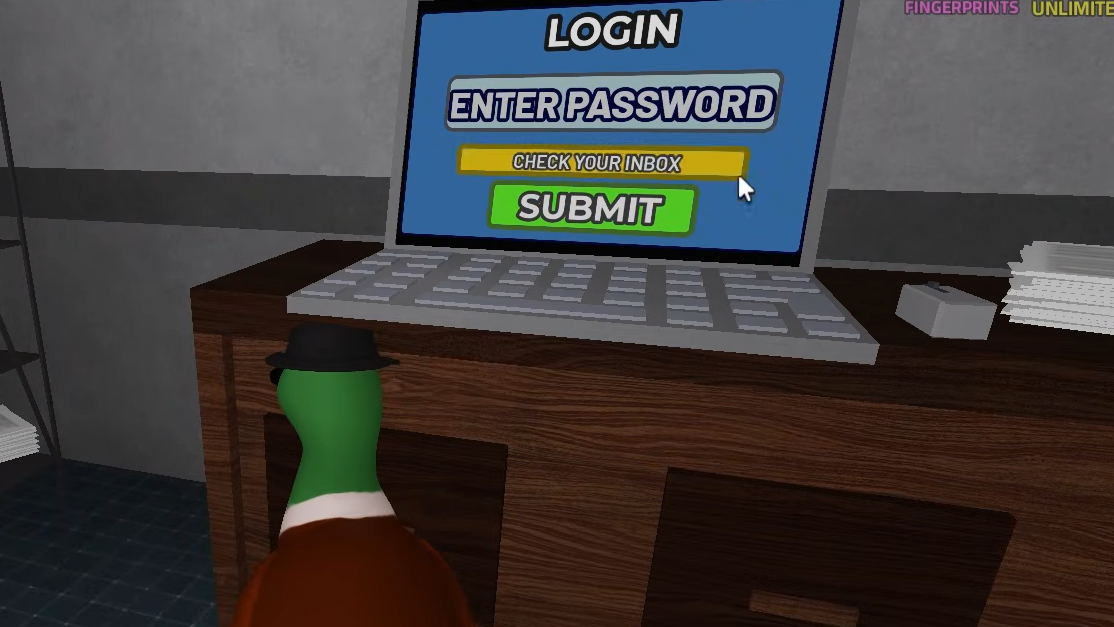
Step 1: Inside the office, you'll see a laptop with a login screen. Click "I forgot my password."
Step 2: The screen will display "CHECK YOUR INBOX." Navigate to the security room (the area you accessed by cutting wires earlier).
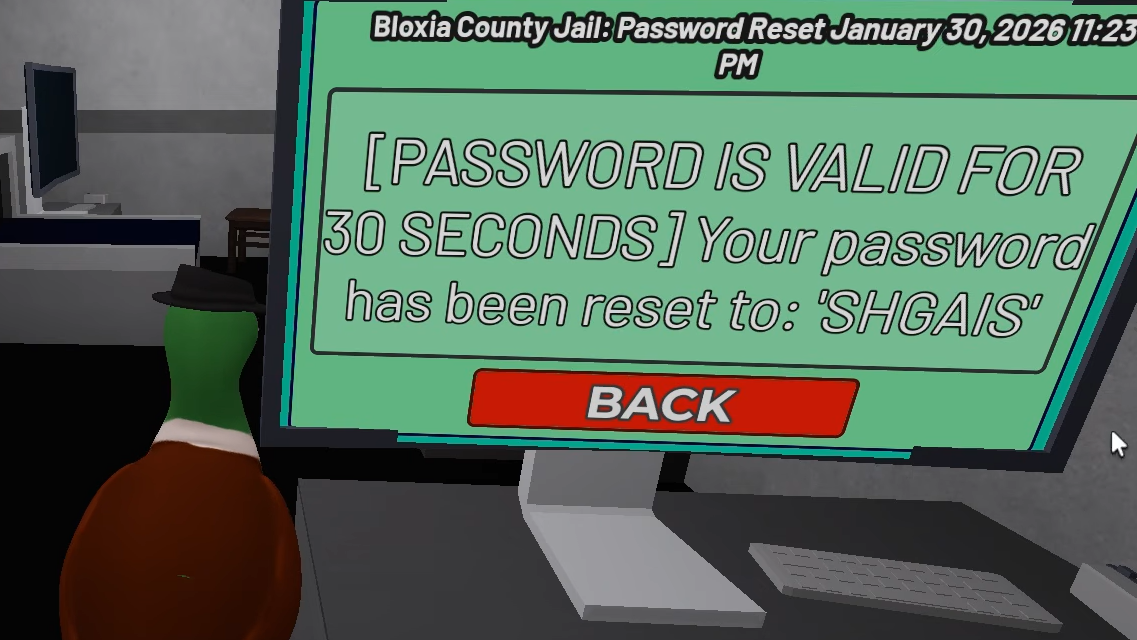
Step 3: Look at the computer monitor labeled "INBOX" and read the email. It will show your unique password, valid for 30 seconds. An example password is SHGAIS, but yours will be different.
Step 4: Quickly return to the office laptop and type your password into the login field. Click SUBMIT.
Step 5: The screen will display "GRANTED GATE ACCESS" and the large garage door to the outside yard opens.
Identify the Culprit
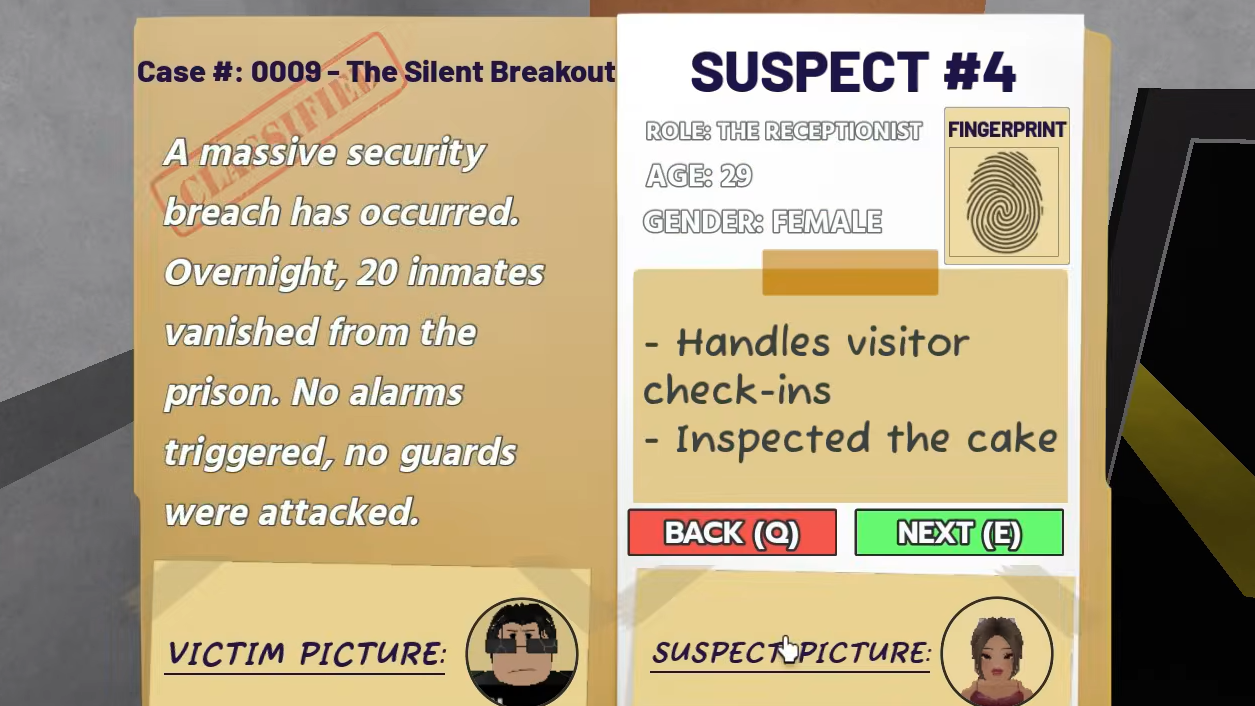
Step 1: Open your case file. The case summary states: "A massive security breach has occurred. Overnight, 20 inmates vanished from the prison. No alarms triggered, no guards were attacked."
Step 2: Review the five suspects:
| Suspect | Role | Key Detail |
|---|---|---|
| Janitor | Yard maintenance | Has mud on boots |
| Cook | Kitchen staff | Blender smells of chemicals; missing kitchen shears |
| Tech Guard | Gate system control | Found sleeping |
| Receptionist | Visitor check-ins | Inspected the cake |
| Granny | Visitor | Brought a chocolate cake |
Step 3: Find the crumpled emergency note in the security room. It reads: "A Granny brought a suspicious cake today. Based on my inspection, it should be clear. In case anything happens, it was that Granny!!!"
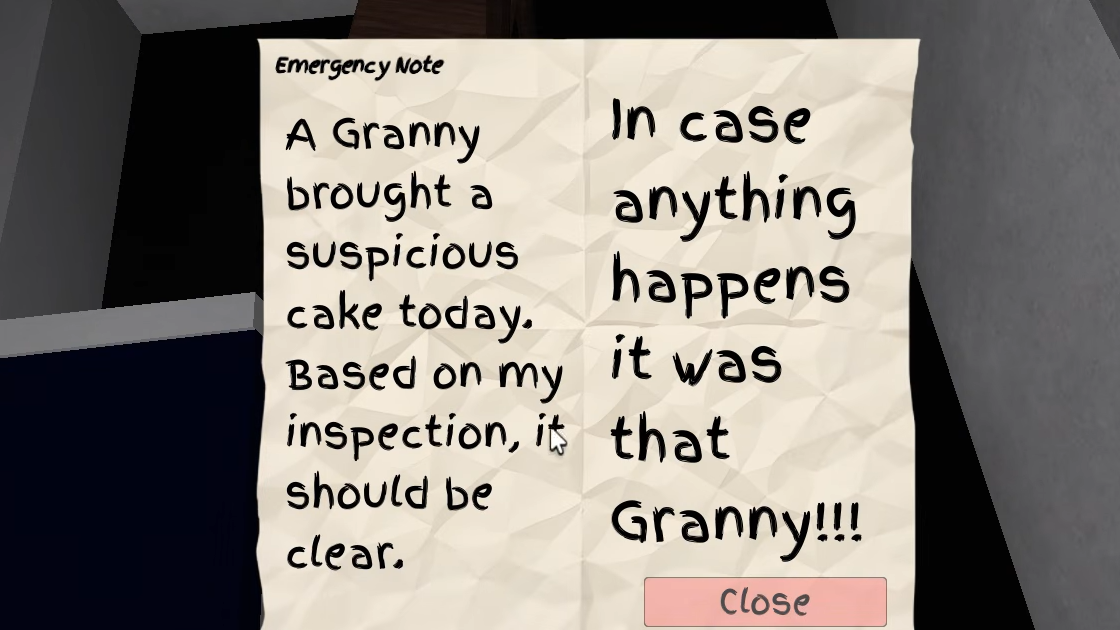
Step 4: Recall that you found the Grinding Tool hidden inside the cake at the start. This was the tool used to unlock the first cell and begin the escape sequence. The Granny delivered the tool, but the Receptionist—positioned at the front desk to handle visitor check-ins—was the one who inspected and approved the cake's entry. The Receptionist had the access and opportunity to enable the mass breakout.
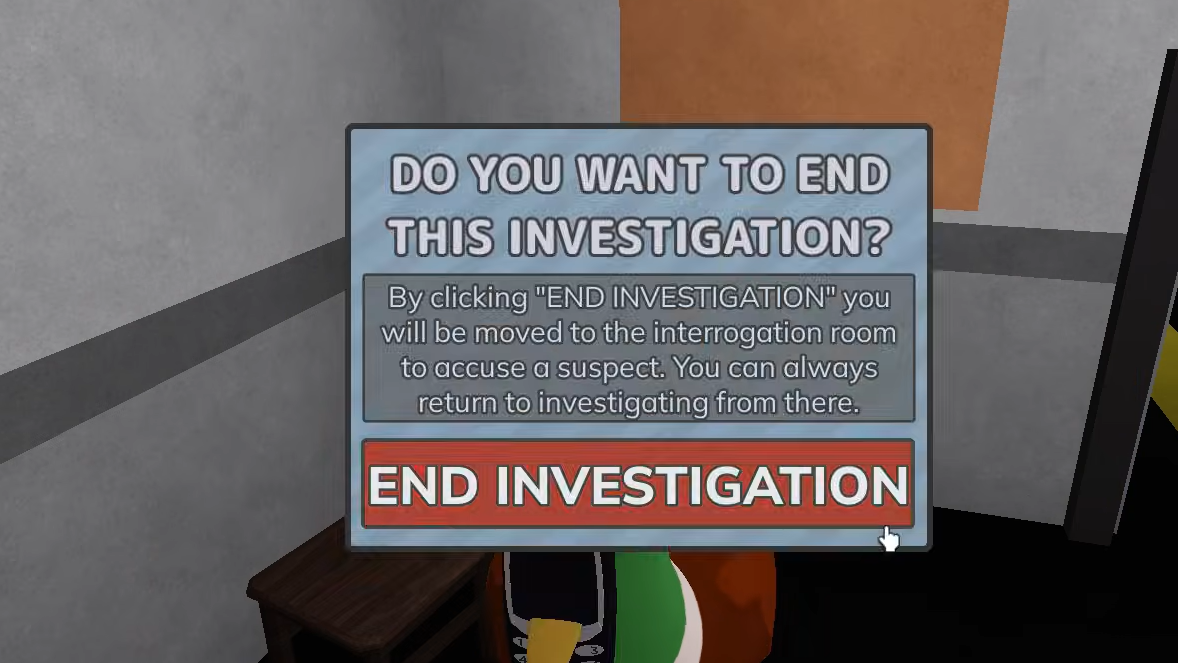
Step 5: Equip your phone and click "END INVESTIGATION." You will be taken to an interrogation room where you can vote for the suspect. Select the Receptionist.
Step 6: If correct, the game will confirm: "Well done, Detective. You caught the right suspect." The Receptionist will be shown behind bars with charges displayed: Aiding and Abetting a Mass Jailbreak, Smuggling Contraband, and Corruption & Bribery.
The Prison mission tests your ability to chain together multiple puzzle types—numeric codes, chemical reactions, electrical systems, and logical deduction. Pay careful attention to environmental clues and the suspect details provided in your case file to reach the correct conclusion.