

Apple Wallet picks up a meaningful set of upgrades in iOS 27, the software Apple showed off at WWDC 2026. The headline additions lean on Apple Intelligence, so you can scan a receipt to split a bill or point your camera at a loyalty card to turn it into a digital pass. There are also quieter changes to Apple Pay checkout, hotel keys, and pass design that affect how the app works day to day.
Quick answer: iOS 27 is in developer beta now, with a public beta planned for July and a full release expected in September. Wallet gains bill splitting with Apple Cash, custom passes from scanned cards, enhanced passes for all pass types, an updated Apple Pay checkout, enhanced hotel keys, and order tracking in Canada and Australia. Bill splitting is U.S.-only, and the camera-based features need an iPhone 15 Pro or newer.
Split bills by scanning a receipt with Apple Cash
The most useful new feature is bill splitting. You scan or photograph a restaurant receipt, and Wallet reads the line items so you can assign dishes to each person. It then works out everyone’s share, including their part of the tax and tip, and sends Apple Cash payment requests to each person.
The feature lives in both the Wallet and Messages apps, and you can also trigger it through the new Siri mode in the Camera app. When you point your iPhone at a receipt in Siri mode, Wallet surfaces the option to split the bill and identifies the items automatically. Apple Watch is supported too, so you can approve payment requests from your wrist.
There’s one important limit. Bill splitting runs on Apple Cash, which is only available in the U.S., so it won’t work in other countries.
Create custom passes from physical cards
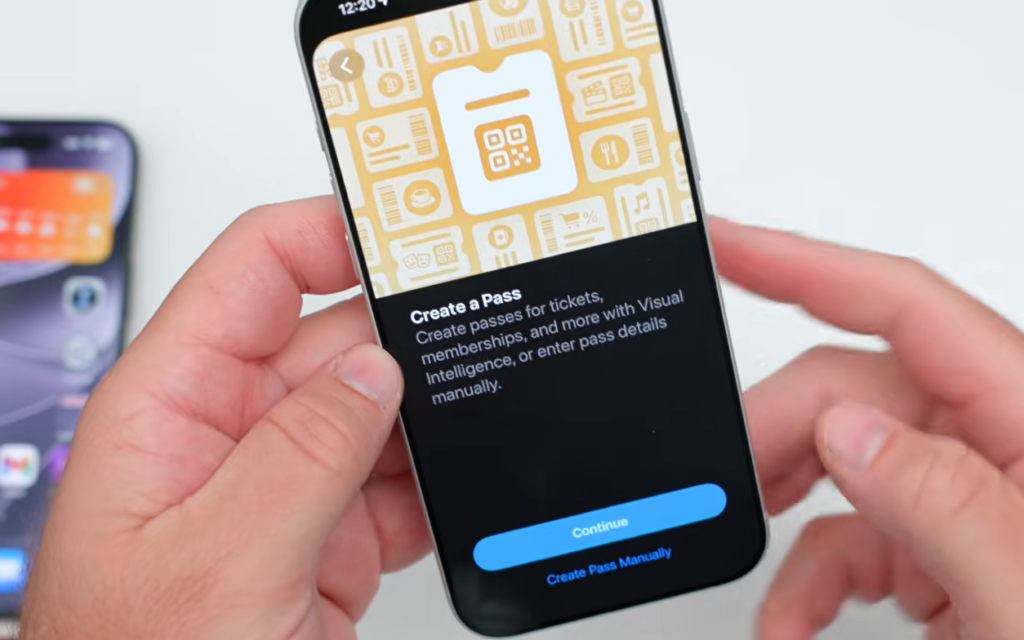
You can now build your own passes in Wallet from physical cards that have a barcode, like loyalty or membership cards. Apple’s newsroom describes this as a way to bring cards that only exist in a physical format into Wallet. The option appears under “Create a Pass” when you tap the plus (+) button.
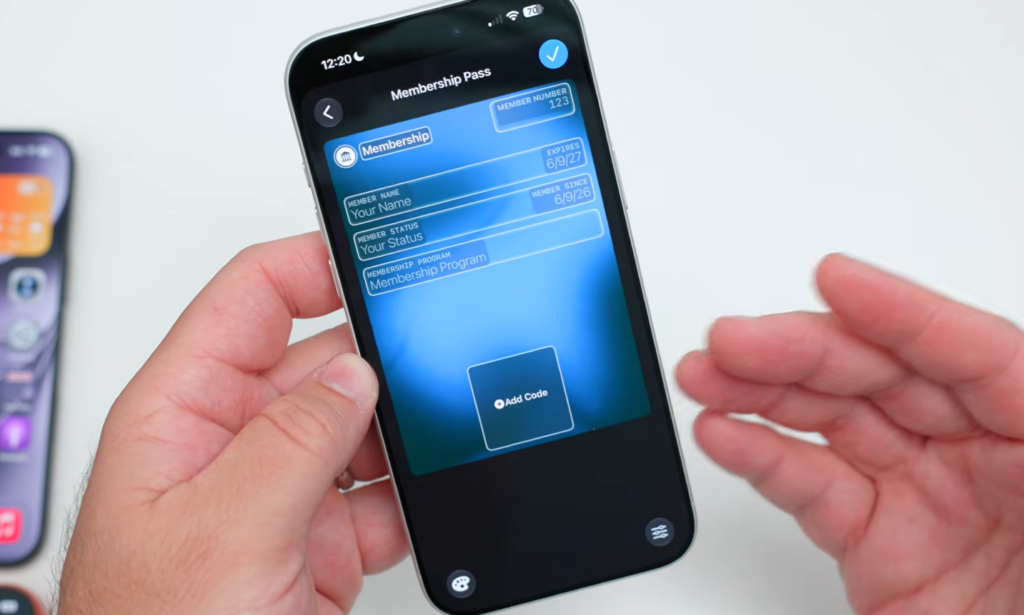
You can customize the image, colors, style, and text. Wallet color-codes the types as well, with membership cards in blue, event passes in purple, and orange for other passes. The catch is that this relies on Apple Intelligence and the new Siri mode, so you’ll need an iPhone 15 Pro or newer to use it.
Enhanced passes for loyalty, rewards, and gift cards
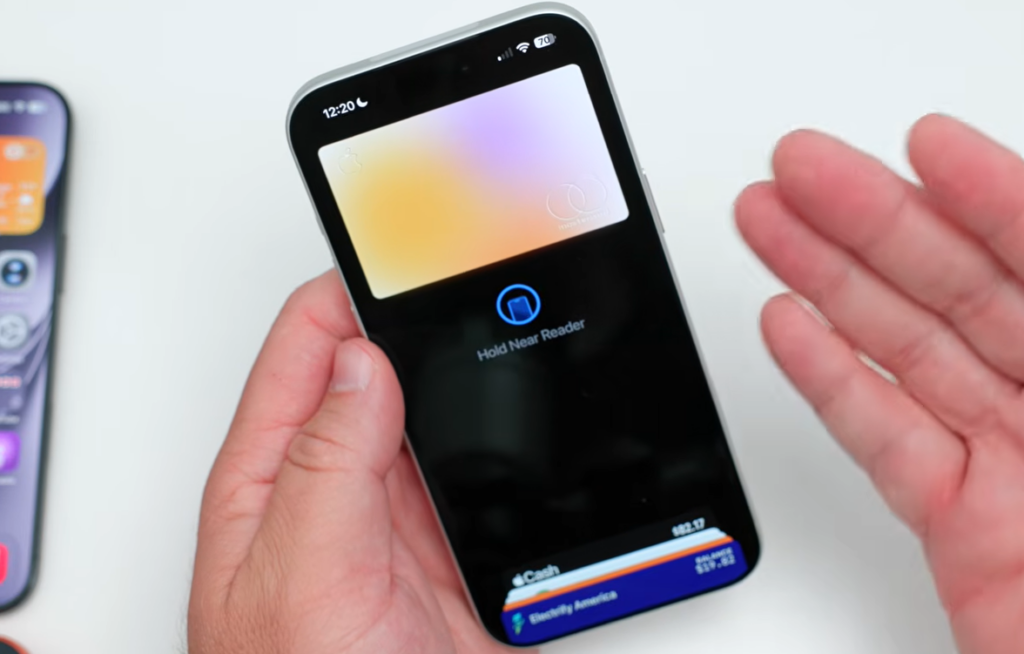
iOS 26 introduced enhanced boarding passes. iOS 27 extends that elevated design to every other pass type, including loyalty, rewards, membership, and gift cards. The newer passes use more detailed background images, with tiles below them that show relevant information at a glance.
Passes can also offer featured actions across all pass styles, up to two per pass, which developers set in priority order. In practice, that means a pass from a venue, gym, or retailer can show quick buttons like “View my account” or “Check balance” right inside Wallet, instead of forcing you into a separate app.
For developers, Apple has a new macOS app called Pass Designer for creating and previewing passes, available in beta on macOS 27. Wallet passes also support four new barcode types, listed below.
| New barcode type | Common use |
|---|---|
| EAN-13 | Retail product codes |
| Code 39 | Inventory and ID labels |
| Codabar | Libraries and logistics |
| ITF (Interleaved 2 of 5) | Packaging and distribution |
Updated Apple Pay checkout
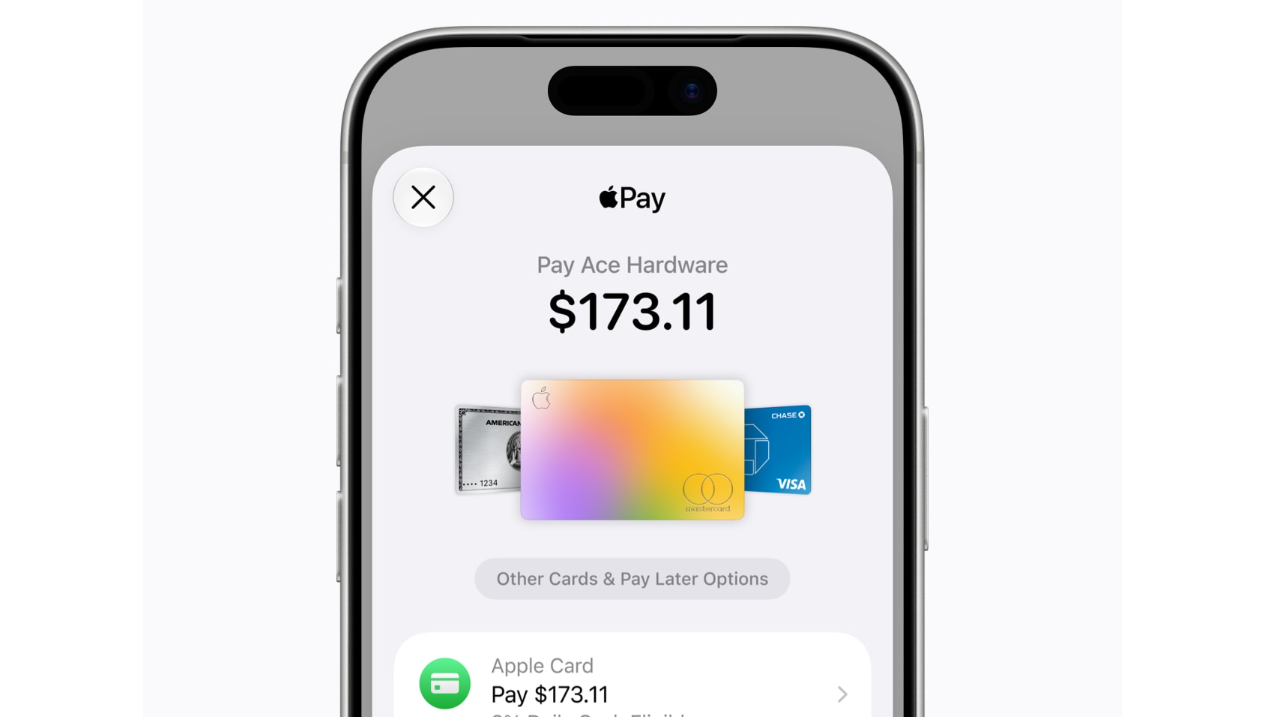
Apple is redesigning the checkout sheet you see when paying online and in apps with Apple Pay. The new layout lets you swipe to switch cards, and for eligible cards it surfaces useful details directly in the sheet, including rewards balances, debit account balances, and pay later options.
That removes some of the guesswork about which card to use, since your balances appear right where you’re paying. Later this year, you’ll also be able to use Apple Pay to add funds to an eligible debit card, either inside Wallet or while checking out online.
Tap to Share at checkout
A new in-store feature called Tap to Share changes how you connect with merchants at the register. Instead of handing over a loyalty card or reading out your phone number, you tap your iPhone to a participating merchant’s iPhone to securely share information for a faster, more personalized purchase.
The transaction stays on your own screen and under your control. Note that Tap to Share is not available in the EU.
Enhanced hotel keys
Wallet already lets you unlock rooms and hotel amenities with an iPhone or Apple Watch at participating properties. iOS 27 adds an enhanced key experience that pulls in more of your trip in one place. You can view trip details, get timely updates about booked activities, and access services available during your stay, all from the key in Wallet.
Apple has not named which hotel brands or locations will support the upgraded keys, so the exact experience at launch will depend on the property.
Order tracking expands to Canada and Australia
Wallet’s order tracking, which uses Apple Intelligence to follow deliveries from your online purchases, has been limited to the U.S. and the U.K. Starting with iOS 27, it also works in Australia and Canada. The feature is easier to reach in the redesigned app, which carries a sharper, more detailed Wallet icon as well.
Release date, beta, and device requirements
iOS 27 is available as a developer beta right now. A public beta is expected in July, with the full release for everyone planned for September. The update is compatible with the iPhone 11 series and newer.
Keep two limits in mind when planning around these features. Bill splitting requires Apple Cash and is U.S.-only, and the camera-driven tools like custom passes and receipt scanning depend on Apple Intelligence, so they need an iPhone 15 Pro or newer. Everything else, such as enhanced passes and the updated Apple Pay checkout, rolls out more broadly across supported iPhones.