

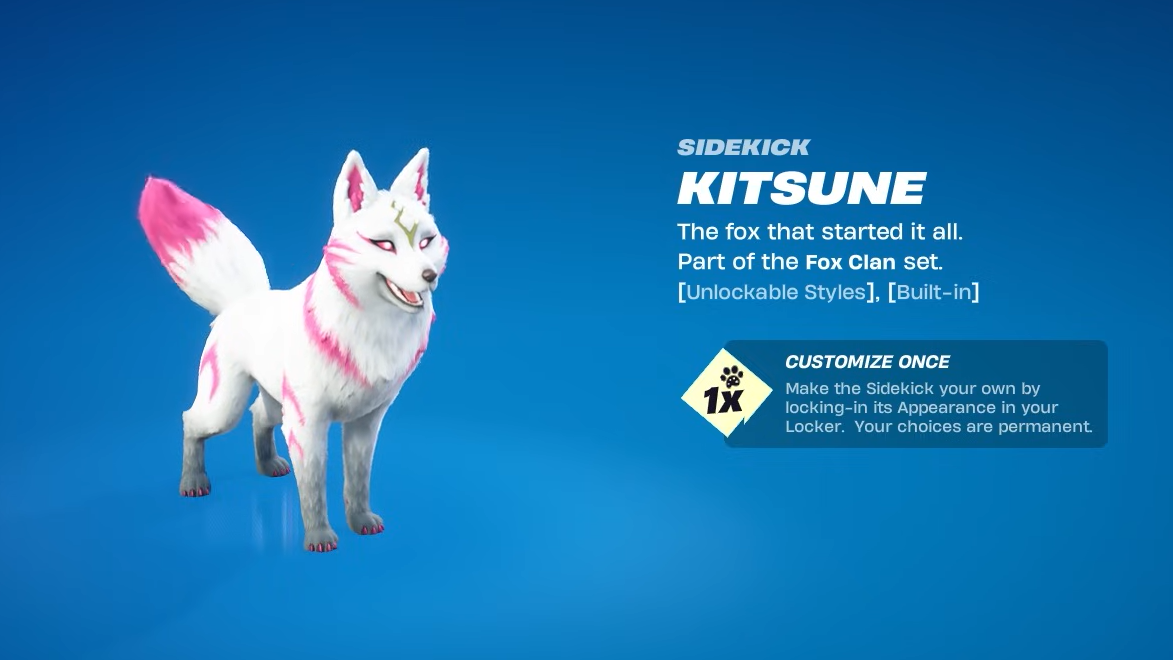
The Kitsune Sidekick brings one of Fortnite’s most popular fox pets out of back bling status and into full companion form. It is part of the Fox Clan Set and launches as an Uncommon Sidekick that can follow your character across multiple Fortnite modes, including LEGO Fortnite and Fortnite Festival.
The rollout combines an automatic grant for long-time players with a straightforward item shop release. It also uses the broader Sidekick system, where you earn Sidekick Points in matches to unlock extra cosmetics and reactions.
Release timing and basic details
The Kitsune Sidekick goes live in the Fortnite Item Shop on January 3, 2026, during the usual evening shop reset window. Once it is live, it appears in the shop like other Sidekicks, under the Fox Clan Set.
| Item | Type | Rarity | Set | Added in |
|---|---|---|---|---|
| Kitsune | Sidekick (companion) | Uncommon | Fox Clan Set | Update v39.11 |
Once unlocked, Kitsune can be used in Battle Royale, Save the World, Creative, Fortnite Festival, and LEGO Fortnite. It is not supported in Rocket Racing or Ballistic modes.
How to get Kitsune Sidekick for free (OG owners)
A specific group of players receives the Kitsune Sidekick at no extra cost. The requirement is tied to the original pet-style back bling from the Chapter 1, Season X Battle Pass.
You qualify for the free Sidekick if:
- You owned the Chapter 1, Season X Battle Pass, and
- You unlocked the original Kitsune pet back bling (commonly earned at Battle Pass tier 28), and
- That Kitsune back bling is still in your locker when the item shop resets on January 3, 2026.
For qualifying players, the game automatically grants one Kitsune Sidekick. You do not need to claim it through a quest, and you do not have to visit the shop. It simply appears in your locker once the rollout hits your account.
Players who already own other OG pet back blings have seen similar behavior with other Sidekicks, such as Bonesy. The same pattern now extends to Kitsune: when Epic converts a classic pet into a Sidekick, the base Sidekick is granted to existing pet owners.
Step 1: Log in after the January 3, 2026, item shop reset with the account that owns the Season X Kitsune back bling. Wait a few moments on the main menu so the grant can process.
Step 2: Open your locker, filter by Sidekicks or search for “Kitsune”, and verify that the new Sidekick is listed alongside your other companions.
Step 3: Select the Kitsune Sidekick and enter the customization screen. You can perform your one-time configuration and then start using it in supported modes.
How to get Kitsune Sidekick if you missed Season X
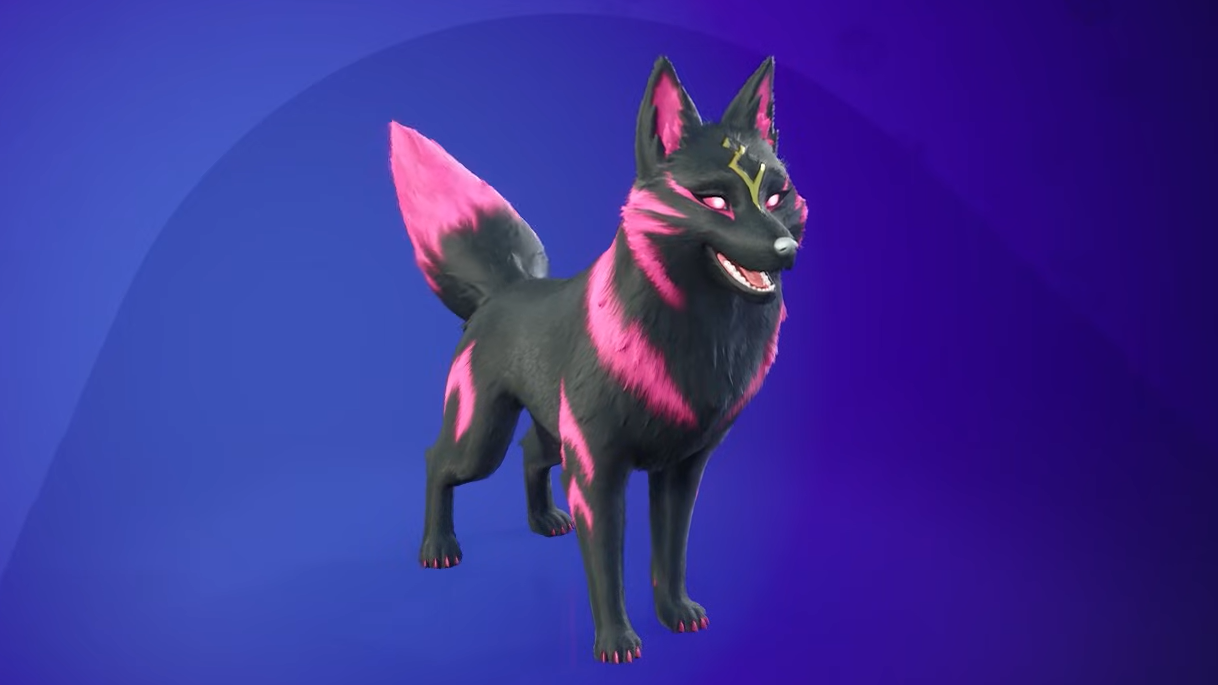
If you did not play during Season X or never unlocked the original Kitsune pet, you can still get the Sidekick directly from the Item Shop.
Key points for non-OG players:
- Kitsune Sidekick appears as a regular cosmetic purchase in the Item Shop starting January 3, 2026.
- The price is in the typical Sidekick range, around 1,200–1,500 V-Bucks.
- The shop version offers the same functionality and unlockable rewards as the free OG grant.
Step 1: When the item shop refreshes on or after January 3, 2026, navigate to the Featured or Sidekick section and look for the Kitsune Sidekick entry.
Step 2: Select the bundle or item to inspect the preview, including its base look and supported modes.
Step 3: Purchase Kitsune with V-Bucks. After the transaction completes, Kitsune appears in your locker alongside other Sidekicks.
Step 4: Open the Sidekick customization screen and make your one-time configuration choices, then equip Kitsune for any supported mode.
Kitsune Sidekick customization options
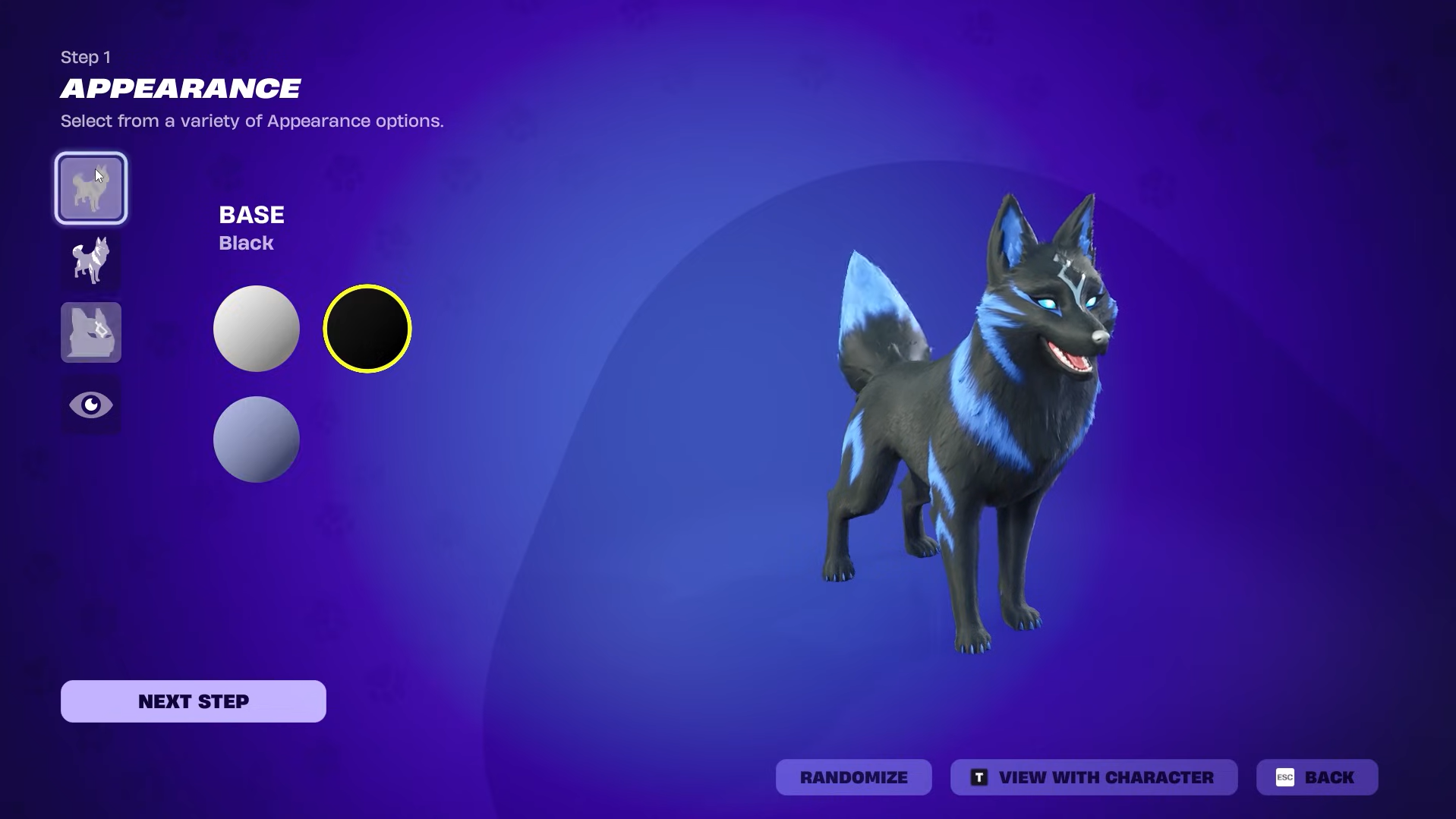
Kitsune follows the newer Sidekick customization system. You configure it once, locking in your choices permanently for that specific Sidekick. The options focus on fur color, accents, metal details, eyes, clothing, and cosmetic extras.
| Category | Options |
|---|---|
| Base fur color | White, Black, Lavender |
| Accent color | Pink, Silver, Blue |
| Detail (metal) | Gold, Silver |
| Eye color | Pink, Violet, Blue |
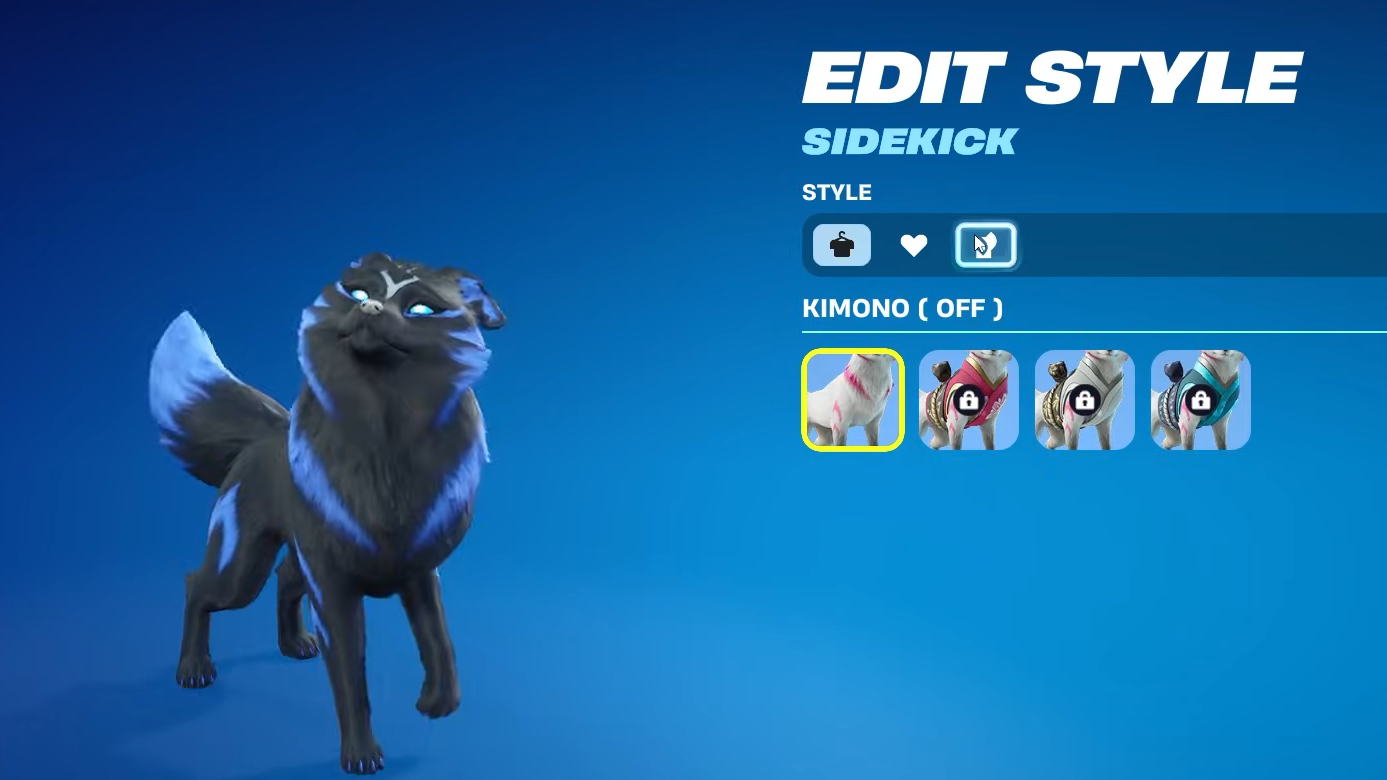
| Kimono style | Off, Cherry Blossom, Shining Silver, Blizzard Blue |
| Hi-Res Fur toggle | On, Off |
| Sidekick emote | None, Nine-Tailed (unlocked reward) |
| Reaction | Any Reaction you already own, including Fox Clan Heart |
The base fur color and accent combination can loosely mimic the original back bling’s classic Rift Storm, Snowstorm, and dark variants, though the model itself has a more realistic style than the original pet. Many players use Black fur with Blue or Silver accents to echo the darker Fox Clan look, while White with Pink echoes the lighter style.
Sidekick Points and Kitsune unlockable rewards
Once you own Kitsune, equipping it in supported modes starts generating Sidekick Points. These are passive progression points that accumulate as you complete matches with a Sidekick active.
Sidekick Points unlock a small reward track tied to Kitsune. Rewards include kimonos, reactions, and a built-in emote:
| Reward | Type | Notes |
|---|---|---|
| Tricksters of the Fox Clan | Cosmetic item | Sidekick-related reward themed around the Fox Clan |
| Fox Clan Heart | Reaction | Can be used across all Sidekicks once unlocked |
| Cherry Blossom kimono | Style | Pink floral kimono option for Kitsune |
| Happy Kitsune | Cosmetic item | Additional Kitsune-themed reward |
| Shining Silver kimono | Style | Neutral silver kimono for a cleaner look |
| Banner Icons | Account cosmetic | Banner icons with Kitsune/Fox Clan motifs |
| Blizzard Blue kimono | Style | Snowy blue kimono that fits Winterfest-style outfits |
| Nine-Tailed | Sidekick emote | Built-in emote that transforms Kitsune with swirling tails |
Most of these rewards only function with Kitsune itself. The exception is Reactions like Fox Clan Heart, which can be equipped on any Sidekick in your locker once unlocked. Progress toward these rewards appears in the Quest tab under the Sidekick section whenever Kitsune is equipped.
Step 1: Equip the Kitsune Sidekick in your locker so it appears alongside your character in matches.
Step 2: Play matches in compatible experiences (for example, Battle Royale, LEGO Fortnite, Creative, or Fortnite Festival). Finish games instead of leaving early to ensure Sidekick Points are granted.
Step 3: Periodically open the Quest tab and locate the Sidekick progression area to track how many points you have earned and which Kitsune rewards are next in line.
Step 4: Claim any completed rewards, then revisit the Kitsune customization screen to enable newly unlocked kimonos, Reactions, or the Nine-Tailed emote.
How LEGO Kitsune Sidekick fits in
Like other modern Sidekicks, Kitsune supports LEGO Fortnite. When you own the Kitsune Sidekick, a LEGO version is available for compatible LEGO Fortnite cosmetics, giving you a blocky take on the fox companion that stays visually consistent with the LEGO art style.
There is no separate LEGO-only purchase. Unlocking Kitsune once, either through the free OG grant or via the item shop, covers both standard and LEGO-compatible use where supported.
One-time customization and why OG players are debating it
The current Sidekick system only lets you finalize your configuration once per Sidekick. After choosing a fur color, accents, eyes, and kimono, you cannot cycle between presets later without owning additional copies of the same Sidekick variant from the shop.
For Kitsune, that has created a split among long-time players:
- Some OG owners are happy to take the free Sidekick, pick a single look, and ignore the rest of the styles.
- Others point out that they already own multiple original Kitsune styles as a pet back bling and would need extra purchases to mirror those looks on the Sidekick.
This has led to criticism around pricing and the “customize once” approach, especially from players who prefer the cartoon-style models of the original pets. On the other hand, some players appreciate the more detailed, realistic model and use the one-time choice to create a Sidekick that matches a specific skin or theme.
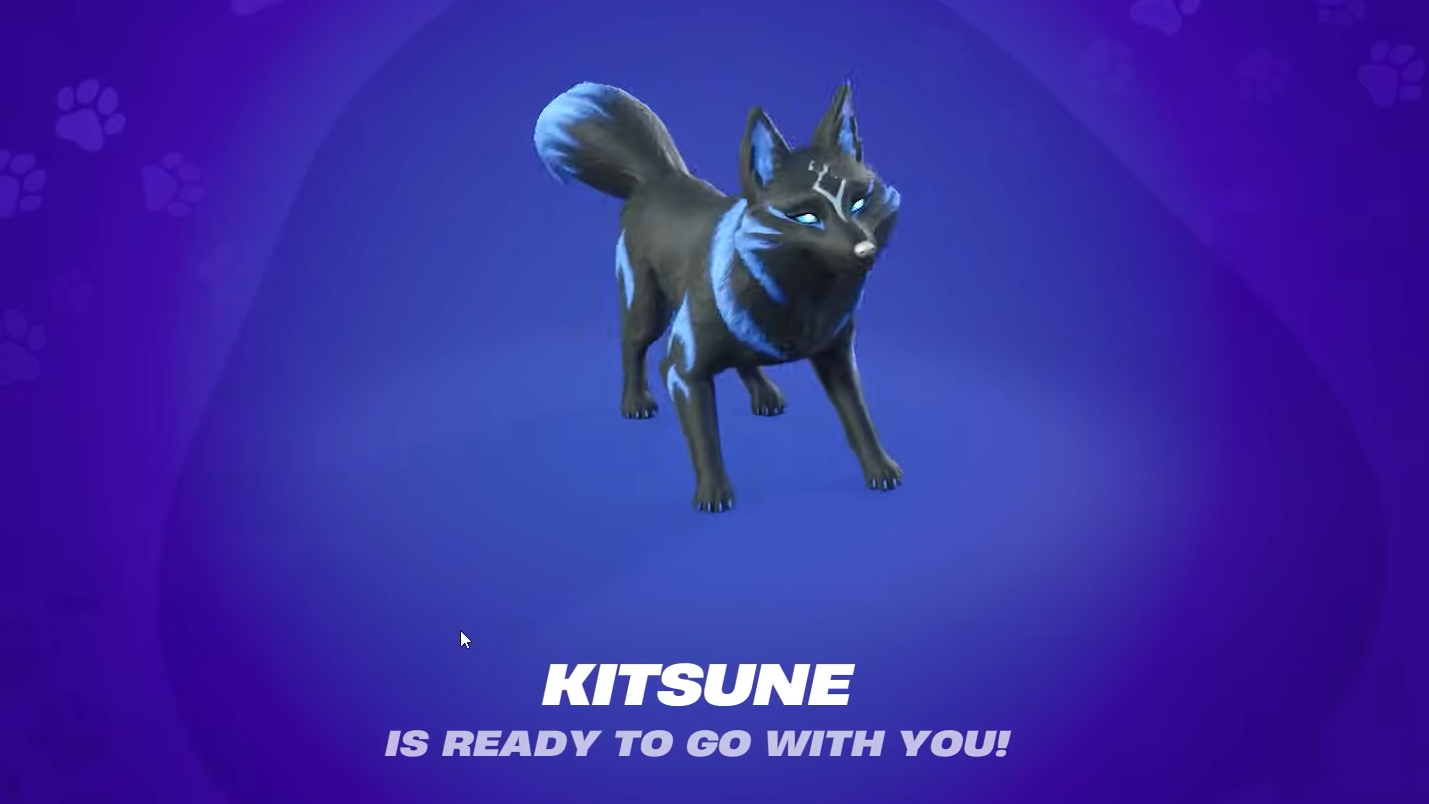
For anyone who played through Chapter 1, Season X, Kitsune Sidekick functions as a quiet loyalty reward with modern systems layered on top. For everyone else, it is another entry in Fortnite’s growing lineup of Sidekicks: a fully animated fox companion with meaningful customization, a short progression track, and full support across core modes, including LEGO Fortnite. Whether the one-time customization and V-Bucks pricing are worth it depends on how much time you spend with fox-themed cosmetics and how attached you are to recreating every original Kitsune style in Sidekick form.